

Build

Every worker’s certifications checked, before they start

Construction worker certification and license tracking software

Workers add their cards and licenses to a wallet on their phone. Your safety manager reviews each card, and you can stop anyone with an expired one from signing on.
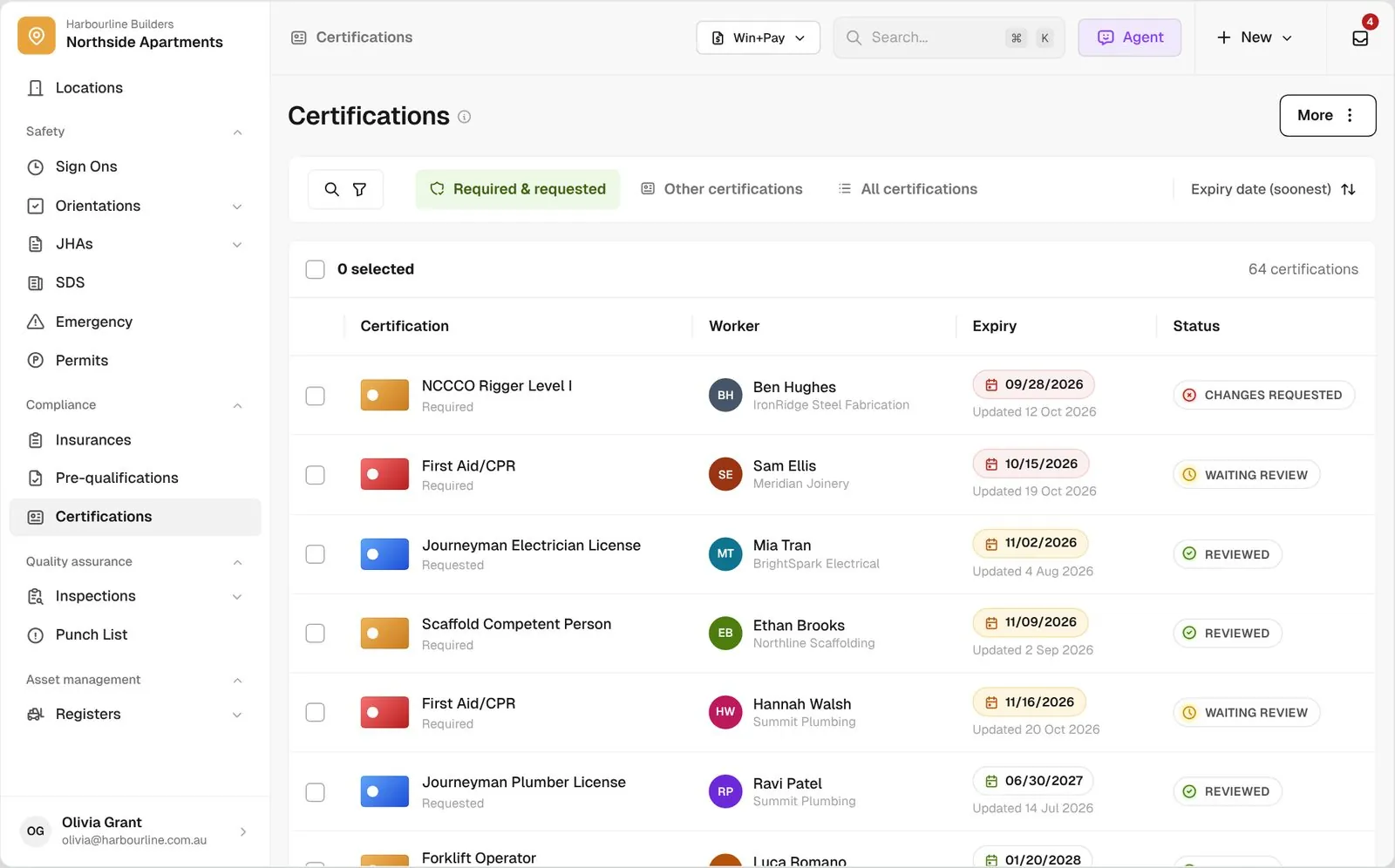
Certifications list across every worker with expiry dates and review status, sorted by soonest expiry

Trusted by builders across the country

From custom home contractors to commercial GCs, field teams check their workers’ certifications on BuildPass.


Reidy Contracting Group
Ameresco
DivisionOne Construction
Burkentine Builders
Ready Construction
DD Construction
Honest Hammer
Homestead
Copeland Construction
RMA Commercial General Contractors
Dryden Custom Homes
Reidy Contracting Group
Ameresco
DivisionOne Construction
Burkentine Builders
Ready Construction
DD Construction
Honest Hammer
Homestead
Copeland Construction
RMA Commercial General Contractors
Dryden Custom Homes
Reidy Contracting Group
Ameresco
DivisionOne Construction
Burkentine Builders
Ready Construction
DD Construction
Honest Hammer
Homestead
Copeland Construction
RMA Commercial General Contractors
Dryden Custom Homes
Reidy Contracting Group
Ameresco
DivisionOne Construction
Burkentine Builders
Ready Construction
DD Construction
Honest Hammer
Homestead
Copeland Construction
RMA Commercial General Contractors
Dryden Custom Homes
Fassberg
AJFX Construction
ECI Austin
New Age Builder
EDG Pro Contractors
Schwartz Custom Homes
ARK General Construction
Two Z Homes
Shade Doctor of El Paso
Fassberg
AJFX Construction
ECI Austin
New Age Builder
EDG Pro Contractors
Schwartz Custom Homes
ARK General Construction
Two Z Homes
Shade Doctor of El Paso
Fassberg
AJFX Construction
ECI Austin
New Age Builder
EDG Pro Contractors
Schwartz Custom Homes
ARK General Construction
Two Z Homes
Shade Doctor of El Paso
Fassberg
AJFX Construction
ECI Austin
New Age Builder
EDG Pro Contractors
Schwartz Custom Homes
ARK General Construction
Two Z Homes
Shade Doctor of El Paso

Certification software helps general contractors collect workers’ cards and licenses, review them, see expiry dates across every project, and stop workers without a current certification signing on to the jobsite.

One certification check, from the worker’s phone to your jobsite gate

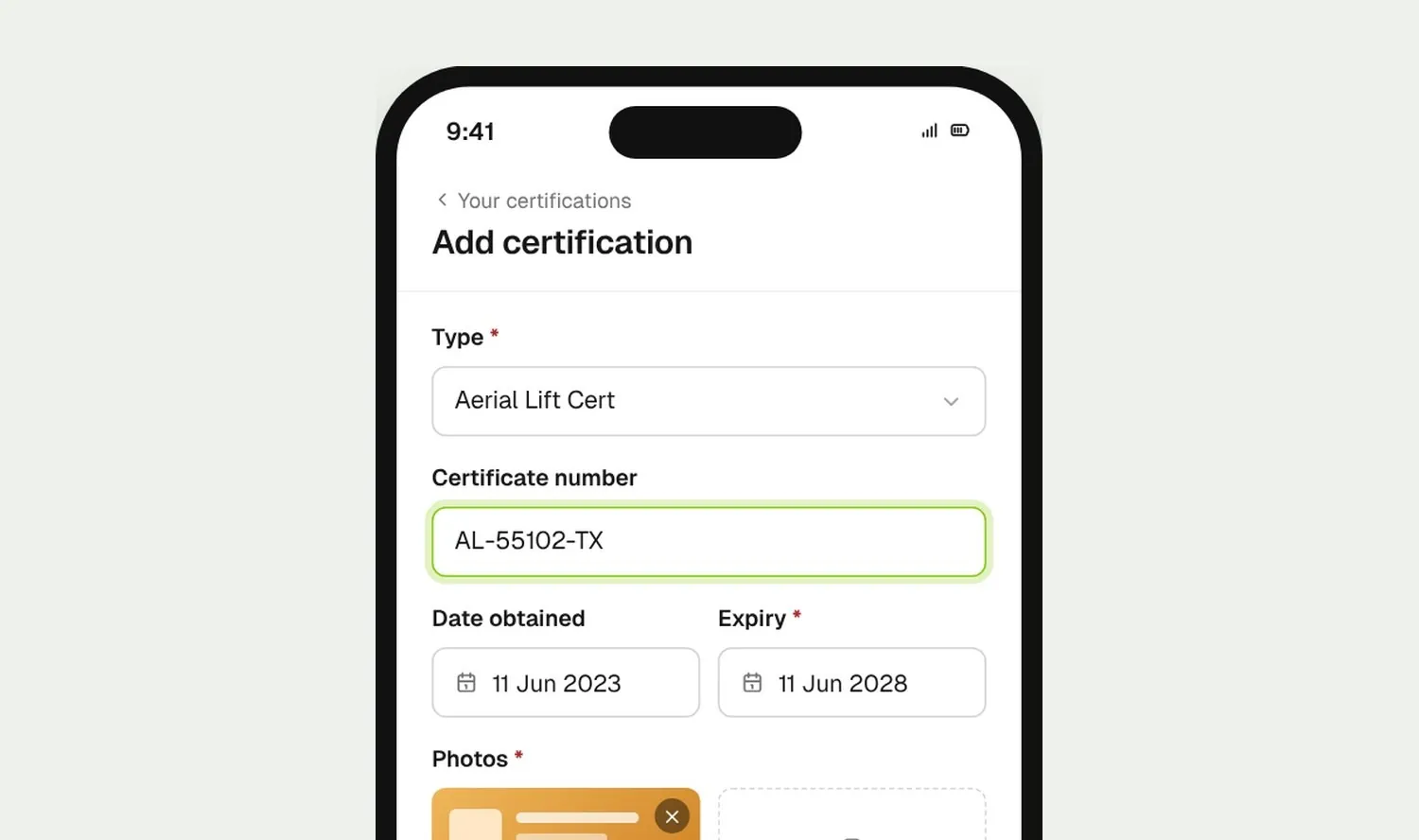
Worker adding a certification on their phone with number, expiry and front and back photos
01

Workers add their cards

Workers pick the certification, enter the number and expiry, and photograph the front and back. The card stays in their wallet, ready for the next GC.
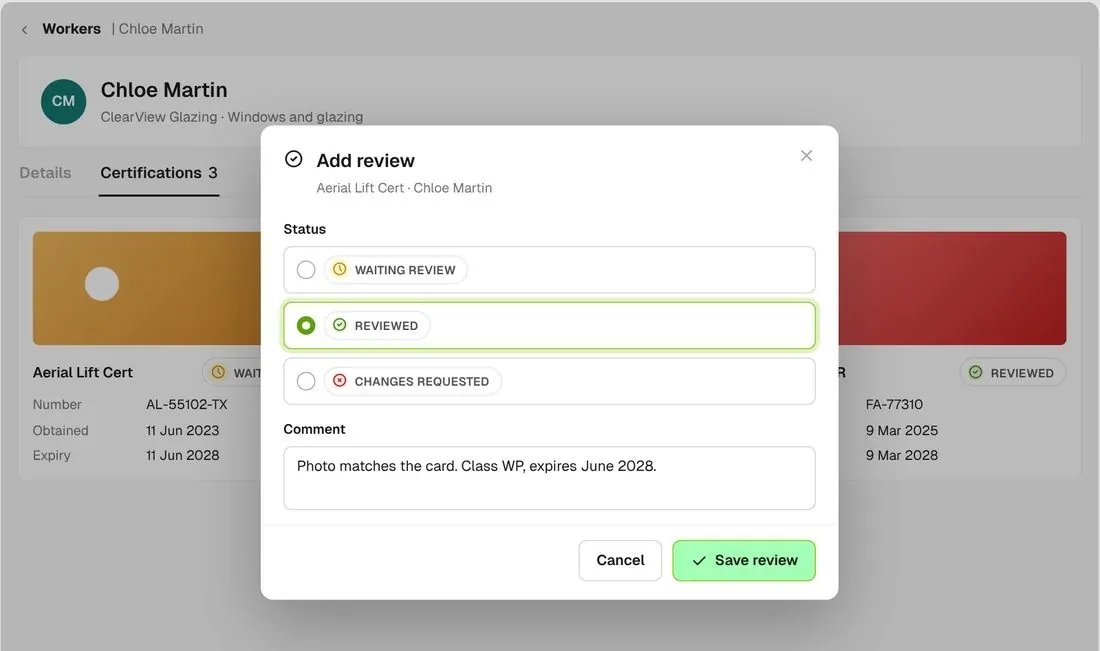
Worker's certifications with a review being marked reviewed with a comment
02

You review them

Open the worker’s certifications and mark each one reviewed, or request changes with a comment. The worker sees what you asked for in their app.
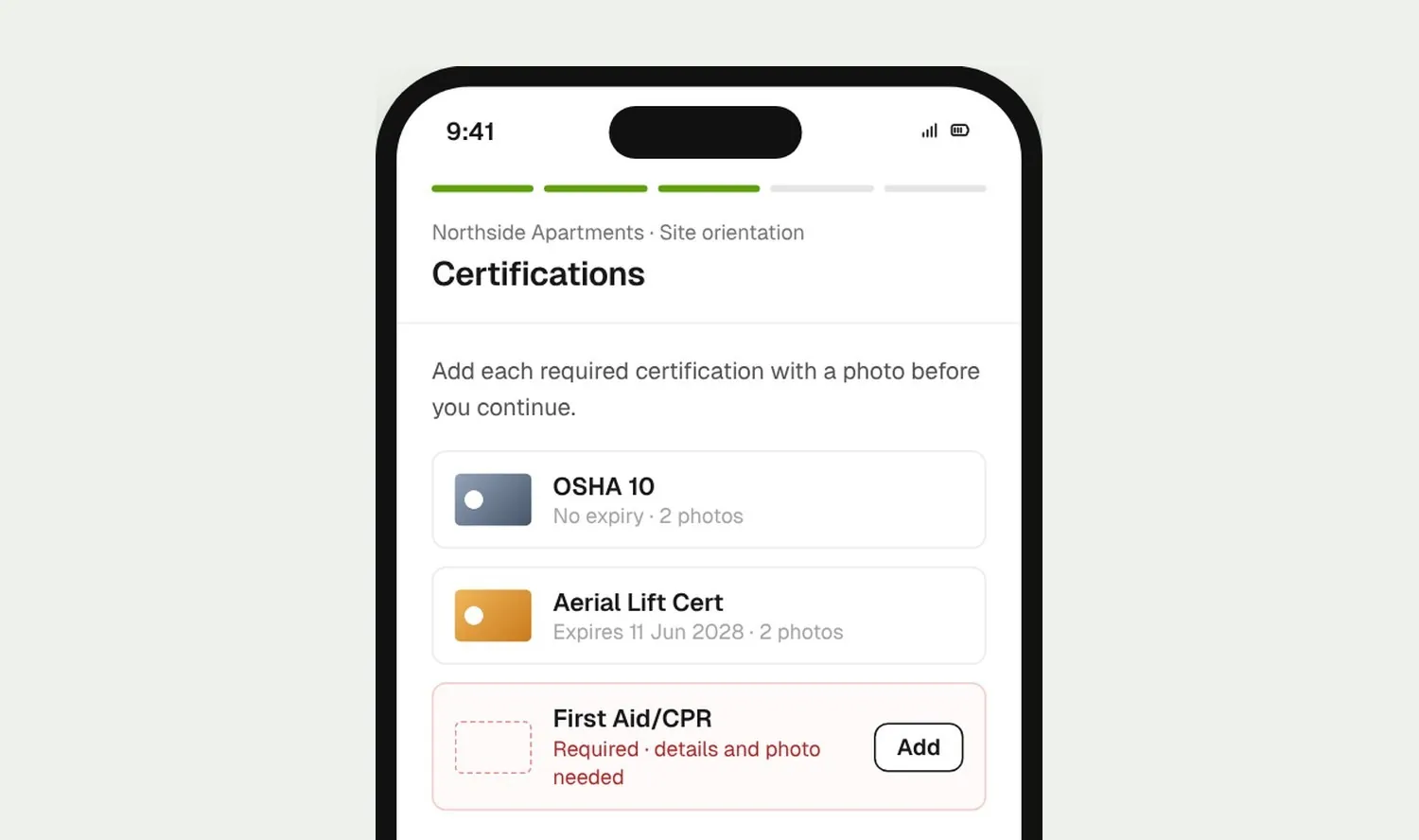
Induction certification step listing the required cards the worker must save before continuing
03

Checked at orientation

Required certifications are a step in the orientation. Workers can’t finish the orientation until each one is saved with its details and a photo.

How it works

Every certification in one view

Find what’s expiring across every project, review in batches, and keep out-of-date cards off the jobsite.
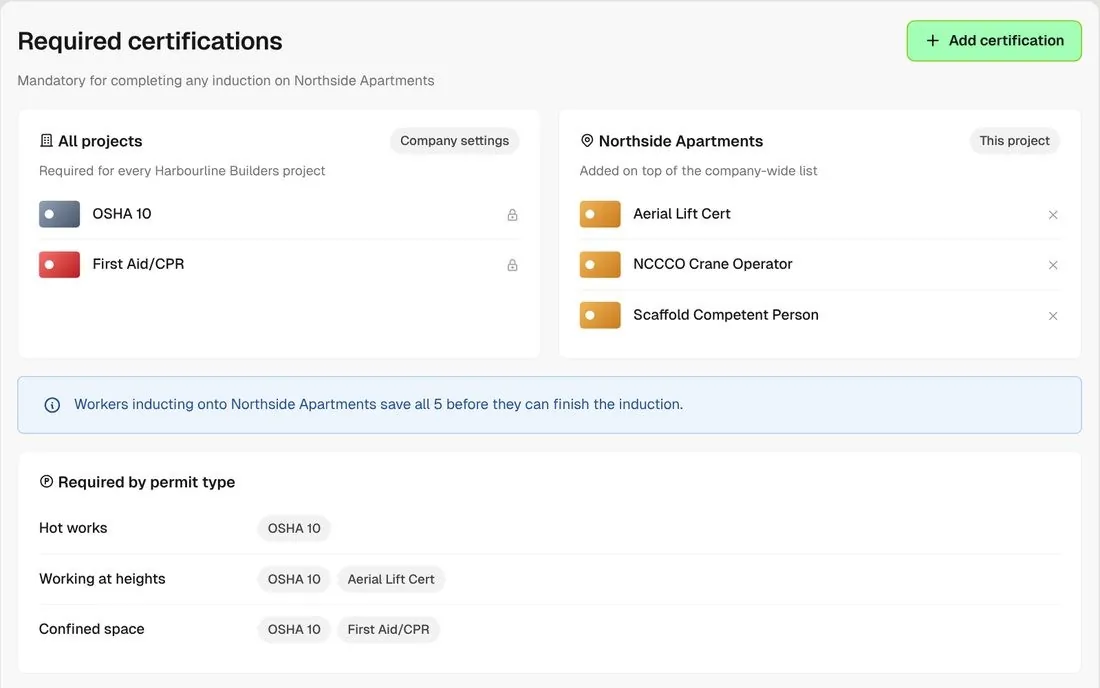
Required certifications card with company-wide and project lists side by side

Company-wide and project lists

Set the certifications every project needs, add extra ones for a single job, and see both lists side by side.
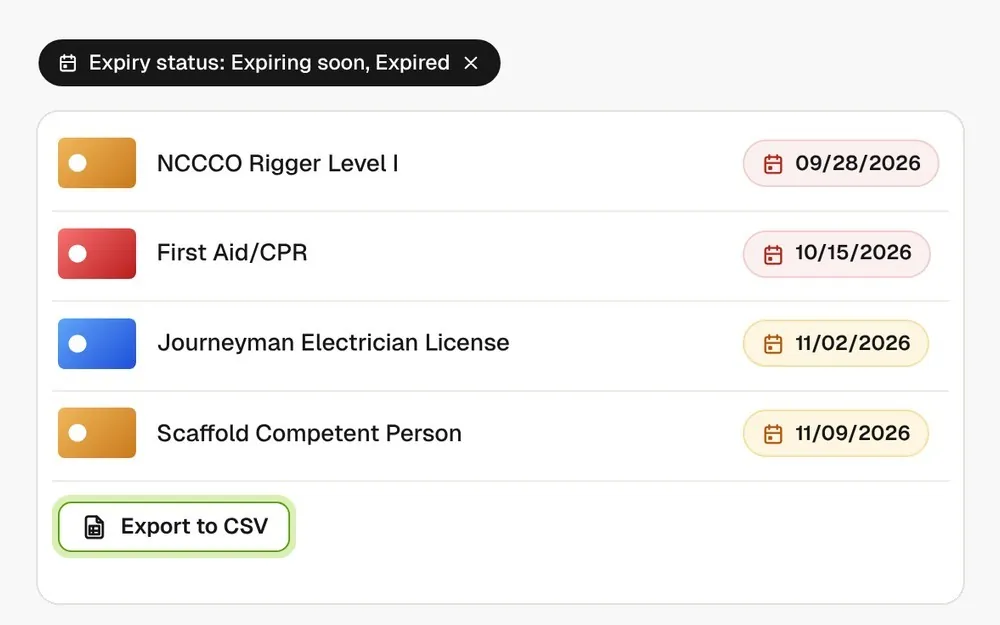
Certifications list filtered to expiring soon and expired, with CSV export

See what’s expiring

Filter every certification across your projects to expiring soon or expired, then export that list to a CSV.
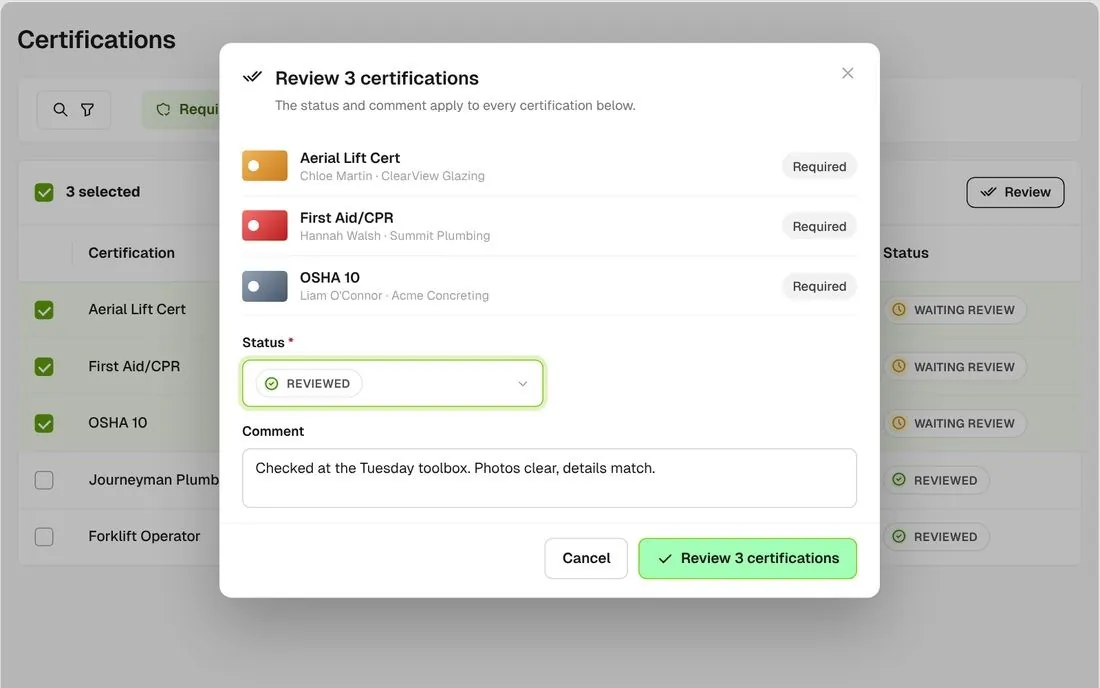
Bulk review of three selected certifications with one status and comment

Review a batch at once

Select several certifications and set the review status and comment on all of them in one step.
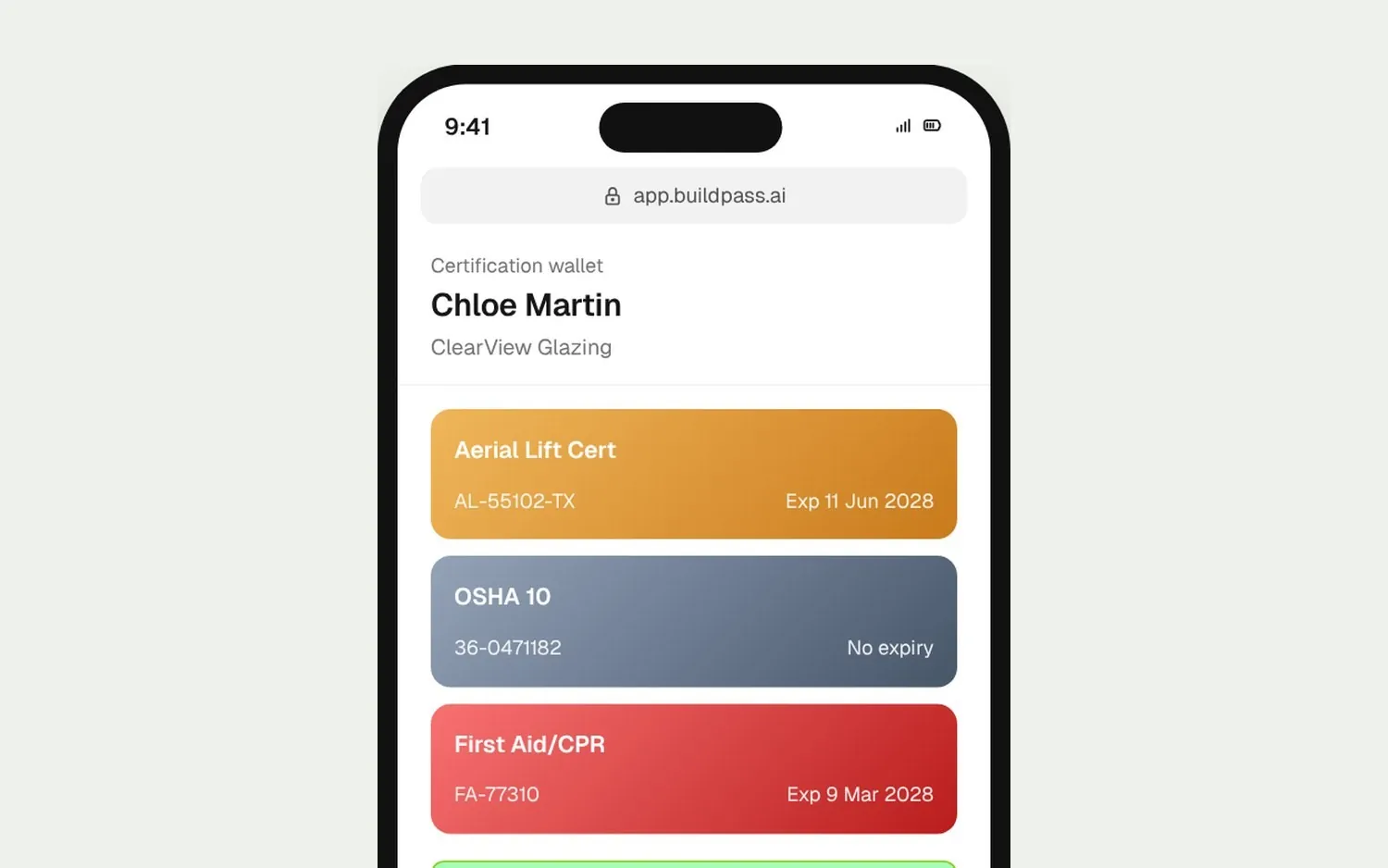
Shared certification wallet page with every card and Download as PDF, valid for 7 days

A 7-day share link

Workers can share their wallet as a link with every card and a PDF download. It needs no login and expires after 7 days.
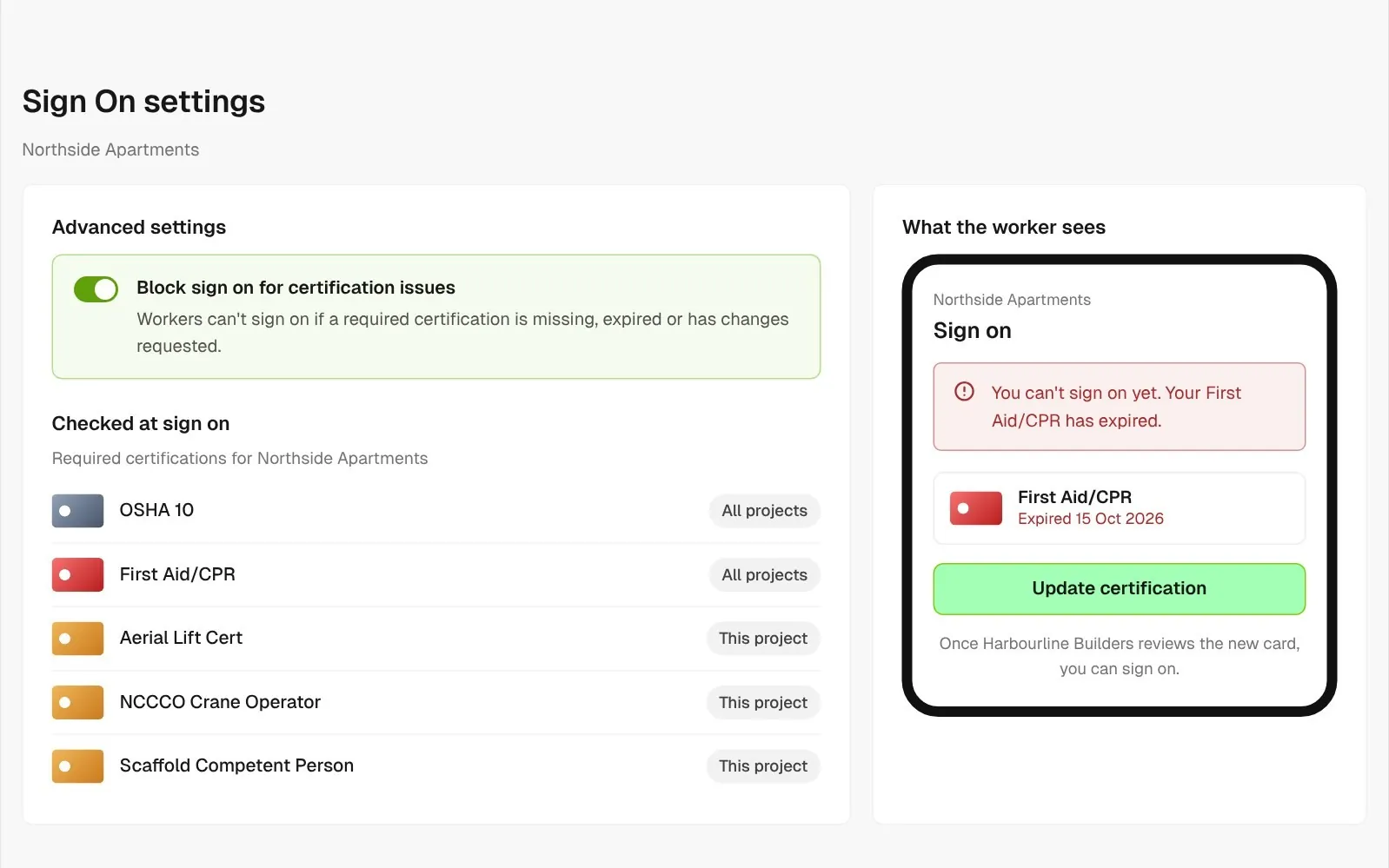
Sign On setting that blocks sign on for certification issues, and the worker's expired card message

Expired card, no sign on

Switch on one setting and workers can’t sign on while a required certification is missing, expired or has changes requested.
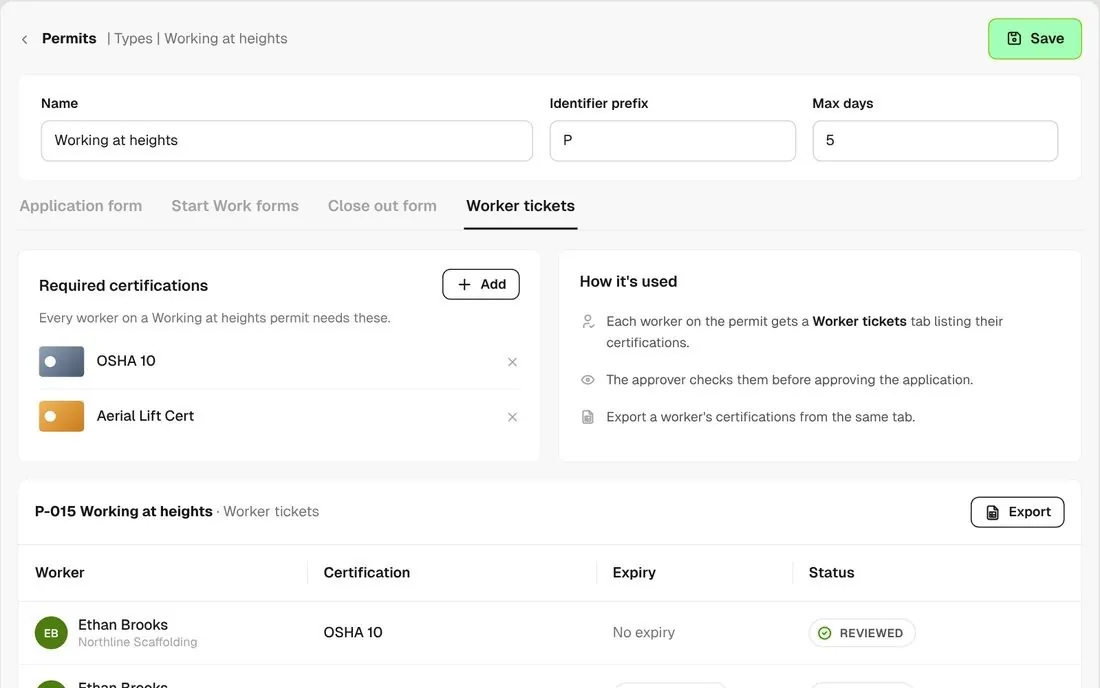
Working at heights permit type with required certifications on the Worker tickets tab

Certifications per permit type

Choose the certifications each permit type calls for. Before you approve a permit, open each worker on it and check their cards.

Connected to the whole job
BuildRun the site

Certifications, connected to the whole job

Required certifications are collected in the orientation and checked again at sign on. You can review an orientation and its certifications in one pass, and permits show each worker’s cards where the approver needs them.

Explore health and safety
  1. Required5 certifications2 company-wide, 3 for Northside Apartments
  2. Expiring3 within 30 daysfilter, review, export to CSV
  3. CHECKED AT SIGN ONSign on heldFirst Aid/CPR expired 10/15/2026 · Chloe Martin, Meridian Joinery

Win

Price the job

Take off, estimate and get proposals out the door, without rekeying the same numbers three times.

Explore preconstruction

Pay

Manage the money

Budgets, commitments, pay applications and bills, so you see the real financial position of every job.

Explore finance

Connect

Connect the tools

Bring your other tools, your phone line and BuildPass AI into the same workflow.

Explore the AI toolkit

Trusted by builders who run their projects on BuildPass

From custom-home builders to commercial general contractors, teams across the United States run their projects on BuildPass every day.


Whether you're a local builder doing a handful of houses a year, or you're pushing for four or five digits, there's a solution here. And BuildPass can handle it.
Joel Patterson
Director of Construction, Burkentine Builders
It's a one-stop shop for construction safety. Everything you need is right there.
Jack Hensey
Business Operations Associate, Reidy Contracting Group
This is working much better with BuildPass. Much faster. Much cleaner.
David Guzman
Superintendent, Engen Contracting Inc.

Frequently asked questions

Your project admins are. Each Monday’s project update email counts the expired and expiring-soon certifications on each live project. Workers aren’t reminded before a card expires, but once it has they get a task in their app to update it. With the sign on setting turned on, an expired card stops them at the gate.

Yes. Certifications belong to the worker and stay in their wallet between contractors, so they add each card once. Cards they added for another contractor show under Other, for reference.

Not by trade or company. You set required certifications for every project or for one project, and every worker on that project is asked for both lists. For high-hazard work, list them on the permit type so the approver checks each worker’s cards before approving.

Yes, from the worker’s record. It’s tagged Builder Generated, only your team can edit it, and the worker can’t see it, so ask them to add it in their app if they should keep it up to date.

See how BuildPass works on your projects

Book a demo and we'll walk your team through it.