BuildPass Build

Construction site management: Run every jobsite from one place

Construction site and field management software for general contractors

Your superintendent gets a daily log with attendance and weather, runs forms and assigns actions to subs. Project managers keep drawings current and see whose court every RFI and submittal is in. Upload a spreadsheet, PDF, CSV or photo and BuildPass AI builds the schedule.
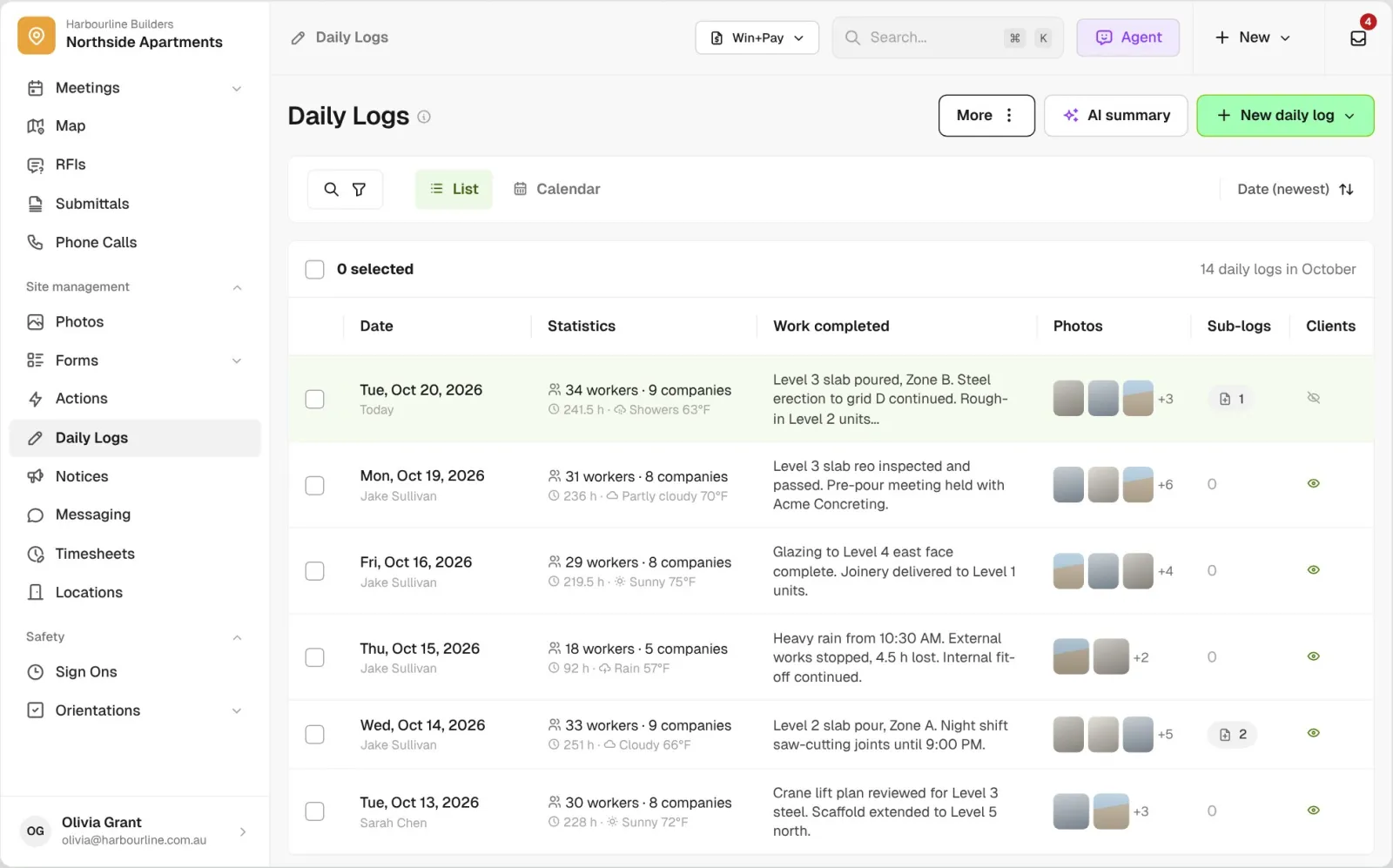
Site Diaries list for Northside Apartments showing each day with worker and company counts, hours, weather, work completed, photo thumbnails, sub-log count and whether the client can see it

Trusted by builders across the country

From custom-home contractors to commercial general contractors, field teams run their projects on BuildPass.


Reidy Contracting Group
Ameresco
DivisionOne Construction
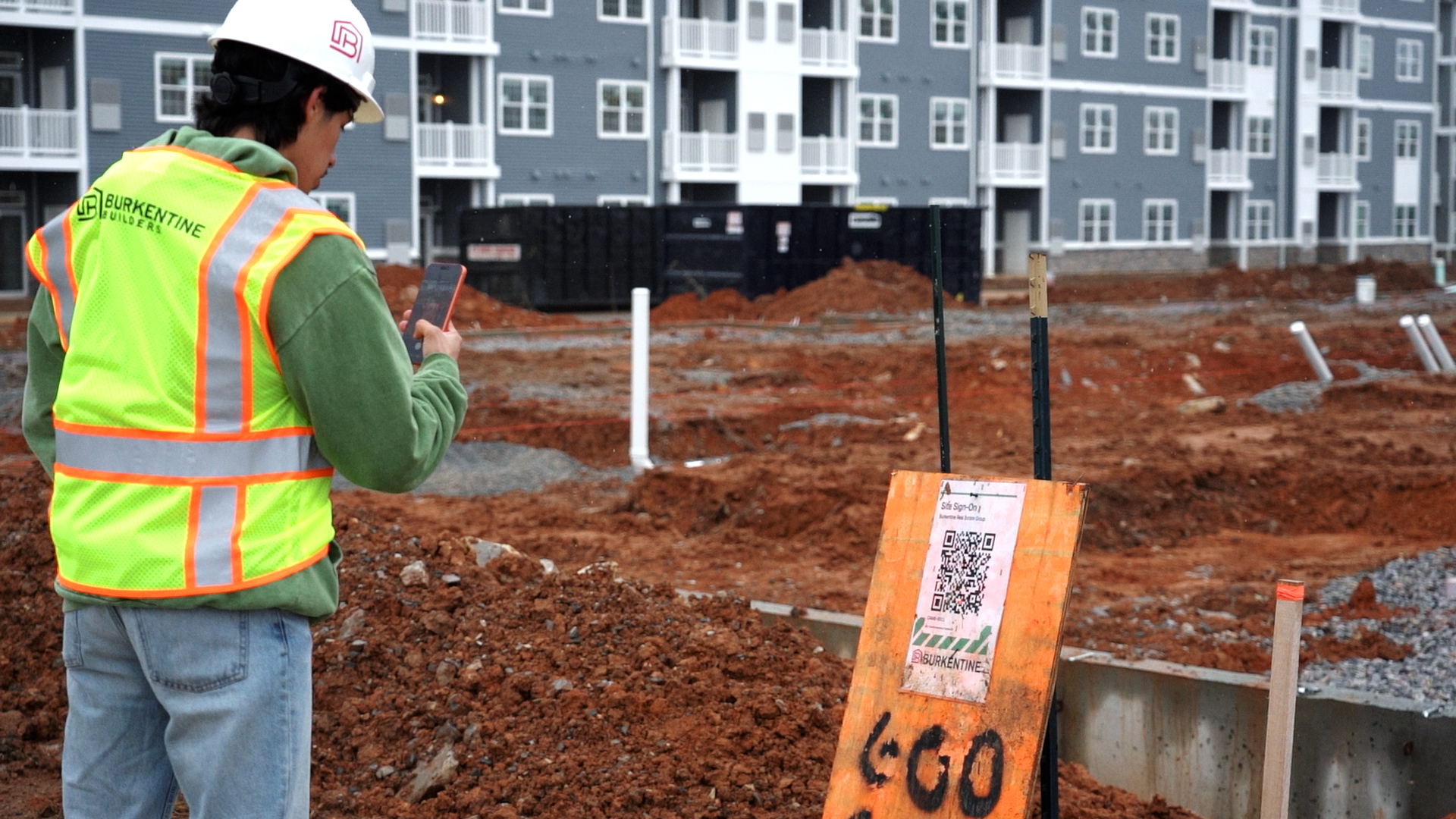
Burkentine Builders
Ready Construction
DD Construction
Honest Hammer
Homestead
Copeland Construction
RMA Commercial General Contractors
Dryden Custom Homes
Reidy Contracting Group
Ameresco
DivisionOne Construction
Burkentine Builders
Ready Construction
DD Construction
Honest Hammer
Homestead
Copeland Construction
RMA Commercial General Contractors
Dryden Custom Homes
Reidy Contracting Group
Ameresco
DivisionOne Construction
Burkentine Builders
Ready Construction
DD Construction
Honest Hammer
Homestead
Copeland Construction
RMA Commercial General Contractors
Dryden Custom Homes
Reidy Contracting Group
Ameresco
DivisionOne Construction
Burkentine Builders
Ready Construction
DD Construction
Honest Hammer
Homestead
Copeland Construction
RMA Commercial General Contractors
Dryden Custom Homes
Fassberg
AJFX Construction
ECI Austin
New Age Builder
EDG Pro Contractors
Schwartz Custom Homes
ARK General Construction
Two Z Homes
Shade Doctor of El Paso
Fassberg
AJFX Construction
ECI Austin
New Age Builder
EDG Pro Contractors
Schwartz Custom Homes
ARK General Construction
Two Z Homes
Shade Doctor of El Paso
Fassberg
AJFX Construction
ECI Austin
New Age Builder
EDG Pro Contractors
Schwartz Custom Homes
ARK General Construction
Two Z Homes
Shade Doctor of El Paso
Fassberg
AJFX Construction
ECI Austin
New Age Builder
EDG Pro Contractors
Schwartz Custom Homes
ARK General Construction
Two Z Homes
Shade Doctor of El Paso

Construction site management software helps general contractors schedule the work, keep drawings and documents current, record each day on the jobsite, run checklists, assign and close out actions, and manage RFIs, submittals and owner updates in one place.

Field management shouldn’t run on a group chat and a paper log

Today the schedule is a PDF, the daily log is a notebook and the RFI is buried in someone’s inbox. BuildPass puts the jobsite’s paperwork in one place your whole team works from.

Record

The day, written in the field

Each day’s log is created at your jobsite start time with workers, companies, hours and weather on it, so your superintendent adds the work and the photos.

Follow up

Every issue has an owner

Each action carries an assignee, a due date and a location, and you can require a photo before anyone closes it.

Answers

See who owes you an answer

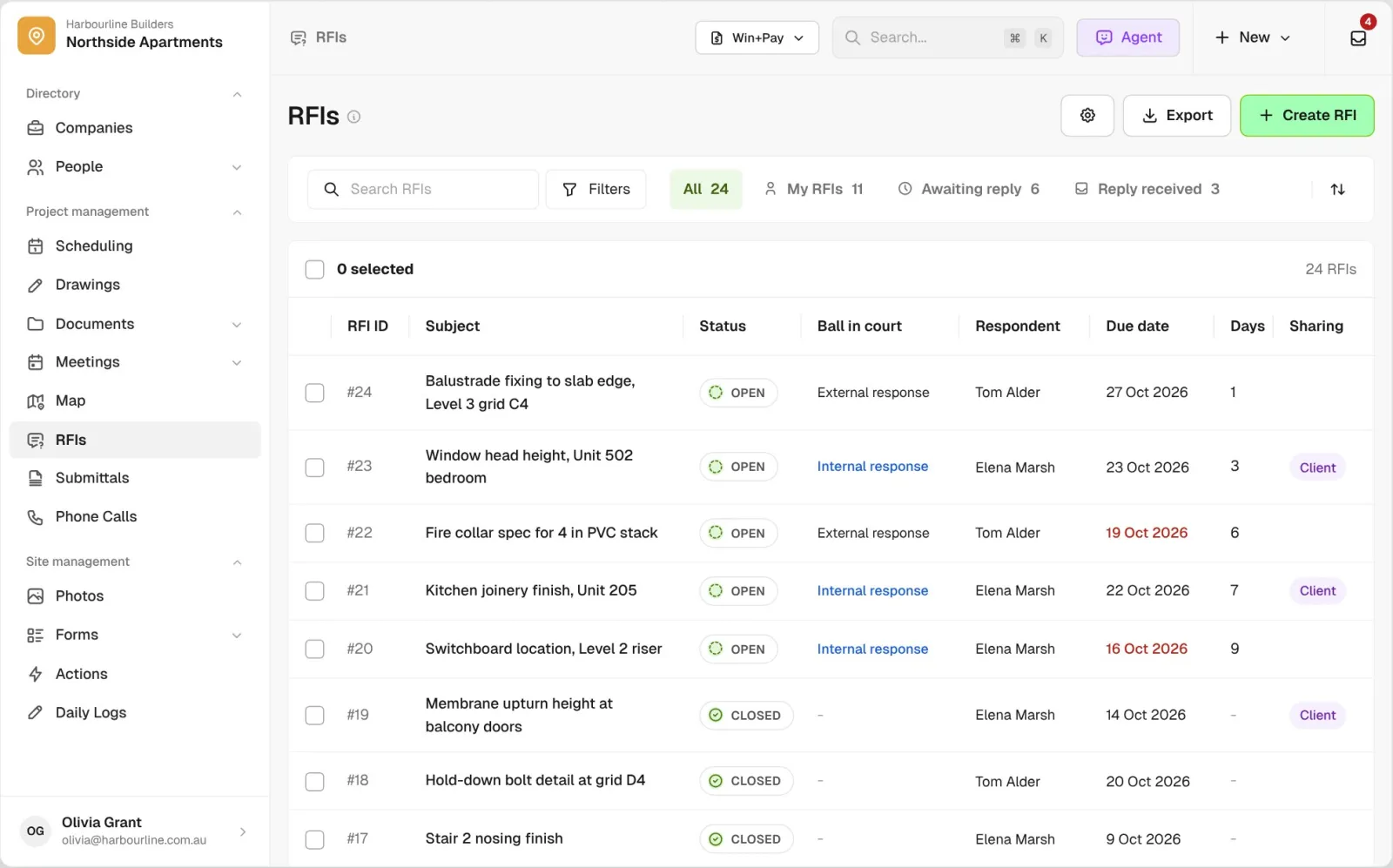
Project managers and project engineers see who owes the next reply on every RFI and submittal, with overdue RFIs in red. Architects and engineers answer from an email, no BuildPass login needed.

How it works

Plan the job, run the jobsite and get the answers back

Fourteen tools, grouped by when your team reaches for them. Open one to see how it works.

Plan the job

The plan everyone builds from

Keep the schedule, the drawings and the project files in one place, and choose which trades hear about each change.
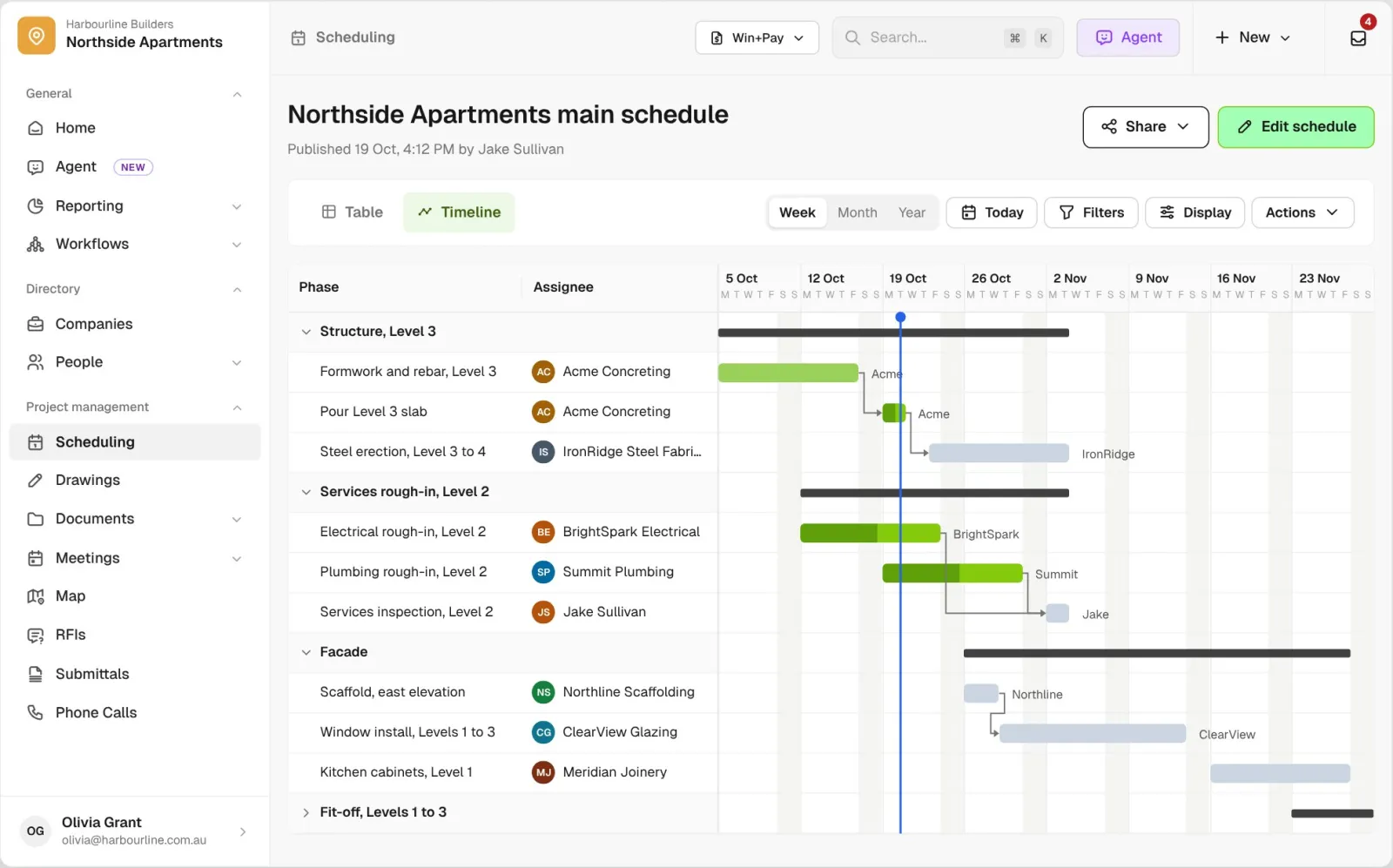
  • Scheduling. Upload your existing schedule or describe the job and AI builds the phases and tasks. Link tasks in order, assign each one to a sub, and pick who hears about each change by SMS or email when you publish. See Scheduling
  • Drawings. Upload a PDF set and BuildPass splits it into sheets, reads each title block and shows the old and new revisions side by side. See Drawings
  • Document management. Upload whole folders and Document Summary gives every file a short summary as it lands. Share each one with workers who have finished orientation or by a public link anyone can open. See Document management
Northside Apartments schedule in timeline view with phases, tasks, assignees and dependency lines, and today marked
Every day on the jobsite

Checked, logged and closed

Your superintendent records the day and raises the issues, and workers and subs fill in forms and actions on their phone.
  • Daily logs. Each day’s log starts with attendance and weather on it, and you can email it or download it as a PDF. See Daily logs
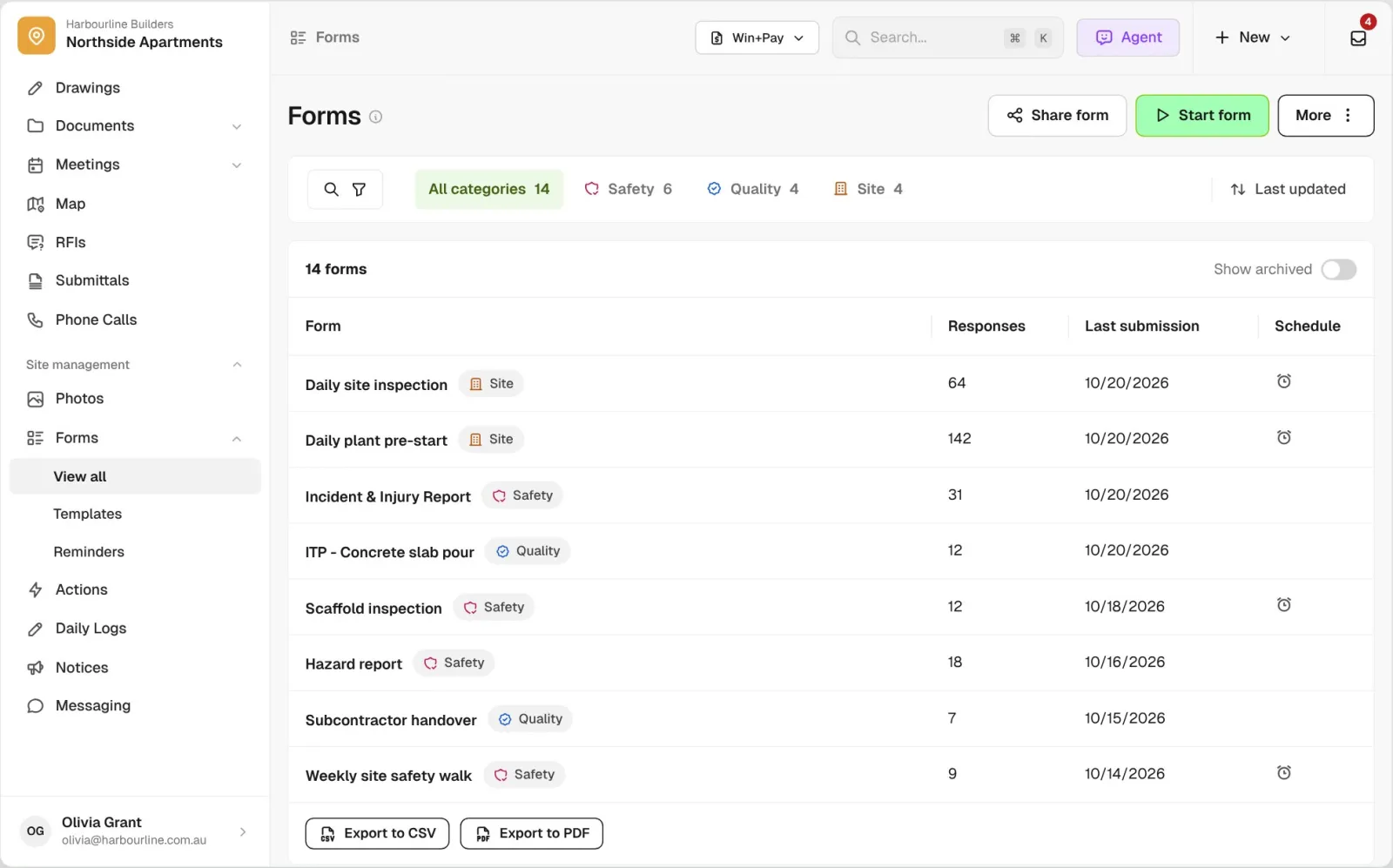
  • Forms and checklists. Build your own forms with photos, signatures and required fields, and workers fill them in on the worker app. See Forms and checklists
  • Photos. Photos from daily logs, forms, actions and punch items land in one gallery you can search by what’s in the shot. See Photos
  • Actions. Assign an issue to a sub, a worker or your superintendent with a due date and location, and require a photo to close it. See Actions
  • Messaging. Send one SMS to every worker signed on right now, and see the delivery status for each one. See Messaging
Forms list for Northside Apartments with categories, response counts, last submission and reminder icons
Subs, consultants and owners

Replies that come back to you

Architects, engineers and subs respond from an email or a link with no BuildPass login, and each log shows whose court every item is in.
  • Prequalifications. Send your own survey to subs, who fill it in from a link, then approve it or send it back. See Prequalifications
  • RFIs. Raise an RFI with the drawing linked, send it to the architect, and their email reply lands in one thread. See RFIs
  • Submittals. Subs submit shop drawings from a link, and your reviewers approve them in order from an emailed link. See Submittals
  • Client Portal. Share photos, drawings, daily logs and the schedule with the owner one item or folder at a time, and see who has opened them. See Client Portal
RFI log for Northside Apartments with summary, status, ball in court, respondent, due date and days elapsed
Set up and automate

Set it up once

Name the levels and rooms once so every record points to the right place, and let workflows send the reminders and alerts you’d otherwise send yourself.
  • Locations. Set up levels, units and rooms, and punch items, actions, forms and permits point to the exact room. See Locations
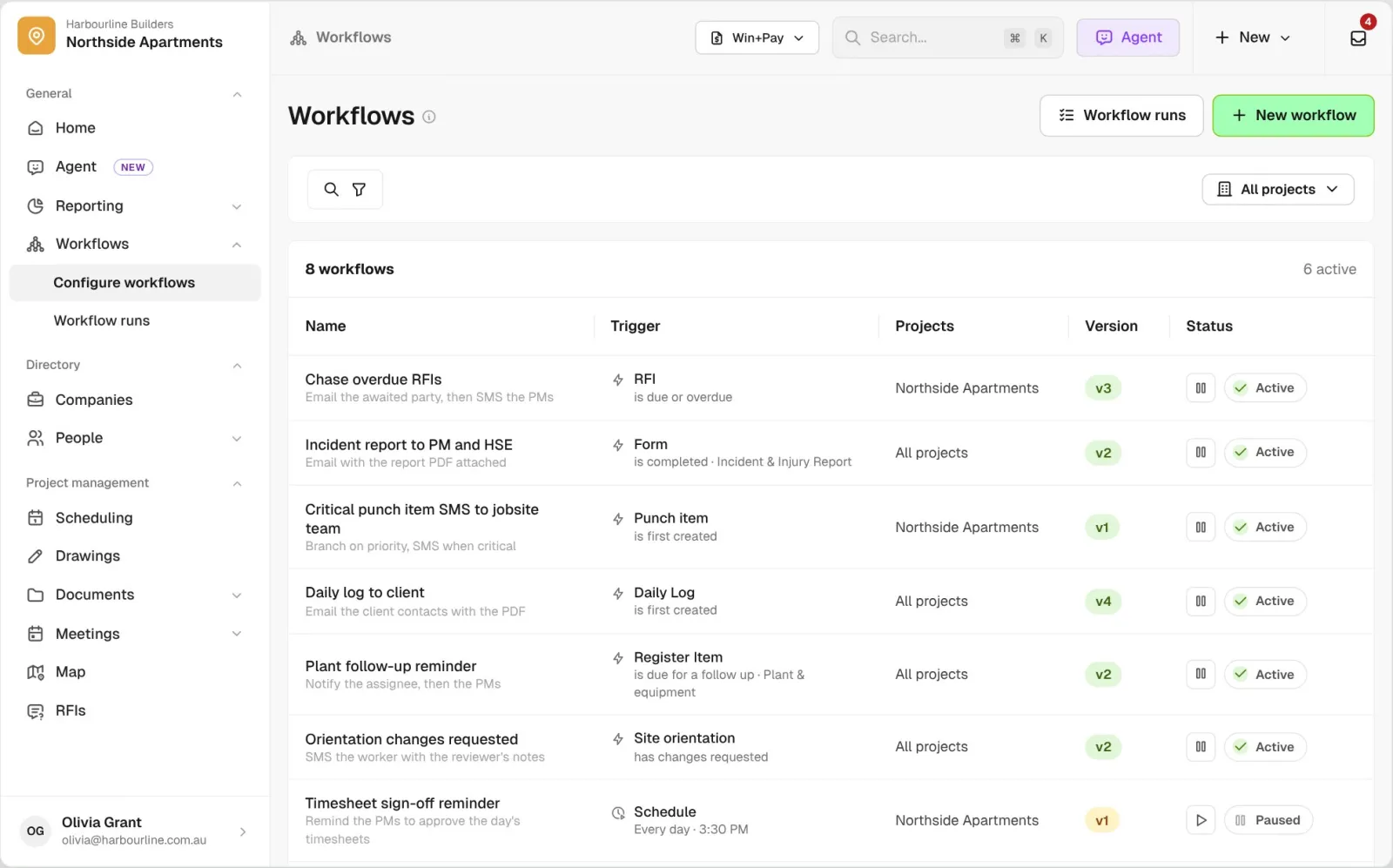
  • Workflows. Pick what starts it, like a completed form or an overdue RFI, and BuildPass sends the emails, SMS and notifications and logs every run. See Workflows
Workflows list showing eight workflows with their trigger, projects, version and active state
Connected with the rest of the platform

Site management is just one part of BuildPass

Price the job in preconstruction, manage the money in finance and run the jobsite here, with the same companies, workers and documents on every project.

Trusted by builders who run their projects on BuildPass

From custom-home builders to commercial general contractors, teams across the United States run their projects on BuildPass every day.


Whether you're a local builder doing a handful of houses a year, or you're pushing for four or five digits, there's a solution here. And BuildPass can handle it.
Joel Patterson
Director of Construction, Burkentine Builders
It's a one-stop shop for construction safety. Everything you need is right there.
Jack Hensey
Business Operations Associate, Reidy Contracting Group
This is working much better with BuildPass. Much faster. Much cleaner.
David Guzman
Superintendent, Engen Contracting Inc.

Frequently asked questions

Yes. Workers and subs fill in forms, update their actions and open approved drawings in the worker app. Your superintendent fills in the daily log in any browser, including on a phone.

No. Architects and engineers answer RFIs by replying to the email, submitters and reviewers act from an emailed link, and subs fill in prequalification surveys from a link.

You choose what to share. Nothing goes out by default. Pick photos, drawings, daily logs, the schedule, documents and RFIs one item or folder at a time. Owners can download what you share, but they can't edit or upload anything.

Yes. Actions have a standing reminder that tells nominated admins about overdue and due soon items. With Workflows, you pick a record like a completed form, an overdue RFI or a new punch item, add waits and branches, and BuildPass sends the emails, SMS or in-app notifications.

See how BuildPass works on your projects

Book a demo and we'll walk your team through it.