
Schedule it
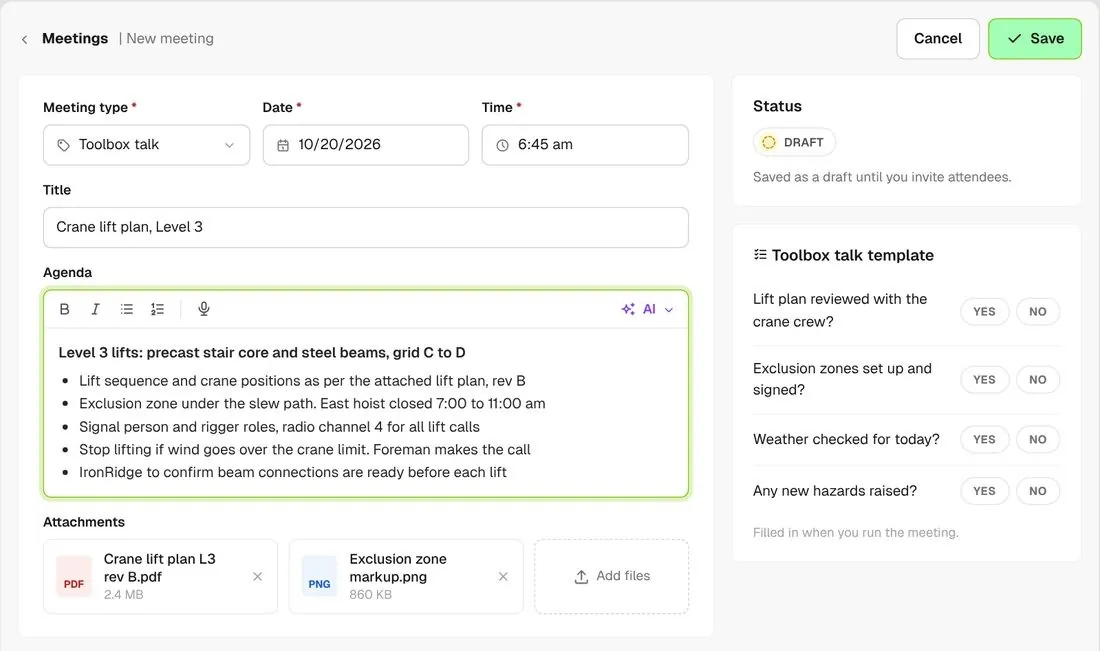
Set the date, time, meeting type and agenda, and attach the lift plan or any other file. It stays a draft until you invite.
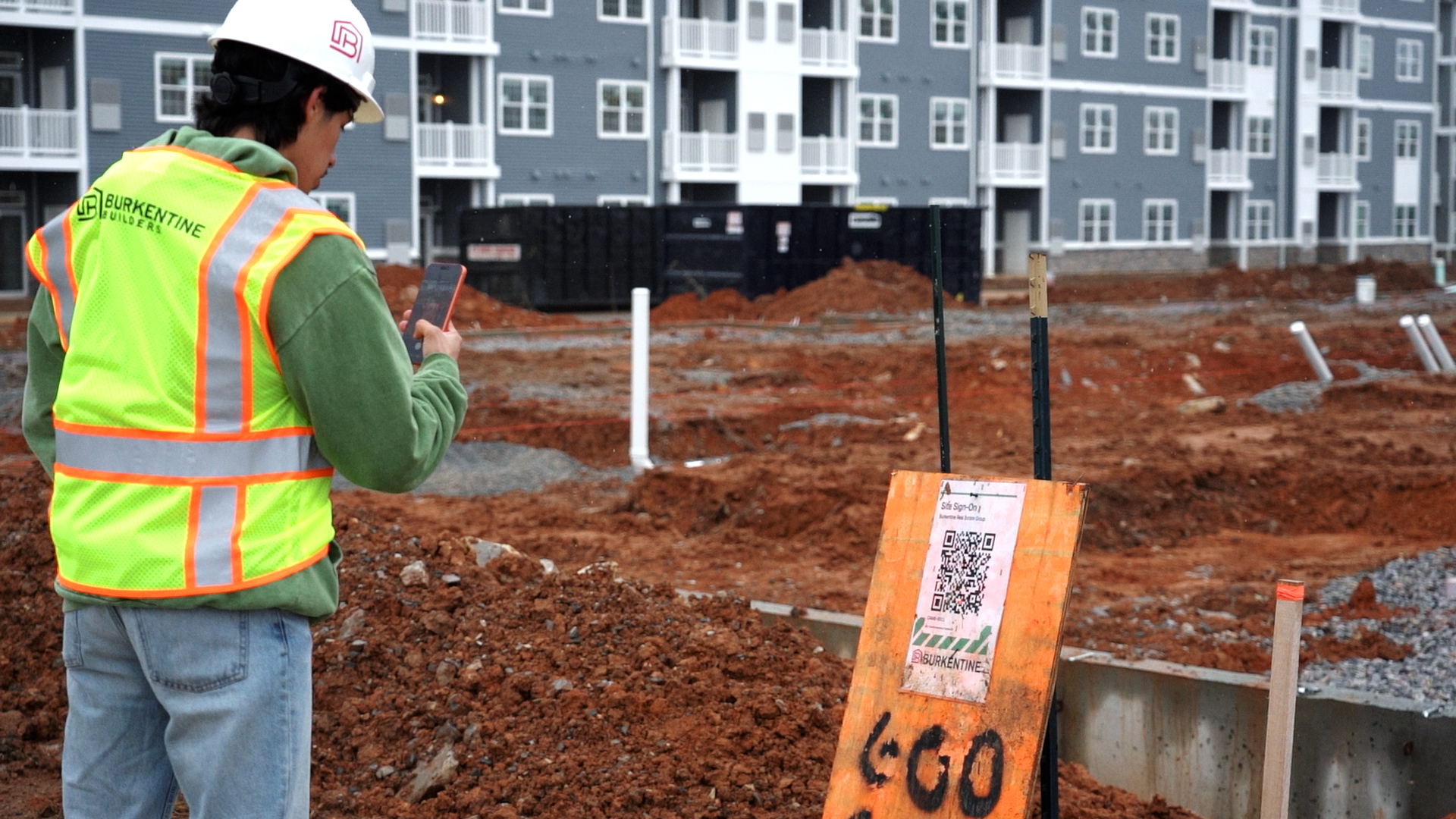
Schedule the toolbox talk, invite the crew and run it from your phone. Workers scan a QR code to mark attendance, and once it's complete, BuildPass AI can summarize the agenda, notes and responses.
From custom-home contractors to commercial general contractors, field teams use BuildPass for their toolbox talks.

















Toolbox talk software helps general contractors and superintendents schedule toolbox talks, invite workers, record who attended, and keep the agenda, notes and worker signatures on file.
Set the date, time, meeting type and agenda, and attach the lift plan or any other file. It stays a draft until you invite.
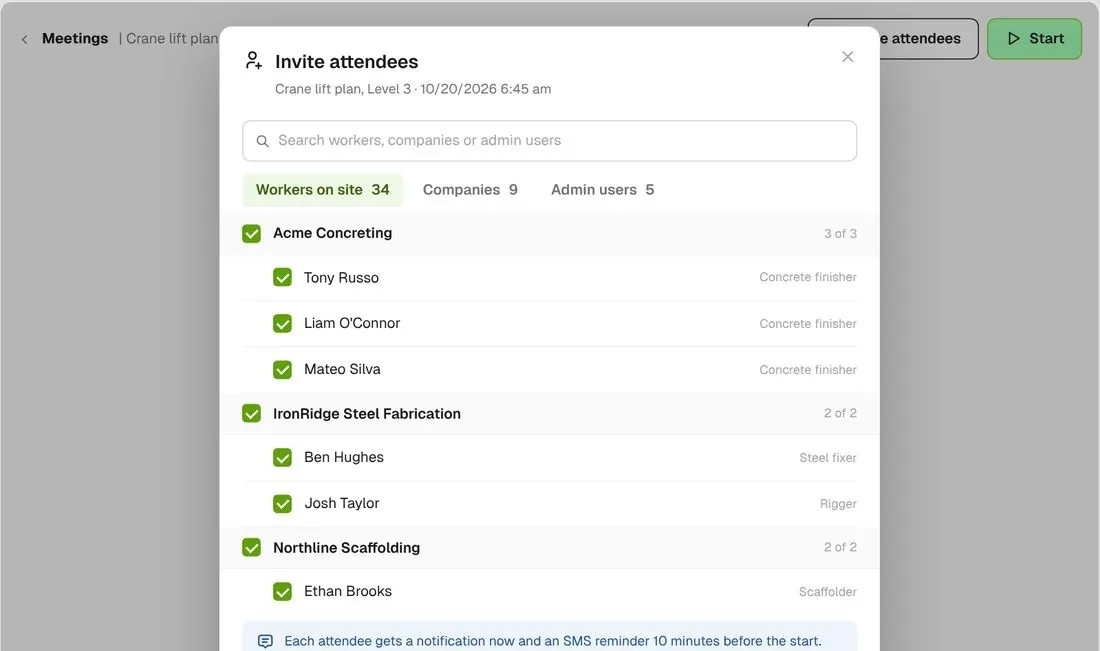
Pick workers by company and send the invitations. Workers get a notification right away and a reminder 10 minutes before the meeting starts.
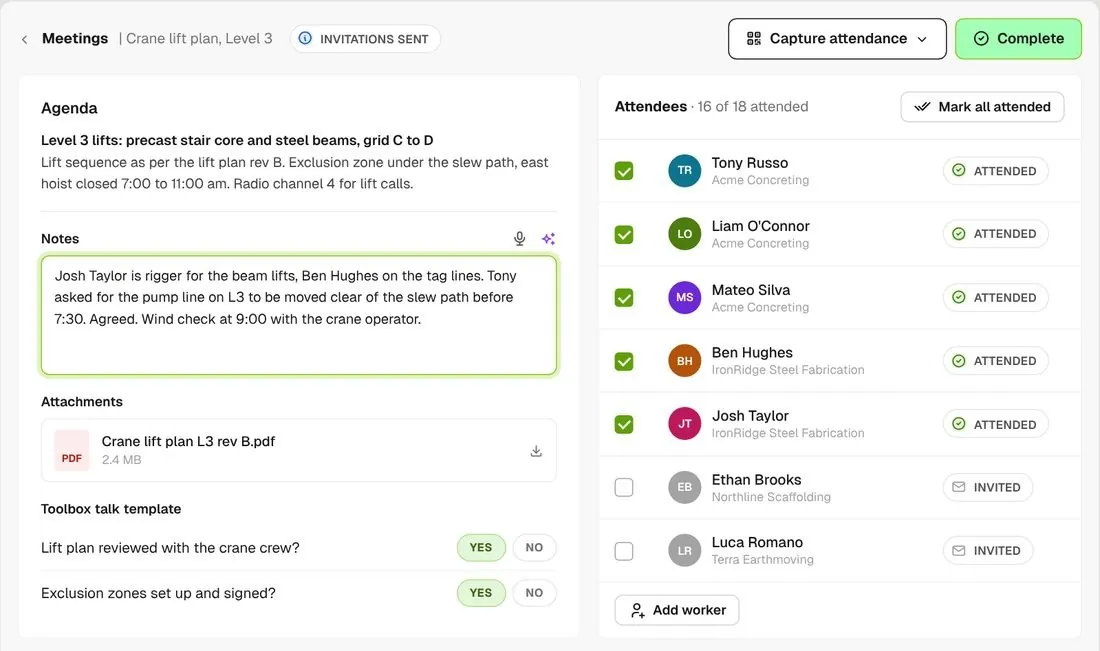
Type or dictate notes as you go, and check off who showed up. Completing it marks them attended and saves the notes and any files you added.
See who was invited, who attended and who acknowledged it, and catch the workers who missed it.
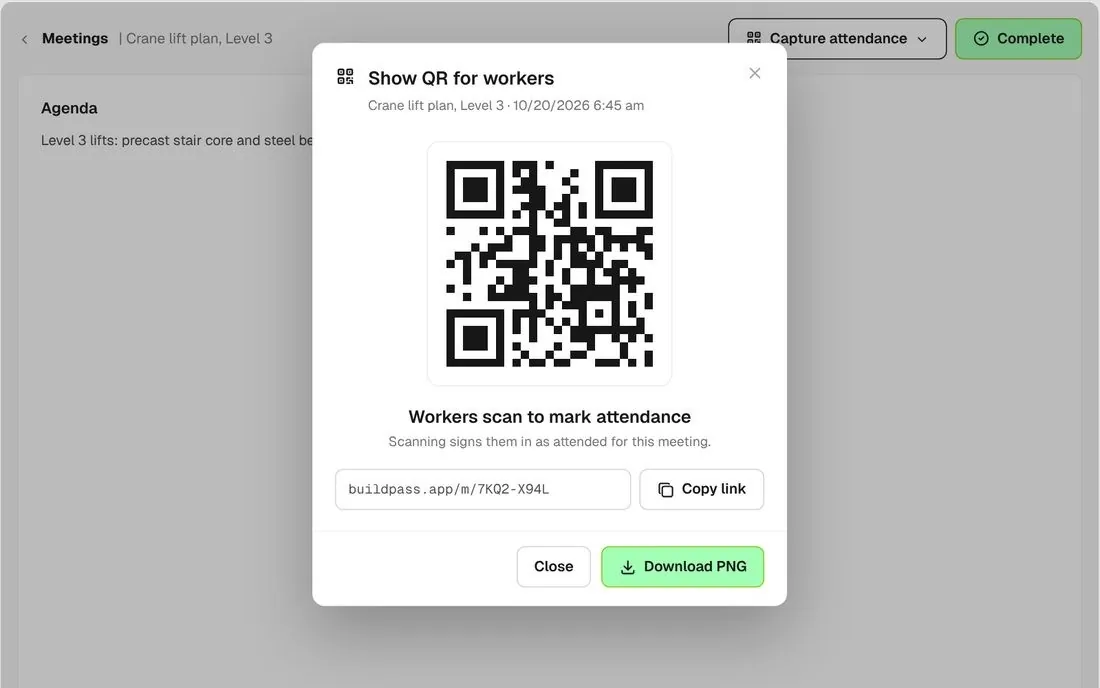
Show the meeting's QR code on a screen or print it. Workers scan the code to mark themselves attended.
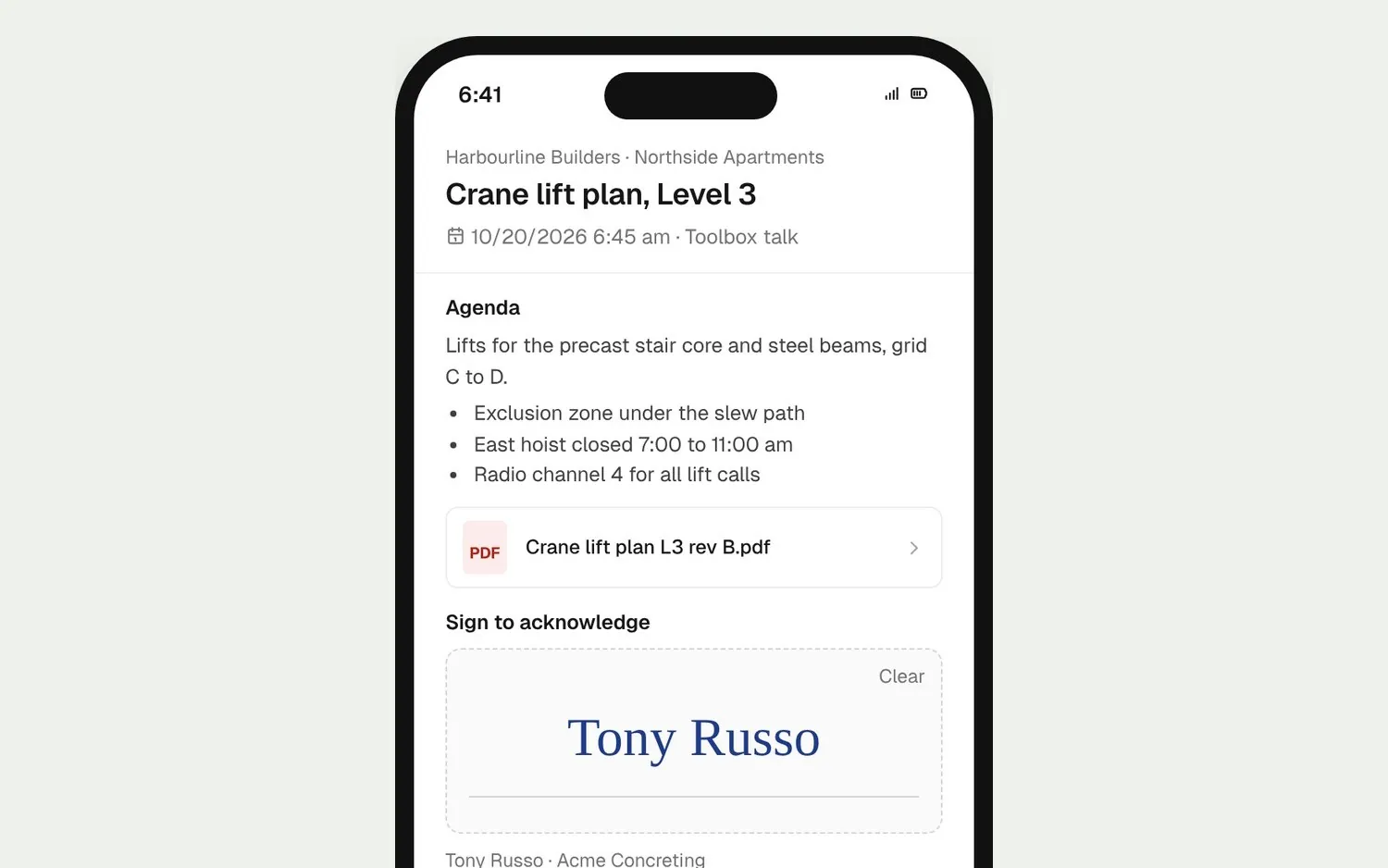
Workers open their invitation link, read the agenda and notes, draw their signature and tap Acknowledge.
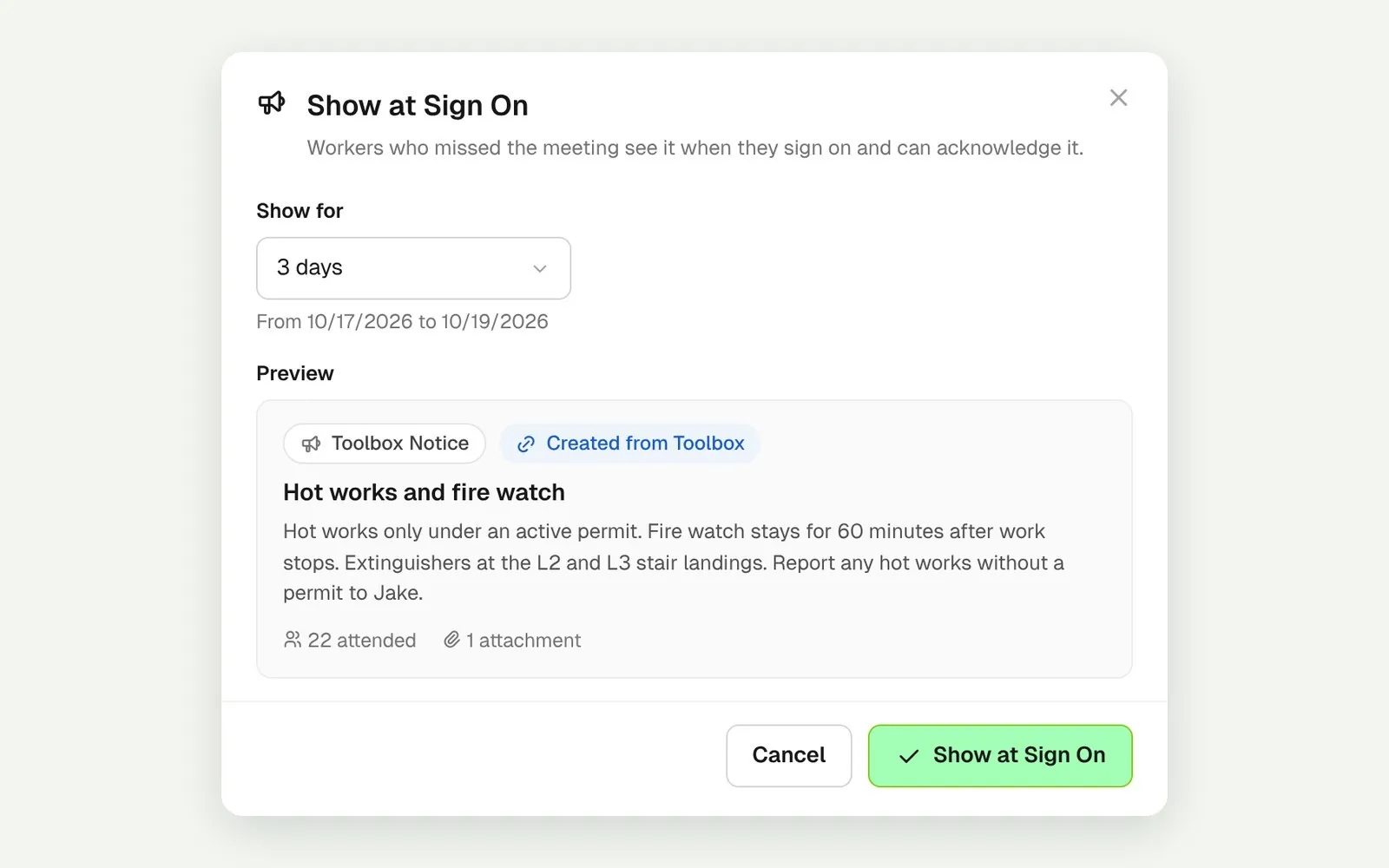
Show a completed meeting at sign on for as many days as you choose. Workers read it and acknowledge it as they sign on.
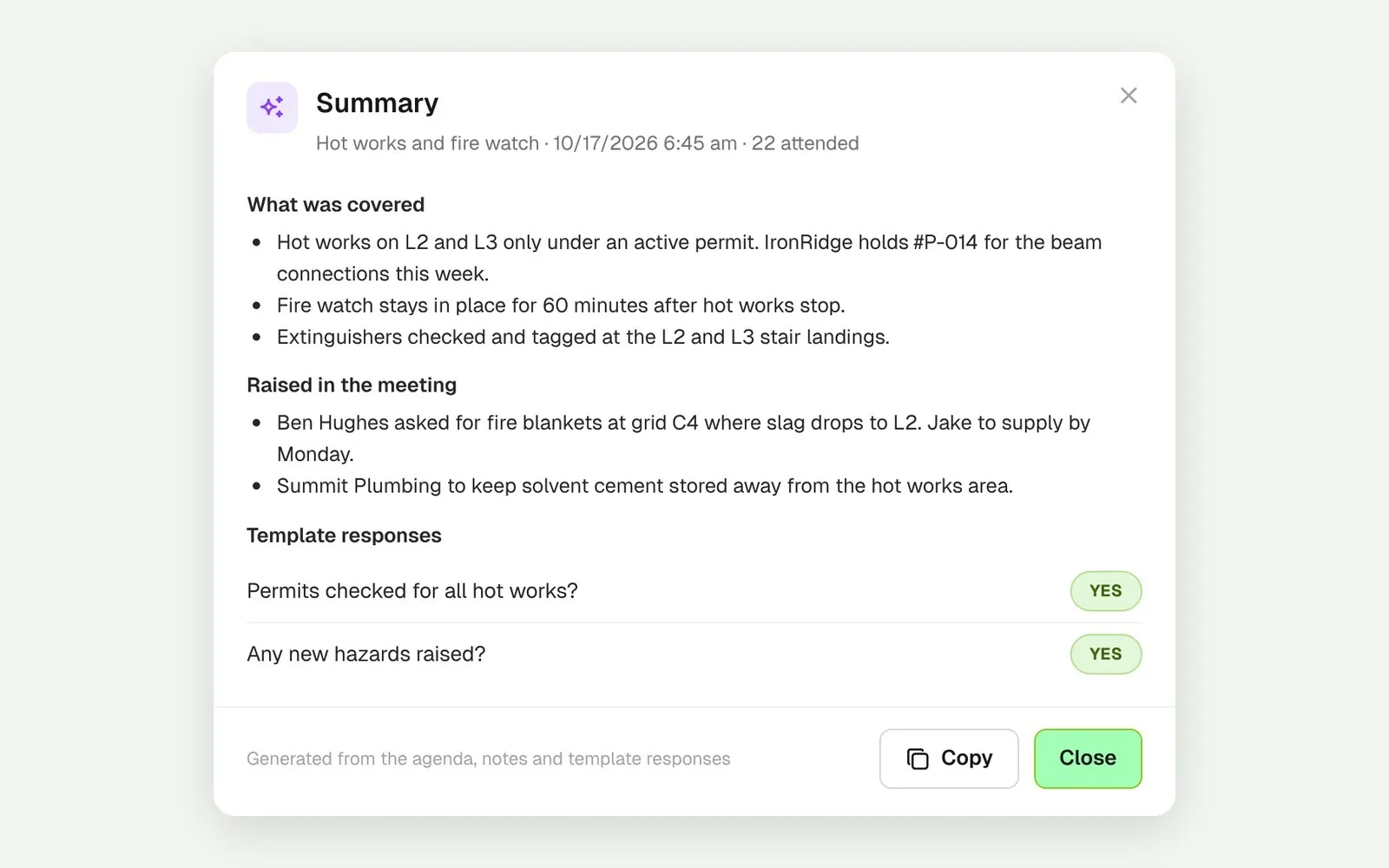
Once a meeting is complete, generate a summary of the agenda, notes and template responses in one view.
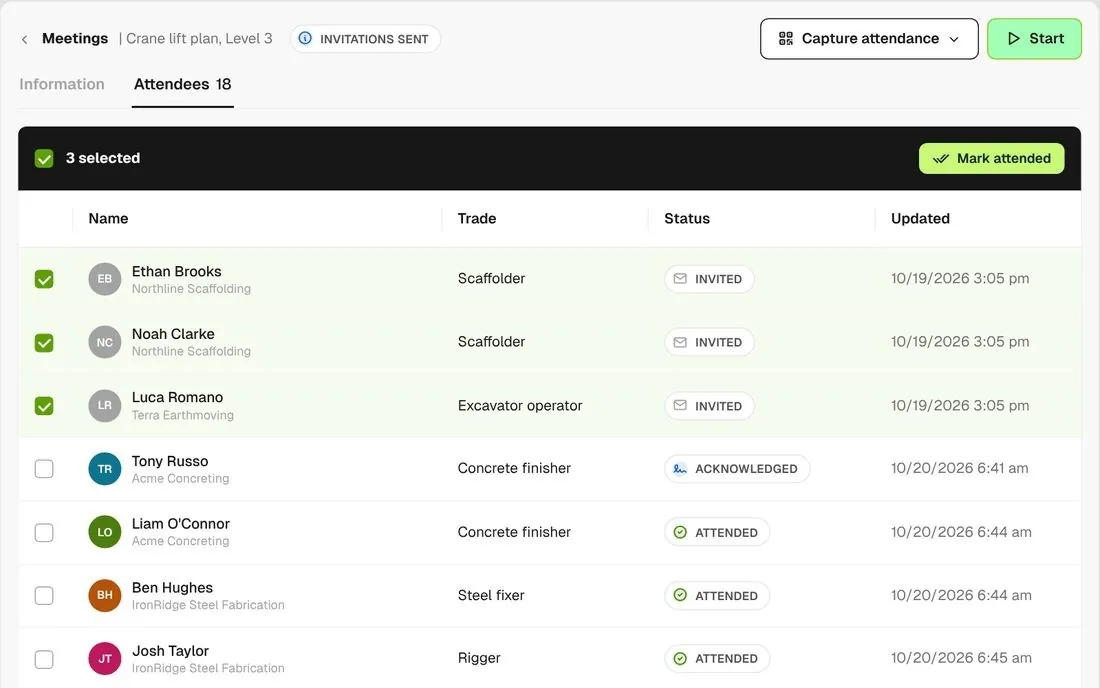
The attendees list shows Invited, Attended and Acknowledged side by side. Switch on Mark attendance in bulk in Settings, then mark every worker in a group at once.
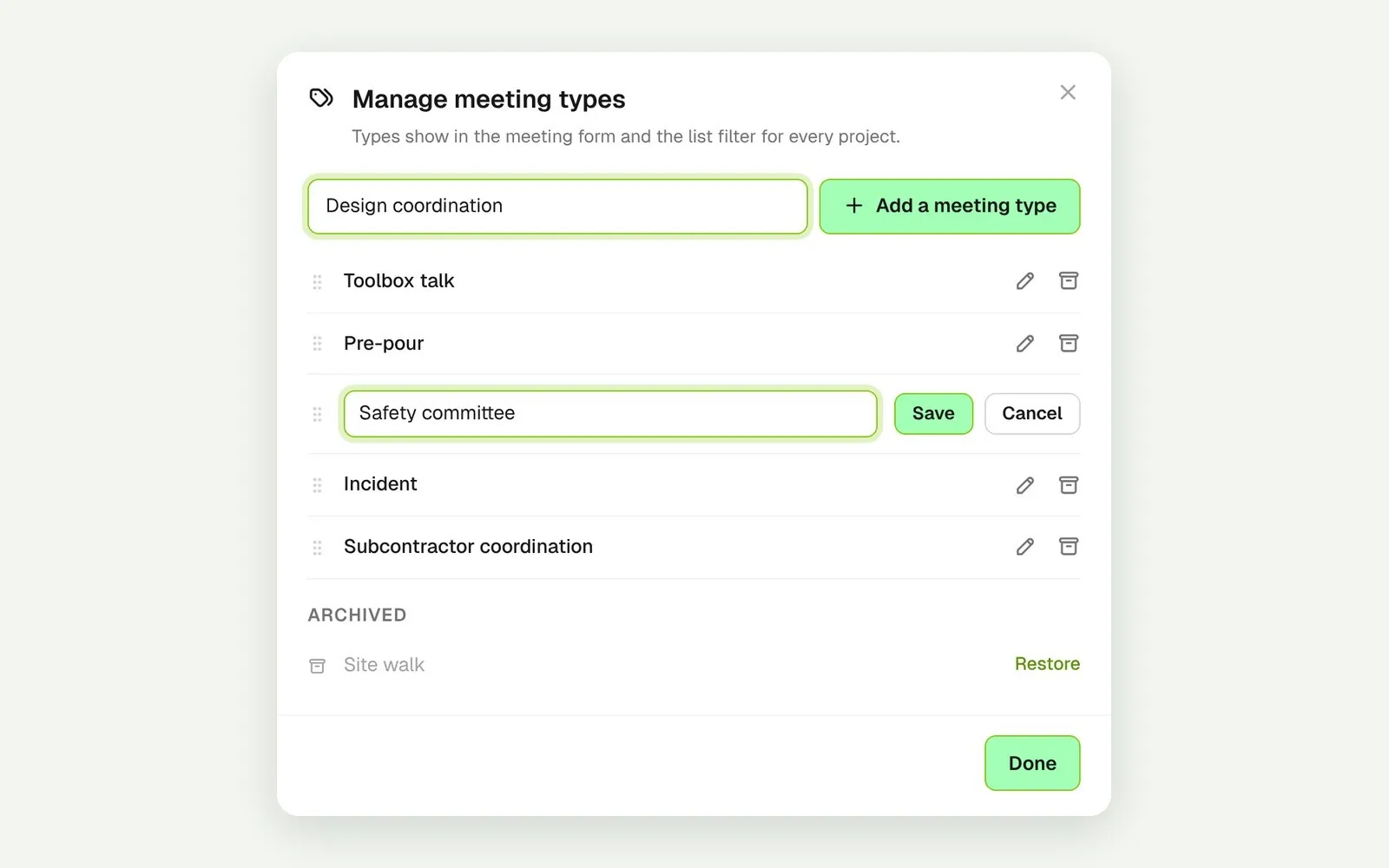
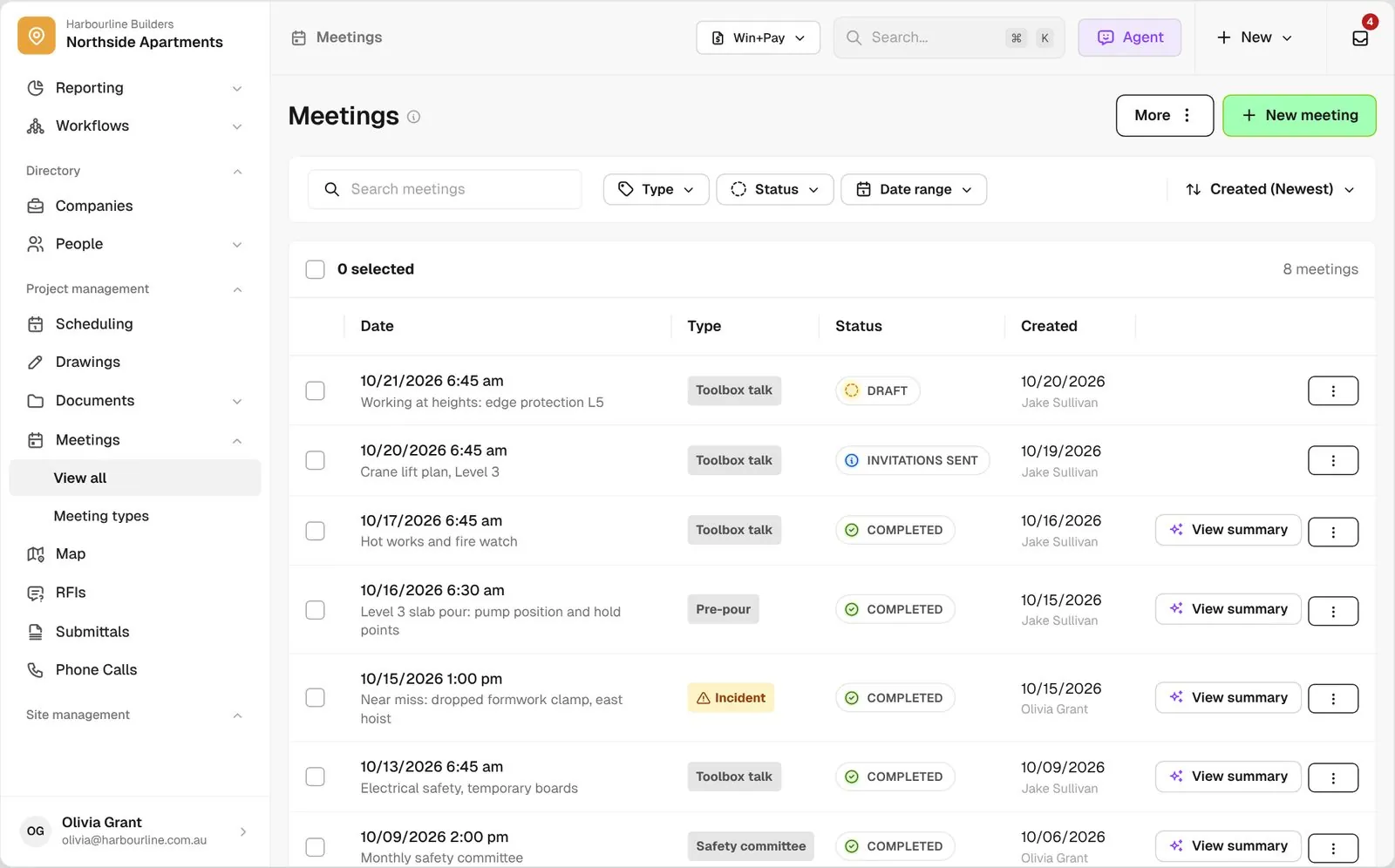
Add the meeting types your jobsites run, like pre-pour or safety committee, each with its own agenda template.
Mark workers attended in bulk or scan their QR badge, and each one is signed on for the day, with no duplicates. Missed talks return as a Notice at sign on. If you use Procore, completed talks can also be sent there.
Explore health and safetyTake off, estimate and get proposals out the door, without rekeying the same numbers three times.
Explore preconstructionBudgets, commitments, pay applications and bills, so you see the real financial position of every job.
Explore financeBring your other tools, your phone line and BuildPass AI into the same workflow.
Explore the AI toolkitFrom custom-home builders to commercial general contractors, teams across the United States run their projects on BuildPass every day.


Book a demo and we'll walk your team through it.