Build

Upload a photo of the whiteboard, AI builds the schedule for you

Construction scheduling software with an AI construction schedule generator

BuildPass construction scheduling software reads your schedule or a description of the job, and AI builds the phases and tasks for superintendents to check. When dates move, subs you pick get a text or email to confirm.
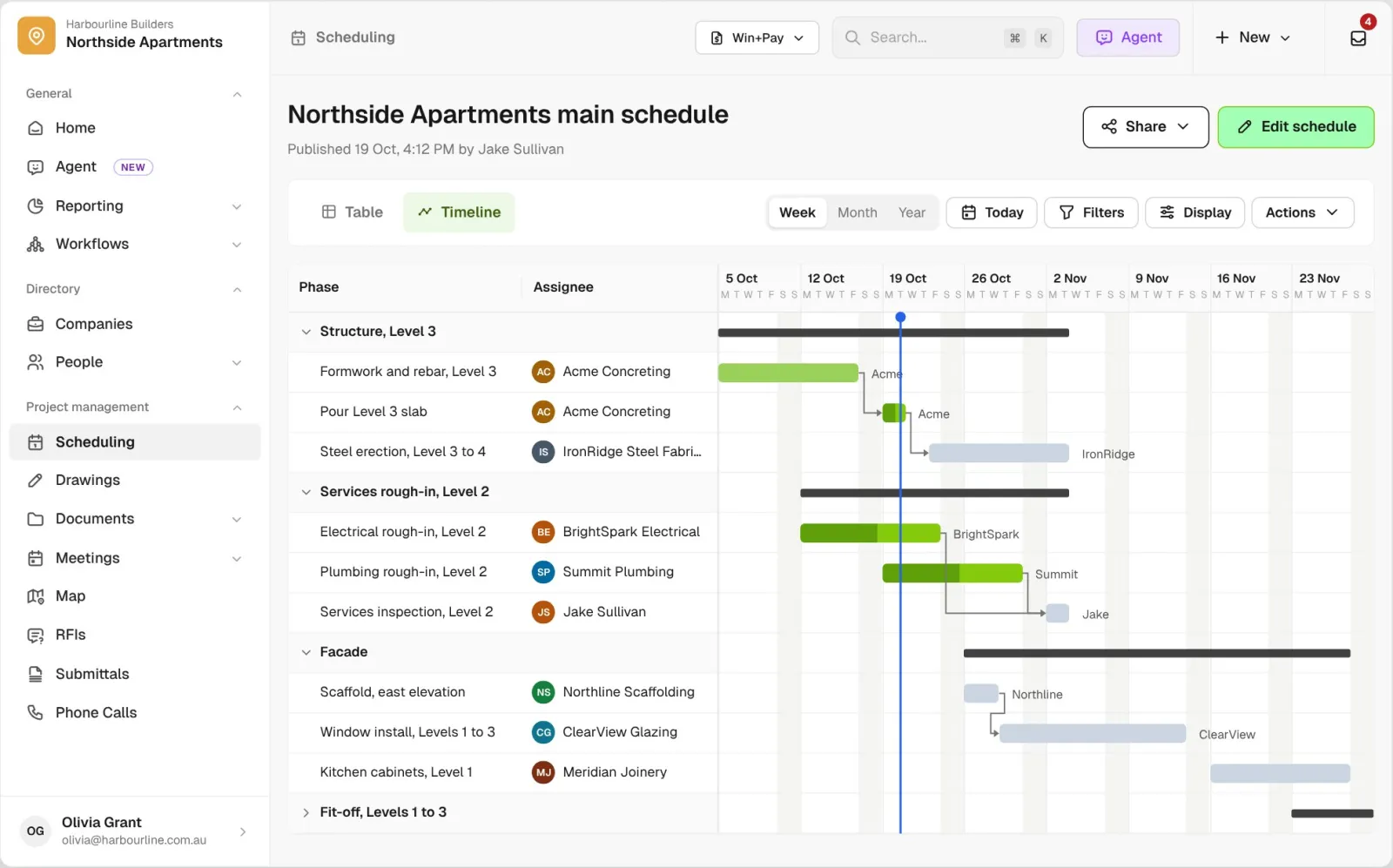
Northside Apartments schedule in timeline view with phases, tasks, assignees and dependency lines, and today marked

Trusted by builders across the country

From custom-home contractors to commercial general contractors, field teams run their schedules on BuildPass.


Reidy Contracting Group
Ameresco
DivisionOne Construction
Burkentine Builders
Ready Construction
DD Construction
Honest Hammer
Homestead
Copeland Construction
RMA Commercial General Contractors
Dryden Custom Homes
Reidy Contracting Group
Ameresco
DivisionOne Construction
Burkentine Builders
Ready Construction
DD Construction
Honest Hammer
Homestead
Copeland Construction
RMA Commercial General Contractors
Dryden Custom Homes
Reidy Contracting Group
Ameresco
DivisionOne Construction
Burkentine Builders
Ready Construction
DD Construction
Honest Hammer
Homestead
Copeland Construction
RMA Commercial General Contractors
Dryden Custom Homes
Reidy Contracting Group
Ameresco
DivisionOne Construction
Burkentine Builders
Ready Construction
DD Construction
Honest Hammer
Homestead
Copeland Construction
RMA Commercial General Contractors
Dryden Custom Homes
Fassberg
AJFX Construction
ECI Austin
New Age Builder
EDG Pro Contractors
Schwartz Custom Homes
ARK General Construction
Two Z Homes
Shade Doctor of El Paso
Fassberg
AJFX Construction
ECI Austin
New Age Builder
EDG Pro Contractors
Schwartz Custom Homes
ARK General Construction
Two Z Homes
Shade Doctor of El Paso
Fassberg
AJFX Construction
ECI Austin
New Age Builder
EDG Pro Contractors
Schwartz Custom Homes
ARK General Construction
Two Z Homes
Shade Doctor of El Paso
Fassberg
AJFX Construction
ECI Austin
New Age Builder
EDG Pro Contractors
Schwartz Custom Homes
ARK General Construction
Two Z Homes
Shade Doctor of El Paso

Construction scheduling software helps general contractors plan phases and tasks, link them in order, assign subcontractors and share the latest schedule with subs and clients.

From your current schedule to subs confirming the dates

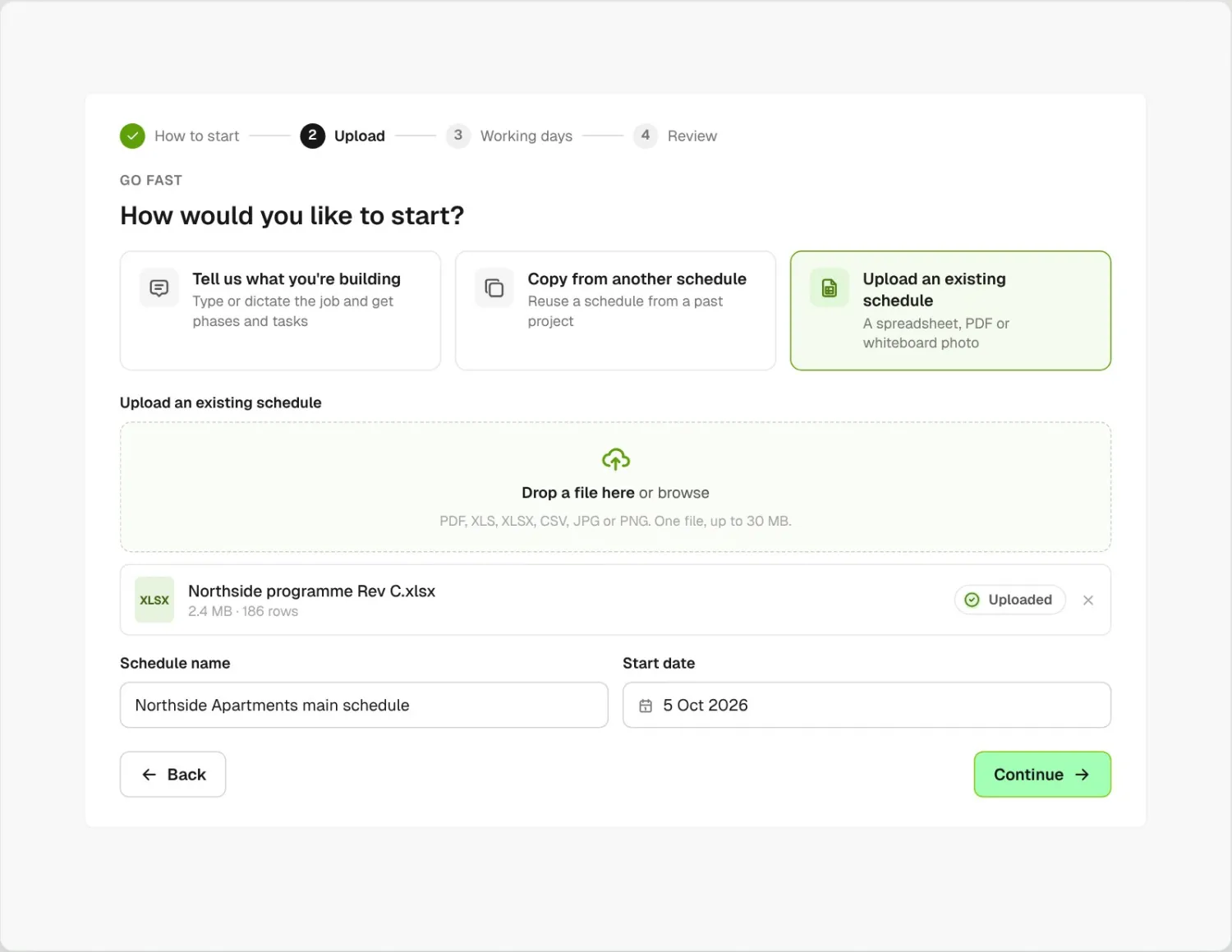
Schedule setup with Upload an existing schedule selected and a spreadsheet attached
01

AI builds the first draft

Upload a spreadsheet, PDF or whiteboard photo of your schedule, or describe the job, and BuildPass uses AI to build the phases and tasks from your start date. Or copy a past job with its assignees, links and holidays.
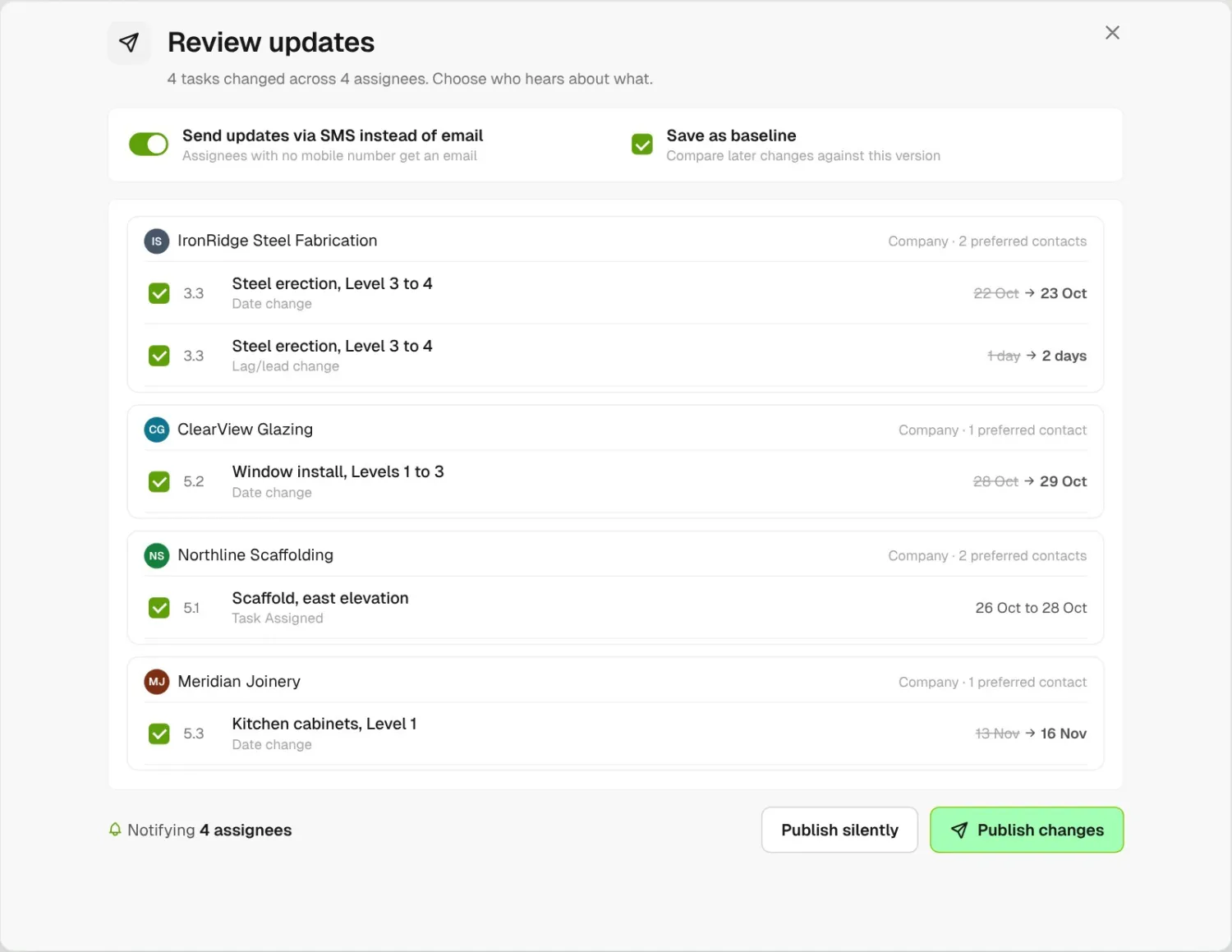
Review updates screen listing changes by trade, with SMS on, Save as baseline ticked and Publish changes
02

Publish the changes

Move tasks on the timeline, then check every change before it goes out. Tick who gets an SMS or email, or publish without sending anything at all.
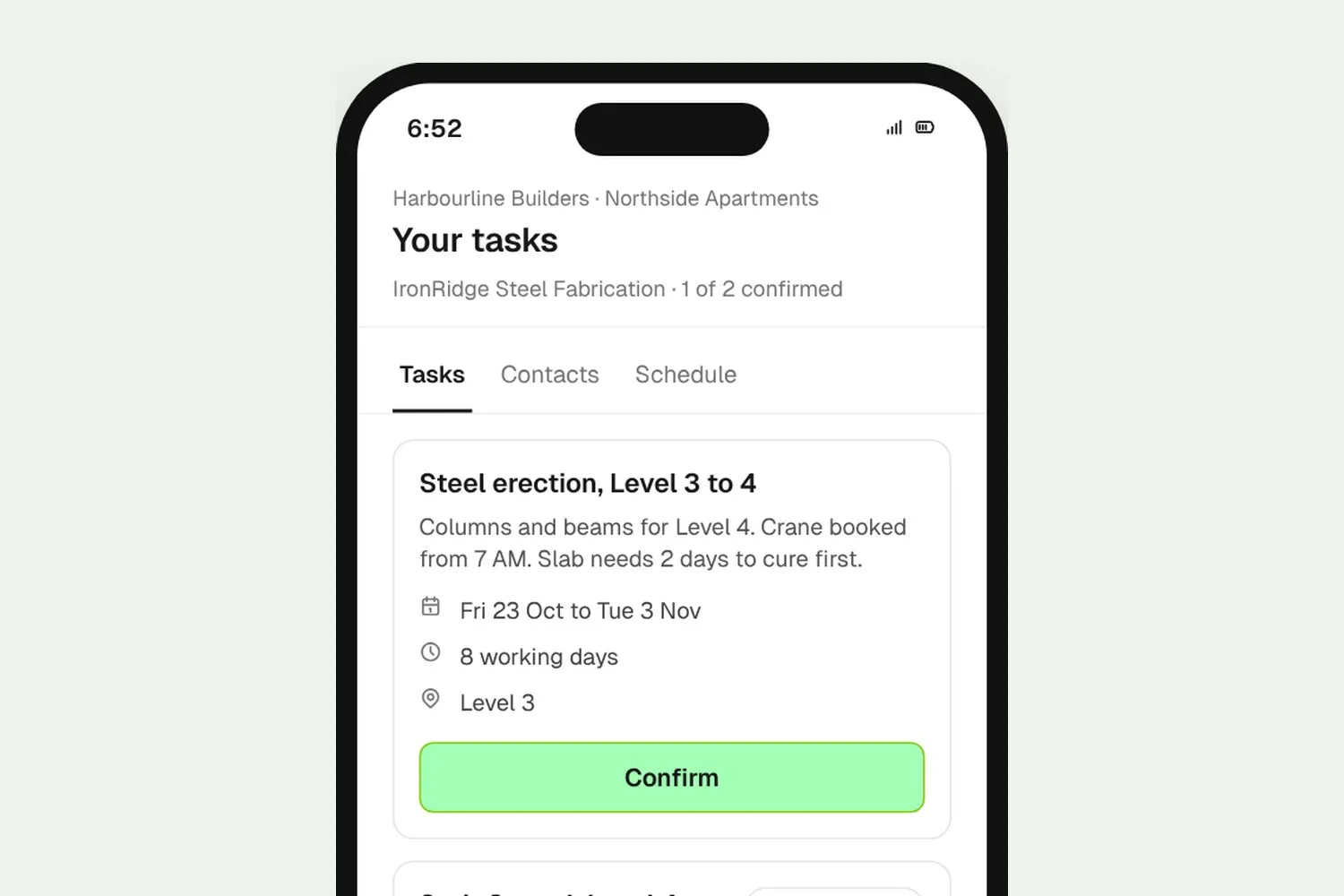
Sub on a phone confirming a steel erection task from a link
03

Trades confirm

Each sub gets a link to their own tasks, with no login. They tap Confirm, and you can see who has confirmed.

How it works

Your whole construction schedule, in one view

Switch between table and timeline views, put the right sub on a run of tasks at once, and print the next two weeks for the jobsite trailer.
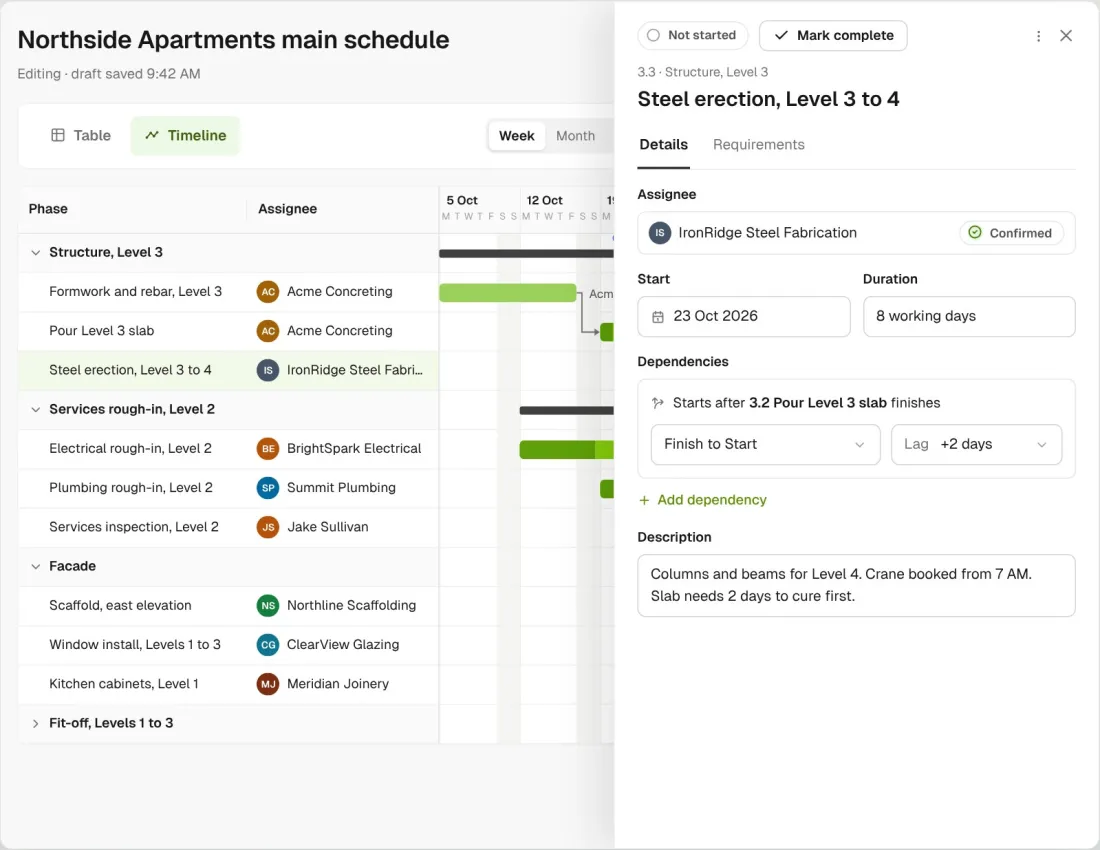
Task panel showing a Finish to Start link with a 2 day lag and the assignee confirmed

Link tasks in order

Use Finish to Start, Start to Start and the other links, with a lag for curing or drying time. A task can't be dragged earlier than its link allows.
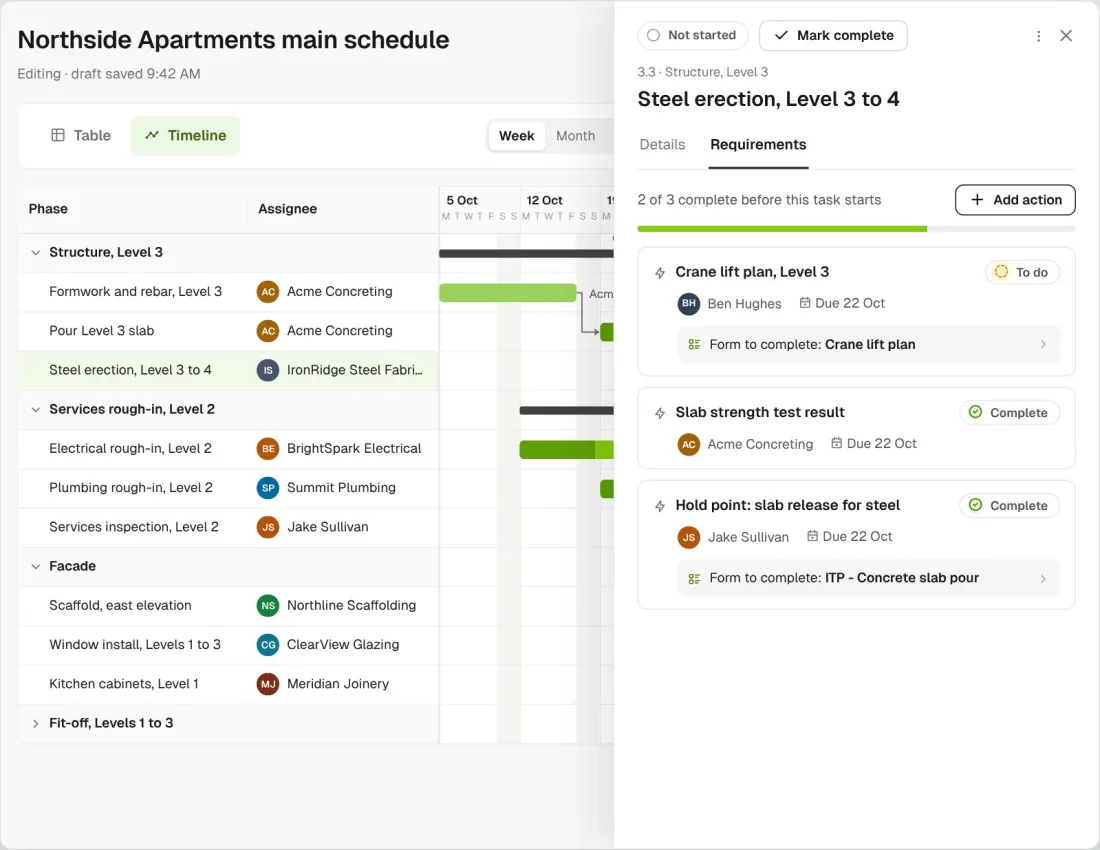
Task requirements listing actions with assignees, due dates and forms to fill in

Put the prep work on the task

Add actions to a task, each with an assignee, a due date and a form to fill in, like a lift plan before the steel goes up.
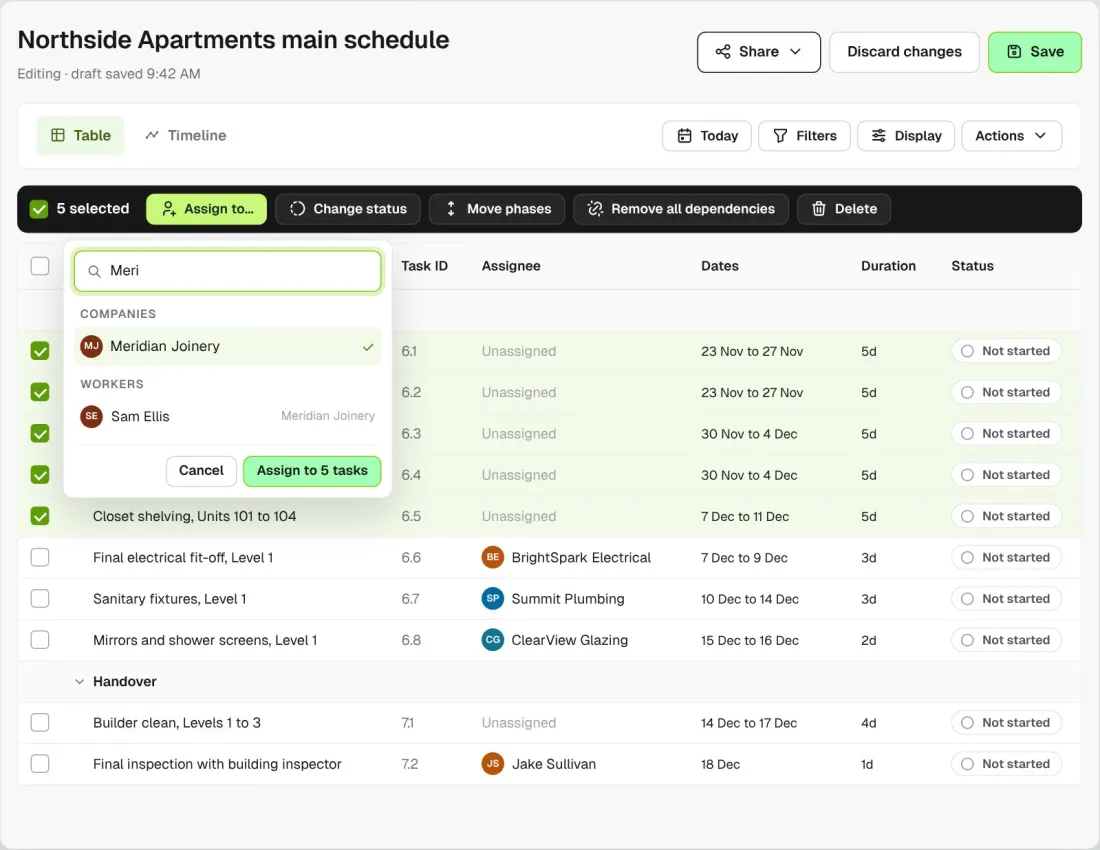
Five tasks selected in table view with Assign to open on Meridian Joinery

Assign a trade in one go

Select a run of tasks and assign them to a company or a worker at once.
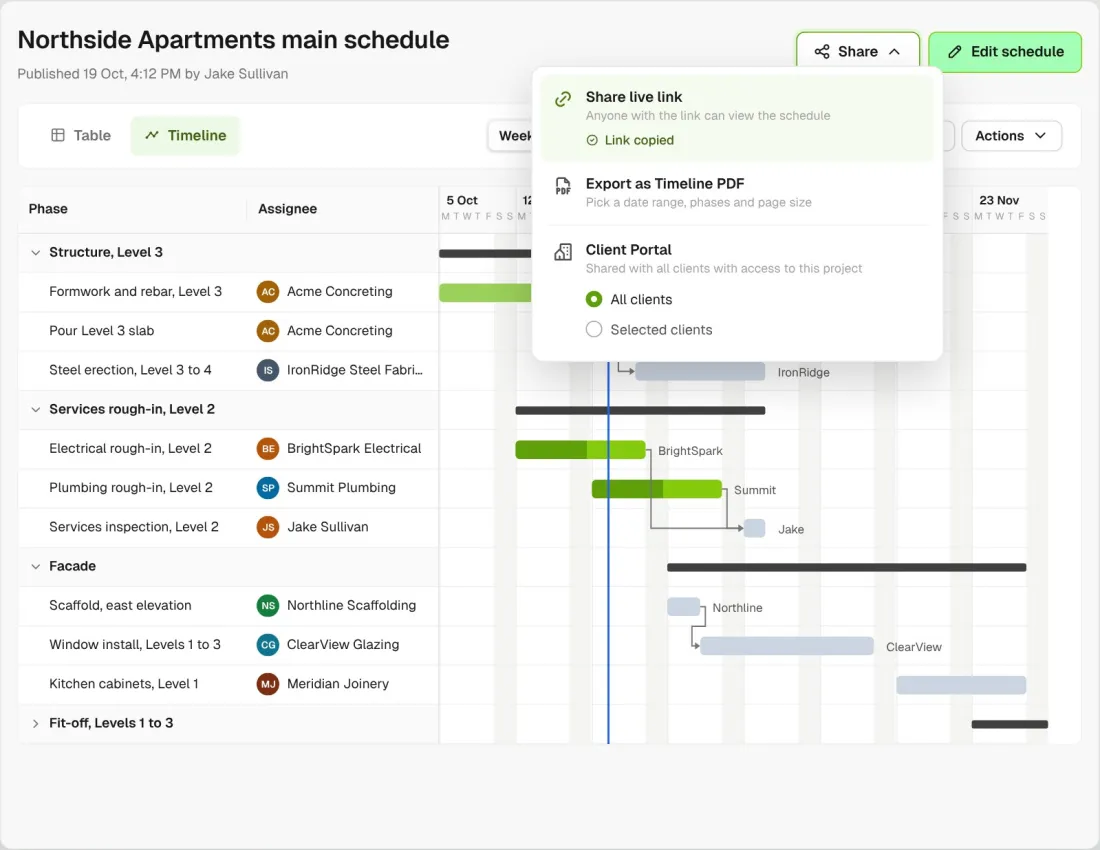
Share menu with live link copied and the schedule shared to all clients in the client portal

Share the live schedule

Send trades a live link that always shows the latest published schedule, read only and with no login. Clients can view it in their client portal.
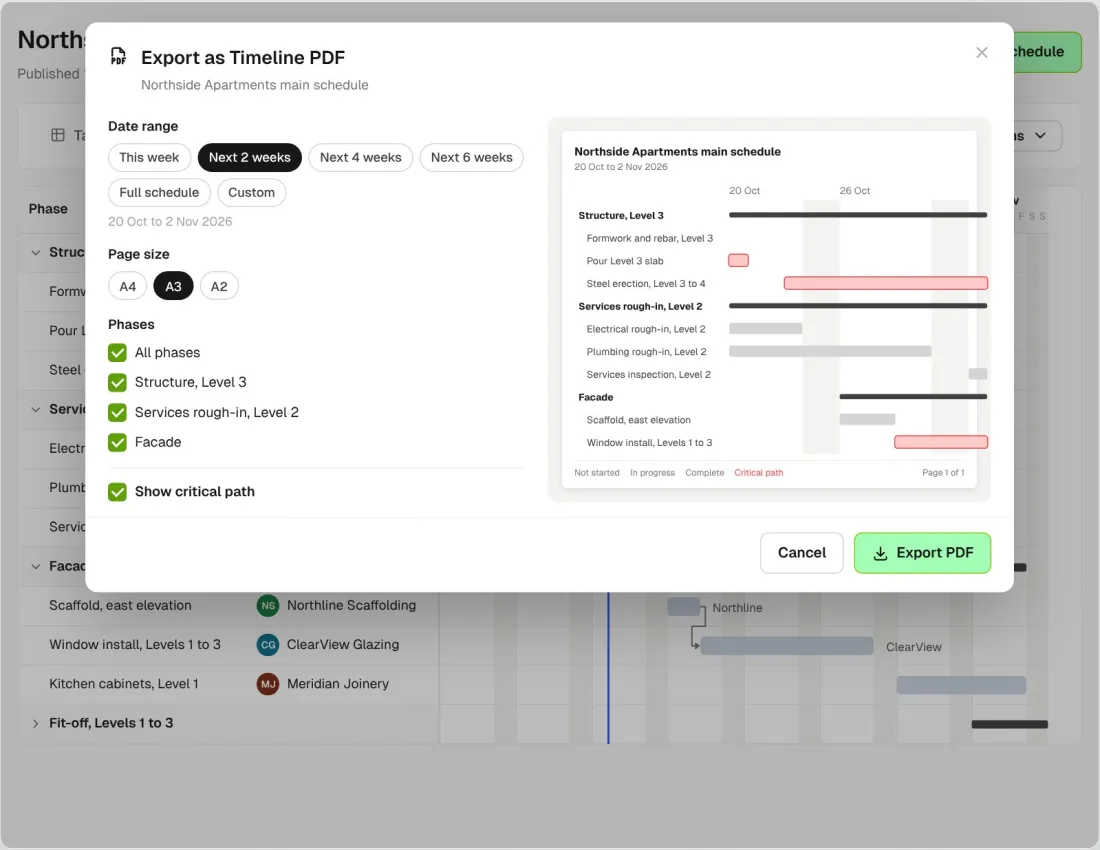
Export as Timeline PDF set to Next 2 weeks, A3, selected phases and critical path

Print a two week lookahead

Export the next two weeks as a Timeline or Table PDF. Pick the phases and page size, and show the critical path.
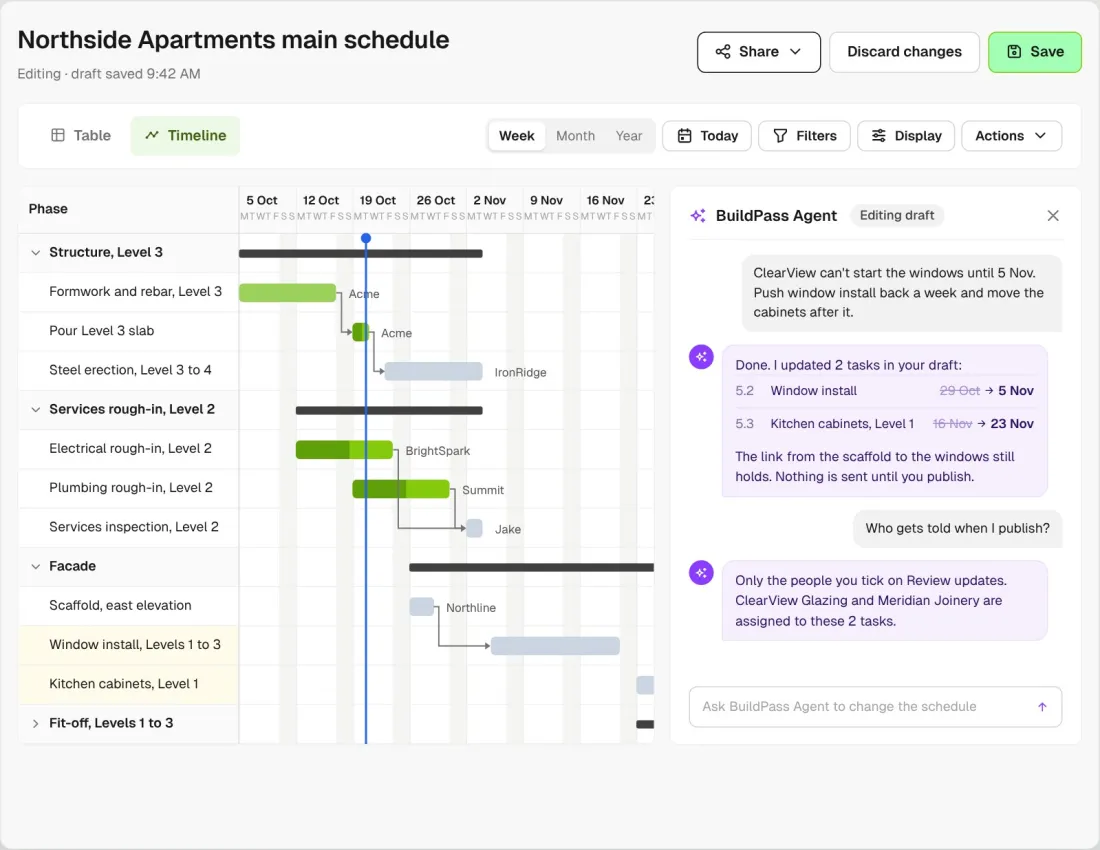
BuildPass Agent beside the schedule in edit mode, moving window install and joinery in the draft, with the changed tasks highlighted

Ask BuildPass Agent to change it

In edit mode, tell BuildPass Agent what has moved and it updates the phases, tasks and milestones in your draft. Nothing goes to subs until you publish.

Connected to the whole job
BuildRun the site

Scheduling, connected to the whole job

Tasks go to the companies, workers and contacts already in BuildPass. Actions on a task sit in Actions with their form, and clients see the schedule in the same client portal as the rest of the job.

Explore site management
  1. Publish4 trades toldSMS, or email with no mobile
  2. Confirmations3 of 4 confirmedfrom a link, no login
  3. LOOKAHEAD PDFNext 2 weeks20 Oct to 2 Nov · A3 · critical path shown. Northside Apartments

Win

Price the job

Take off, estimate and get proposals out the door, without rekeying the same numbers three times.

Explore preconstruction

Pay

Manage the money

Budgets, commitments, pay applications and bills, so you see the real financial position of every job.

Explore finance

Connect

Connect the tools

Bring your other tools, your phone line and BuildPass AI into the same workflow.

Explore the AI toolkit

Trusted by builders who run their projects on BuildPass

From custom-home builders to commercial general contractors, teams across the United States run their projects on BuildPass every day.


Whether you're a local builder doing a handful of houses a year, or you're pushing for four or five digits, there's a solution here. And BuildPass can handle it.
Joel Patterson
Director of Construction, Burkentine Builders
It's a one-stop shop for construction safety. Everything you need is right there.
Jack Hensey
Business Operations Associate, Reidy Contracting Group
This is working much better with BuildPass. Much faster. Much cleaner.
David Guzman
Superintendent, Engen Contracting Inc.

Frequently asked questions

No. Messages go out when you publish, and only to the people you tick. The review screen lists every change by trade, so you can send by SMS or email, or publish without telling anyone. Status changes and tasks that have already started are never sent.

Yes. Upload one spreadsheet, CSV, PDF or photo of a printed schedule or whiteboard, up to 30 MB, or describe the job, and AI builds a new schedule from your start date that you review before it saves. It always starts a fresh schedule rather than adding to one, and results can vary, so check the dates. Open any task and it also suggests up to three subtasks. An Owner or Account manager switches on AI tools in Settings before any of this works.

No. Trades confirm their own tasks from a link and clients view the schedule in the client portal, but only your team can edit it. One person edits at a time, so no one overwrites someone else.

Not on screen. You can filter by task, assignee, status or the critical path. For a two week lookahead, export Next 2 weeks as a PDF.

See how BuildPass works on your projects

Book a demo and we'll walk your team through it.