

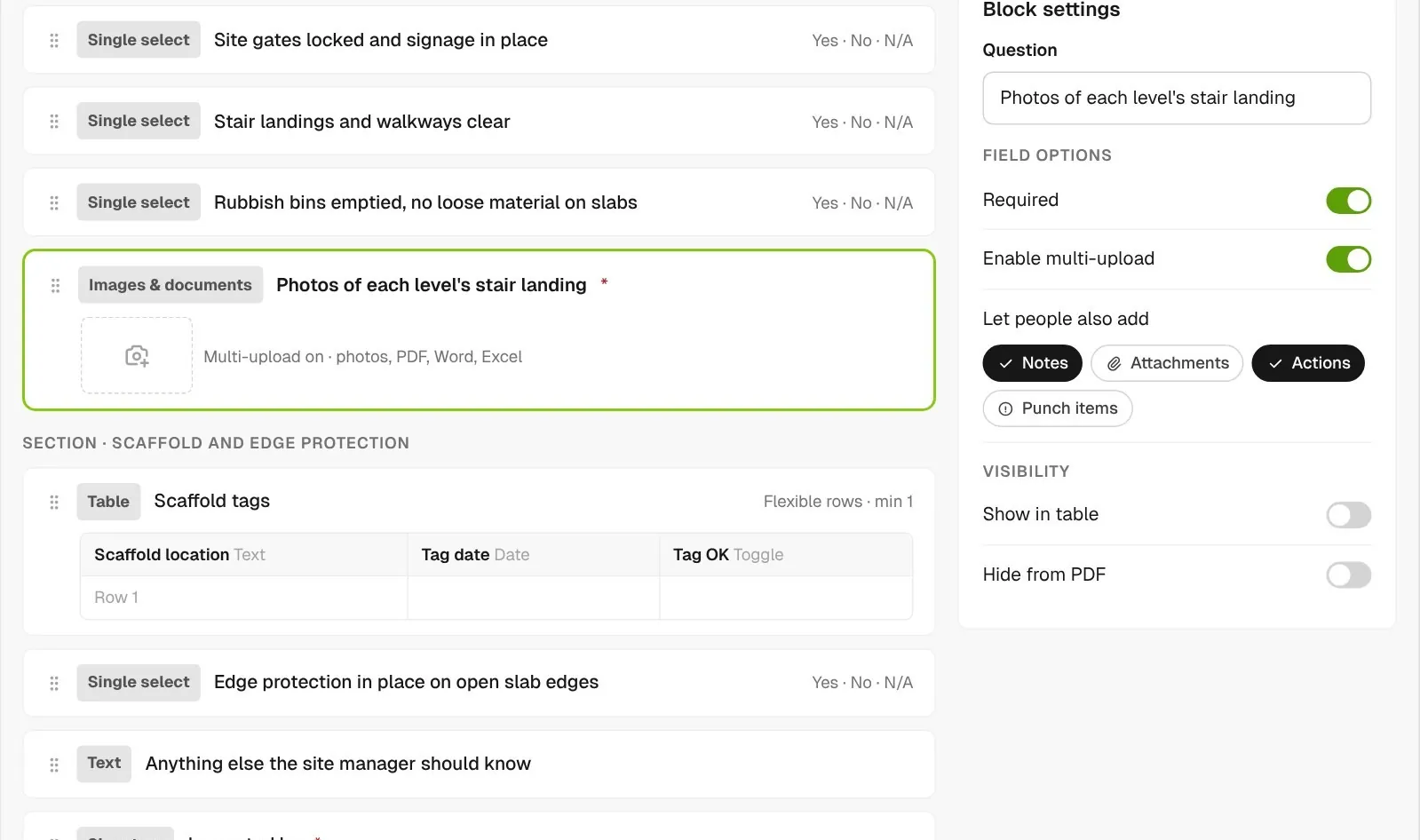
Build the form
Add yes or no checks, tables, photo uploads and a signature. Make the answers that matter required, and let people add notes or actions against any question they answer.
Build your own forms for jobsite inspections, ITPs and equipment pre-starts, or let the AI Template Generator draft one. Superintendents and subs fill them in on their phone with photos and signatures, and each one downloads as a PDF.
From custom-home contractors to commercial general contractors, field teams run their daily checks on BuildPass.



















Checklist software helps general contractors turn paper checklists, QA/QC inspections and ITPs into forms that superintendents, subs and workers fill in on the jobsite, with photos, signatures and follow-up actions recorded against each answer.
Add yes or no checks, tables, photo uploads and a signature. Make the answers that matter required, and let people add notes or actions against any question they answer.
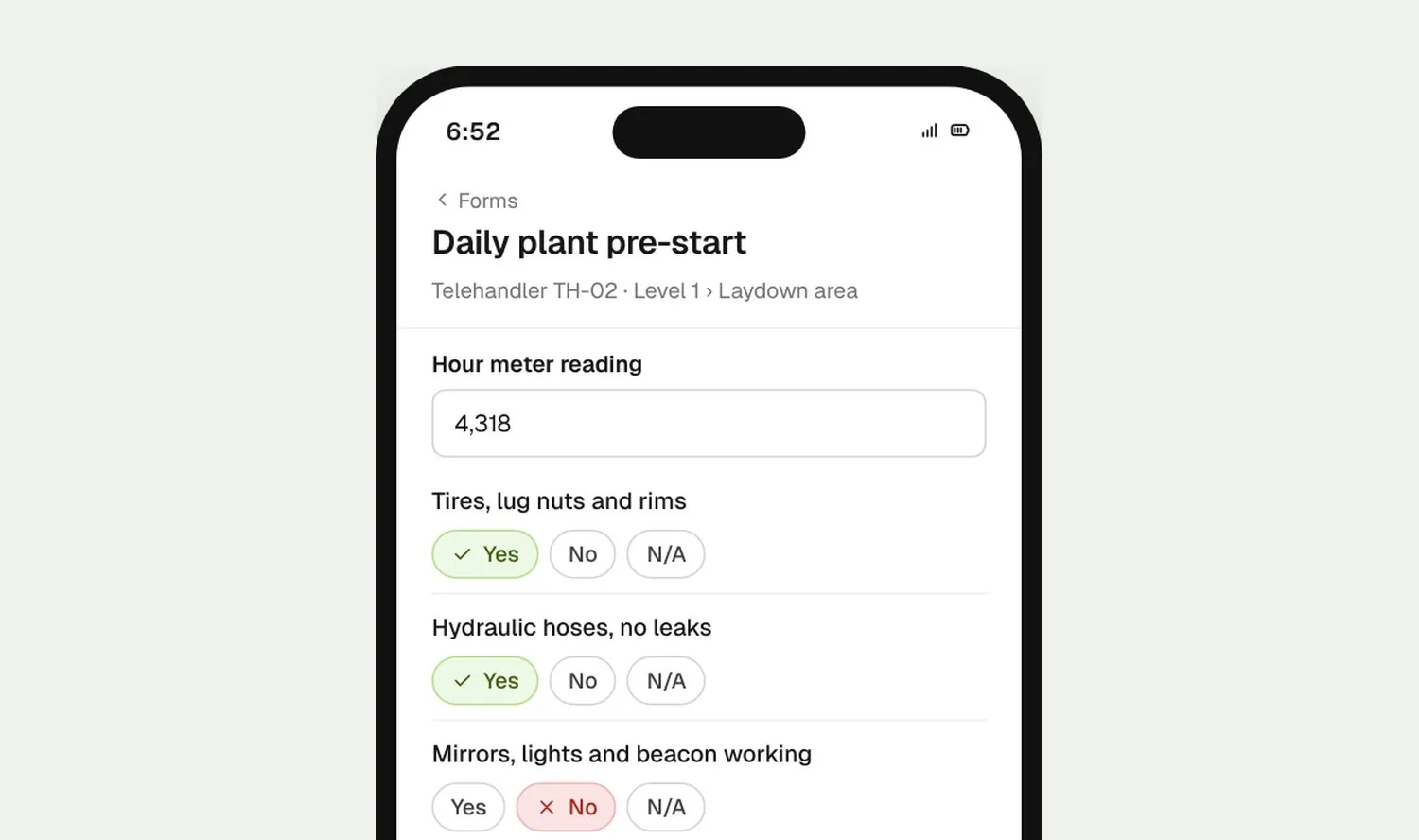
Workers open the form on their phone, answer each check, take photos and sign. You choose which forms workers can start.
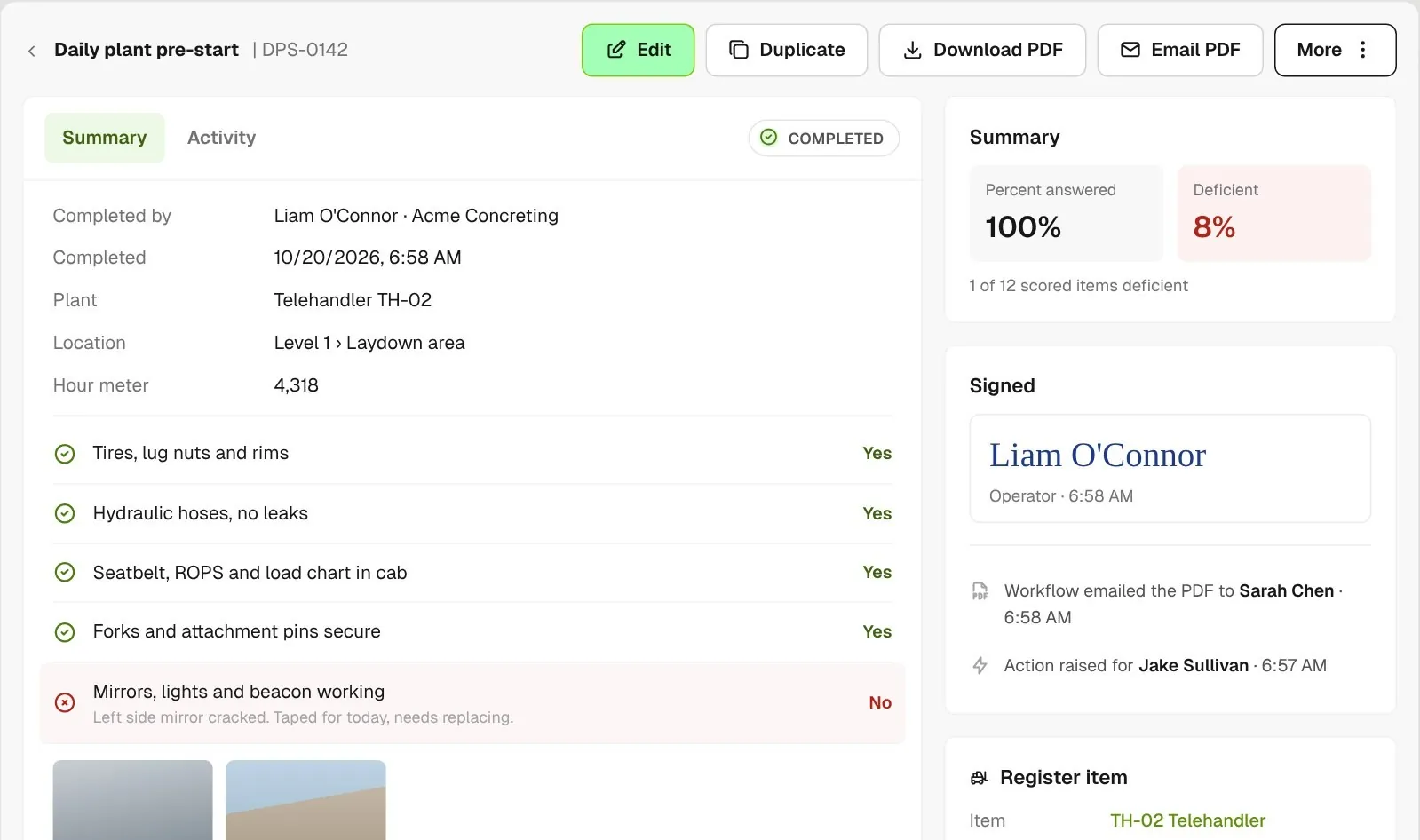
The completed form shows every answer, photo and signature, the score on your checks and any actions raised. Download it or email it as a PDF.
Start from a description or a template, run QA/QC inspections as forms and remind the right people.
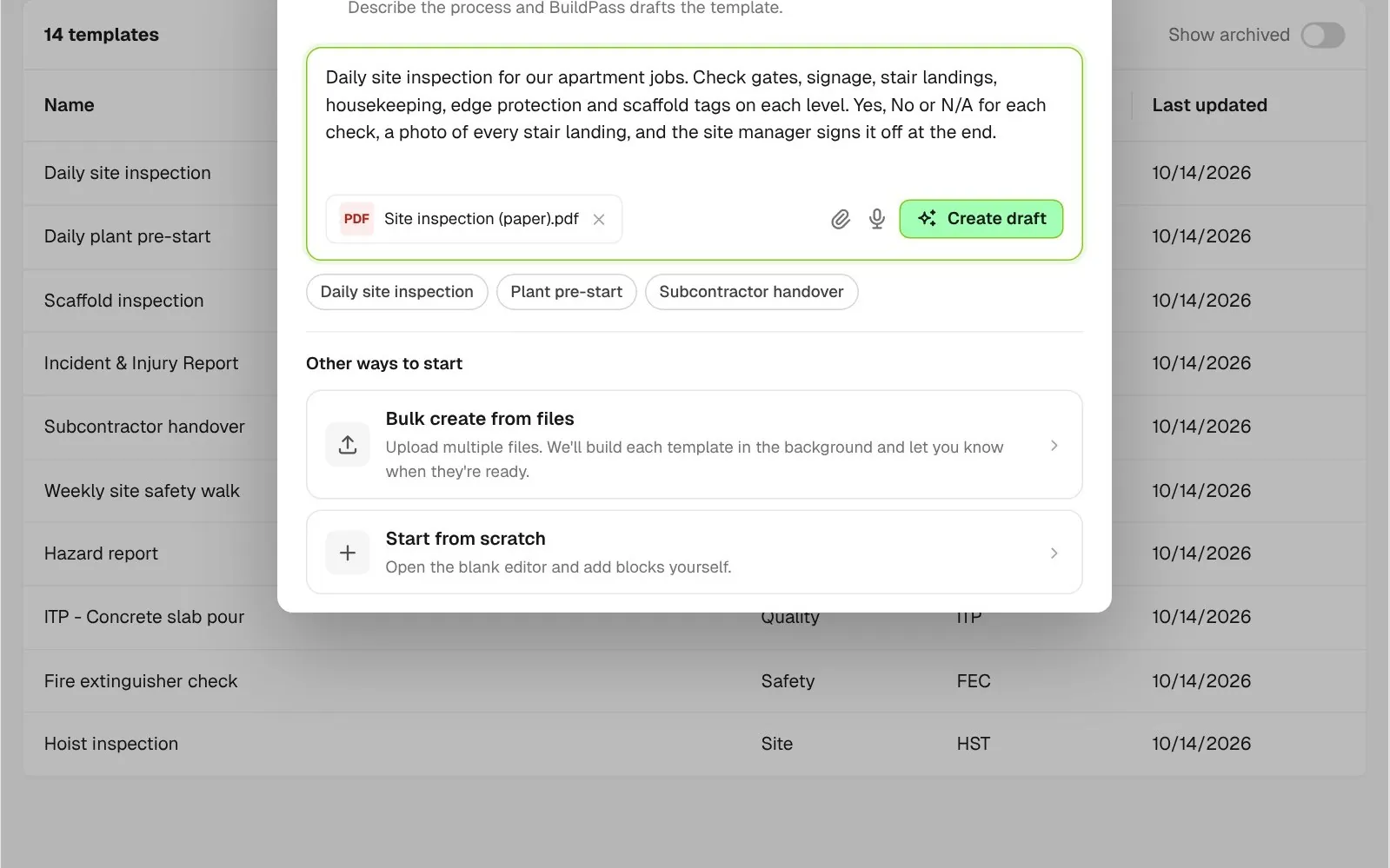
Type what the form is for, or attach the paper version, and the AI Template Generator drafts it in the editor for you to check. Got a stack of paper forms? Upload up to 100 at once and each one becomes its own template.
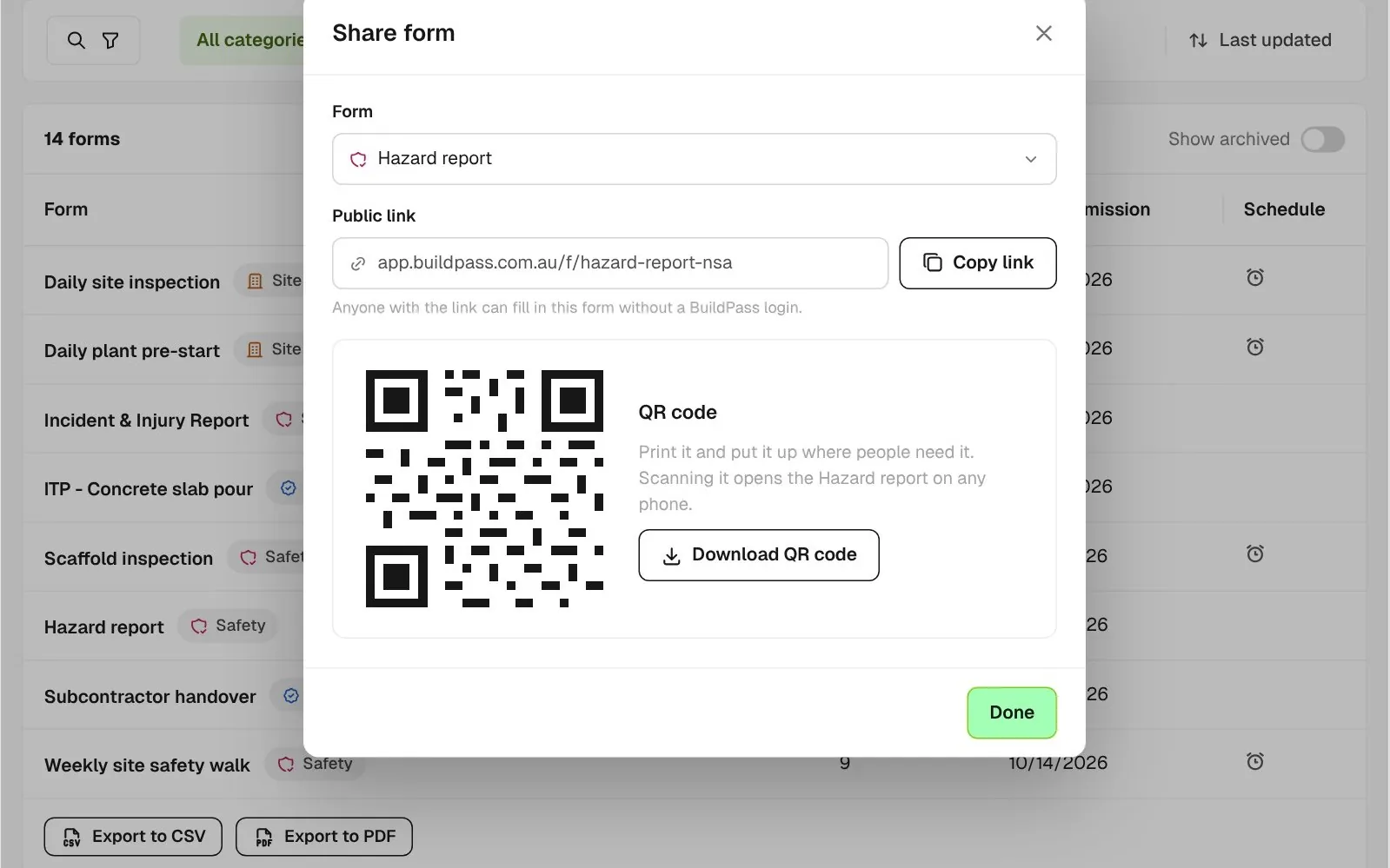
Give any of your forms a public link and QR code, so visitors, consultants and anyone without a BuildPass login can fill it in on their own phone.
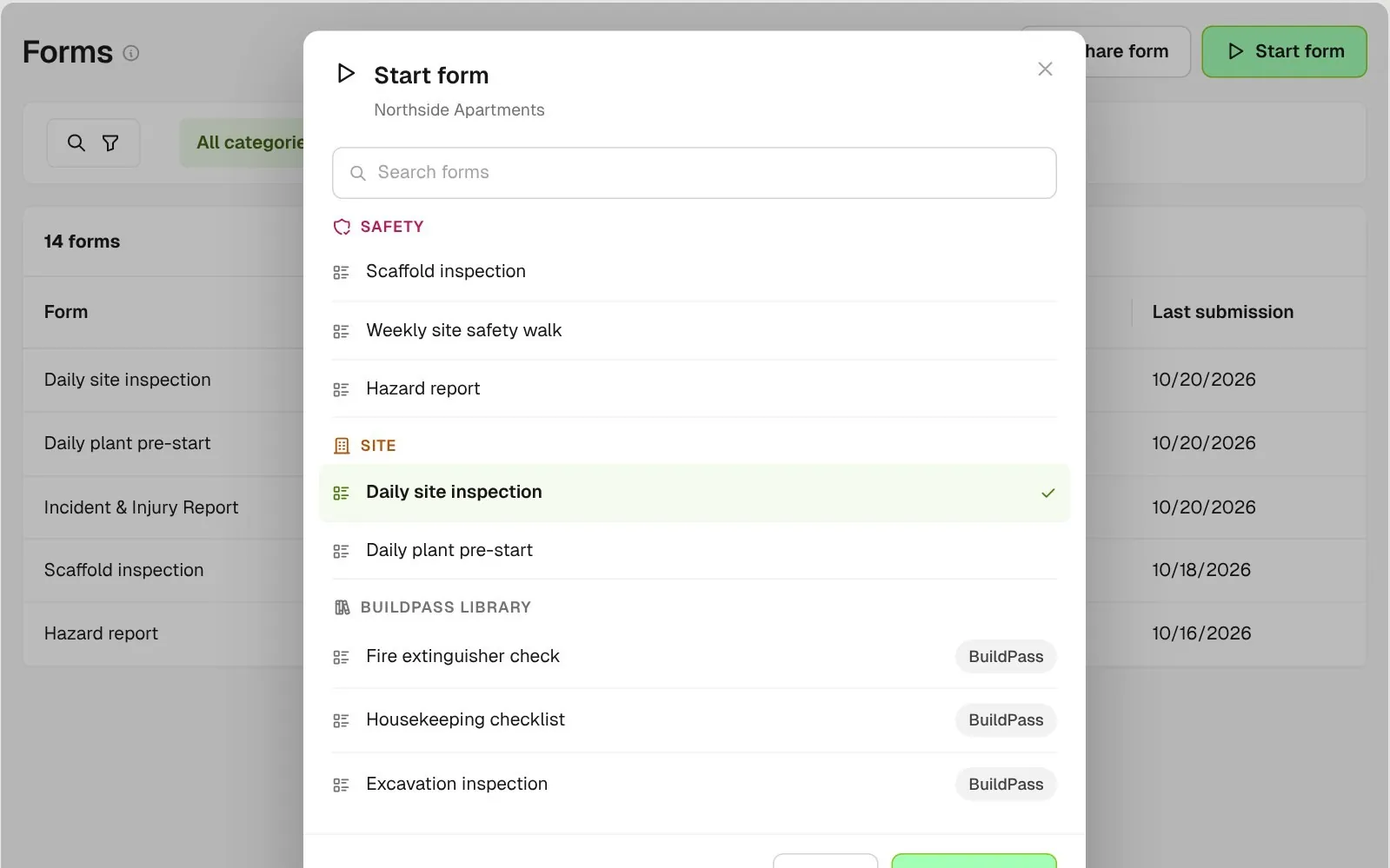
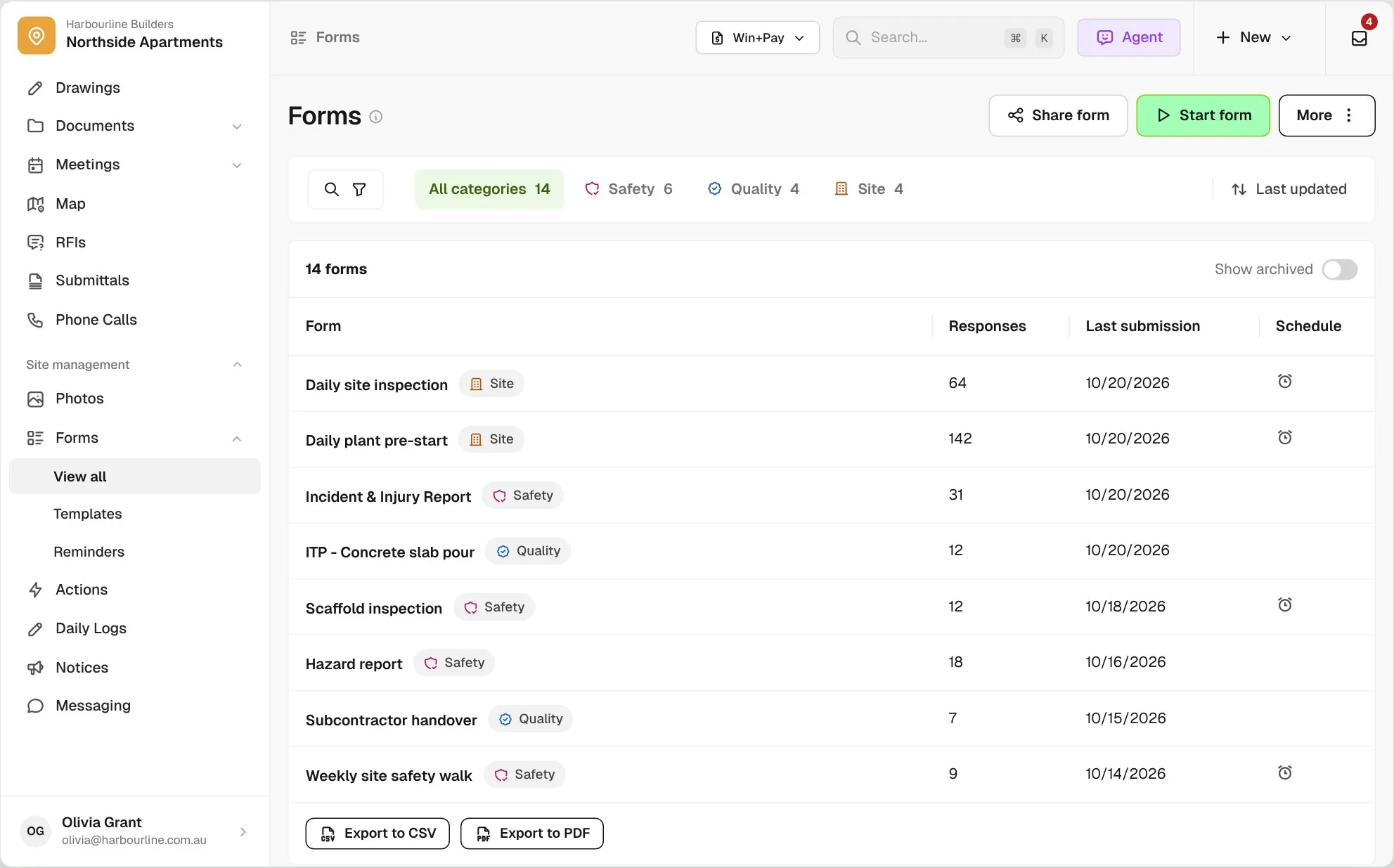
Pick from your own forms, grouped by category, or start from the BuildPass library and clone a template to make it yours.
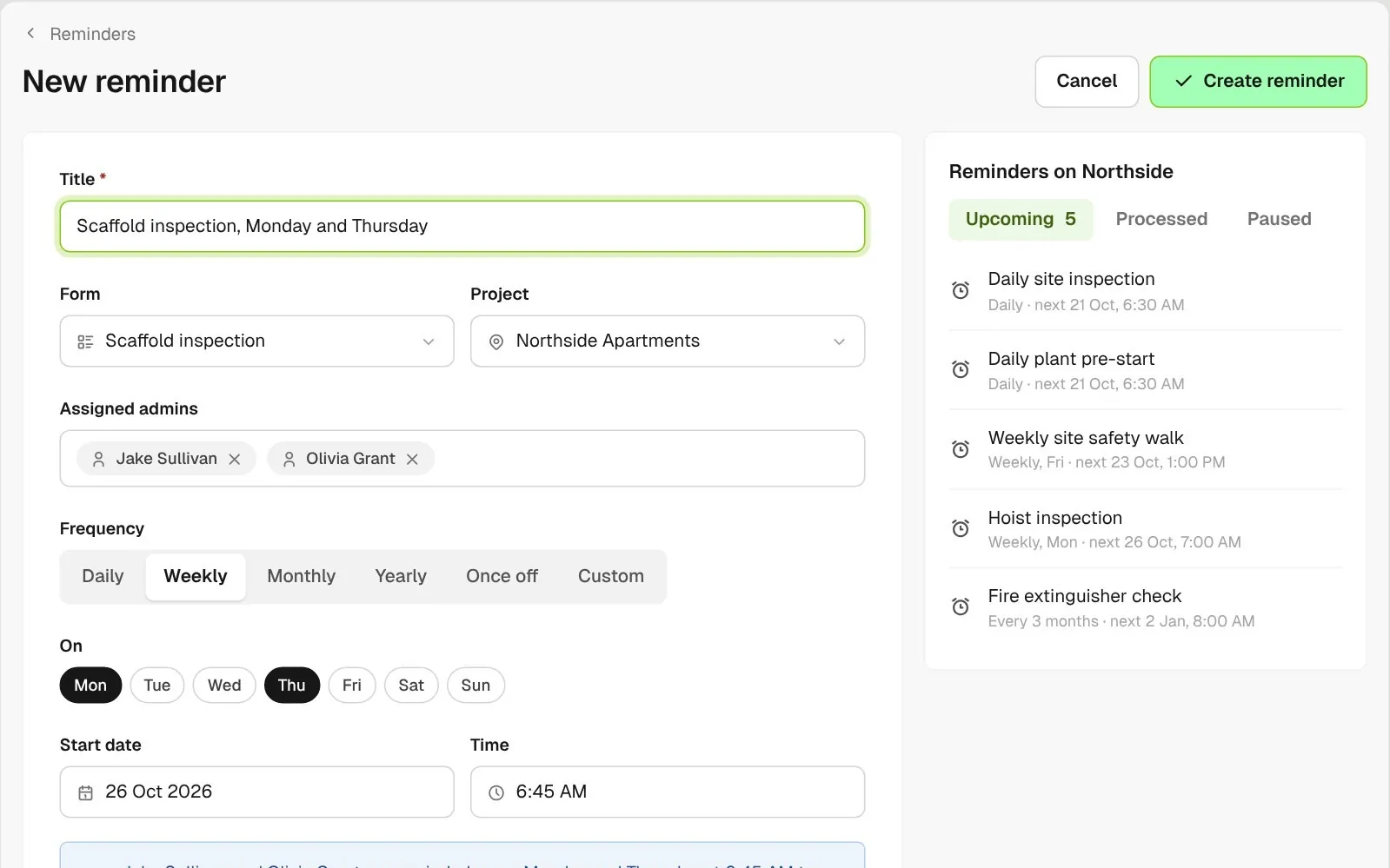
Set daily, weekly, monthly or custom reminders on each project. The admins you assign are reminded to complete the form.
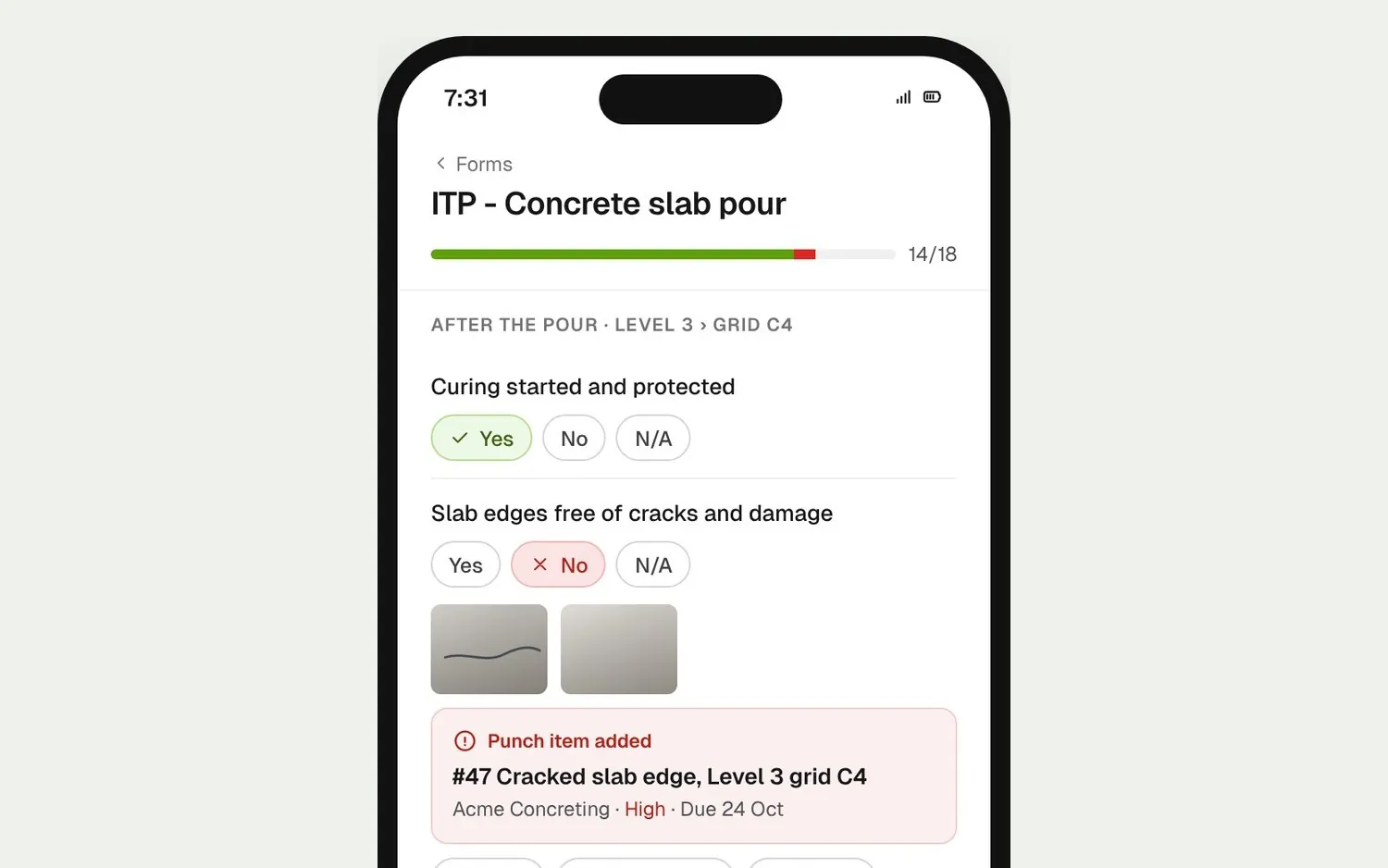
Build each QA/QC inspection or ITP as a form and score every check as conforming, deficient or neutral, with photo and signature blocks. Raise a punch item from a failed item, and duplicate the last one for the next pour.
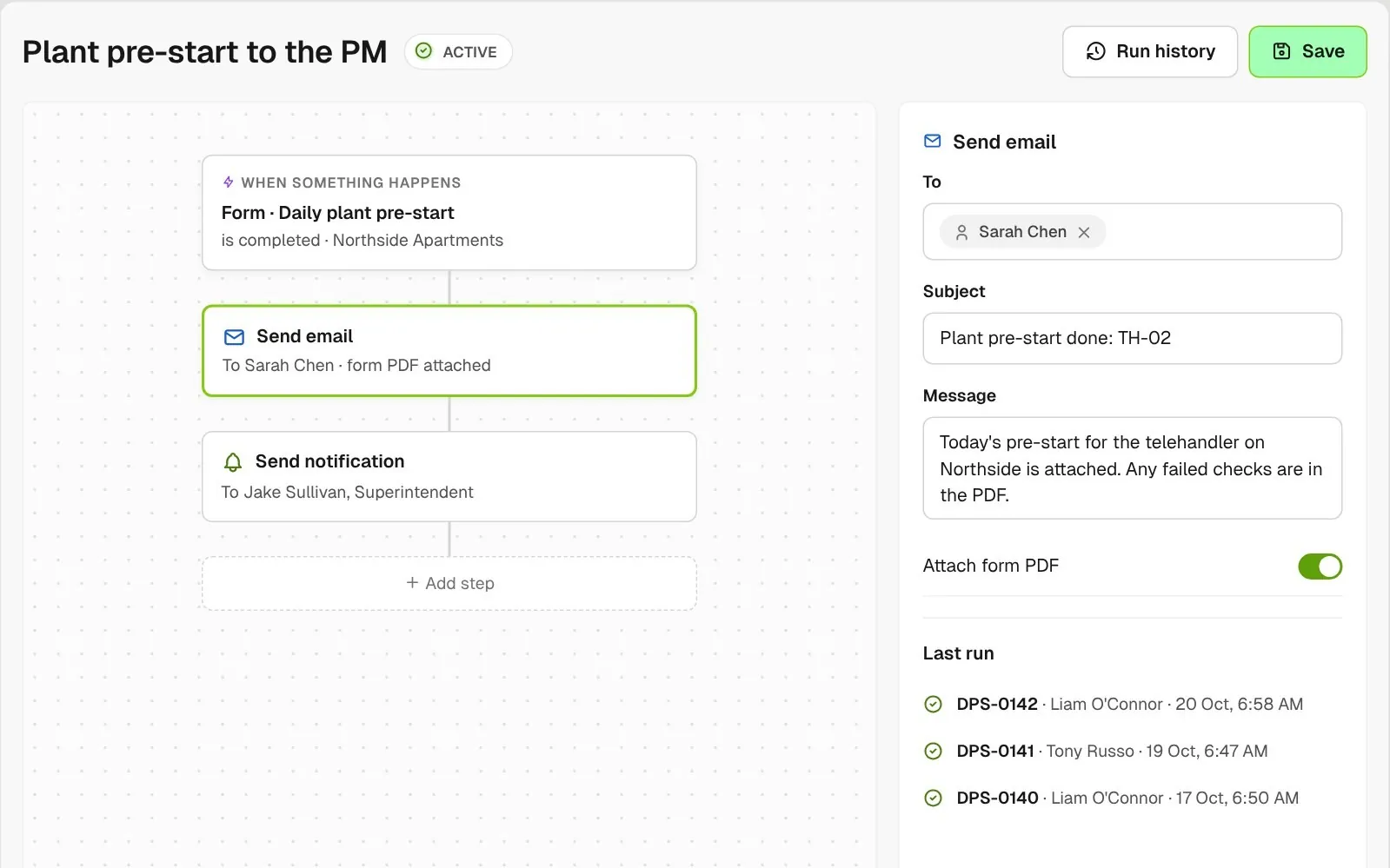
Set up a workflow so a completed form emails its PDF to your project manager or sends your superintendent a notification.
Raise an action or a punch item from any question while you fill in a form, and it is assigned and tracked in its own list. Link a completed form to a log item like a telehandler to keep the record with the machine.
Explore site managementTake off, estimate and get proposals out the door, without rekeying the same numbers three times.
Explore preconstructionBudgets, commitments, pay applications and bills, so you see the real financial position of every job.
Explore financeBring your other tools, your phone line and BuildPass AI into the same workflow.
Explore the AI toolkitFrom custom-home builders to commercial general contractors, teams across the United States run their projects on BuildPass every day.



Book a demo and we'll walk your team through it.