
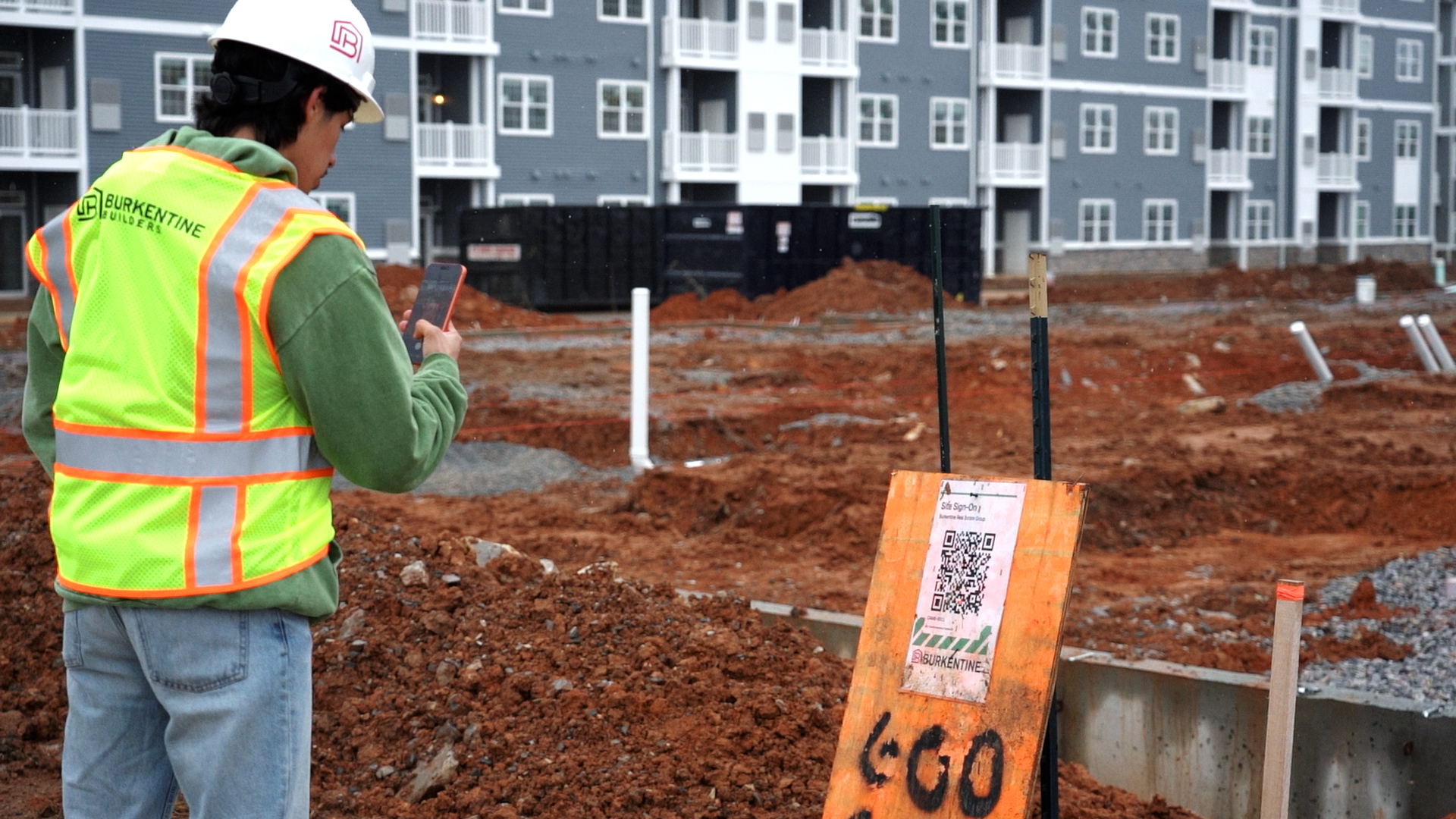
Raise it where you find it
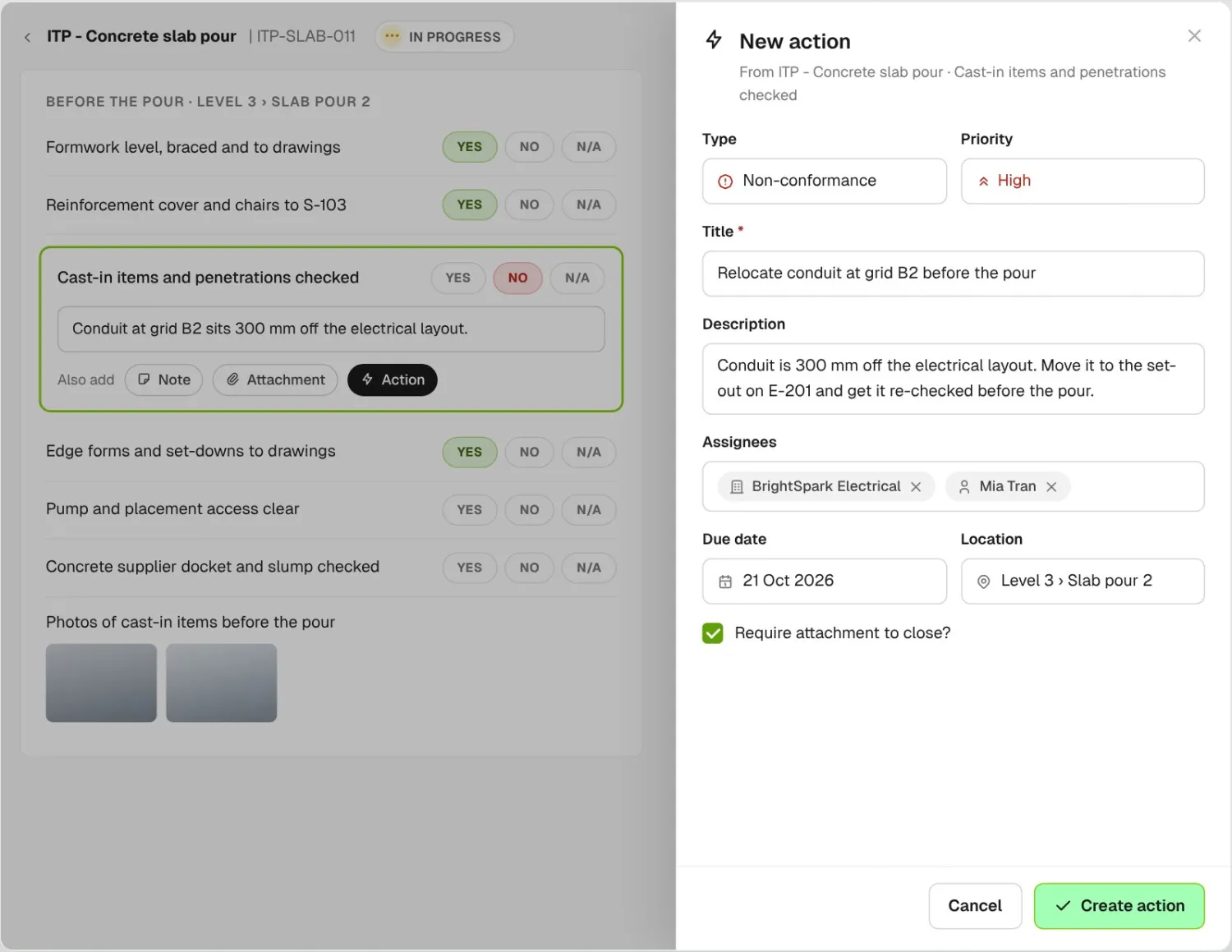
Add an action from the inspection item that failed, or create one on the Actions list. Set the type, priority, due date, location and who it’s assigned to.
Track action items raised from a failed inspection item or a closed RFI, with AI suggesting the title and priority. Assign each to a sub or your superintendent with a due date, and require a photo to close it.
From custom-home contractors to commercial general contractors, field teams track their follow-ups on BuildPass.














Action tracking software helps general contractors assign follow-up tasks, non-conformances and hazards to subs and workers, chase them with reminders, and record how each one was closed.
Add an action from the inspection item that failed, or create one on the Actions list. Set the type, priority, due date, location and who it’s assigned to.
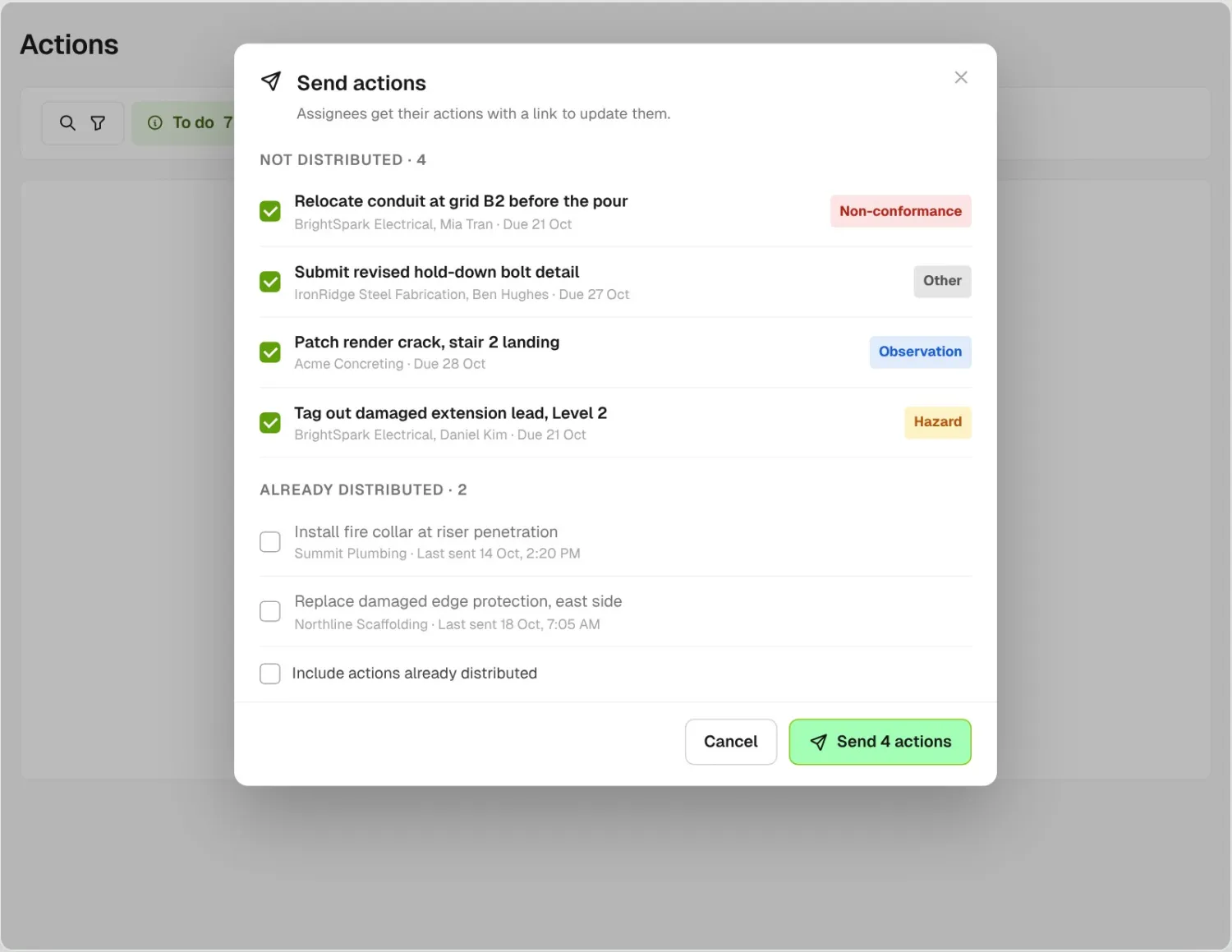
Send every action that hasn’t gone out yet in one step. Ones already sent stay in their own list and don’t go again unless you tick them.
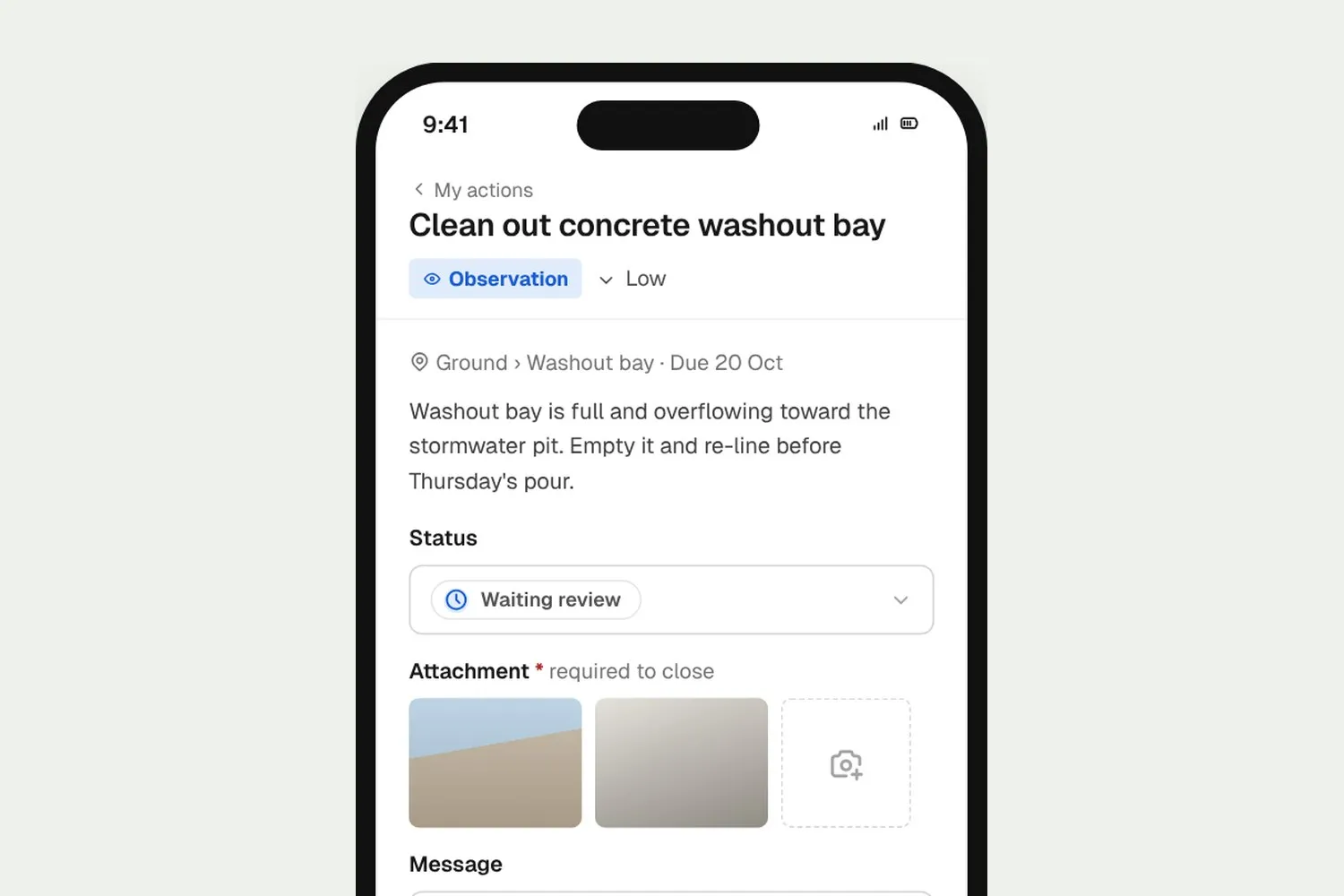
The worker or sub updates it on their phone, adds a message and the photo you asked for, then moves it to Waiting review so you can check it.
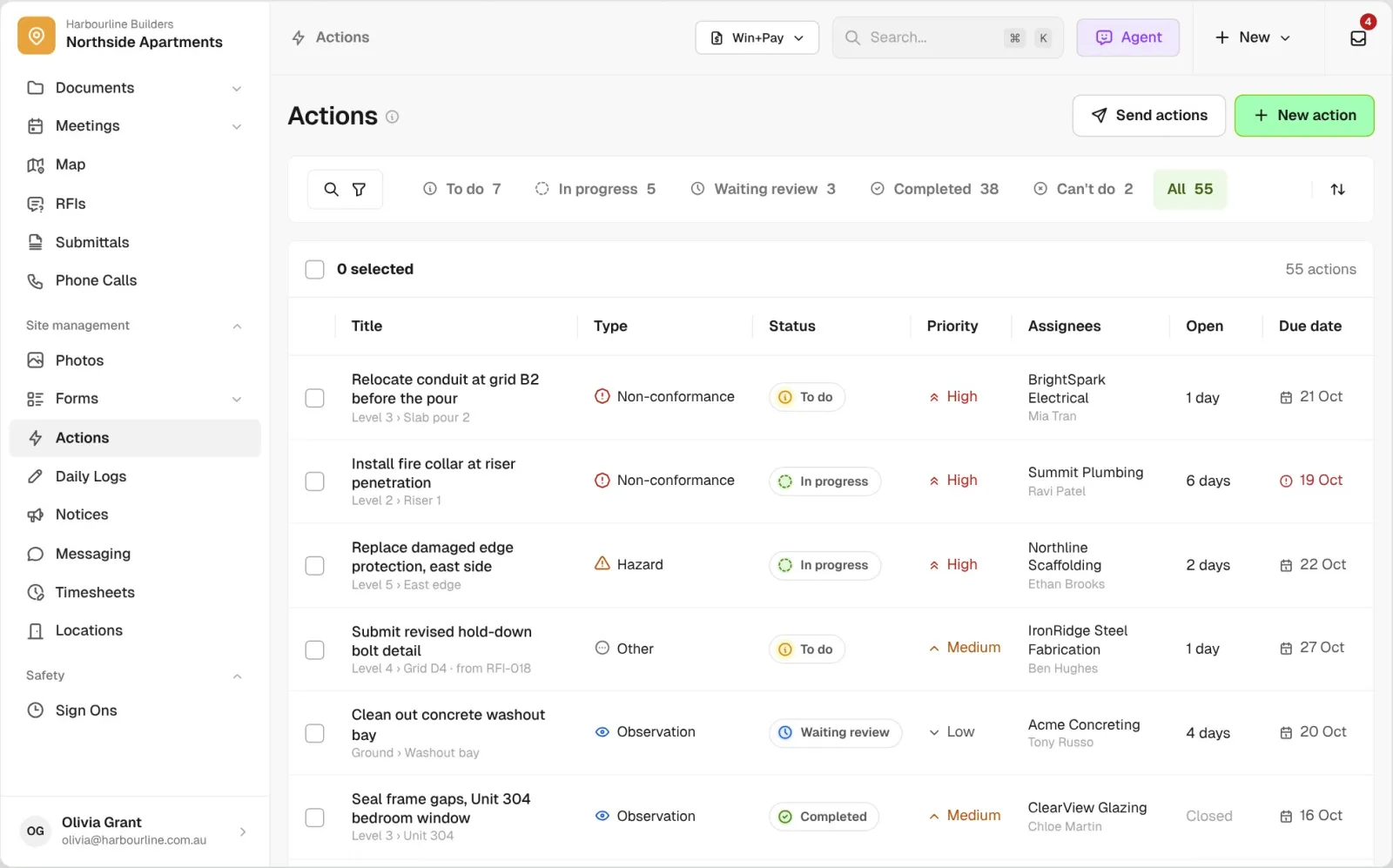
Filter by type, status, priority or company, see how many days each action has been open, and chase what’s overdue.
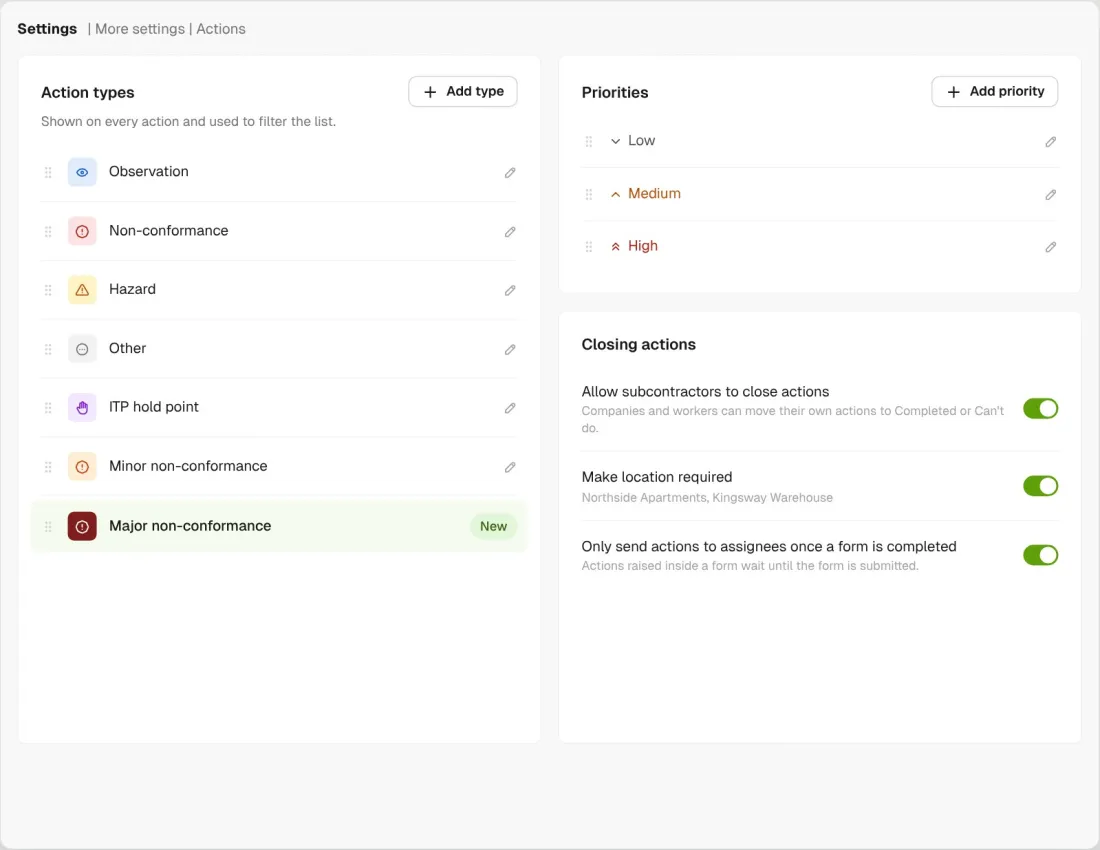
Start with Observation, Non-conformance, Hazard and Other, then rename them or add your own, like minor and major non-conformances.
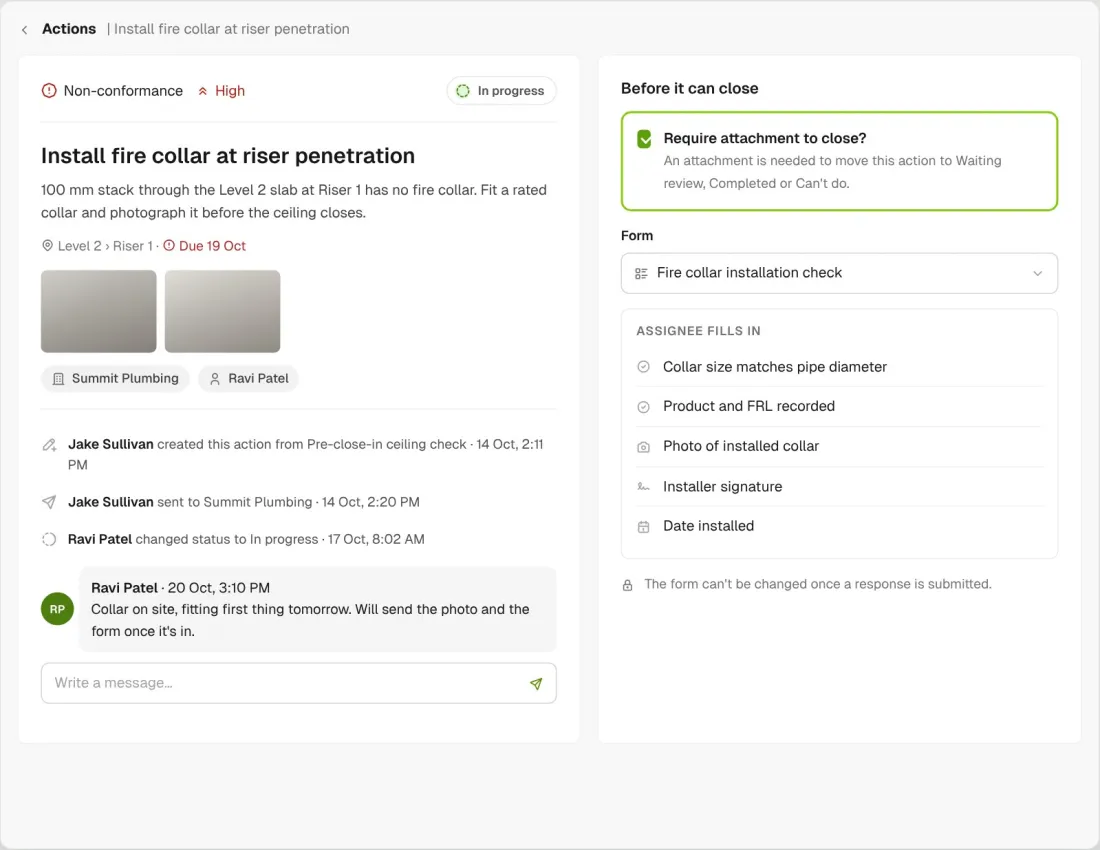
Tick require attachment and the action can’t move to Waiting review or close without one. You can also link a form the assignee fills in before closing.
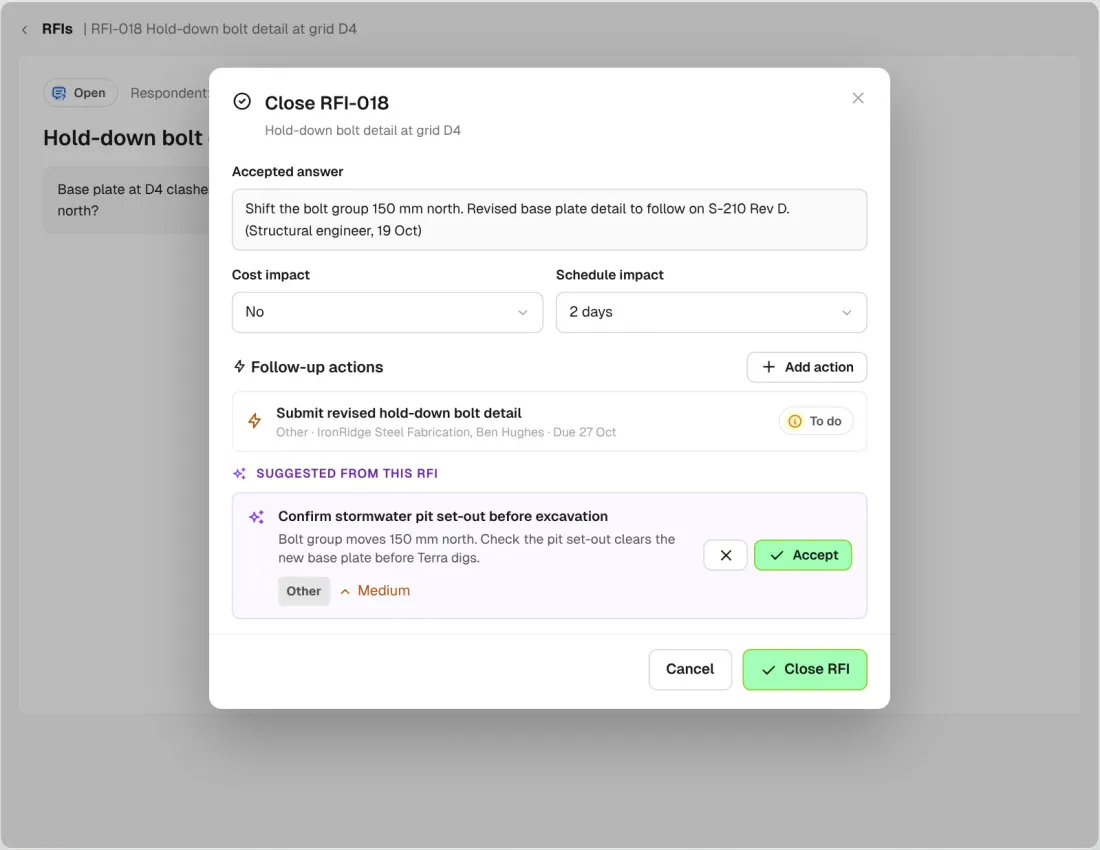
Raise an action from a form answer or close an RFI, and AI suggests the follow-up with a title, description, type and priority. Accept it, give it an owner and a due date, and the answer turns into jobsite work.
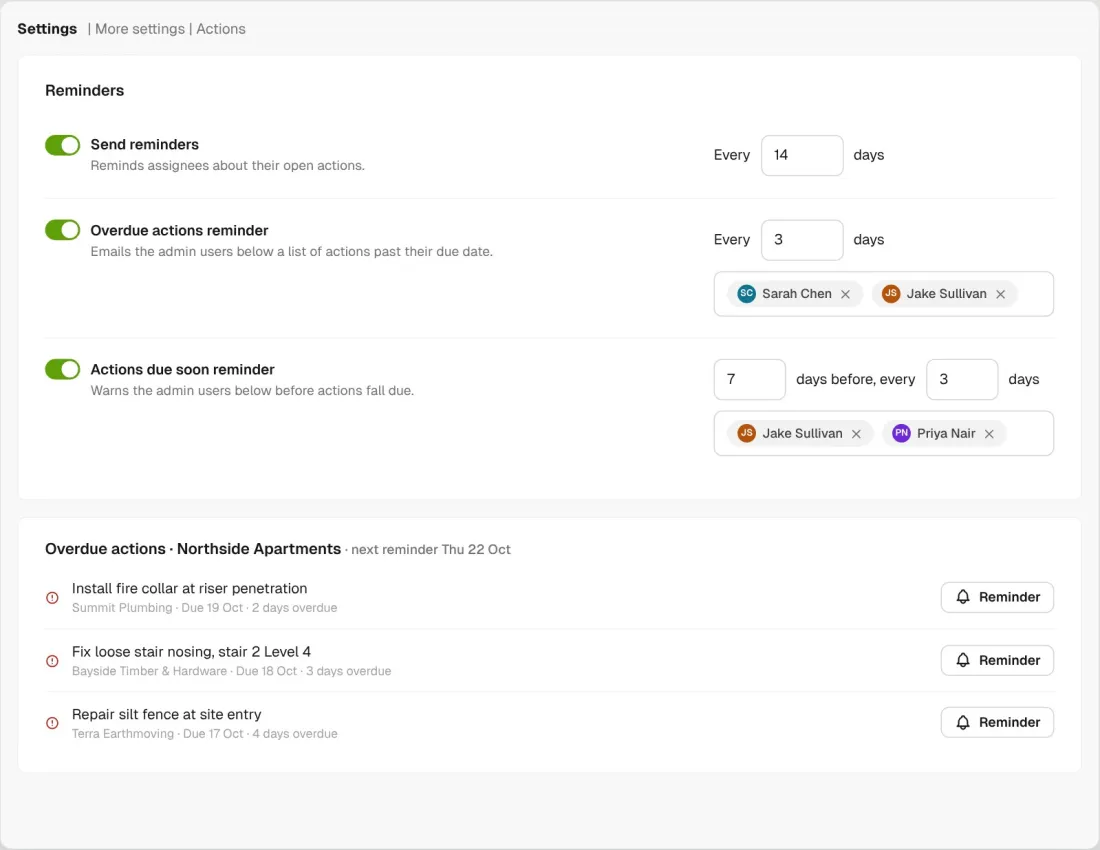
Assignees get a standing reminder on open actions. Overdue and due soon reminders go to the admins you pick, like your project manager and superintendent.
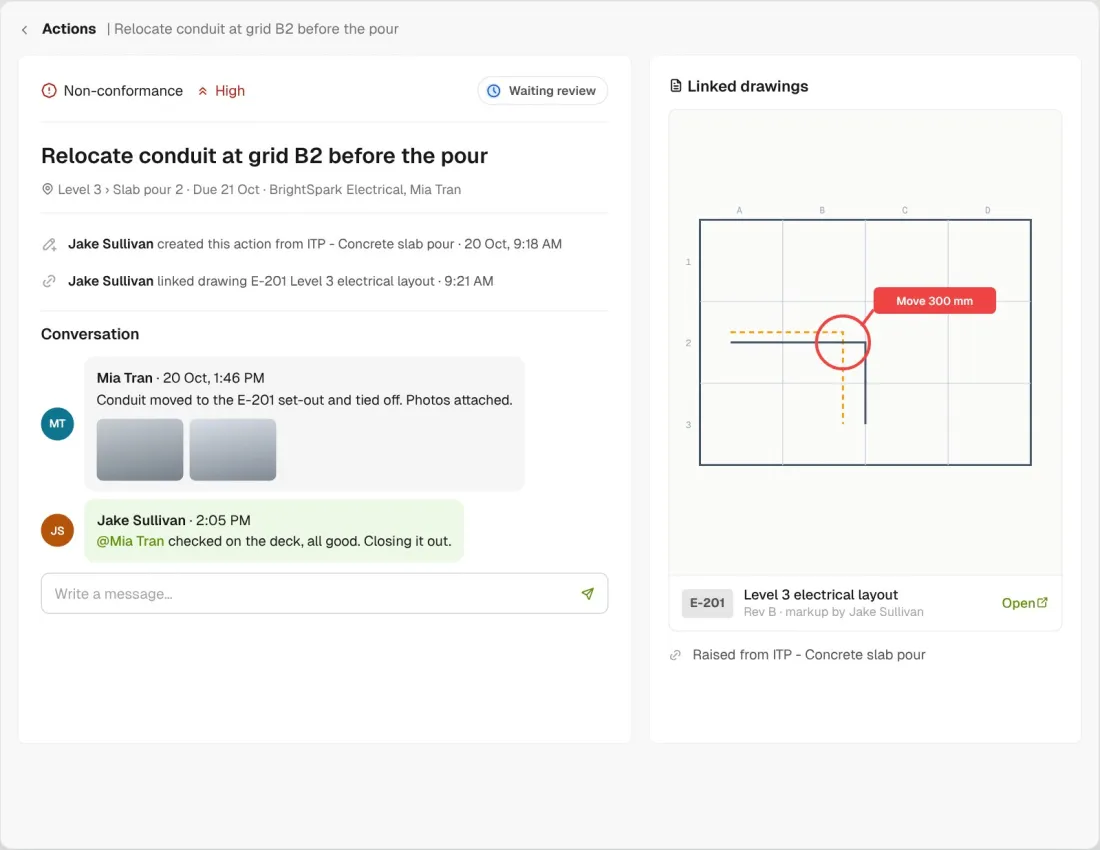
Link a drawing markup to an action, or raise one from the drawing. Messages and photos stay on the action too.
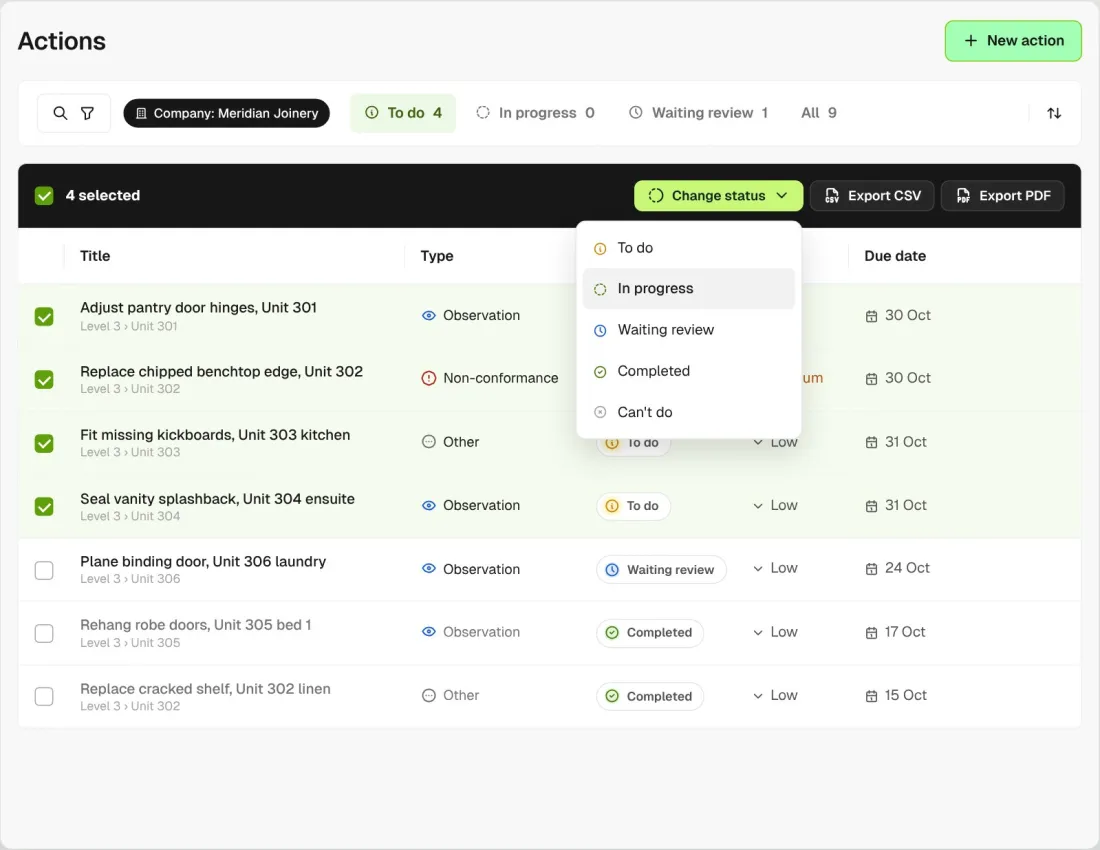
Select a batch of actions and change their status in one go, or export the list as a CSV or PDF file.
Raise actions from a failed item on any form, like a QA/QC inspection, and from closed RFIs, register items, schedule items and drawing markups. Whatever started it, each follow-up gets an owner, a due date and a status.
Explore site managementTake off, estimate and get proposals out the door, without rekeying the same numbers three times.
Explore preconstructionBudgets, commitments, pay applications and bills, so you see the real financial position of every job.
Explore financeBring your other tools, your phone line and BuildPass AI into the same workflow.
Explore the AI toolkitFrom custom-home builders to commercial general contractors, teams across the United States run their projects on BuildPass every day.



Book a demo and we'll walk your team through it.