
Pick the trigger
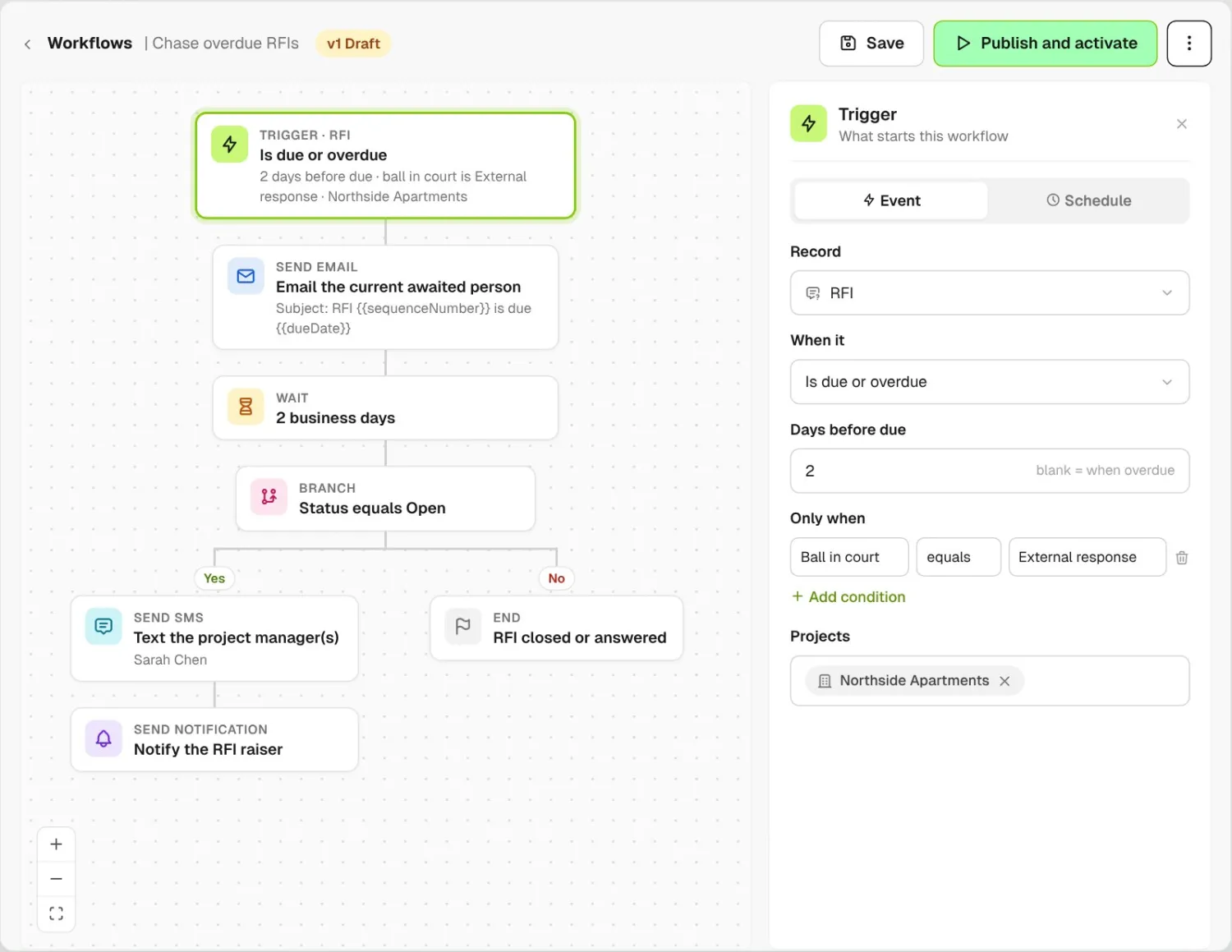
Choose the record and the moment, like an RFI two days from due with the ball in the consultant's court. Keep it to the projects you pick, or run it on all of them.
Automate workflows that start from a record, like a completed incident form, an overdue RFI or a new punch item. Add emails, SMS and in-app notifications, waits and branches, and BuildPass sends each to the right superintendents and subs.
From custom-home contractors to commercial general contractors, field teams run their follow-ups on BuildPass.


















Workflow automation software helps general contractors send reminders, alerts and escalations by email, SMS and in-app notification when forms, RFIs, punch items, orientations and other jobsite records change, or on a set schedule.
Choose the record and the moment, like an RFI two days from due with the ball in the consultant's court. Keep it to the projects you pick, or run it on all of them.
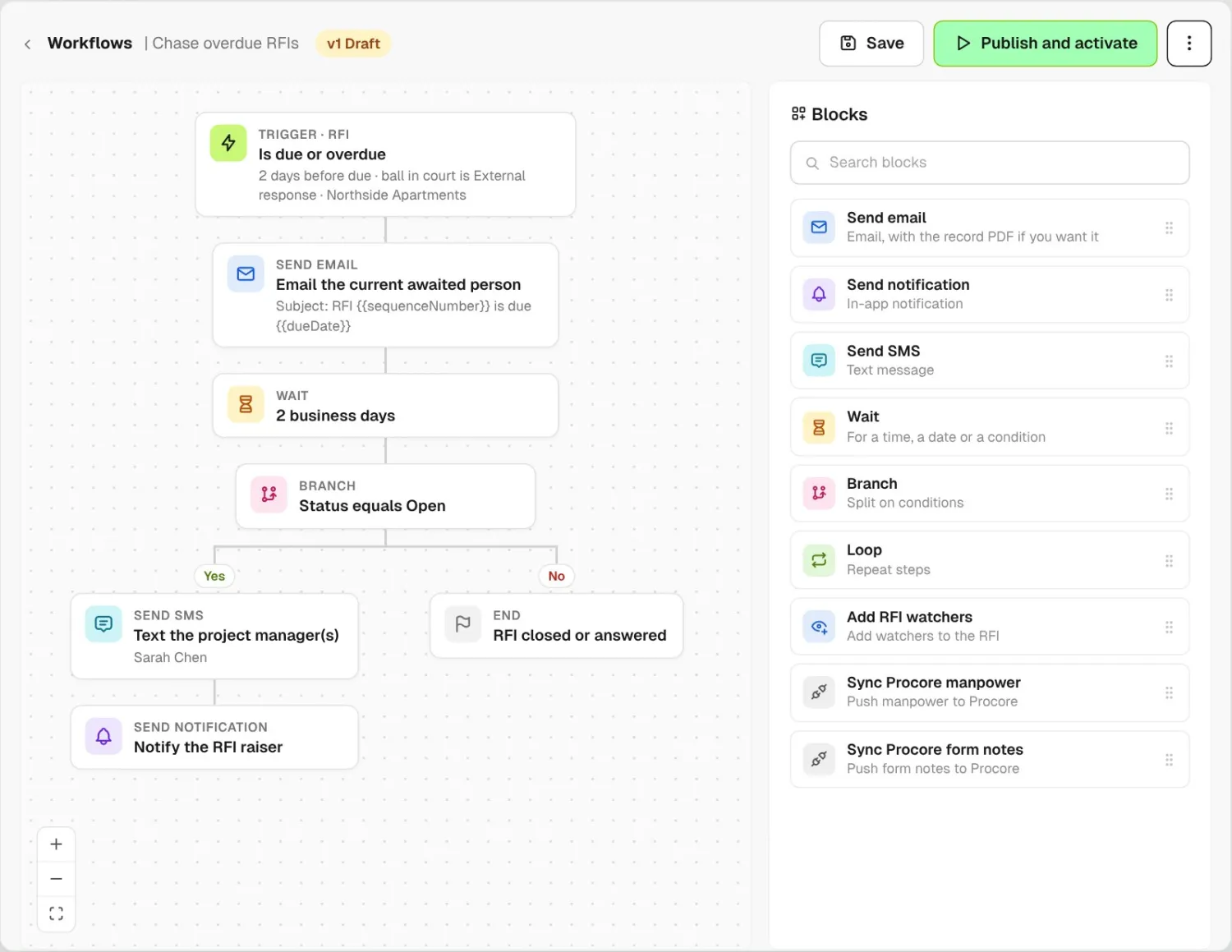
Drag in emails, SMS, in-app notifications, waits and branches. Wait two business days, then text the project manager if the RFI is still open by then.
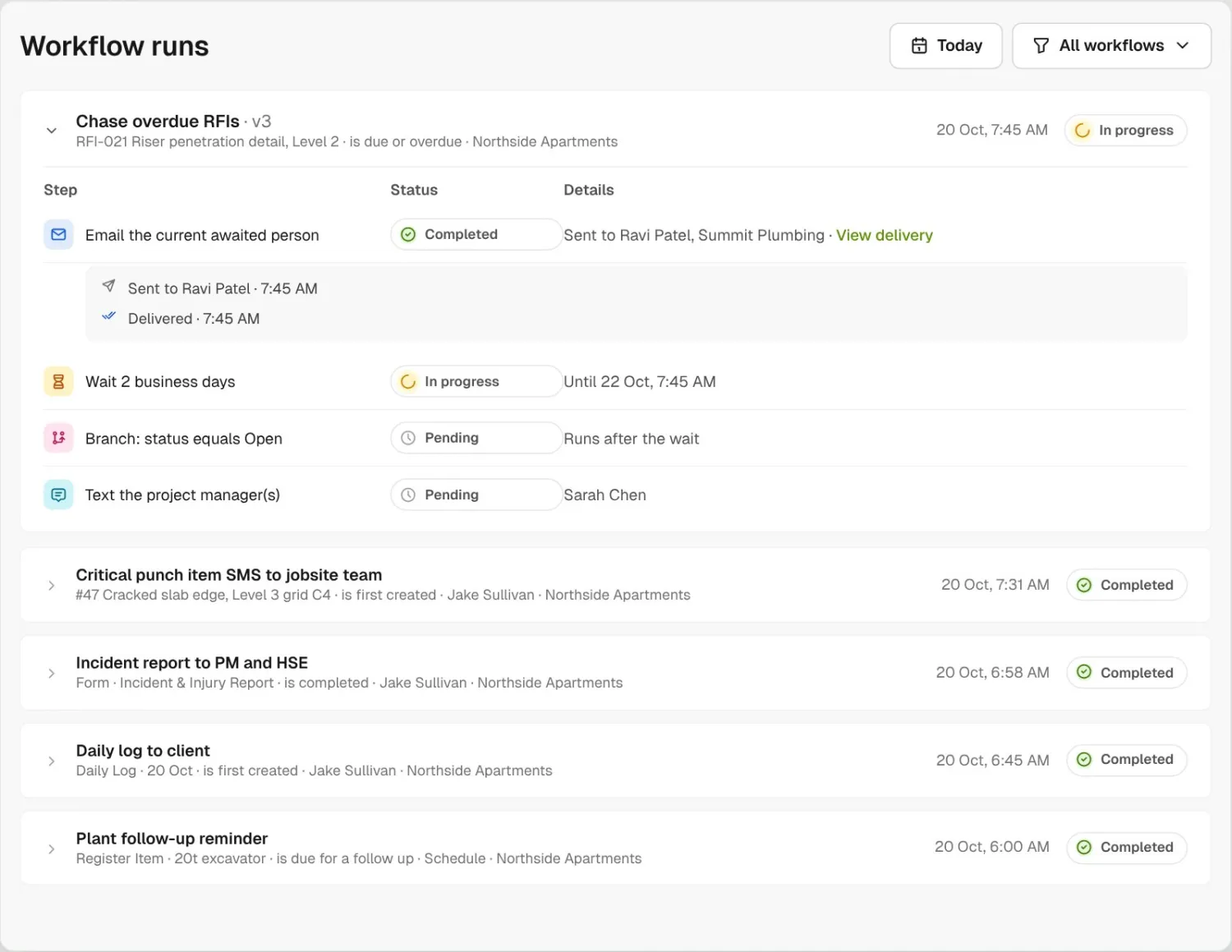
Publish it and switch it on. Workflow runs shows every run, the status of each step and who each message went to.
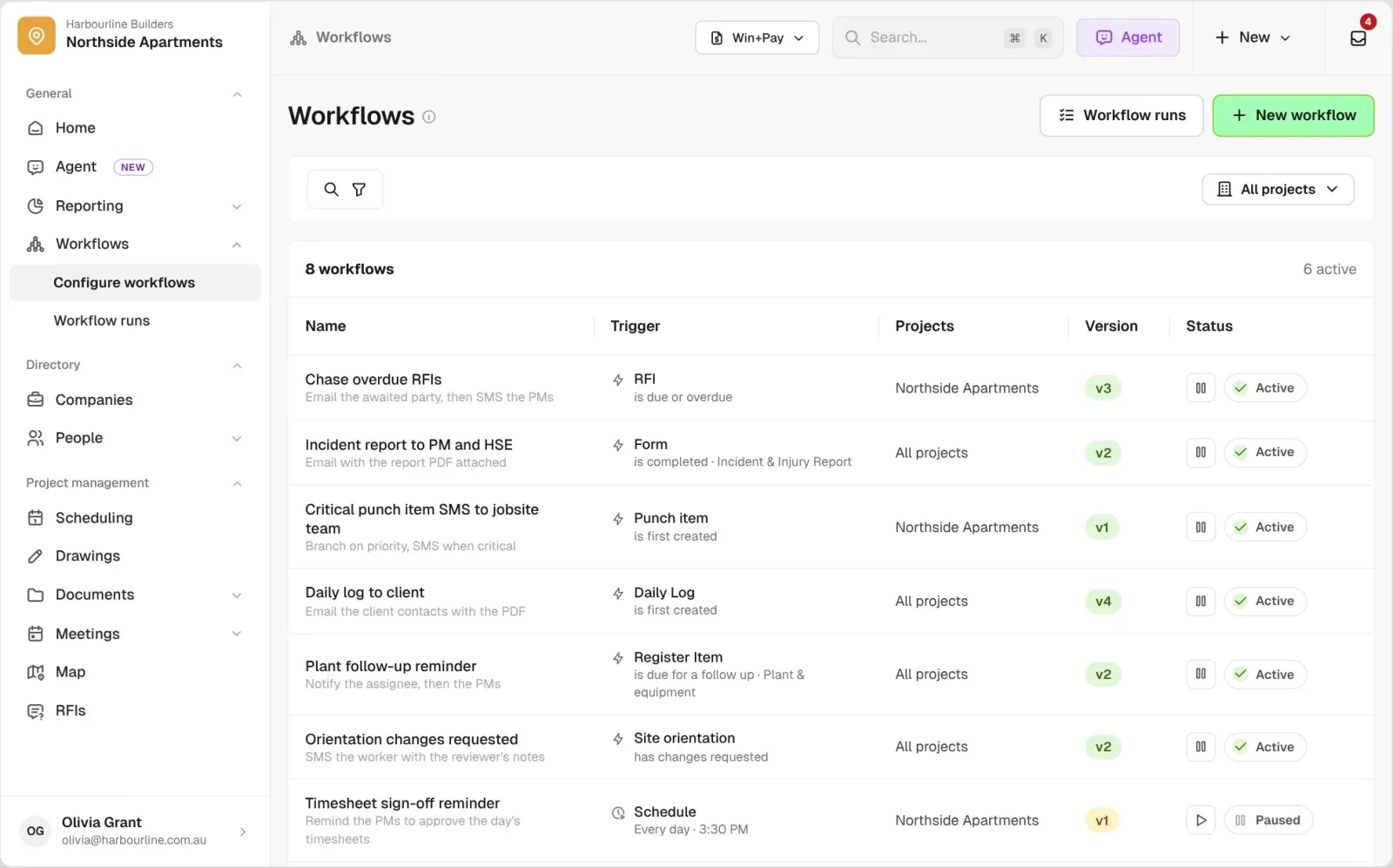
See which workflows are on, what starts each one, which projects it covers and which version is live.
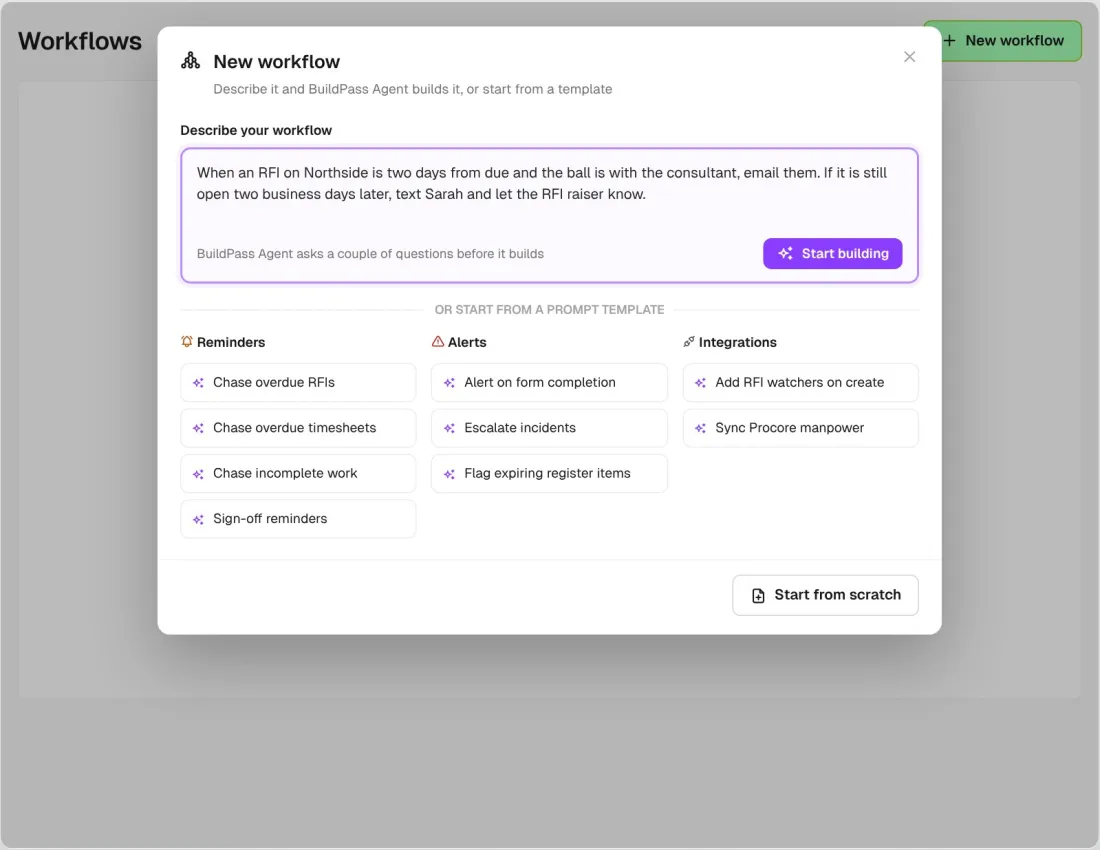
In early access, describe what you want or pick a prompt template, like chase overdue RFIs, and BuildPass Agent sets the trigger and adds the steps. Saving, publishing and switching it on stay with your team.
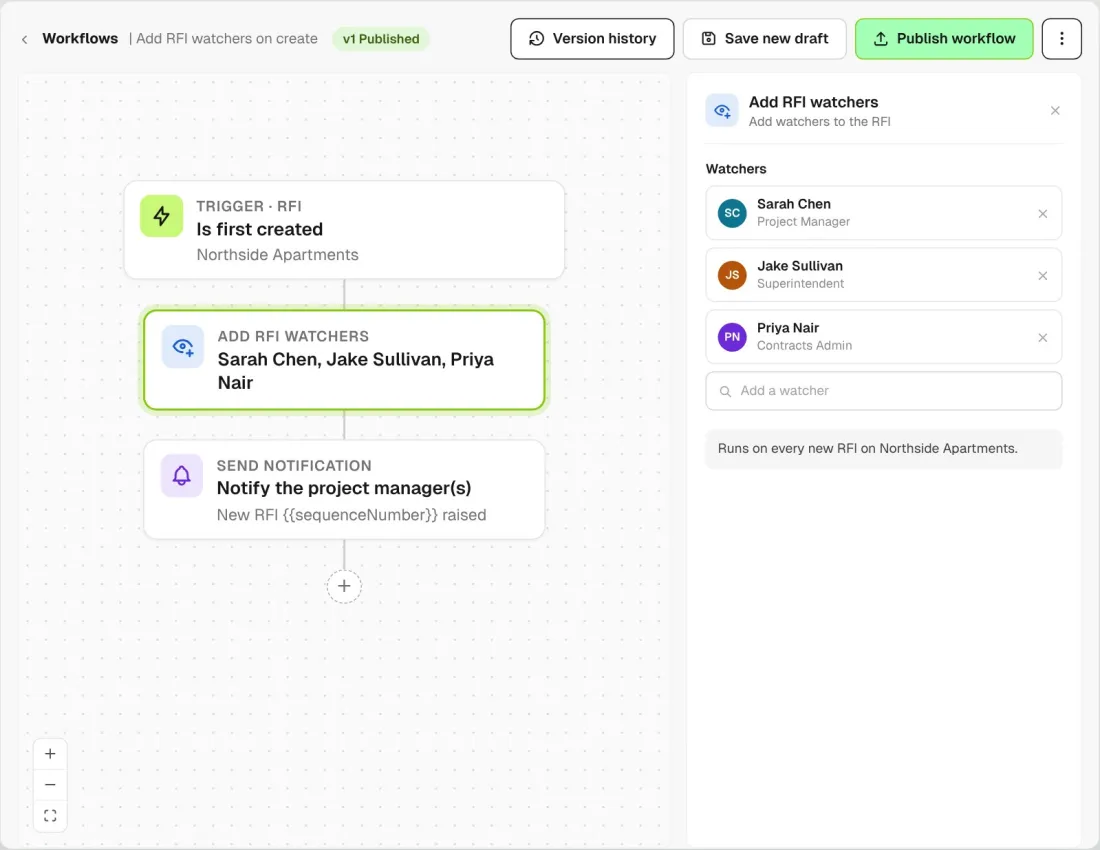
Add RFI watchers as a step, so your project manager and superintendent are watching every new RFI from the moment someone raises it.
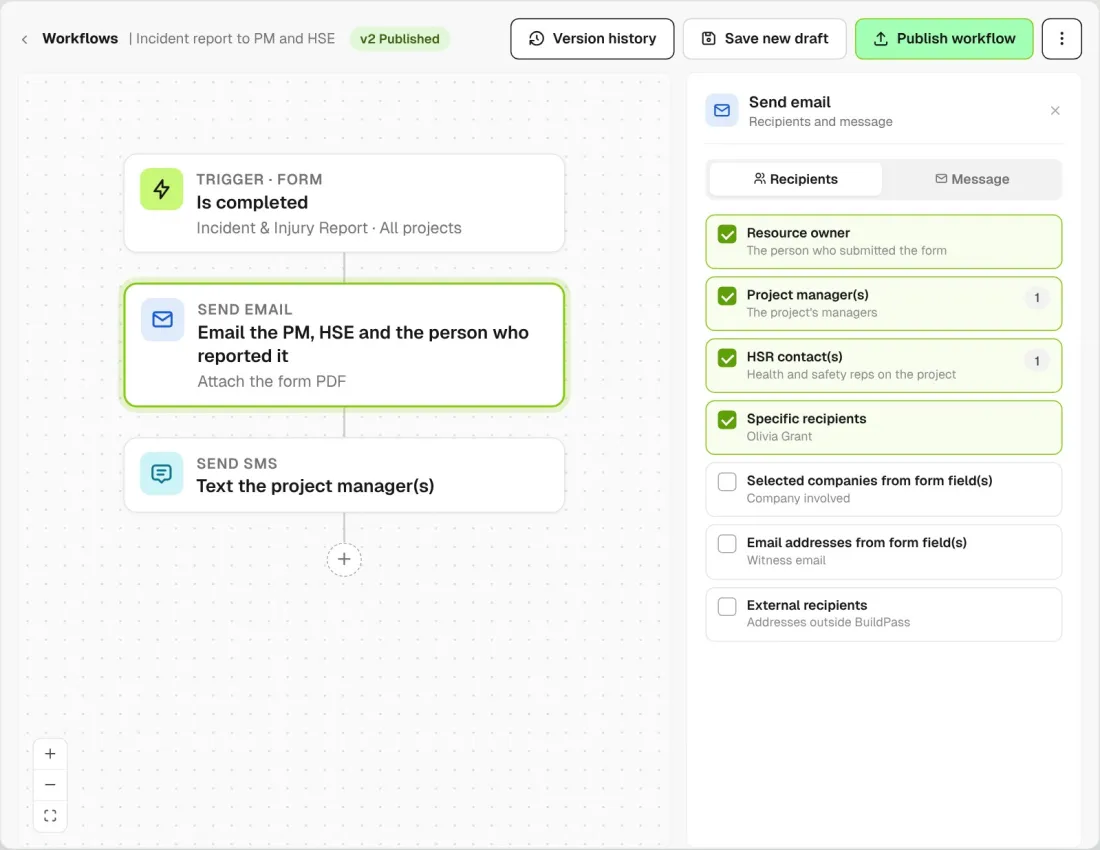
Send to the person who submitted it, the assignee, each project's managers or client contacts, named people, or any outside email address you add.
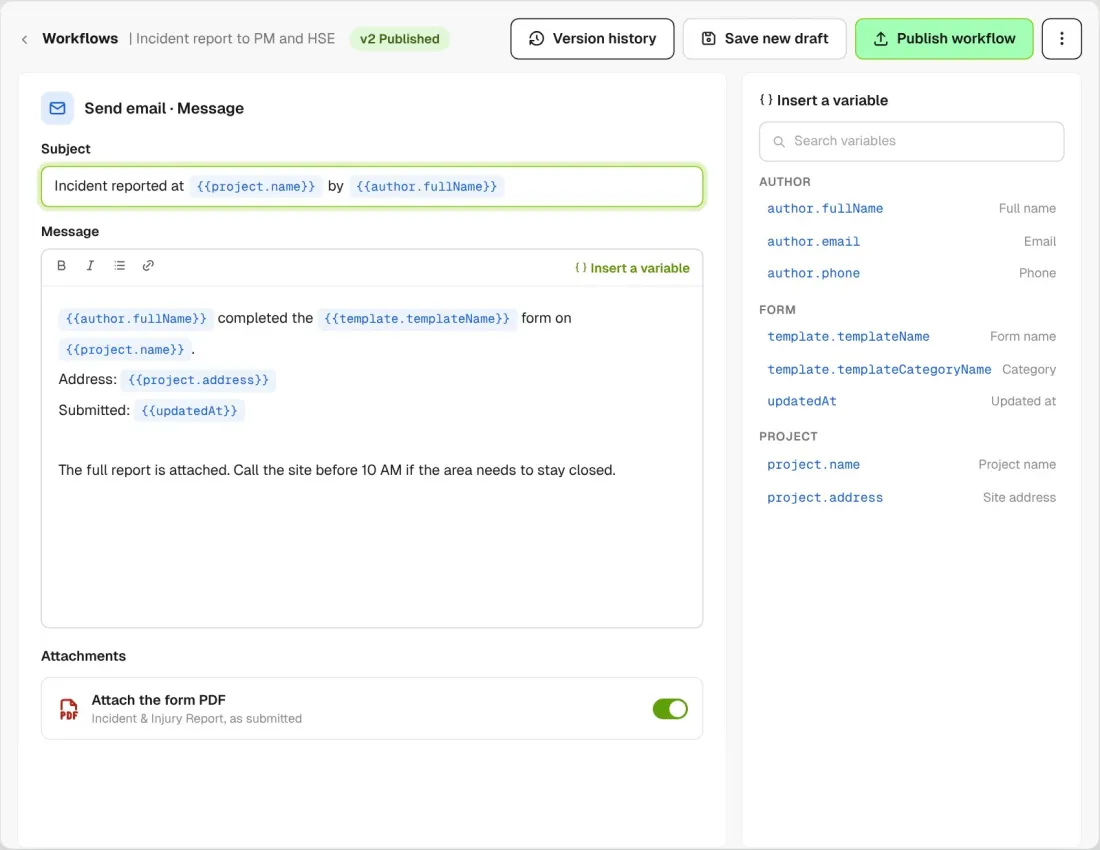
Insert the form name, project, address or author into the subject and body, and attach the record's PDF to the email.
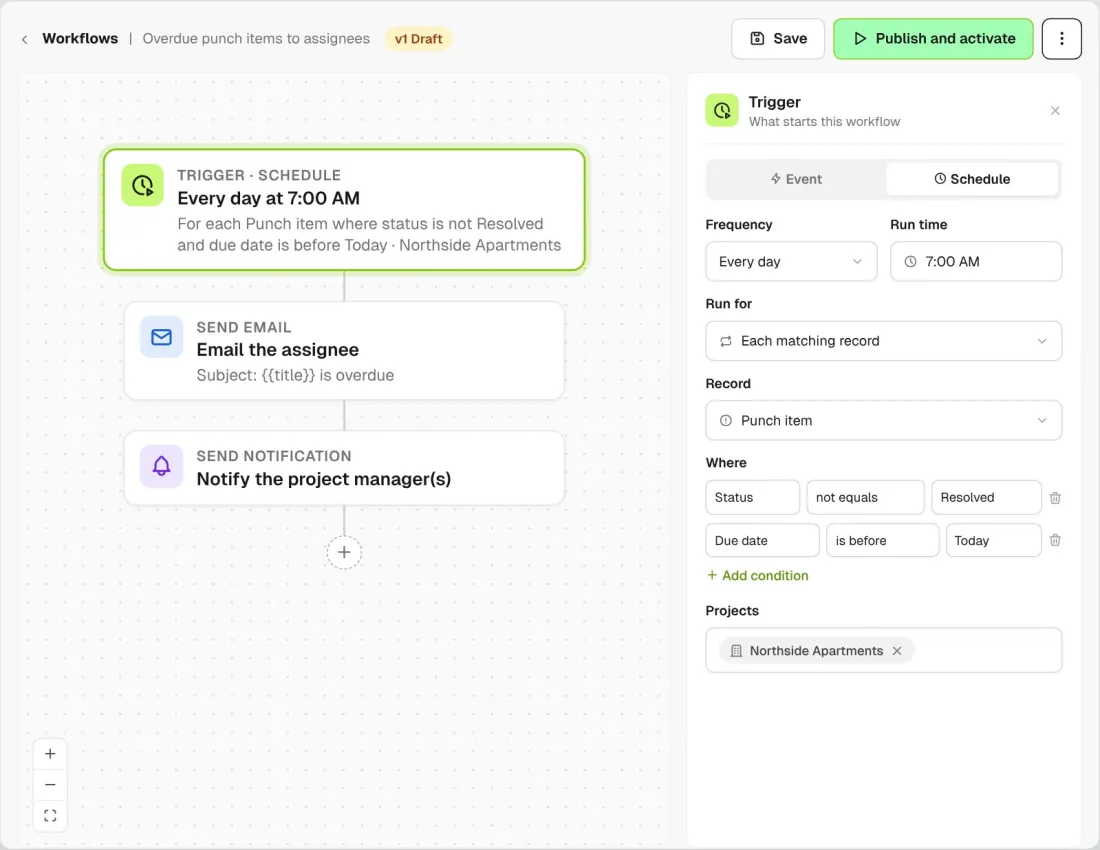
Run a workflow every day, month or year at a set time, once per project or for each record that matches your conditions, like every overdue punch item.
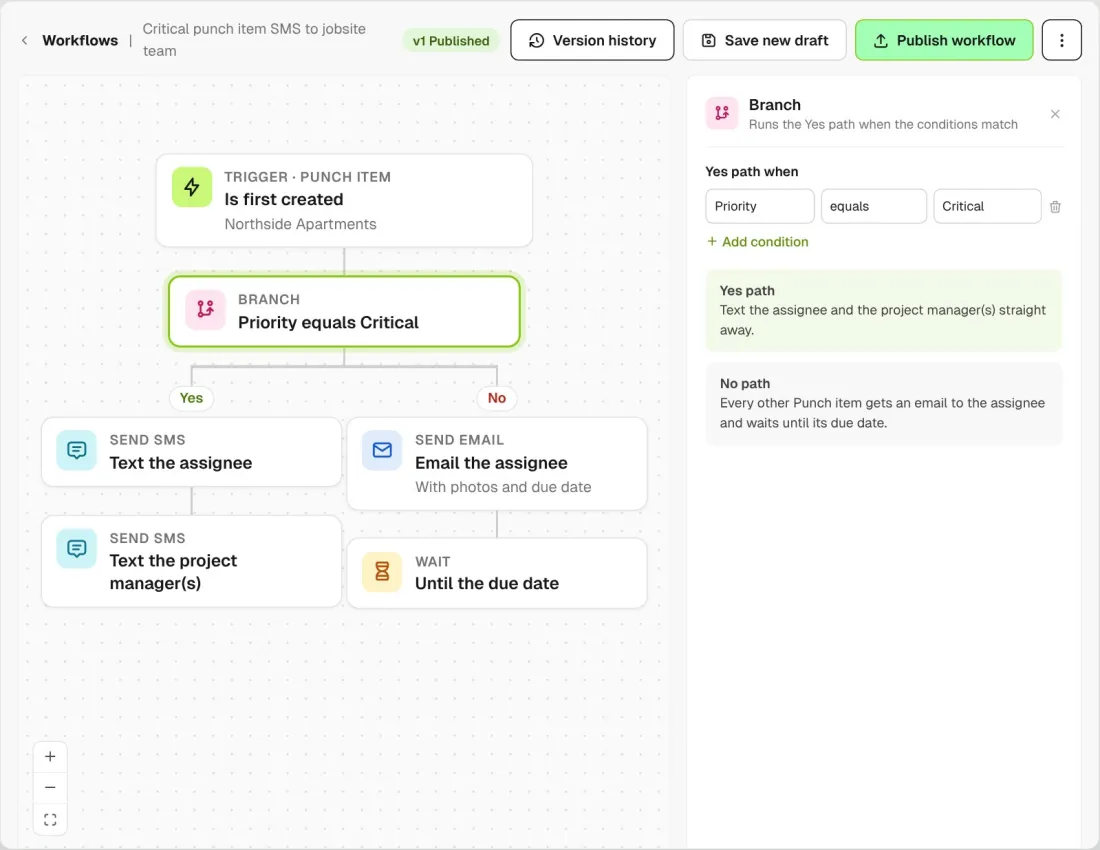
Branch on the record's own fields. Text the jobsite team about a critical punch item and email the assignee about the rest.
Workflows start from the records your team already keeps in BuildPass: forms, daily logs, RFIs, punch items, registers, sign ons, orientations, prequalifications and timesheets. Steps can also sync manpower or form notes to a connected Procore project.
Explore site managementTake off, estimate and get proposals out the door, without rekeying the same numbers three times.
Explore preconstructionBudgets, commitments, pay applications and bills, so you see the real financial position of every job.
Explore financeBring your other tools, your phone line and BuildPass AI into the same workflow.
Explore the AI toolkitFrom custom-home builders to commercial general contractors, teams across the United States run their projects on BuildPass every day.



Book a demo and we'll walk your team through it.