Build

Know exactly who’s on the jobsite

Construction site sign in and check in app for contractors

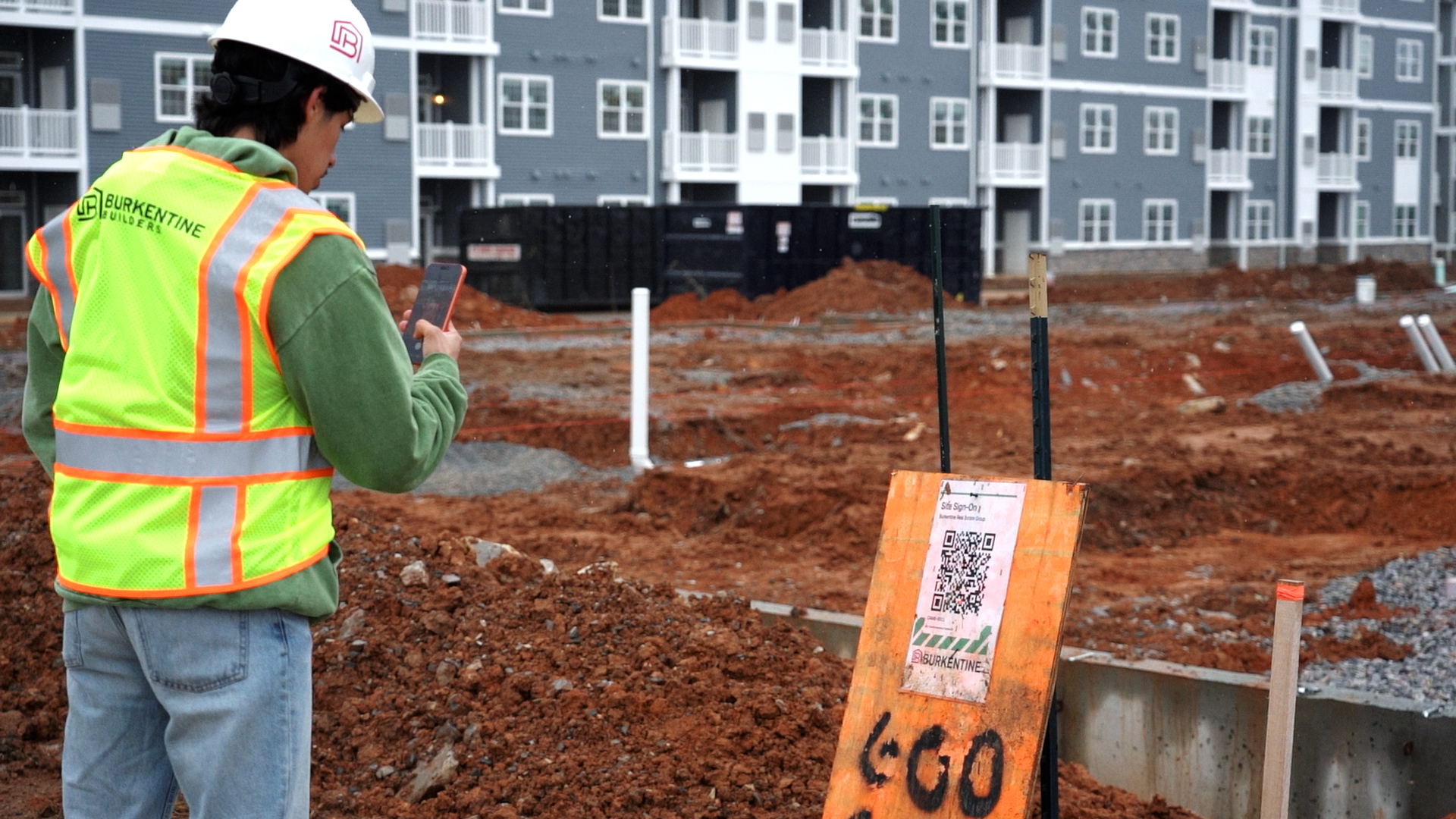
Workers scan the QR at your jobsite entrance, confirm today’s Notices and sign on from their phone. Anyone with an unfinished orientation is stopped at the gate, and your superintendent sees every worker still on the jobsite in one list.
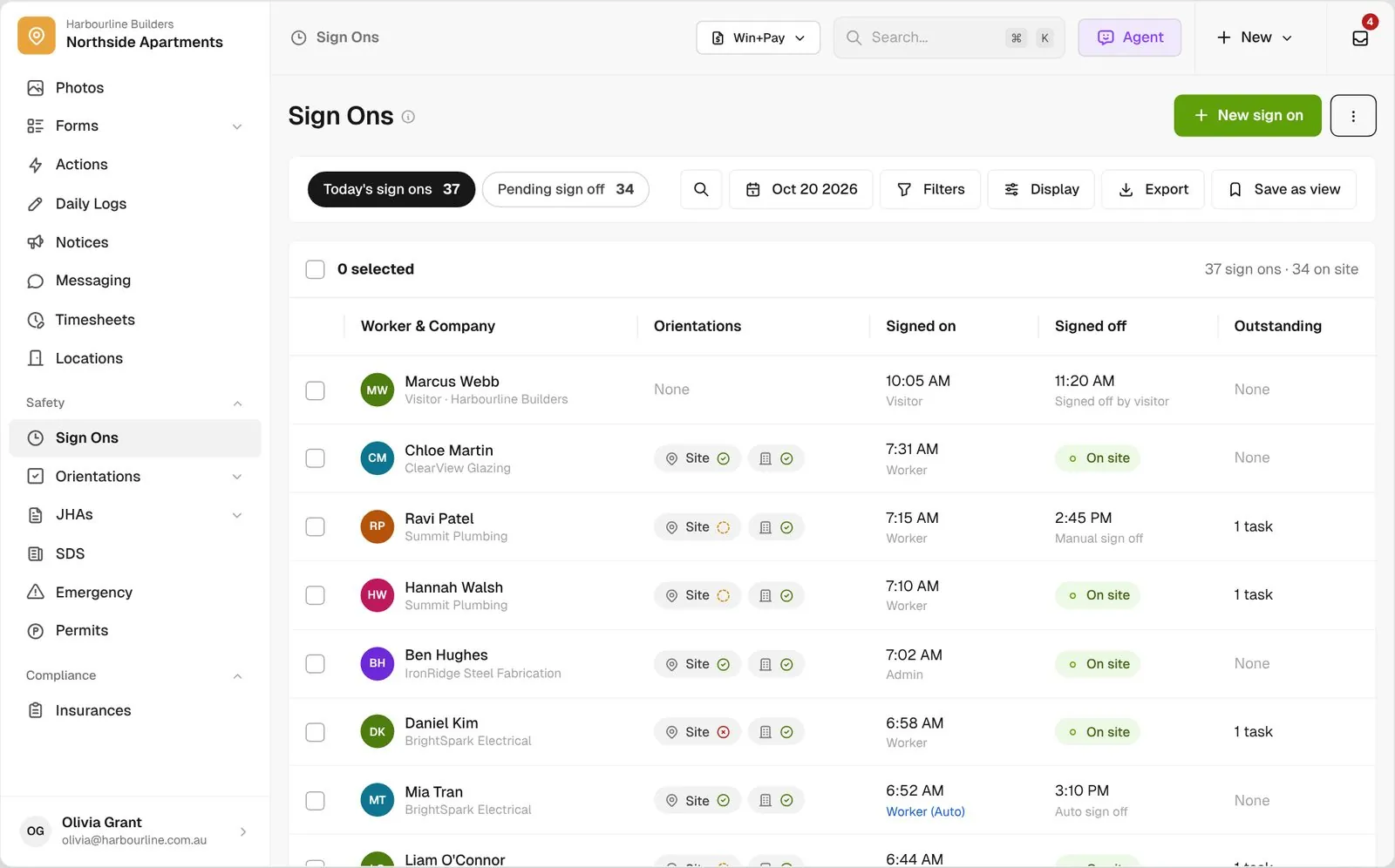
Sign Ons list for today with induction chips, sign on source badges and workers still on site

Trusted by builders across the country

From custom-home contractors to commercial general contractors, field teams use BuildPass for their daily sign ons.


Reidy Contracting Group
Ameresco
DivisionOne Construction
Burkentine Builders
Ready Construction
DD Construction
Honest Hammer
Homestead
Copeland Construction
RMA Commercial General Contractors
Dryden Custom Homes
Reidy Contracting Group
Ameresco
DivisionOne Construction
Burkentine Builders
Ready Construction
DD Construction
Honest Hammer
Homestead
Copeland Construction
RMA Commercial General Contractors
Dryden Custom Homes
Reidy Contracting Group
Ameresco
DivisionOne Construction
Burkentine Builders
Ready Construction
DD Construction
Honest Hammer
Homestead
Copeland Construction
RMA Commercial General Contractors
Dryden Custom Homes
Reidy Contracting Group
Ameresco
DivisionOne Construction
Burkentine Builders
Ready Construction
DD Construction
Honest Hammer
Homestead
Copeland Construction
RMA Commercial General Contractors
Dryden Custom Homes
Fassberg
AJFX Construction
ECI Austin
New Age Builder
EDG Pro Contractors
Schwartz Custom Homes
ARK General Construction
Two Z Homes
Shade Doctor of El Paso
Fassberg
AJFX Construction
ECI Austin
New Age Builder
EDG Pro Contractors
Schwartz Custom Homes
ARK General Construction
Two Z Homes
Shade Doctor of El Paso
Fassberg
AJFX Construction
ECI Austin
New Age Builder
EDG Pro Contractors
Schwartz Custom Homes
ARK General Construction
Two Z Homes
Shade Doctor of El Paso
Fassberg
AJFX Construction
ECI Austin
New Age Builder
EDG Pro Contractors
Schwartz Custom Homes
ARK General Construction
Two Z Homes
Shade Doctor of El Paso

Sign on software helps general contractors record which workers and visitors are on the jobsite, when they arrived and left, and stop workers who haven’t finished their orientation from signing on.

One sign on, from the jobsite QR to your on-site list

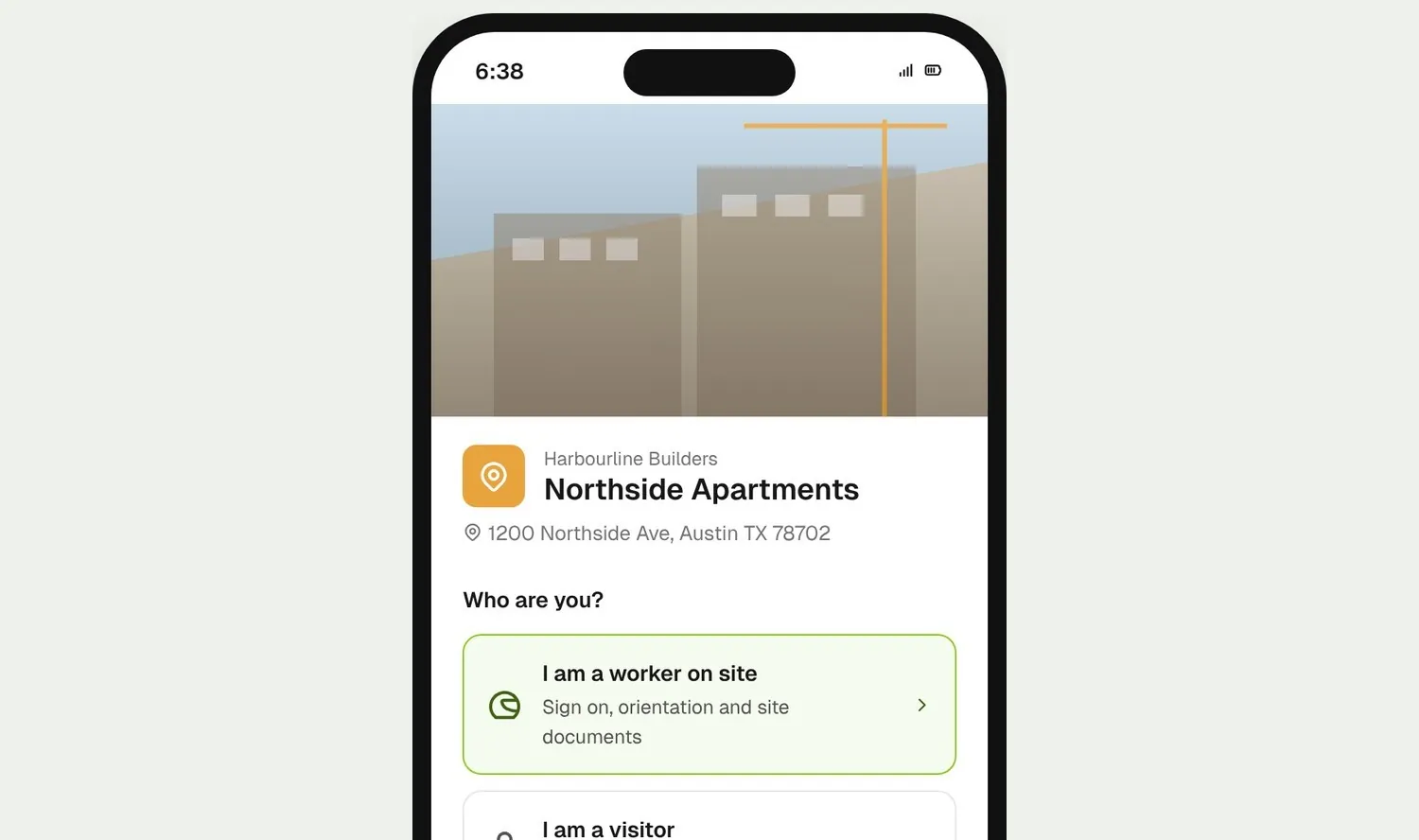
Worker scanning the site QR and choosing I am a worker on site
01

Scan the jobsite QR

Workers scan the QR at the jobsite entrance and choose I’m a Worker on site. Visitors pick their own, shorter route.
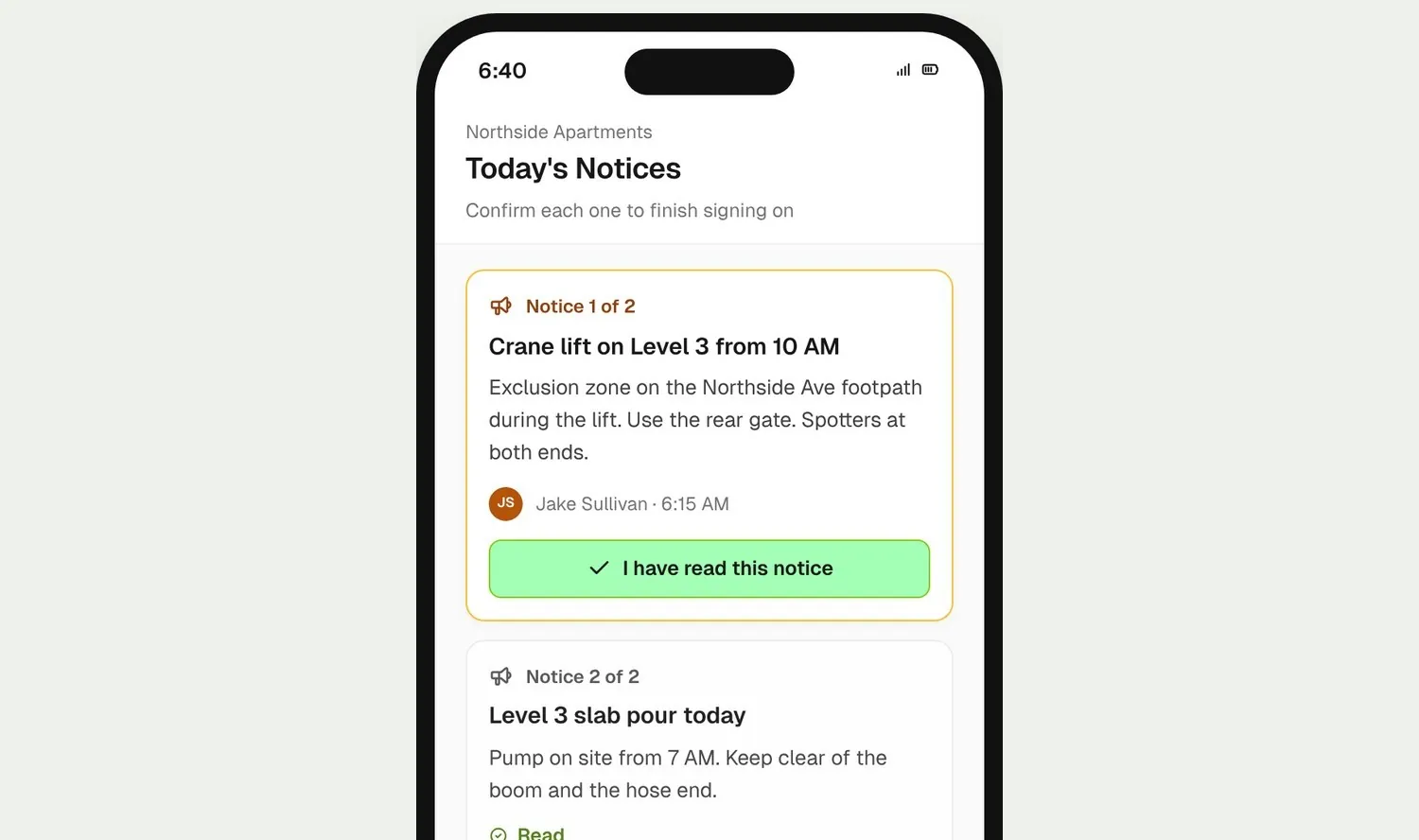
Today's Notices shown as cards for the worker to confirm before signing on
02

Confirm today’s Notices

Today’s Notices show as cards, and the worker confirms them before the sign on goes through. The crane lift or the closed footpath gets read, not missed.
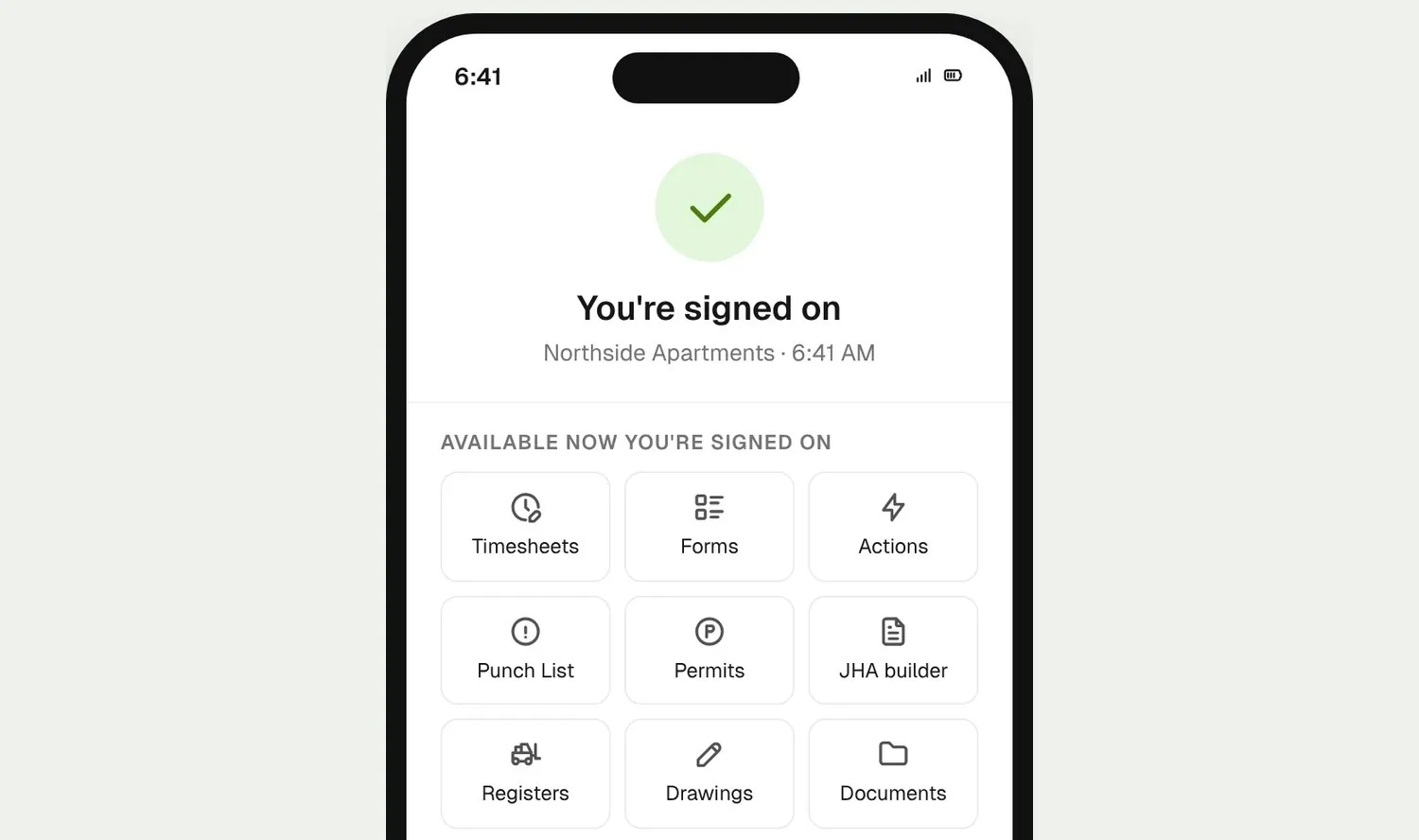
Signed on success page with site tools, and the worker's row in the admin list
03

On the list

The worker is signed on and their jobsite tools open up on their phone. In the office, their row is already in your Sign ons list.

How it works

Your jobsite register, every worker in one view

See who’s on the jobsite, close out the day, and pull attendance for any range of dates.
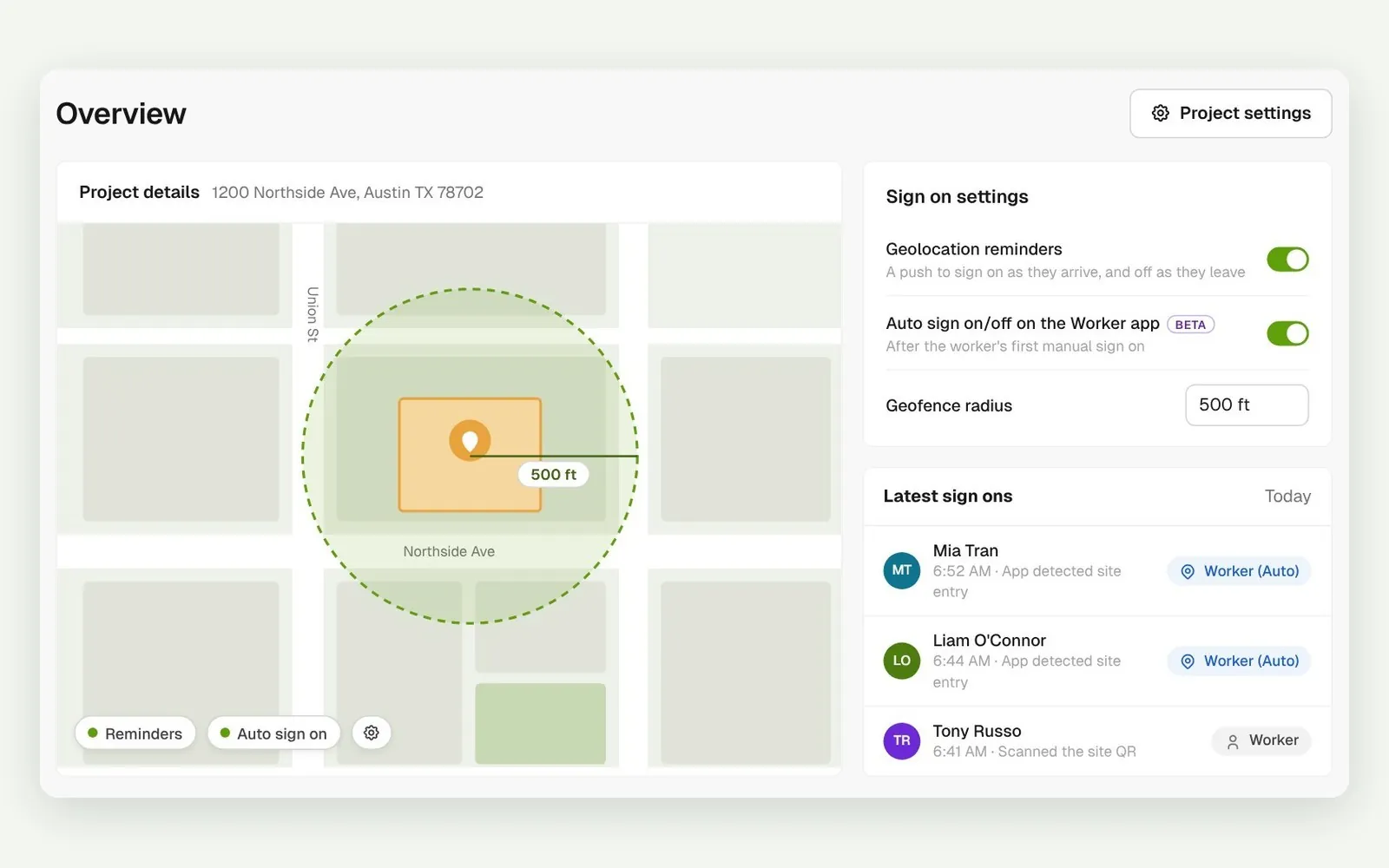
Project map with geofence radius, Reminders on arrival and leaving, Auto sign on settings, and Worker (Auto) sign ons

A push on the way in and out

Set a radius around the jobsite and workers get a push as they arrive that skips the QR scan. With automatic sign on (beta), switched on per account, workers don’t tap at all.
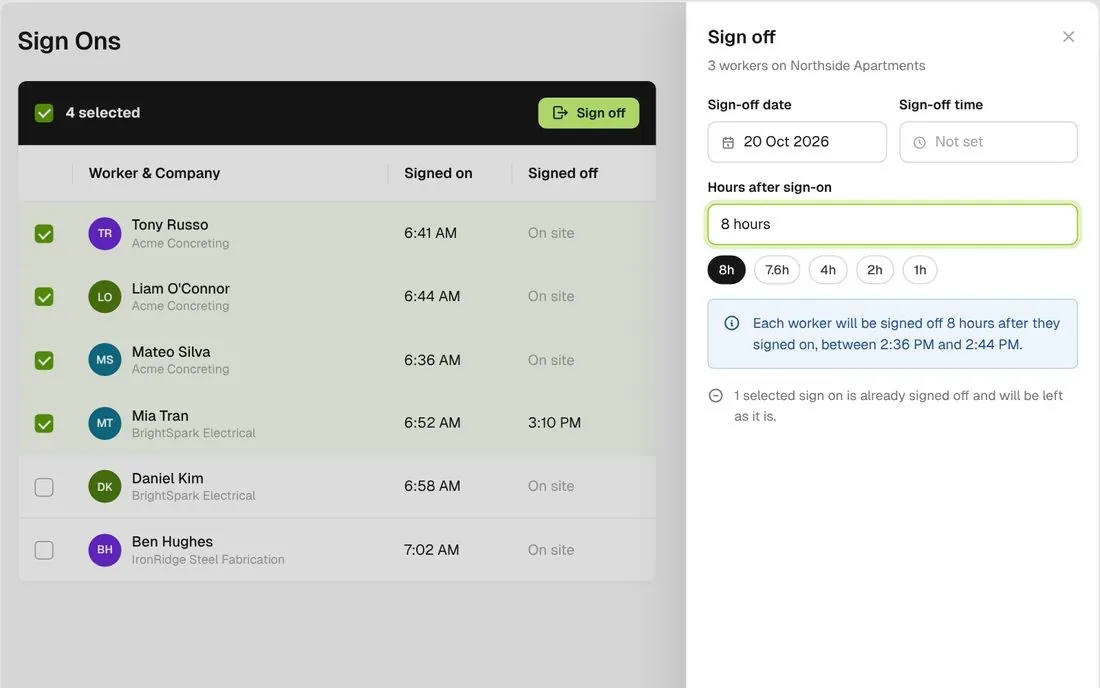
Bulk sign off sheet with hours after sign on presets and the outcome sentence

Sign off the whole crew

Tick the workers still on the jobsite and sign them all off at one time, or 8 hours after the first sign on.
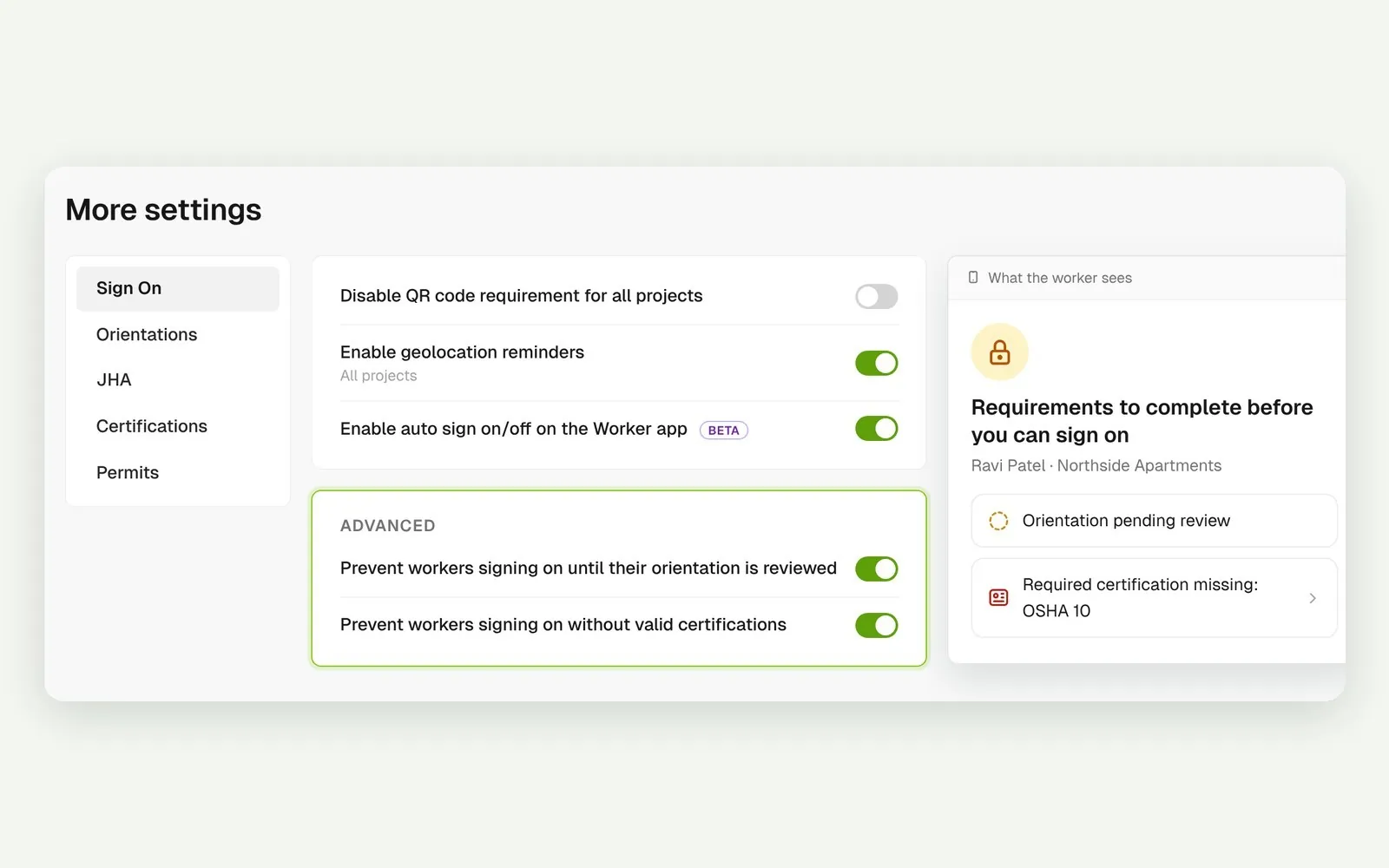
Sign On advanced settings and the worker's screen listing requirements to complete before signing on

No orientation, no sign on

An unfinished orientation blocks a worker signing on from the QR or link. Switch on settings to also block anyone missing a required certification, or hold sign on until you review it.
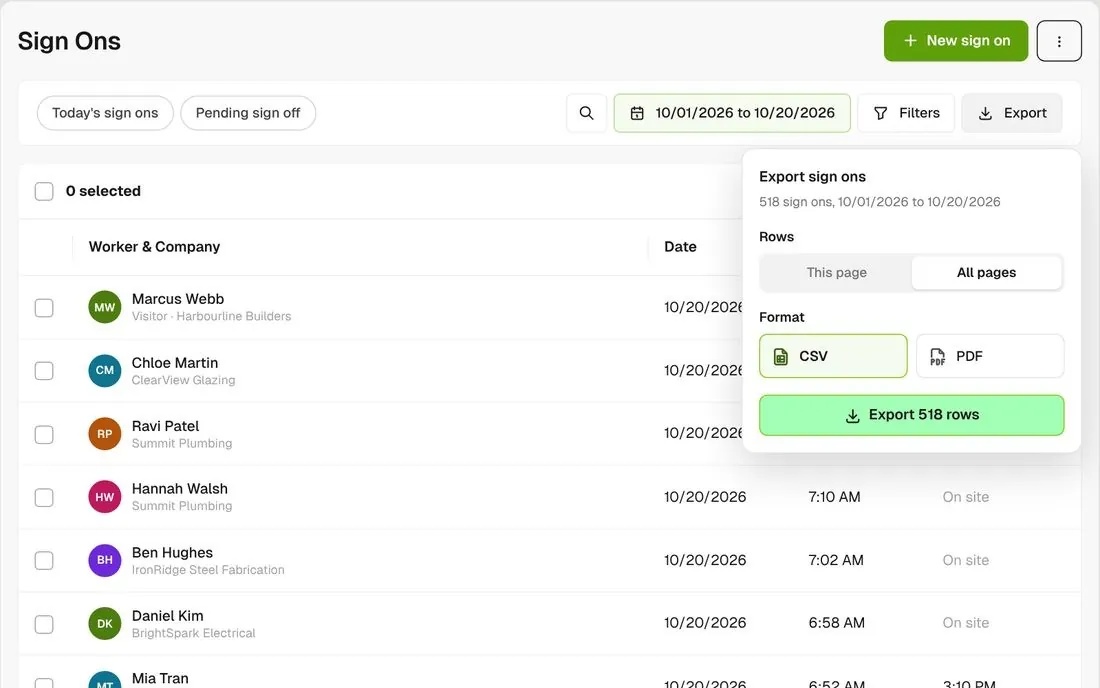
Export menu with This page or All pages, CSV or PDF, for a date range

Attendance for any date range

Filter the list, then export this page or every page as CSV or PDF, with each worker’s hours and a total.
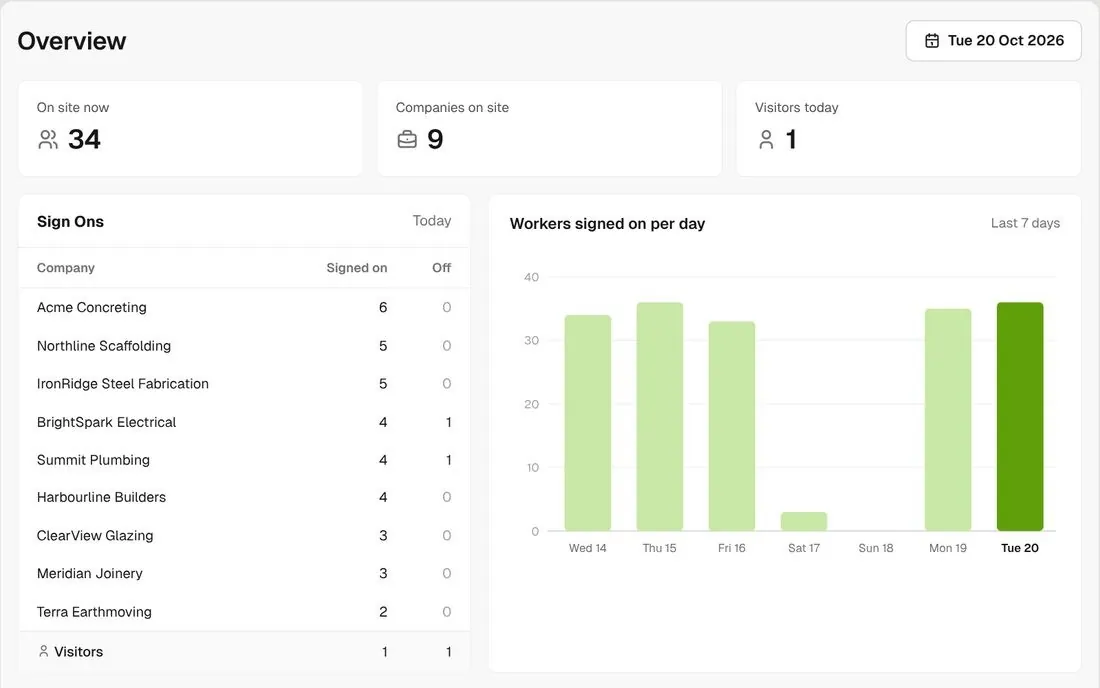
Project overview with sign ons per company, a Visitors row and a daily chart

Who’s on the jobsite, per company

The project overview counts sign ons and sign offs for each company, with visitors on their own row and a daily chart. Across your projects, the Map shows who’s on each jobsite right now, and TV mode shows live worker and visitor arrivals on a screen in the office.
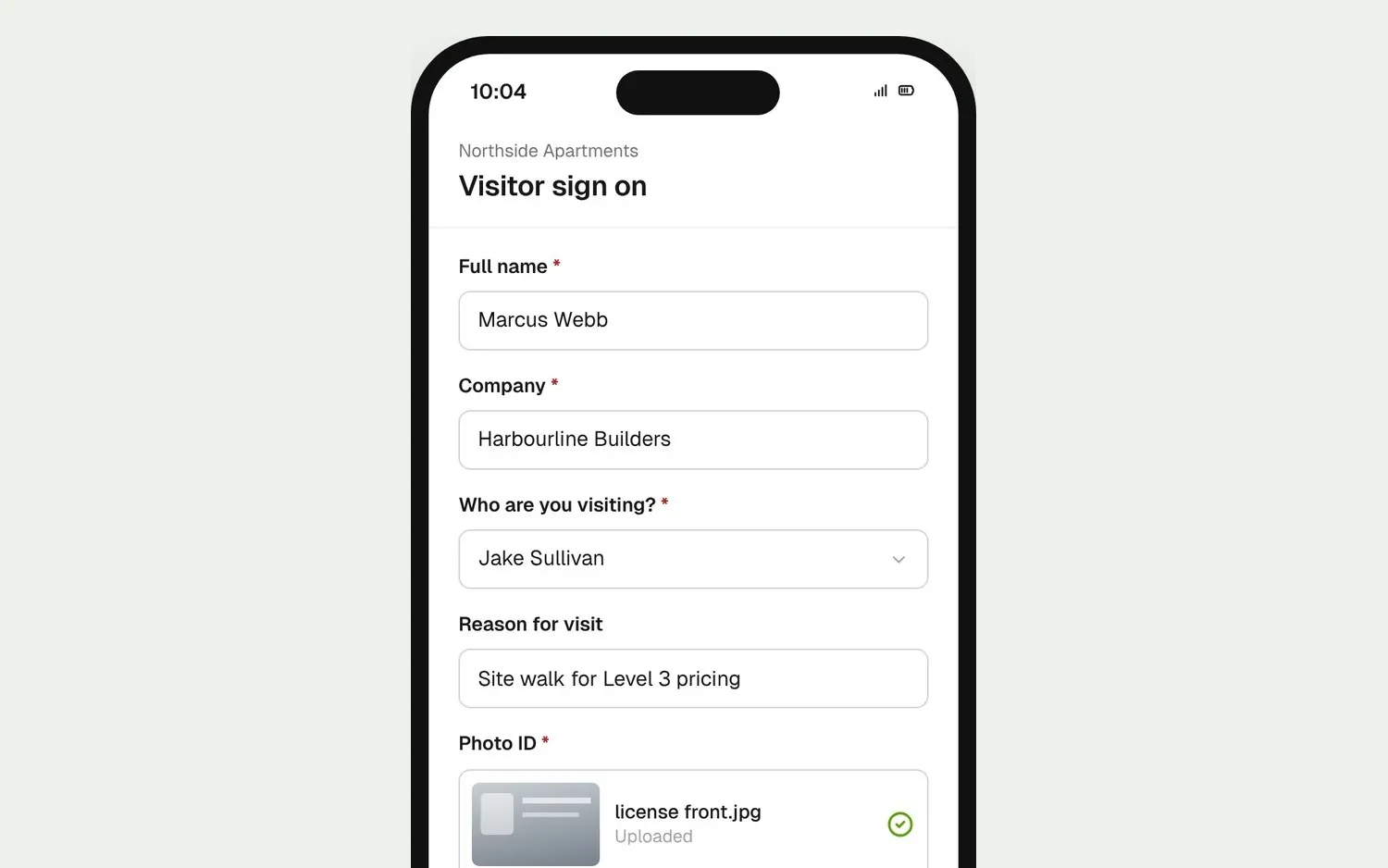
Visitor sign on form with who they're visiting and a photo ID upload

Visitors get their own short form

Visitors sign on with a form you set, like who they’re visiting and a photo of their ID, and can sign themselves off when they leave.

Connected to the whole job
BuildRun the site

Sign ons, part of the whole job

Sign on checks the worker’s orientation, and if you switch it on, their certifications and their company’s JHAs. Today’s Notices are confirmed on the way in, and each day’s sign ons become one record per worker that Timesheets reads.

Explore health and safety
  1. On the jobsite now34 workers9 companies, Northside Apartments
  2. Checked at sign onOrientation + certificationsRavi Patel held: orientation pending review
  3. THIS MONTH518 sign onsOct 1 to 20 · CSV or PDF export

Win

Price the job

Take off, estimate and get proposals out the door, without rekeying the same numbers three times.

Explore preconstruction

Pay

Manage the money

Budgets, commitments, pay applications and bills, so you see the real financial position of every job.

Explore finance

Connect

Connect the tools

Bring your other tools, your phone line and BuildPass AI into the same workflow.

Explore the AI toolkit

Trusted by builders who run their projects on BuildPass

From custom-home builders to commercial general contractors, teams across the United States run their projects on BuildPass every day.


Whether you're a local builder doing a handful of houses a year, or you're pushing for four or five digits, there's a solution here. And BuildPass can handle it.
Joel Patterson
Director of Construction, Burkentine Builders
It's a one-stop shop for construction safety. Everything you need is right there.
Jack Hensey
Business Operations Associate, Reidy Contracting Group
This is working much better with BuildPass. Much faster. Much cleaner.
David Guzman
Superintendent, Engen Contracting Inc.

Frequently asked questions

By default, yes. You can drop the QR requirement for some projects or all of them, or turn on geolocation reminders so tapping the arrival push opens sign on without a scan.

Not at a set time. Automatic sign on (beta), switched on per account, also signs a worker off when their phone leaves the jobsite radius. Otherwise, select who’s still on the jobsite and use bulk sign off.

Turn on geolocation reminders in your Sign on settings, and fix any project flagged as missing coordinates. Automatic sign on (beta) is switched on per account, covers all your projects, and starts after each worker’s first manual sign on at that jobsite.

No. Location is used to trigger reminders and automatic sign on (beta). A phone with location on may attach one position when the worker signs on and off, but there’s no tracking in between and BuildPass doesn’t show it anywhere in the app.

See how BuildPass works on your projects

Book a demo and we'll walk your team through it.