Build

Message every worker on the jobsite at once

Construction communication app for group texting jobsite crews

Your superintendent picks who is signed on right now, writes the message and sends it as an SMS to every worker's phone. BuildPass flags anyone with no mobile number first, then shows each recipient's delivery status.
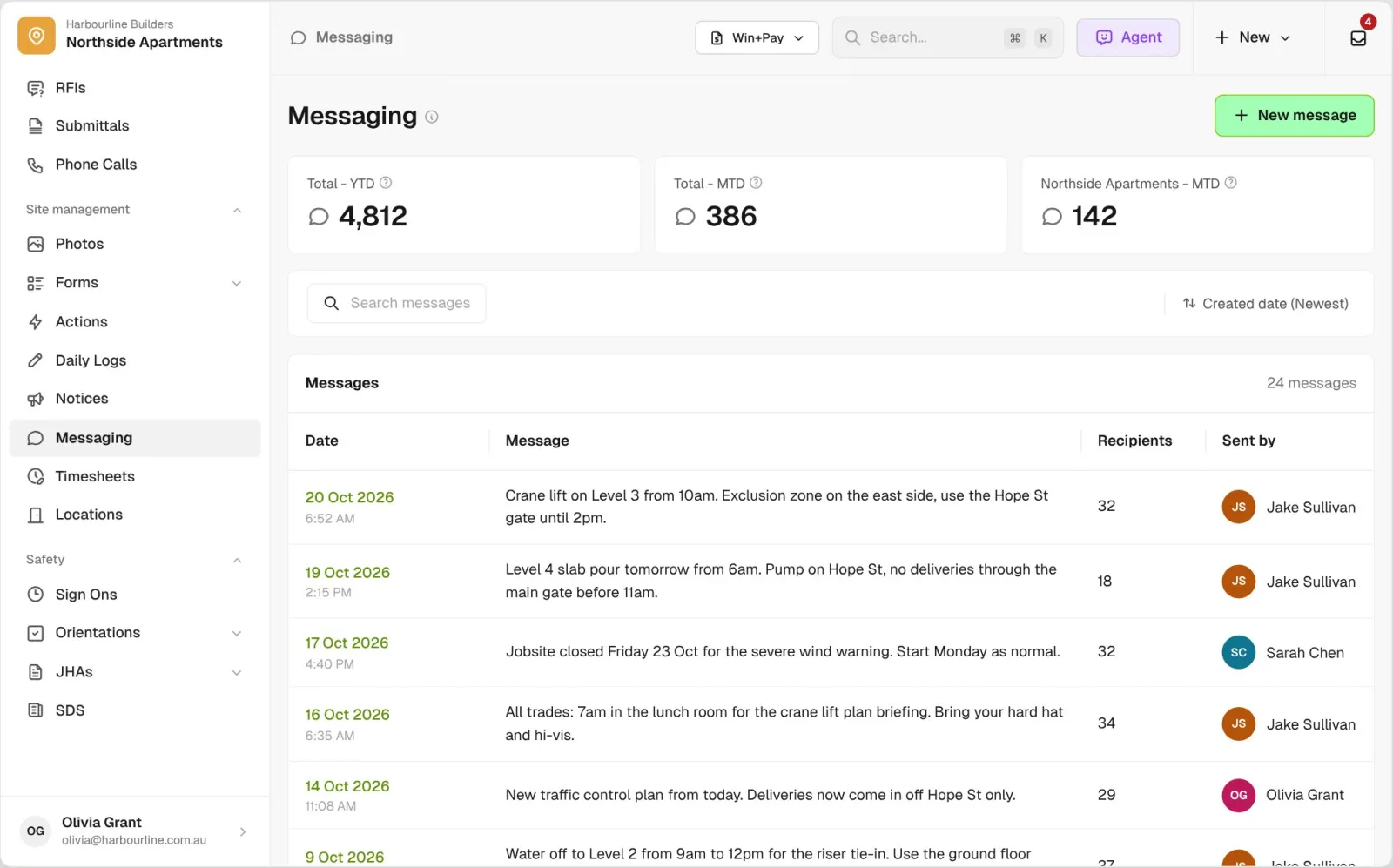
Messaging list for Northside Apartments with SMS counters for the year, the month and the project, and each message with its date, text, recipient count and sender

Trusted by builders across the country

From custom-home contractors to commercial general contractors, field teams use BuildPass to reach every worker on the jobsite.


Reidy Contracting Group
Ameresco
DivisionOne Construction
Burkentine Builders
Ready Construction
DD Construction
Honest Hammer
Homestead
Copeland Construction
RMA Commercial General Contractors
Dryden Custom Homes
Reidy Contracting Group
Ameresco
DivisionOne Construction
Burkentine Builders
Ready Construction
DD Construction
Honest Hammer
Homestead
Copeland Construction
RMA Commercial General Contractors
Dryden Custom Homes
Reidy Contracting Group
Ameresco
DivisionOne Construction
Burkentine Builders
Ready Construction
DD Construction
Honest Hammer
Homestead
Copeland Construction
RMA Commercial General Contractors
Dryden Custom Homes
Reidy Contracting Group
Ameresco
DivisionOne Construction
Burkentine Builders
Ready Construction
DD Construction
Honest Hammer
Homestead
Copeland Construction
RMA Commercial General Contractors
Dryden Custom Homes
Fassberg
AJFX Construction
ECI Austin
New Age Builder
EDG Pro Contractors
Schwartz Custom Homes
ARK General Construction
Two Z Homes
Shade Doctor of El Paso
Fassberg
AJFX Construction
ECI Austin
New Age Builder
EDG Pro Contractors
Schwartz Custom Homes
ARK General Construction
Two Z Homes
Shade Doctor of El Paso
Fassberg
AJFX Construction
ECI Austin
New Age Builder
EDG Pro Contractors
Schwartz Custom Homes
ARK General Construction
Two Z Homes
Shade Doctor of El Paso
Fassberg
AJFX Construction
ECI Austin
New Age Builder
EDG Pro Contractors
Schwartz Custom Homes
ARK General Construction
Two Z Homes
Shade Doctor of El Paso

Construction messaging software helps general contractors send SMS updates to the workers on their jobsites, picked by who is signed on or oriented, and check each message reached every worker.

From one jobsite update to every worker's phone

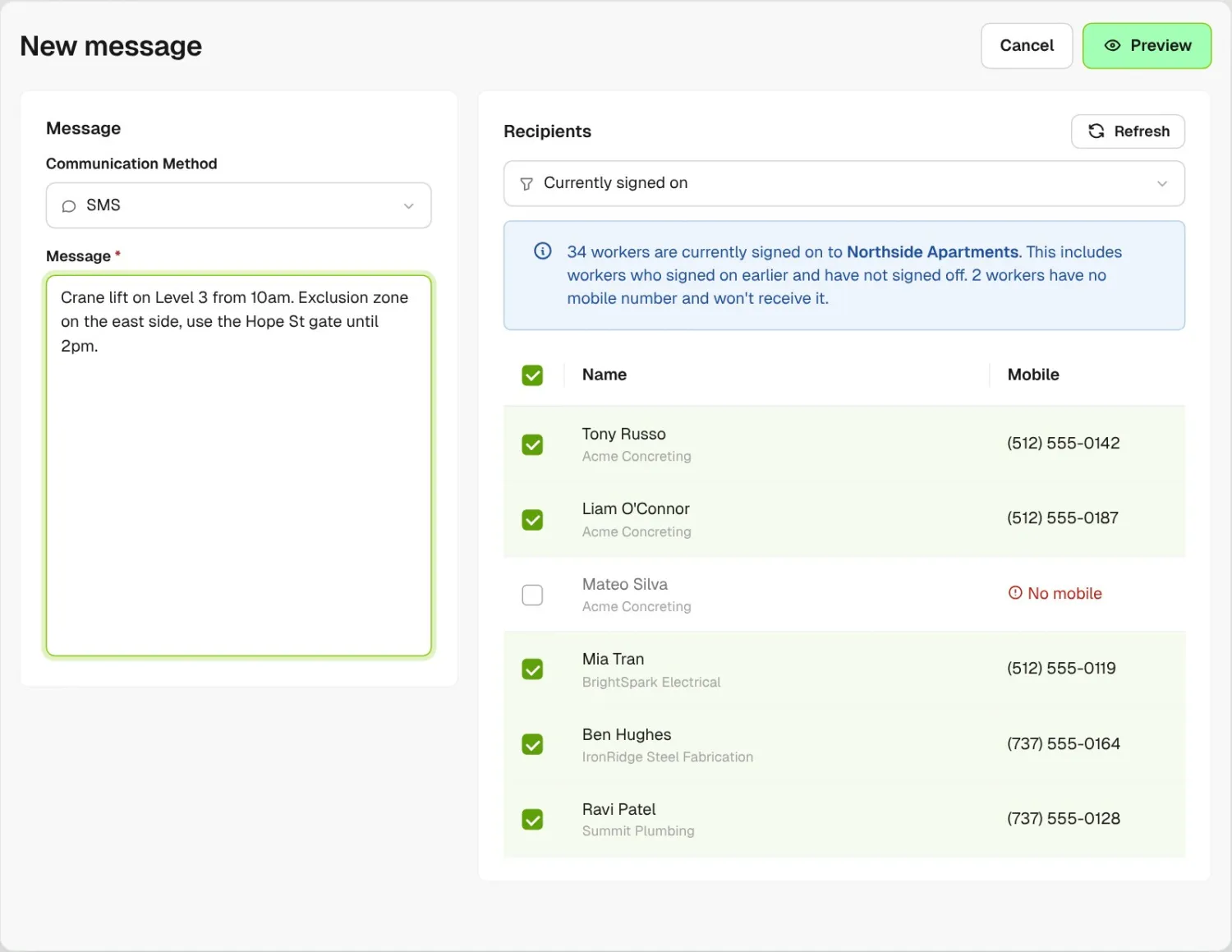
New message form with the message on the left and the Currently signed on filter on the right, showing 34 workers signed on and one worker with no mobile number unticked
01

Pick who gets it

Write the message and choose workers by who is signed on now, signed on today or in the last 2 weeks, or oriented on the project. Anyone without a mobile number is flagged.
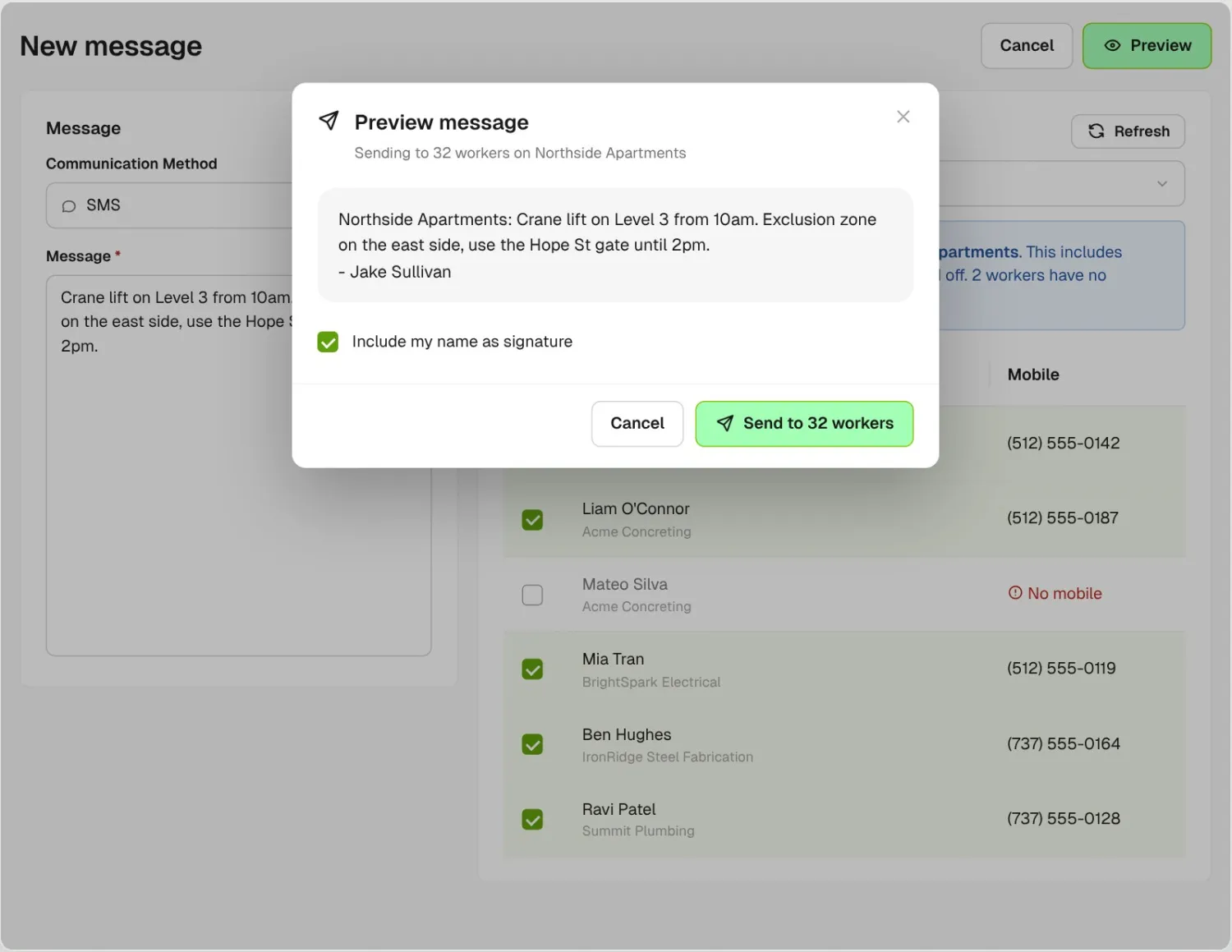
Preview message dialog showing the SMS prefixed with the project name, signature ticked and a Send to 32 workers button
02

Check it and send

The preview shows the SMS as workers get it, starting with the project name. Add your name as a signature if you want, then confirm the recipient count and send.
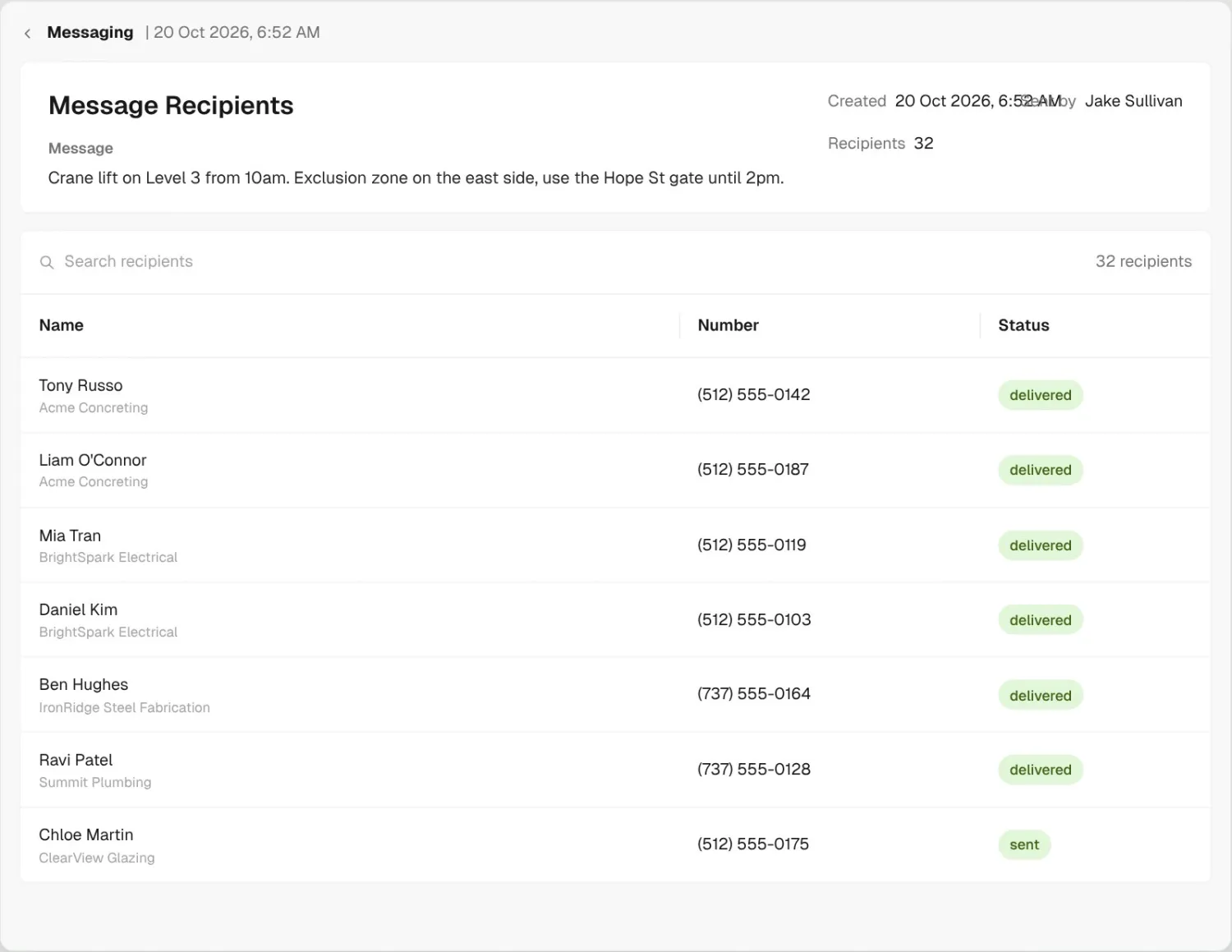
Message Recipients page listing each worker with their mobile number and delivery status
03

See it landed

Open the message to see every recipient with their number and delivery status, plus who sent it and when.

How it works

Every construction SMS you send, in one view

Every message sent on the project, with its date, the text, how many people got it and who sent it. SMS counts for the year, the month and this project sit above the list.
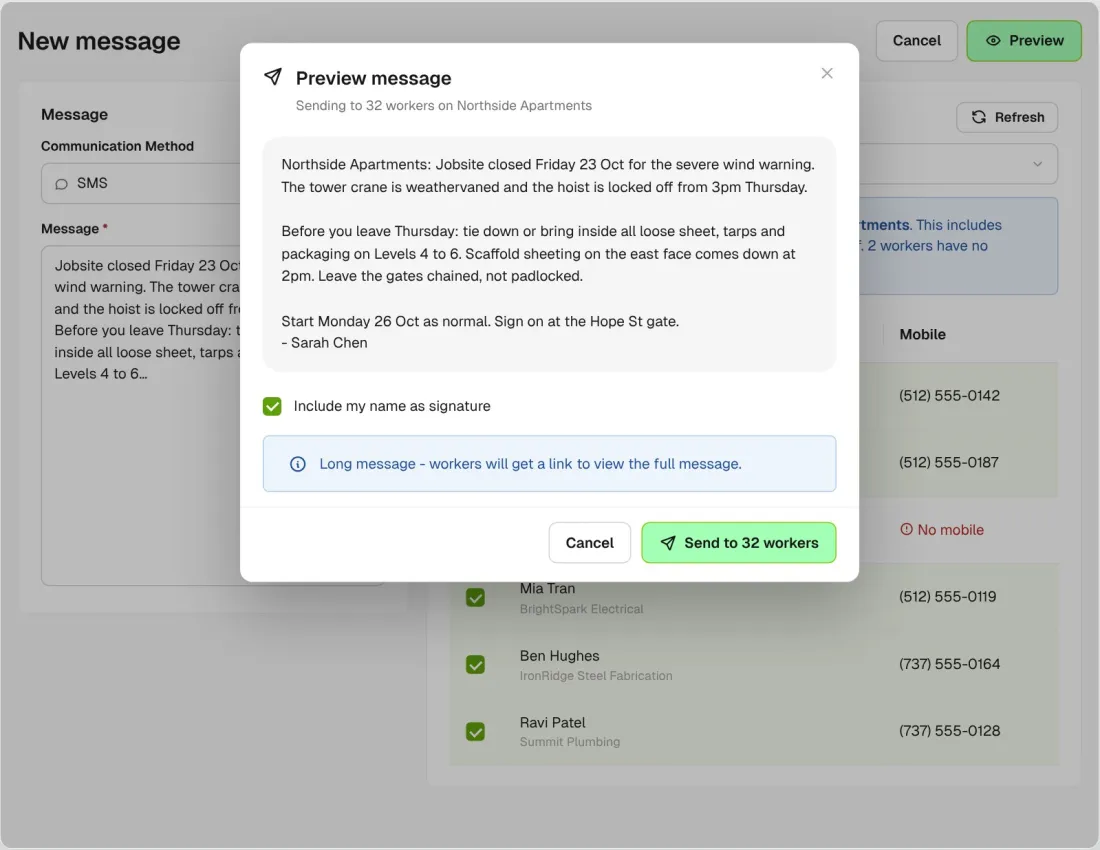
Preview of a long message with the notice that workers will get a link to view the full message

Long messages go as a link

A message too long for one SMS goes out as a link to the full text, and the preview warns you before you send.
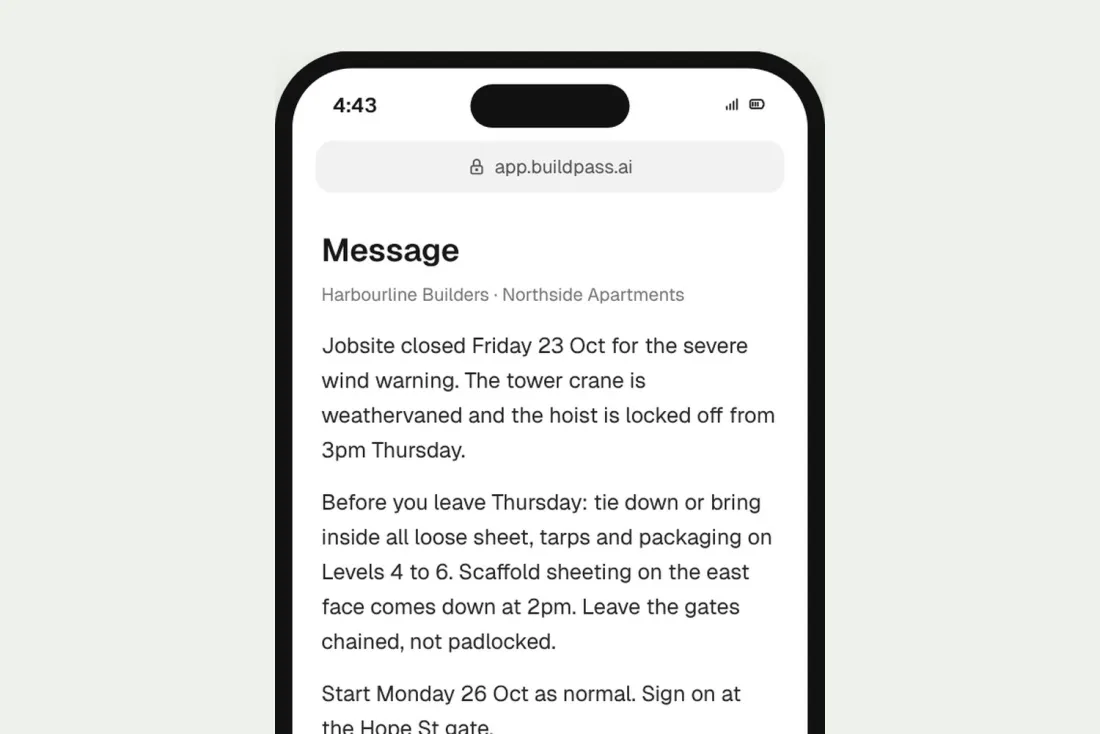
Worker's phone showing the full message page from the SMS link, with company and project name

Workers open it with no login

The link opens the full message on the worker's phone, with your company and project name. No app or login needed.
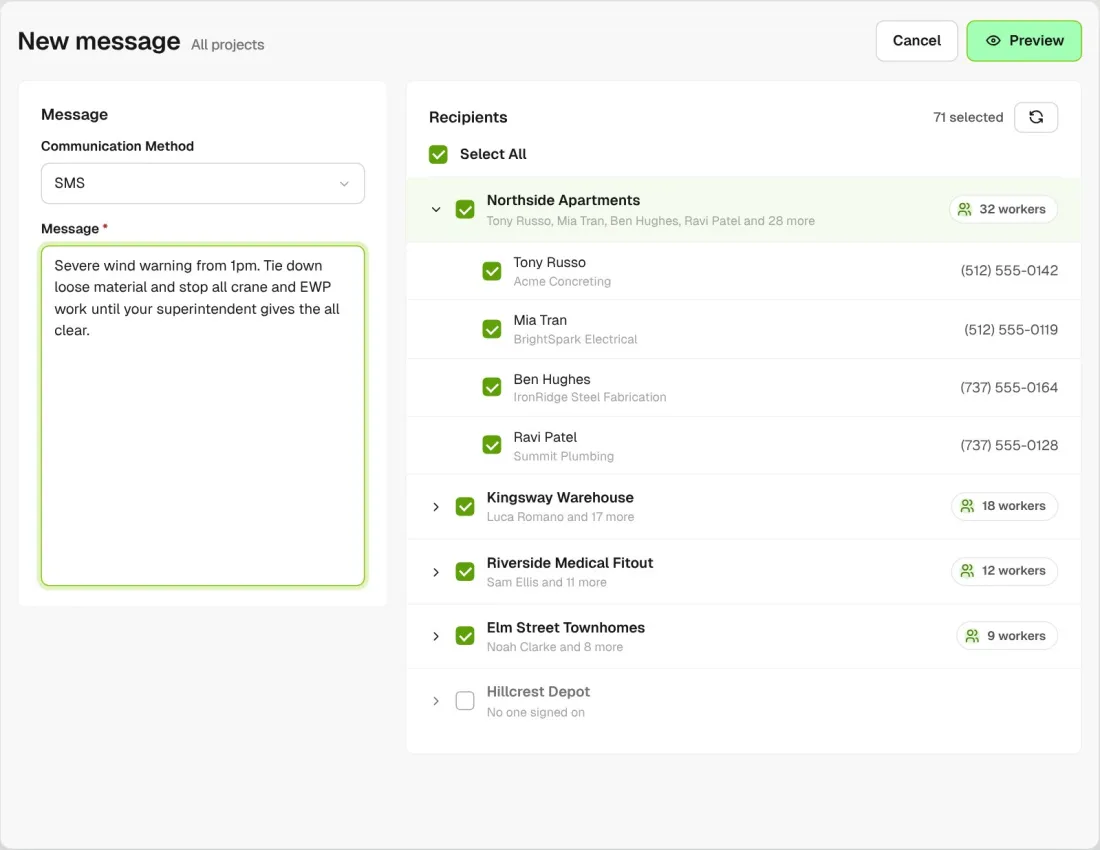
Company-wide new message with signed-on workers grouped by project and a checkbox for each project

Message every project at once

Send one message to workers signed on across all your projects, grouped by project so you can untick any project it doesn't suit.
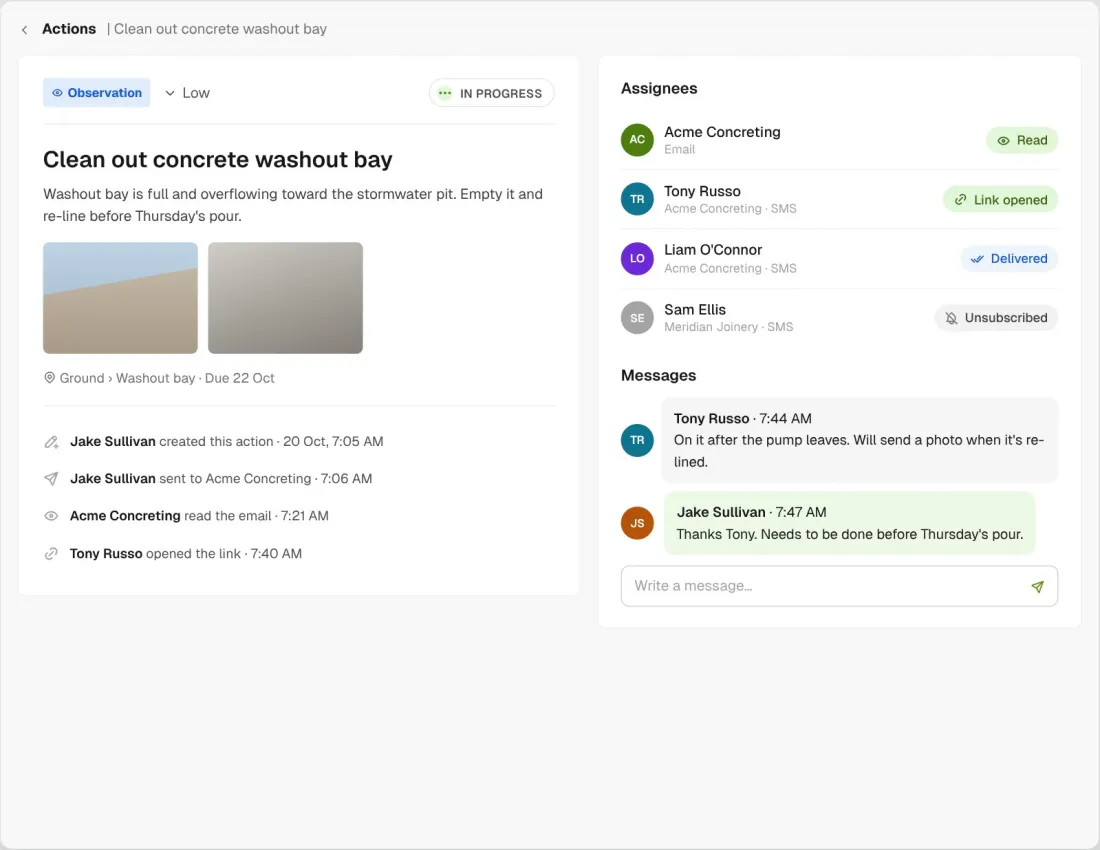
Action detail with assignees showing Read, Link opened, Delivered and Unsubscribed, beside the message thread

See who opened it

Actions and punch items show each assignee's status, from delivered and read to link opened, and flag anyone who has turned SMS off.
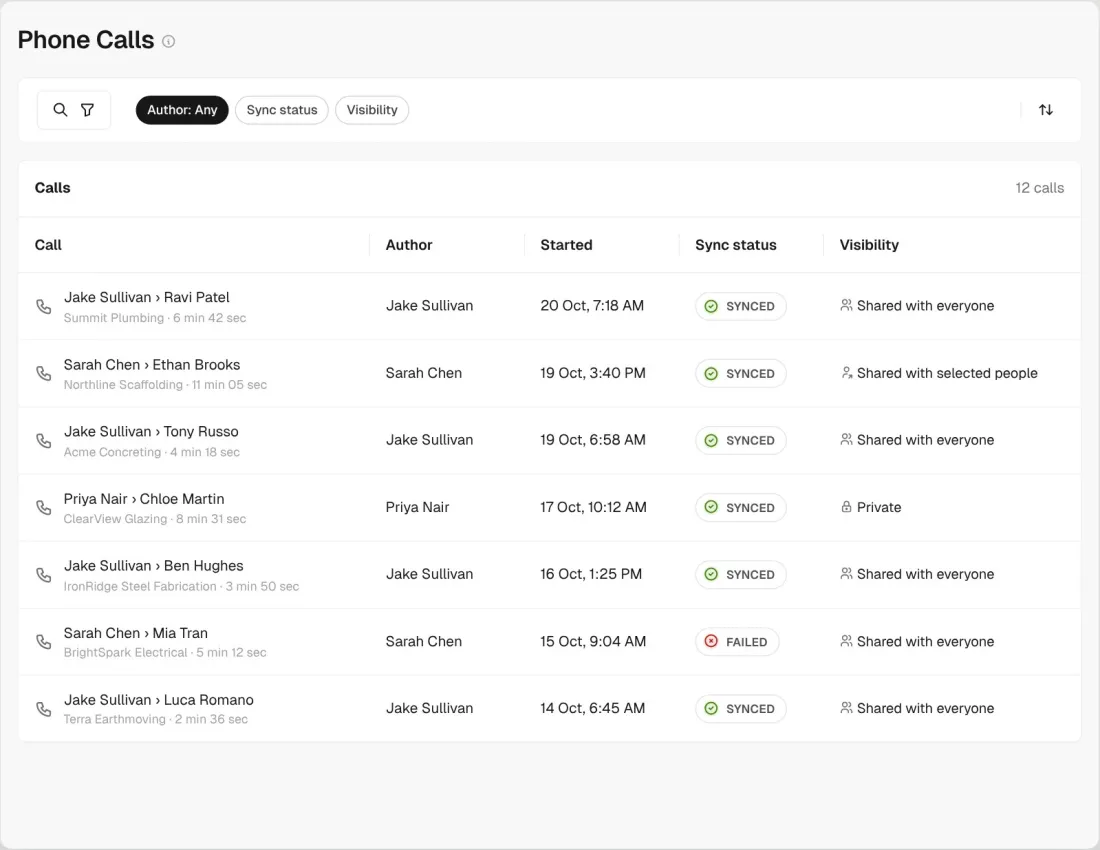
Phone Calls list of calls synced from Supasite with author, start time, sync status and visibility

Supasite calls, summarized by AI

Supasite is the BuildPass phone app. AI summarizes each call made in it as it happens, and the audio is never kept. Send the ones that matter to the project and filter them by who made each one.
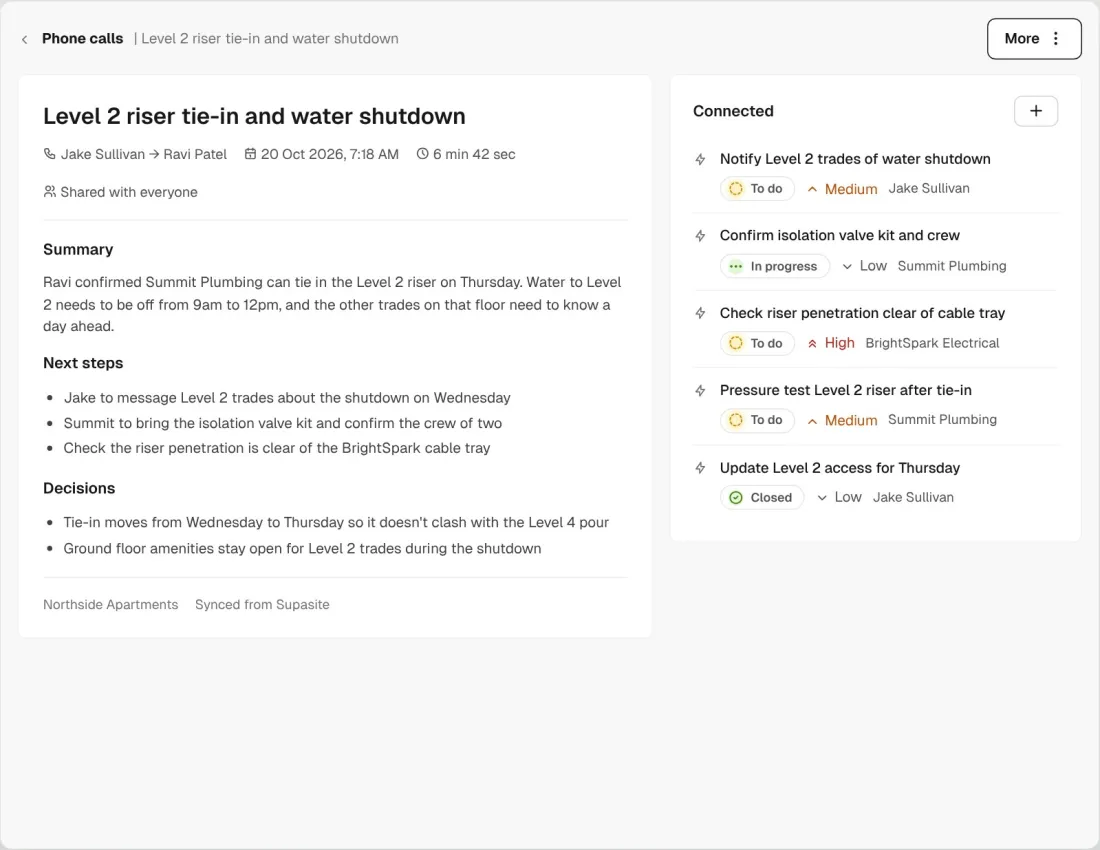
Phone call summary with next steps and decisions, beside its connected follow-up actions with status, priority and assignee

Turn a call into actions

The call summary sits next to its follow-up actions, each with a status, priority and assignee. Connect an action to it with +, so the follow-up stays with the call.

Connected to the whole job
BuildRun the site

Messaging, part of every job

Messaging picks its recipients from today's Sign Ons and your project orientations, so the list matches who is actually on the jobsite. Use Notices for updates workers confirm at sign on, and Emergency to clear the jobsite fast.

Explore site management
  1. Currently signed on34 workersfrom today's Sign Ons
  2. SMS32 sent2 with no mobile number flagged
  3. PER RECIPIENTStatus for all 32Crane lift on Level 3. Northside Apartments, 20 Oct, 6:52 AM

Win

Price the job

Take off, estimate and get proposals out the door, without rekeying the same numbers three times.

Explore preconstruction

Pay

Manage the money

Budgets, commitments, pay applications and bills, so you see the real financial position of every job.

Explore finance

Connect

Connect the tools

Bring your other tools, your phone line and BuildPass AI into the same workflow.

Explore the AI toolkit

Trusted by builders who run their projects on BuildPass

From custom-home builders to commercial general contractors, teams across the United States run their projects on BuildPass every day.


Whether you're a local builder doing a handful of houses a year, or you're pushing for four or five digits, there's a solution here. And BuildPass can handle it.
Joel Patterson
Director of Construction, Burkentine Builders
It's a one-stop shop for construction safety. Everything you need is right there.
Jack Hensey
Business Operations Associate, Reidy Contracting Group
This is working much better with BuildPass. Much faster. Much cleaner.
David Guzman
Superintendent, Engen Contracting Inc.

Frequently asked questions

No. Messages go out as a plain SMS to the mobile number on the worker's profile. Workers with no mobile number are flagged before you send, and they won't receive it.

No. Messaging is one-way, and replies don't come back into BuildPass. If you need an answer, ask workers to call the jobsite contact or send them a form.

Open the message from the list to see each recipient's number and delivery status. If a worker has unsubscribed from BuildPass SMS, you can see that too, but only they can turn messages back on. Login codes and emergency alerts always send.

No. Calls made in the Supasite app are transcribed and summarized by AI as they happen, then the audio is discarded, so only the written summary is kept. Your team picks which calls go to BuildPass and links each one to its project in Supasite. Supasite is on iPhone, with an Android waitlist, and call summaries depend on your account. BuildPass Agent's help with actions needs an admin to switch on AI tools in Settings.

See how BuildPass works on your projects

Book a demo and we'll walk your team through it.