
Upload whole folders
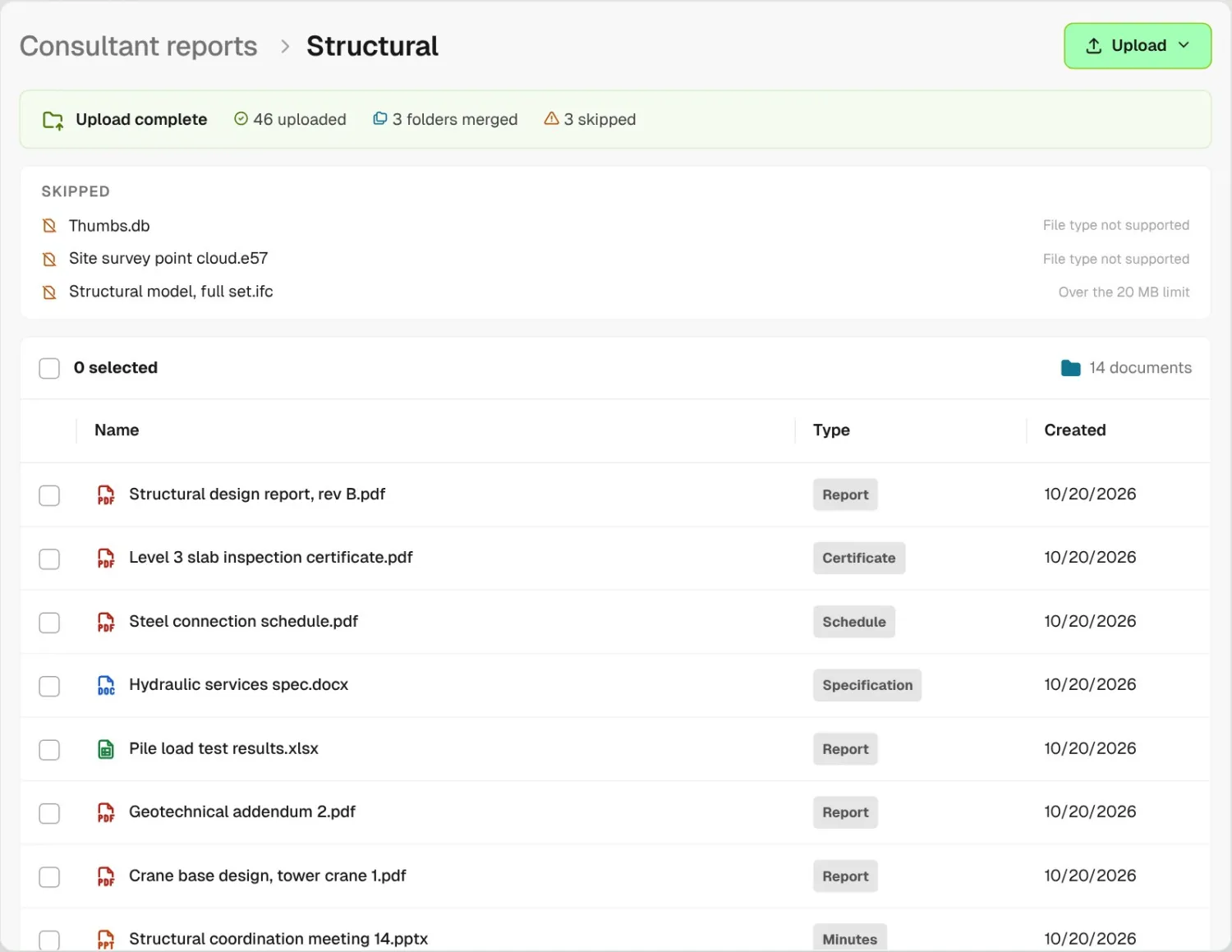
Drag in a whole folder. Matching folders merge, and anything BuildPass can’t take is listed as skipped with the reason, so you know exactly what came across.
Project managers upload whole folders to BuildPass construction document management software, and Document Summary sums up every file as it lands. Superintendents choose who sees it: workers who finished orientation, the owner in the portal, or anyone with a link.
From custom-home contractors to commercial general contractors, field teams keep their project documents on BuildPass.















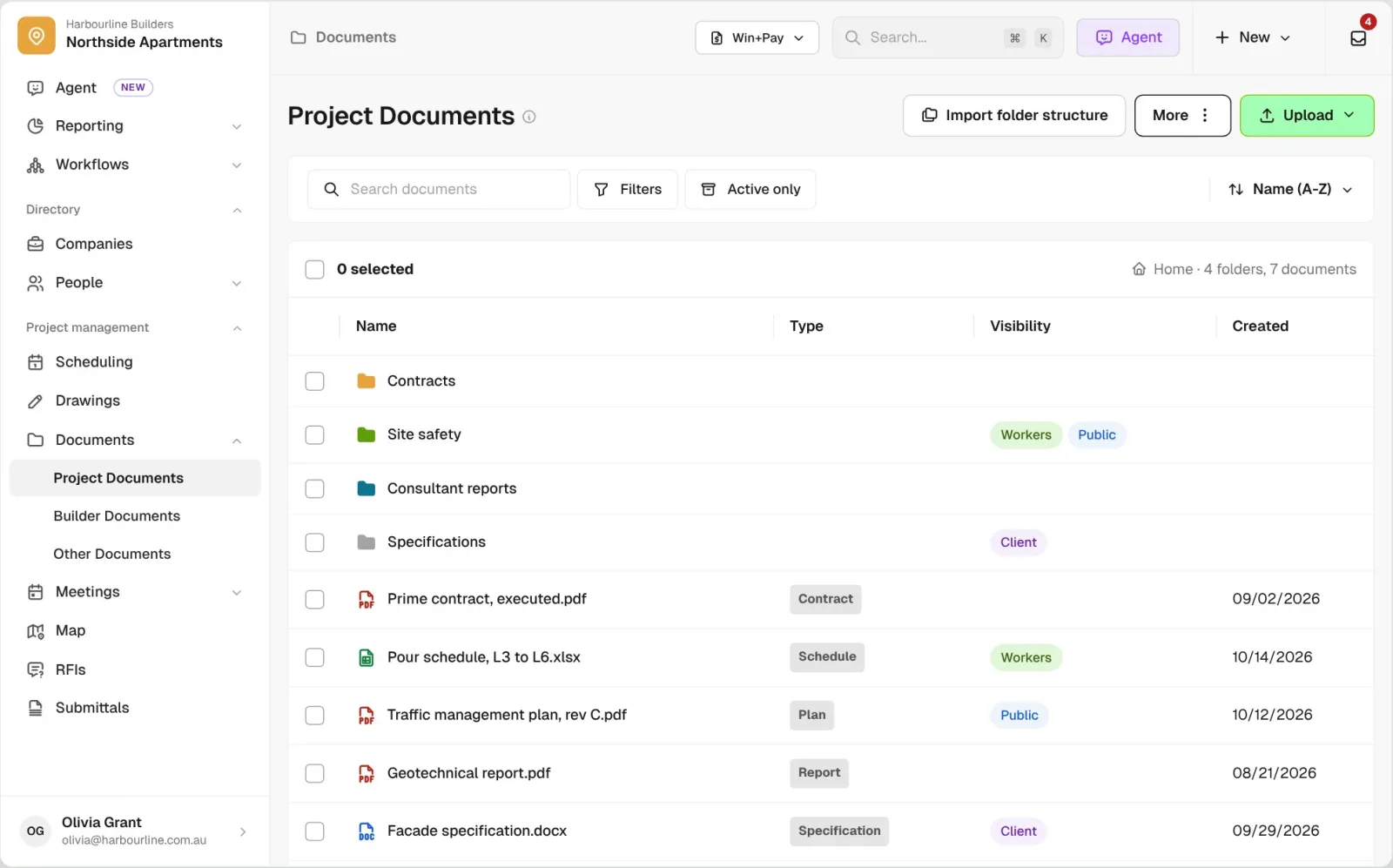
Document management software helps general contractors store project files in folders, share them with workers, owners and subcontractors, and collect documents from subs for review.
Drag in a whole folder. Matching folders merge, and anything BuildPass can’t take is listed as skipped with the reason, so you know exactly what came across.
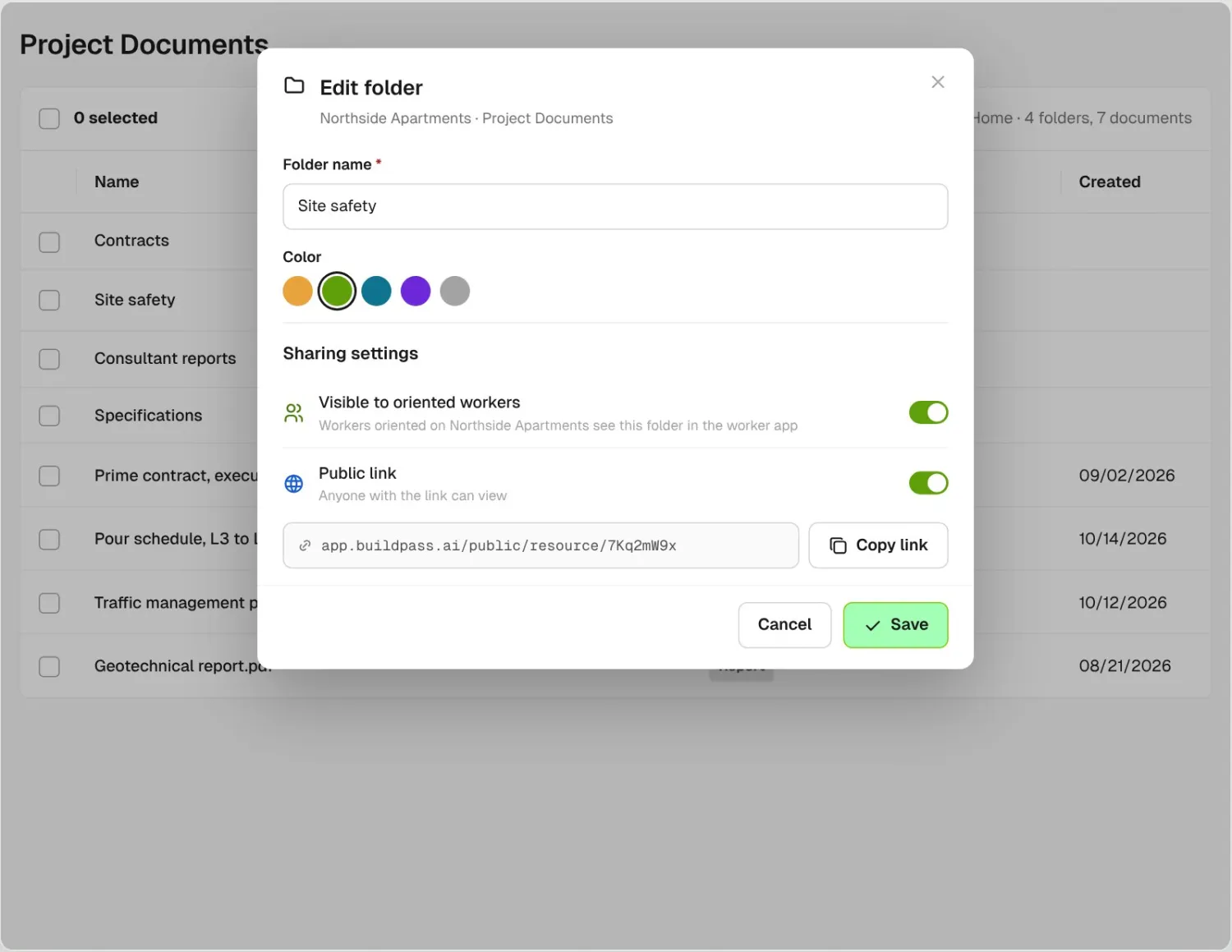
Turn a folder on for workers who have finished orientation, or switch on a public link so a consultant or a sub with no login can open the folder.
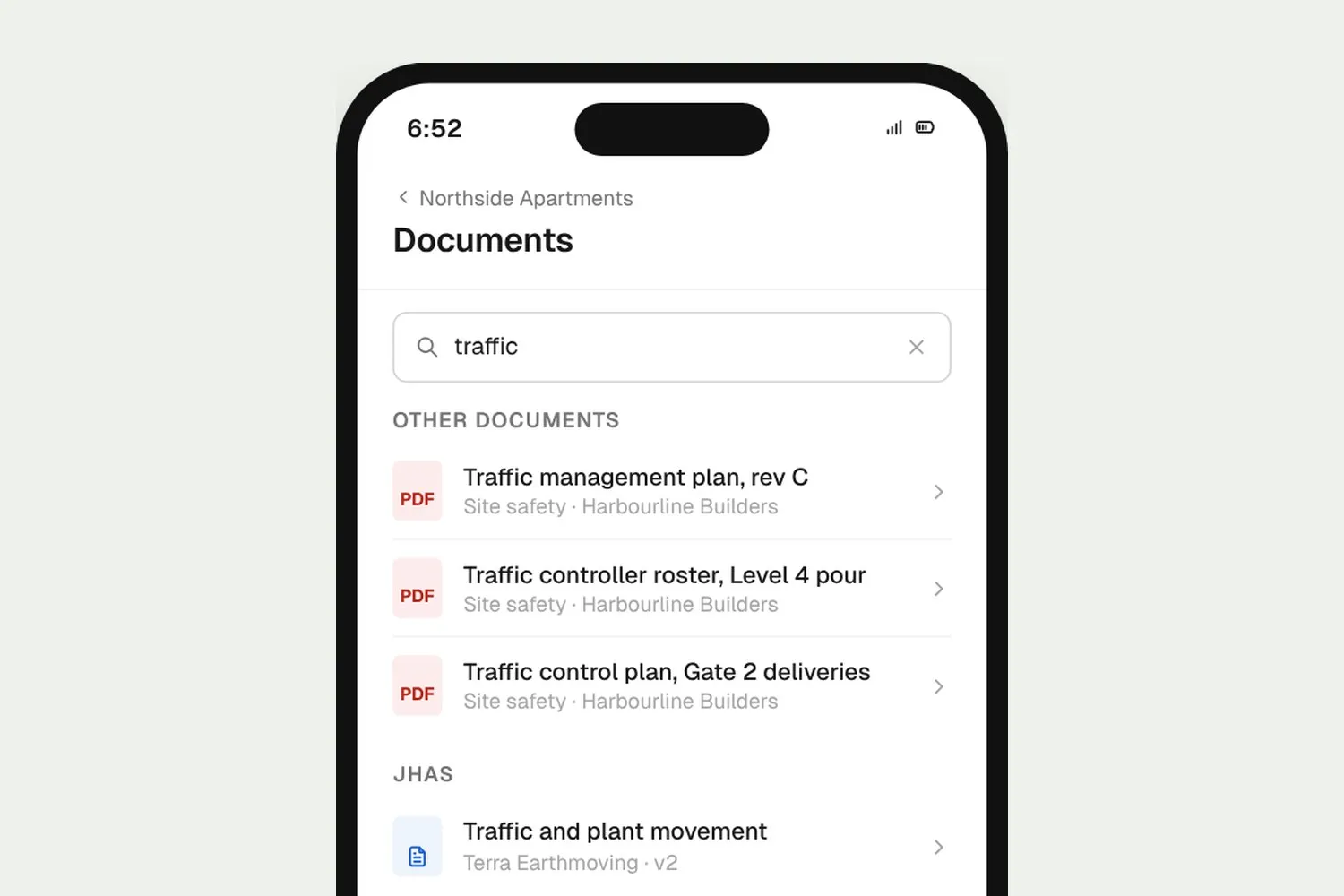
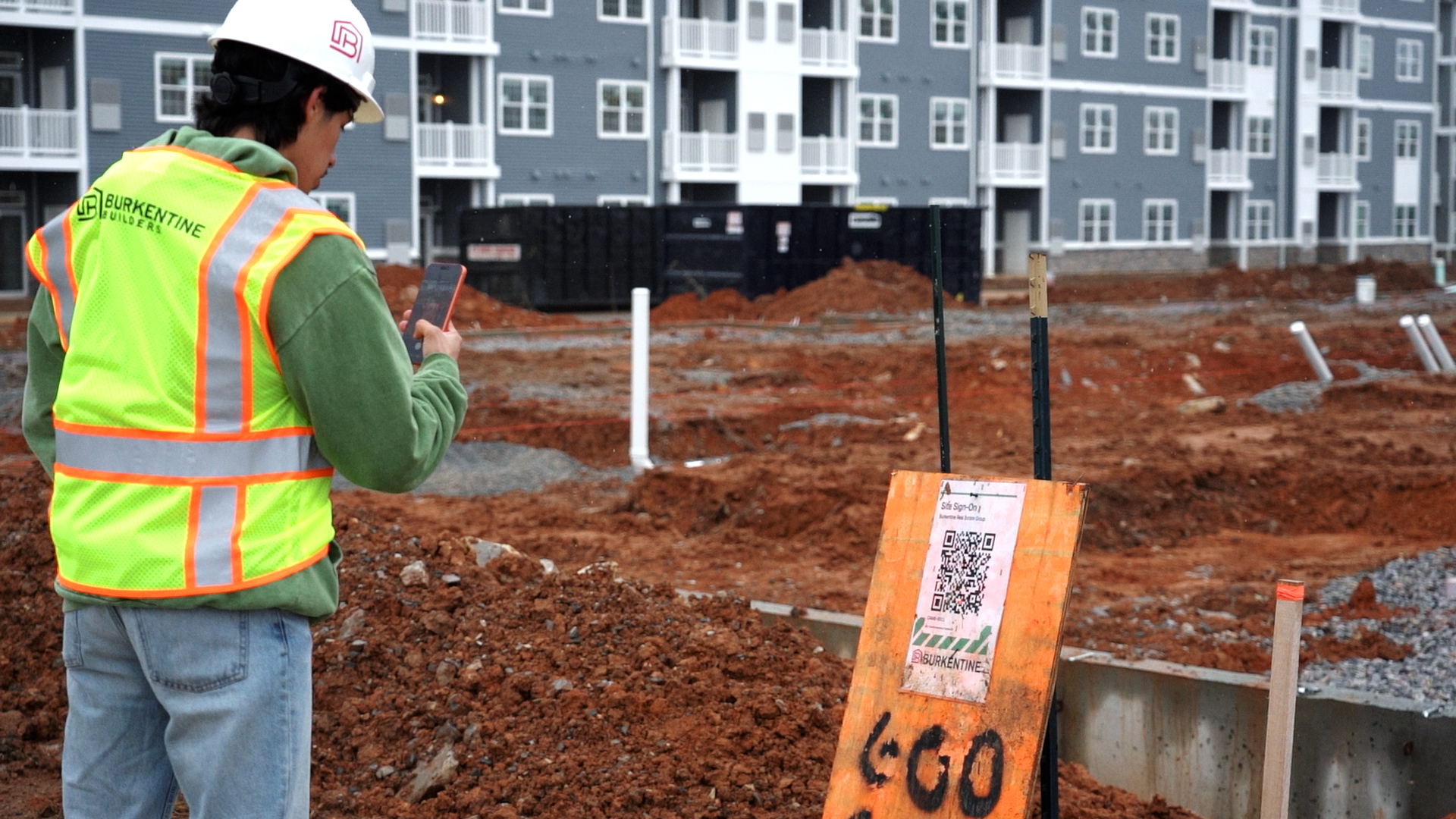
Workers open shared documents on their phone, listed with their JHAs and SDS, and search by name to find the one they need.
Sharing, reviews and previews sit next to each file, so the office and the jobsite work from the same set of folders.
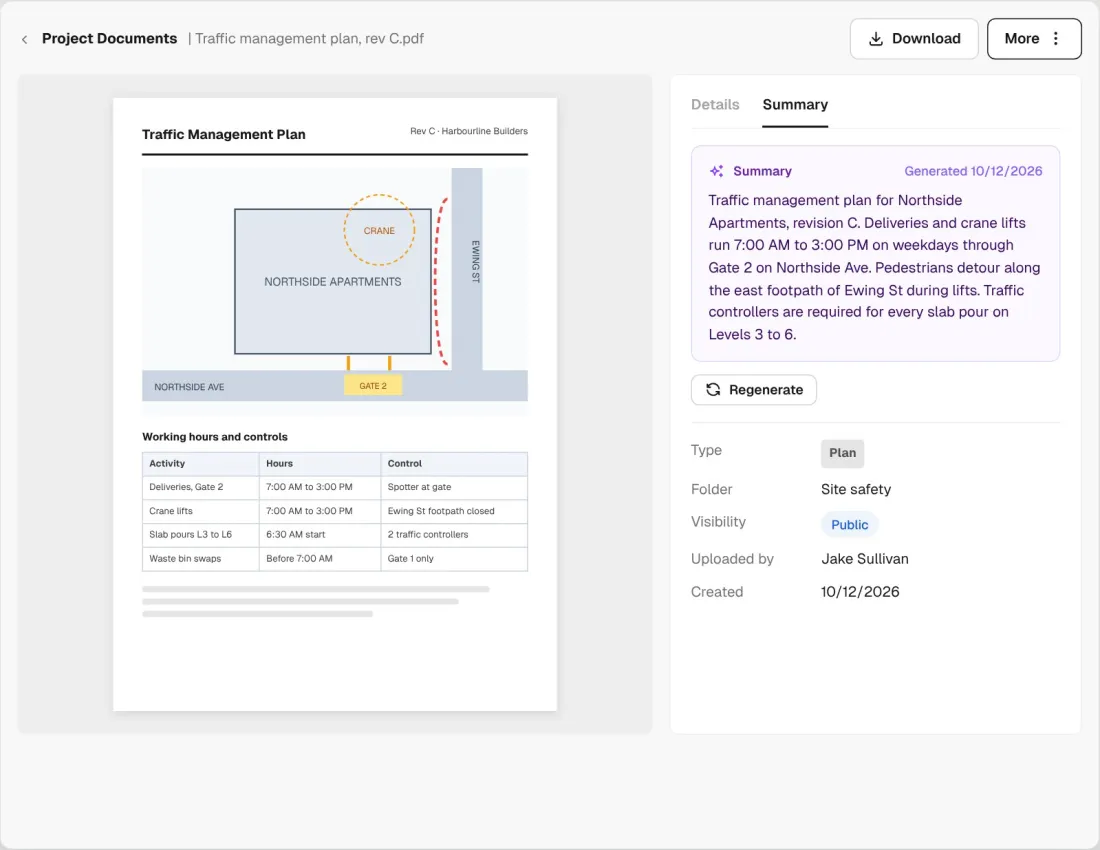
Document Summary reads each PDF, Word, Excel or PowerPoint file as it uploads and says what it is. Read it in the list or on the Summary tab, and regenerate it whenever you like.
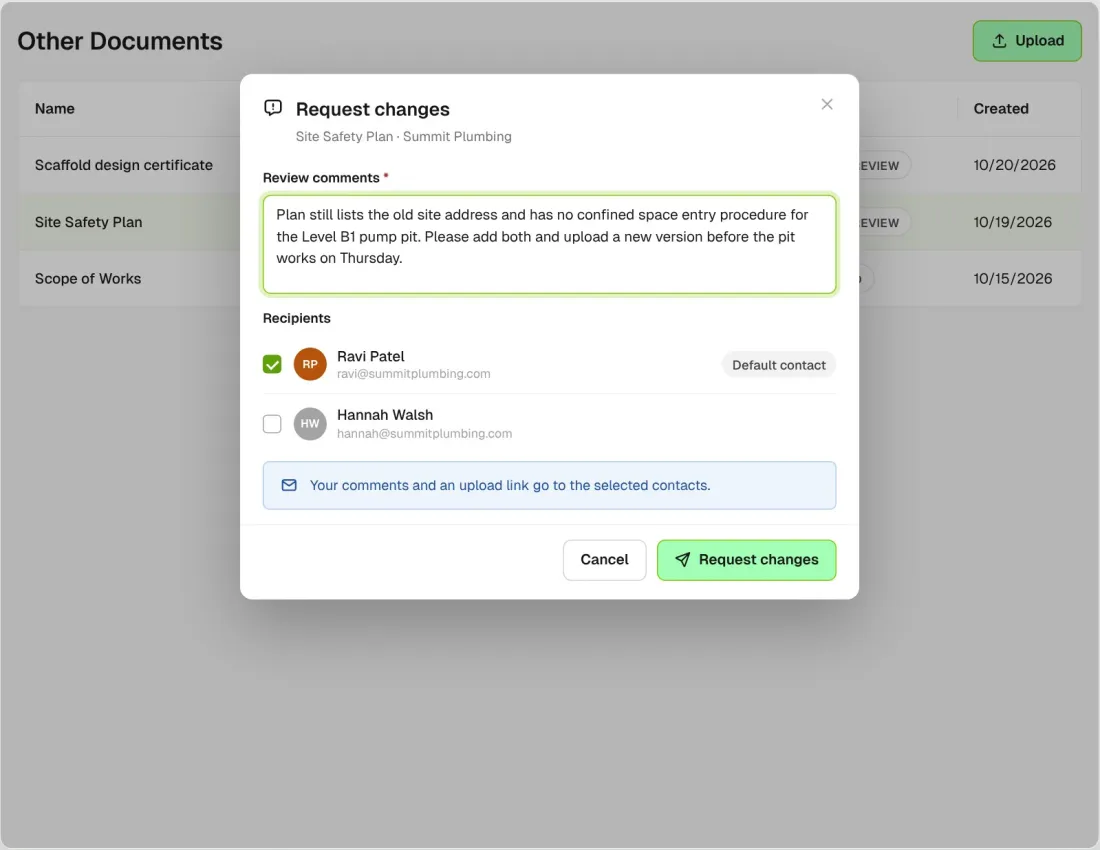
Documents from companies arrive waiting for review. Mark them reviewed, or request changes and the company gets your comments with a link to upload a new one.
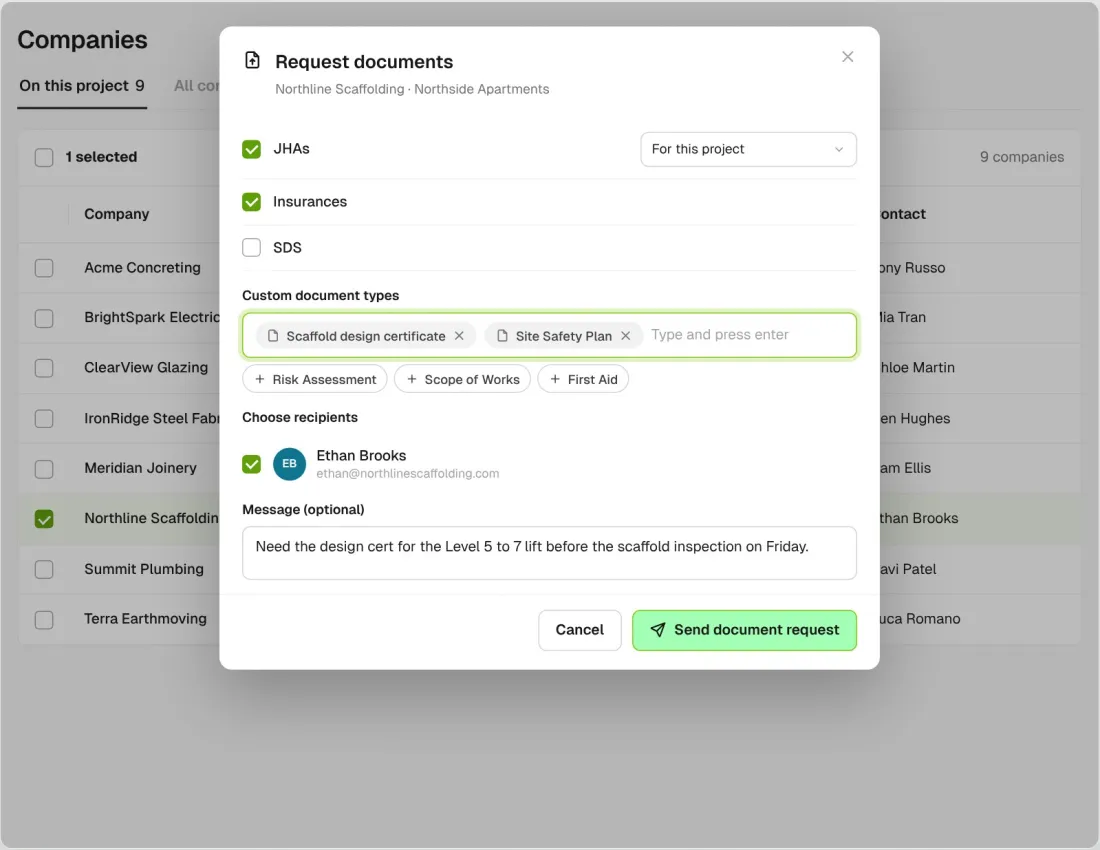
Add custom document types like Site Safety Plan or Scope of Works to a document request. Whatever the sub uploads lands in Other Documents against their company.
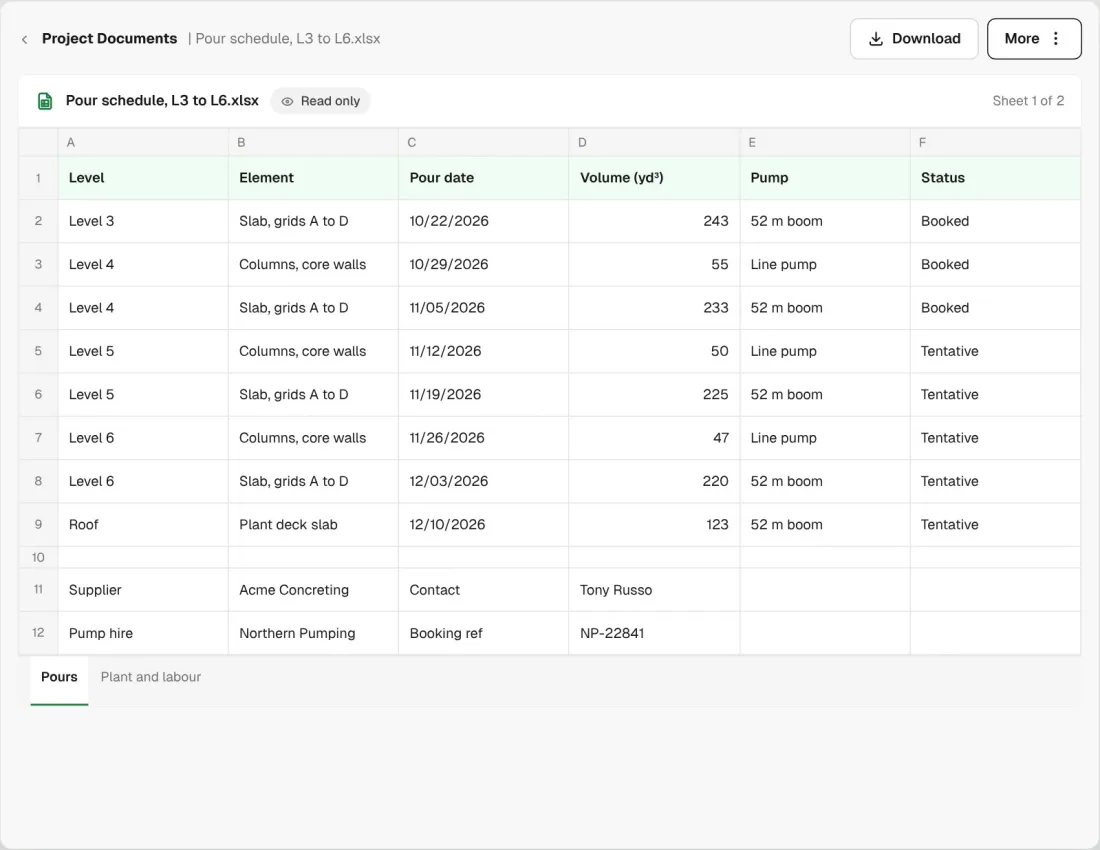
CSV, XLS and XLSX files open as a read-only preview. You can also store CAD, IFC and Revit files for people to download. Admins can download selected files and whole folders together as a ZIP.
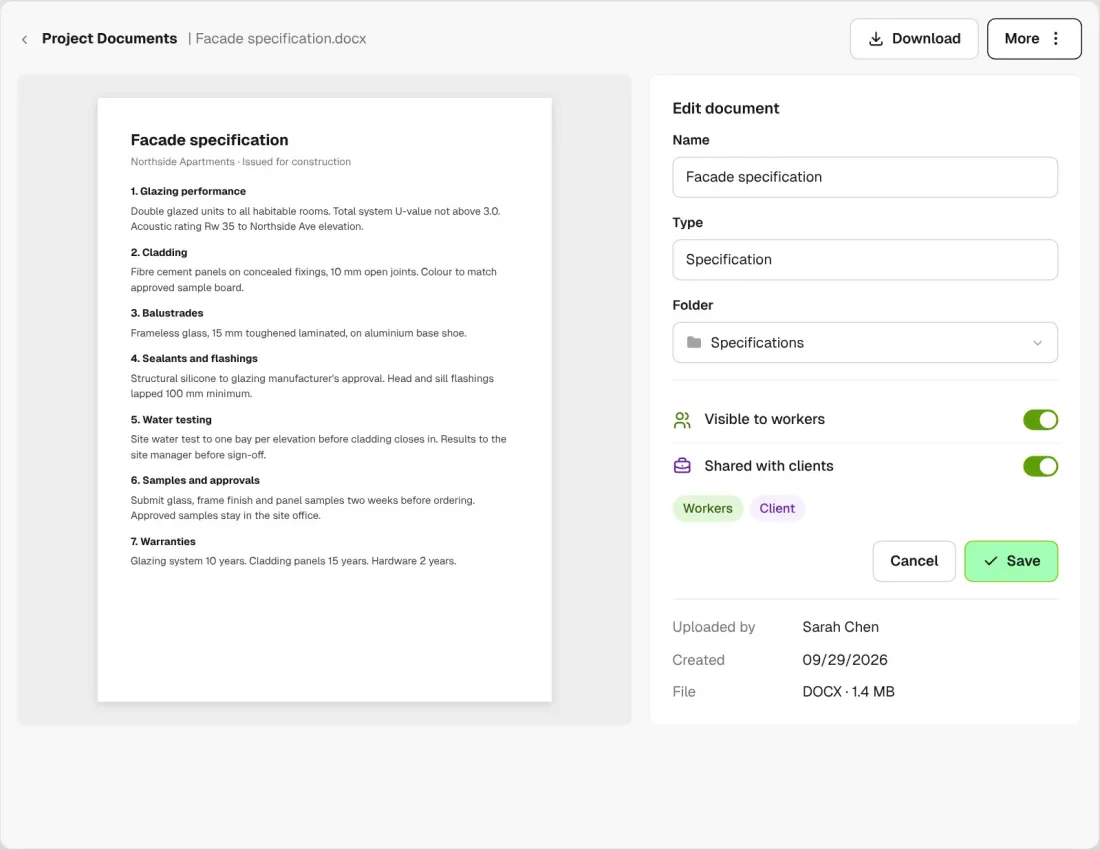
Each file has its own Visible to workers switch and, with the client portal on, its own Shared with clients switch.
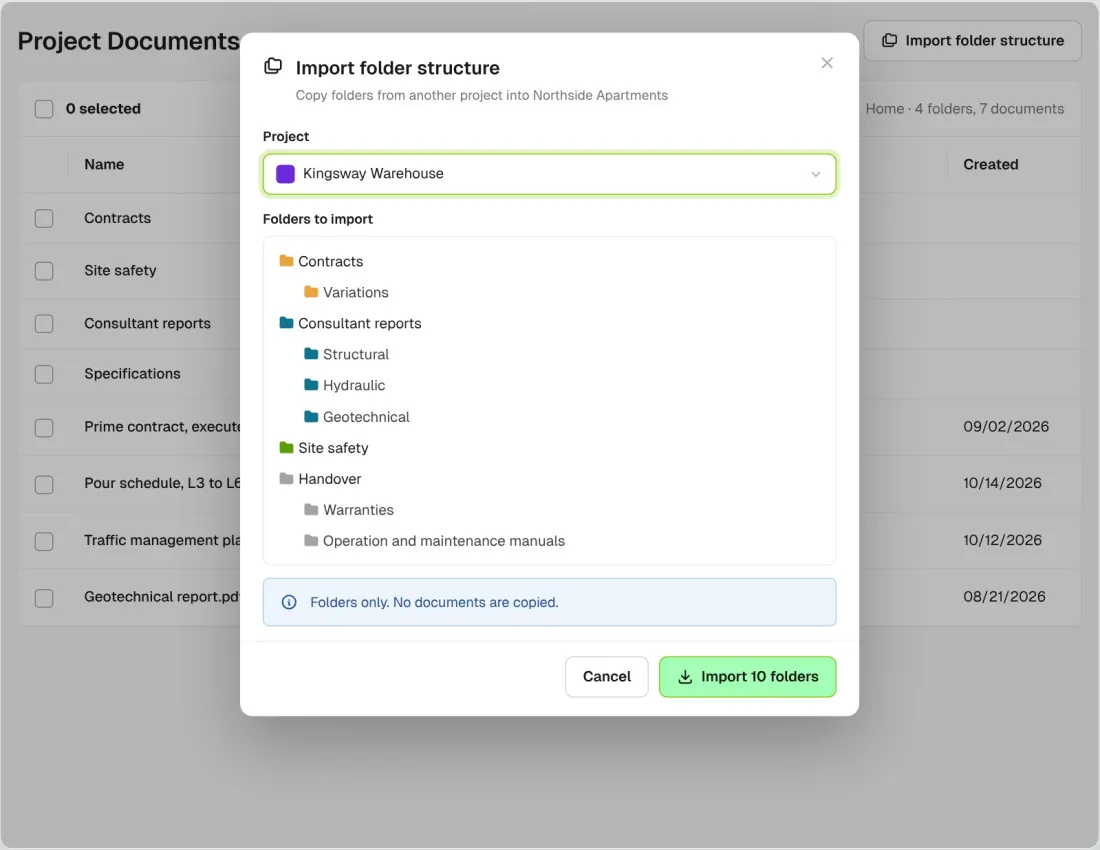
Copy the folder structure from another project in one step. Only the folders come across, not the files in them.
Custom documents go out in the same request as JHAs, insurance and SDS, one link per company, and what comes back lands against that company. Workers see shared files next to their JHAs and SDS once their orientation is approved. Drawing revisions and markup live in Drawings.
Explore site managementTake off, estimate and get proposals out the door, without rekeying the same numbers three times.
Explore preconstructionBudgets, commitments, pay applications and bills, so you see the real financial position of every job.
Explore financeBring your other tools, your phone line and BuildPass AI into the same workflow.
Explore the AI toolkitFrom custom-home builders to commercial general contractors, teams across the United States run their projects on BuildPass every day.



Book a demo and we'll walk your team through it.