Build

Sub insurance certificates tracked, and chased for you

Certificate of insurance (COI) tracking software for subcontractors

Subs upload their certificates of insurance through a link, with no BuildPass login. Your superintendent or project manager reviews each one, and once it's reviewed, BuildPass emails the sub's default contact before and after expiry. One certificate then covers that same sub on every project.
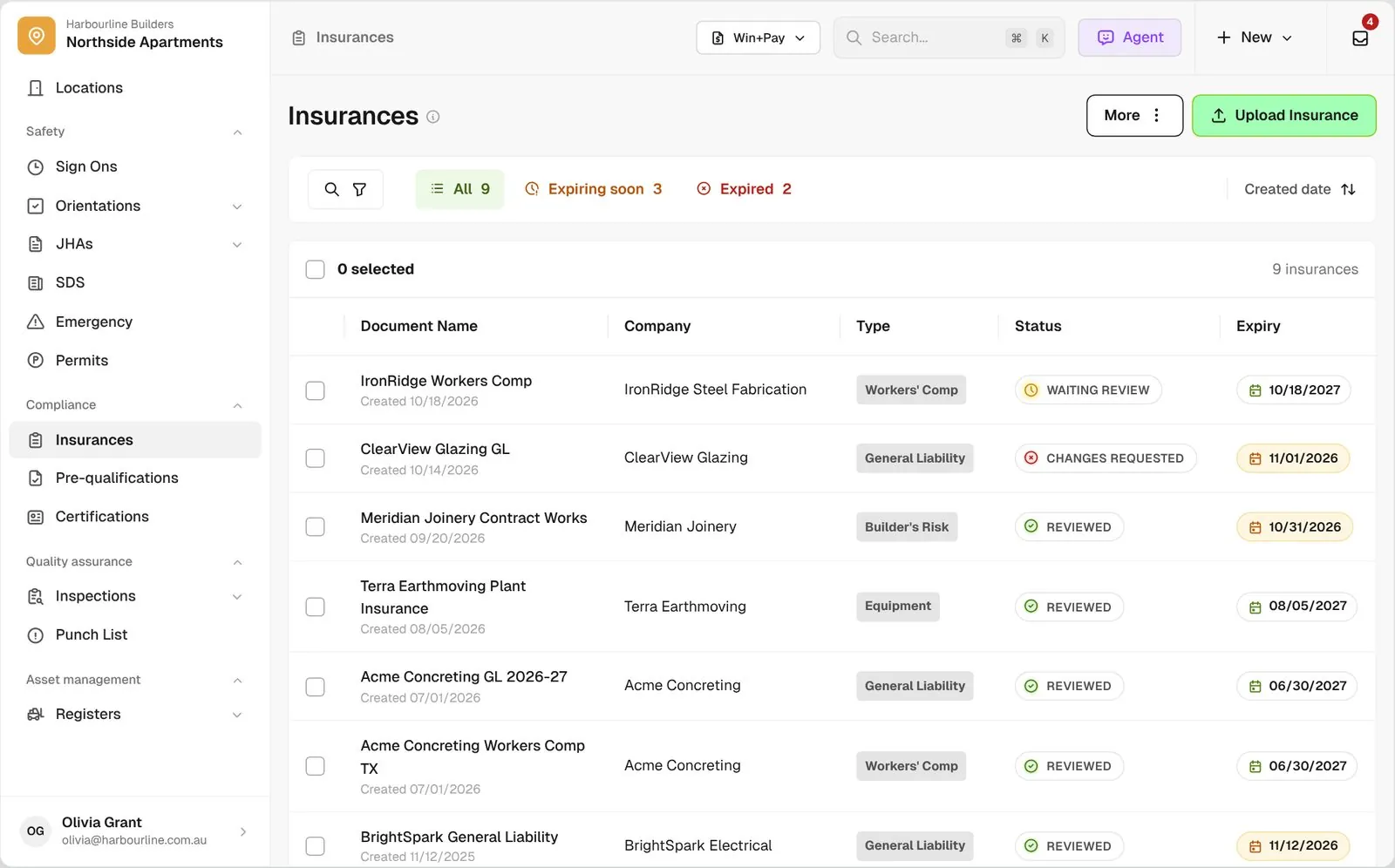
Insurances list across every company with type, review status and expiry, plus Expiring Soon and Expired views

Trusted by builders across the country

From custom-home contractors to commercial general contractors, field teams use BuildPass to track their subs' COIs.


Reidy Contracting Group
Ameresco
DivisionOne Construction
Burkentine Builders
Ready Construction
DD Construction
Honest Hammer
Homestead
Copeland Construction
RMA Commercial General Contractors
Dryden Custom Homes
Reidy Contracting Group
Ameresco
DivisionOne Construction
Burkentine Builders
Ready Construction
DD Construction
Honest Hammer
Homestead
Copeland Construction
RMA Commercial General Contractors
Dryden Custom Homes
Reidy Contracting Group
Ameresco
DivisionOne Construction
Burkentine Builders
Ready Construction
DD Construction
Honest Hammer
Homestead
Copeland Construction
RMA Commercial General Contractors
Dryden Custom Homes
Reidy Contracting Group
Ameresco
DivisionOne Construction
Burkentine Builders
Ready Construction
DD Construction
Honest Hammer
Homestead
Copeland Construction
RMA Commercial General Contractors
Dryden Custom Homes
Fassberg
AJFX Construction
ECI Austin
New Age Builder
EDG Pro Contractors
Schwartz Custom Homes
ARK General Construction
Two Z Homes
Shade Doctor of El Paso
Fassberg
AJFX Construction
ECI Austin
New Age Builder
EDG Pro Contractors
Schwartz Custom Homes
ARK General Construction
Two Z Homes
Shade Doctor of El Paso
Fassberg
AJFX Construction
ECI Austin
New Age Builder
EDG Pro Contractors
Schwartz Custom Homes
ARK General Construction
Two Z Homes
Shade Doctor of El Paso
Fassberg
AJFX Construction
ECI Austin
New Age Builder
EDG Pro Contractors
Schwartz Custom Homes
ARK General Construction
Two Z Homes
Shade Doctor of El Paso

Certificate of insurance (COI) software helps general contractors collect COIs from subcontractors, review them, and email each active sub's default contact before and after coverage expires.

One renewal, from your request through to the reviewed certificate

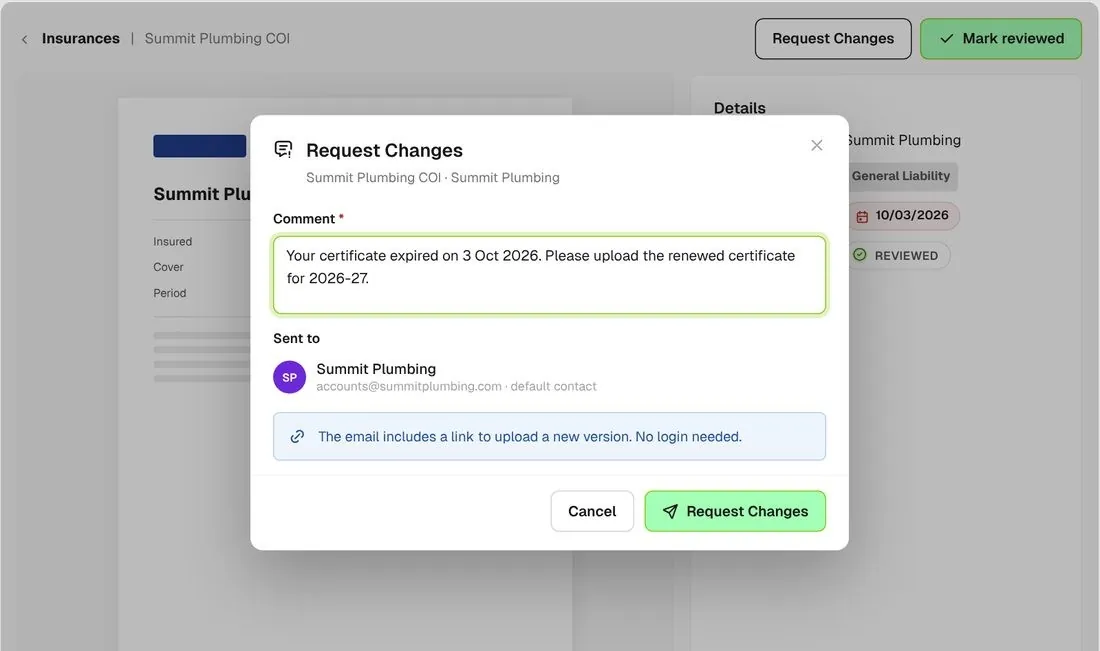
Request changes on a certificate with a comment asking the company to re-issue it
01

Ask for a new one

Request changes on a certificate with a comment. The company gets an email with your note and a link to upload a new version.
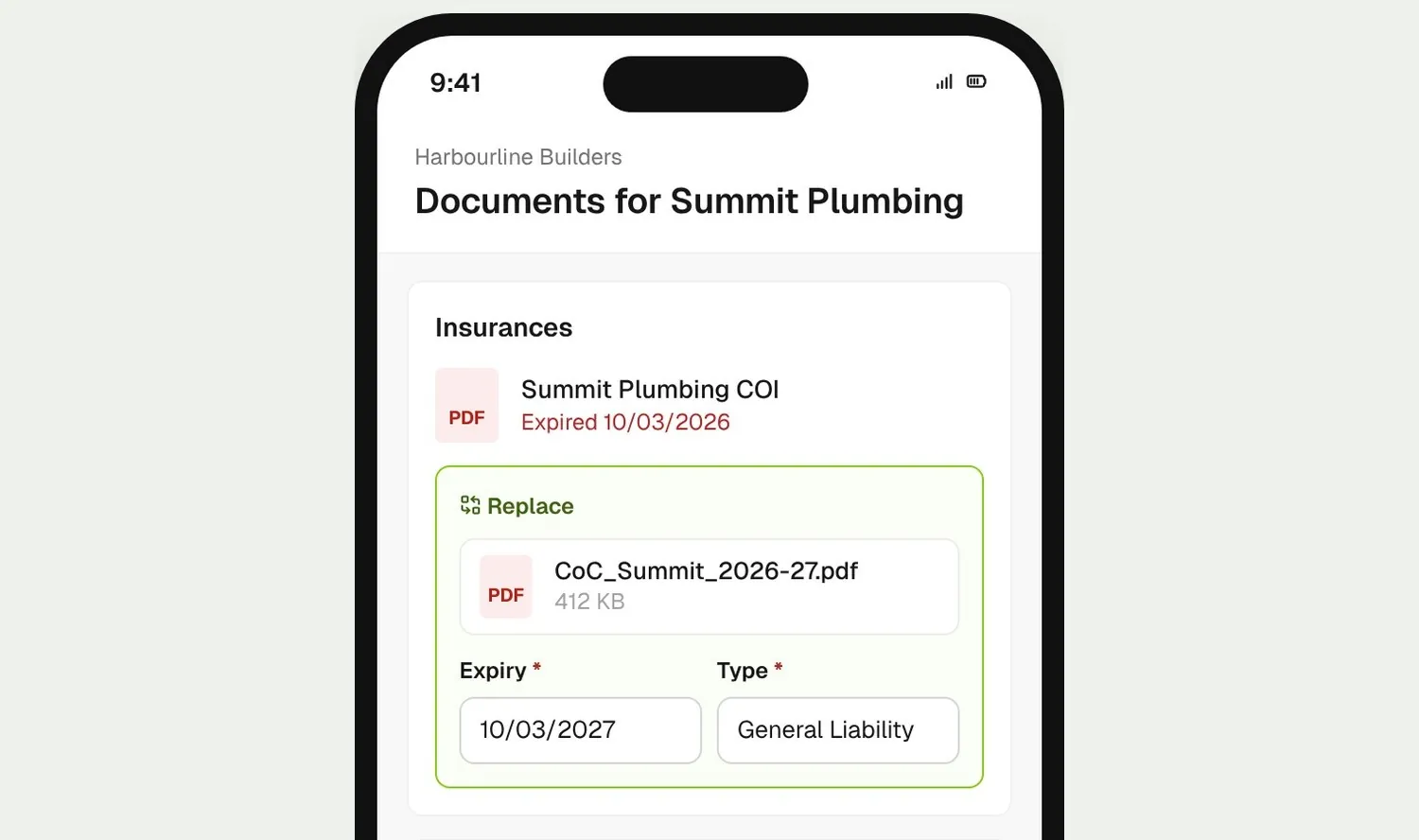
Company replacing an expired certificate from the upload link on their phone, with expiry date and type
02

They replace it

The company picks the renewed certificate on their phone, sets the expiry date and type, and uploads it. No BuildPass login needed.
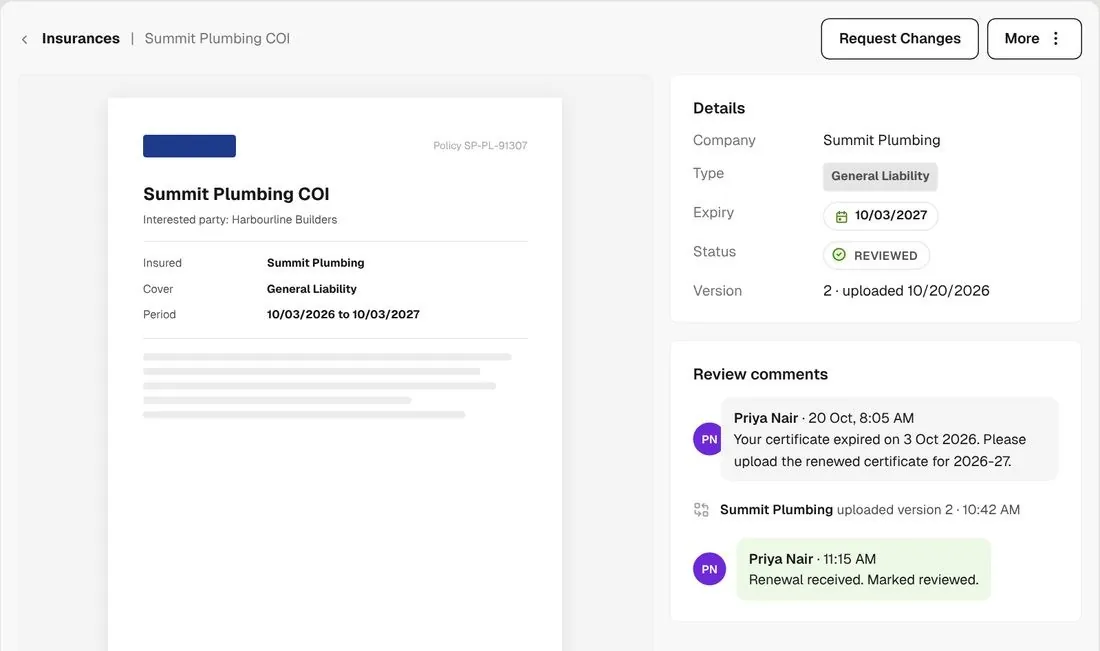
New certificate version with its expiry date and the Mark reviewed action
03

You review it

Check the new version and its expiry date, then mark it reviewed. The old certificate stays in the version history.

How it works

Every sub's COIs, in one view

See what's current, expiring soon or expired across every company, and chase the lot in one go.
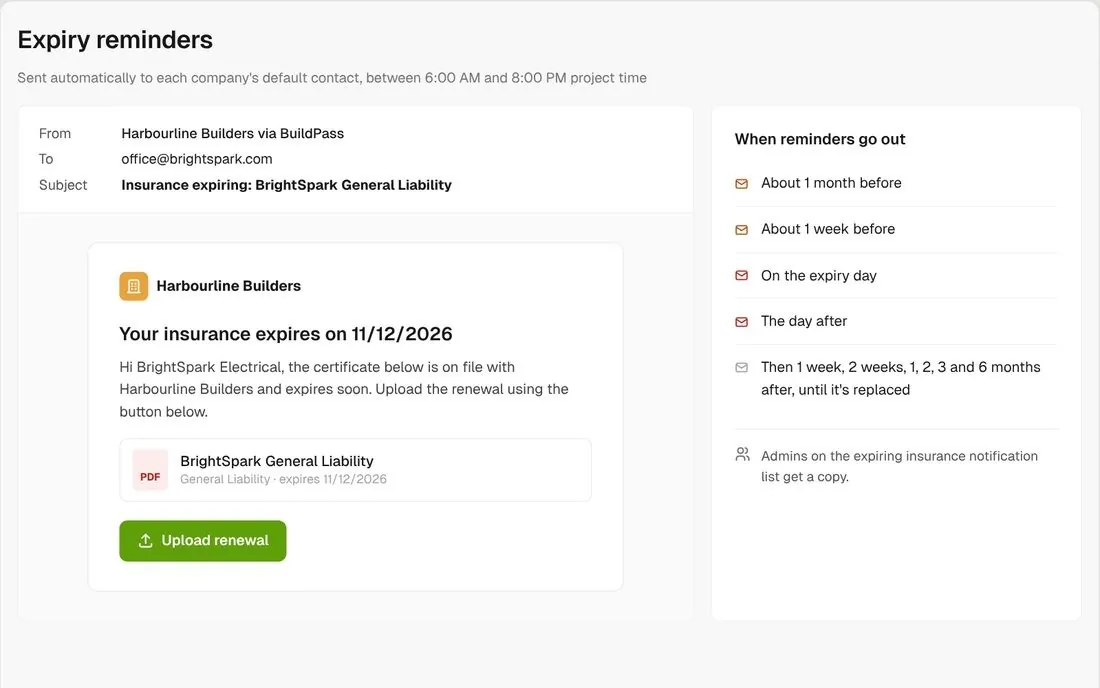
Expiry reminder email to the company's default contact with an upload link

Reminders go out on their own

Once a certificate is reviewed, BuildPass emails the default contact of an active company before and after expiry. Each email has an upload link.
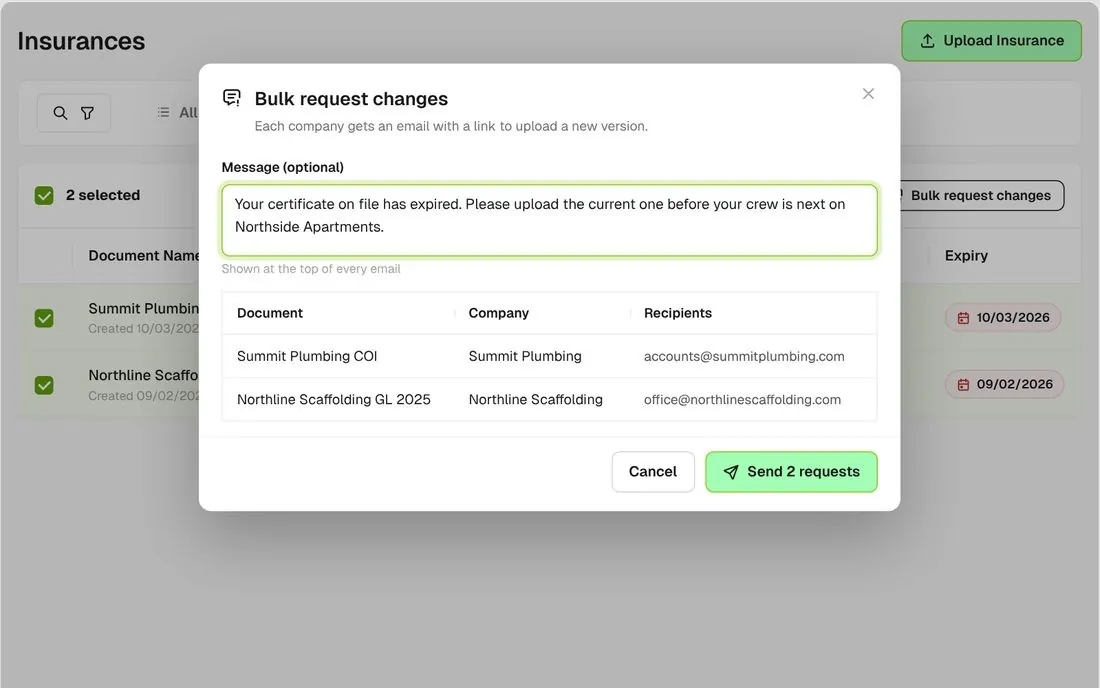
Expired view with rows selected and the Bulk request changes dialog with a custom message

Chase every expired certificate

Open the Expired view, select the lot and send one request with your own message at the top of every email.
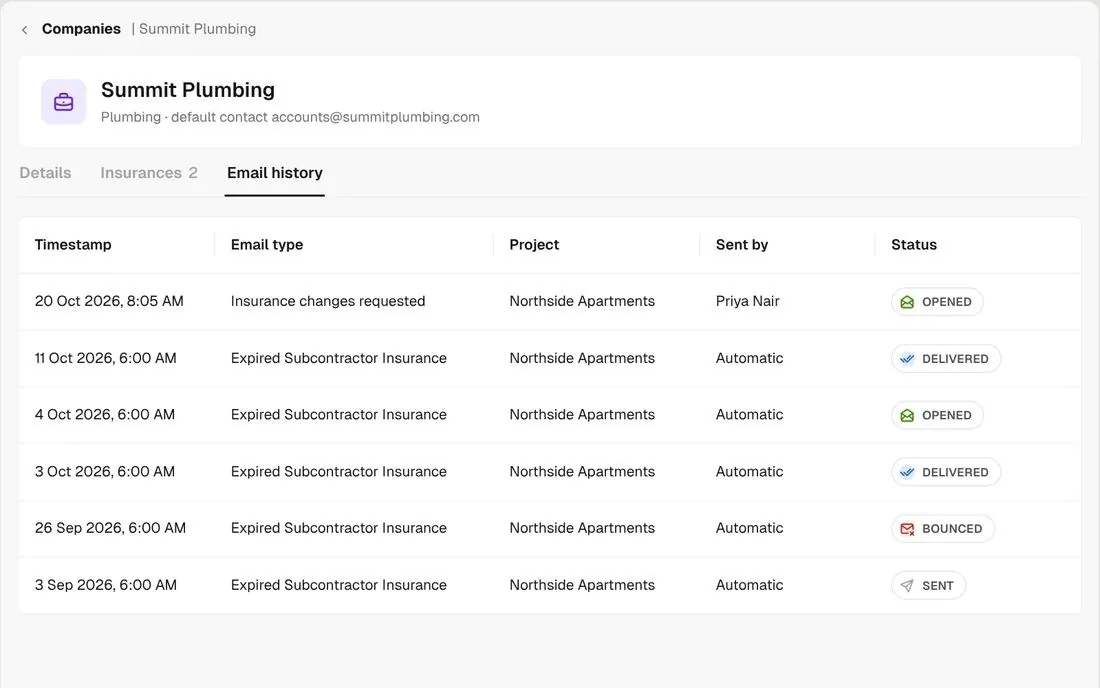
Company email history showing reminders as delivered, opened or bounced

See if they opened it

Each company's email history shows you whether a reminder was sent, delivered, opened or bounced.
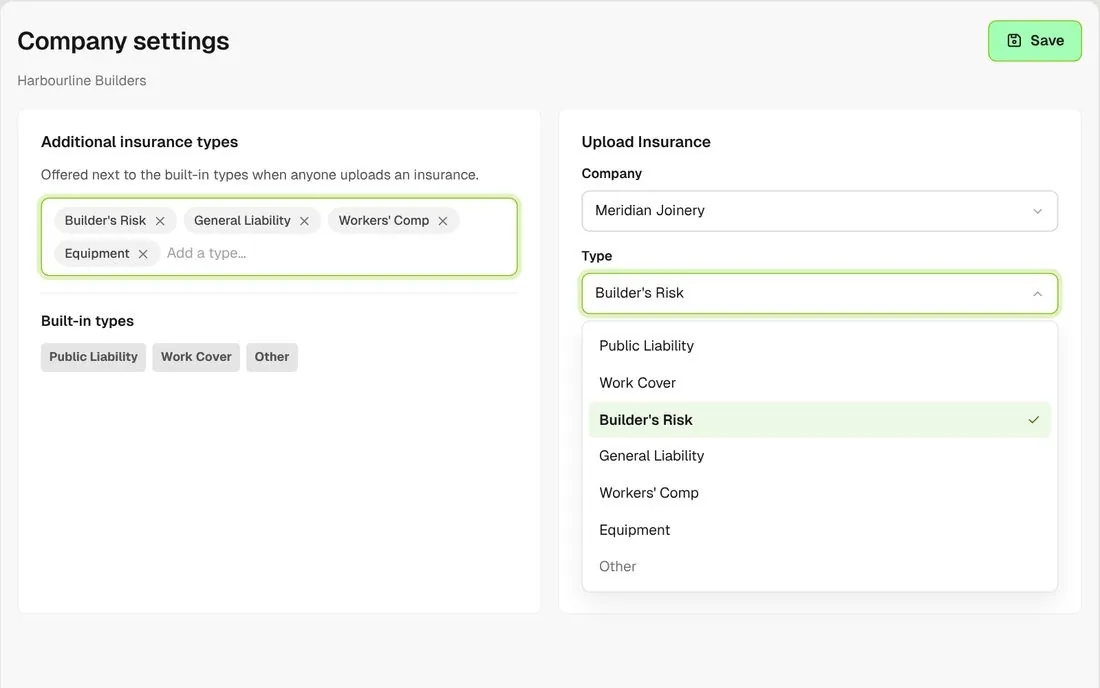
Company settings with additional insurance types added alongside the built-in ones

Add your own insurance types

Add the types your contracts ask for, like general liability, workers' comp or equipment. Reminders work the same for every type.
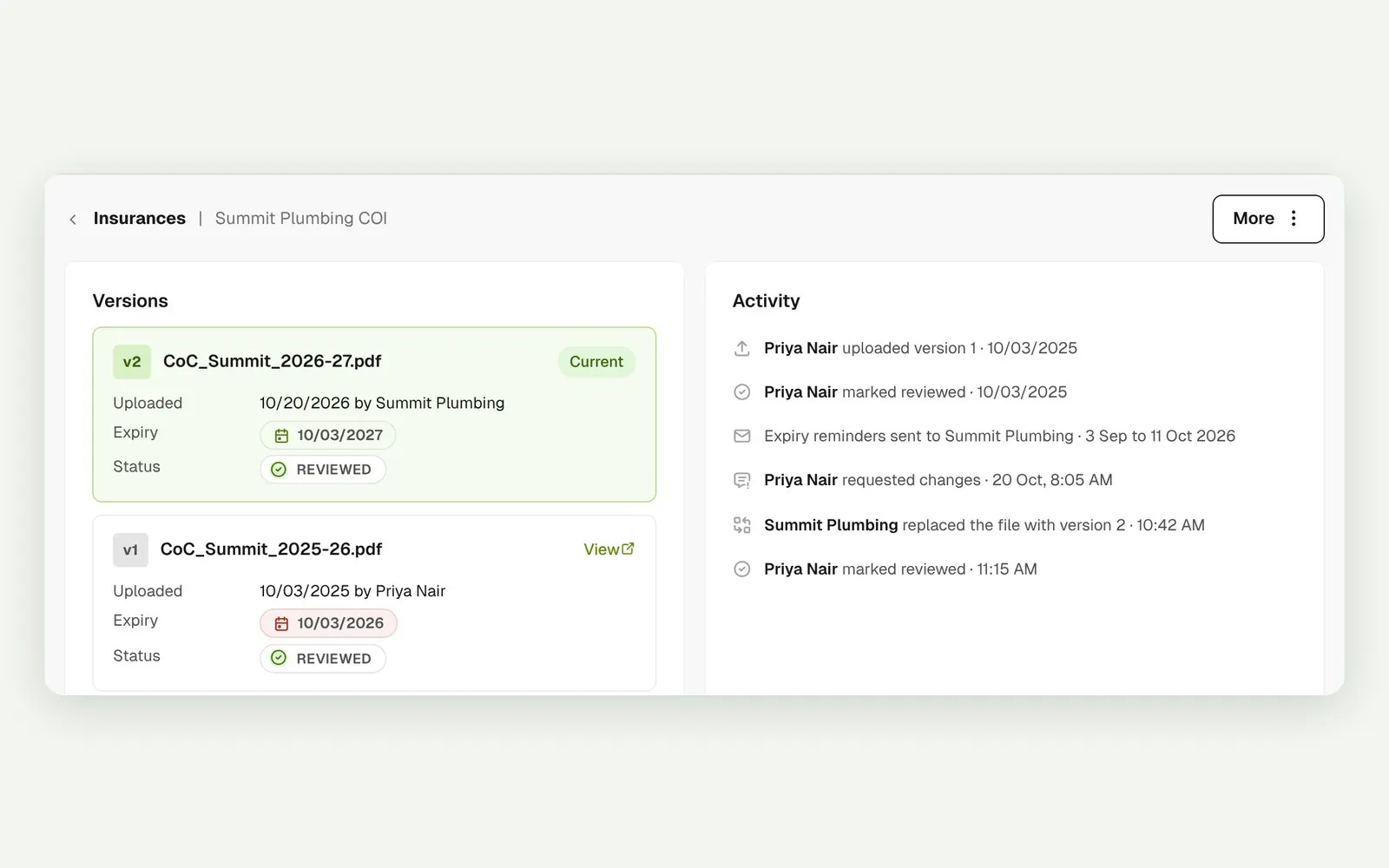
Version history of a certificate replaced each year

Every version kept

When a company replaces a certificate, the new one becomes the next version and the earlier ones stay on the record.
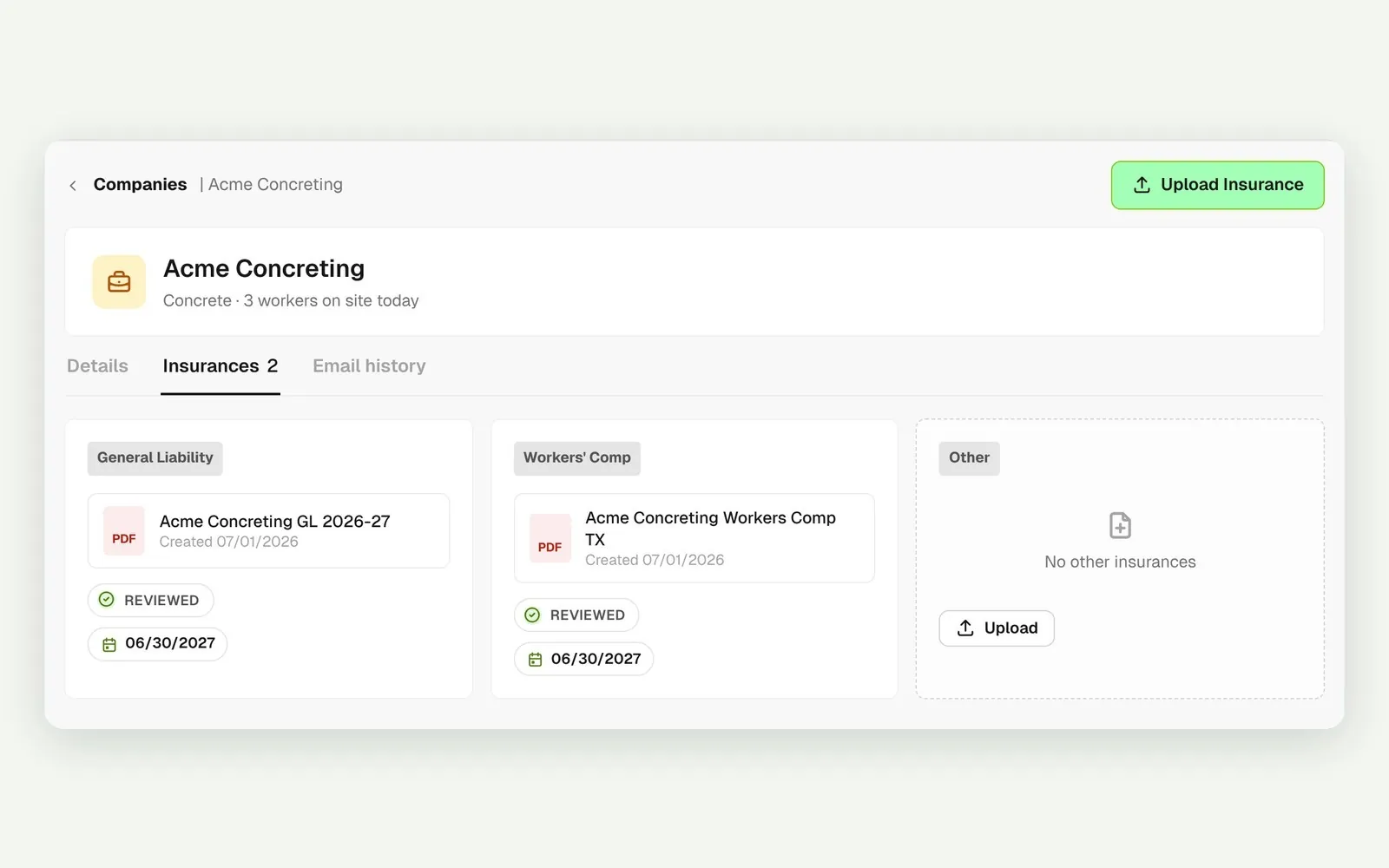
One company's insurances by type with review and expiry status

One sub, every policy

Open a company to see every certificate it holds, by type, with the review and expiry status of each.

Connected to the whole job
BuildRun the site

COIs, part of the whole job

Insurance requests go out with the rest of a sub's documents, like JHAs and SDS, through one link. Certificates sit on the company record, so the same COI covers that sub on every project you run.

Explore health and safety
  1. Expiry reminderExpiring in a weekto the sub's default contact
  2. Email historyOpenedsent, delivered, opened or bounced
  3. COVERS EVERY PROJECT1 certificateBrightSpark General Liability ยท reviewed, expires 11/12/2026

Win

Price the job

Take off, estimate and get proposals out the door, without rekeying the same numbers three times.

Explore preconstruction

Pay

Manage the money

Budgets, commitments, pay applications and bills, so you see the real financial position of every job.

Explore finance

Connect

Connect the tools

Bring your other tools, your phone line and BuildPass AI into the same workflow.

Explore the AI toolkit

Trusted by builders who run their projects on BuildPass

From custom-home builders to commercial general contractors, teams across the United States run their projects on BuildPass every day.


Whether you're a local builder doing a handful of houses a year, or you're pushing for four or five digits, there's a solution here. And BuildPass can handle it.
Joel Patterson
Director of Construction, Burkentine Builders
It's a one-stop shop for construction safety. Everything you need is right there.
Jack Hensey
Business Operations Associate, Reidy Contracting Group
This is working much better with BuildPass. Much faster. Much cleaner.
David Guzman
Superintendent, Engen Contracting Inc.

Frequently asked questions

Yes, when the conditions are met. BuildPass emails the company's default contact before and after expiry. The certificate needs to be reviewed, and the company needs a default contact with an email address and recent activity on one of your live projects.

No. A certificate holds the file, type, expiry date and review status, not the coverage limit. Your reviewer reads the limit off the COI before marking it reviewed.

No. Insurance doesn't block orientations or sign ons. Use the Expired view to see who is out of date and chase them all in one go.

Yes. Add a license, like a state contractor license, as its own type with an expiry date. It gets the same reminders and review status that any certificate gets.

See how BuildPass works on your projects

Book a demo and we'll walk your team through it.