Build

Prequalify every sub with your own survey

Contractor and subcontractor prequalification software

Send your own subcontractor prequalification survey from the Companies list. Subs fill it in from a link with no BuildPass login, and your project manager or superintendent approves it or sends it back. Each survey covers every project.
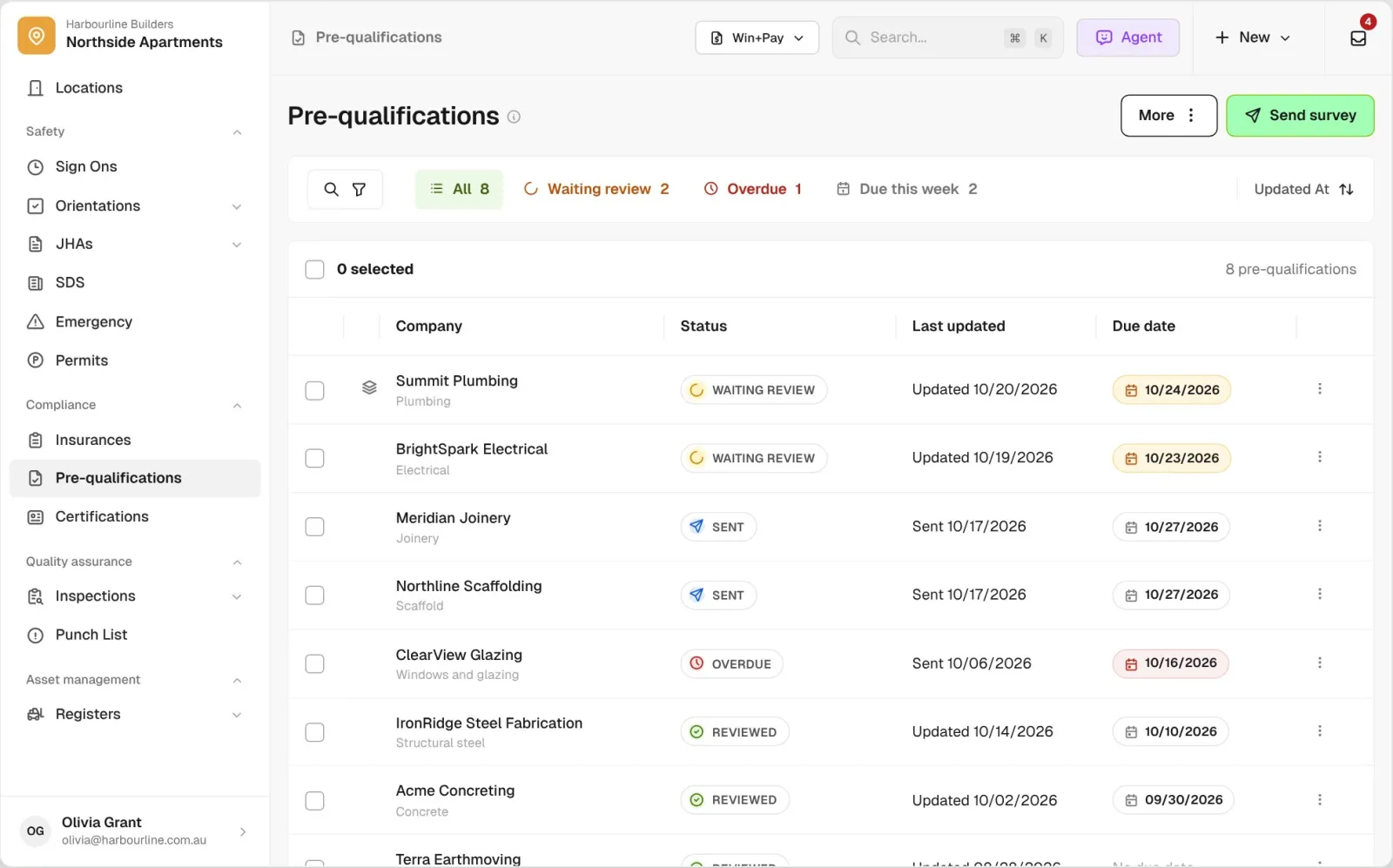
Pre-qualifications list across every company with status, last updated and due date, plus Waiting review, Overdue and Due this week views

Trusted by builders across the country

From custom-home contractors to commercial general contractors, project teams prequalify their subs on BuildPass.


Reidy Contracting Group
Ameresco
DivisionOne Construction
Burkentine Builders
Ready Construction
DD Construction
Honest Hammer
Homestead
Copeland Construction
RMA Commercial General Contractors
Dryden Custom Homes
Reidy Contracting Group
Ameresco
DivisionOne Construction
Burkentine Builders
Ready Construction
DD Construction
Honest Hammer
Homestead
Copeland Construction
RMA Commercial General Contractors
Dryden Custom Homes
Reidy Contracting Group
Ameresco
DivisionOne Construction
Burkentine Builders
Ready Construction
DD Construction
Honest Hammer
Homestead
Copeland Construction
RMA Commercial General Contractors
Dryden Custom Homes
Reidy Contracting Group
Ameresco
DivisionOne Construction
Burkentine Builders
Ready Construction
DD Construction
Honest Hammer
Homestead
Copeland Construction
RMA Commercial General Contractors
Dryden Custom Homes
Fassberg
AJFX Construction
ECI Austin
New Age Builder
EDG Pro Contractors
Schwartz Custom Homes
ARK General Construction
Two Z Homes
Shade Doctor of El Paso
Fassberg
AJFX Construction
ECI Austin
New Age Builder
EDG Pro Contractors
Schwartz Custom Homes
ARK General Construction
Two Z Homes
Shade Doctor of El Paso
Fassberg
AJFX Construction
ECI Austin
New Age Builder
EDG Pro Contractors
Schwartz Custom Homes
ARK General Construction
Two Z Homes
Shade Doctor of El Paso
Fassberg
AJFX Construction
ECI Austin
New Age Builder
EDG Pro Contractors
Schwartz Custom Homes
ARK General Construction
Two Z Homes
Shade Doctor of El Paso

Prequalification software helps general contractors send subcontractors a questionnaire, collect their answers and documents, and review each sub before engaging it.

One survey, from the send through to your approval

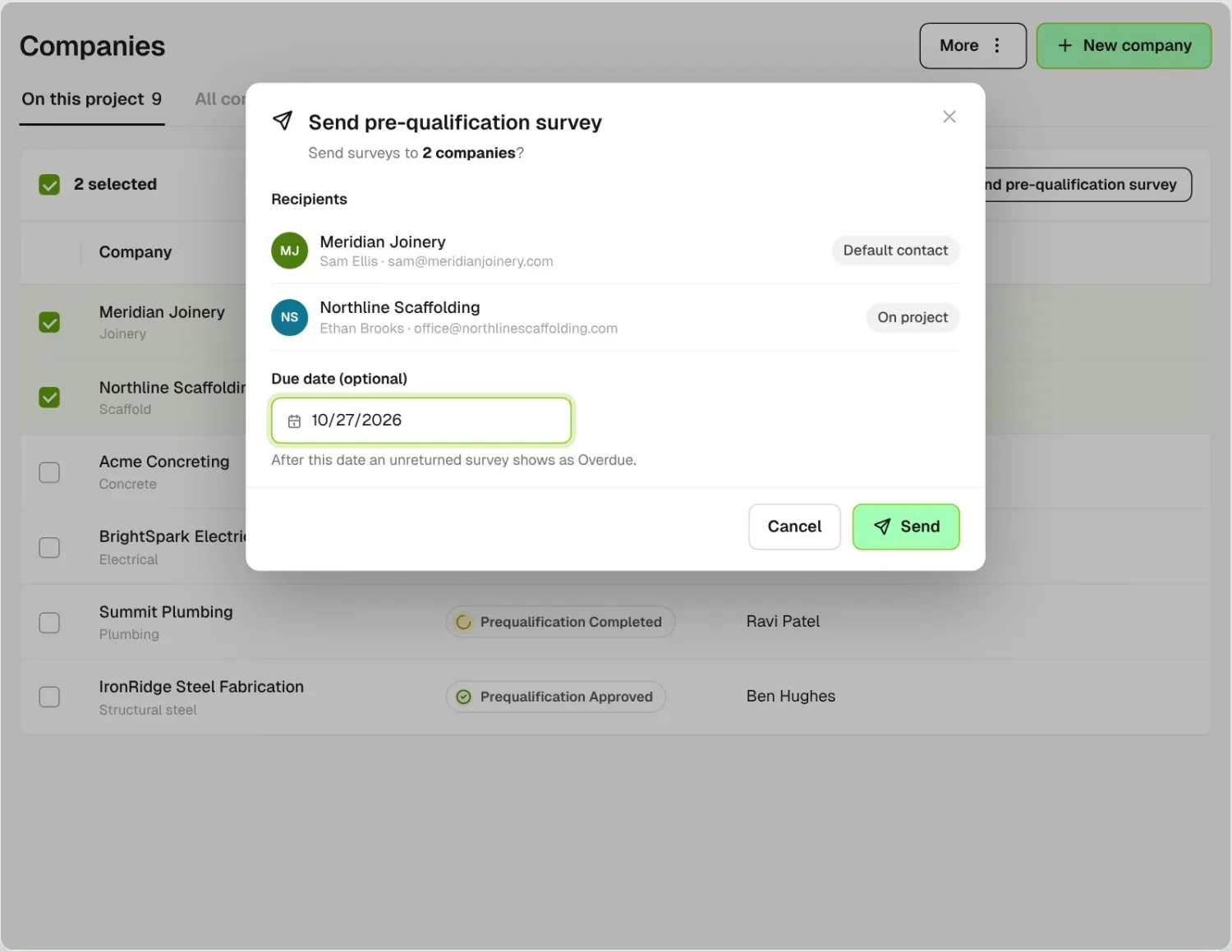
Two companies selected on the Companies list and the Send pre-qualification survey dialog with recipients and a due date
01

Send the survey

Select companies on the Companies list, check who will receive it and set a due date. Each company's contacts get an email with the survey link.
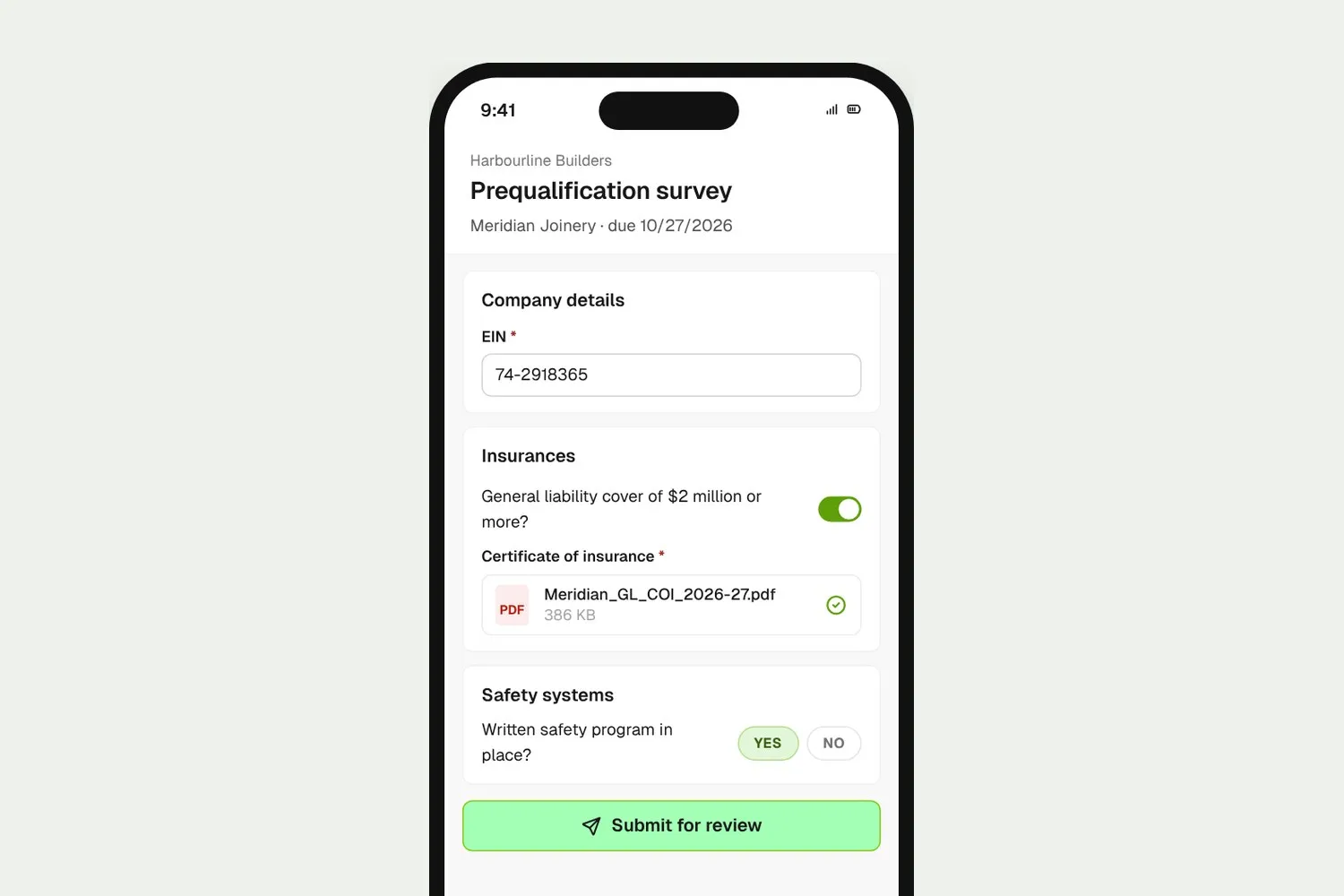
Company filling in the pre-qualification survey on a phone, with a certificate attached and a Submit for review button
02

They fill it in

The sub answers your questions and attaches documents like their certificate of insurance, on their phone or computer. No BuildPass login needed.
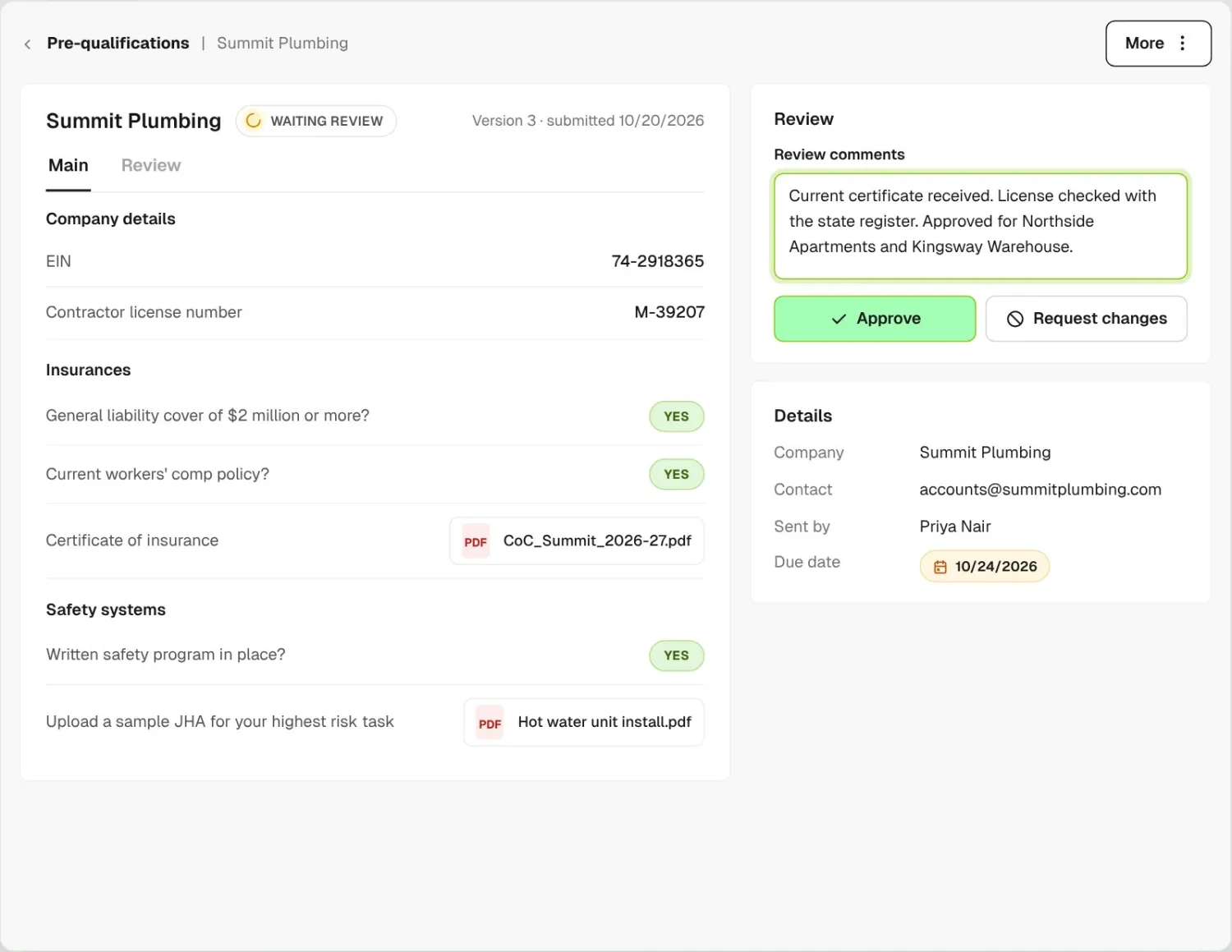
Submitted pre-qualification with the company's answers and the review panel with Approve and Request changes
03

You review it

Read the answers, add your comments, then approve it or request changes. Requesting changes sends the company a fresh survey with your comments.

How it works

Every subcontractor prequalification, in one view

See who has been sent one, who is waiting on your review, who is overdue and whose survey is due this week.
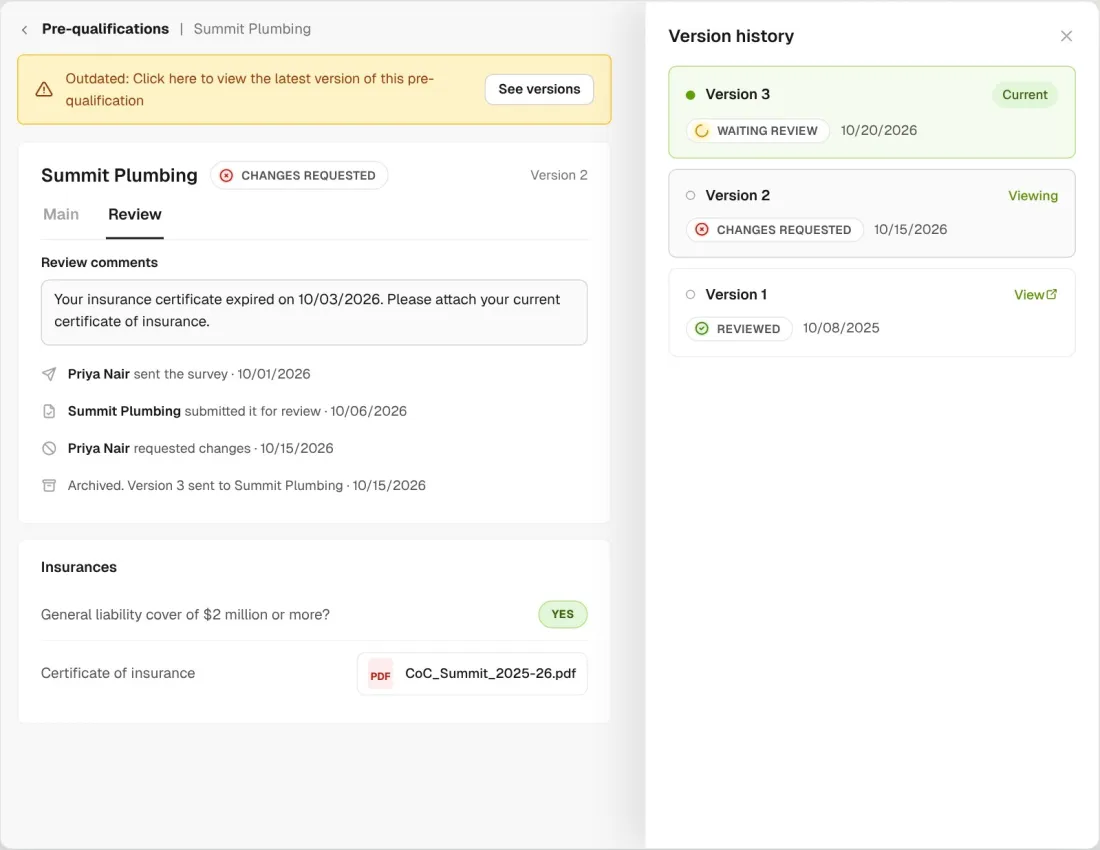
Outdated pre-qualification version with the Version history panel listing three versions and their statuses

Every version kept

When you request changes, the reviewed version is archived and a new one goes to the company. Version history lists every version and its status.
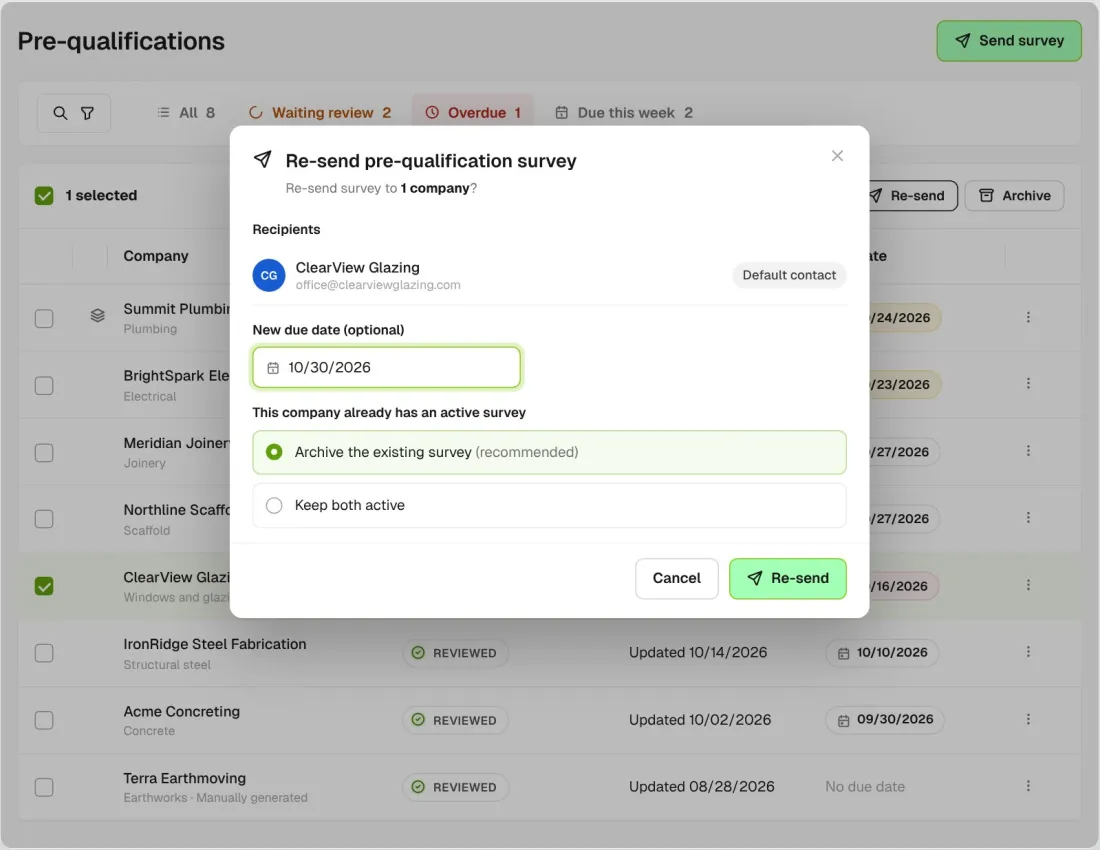
Overdue survey selected and the Re-send dialog with a new due date and the option to archive the existing survey

Chase the overdue ones

Once the due date passes, a survey nobody has returned shows as Overdue. Re-send it with a new due date and archive the old one in the same step.
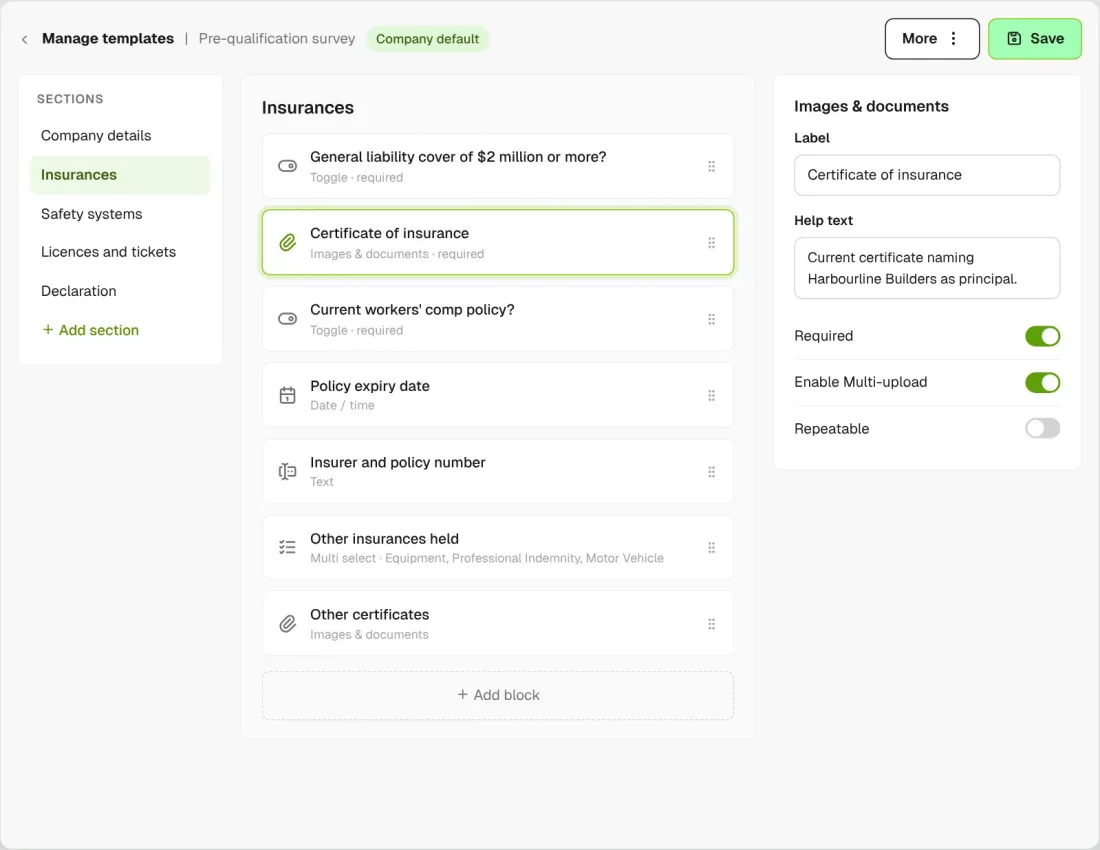
Pre-qualification survey template in the editor with sections, question blocks and block settings

Ask your own questions

Build the survey from your own template with yes or no questions, text, dates and file uploads. Surveys already sent keep the questions they went out with.
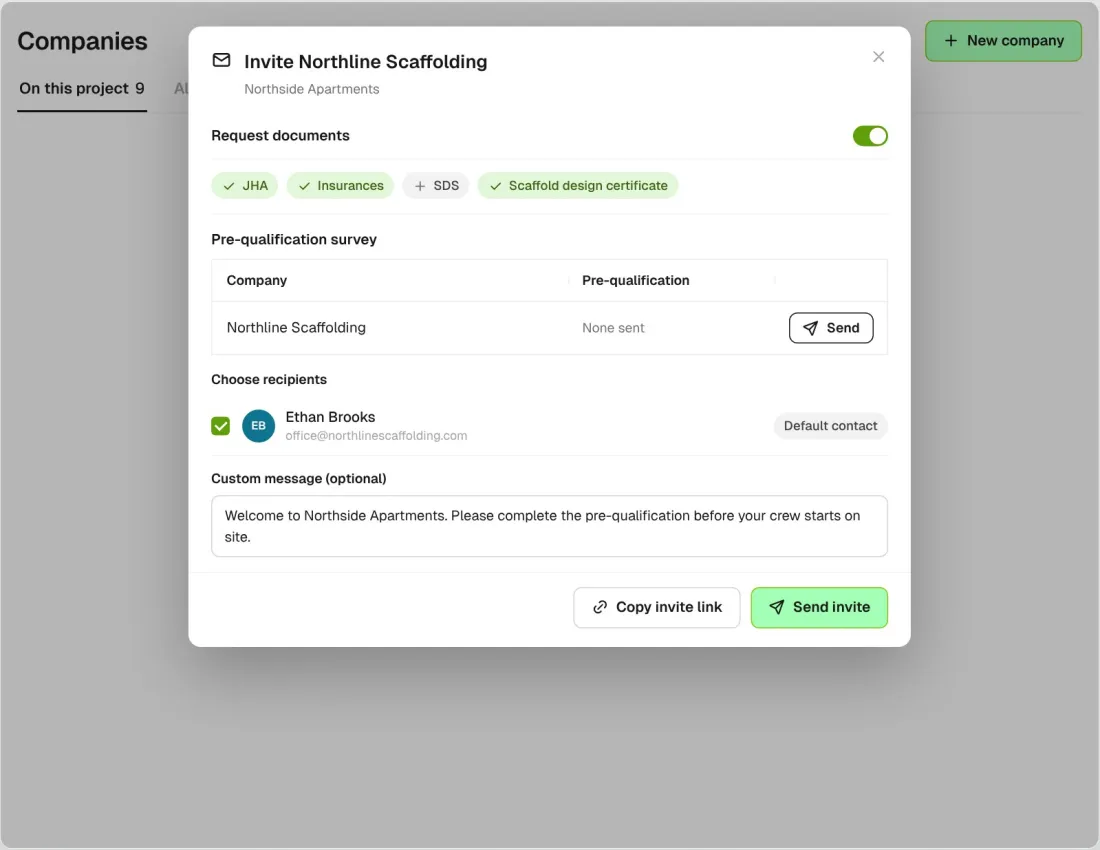
Project invite dialog requesting documents with the pre-qualification survey panel and recipients

Send it with the invite

Inviting a sub to a project? Send the survey from the same invite, next to your request for JHAs and insurance certificates.
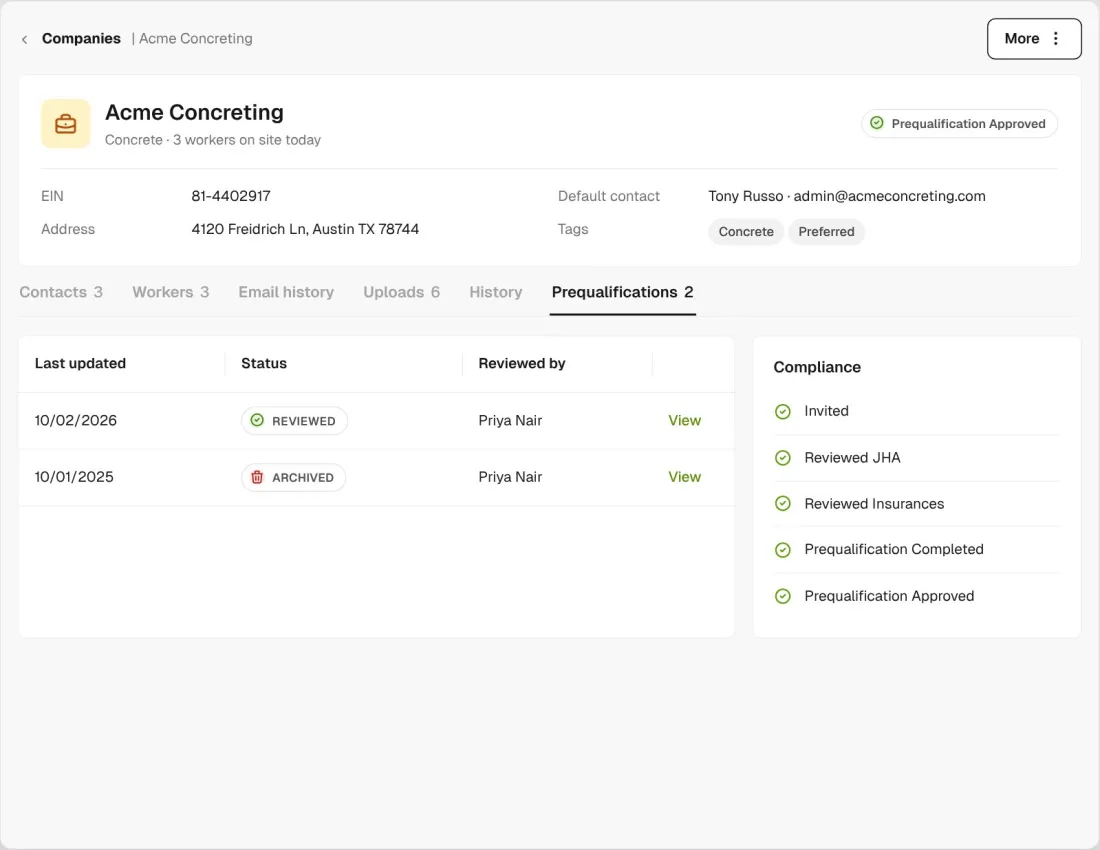
Company record on the Prequalifications tab with its surveys and compliance progress

Kept on the company

Each company's record keeps every survey it has completed, and the Companies list shows how far each company has got.
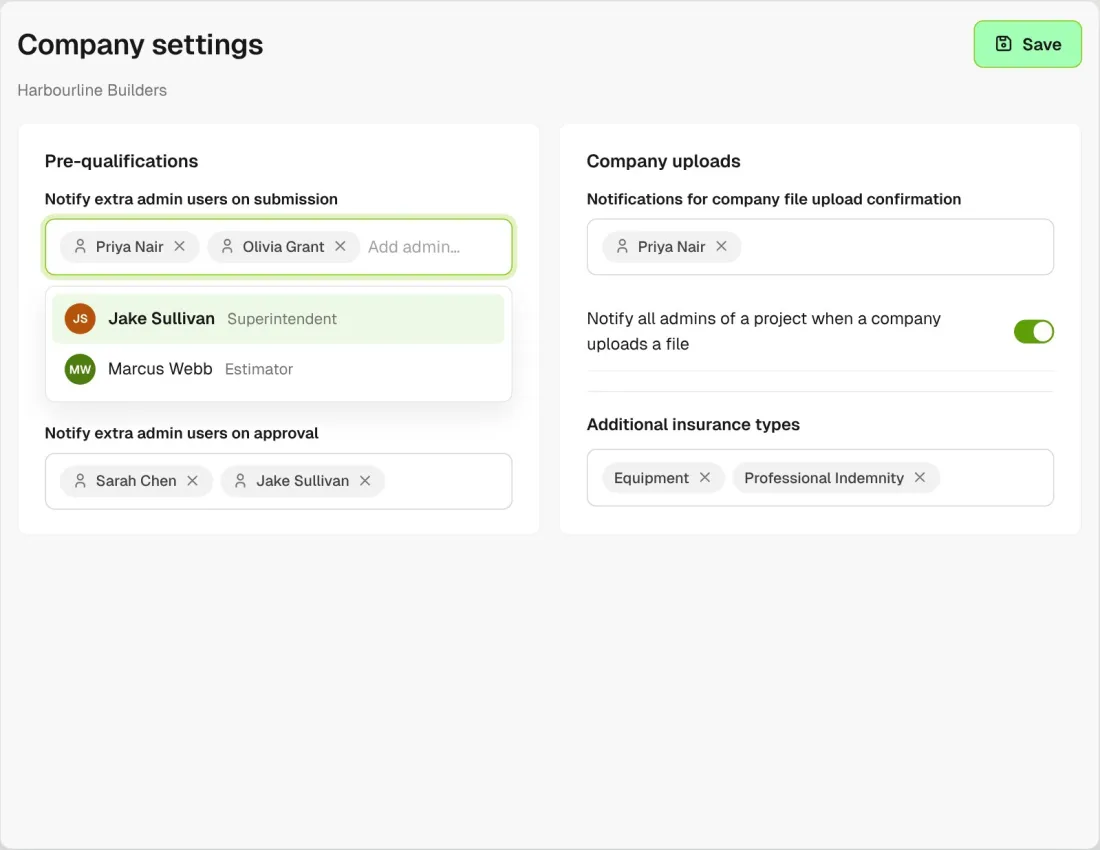
Company settings with extra admin users notified on submission and on approval

Tell the right people

Whoever sent the survey hears when it comes back. Add your project manager or superintendent to hear about every submission or approval too.

Connected to the whole job
BuildRun the site

Prequalifications, part of the whole job

A prequalification sits on the company record next to its insurance, JHAs and uploads, so one survey covers that sub on every project. Send it on its own from the Companies list, or with the project invite.

Explore site management
  1. Survey sentDue in 7 daysto the sub's contacts
  2. Waiting review2 surveysanswers and documents in
  3. COVERS EVERY PROJECT1 surveyAcme Concreting ยท reviewed 10/02/2026

Win

Price the job

Take off, estimate and get proposals out the door, without rekeying the same numbers three times.

Explore preconstruction

Pay

Manage the money

Budgets, commitments, pay applications and bills, so you see the real financial position of every job.

Explore finance

Connect

Connect the tools

Bring your other tools, your phone line and BuildPass AI into the same workflow.

Explore the AI toolkit

Trusted by builders who run their projects on BuildPass

From custom-home builders to commercial general contractors, teams across the United States run their projects on BuildPass every day.


Whether you're a local builder doing a handful of houses a year, or you're pushing for four or five digits, there's a solution here. And BuildPass can handle it.
Joel Patterson
Director of Construction, Burkentine Builders
It's a one-stop shop for construction safety. Everything you need is right there.
Jack Hensey
Business Operations Associate, Reidy Contracting Group
This is working much better with BuildPass. Much faster. Much cleaner.
David Guzman
Superintendent, Engen Contracting Inc.

Frequently asked questions

No. A prequalification records and reviews what the sub tells you. It doesn't block orientations or sign ons, so use the Waiting review and Overdue views to see who is still outstanding.

Not on their own. Set a due date and the survey shows as Overdue once it passes, then re-send it in one step. If your account has BuildPass Workflows, you can build a chaser that emails the company a set number of days after sending.

Yes. If a sub sends its answers on paper or by email, create the prequalification yourself and set the status. No email goes to the sub, and the record is marked as manually generated.

No. The survey opens from the link in the email on a phone or a computer, and they submit it for review from the same page.

See how BuildPass works on your projects

Book a demo and we'll walk your team through it.