
Best construction software for defect management
See how BuildPass makes defect management easier for construction teams. Log defects on site, assign tasks, and track progress in real time.

Fixing defects is one of the final steps that makes sure a build meets quality standards, safety requirements, and client expectations. But anyone who has managed a construction site knows how messy defect management can get. Spreadsheets, sticky notes, texts, and emails scatter information across your team and can quickly create delays.
That is where the right construction defect management software can make a real difference. Platforms like BuildPass streamline defect tracking, reduce the admin headache, and give crews and managers a single place to log, assign, and track every issue.
Why defect management matters
Every defect has a real impact on your project. Miss one detail, and you risk rework, delays, or even safety issues. When teams rely on spreadsheets, emails, and paperwork, items can easily get lost and mistakes can happen.
A construction defect management app changes that. By centralising every item in one place, the whole team, including project managers, site managers, subcontractors, and clients, can see what is assigned, what is overdue, and what is complete.
Key features to look for in defect management software
Not all construction defect management apps are created equal, and choosing the right tool can save your team hours every week. The best solutions focus on making life on site easier and help teams stay on top of tasks without adding extra admin.
Keep an eye out for features like:
- Mobile-first usability so crews can log items, add photos, and mark progress from a phone or tablet.
- Assignment and notification automation that routes tasks to the right subcontractor or team member.
- Integration with inspections and workflows so defects are tied to the right checklists and QA processes.
- Customisable dashboards and reporting so managers can filter, prioritise, and report across projects.
- Conditional logic and smart workflows for escalation or follow-up based on severity, location, or status.
- Collaboration and visibility that reduces back-and-forth texts, calls, and emails.
How BuildPass makes defect management simple
BuildPass takes the headache out of defect management. Designed for real construction life, it lets crews log items right on site.
Here is how it keeps projects moving:
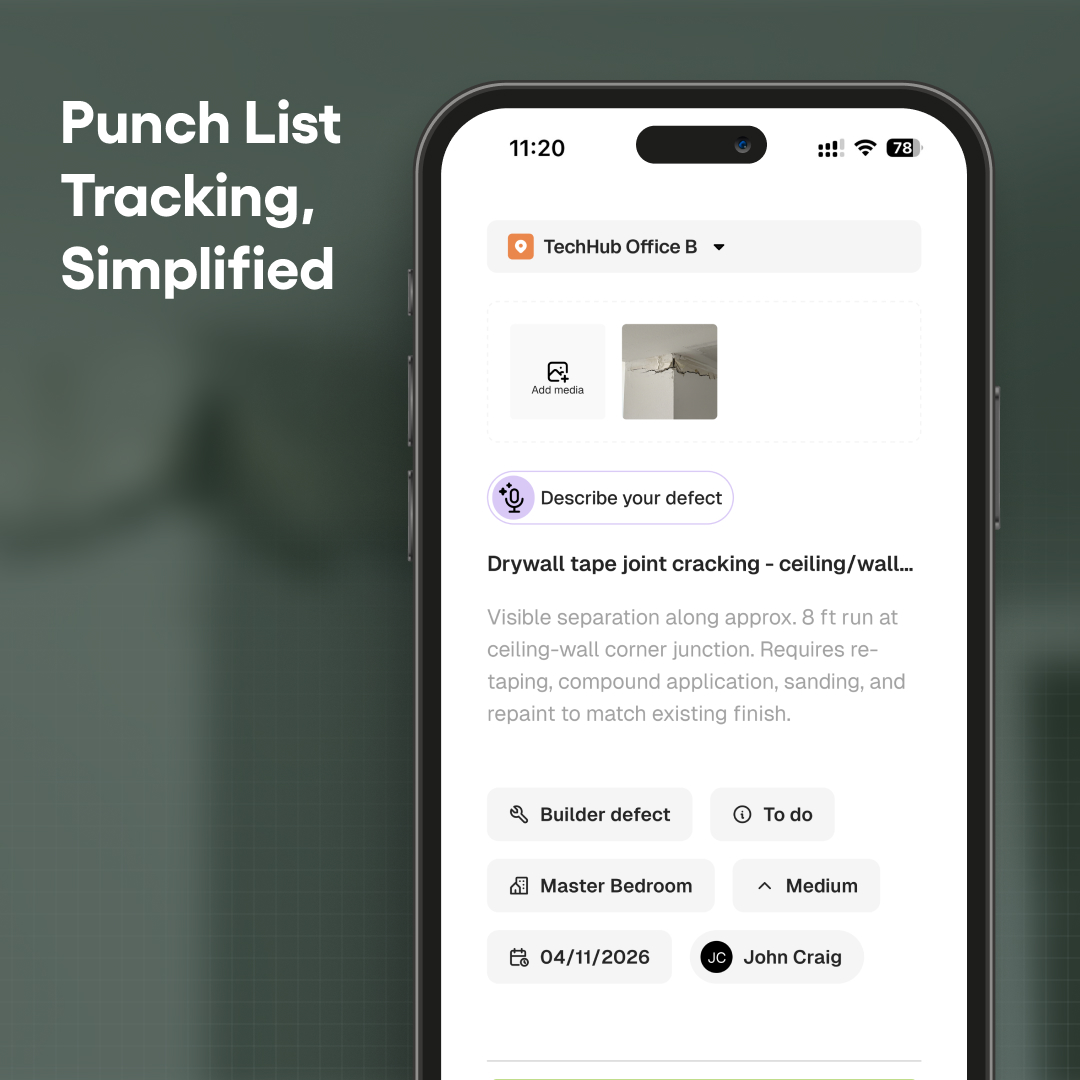
- Create items on the go: add a description, location, due date, and priority directly from a mobile device.
- Assign tasks instantly: defects are grouped and sent to the responsible subcontractor without follow-up texts or calls.
- Track progress in real time: dashboards show logged items, overdue tasks, and pending approvals.
- AI-powered logging: voice-to-text lets crews add items quickly, saving time and reducing admin.
- Integrated workflows and checklists: items can be logged while completing safety inspections or quality checks.
If you want to see how BuildPass can make defect management faster, simpler, and far less of a headache, book a demo with our team today.
More news you'll care about
Don't stop there, the BuildPass blog is filled with interesting insights and innovations that'll help you and your construction business stay ahead of the pack.