
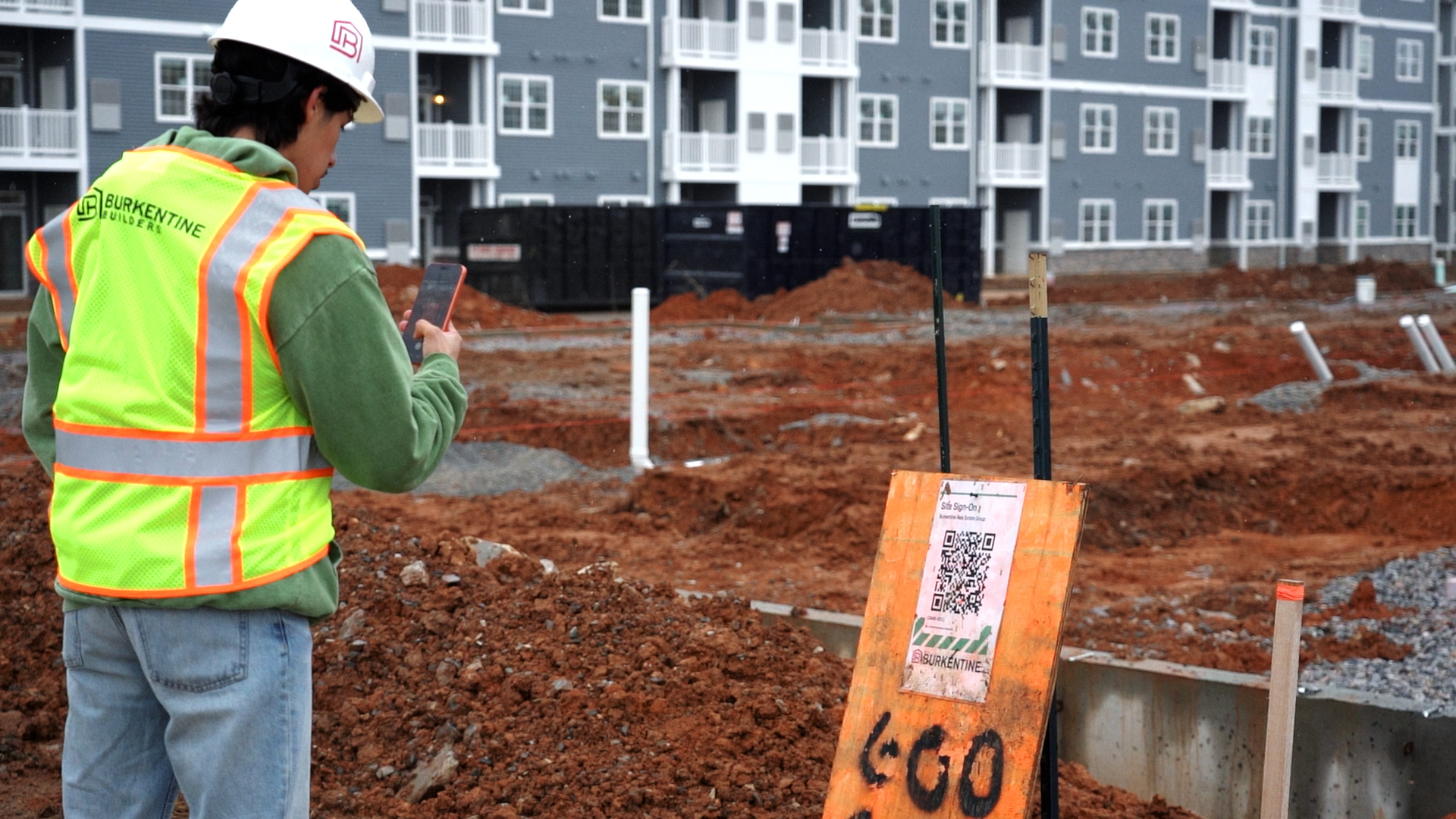
Say it on site
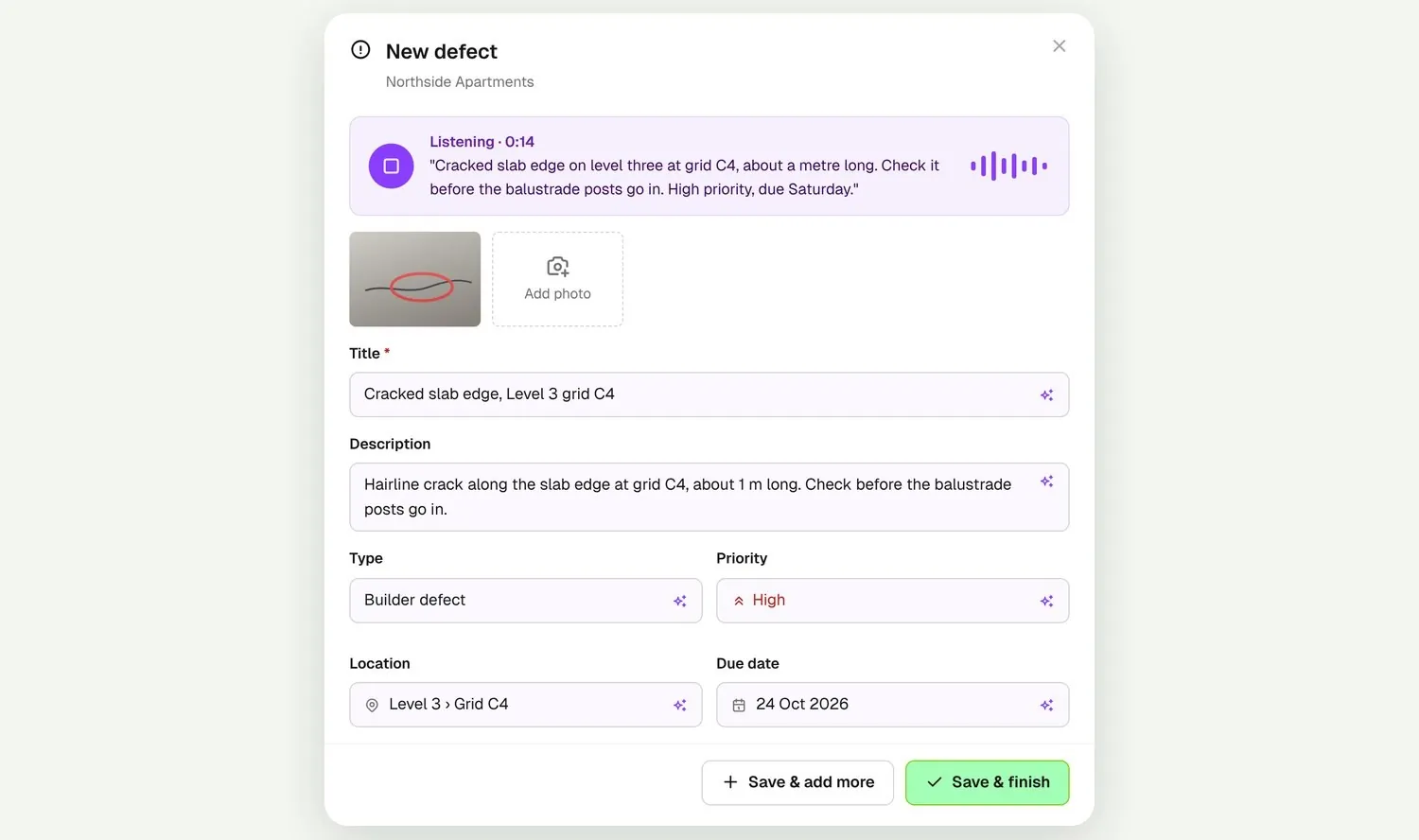
Tap Voice in the new defect form and describe what you see. Voice defects fills in the title, description, type, priority, location and due date. Add a photo, check the details and save.
Say what you see on site and Voice defects fills in the title, type, priority, location and due date. Send it to the subbie responsible, and close it once their fix is back for review.
From custom-home builders to commercial head contractors, site managers run their defect lists in BuildPass every day.
























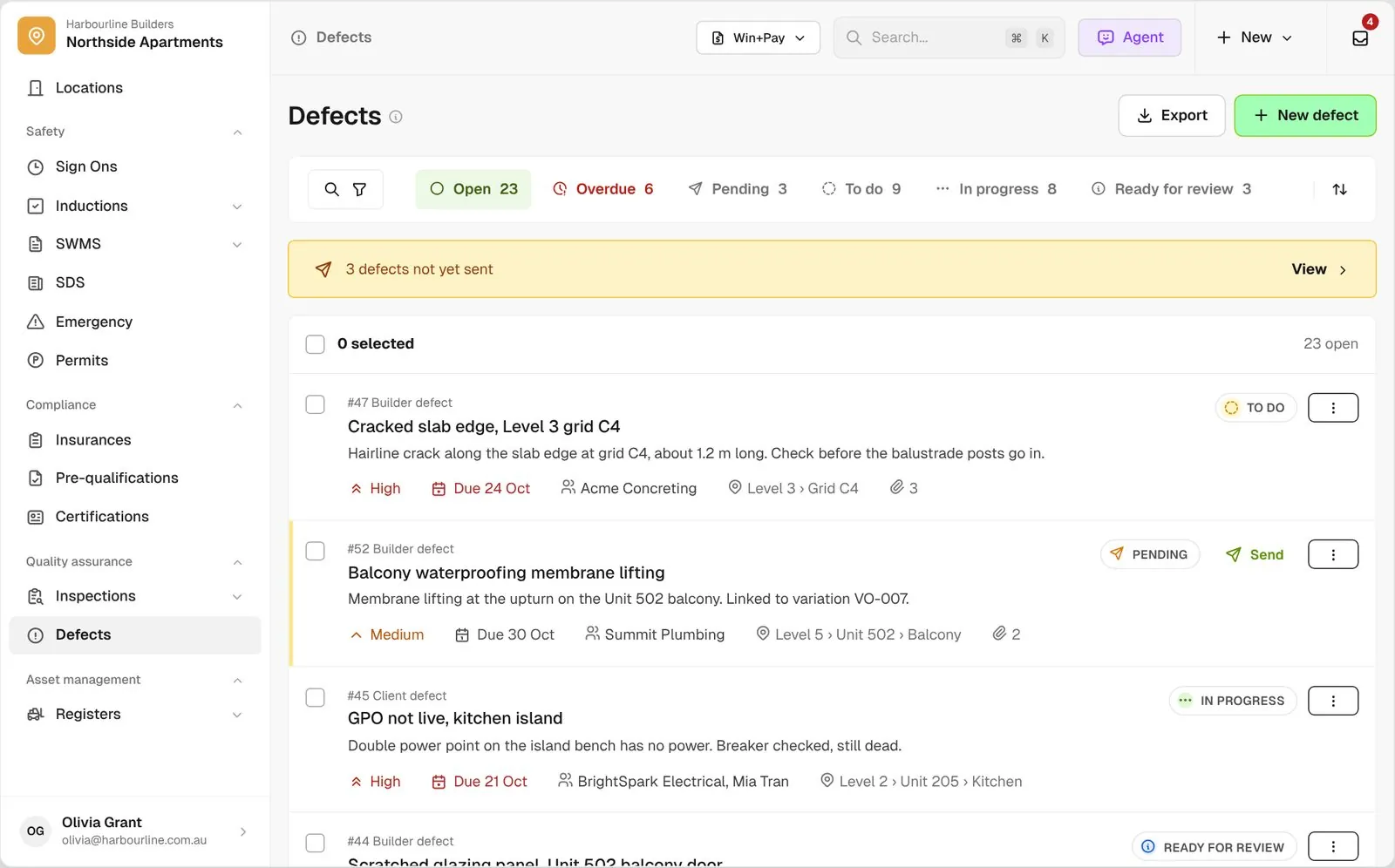
Defect management software helps builders and head contractors log defects with photos and locations, send them to the subcontractors responsible, and track each one until it is fixed and closed.
Tap Voice in the new defect form and describe what you see. Voice defects fills in the title, description, type, priority, location and due date. Add a photo, check the details and save.
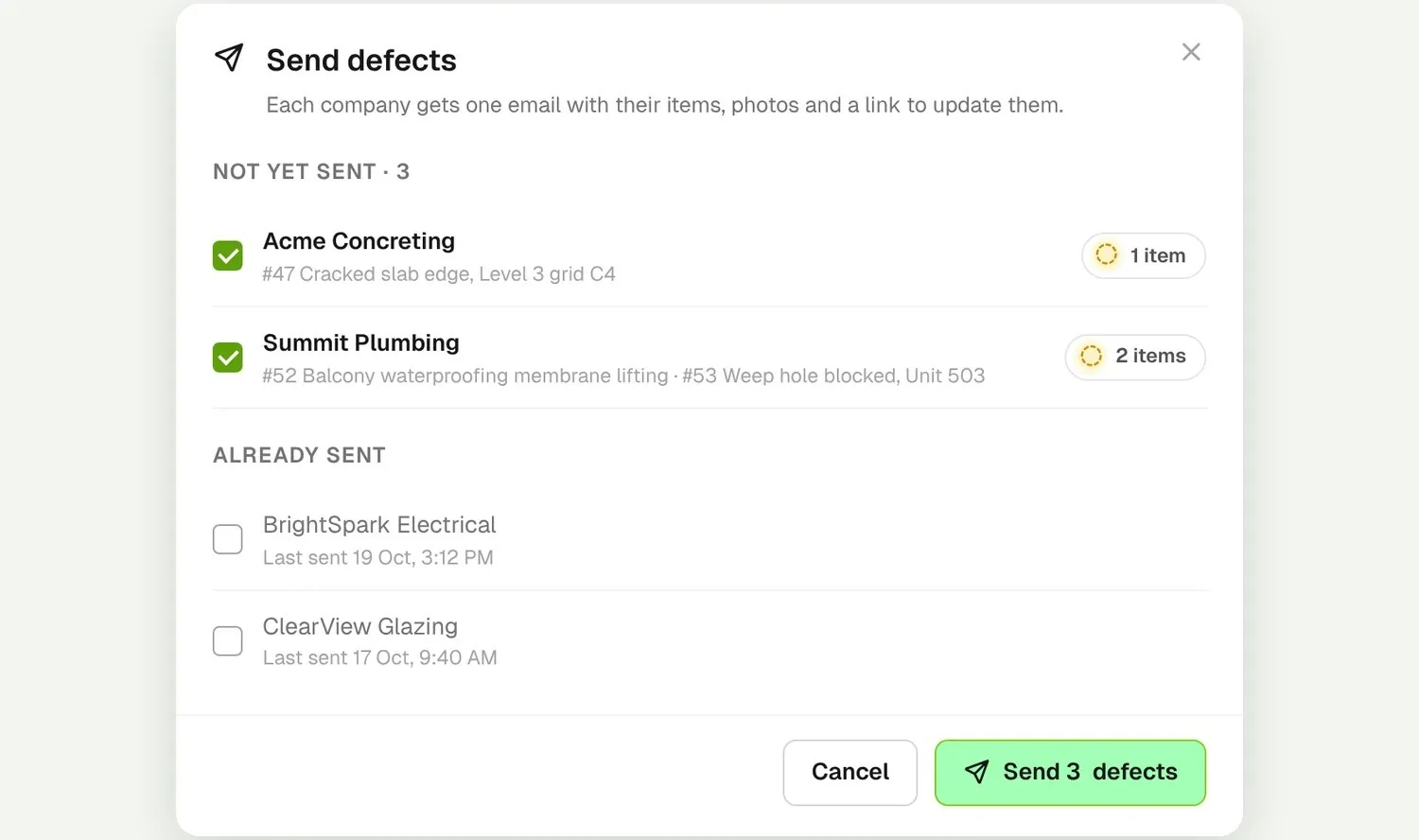
Nothing goes out until you send it. Select the unsent defects and send them to each company in one step. Companies see theirs through a link, with no BuildPass login.
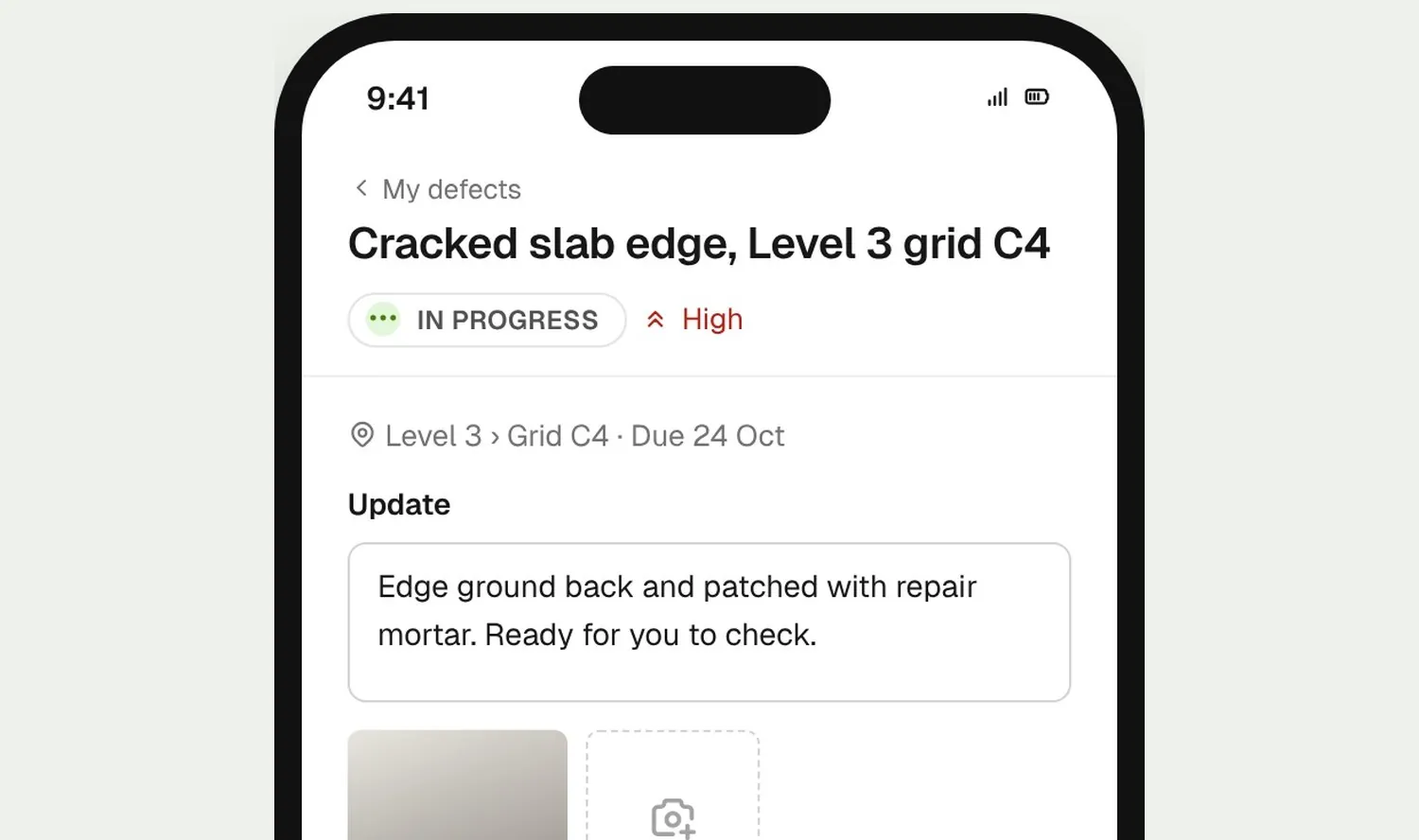
The subbie marks it ready for review with a photo and a note. You check the fix and resolve it, because only an admin can close out a defect.
See what is open, overdue or still to be sent, and keep every photo, reply and change on the record.
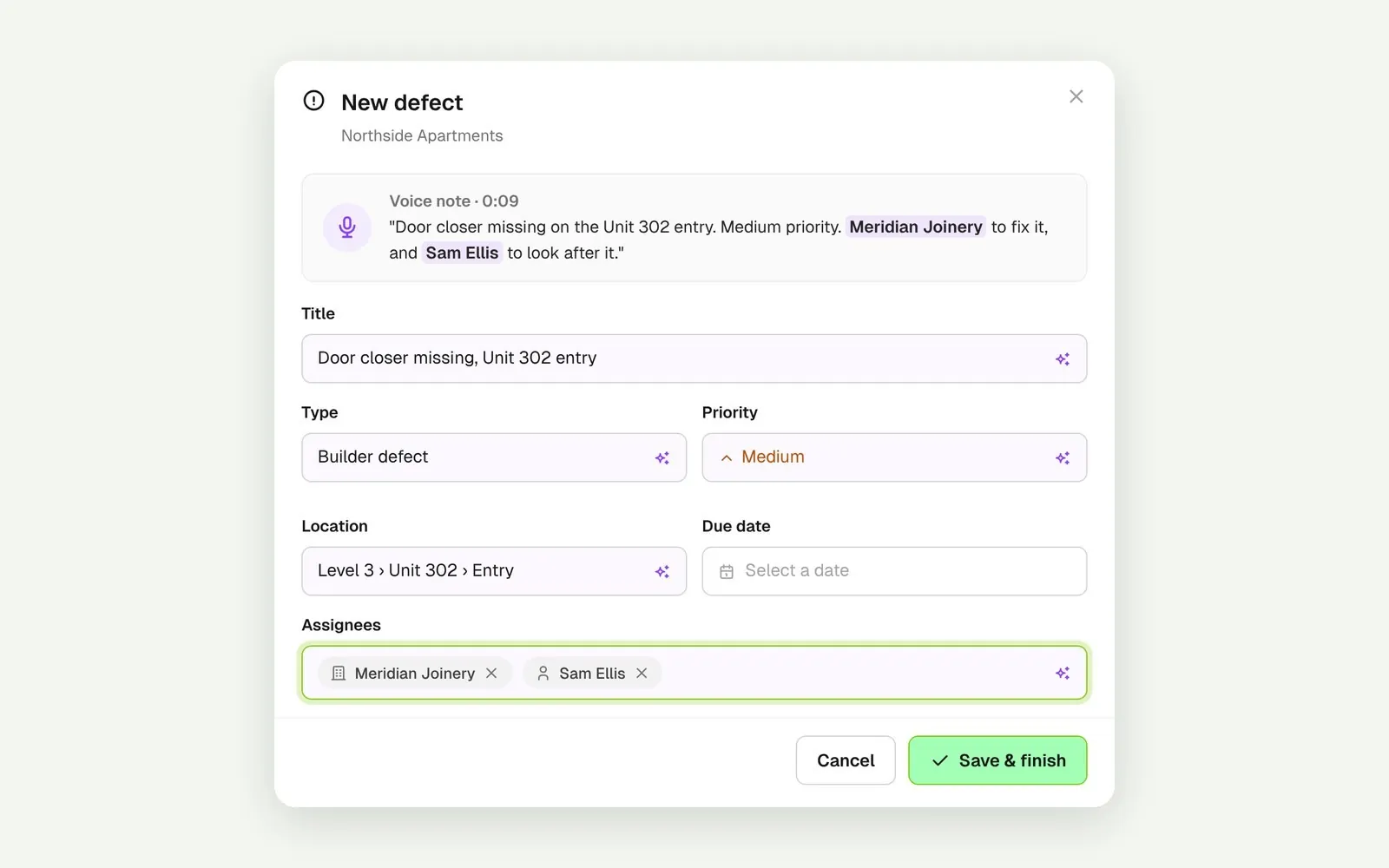
Say who should fix it and Voice defects adds them, matched to the companies and people on your project. It never adds anyone you didn’t name, and you check it all before saving.
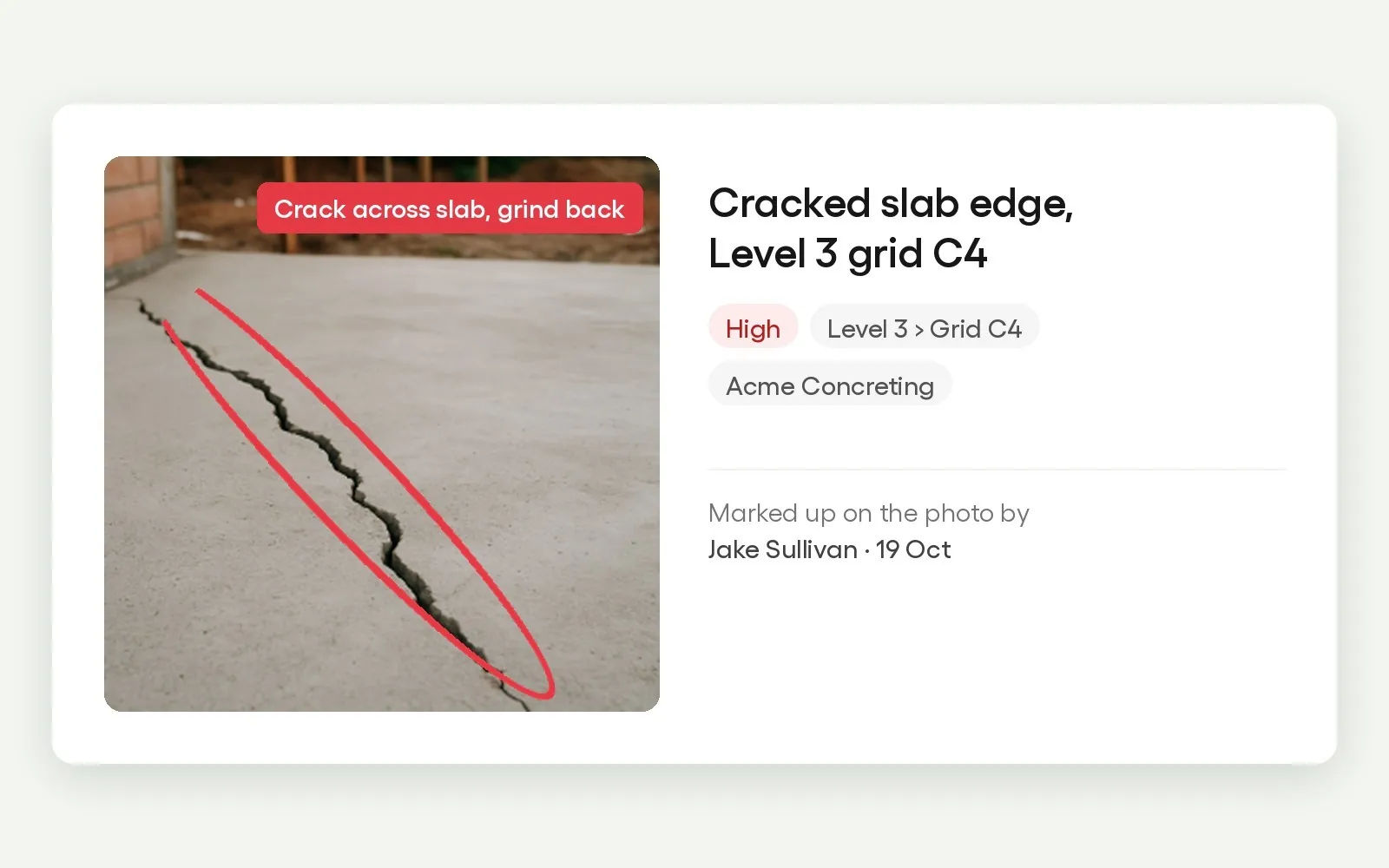
Draw arrows, shapes and text on the site photo. The marked-up copy is saved beside the original, so nothing is lost.
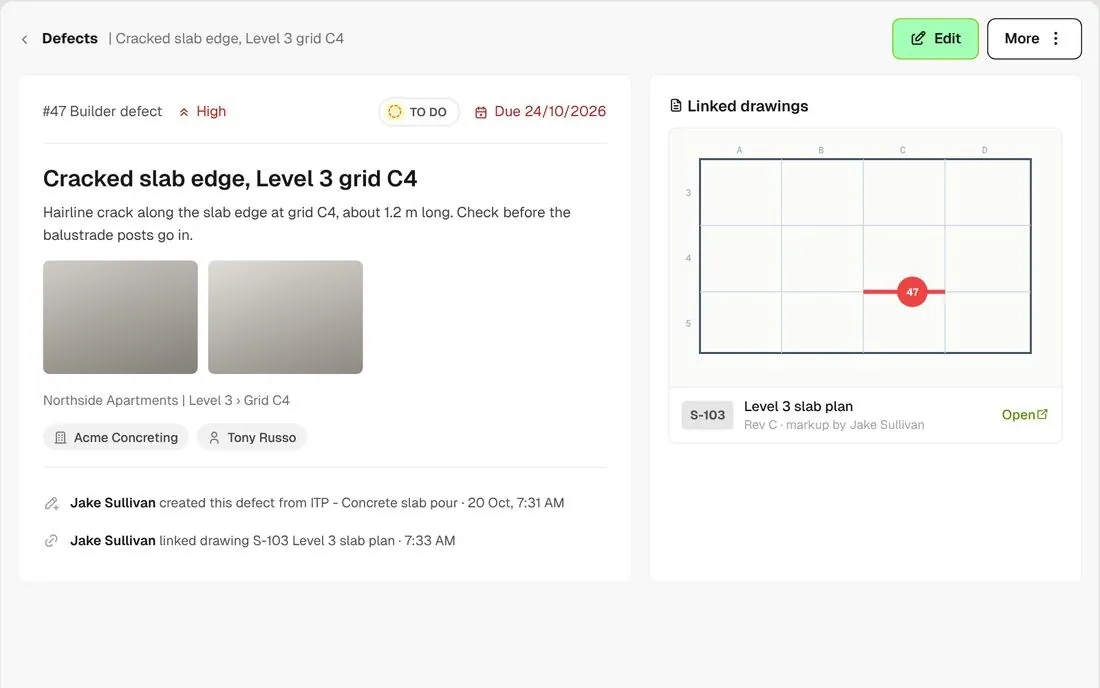
Link a drawing markup to the defect, then open the drawing straight from the defect.
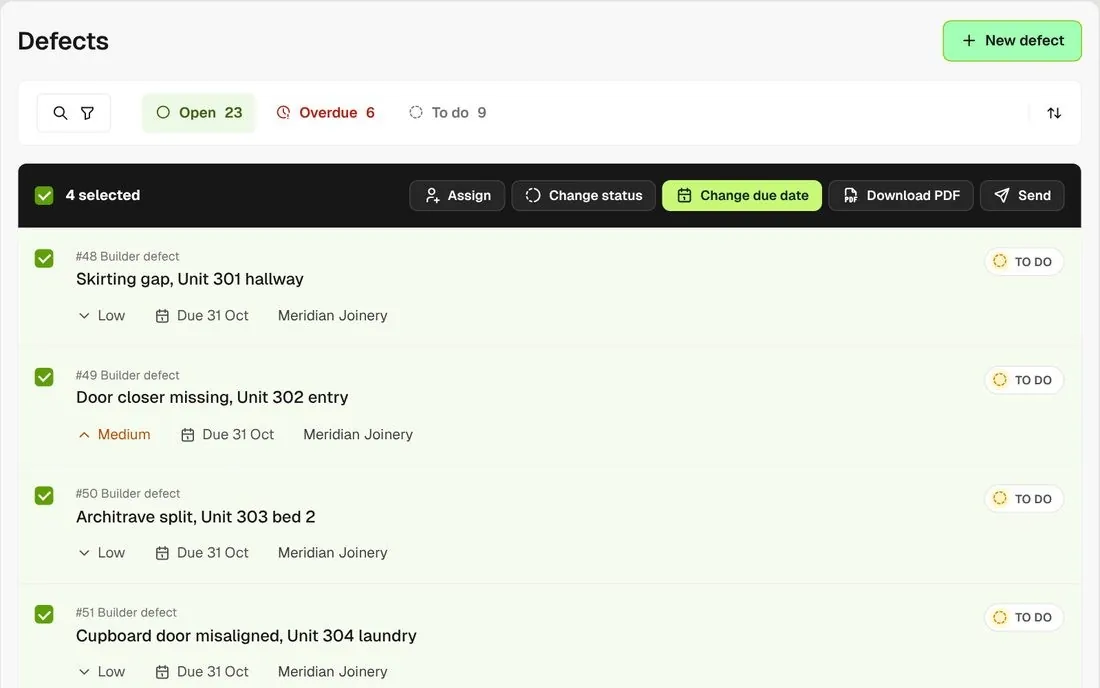
Select a batch of defects to assign, change the status or due date, download a PDF or archive them together.
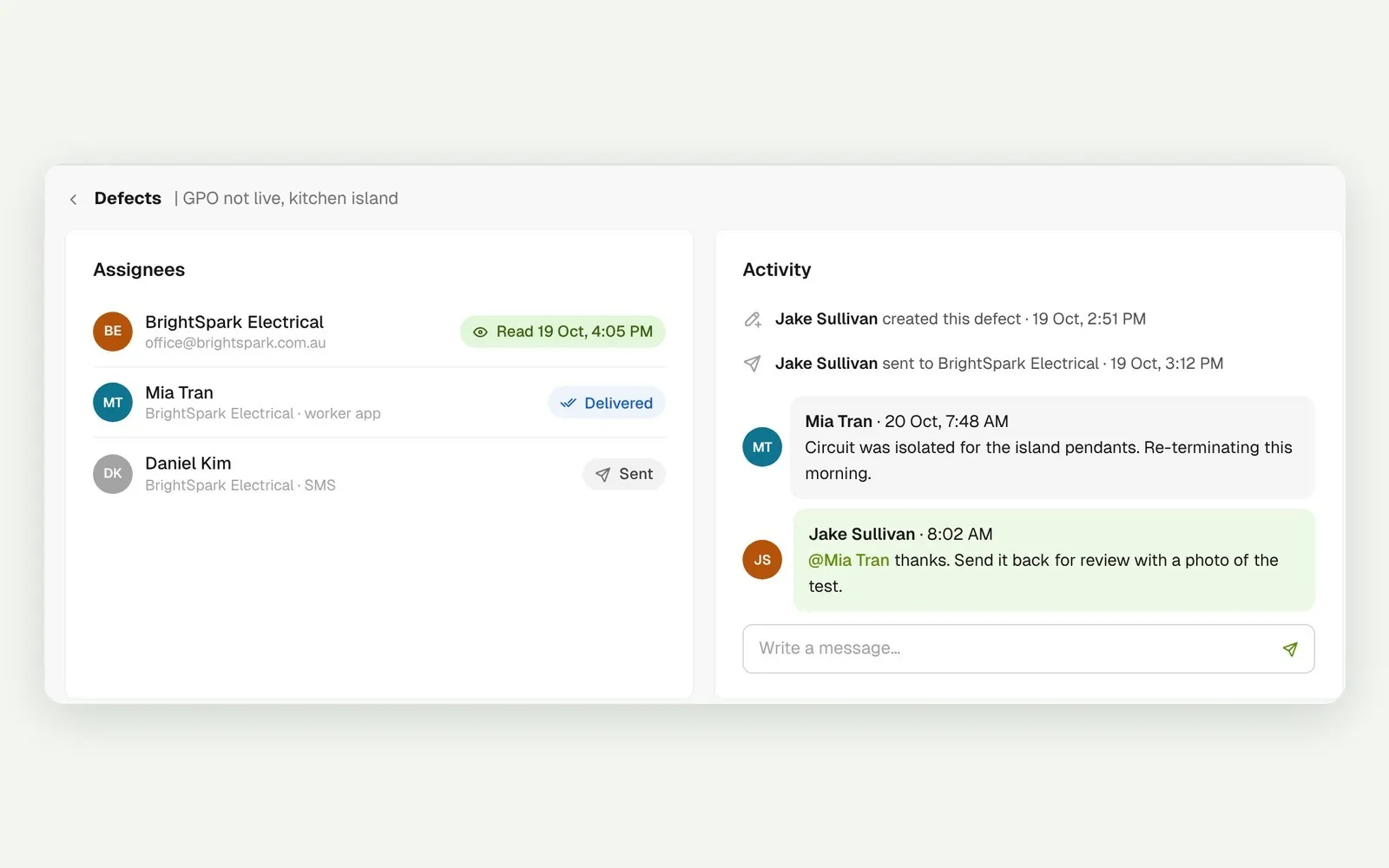
Every assignee shows as sent, delivered or read. Reply in the defect’s own thread and mention people to bring them in.
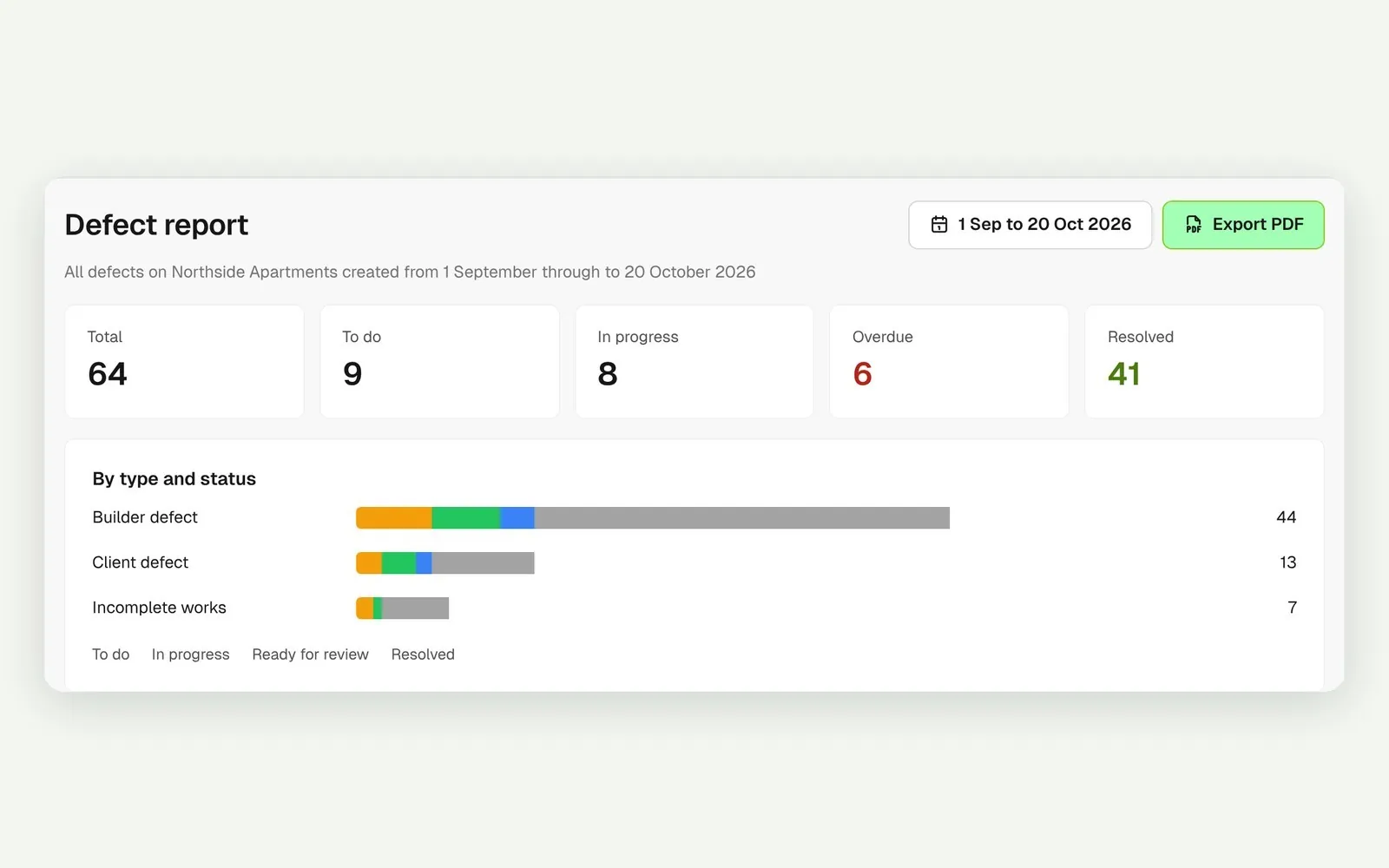
Check totals by status for any date range in the defect report. Export selected defects to PDF with a full-size photo appendix, or the whole list to CSV.
Raise a defect from a failed item on a form, like an ITP, and it stays linked to that item. Assign it to a company or a whole trade with a resource tag, and pin it to the drawing it sits on.
Explore quality assuranceTake off, estimate and get proposals out the door, without rekeying the same numbers three times.
Explore preconstructionBudgets, commitments, progress claims and bills, so you see the real financial position of every job.
Explore financeBring your other tools, your phone line and BuildPass AI into the same workflow.
Explore the AI toolkitFrom custom-home builders to commercial head contractors, teams across Australia and New Zealand run their projects on BuildPass every day.





Book a demo and we'll walk your team through it.