
Build

Every site photo in one searchable gallery

Construction site photo app with AI image tagging and search

In the BuildPass construction photo app, photos from site diaries, forms, actions and defects land in one gallery. Site managers let AI suggest tags, then export a photo report or share photos with your client.
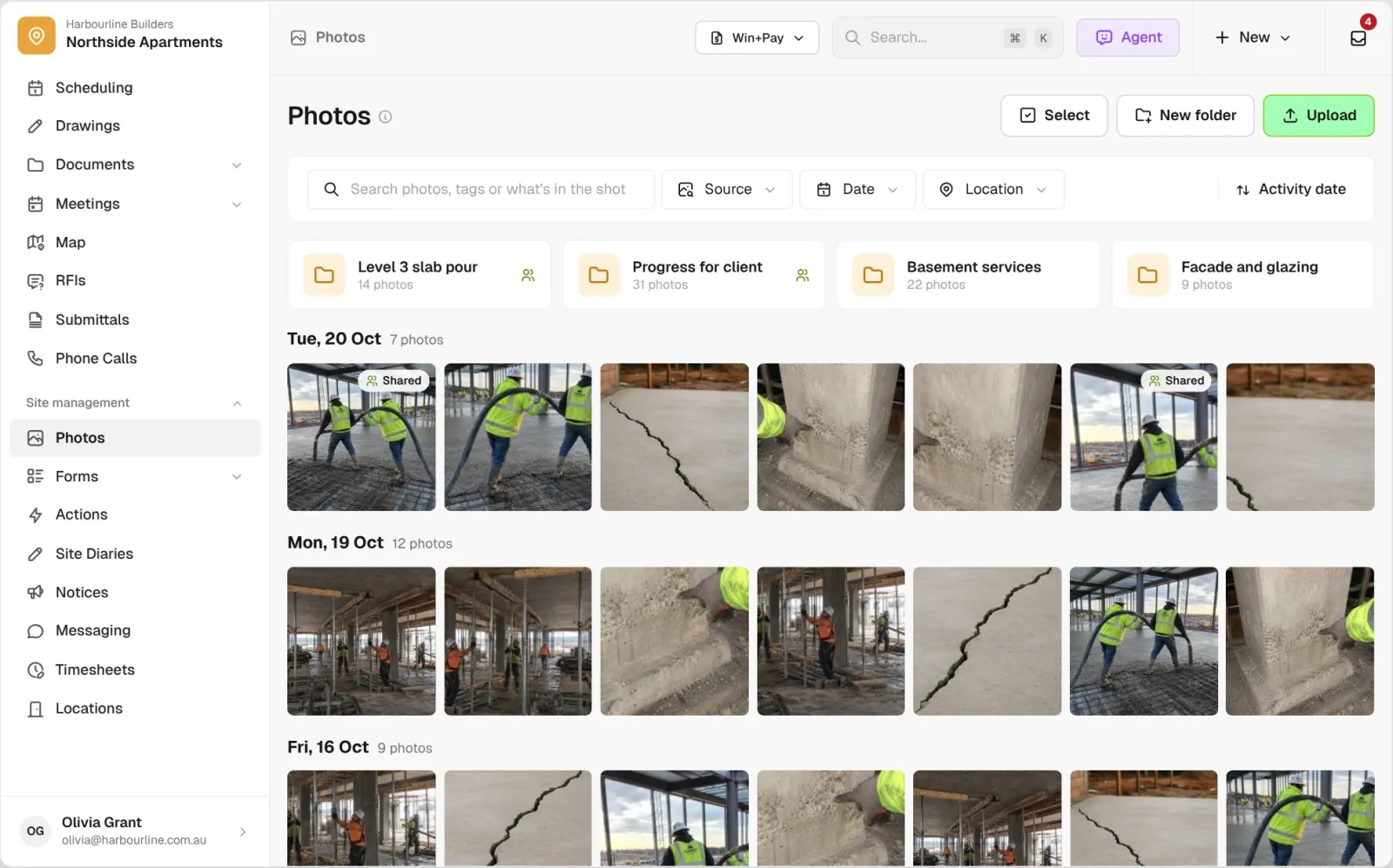
Photos gallery for Northside Apartments with search, filters, folders and photos grouped by date

Trusted by builders across the country

From custom-home builders to commercial head contractors, site teams keep their photos in one place on BuildPass.


Vaughan Constructions
Hicon
JCGAU
Turn Group
Saw Constructions
Rendine Group
Vaughan Constructions
Hicon
JCGAU
Turn Group
Saw Constructions
Rendine Group
Universal Constructions
McColl Smith Projects
Peach
Staark
Creador Interiors
ARC Projects
Mancini Made
Sense Projects
Universal Constructions
McColl Smith Projects
Peach
Staark
Creador Interiors
ARC Projects
Mancini Made
Sense Projects

A construction photo app helps builders and head contractors keep every site photo for a project in one place, find it by name, tag, date or location, and export or share it with the client.

From a photo on site to a report for your client

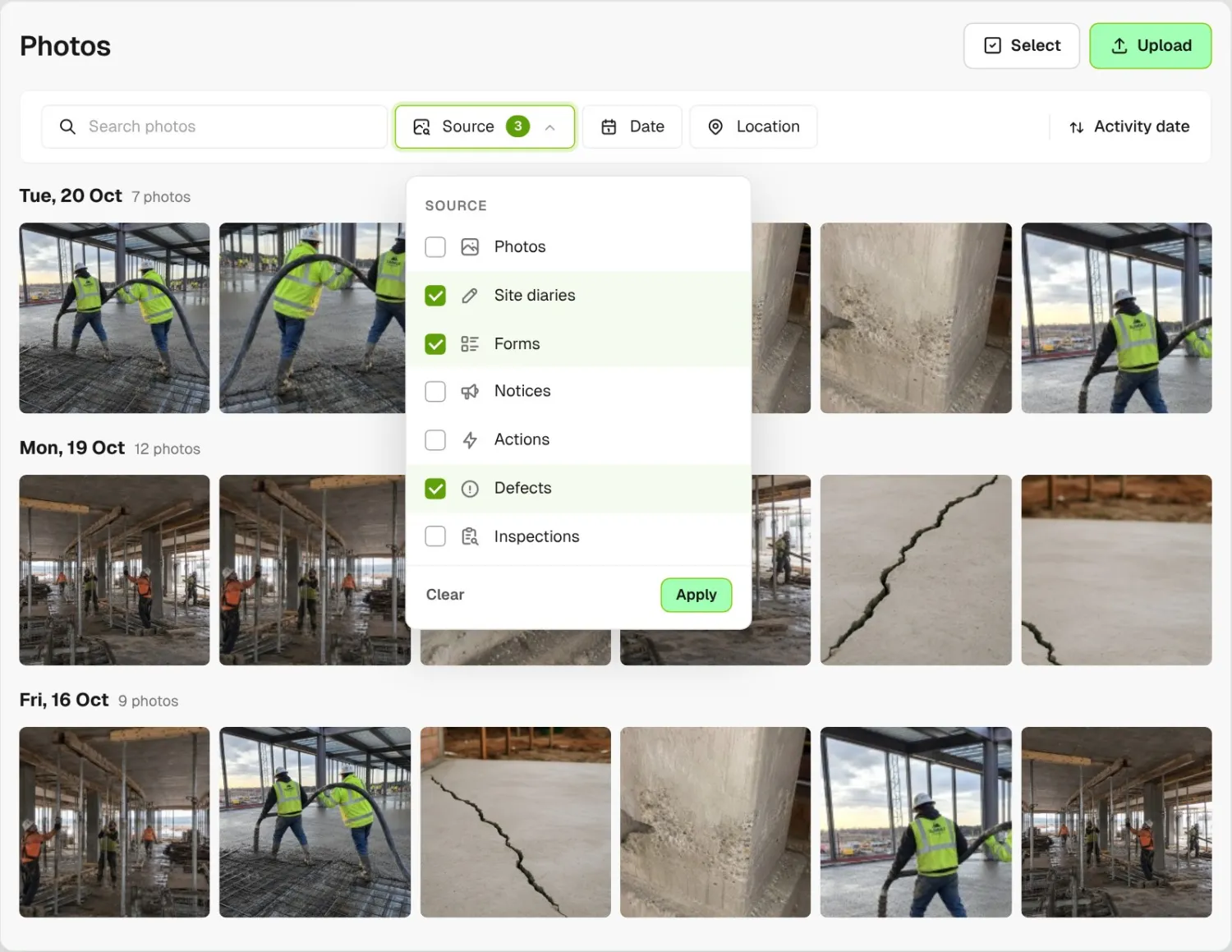
Source filter open with site diaries, forms and defects ticked over the photo grid
01

Photos land in one place

Photos attached to site diaries, forms, notices, actions, defects and inspections show up in the gallery once the record is saved. Filter by source to see only the ones you need.
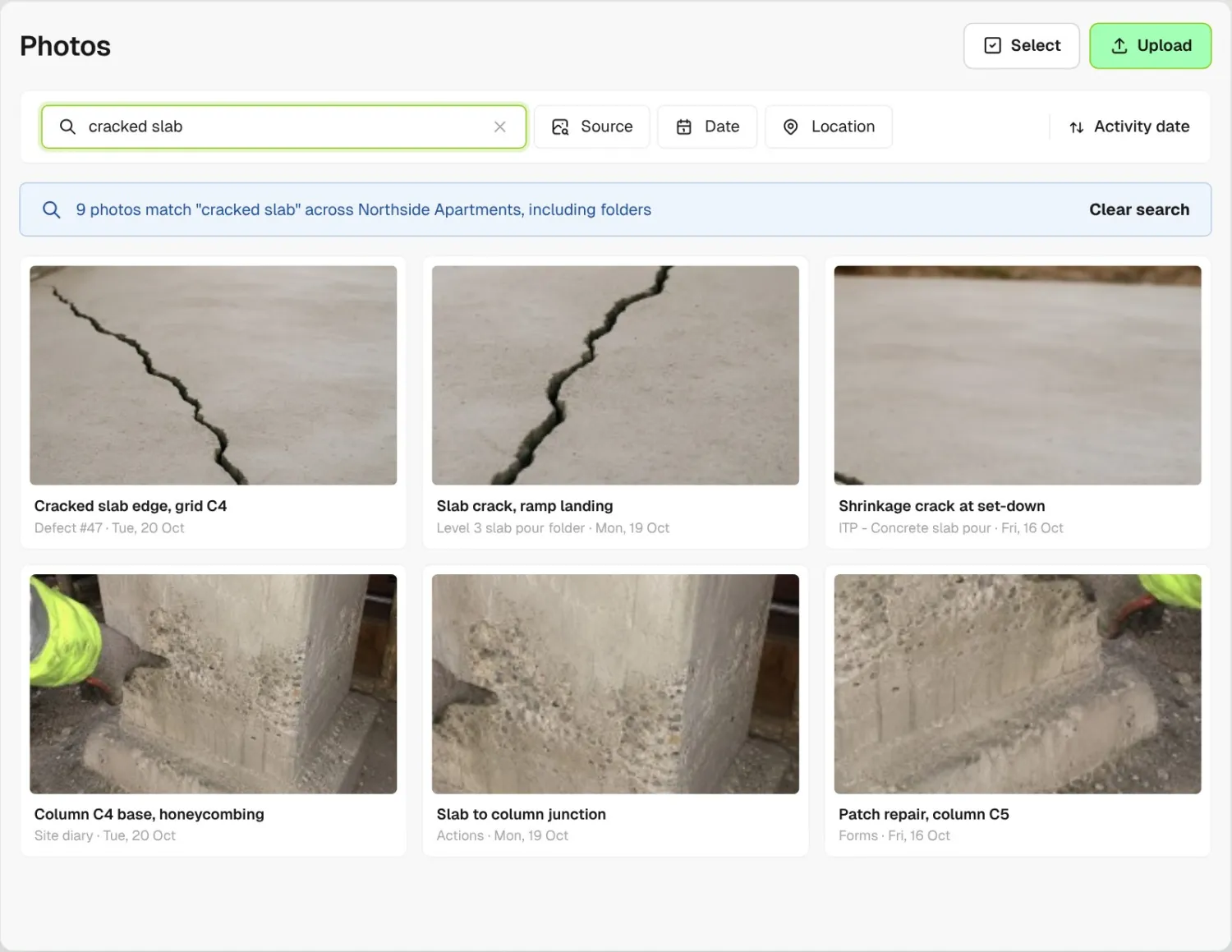
Search for cracked slab returning matching photos from across the project
02

Find it fast

Search by photo name or tag across every folder on the project, or filter by date range and location.
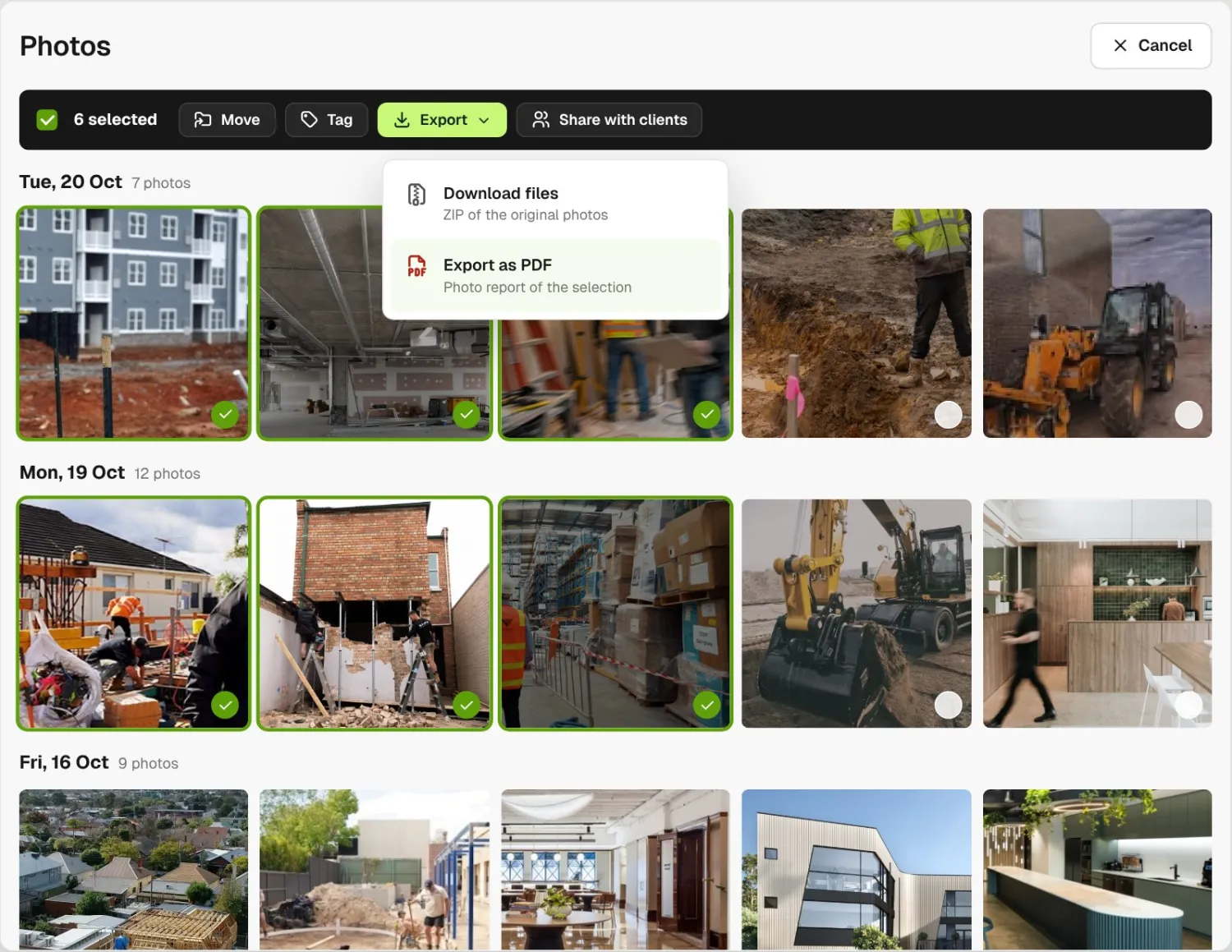
Six site photos selected across 19 and 20 October, including an excavation, a services level and a fit-out corridor, with the Export menu showing Download files and Export as PDF
03

Send the right ones on

Select the photos you need, then download the originals as a ZIP, export a PDF photo report, or share them with your client.

How it works

Every construction photo on the project, in one view

See where each photo came from, keep the details on it, and get the right photos to the right people.
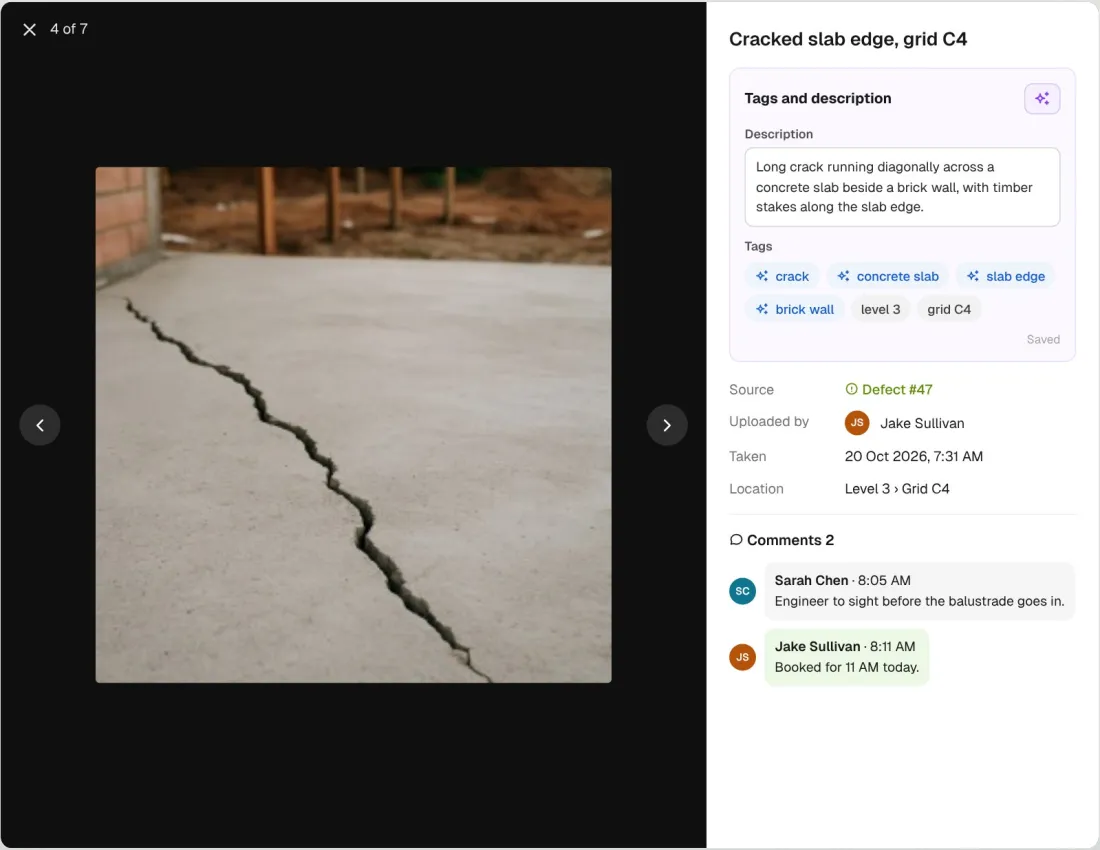
Photo viewer with the Tags and description panel filled in from the photo, plus uploader, taken date, location and a link to the defect it came from

AI tags it, so search finds it

Open a photo and AI writes a description and tags from what's in the shot. Search then finds it by what you remember, like "cracked slab", even on untagged photos.
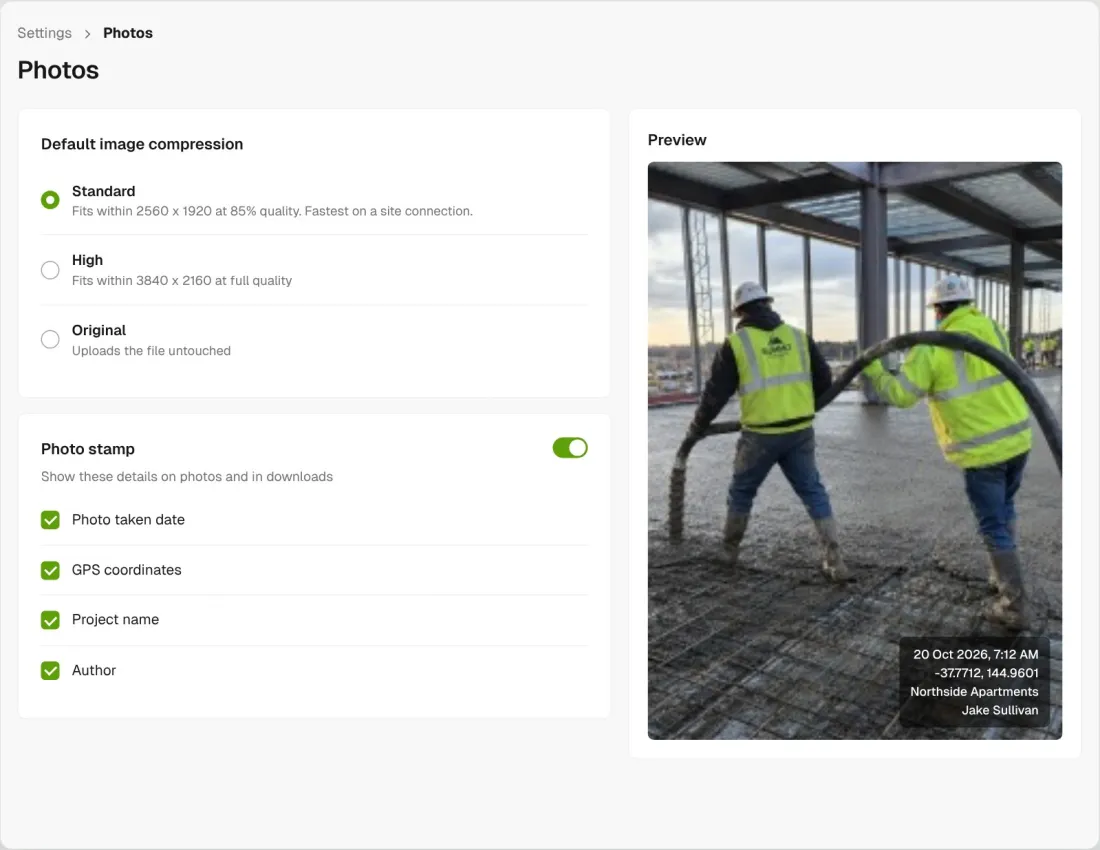
Photo settings with compression options and a photo stamp preview

Stamp the details on

Turn on photo stamps to show the date taken, GPS coordinates, project name and author on previews and downloads.
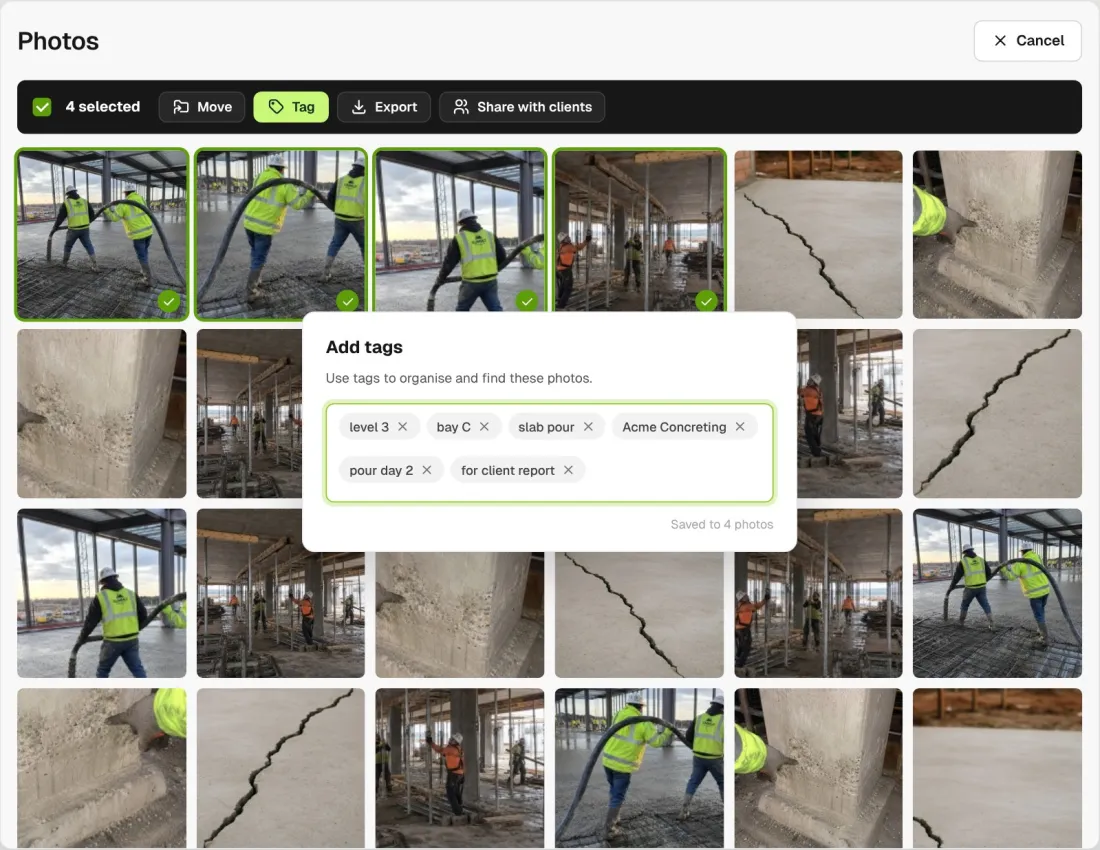
Add tags panel adding level, bay, trade and pour tags to four selected photos

Tag a whole batch

Select photos, including the backlog already in the gallery, and add the same tags to all of them at once, like the level, bay or trade they belong to.
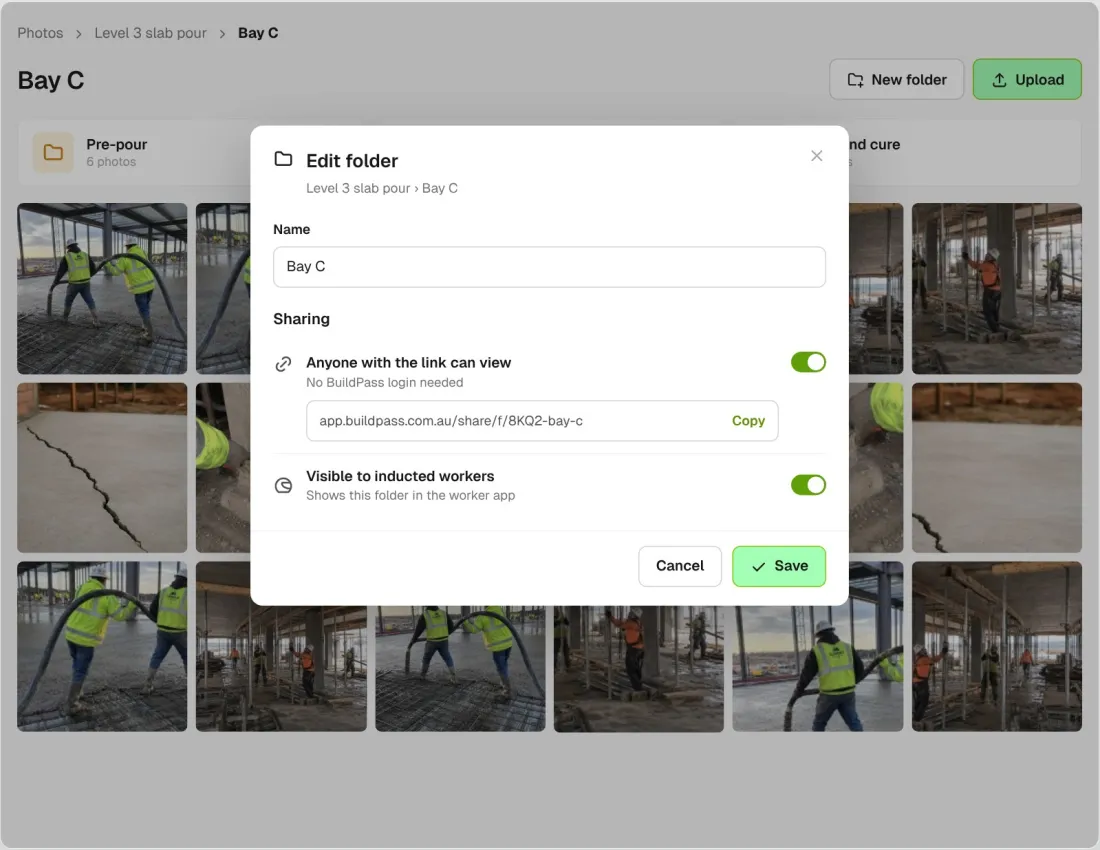
Folder settings with a public link and visibility to inducted workers

Folders that fit your job

Make folders inside folders for each level, stage or area. Share one by public link, or show it to inducted workers.
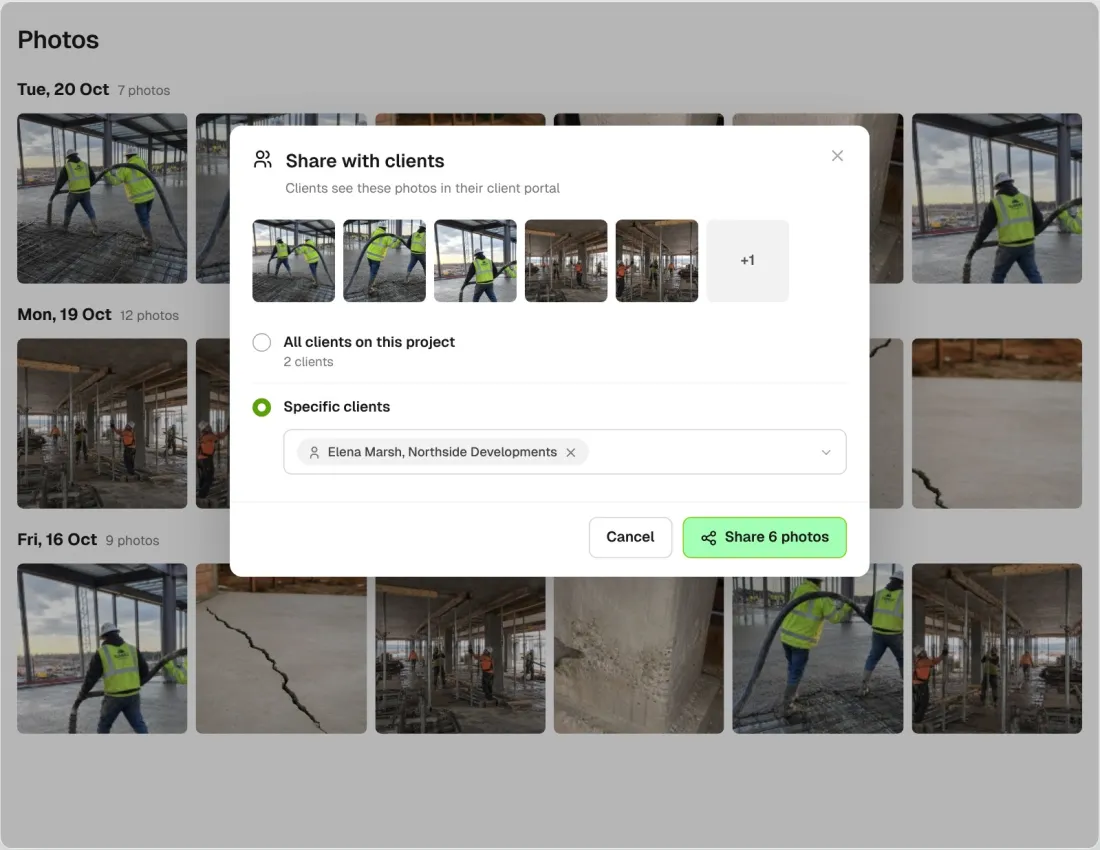
Share with clients dialog for six photos with a named client selected

Share progress with your client

Publish photos or whole folders to the client portal, for every client on the project or just the people you pick.
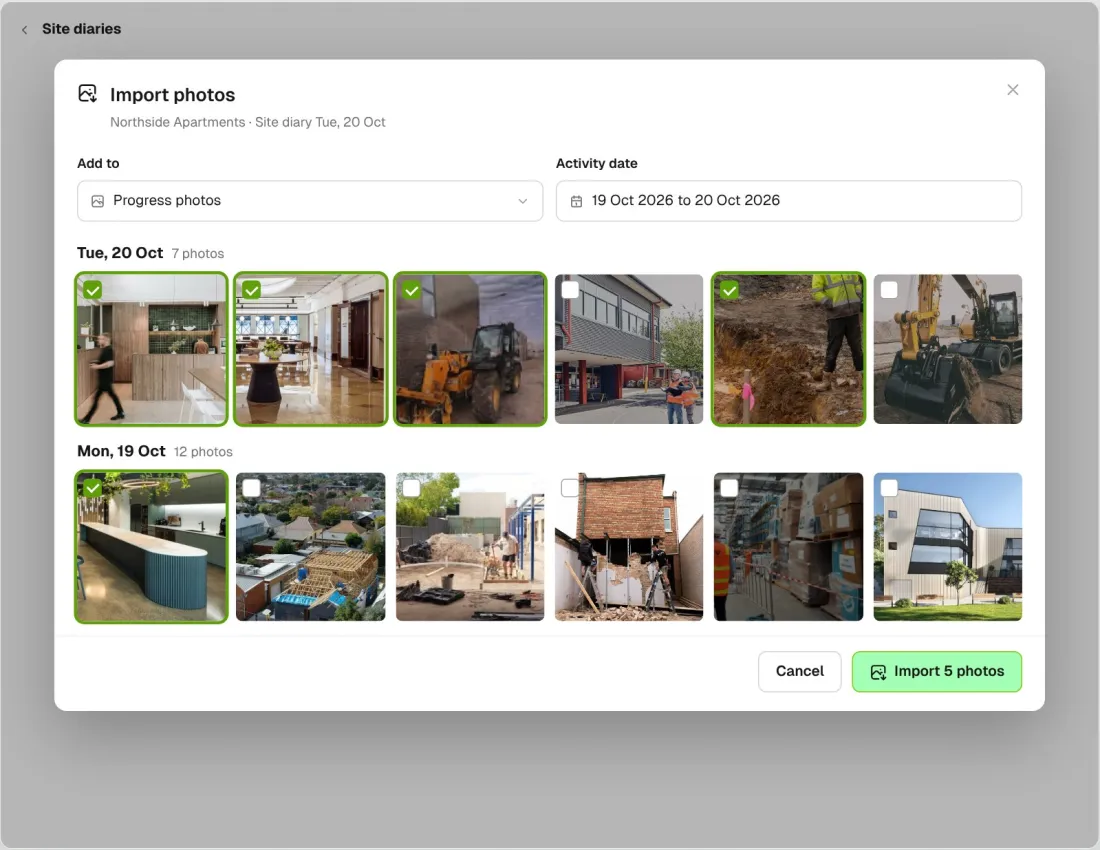
Import photos dialog in a site diary showing a different real site photo in every tile, with five ticked from 19 and 20 October

Pull photos into the site diary

Import gallery photos straight into a site diary entry, filtered to the activity date, so nobody uploads them twice.

Connected to the whole job
BuildRun the site

Photos, part of the whole job

The gallery fills itself from the records your team already keeps, like site diaries, forms, defects and inspections. Photos also come up in the BuildPass search bar next to documents and drawings, and go to the client portal with the rest of the project.

Explore site management
  1. Captured onSite diaries + forms + defectseach photo keeps its source
  2. Found by"cracked slab"photo names and tags
  3. SHARED WITH THE CLIENT31 photosProgress for client folder ยท Northside Apartments

Win

Price the job

Take off, estimate and get proposals out the door, without rekeying the same numbers three times.

Explore preconstruction

Pay

Manage the money

Budgets, commitments, progress claims and bills, so you see the real financial position of every job.

Explore finance

Connect

Connect the tools

Bring your other tools, your phone line and BuildPass AI into the same workflow.

Explore the AI toolkit

Trusted by builders who run their projects on BuildPass

From custom-home builders to commercial head contractors, teams across Australia and New Zealand run their projects on BuildPass every day.


The onboarding process and training we received from the BuildPass team was fantastic.
Nick Du Bois
Managing Director, FORA
These checklists ensure our standards are consistently met, no matter the project.
Mark Riley
Site Supervisor, Turn Group
I'd recommend BuildPass to any builder, sub contractor or site manager. It just makes your life easier.
Garath Vella
Director, Lorden Vella

Frequently asked questions

Not directly. Workers add photos to the forms, defects and other records they fill in on site, and those photos land in the gallery. Many builders publish a simple photo upload form for this.

Select photos, or open one, and Auto-suggest writes tags and a description from what's in the image. It runs when you ask, not on upload, and you can change anything it writes. An admin switches on AI tools in Settings first. Search matches what's in a photo even without tags, though older photos can take a little while to show up.

The gallery's Upload button opens your files, so on a phone you pick from your camera roll. The BuildPass camera lives on defects, forms and RFIs, and photos taken there land in the gallery.

Select the photos and choose Share with clients to publish them to the client portal, or export them as a PDF photo report or a ZIP. A folder can also have a public link for people without a BuildPass login.

See how BuildPass works on your projects

Book a demo and we'll walk your team through it.