BuildPass Build

Health and safety: Run a safer site, every day

Workers do their induction, sign SWMS and add their tickets on their phone, and your site manager sees who’s on site and approves high-risk work. BuildPass AI writes the Toolbox Summary for each completed meeting.
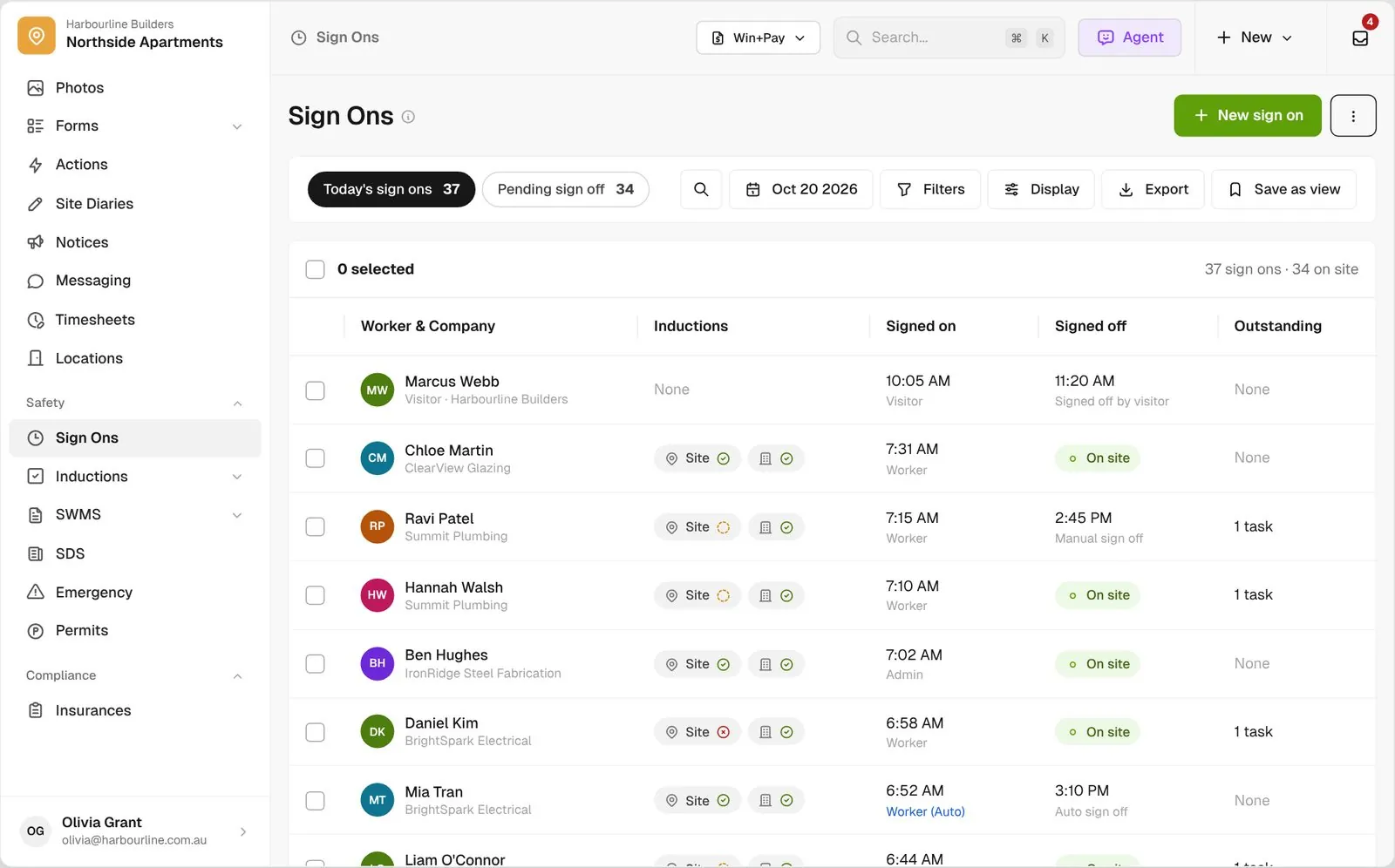
Sign Ons list for today with induction chips, sign on source badges and workers still on site

Trusted by builders across the country

From custom-home builders to commercial head contractors, site teams run their safety paperwork on BuildPass.


Vaughan Constructions
Hicon
JCGAU
Turn Group
Saw Constructions
Rendine Group
Vaughan Constructions
Hicon
JCGAU
Turn Group
Saw Constructions
Rendine Group
Universal Constructions
McColl Smith Projects
Peach
Staark
Creador Interiors
ARC Projects
Mancini Made
Sense Projects
Universal Constructions
McColl Smith Projects
Peach
Staark
Creador Interiors
ARC Projects
Mancini Made
Sense Projects

Construction safety software helps builders and head contractors induct workers, check their tickets, collect SWMS and insurances from subbies, record who is on site, and respond to incidents and emergencies.

Your safety records shouldn’t live in a ute and an inbox

Today the induction is a PDF, tickets are photos on someone’s phone and the sign on sheet sits in the site shed. BuildPass brings it into one place your site manager works from.

Gate

Nobody starts unchecked

An unfinished induction stops a worker signing on. Switch on settings to also hold anyone with an expired ticket or no reviewed SWMS.

Visibility

See who’s on site, right now

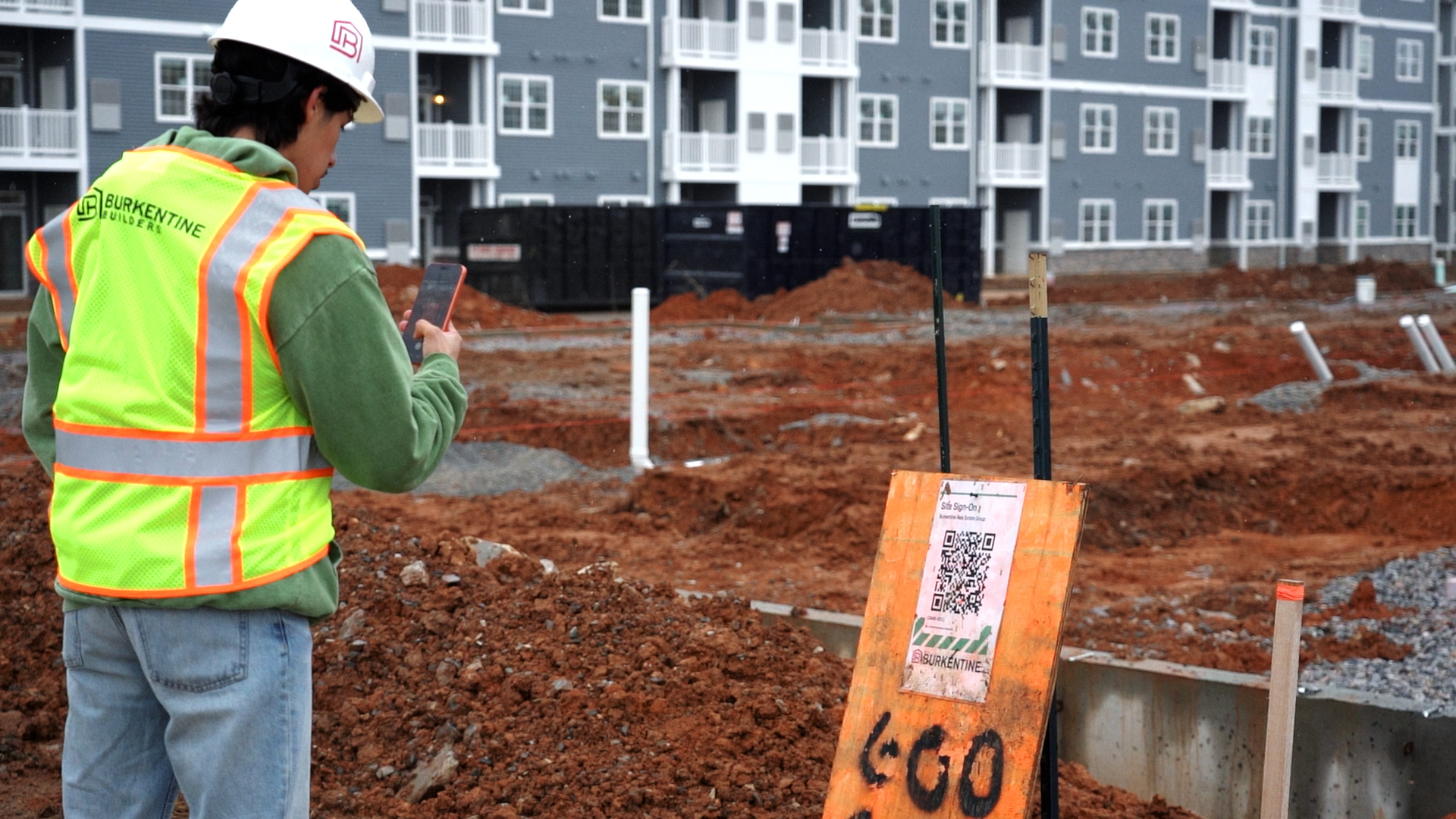
Workers sign on by scanning a QR code, so your site manager sees every worker still on site in one list.

BuildPass AI

Summaries and follow-ups, written for you

Toolbox Summary pulls each completed meeting’s agenda, notes and responses into one summary, and BuildPass AI suggests the follow-up action from an incident report’s answers for your safety manager to accept.

How it works

Safety before day one, every day, and when it counts

Ten tools, grouped by when your team reaches for them. Open any one to see how it works.

Before day one

Sorted before they arrive

Workers can finish their induction before they arrive, so the first morning on site goes on work, not forms.
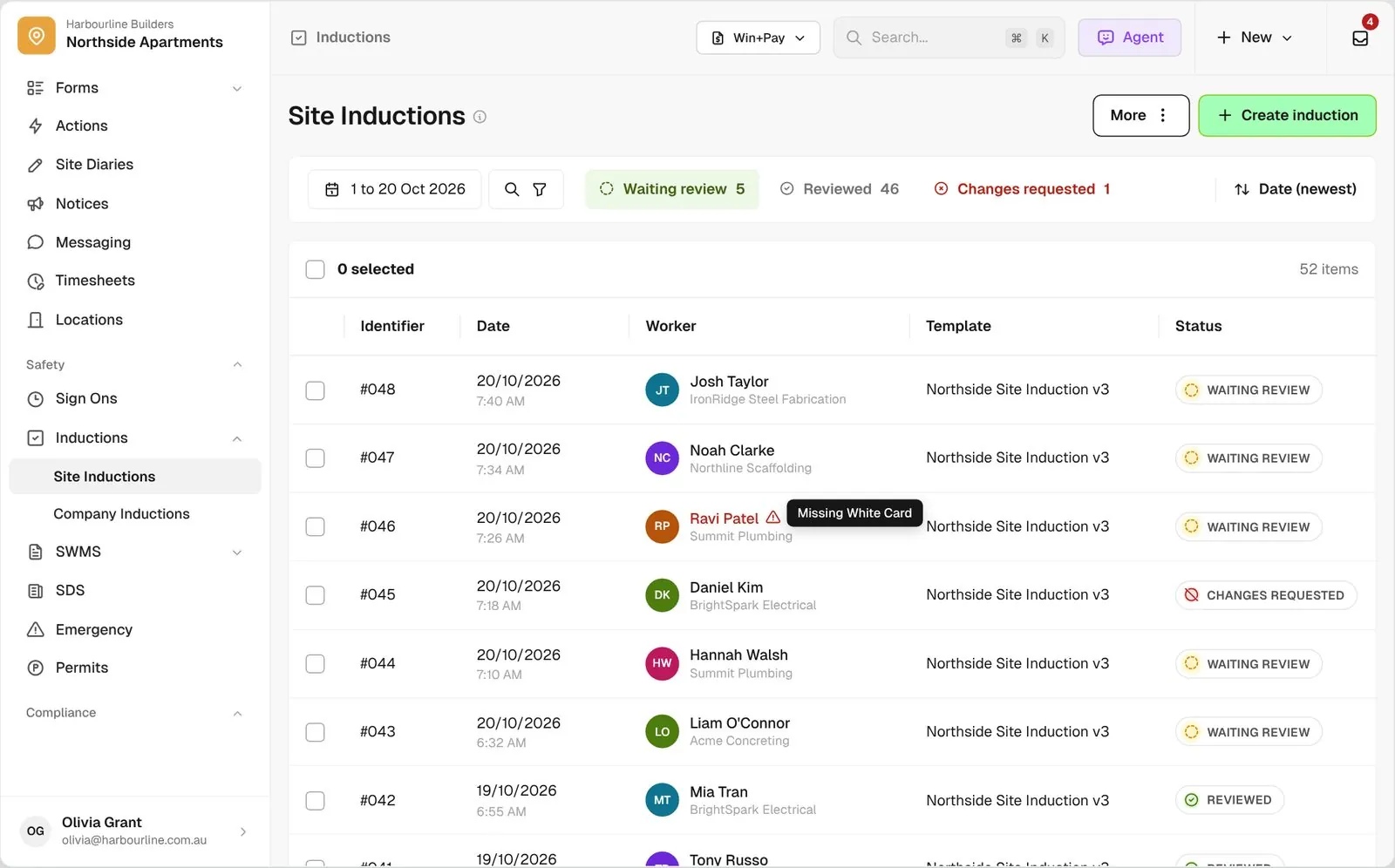
  • Inductions. Workers do your site induction on their phone from a QR code or link, and your site manager reviews it. See Inductions
  • Certifications. Workers keep their tickets in a wallet on their phone, with expiry dates you can check across every project. See Certifications
  • SWMS. Subbies send SWMS through a link, you review them against your checklist, and workers sign them in the induction. See SWMS
  • Insurances. Subbies upload certificates of currency with no login, and BuildPass emails the default contact before and after expiry once a certificate is reviewed and the company is active. See Insurances
Site Inductions list for Northside Apartments with Waiting review, Reviewed and Changes requested tabs
Every day on site

Signed on, briefed and approved

The daily routine runs from the phone in every worker’s pocket, from the gate to the start of high-risk work.
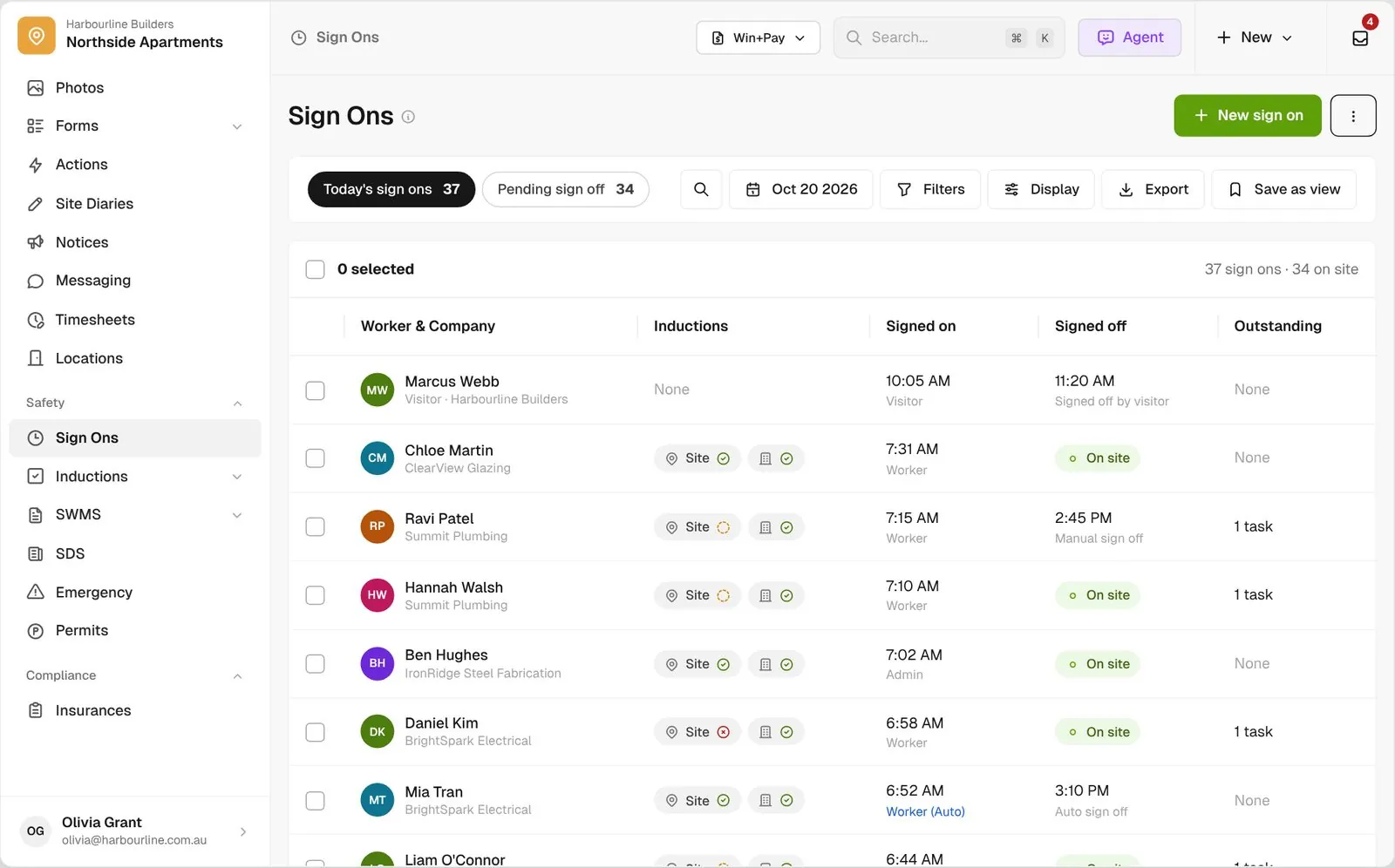
  • Sign Ons. Workers scan the QR code, confirm today’s Notices and sign on, and you see who is still on site. See Sign Ons
  • Toolbox meetings. Invite the crew, mark attendance by QR scan, and show the meeting at sign on to anyone who missed it. See Toolbox meetings
  • Permits. Workers request permits on their phone, and your site manager checks each worker’s tickets before approving them. See Permits
Sign Ons list for today with induction chips, sign on source badges and workers still on site
When something happens

Reported from site, with everyone accounted for

When there’s an incident or an evacuation, the right people hear about it and you can see who is safe.
  • Incidents. Workers report incidents and near misses on their phone, and a workflow emails your safety manager when a report is done. See Incidents
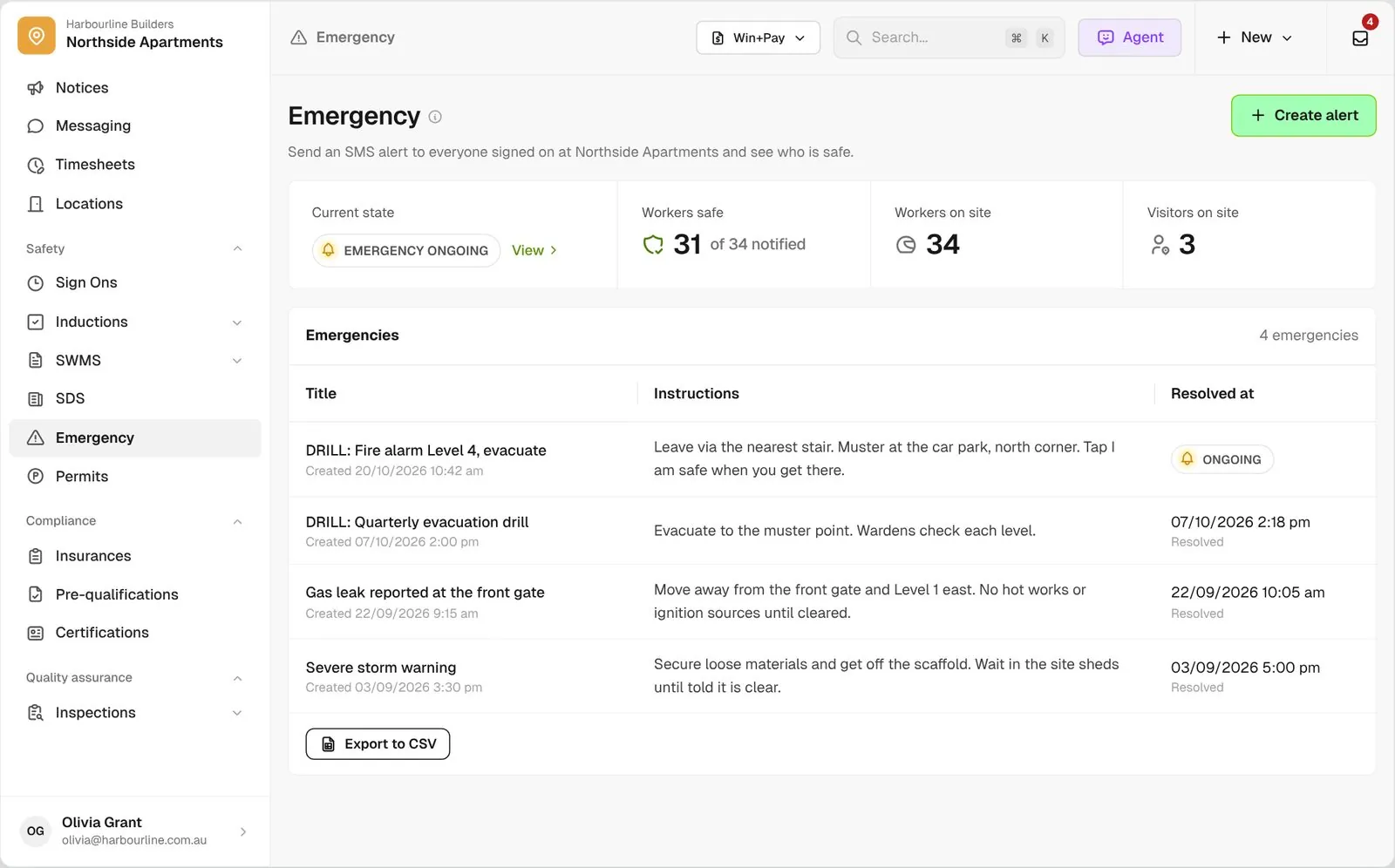
  • Emergency. Send one SMS to everyone signed on, and watch the count of workers who tap I am safe. See Emergency
  • SDS. Collect safety data sheets from subbies, review them against your checklist, and track when each one is due for review. See SDS
Emergency screen with an ongoing drill, 31 of 34 workers safe, workers and visitors on site, and past emergencies below
Every tool on one platform

Every safety tool, one record per worker

A worker’s tickets stay on their own record from project to project, and a company’s insurance covers it on every job you run. The induction gates sign on, sign on feeds permits and emergency alerts, and one link brings in a company’s SWMS, insurances and SDS together.

Connected with the rest of the platform

Health and safety is just one part of BuildPass

Price the job in preconstruction, manage the money in finance and run the site here, with the same companies, workers and documents on every job.

Trusted by builders who run their projects on BuildPass

From custom-home builders to commercial head contractors, teams across Australia and New Zealand run their projects on BuildPass every day.


The onboarding process and training we received from the BuildPass team was fantastic.
Nick Du Bois
Managing Director, FORA
These checklists ensure our standards are consistently met, no matter the project.
Mark Riley
Site Supervisor, Turn Group
I'd recommend BuildPass to any builder, sub contractor or site manager. It just makes your life easier.
Garath Vella
Director, Lorden Vella

Frequently asked questions

No. Subbies send SWMS, insurances and SDS through a request link with no login, and workers start their induction from a QR code or link on their phone.

Yes. An unfinished induction always stops sign on. You can also switch on settings that hold a worker until their induction is reviewed, while a required ticket is missing or expired, or until their company has a reviewed SWMS.

For insurances, yes. BuildPass emails the company's default contact before and after expiry, once the certificate is reviewed and the company is active. Tickets show their expiry status across every project, and a worker gets a task in their app once one has expired.

Yes. You review SWMS and SDS against checklists you edit yourself, and incident reports run on your own form with your own questions. Once an admin switches on AI tools in Settings, describe your incident process and the Template Generator drafts the form for you to edit.

See how BuildPass works on your projects

Book a demo and we'll walk your team through it.