Build

Subbie insurances tracked, and chased up for you

Subcontractor and contractor insurance tracking software

Subbies upload their certificates of currency through a link, with no BuildPass login. Your site manager or contracts admin reviews each one, then BuildPass emails the company’s default contact before and after it expires. One certificate covers that company on every project.
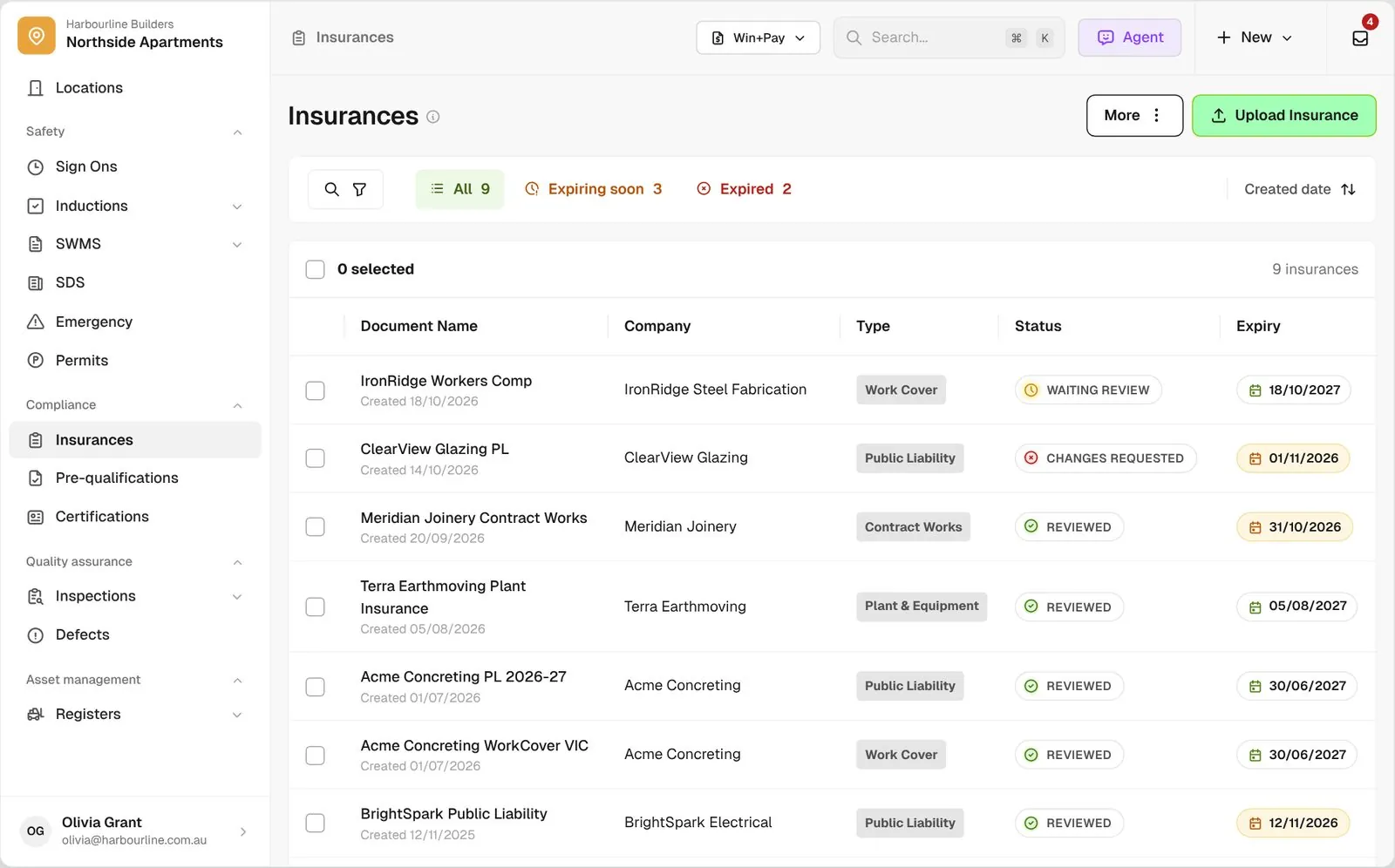
Insurances list across every company with type, review status and expiry, plus Expiring Soon and Expired views

Trusted by builders across the country

From custom-home builders to commercial head contractors, site teams track their subbies' insurances on BuildPass.


Vaughan Constructions
Hicon
JCGAU
Turn Group
Saw Constructions
Rendine Group
Vaughan Constructions
Hicon
JCGAU
Turn Group
Saw Constructions
Rendine Group
Universal Constructions
McColl Smith Projects
Peach
Staark
Creador Interiors
ARC Projects
Mancini Made
Sense Projects
Universal Constructions
McColl Smith Projects
Peach
Staark
Creador Interiors
ARC Projects
Mancini Made
Sense Projects

Insurance software helps builders and head contractors collect certificates of currency from subcontractors, review them, and remind active companies before and after expiry.

One renewal, from your request through to the reviewed certificate

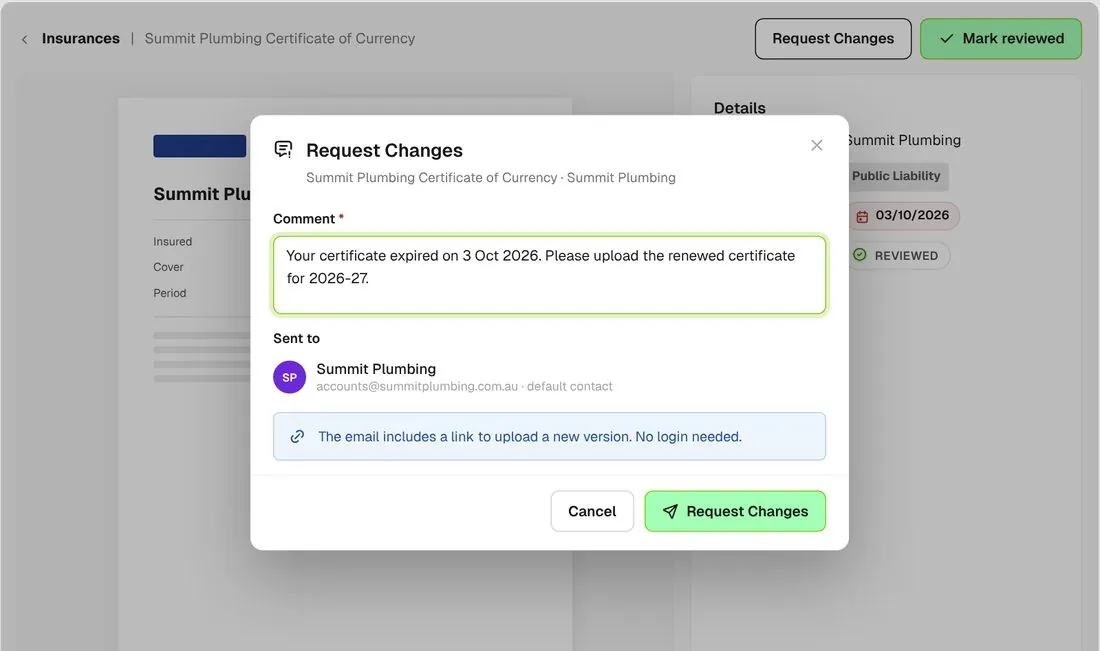
Request changes on a certificate with a comment asking the company to re-issue it
01

Ask for a new one

Request changes on a certificate with a comment. The company gets an email with your note and a link to upload a new version.
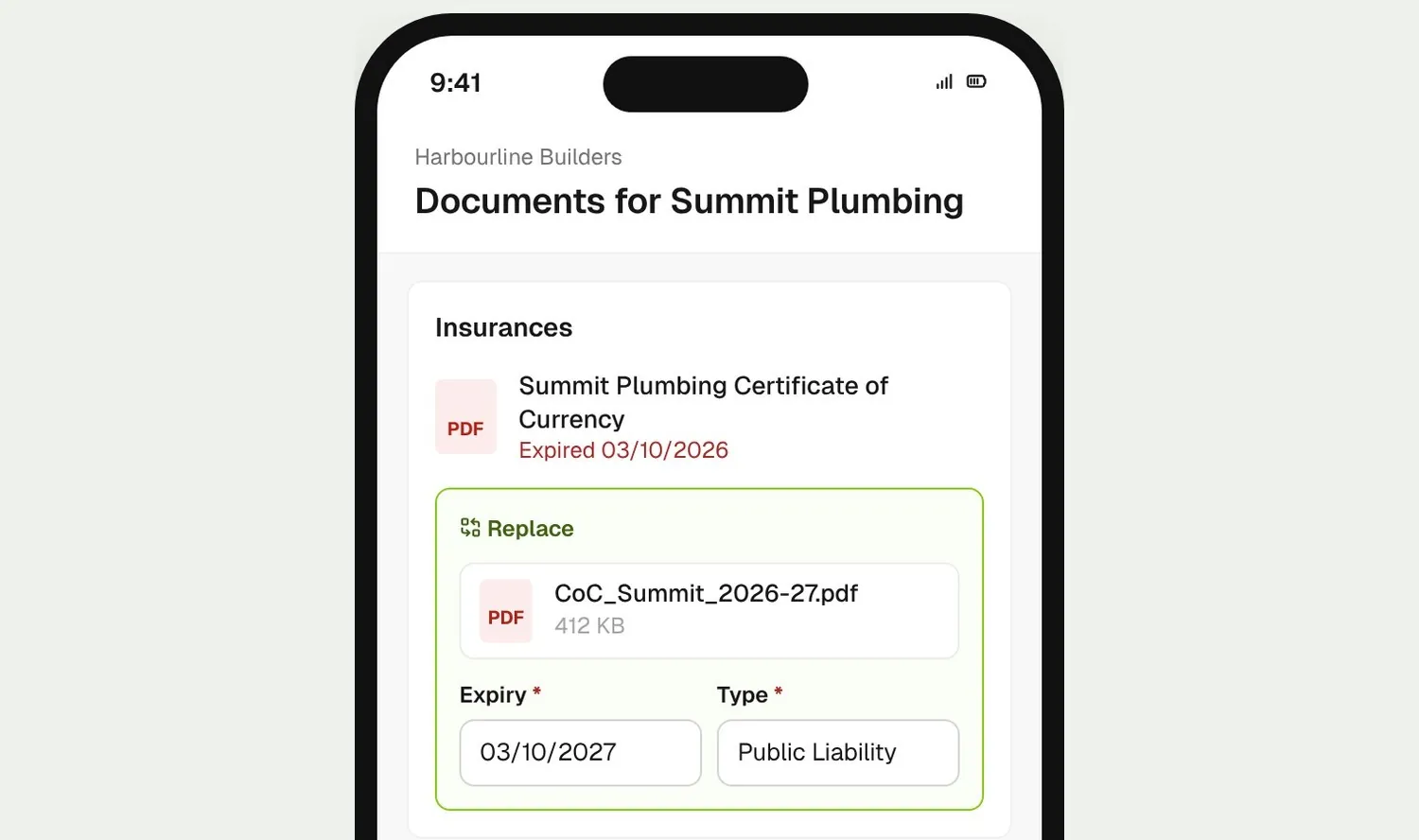
Company replacing an expired certificate from the upload link on their phone, with expiry date and type
02

They replace it

The company picks the renewed certificate on their phone, sets the expiry date and type, and uploads it. No BuildPass login needed.
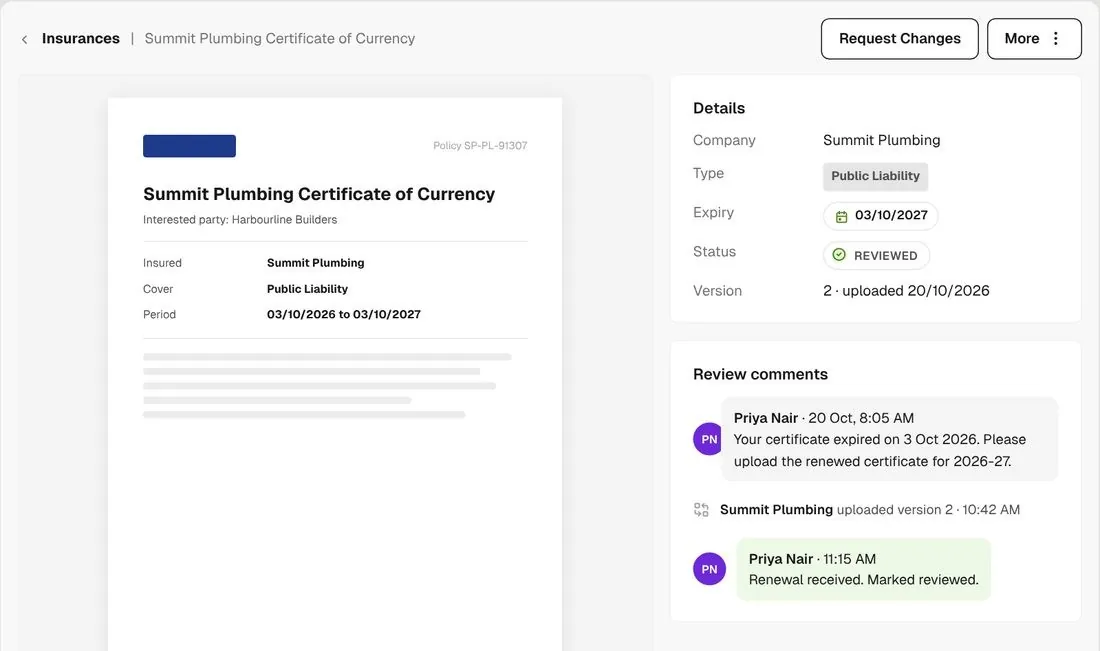
New certificate version with its expiry date and the Mark reviewed action
03

You review it

Check the new version and its expiry date, then mark it reviewed. The old certificate stays in the version history.

How it works

Every company's insurances, in one view

See what's current, expiring soon or expired across every company, and chase the lot in one go.
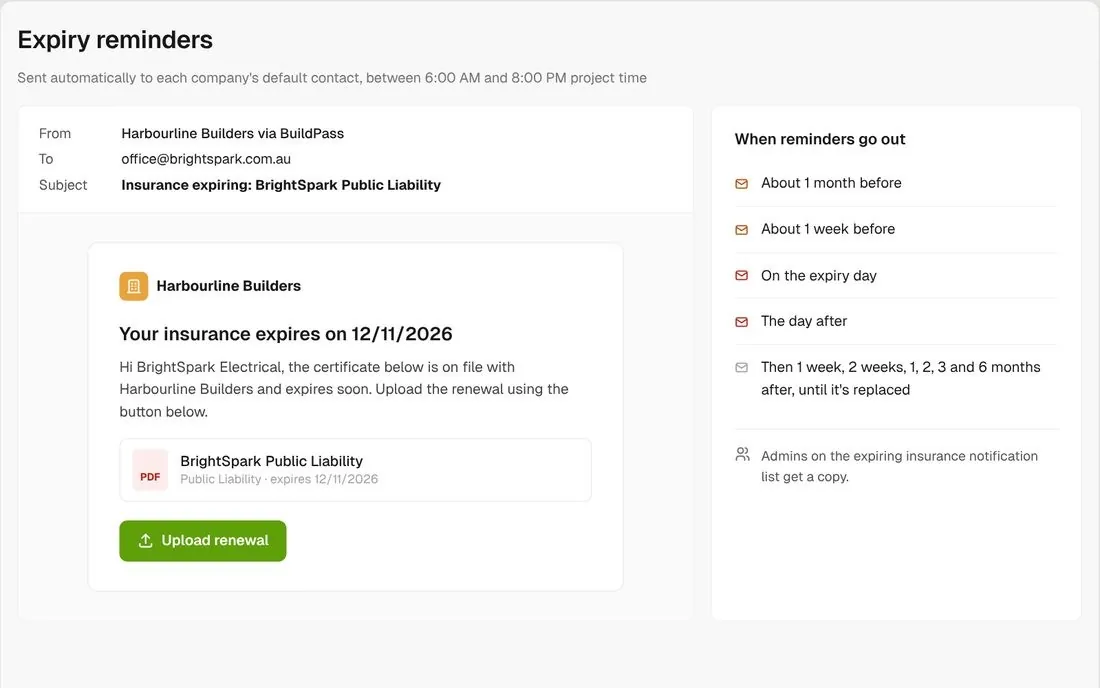
Expiry reminder email to the company's default contact with an upload link

Reminders go out on their own

Once a certificate is reviewed, BuildPass emails an active company’s default contact a month before expiry, a week before, on the day and after it lapses. Each email has an upload link.
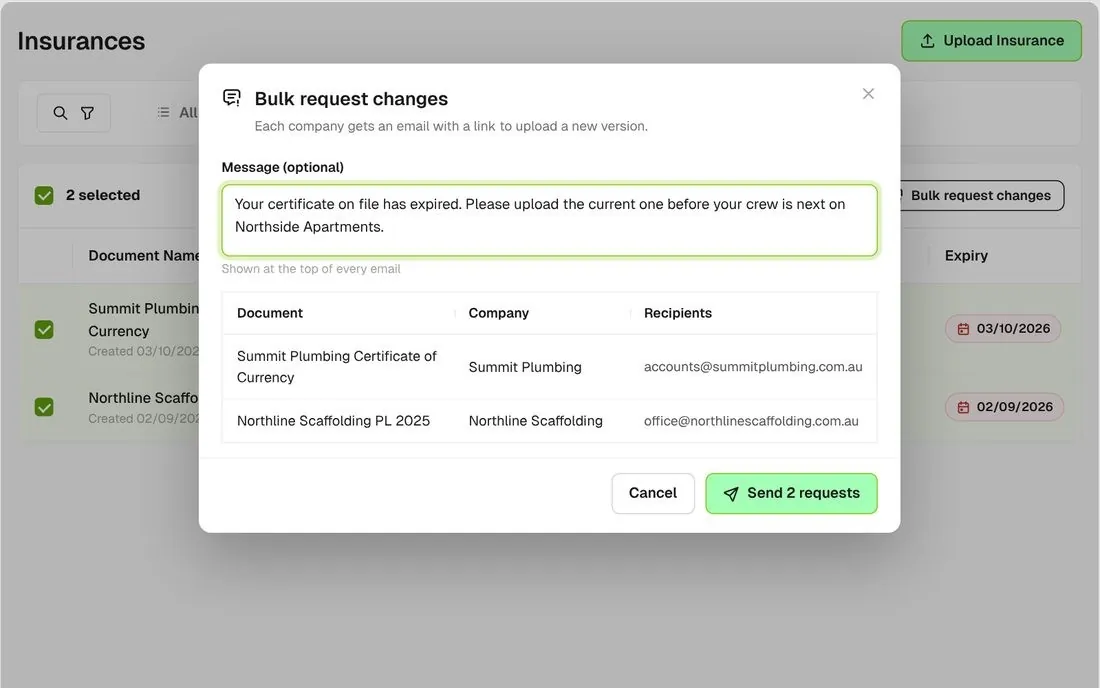
Expired view with rows selected and the Bulk request changes dialog with a custom message

Chase every expired certificate

Open the Expired view, select the lot and send one request with your own message at the top of every email.
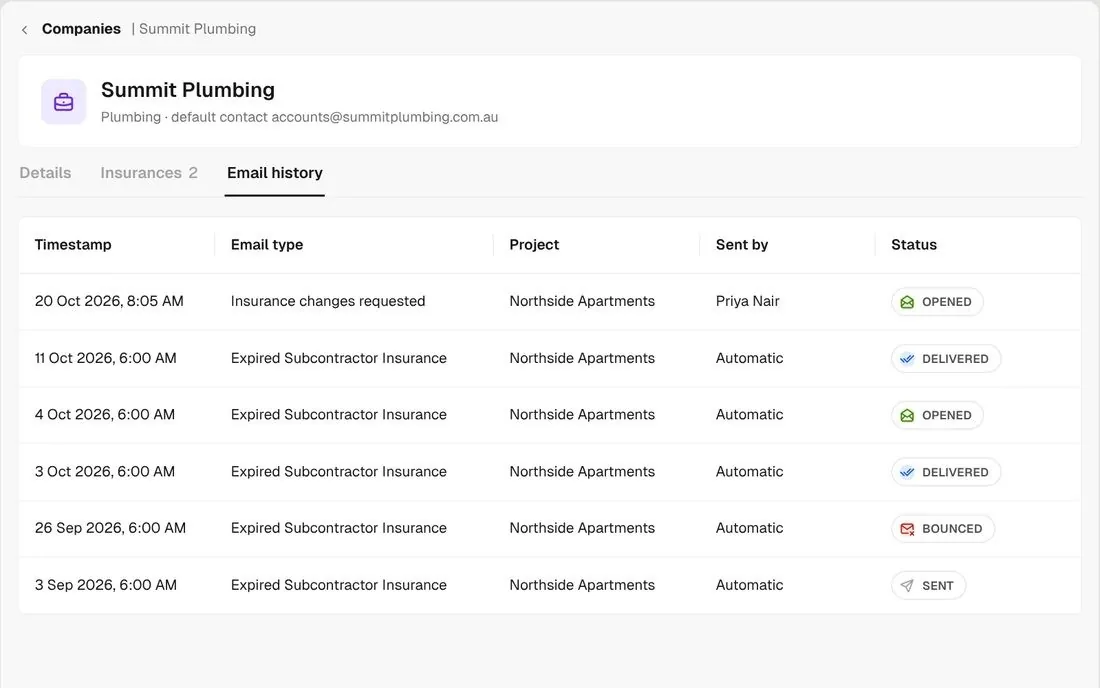
Company email history showing reminders as delivered, opened or bounced

See if they opened it

Each company's email history shows you whether a reminder was sent, delivered, opened or bounced.
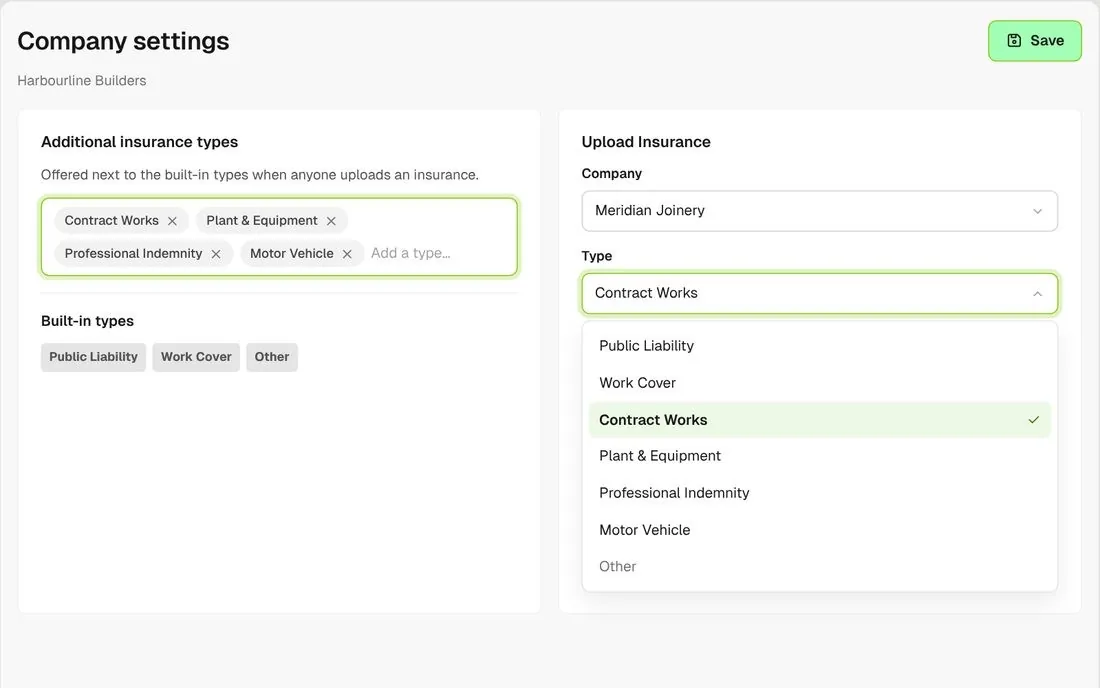
Company settings with additional insurance types added alongside the built-in ones

Add your own insurance types

Add the types your contracts ask for, like plant and equipment or a QBCC licence. Reminders work the same for every type.
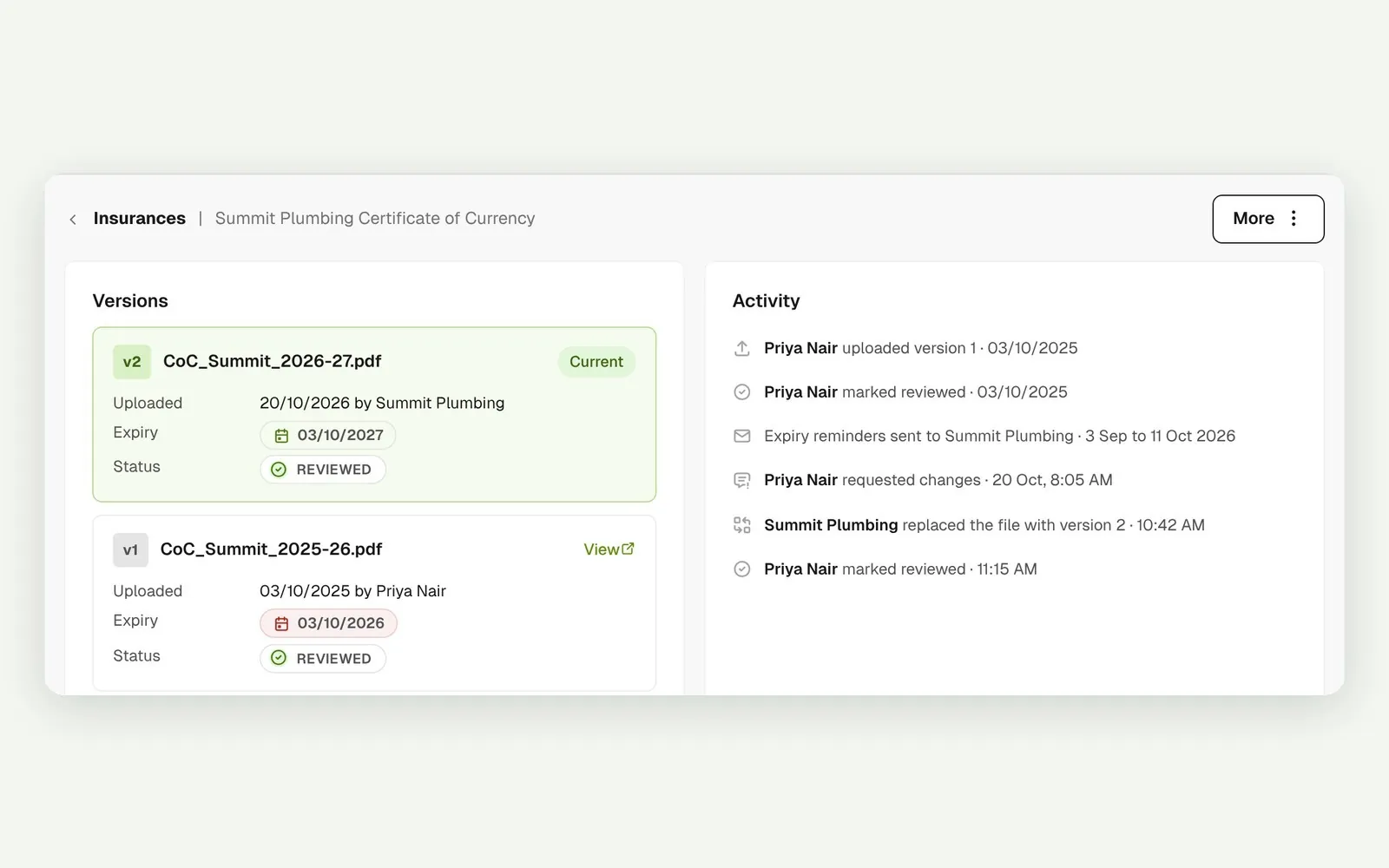
Version history of a certificate replaced each year

Every version kept

When a company replaces a certificate, the new one becomes the next version and the earlier ones stay on the record.
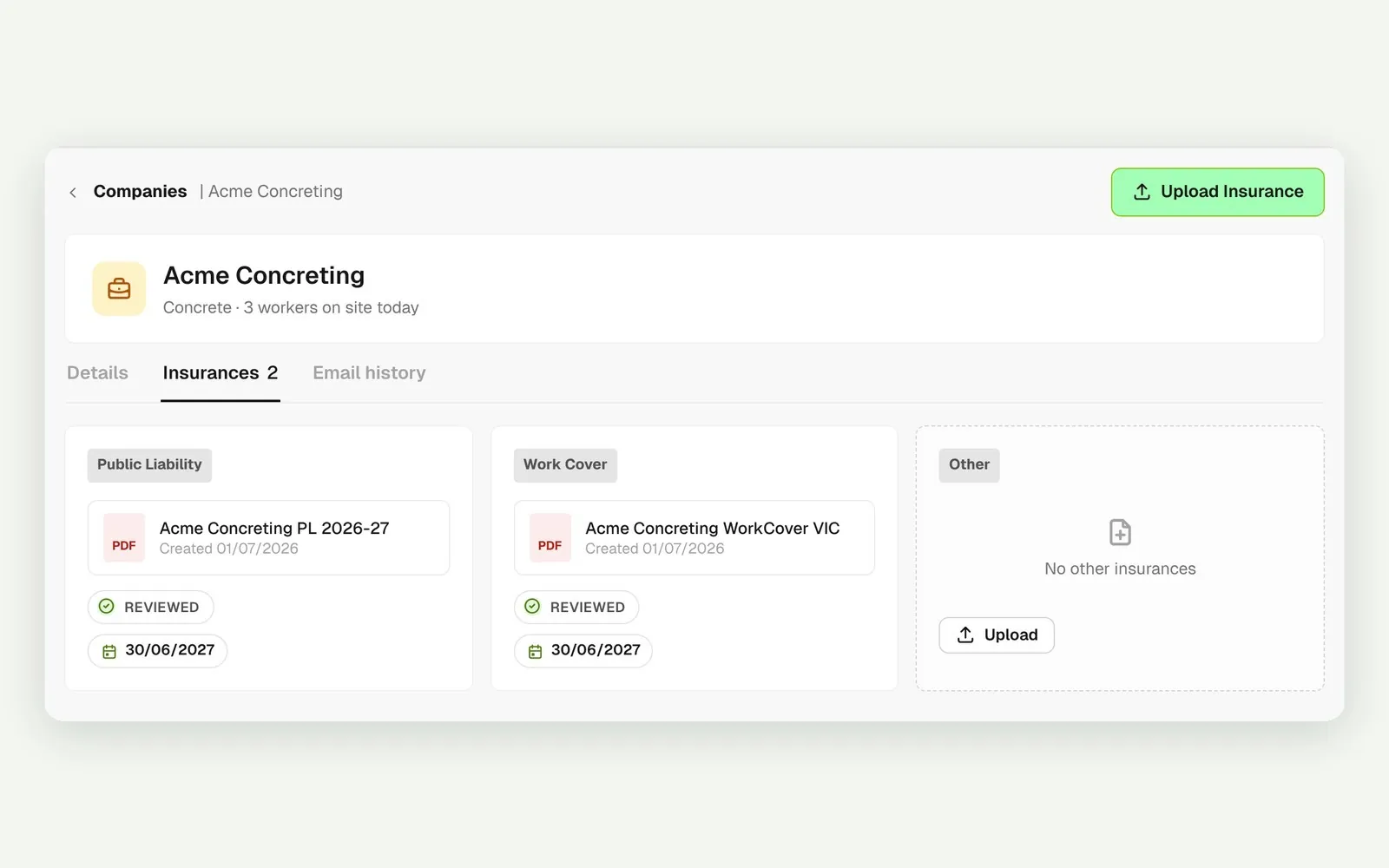
One company's insurances by type with review and expiry status

One company, every policy

Open a company to see every certificate it holds, by type, with the review and expiry status of each.

Connected to the whole job
BuildRun the site

Insurances, connected to the whole job

Insurance requests go out with the rest of a company's documents, like SWMS and SDS, through one link. Certificates sit on the company record, so the same insurance covers that subbie on every project you run.

Explore health and safety
  1. Expiry reminderExpiring in a weekto the company's default contact
  2. Email historyOpenedsent, delivered, opened or bounced
  3. COVERS EVERY PROJECT1 certificateBrightSpark Public Liability · reviewed, expires 12/11/2026

Win

Price the job

Take off, estimate and get proposals out the door, without rekeying the same numbers three times.

Explore preconstruction

Pay

Manage the money

Budgets, commitments, progress claims and bills, so you see the real financial position of every job.

Explore finance

Connect

Connect the tools

Bring your other tools, your phone line and BuildPass AI into the same workflow.

Explore the AI toolkit

Trusted by builders who run their projects on BuildPass

From custom-home builders to commercial head contractors, teams across Australia and New Zealand run their projects on BuildPass every day.


The onboarding process and training we received from the BuildPass team was fantastic.
Nick Du Bois
Managing Director, FORA
These checklists ensure our standards are consistently met, no matter the project.
Mark Riley
Site Supervisor, Turn Group
I'd recommend BuildPass to any builder, sub contractor or site manager. It just makes your life easier.
Garath Vella
Director, Lorden Vella

Frequently asked questions

Yes. BuildPass emails the company's default contact about a month before, a week before, on the day and after it expires. The certificate needs to be reviewed, and the company needs a default contact with an email address and recent activity on one of your live projects.

No. A certificate holds the file, type, expiry date and review status, not the cover amount. Your reviewer reads the limit off the certificate before marking it reviewed.

No. Insurance doesn't block inductions or sign ons. Use the Expired view to see who is out of date and chase them all in one go.

Yes. Add a licence, like a QBCC licence, as its own type with an expiry date. It gets the same reminders and review status as any certificate.

See how BuildPass works on your projects

Book a demo and we'll walk your team through it.