
Build

Every worker inducted, before they get to site

Online construction site induction software for workers and contractors

Workers scan your site QR or open a link and do their induction on their phone, with their certifications and SWMS in the same flow. Your site manager reads the answers and marks it reviewed, and a worker with an unfinished induction can’t sign on.
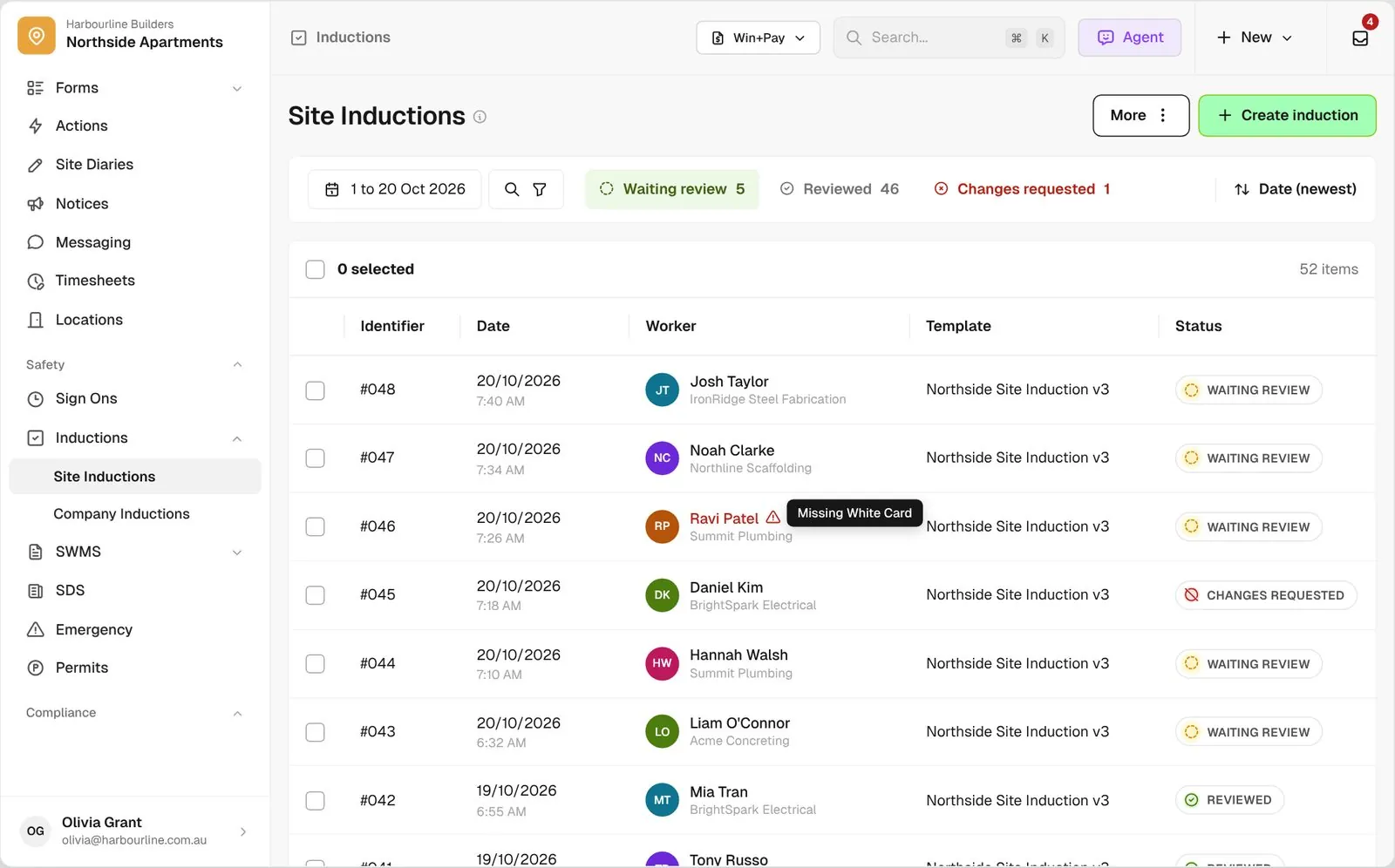
Site Inductions list for Northside Apartments with Waiting review, Reviewed and Changes requested tabs

Trusted by builders across the country

From custom-home builders to commercial head contractors, site teams run their worker inductions on BuildPass.


Vaughan Constructions
Hicon
JCGAU
Turn Group
Saw Constructions
Rendine Group
Vaughan Constructions
Hicon
JCGAU
Turn Group
Saw Constructions
Rendine Group
Universal Constructions
McColl Smith Projects
Peach
Staark
Creador Interiors
ARC Projects
Mancini Made
Sense Projects
Universal Constructions
McColl Smith Projects
Peach
Staark
Creador Interiors
ARC Projects
Mancini Made
Sense Projects

Induction software helps builders and head contractors take workers through a site induction on their phone before they start, collect their certifications, and keep a reviewed record of every induction.

One induction, from the site QR to your review

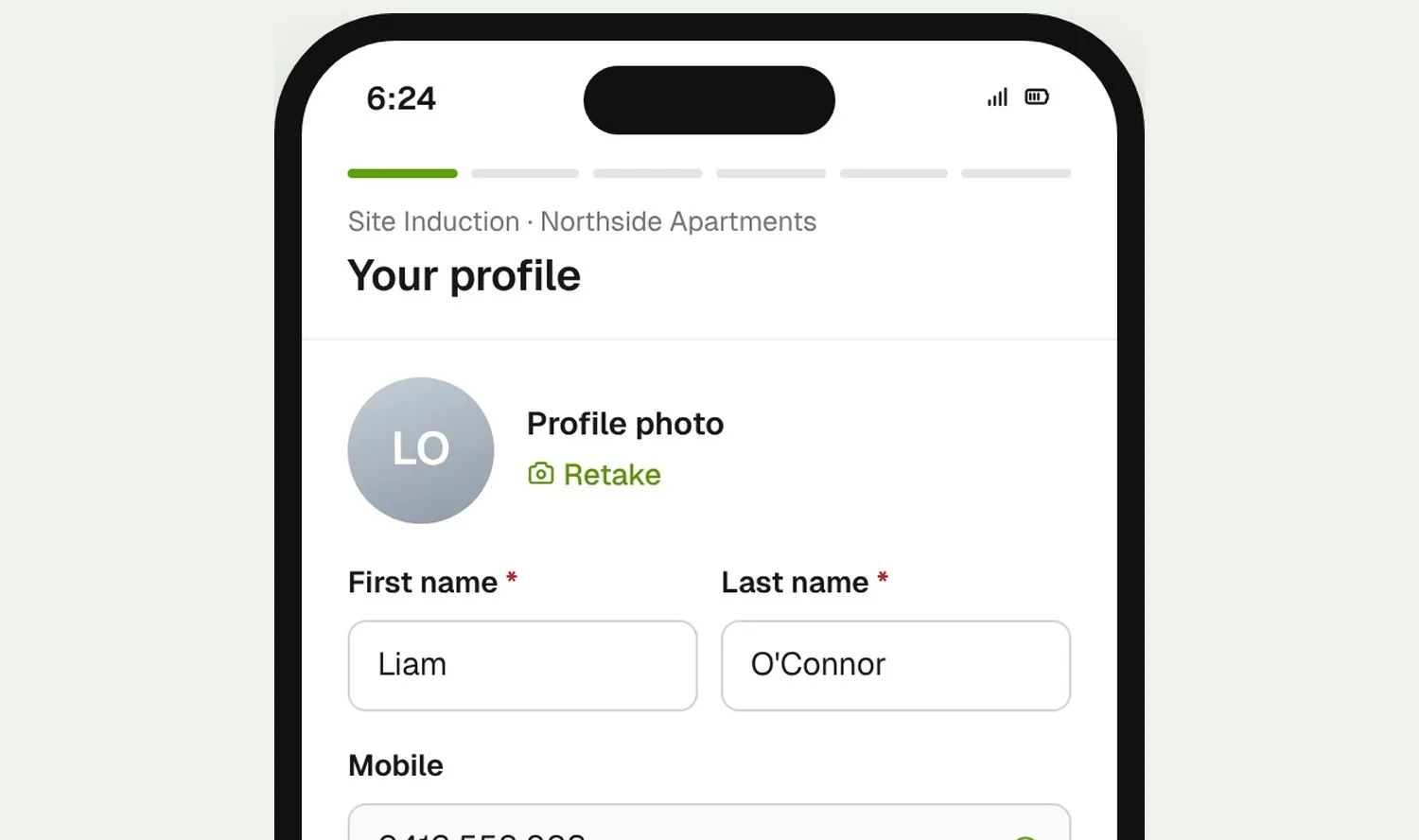
Worker scanning the site QR and starting the induction profile step on their phone
01

Workers start on their phone

Workers scan the site QR or open the link you send, confirm their mobile number and fill in their profile. They can carry on in the browser without the app.
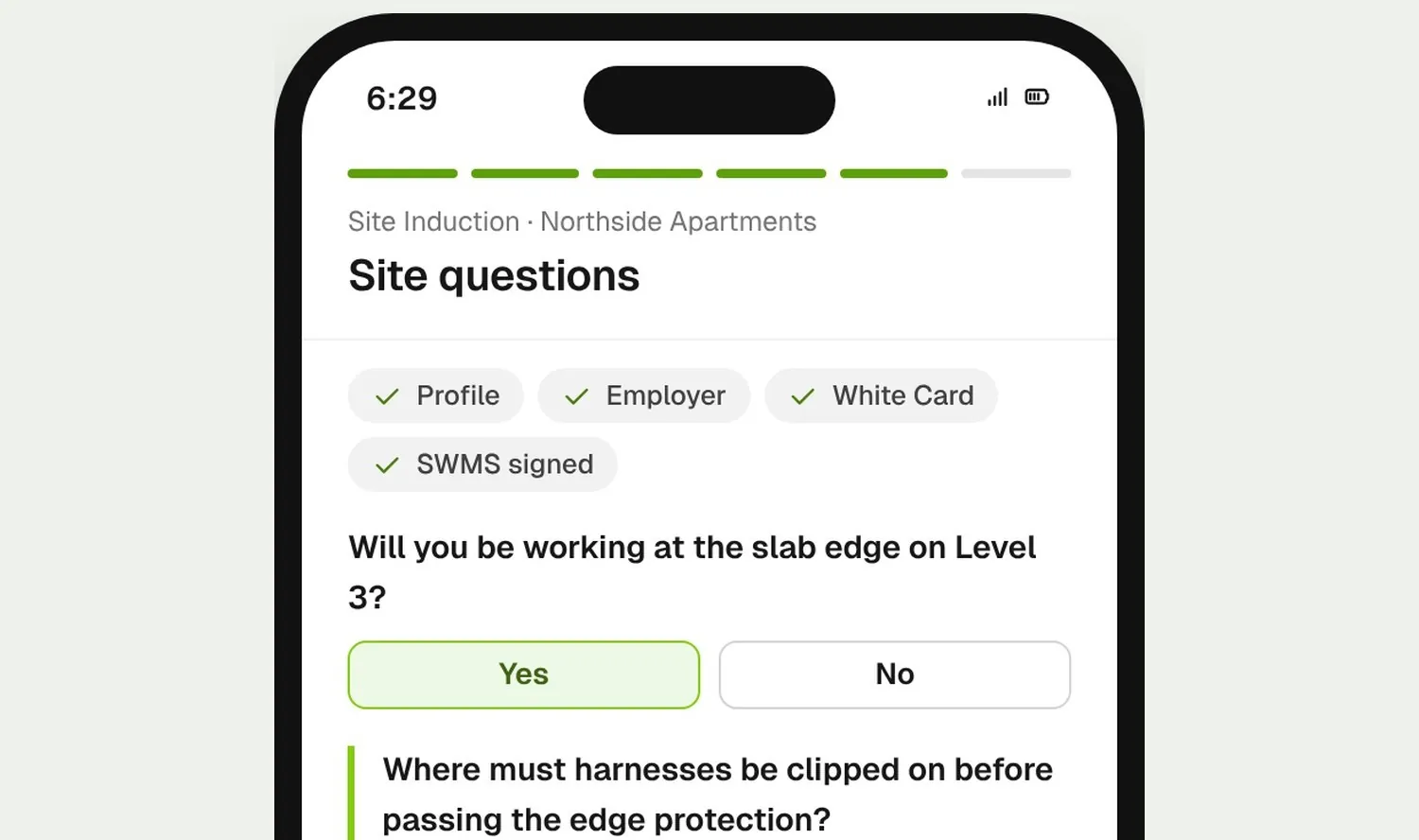
Worker answering induction questions, adding certifications and signing a SWMS on their phone
02

They finish it before day one

Workers answer your questions, add their required certifications and sign the SWMS that apply to them in one flow. They can do it at home the night before.
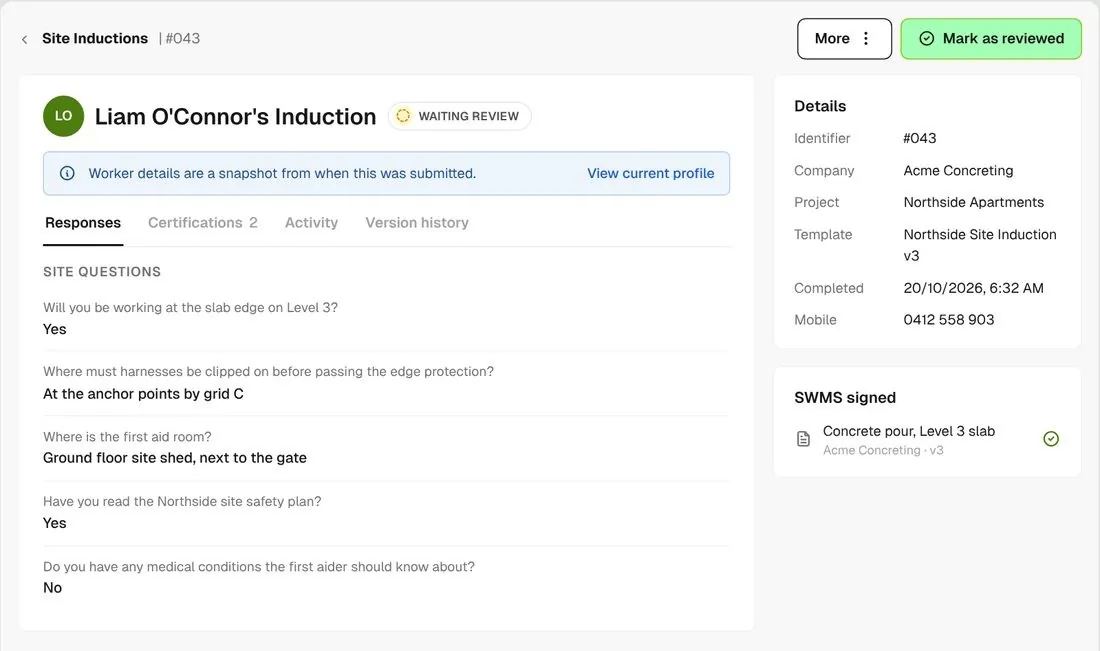
Induction detail with the worker's responses and the Mark as reviewed button
03

You review it

Read the answers, then mark the induction reviewed or request changes with a note. The worker gets a link to fix it and resubmit.

How it works

Your whole induction register, in one view

A review queue on every project, templates you control, and the record ready when someone asks for it.
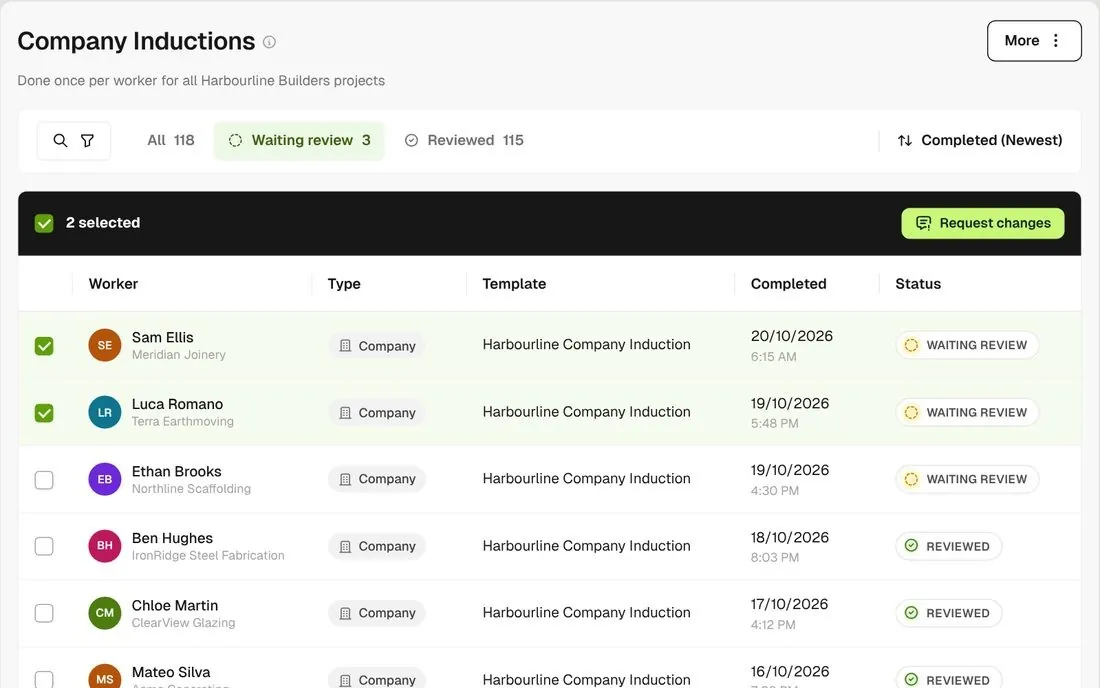
Company Inductions list with type chips and bulk Request changes for selected workers

One company induction, a site induction per job

Workers do your company induction once for the whole business, then a site induction for each project. Send company inductions back out in bulk when something changes.
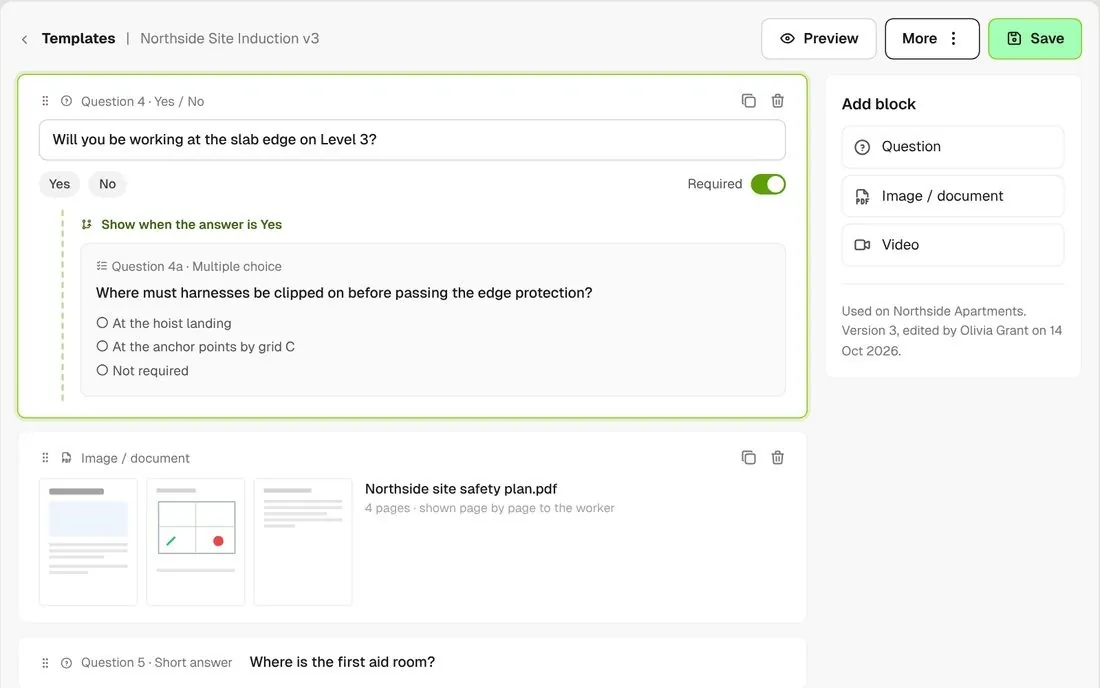
Template editor with a conditional question and a PDF block for the site safety plan

Questions that branch

Build your own template with questions that only show when an earlier answer calls for them, and add your site safety plan as a PDF.
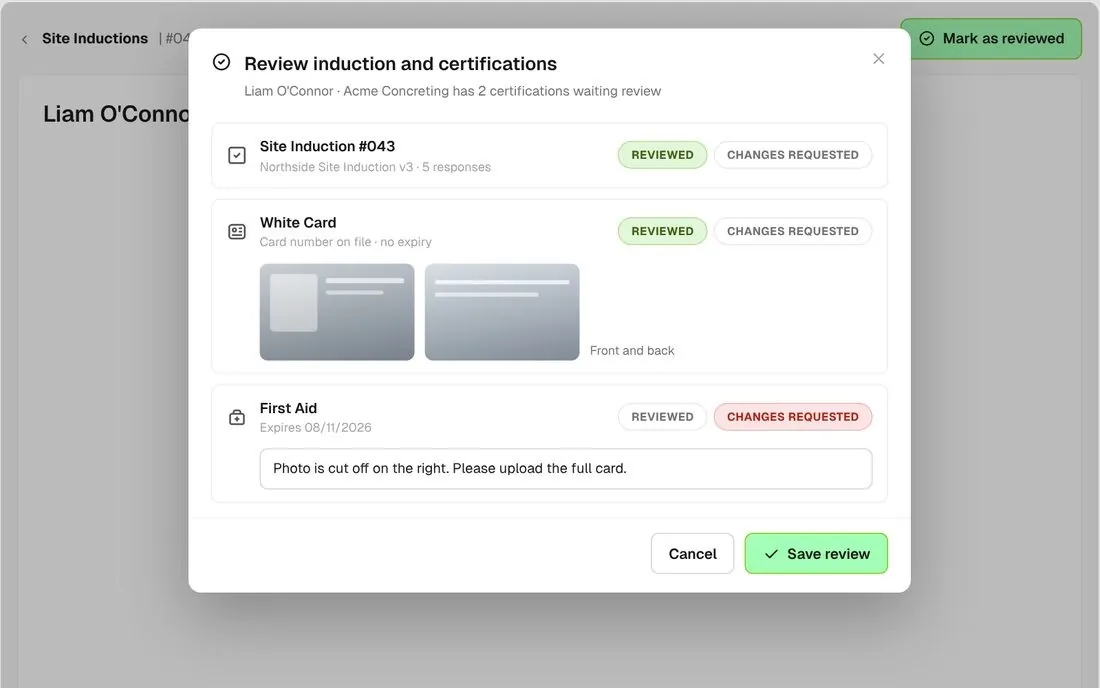
Combined review of an induction and the worker's certifications

Check cards in the same pass

When a worker has certifications waiting review, Mark as reviewed opens one review for the induction and the cards together.
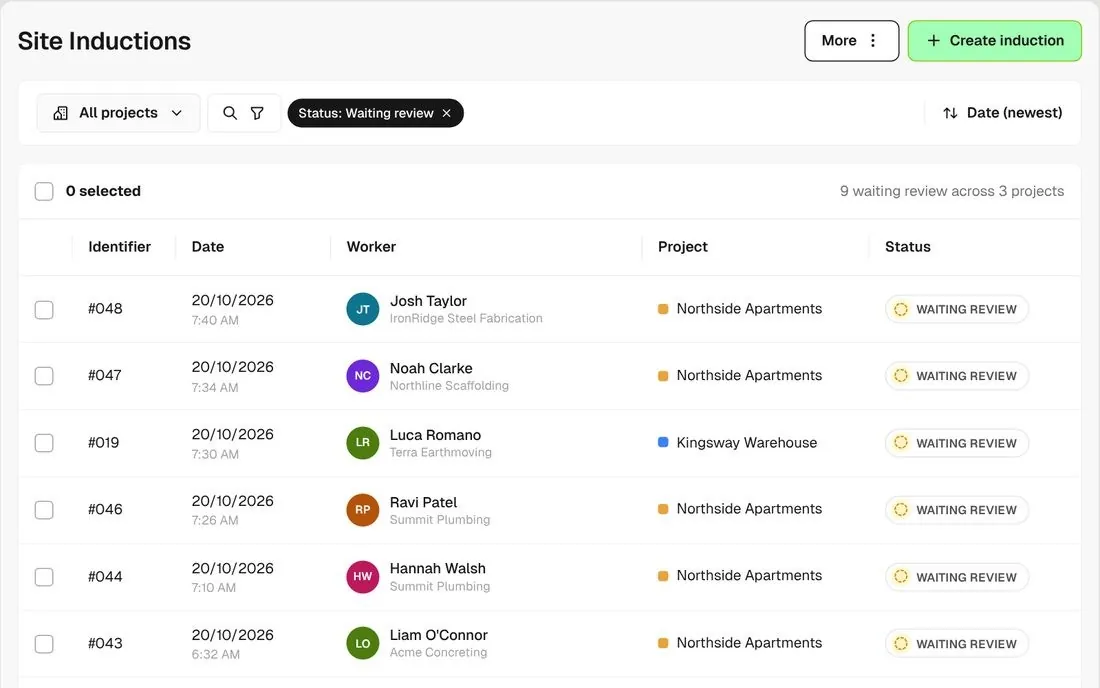
All projects view filtered to Waiting review with a Project column

A review queue on every project

Filter to Waiting review to clear a project’s inductions in one sitting. Company inductions can be reviewed across every project at once.
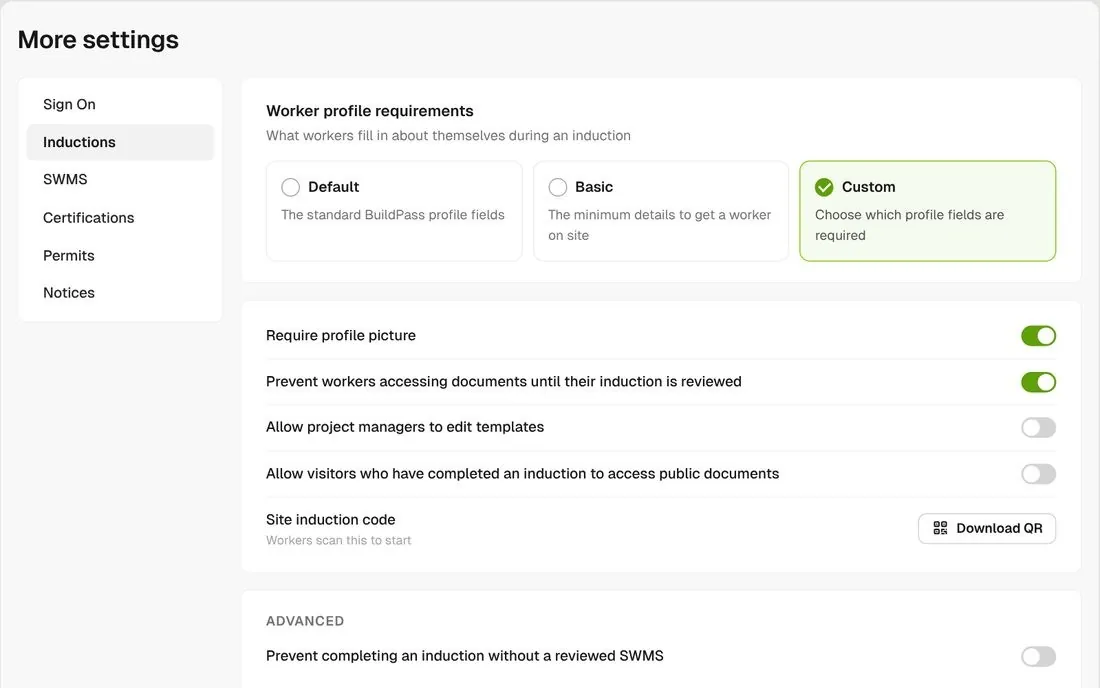
Induction settings with Default, Basic and Custom worker profile modes

Choose how much workers fill in

Pick a Default, Basic or Custom worker profile, require a profile photo, and hold back project documents until the induction is reviewed.
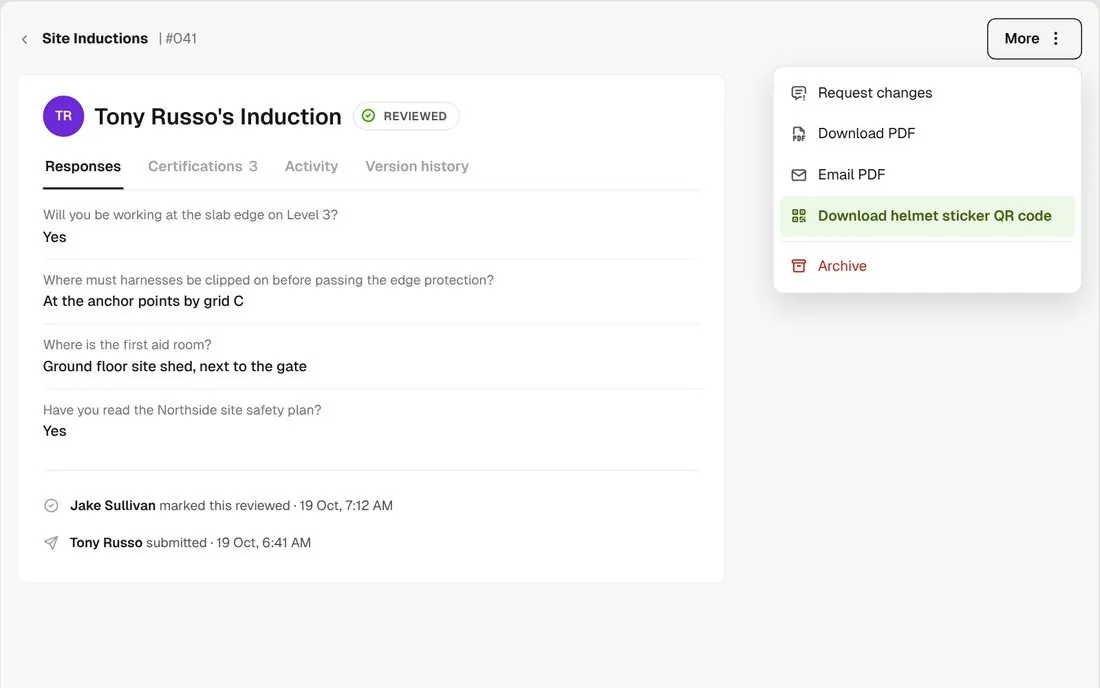
Action menu on a reviewed induction with Download helmet sticker QR code

Helmet sticker QR codes

Once an induction is reviewed, download a QR code for the worker’s helmet sticker.

Connected to the whole job
BuildRun the site

Inductions, connected to the whole job

Required certifications and SWMS are steps inside the induction, and an unfinished induction stops a worker signing on. Switch on a setting to also hold sign on until you have reviewed it, or set up a workflow to tell the right person when one is waiting.

Explore health and safety
  1. Induction5 waiting review46 reviewed on Northside Apartments
  2. CertificationsReviewed togetherWhite Card, EWP, First Aid
  3. AT THE GATESign on allowedTony Russo, Acme Concreting · reviewed 19 Oct, 7:12 am

Win

Price the job

Take off, estimate and get proposals out the door, without rekeying the same numbers three times.

Explore preconstruction

Pay

Manage the money

Budgets, commitments, progress claims and bills, so you see the real financial position of every job.

Explore finance

Connect

Connect the tools

Bring your other tools, your phone line and BuildPass AI into the same workflow.

Explore the AI toolkit

Trusted by builders who run their projects on BuildPass

From custom-home builders to commercial head contractors, teams across Australia and New Zealand run their projects on BuildPass every day.


The onboarding process and training we received from the BuildPass team was fantastic.
Nick Du Bois
Managing Director, FORA
These checklists ensure our standards are consistently met, no matter the project.
Mark Riley
Site Supervisor, Turn Group
I'd recommend BuildPass to any builder, sub contractor or site manager. It just makes your life easier.
Garath Vella
Director, Lorden Vella

Frequently asked questions

Yes. Send them the link or the QR code and they can finish it from home. You can also drop the QR requirement for some projects or all of them.

No. Workers who finished the old version keep their submission and aren’t asked again. To have someone redo it, request changes on their induction. For company inductions you can do that in bulk.

No. You can score a question’s options as met or not met, and a not-met answer shows in red when you review it, but it never stops the worker. You mark the induction reviewed or request changes. To keep workers off site until then, switch on the setting that stops them signing on until it’s reviewed.

Yes, as a PDF. It shows page by page inside the induction. A slide deck needs exporting to PDF first, and Word files aren’t accepted.

See how BuildPass works on your projects

Book a demo and we'll walk your team through it.