

Build

Every worker’s tickets checked, before they start work

Construction worker tickets, licences and White Card tracking

Workers add their White Card and licences to a wallet on their phone. Your site manager reviews each card, and you can block sign on for anyone whose required card has expired or is missing.
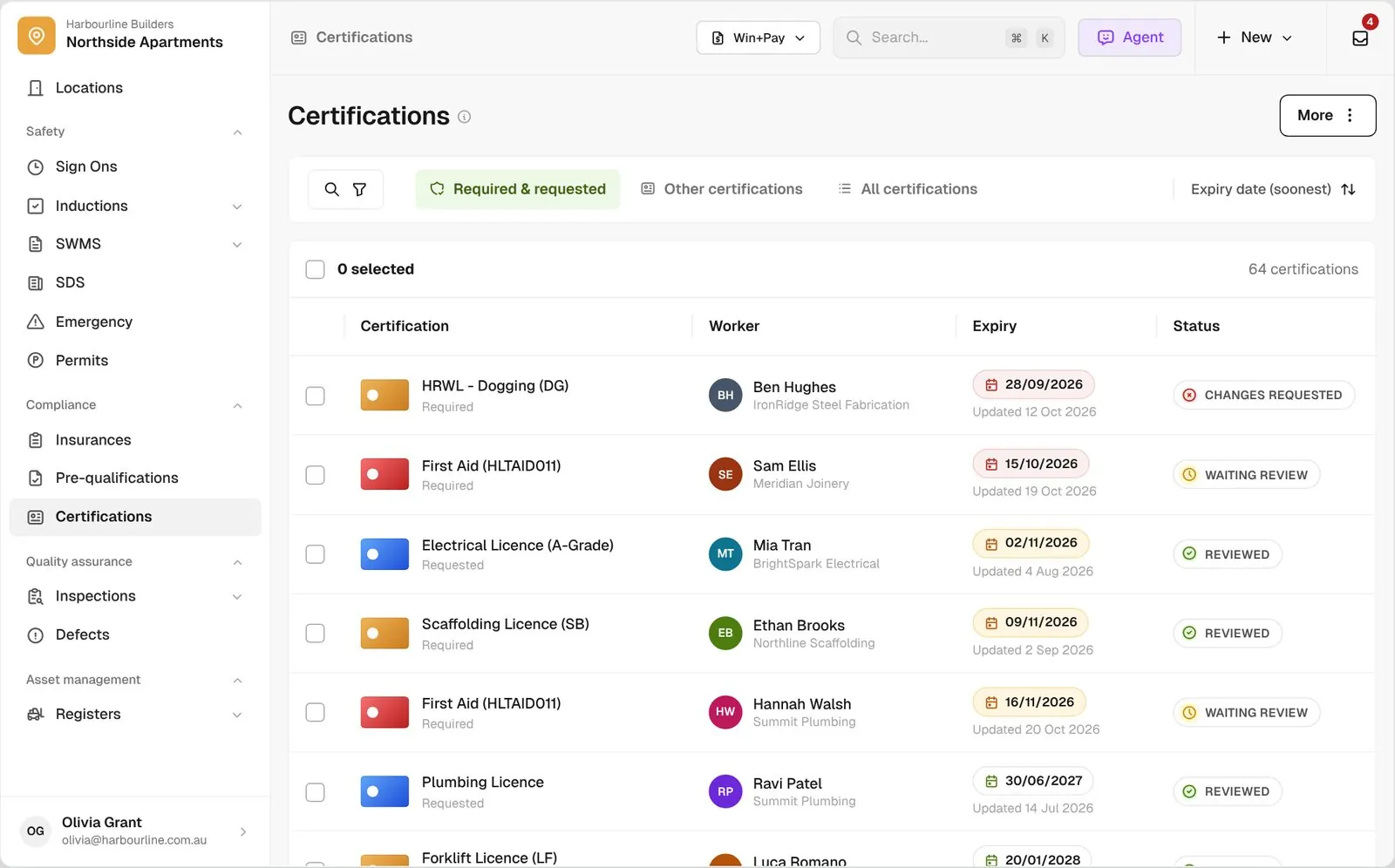
Certifications list across every worker with expiry dates and review status, sorted by soonest expiry

Trusted by builders across the country

From custom-home builders to commercial head contractors, site teams check their workers’ tickets on BuildPass.


Vaughan Constructions
Hicon
JCGAU
Turn Group
Saw Constructions
Rendine Group
Vaughan Constructions
Hicon
JCGAU
Turn Group
Saw Constructions
Rendine Group
Universal Constructions
McColl Smith Projects
Peach
Staark
Creador Interiors
ARC Projects
Mancini Made
Sense Projects
Universal Constructions
McColl Smith Projects
Peach
Staark
Creador Interiors
ARC Projects
Mancini Made
Sense Projects

Certification software helps builders and head contractors collect workers’ tickets and licences, review them, see expiry dates across every project, and stop workers without a current certification signing on to site.

One ticket check, from the worker’s phone to your gate

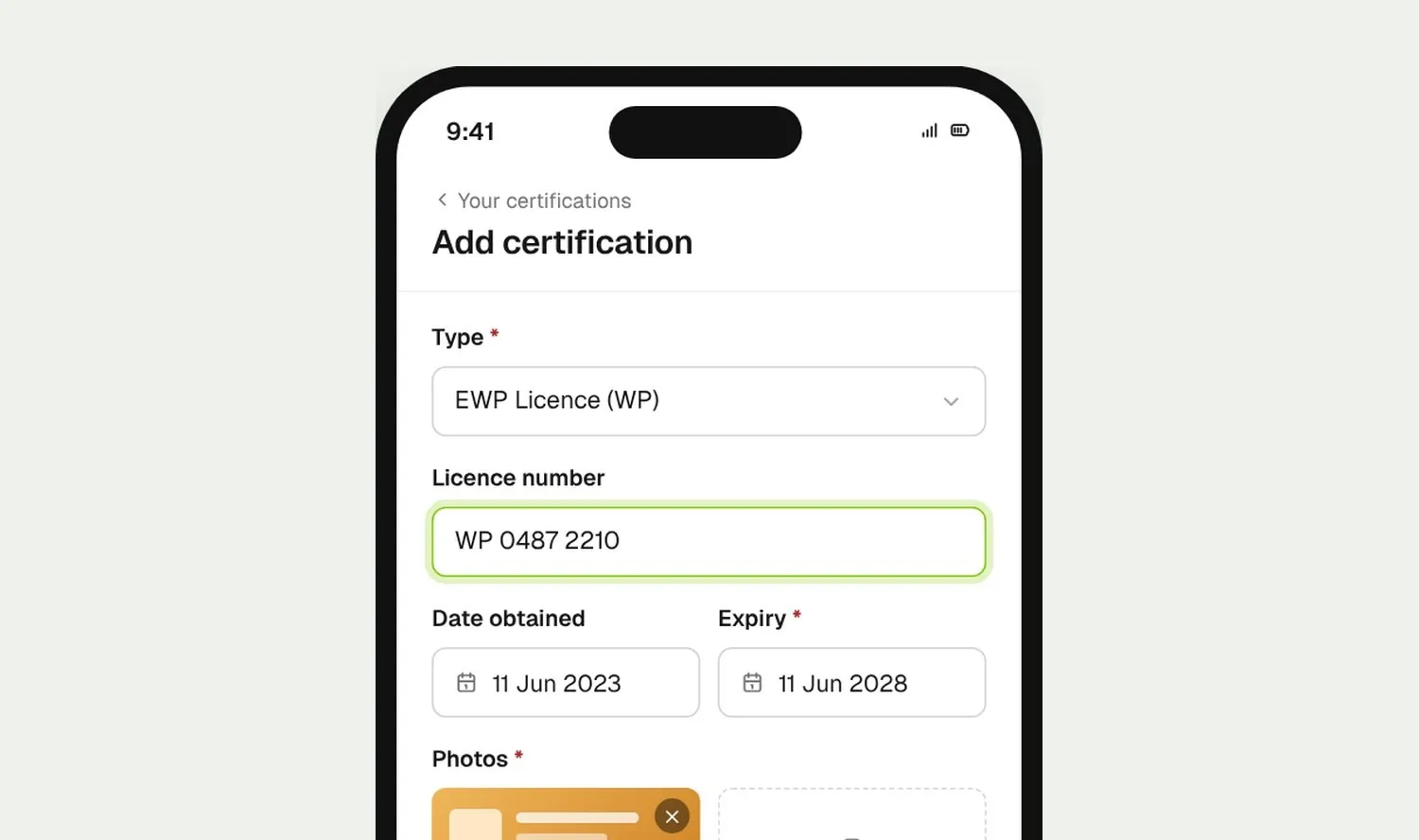
Worker adding a certification on their phone with number, expiry and front and back photos
01

Workers add their cards

Workers pick the certification, enter the number and expiry, and photograph the front and back. The card stays in their wallet, ready for the next builder.
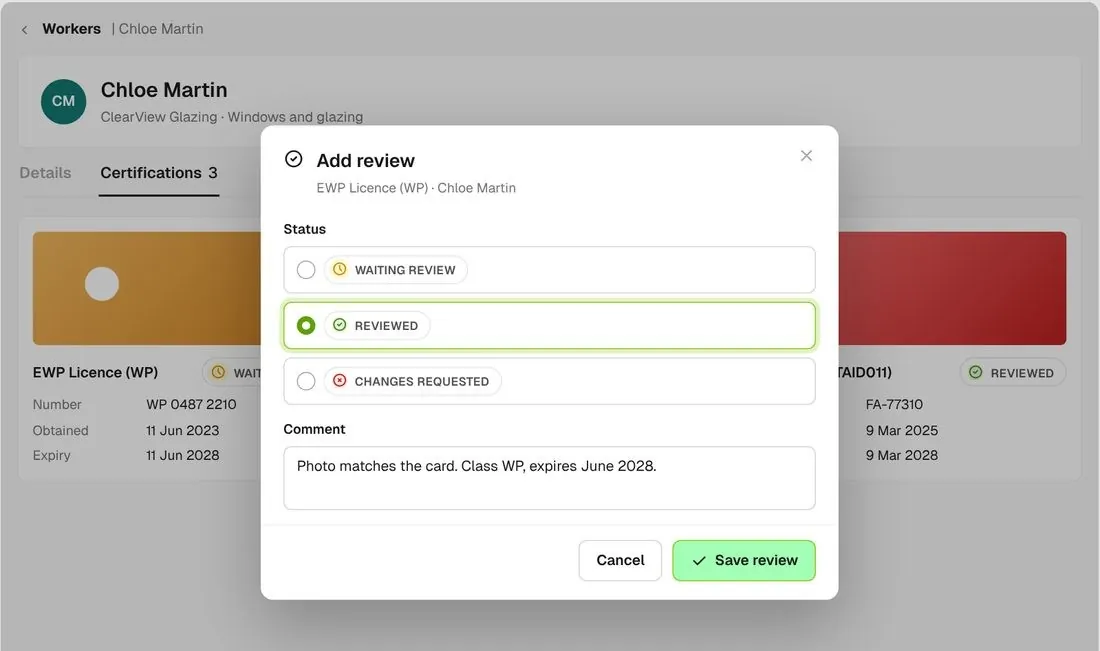
Worker's certifications with a review being marked reviewed with a comment
02

You review them

Open the worker’s certifications and mark each one reviewed, or request changes with a comment. The worker sees what you asked for in their app.
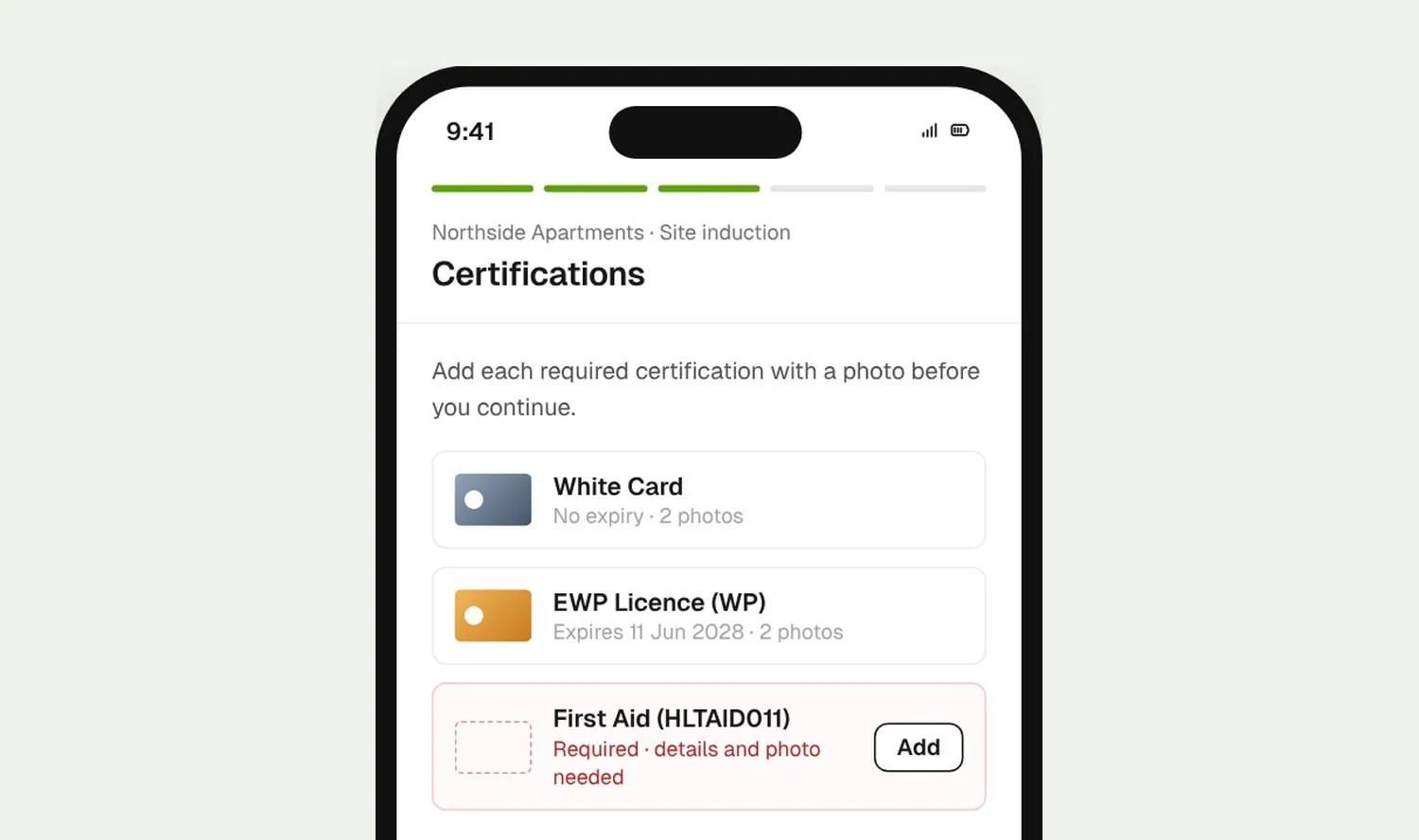
Induction certification step listing the required cards the worker must save before continuing
03

Checked at induction

Required certifications are a step in the induction. Workers can’t finish until each one is saved with its details and a photo.

How it works

Every ticket in one view

Find what’s expiring across every project, review in batches, and keep out-of-date cards off site.
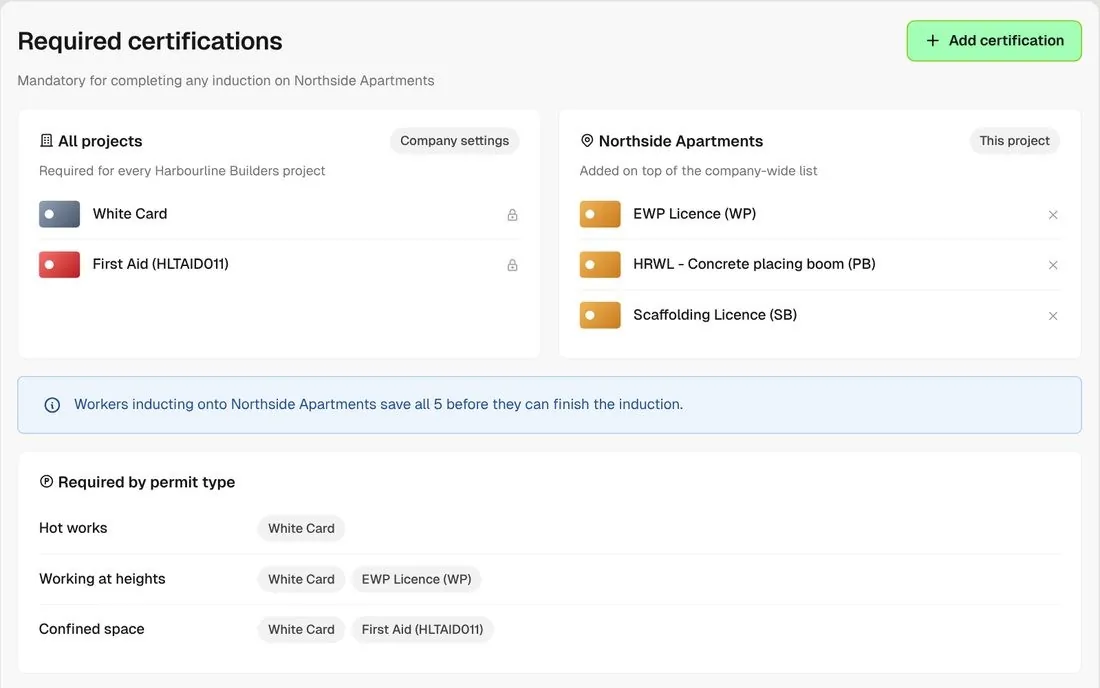
Required certifications card with company-wide and project lists side by side

Company-wide and project lists

Set the certifications every project needs, add extra ones for a single job, and see both lists side by side.
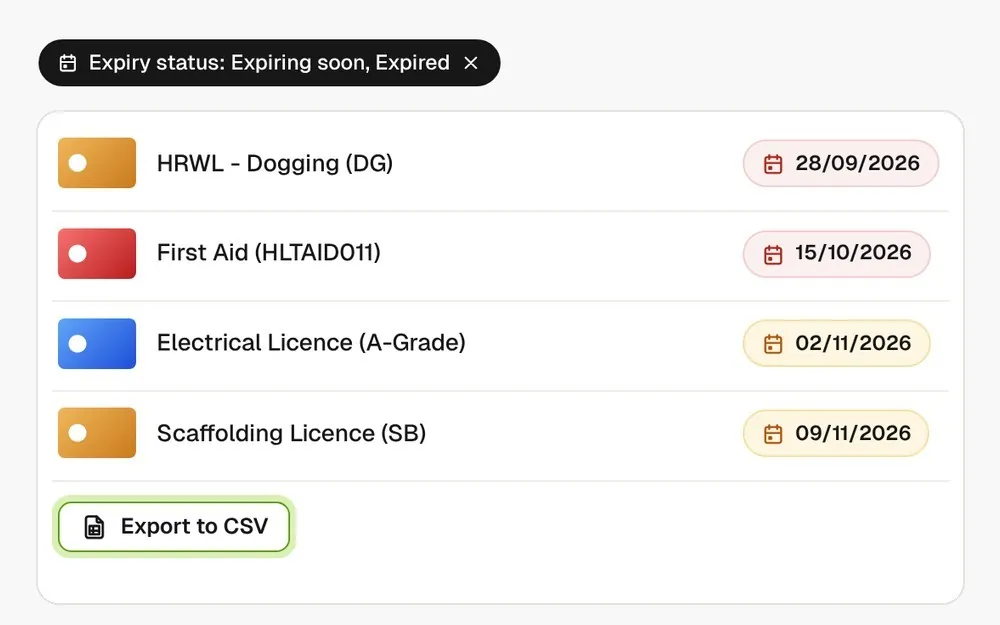
Certifications list filtered to expiring soon and expired, with CSV export

See what’s expiring

Safety managers filter every certification across all projects to Expiring Soon or Expired, then export the list to CSV.
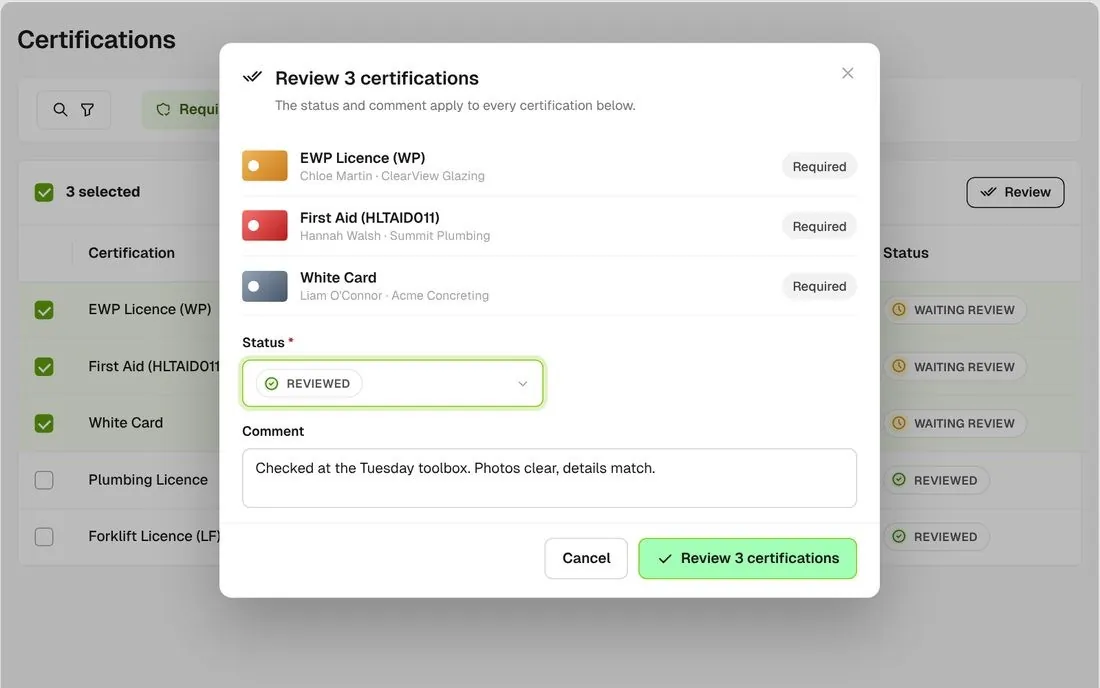
Bulk review of three selected certifications with one status and comment

Review a batch at once

Select several certifications and set the review status and comment on all of them in one step.
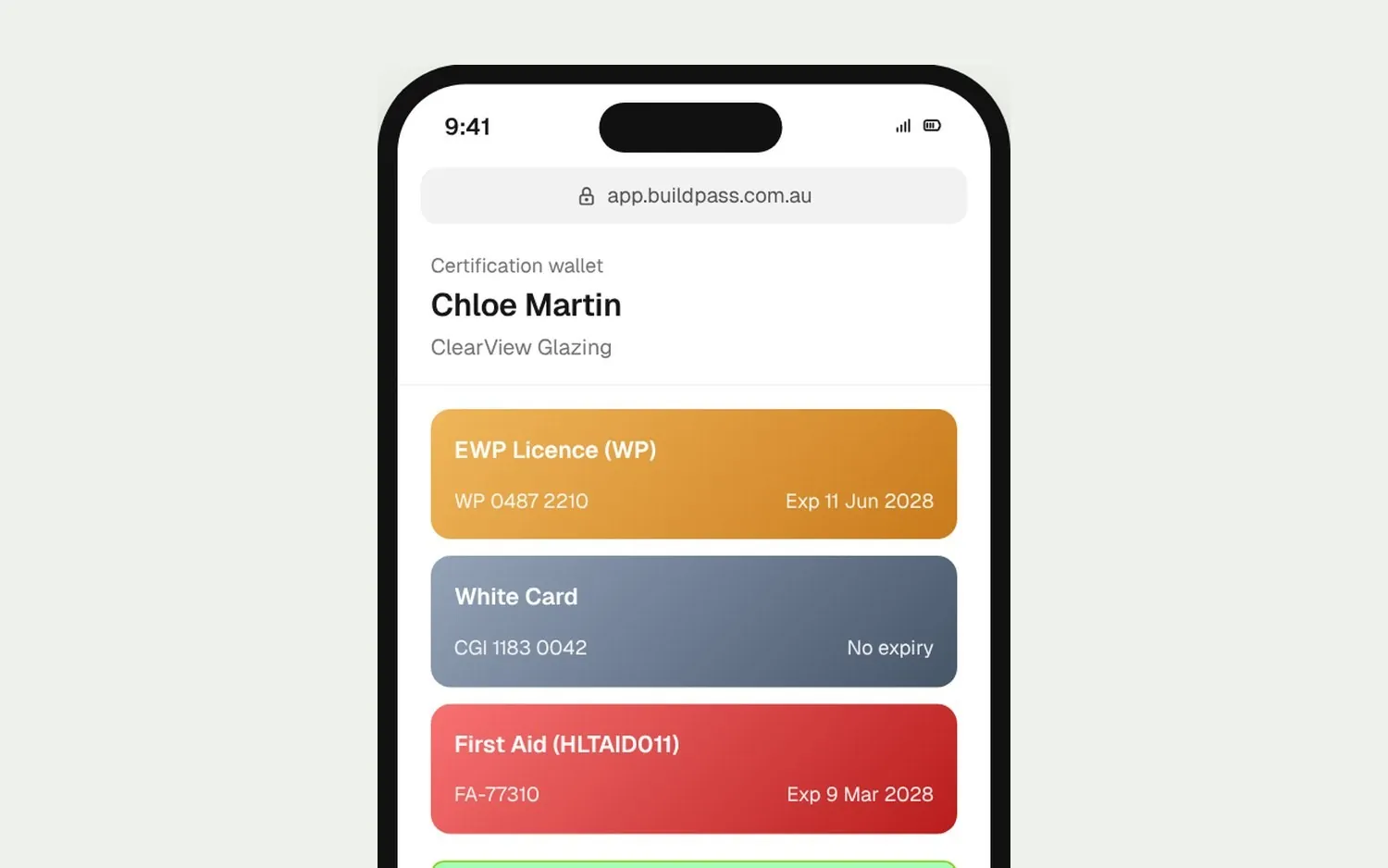
Shared certification wallet page with every card and Download as PDF, valid for 7 days

A 7-day share link

Workers can share their wallet as a link with every card and a PDF download. It needs no login and expires after 7 days.
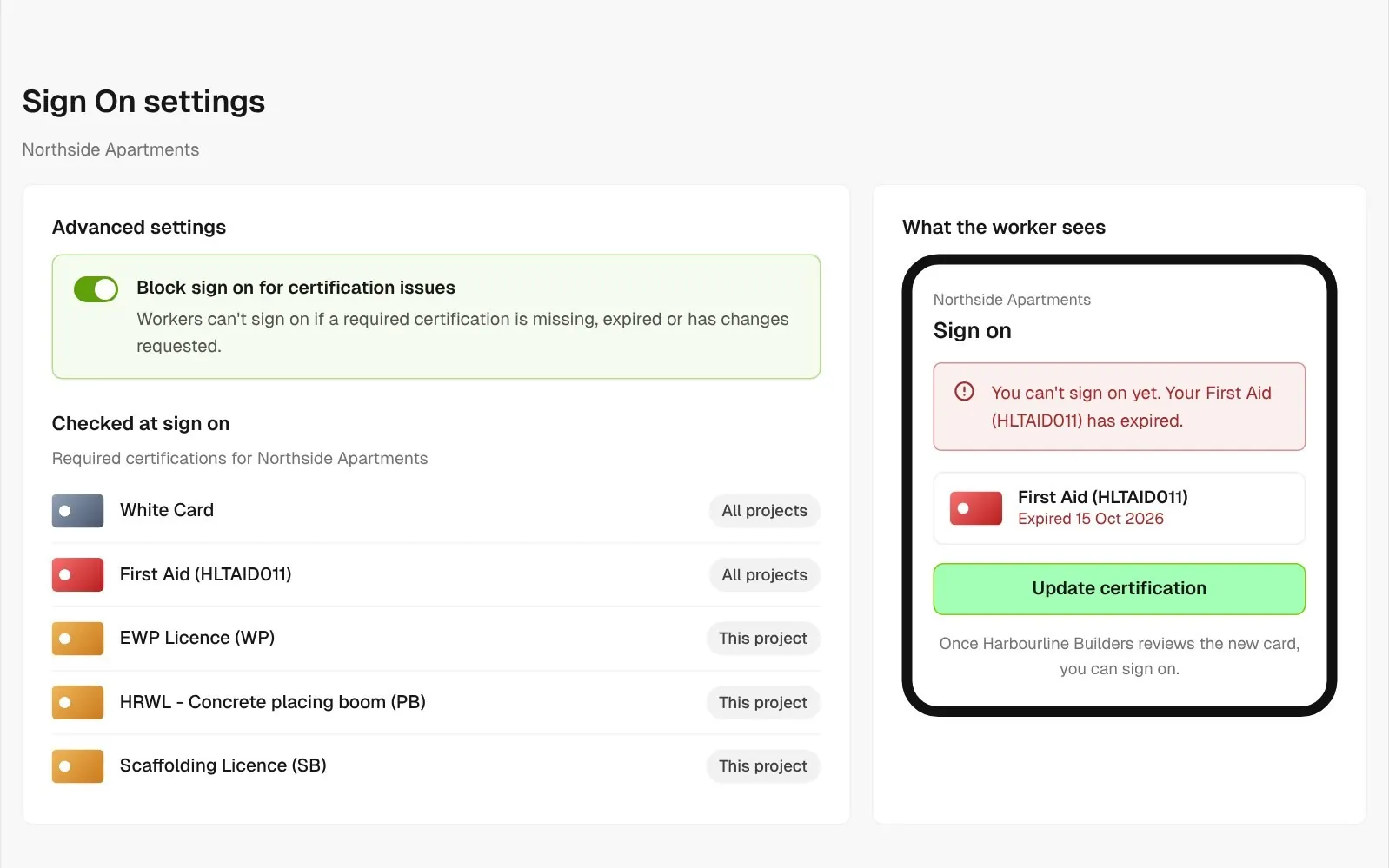
Sign On setting that blocks sign on for certification issues, and the worker's expired card message

Expired card, no sign on

Switch on one setting and workers can’t sign on while a required certification is missing, expired or has changes requested.
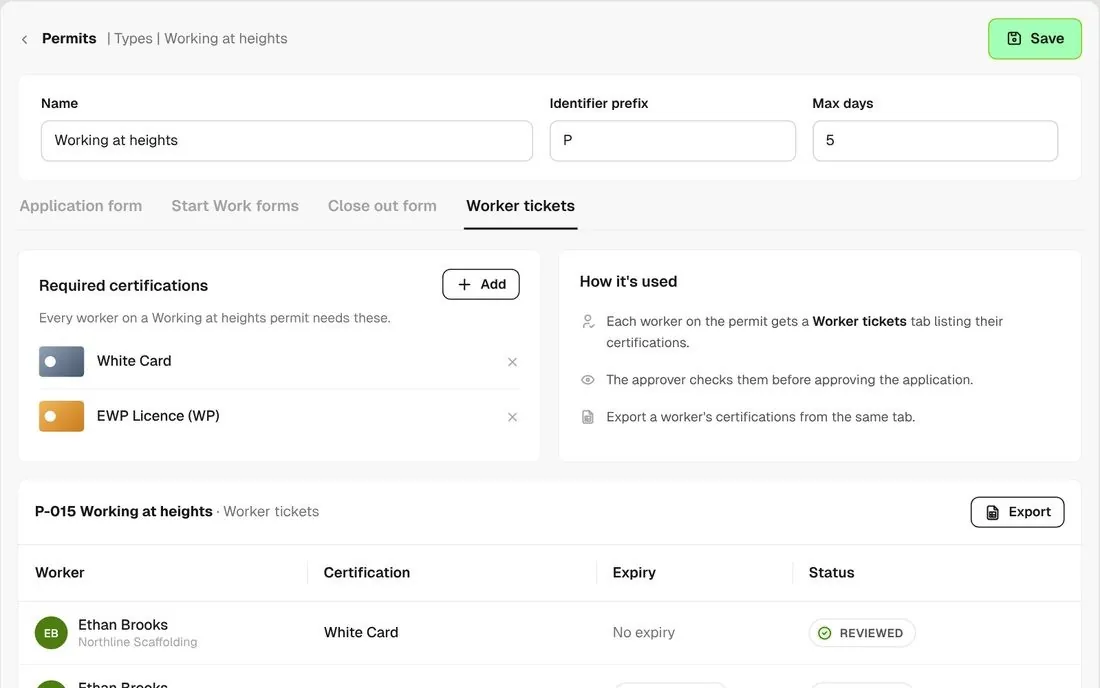
Working at heights permit type with required certifications on the Worker tickets tab

Certifications per permit type

Pick the certifications each permit type needs. Before you approve a permit, open its Worker tickets tab and check every worker’s cards.

Connected to the whole job
BuildRun the site

Certifications, connected to the whole job

Required certifications are collected in the induction and checked again at sign on. You can review an induction and its certifications in one pass, and permits show each worker’s cards where the approver needs them.

Explore health and safety
  1. Required5 certifications2 company-wide, 3 for Northside Apartments
  2. Expiring3 within 30 daysfilter, review, export to CSV
  3. CHECKED AT SIGN ONSign on heldFirst Aid expired 15/10/2026 · Chloe Martin, Meridian Joinery

Win

Price the job

Take off, estimate and get proposals out the door, without rekeying the same numbers three times.

Explore preconstruction

Pay

Manage the money

Budgets, commitments, progress claims and bills, so you see the real financial position of every job.

Explore finance

Connect

Connect the tools

Bring your other tools, your phone line and BuildPass AI into the same workflow.

Explore the AI toolkit

Trusted by builders who run their projects on BuildPass

From custom-home builders to commercial head contractors, teams across Australia and New Zealand run their projects on BuildPass every day.


The onboarding process and training we received from the BuildPass team was fantastic.
Nick Du Bois
Managing Director, FORA
These checklists ensure our standards are consistently met, no matter the project.
Mark Riley
Site Supervisor, Turn Group
I'd recommend BuildPass to any builder, sub contractor or site manager. It just makes your life easier.
Garath Vella
Director, Lorden Vella

Frequently asked questions

Your project admins are. Each Monday’s project update email counts the expired and expiring-soon tickets on each live project. Workers aren’t reminded before a card expires, but once it has they get a task in their app to update it. With the sign on setting turned on, an expired card stops them at the gate.

Yes. Certifications belong to the worker and stay in their wallet between builders, so they add each card once. Cards they uploaded for another builder show under Other, for reference.

Not by trade or company. You set required certifications for every project or for one project, and every worker on that project is asked for both lists. For high risk work, list them on the permit type so the approver checks each worker’s cards before approving.

Yes, from the worker’s record. It’s tagged Builder Generated, only your team can edit it, and the worker can’t see it, so ask them to add it in their app if they should keep it up to date.

See how BuildPass works on your projects

Book a demo and we'll walk your team through it.