
Workers request it
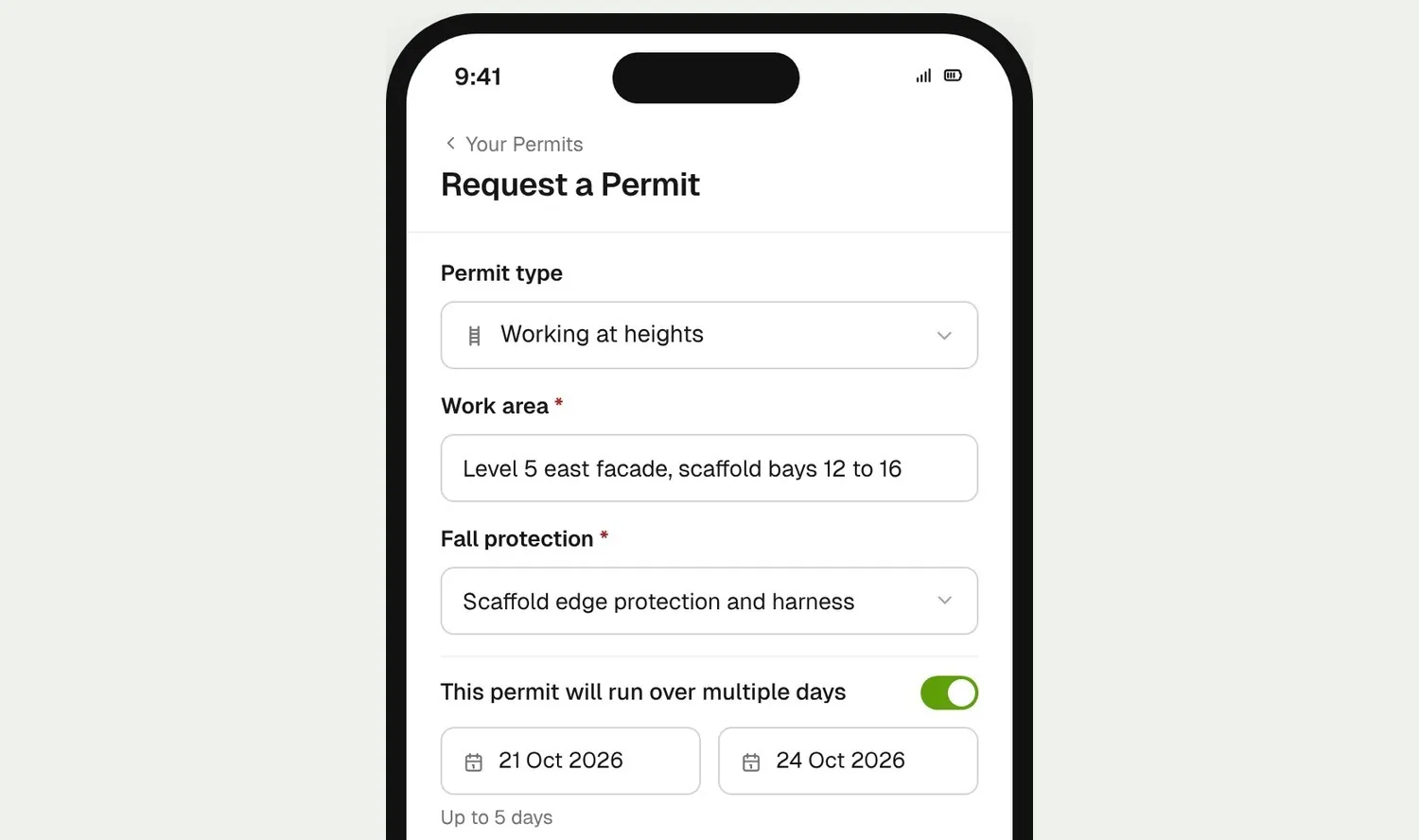
Workers pick a permit type on their phone, fill in your application form and add their crew. Multi-day permits can't run past the max number of days you set for that type.
Workers request hot works, working at heights or confined space permits from their phone. Your site manager checks each worker's tickets and approves the ones ready to go, and the start checklist is done before work begins. Every step stays on the permit.
From custom-home builders to commercial head contractors, site teams use BuildPass to run their site permits.



















Permit software helps builders and head contractors take permit to work requests from workers on their phone, check each worker's tickets, approve the work, and keep the start and close out checklists on record.
Workers pick a permit type on their phone, fill in your application form and add their crew. Multi-day permits can't run past the max number of days you set for that type.
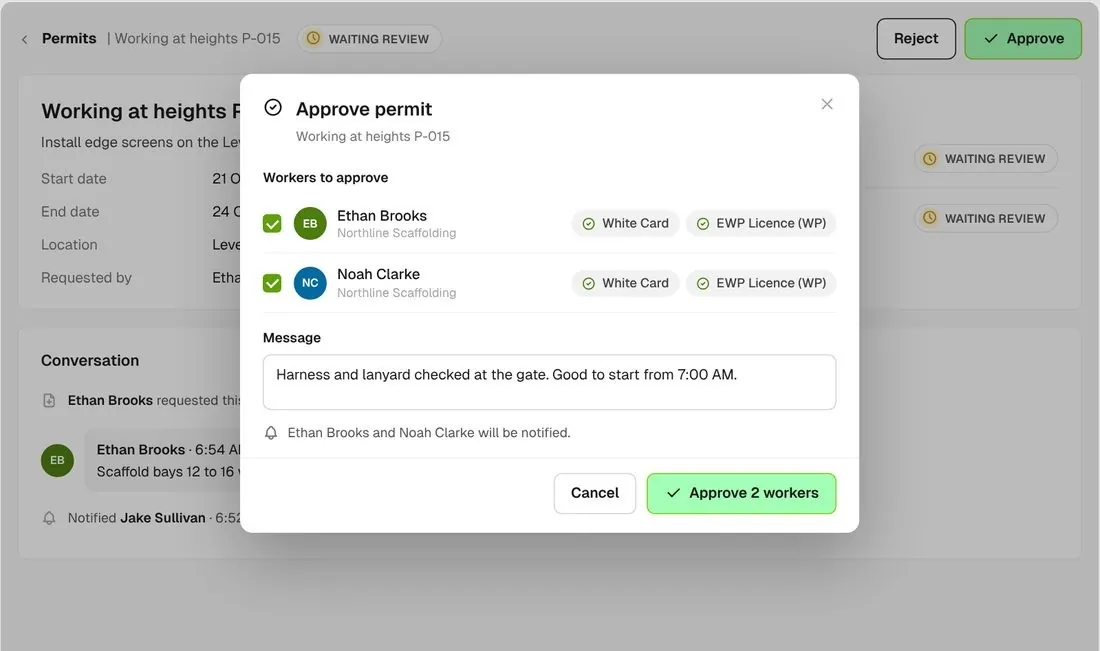
Approve the workers who are ready, or reject with a message saying what to fix. The workers on the permit are notified either way.
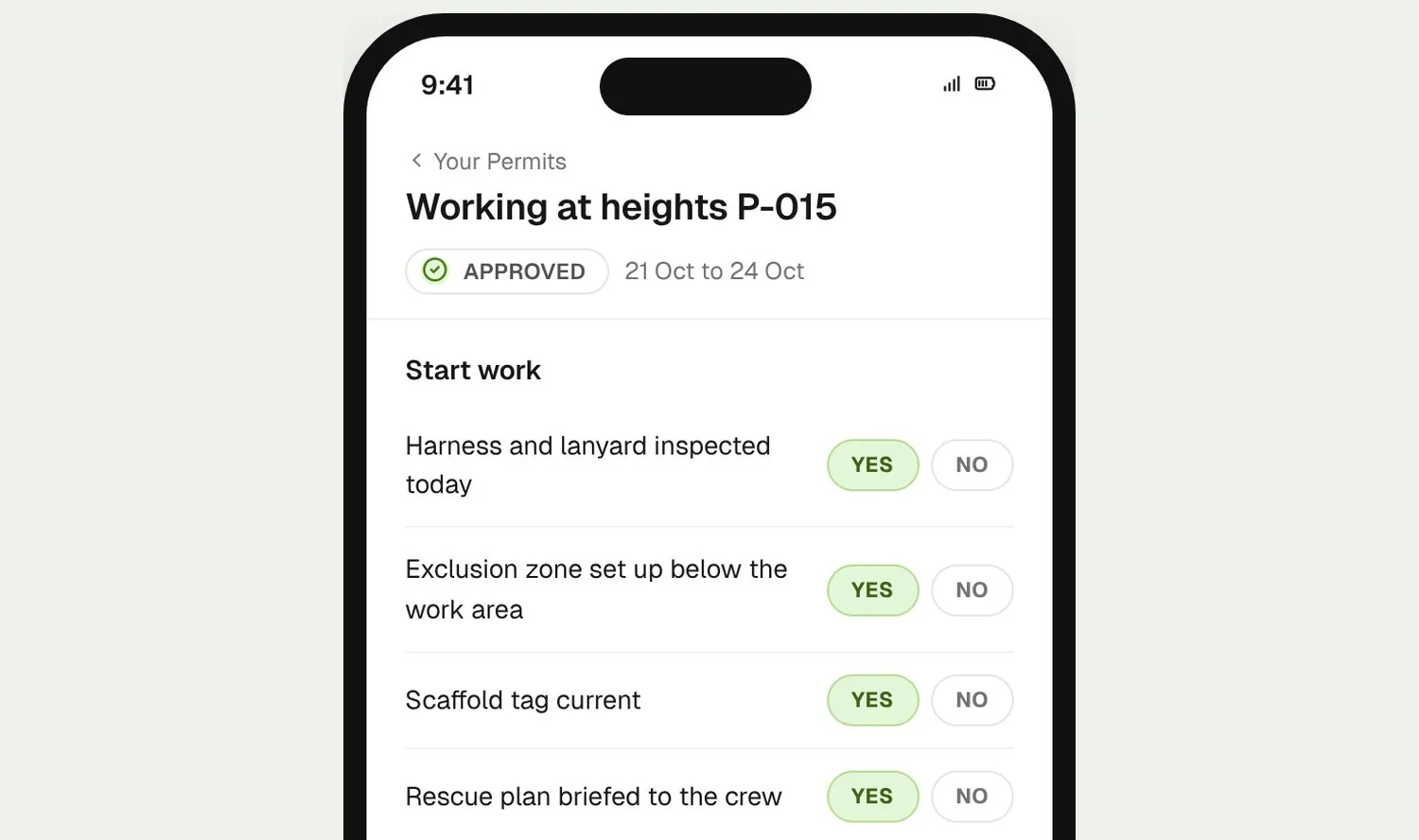
Workers complete your start work checklist on their phone before work begins. Stop Work and Close Permit sit on the same screen for later.
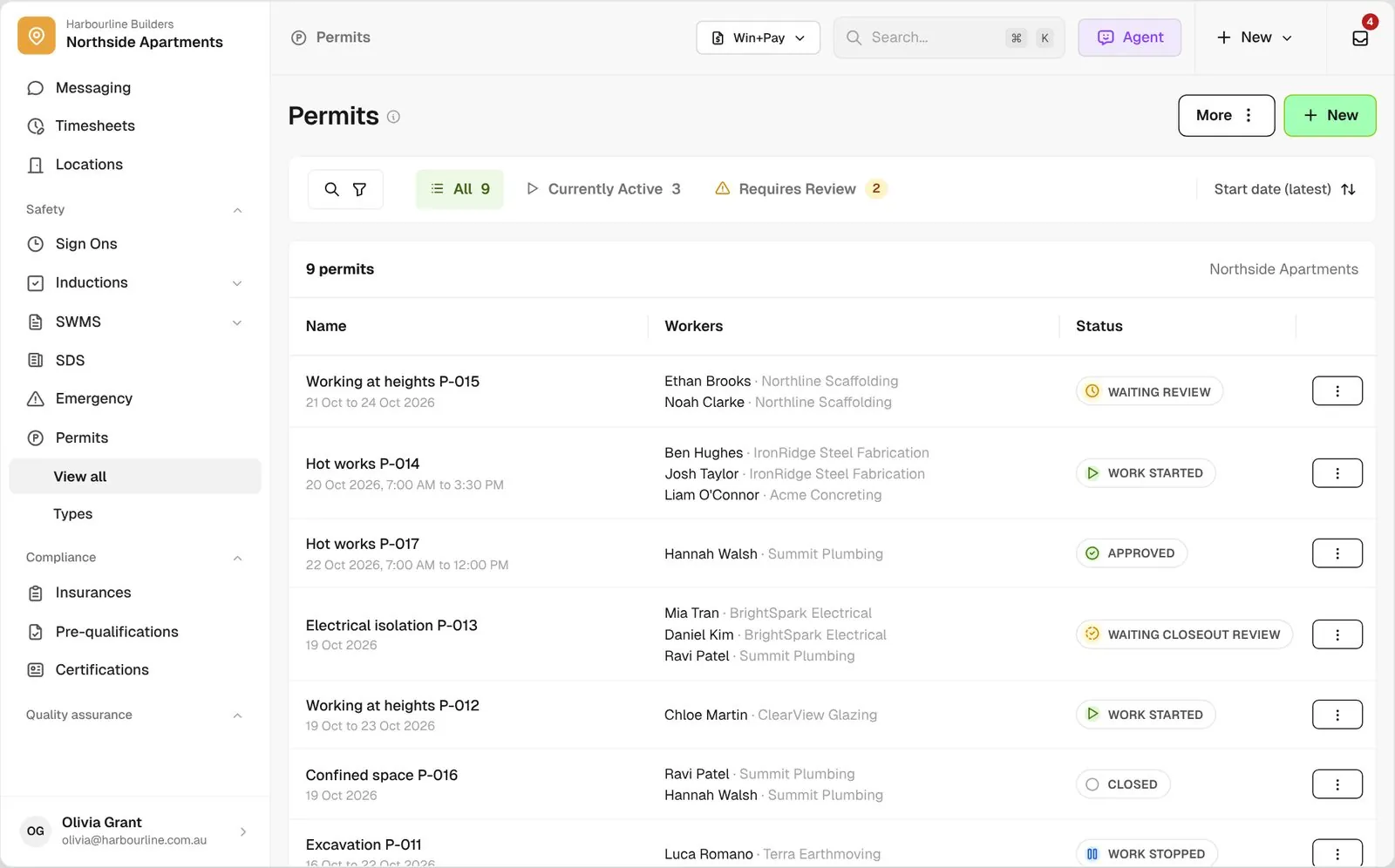
See what's running, what needs review and who is on each permit, and act on one worker without holding up the rest.
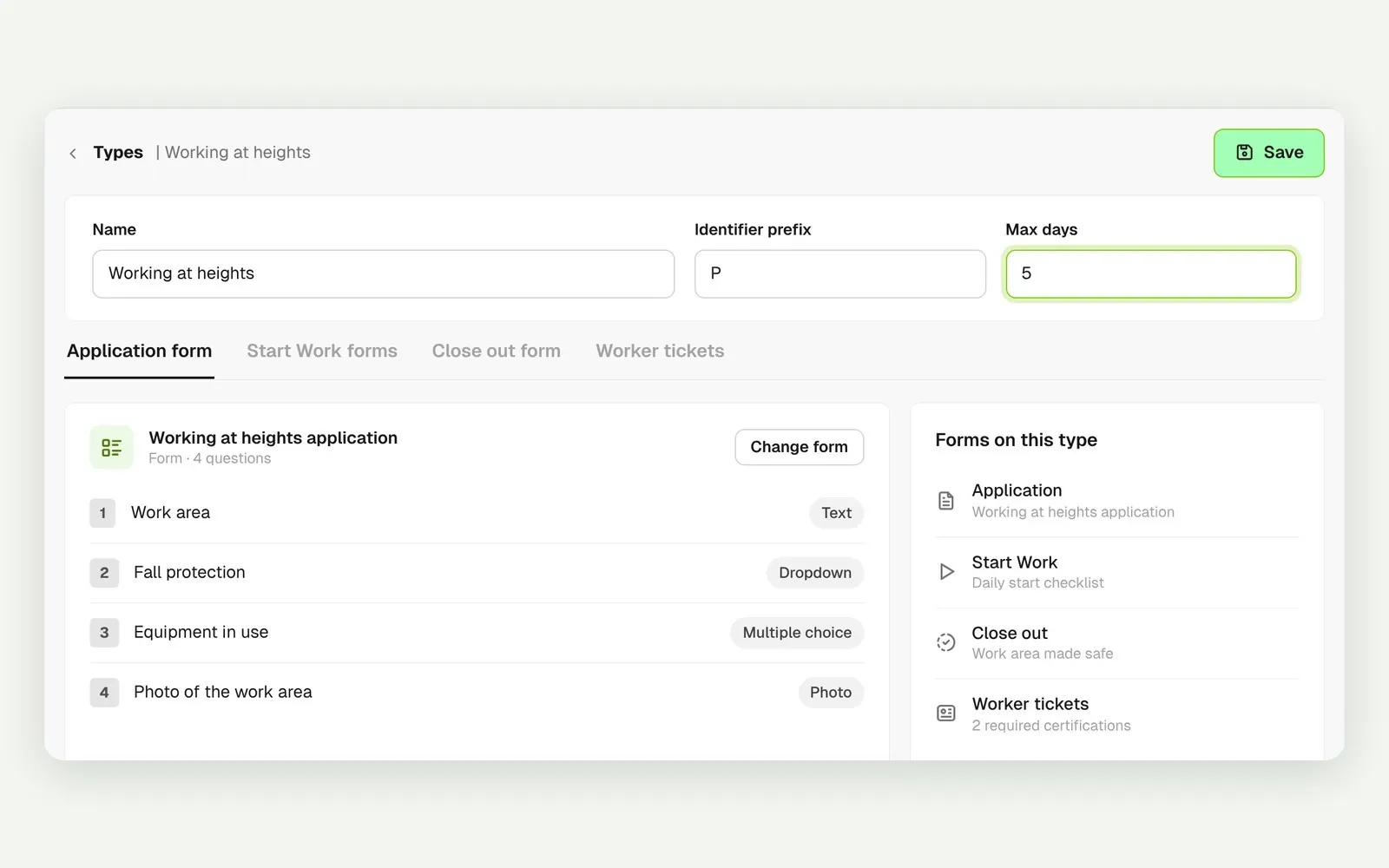
Set the application, start work and close out forms for each permit type, plus the most days it can run. Permit types are shared across all your projects.
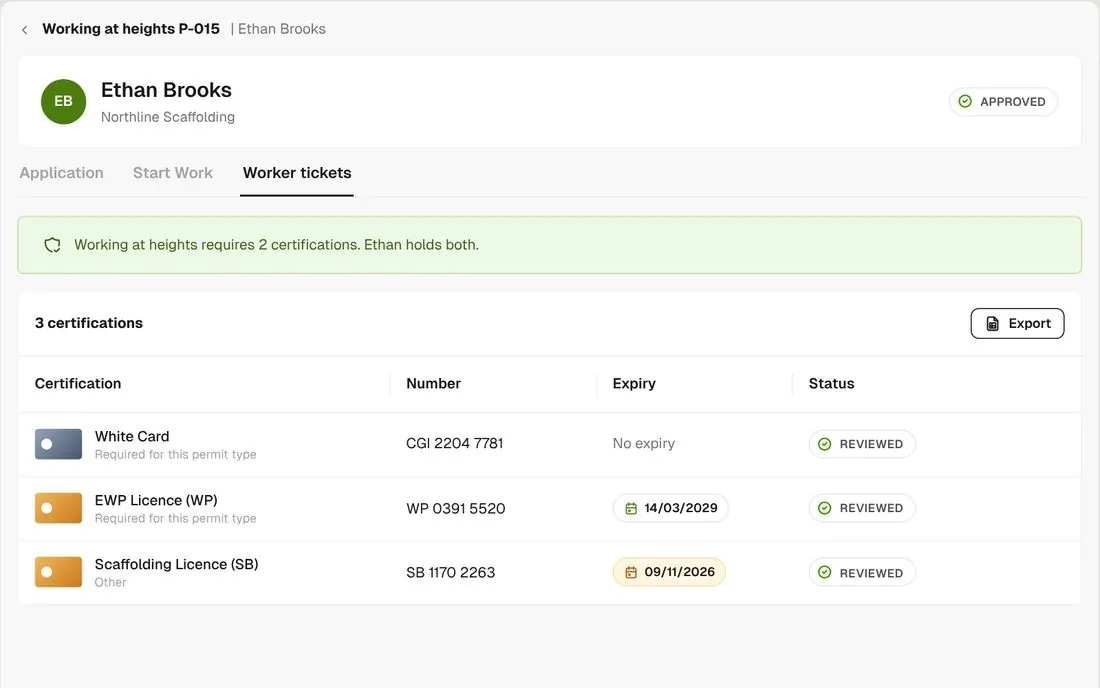
Open any worker on a permit to see the tickets they already hold in BuildPass, with expiry dates and review status.
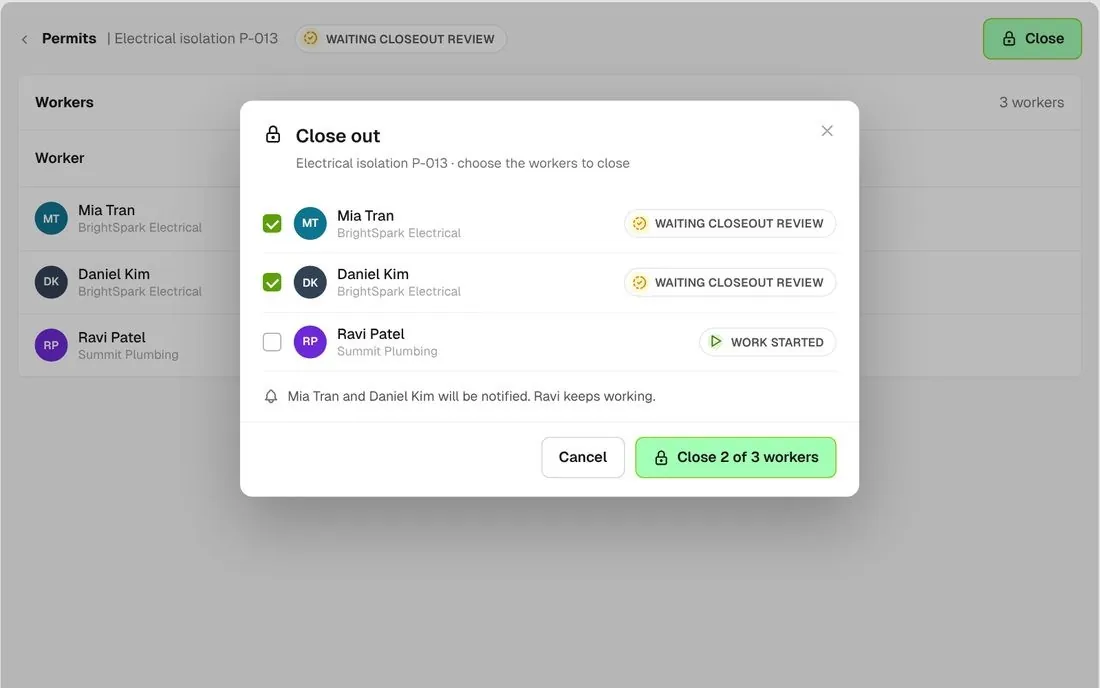
Approve, start, suspend or close any selection of workers. Close out two of three and leave the third working.
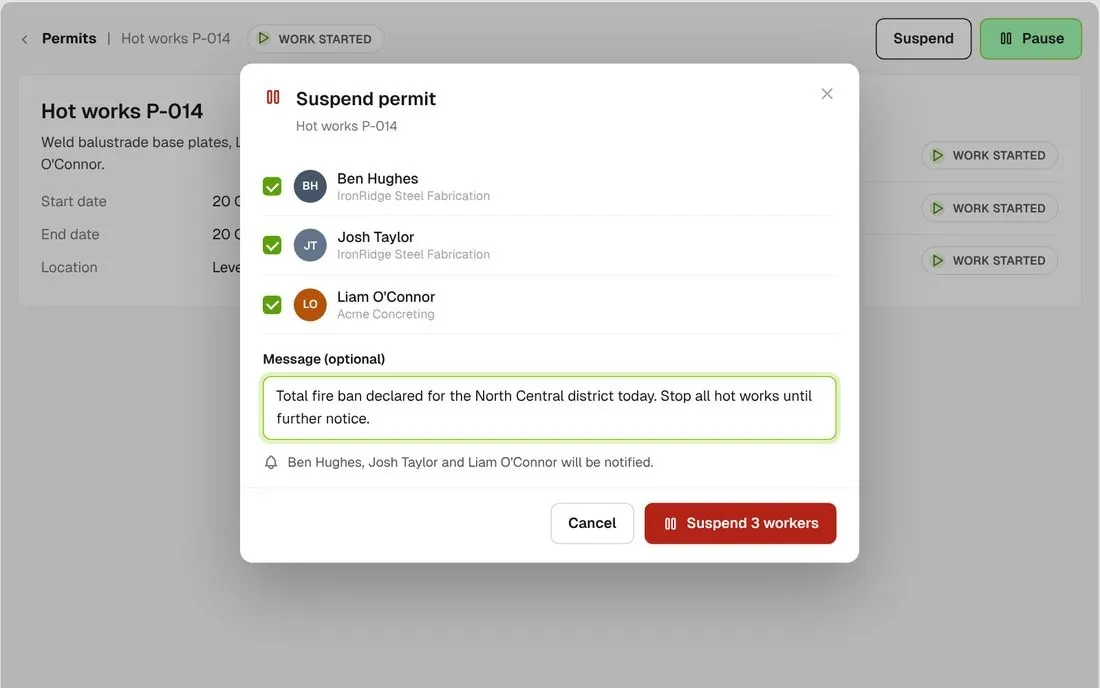
Suspend a permit with a message when conditions change, and resume it when they clear. The workers on it are notified.
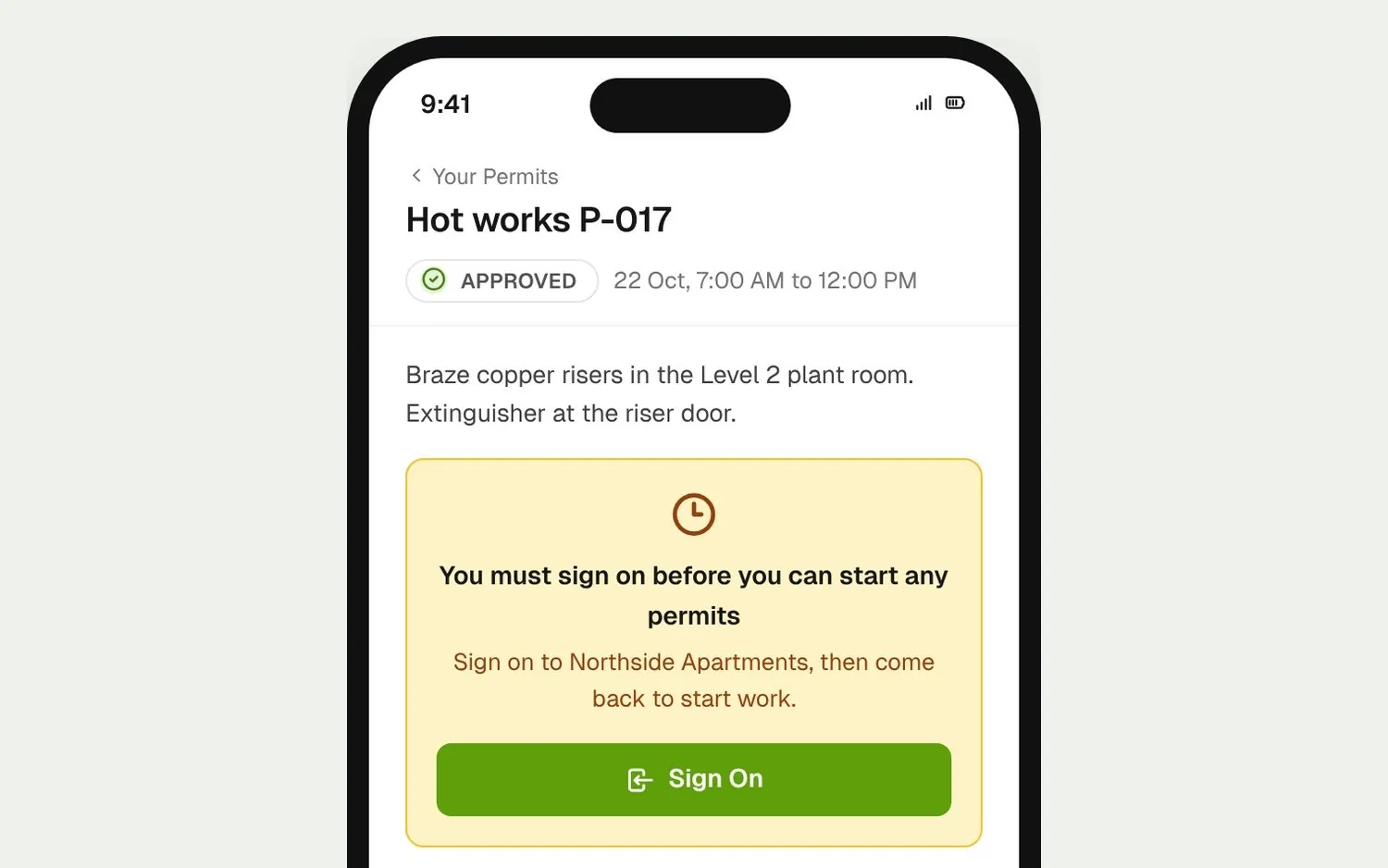
Workers can't start work on a permit until they have signed on to site that day.
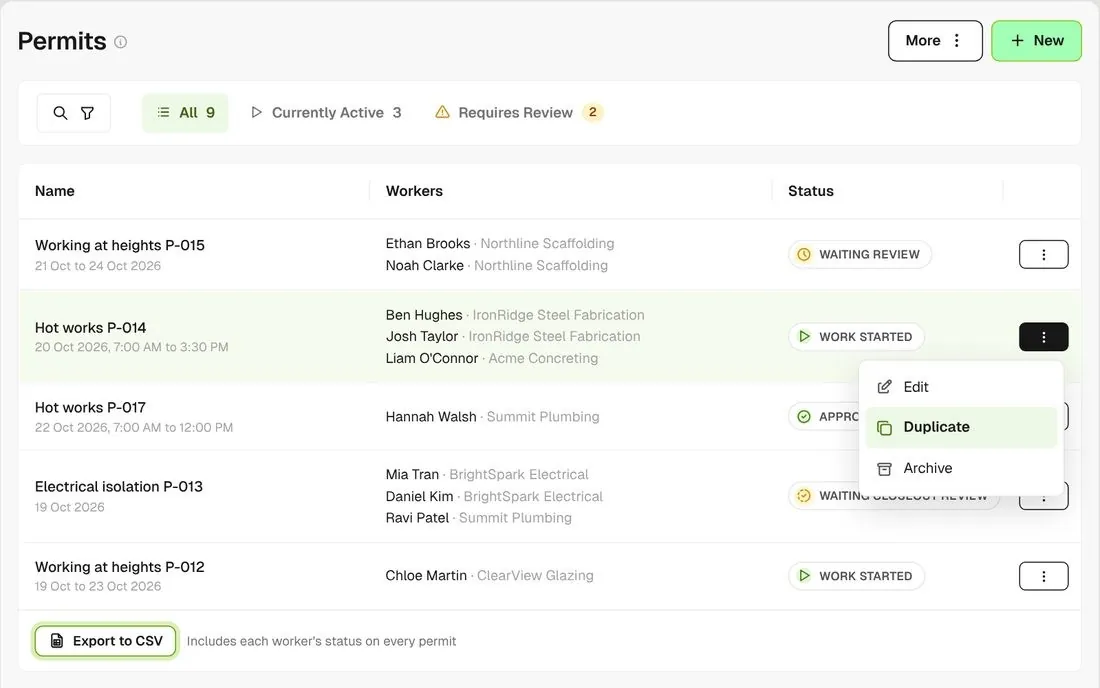
Re-request a permit to raise it again for the next job, and export the list to CSV with each worker's status.
A permit shows the tickets each worker already holds in BuildPass, and work can't start until the worker has signed on. The application, start work and close out forms use the same form builder as your checklists do.
Explore health and safetyTake off, estimate and get proposals out the door, without rekeying the same numbers three times.
Explore preconstructionBudgets, commitments, progress claims and bills, so you see the real financial position of every job.
Explore financeBring your other tools, your phone line and BuildPass AI into the same workflow.
Explore the AI toolkitFrom custom-home builders to commercial head contractors, teams across Australia and New Zealand run their projects on BuildPass every day.



Book a demo and we'll walk your team through it.