
G’day! It looks like you’re in Australia     

You're currently on BuildPass’ USA site.

See content specific to your location by switching to the Australian site.

Switch to the Australian site
It looks like you’re in Canada 🇨🇦

For content, pricing and features tailored to your region please click below.

Switch to your local site
Looks like you’re in the United States!     

You're currently on BuildPass’ Australian site.

For content, pricing, and features tailored to the US, switch to the US site.

Switch to the US site

Plant & Equipment Management

Plant & equipment registers

Track plant & equipment across all projects within one easy-to-view and manage register system.
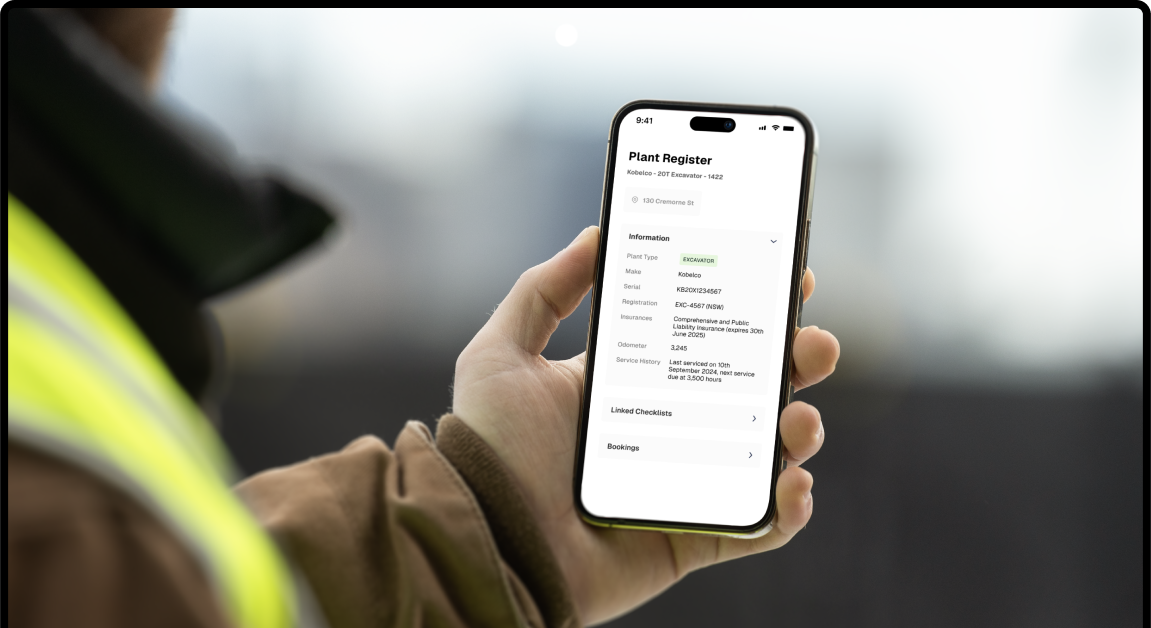
Plant & Equipment Management Software

Simplify asset management

Consolidated asset logs that can be used to maintain records for your plant & equipment.

Digital documentation

Within your plant register you can upload all relevant information - including serial codes, registration numbers, insurances and more.

Activity logs

Keep track of changes, completed checklists, or registered issues using the activity log.

Link to pre-starts & checklists

Ensure all project plant & equipment is routinely monitored and maintained by linking the asset to daily pre-starts or checklists.

One hub for all info

Scrap the outdated Excel sheets, lost texts highlighting required machinery upgrades or seperate service logs.

  • Consoliate all plant information into one place.
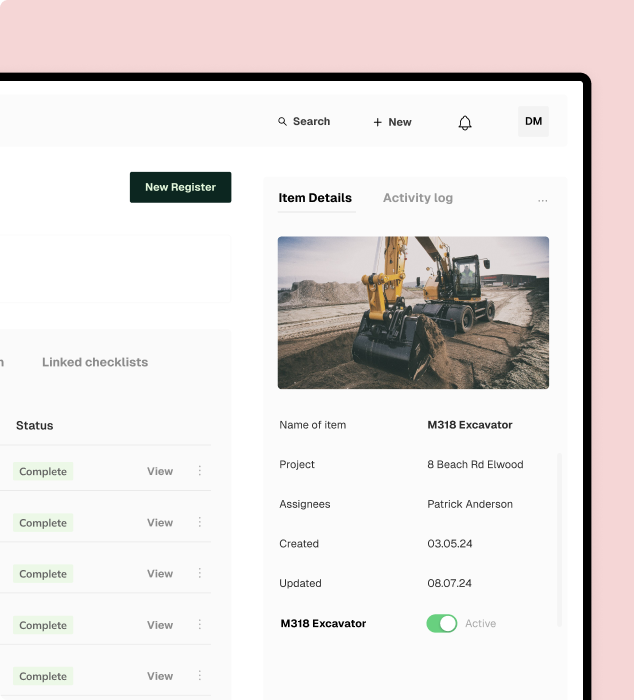
  • View past and future bookings for plant within the calendar view.
  • Registers can be customised to suit your needs.
  • Use filters to narrow your view

    Plant and equipment registers make it easy to view assets across every project you run. Use filters to narrow your view and find the asset you're specifically looking for.
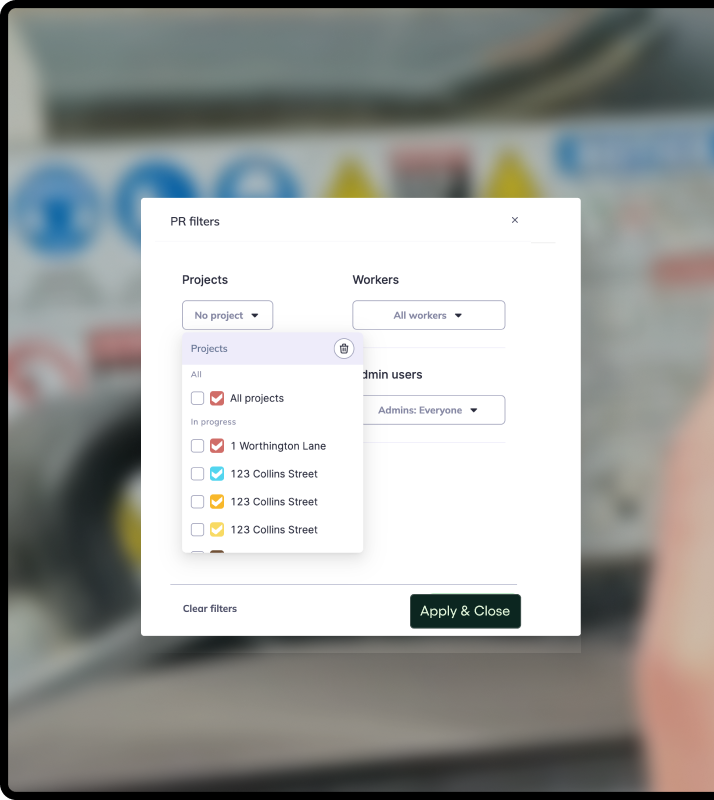
  • Helpful when navigating large registers.
  • Useful when sharing plant equipment across multiple sites.
  • Use the archived view to find older machinery that may be needed for audit or accounting purposes.
  • Discover how you could use BuildPass to create a safer, more efficient construction site.

    Better communication

    Foster better communication with head contractors and subcontractors by managing all of your sites workflows in one place.

    Boost productivity

    AI streamlines your daily processes and eliminates manual tasks, giving your team valuable hours back to focus on what truly matters.

    Site safety

    From instantly accessible insurance documents to comprehensive safety checklists, BuildPass sets you up for safety success.

    Customisable checklists

    Empower Admin users with the tools they need to create checklists that manage a range of tasks; from ITPs to a plant induction template.

    Consolidated documents

    The consolidated document management system and image library will help you find exactly what you need, whenever you need it.

    Mobile first

    Construction isn’t office based and neither is BuildPass. Access everything you need straight from your phone.

    Quality Assurance

    Surpass quality expectations with digital processes that’ll set your team up for success from the start of every project.

  • Simplify the process of quality inspections with customisable checklists that guide the user through the required steps.
  • Access a library of compliant ready checklists and templates, ready to be customised to meet your sites needs.
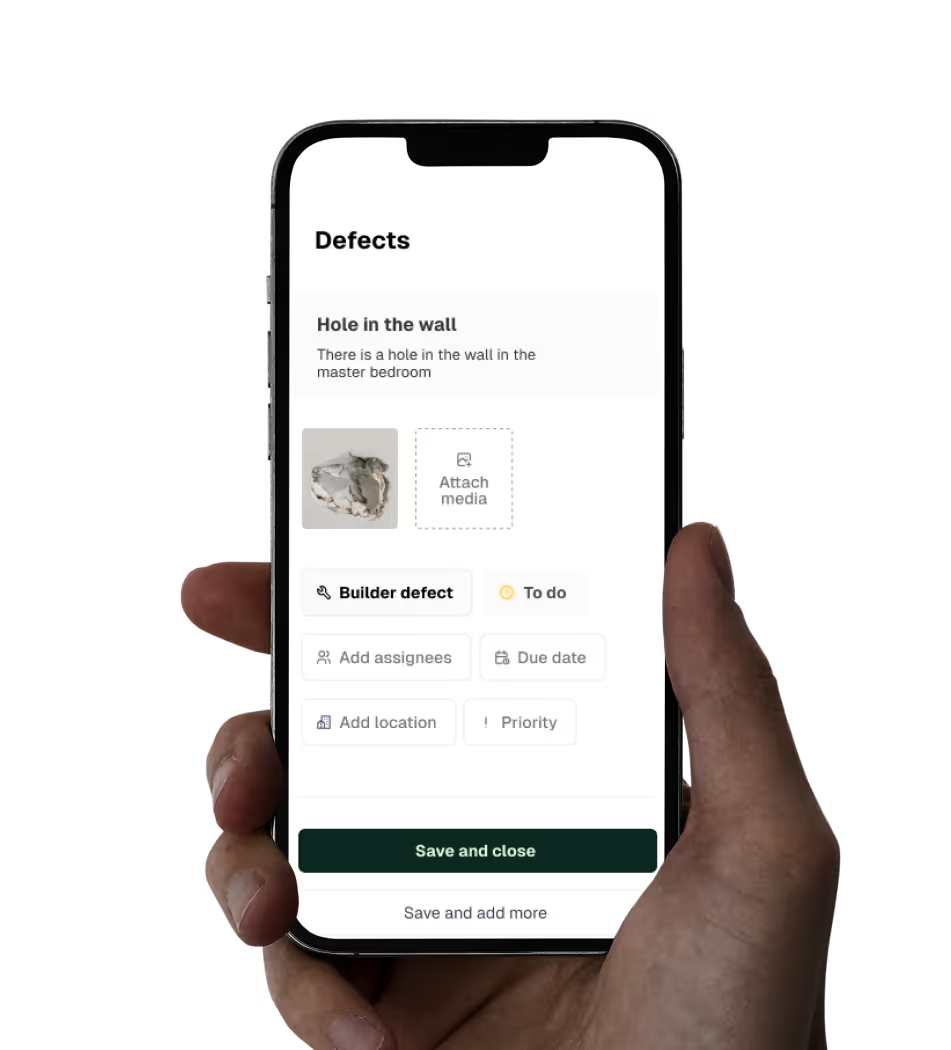
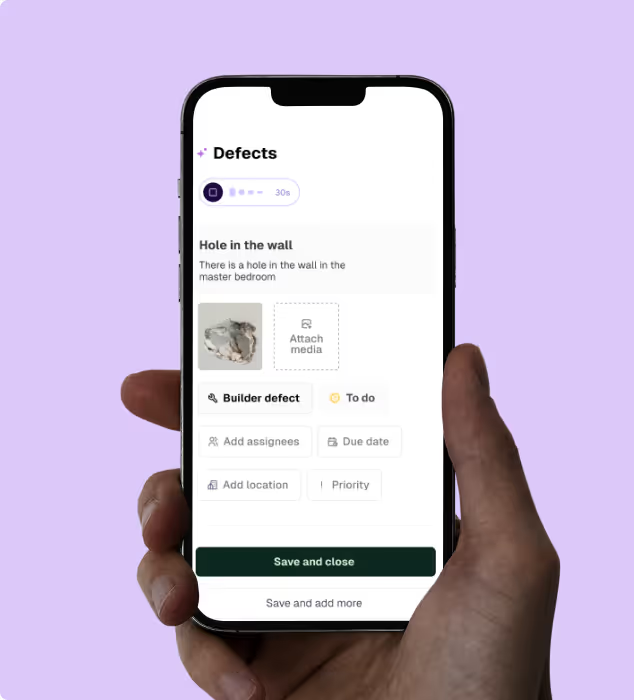
  • Defect management has never been easier thanks to AI - record and assign defects in seconds.
  • Health & Safety

    Digitising your health & safety processes will be the best thing you ever do. Gone are the days of photocopying insurances or scanning in SWMS.

  • Induct workers in minutes and centralise all documentation within one central place.
  • Simplify SWMS management with customisable forms and easy to update templates.
  • Manage site numbers with daily sign ons and real time insights.
  • Site Management

    Keep all teams connected by providing greater visibility of daily progress, both on and off site.

  • Track what happens on site with daily entries, photo uploads, automated attendance logs and more.
  • Your AI-powered assistant helps generate different checklists quickly to suit a variety of needs.
  • Ditch the WhatsApp groups and centralise communication to your workers and subcontractors within one spot.
  • AI Toolkit

    BuildPass AI is your super powered sidekick you won’t be able to live without. Discover how you can skip stale admin, speed up manual processes and get sh** done faster.
  • Need to send a weekly site report, or build a new safety checklist? AI will do it in seconds, not hours.
  • Get help with simple, repeatable tasks that can take up valuable time in your team's schedule.
  • Shave time off every defect you record with AI Voice Defects - helping you generate all required details, effortlessly.
  • Trusted by industry leaders

    We’re passionate about creating lasting relationships with our customers. Discover how leading construction professionals use BuildPass to create smarter, safer sites.


    “The onboarding process and training we received from the BuildPass team was fantastic.”
    Nick Du Bois
    Managing Director, FORA
    “If you’re considering implementing new technology on site, you must have BuildPass on your list.”
    Rob Lineker
    Director, Dei One Projects
    “I’d recommend BuildPass to any builder, sub contractor or site manager. It just makes your life easier.”
    Garath Vella
    Director, Lorden Vella

    Featured blog posts

    See how top builders are transforming their on site operations with BuildPass by streamlining workflows, improving safety, and meeting compliance requirements.

    Frequently asked questions

    Equipment management software tracks tools, machinery and plant fleet across all projects. It centralizes asset details, locations, service records and usage data so crews always know what’s available. Many builders use solutions like BuildPass to keep everything accessible on mobile, track equipment location and reduce time spent sorting through spreadsheets. Plus, it can also help you forecast equipment needs using scheduling tools to help you make data-led decisions in the field.

    Equipment management software helps track costs accurately, improves project efficiency by getting equipment where it's actually needed and extends asset lifespan through proactive maintenance. To put it simply, projects stay on schedule and on budget. Where some platforms specialize in one area, BuildPass brings it all together under one platform. Equipment management integrates alongside safety and quality assurance, keeping you organized across multiple jobs without jumping between systems.

    Yes, that’s the beauty of integrating workflows. Many platforms let you view assets across active jobs and see where each item is currently deployed. BuildPass, however, takes it a step further. With filters and history logs, you can find the specific asset you need, helping you avoid double-booking equipment and reducing delays caused by missing gear. Scrap the outdated Excel sheets or separate service logs and swap it for multi-site visibility and checklists, all on your mobile.

    Anything you deem relevant! You can upload data for your own digital records, including serial codes, registration numbers, insurance details and activity logs that keep track of changes, current location and utilization. BuildPass also allows teams to log issues or upcoming maintenance and link equipment to daily pre-starts or checklists, so nothing gets overlooked. 

    This creates a clear, complete picture of each asset’s lifecycle so you can make data-driven decisions about allocation, repairs versus replacement and overall fleet management.

    It takes just a quick search to pull up an asset’s location, status and full history. BuildPass makes this fast on both web and mobile, helping supervisors confirm availability and track usage without riffling through paperwork or needing to open a tonne of spreadsheets. Everything is in one place, so you maintain accurate records for your equipment and know when it’s time to expand.