Build

Run your toolbox meetings, and prove who was there

Toolbox meeting and toolbox talk software for construction sites

Schedule the toolbox, invite the crew and run it from your phone. Workers scan a QR code to mark attendance, and once it's complete, BuildPass AI can summarise the agenda, notes and responses.
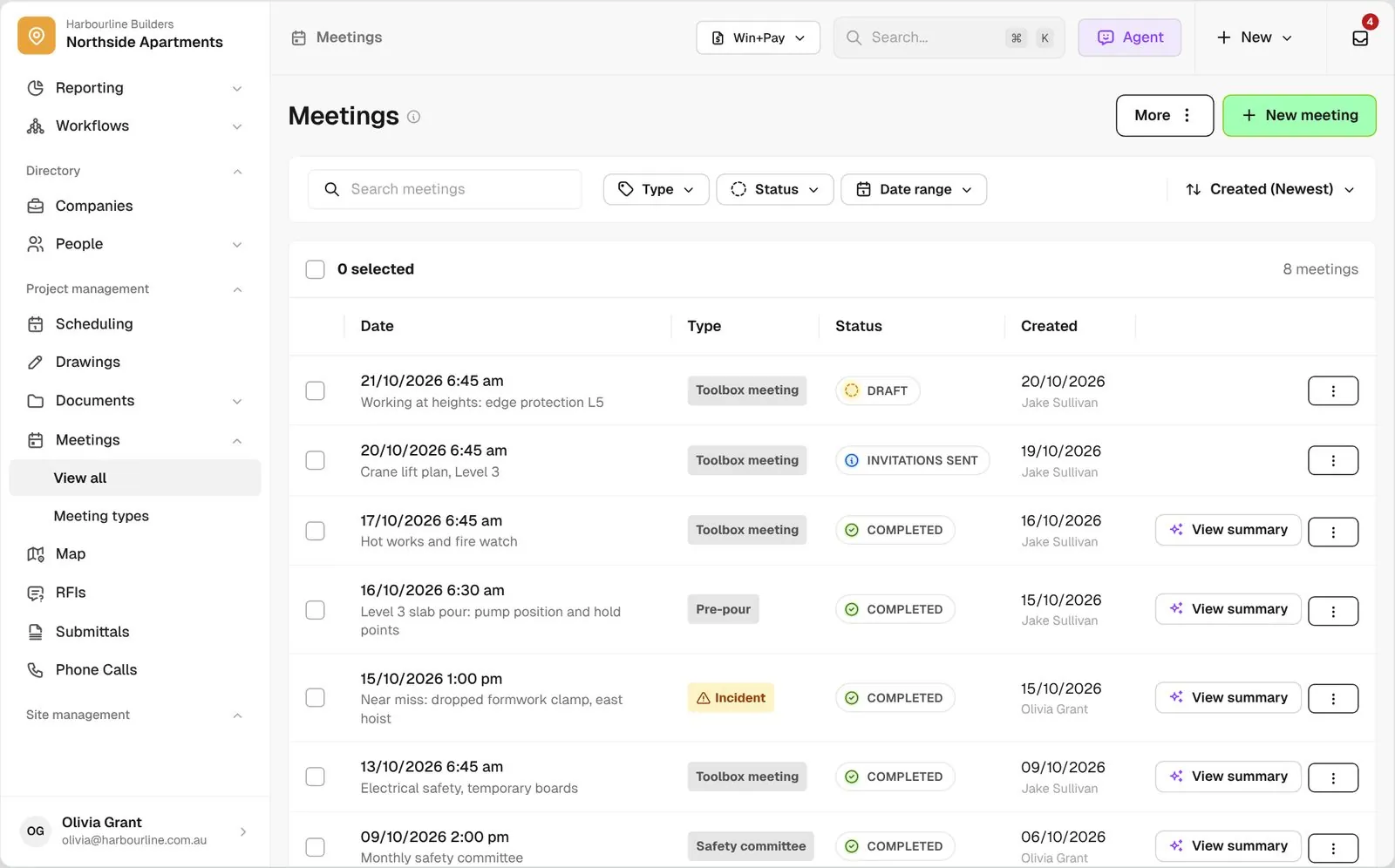
Meetings list for Northside Apartments with Draft, Invitations Sent and Completed meetings and View Summary on completed rows

Trusted by builders across the country

From custom-home builders to commercial head contractors, site teams run their toolbox meetings on BuildPass.


Vaughan Constructions
Hicon
JCGAU
Turn Group
Saw Constructions
Rendine Group
Vaughan Constructions
Hicon
JCGAU
Turn Group
Saw Constructions
Rendine Group
Universal Constructions
McColl Smith Projects
Peach
Staark
Creador Interiors
ARC Projects
Mancini Made
Sense Projects
Universal Constructions
McColl Smith Projects
Peach
Staark
Creador Interiors
ARC Projects
Mancini Made
Sense Projects

Toolbox meeting software helps builders and site managers schedule toolbox meetings, invite workers, record who attended, and keep the agenda, notes and worker signatures on file.

One toolbox meeting, from invitation to attendance record

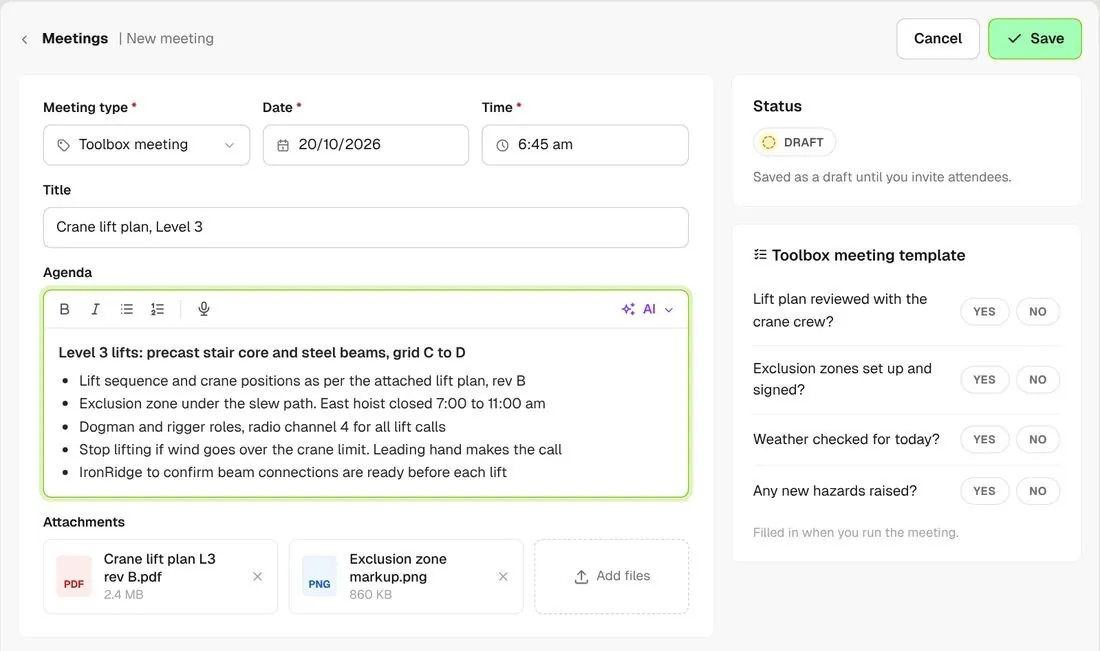
New meeting form with date, time, type, agenda and a lift plan attached
01

Schedule it

Set the date, time, meeting type and agenda, and attach the lift plan or any other file. It stays a draft until you invite.
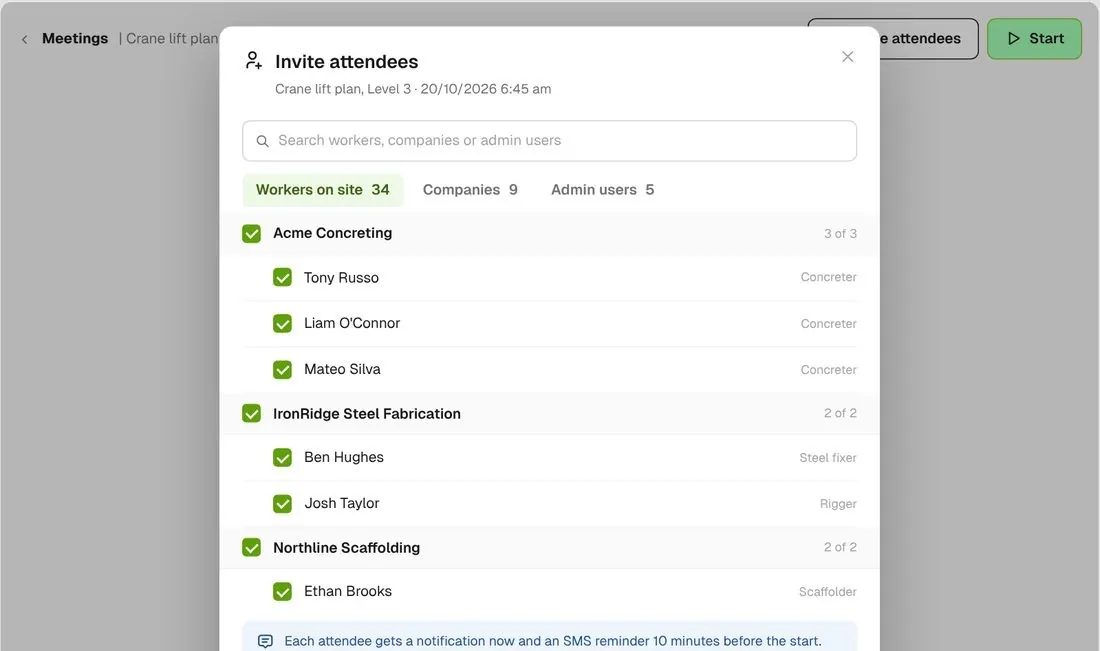
Invite attendees dialog with workers picked by company
02

Invite the crew

Pick workers by company and send the invitations. Workers get a notification straight away and a reminder 10 minutes before the meeting starts.
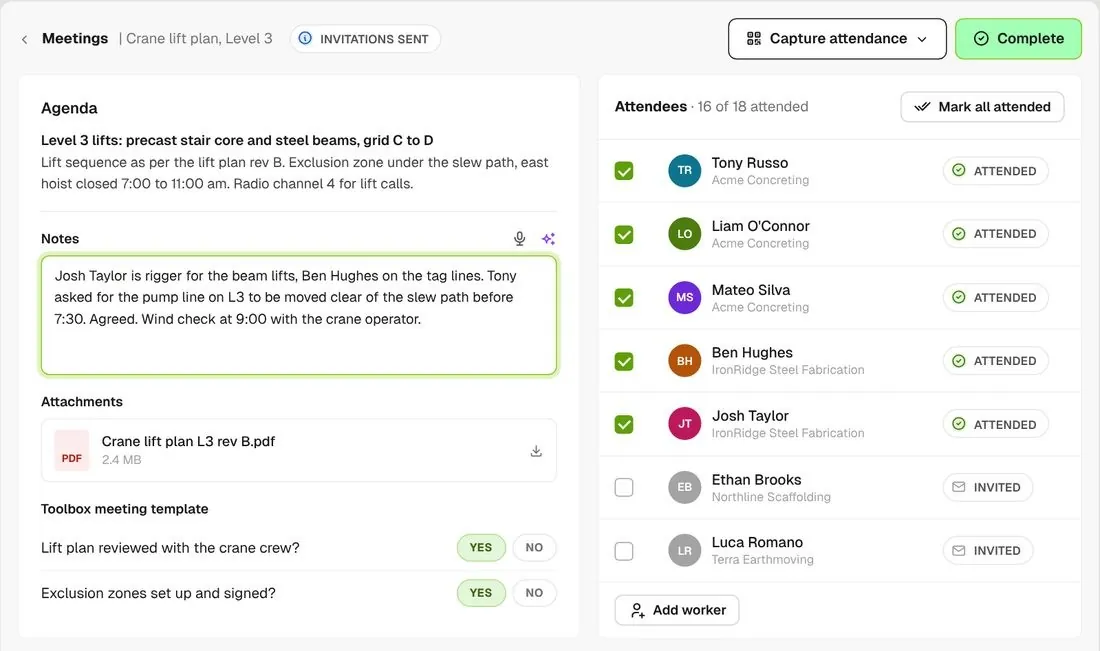
Run screen with notes, attendees ticked as attended and the Complete button
03

Run it and complete it

Type or dictate notes as you go, and tick off who turned up. Completing it marks them attended and saves the notes and any files.

How it works

See every toolbox meeting in a single view

See who was invited, who attended and who acknowledged it, and catch the workers who missed it.
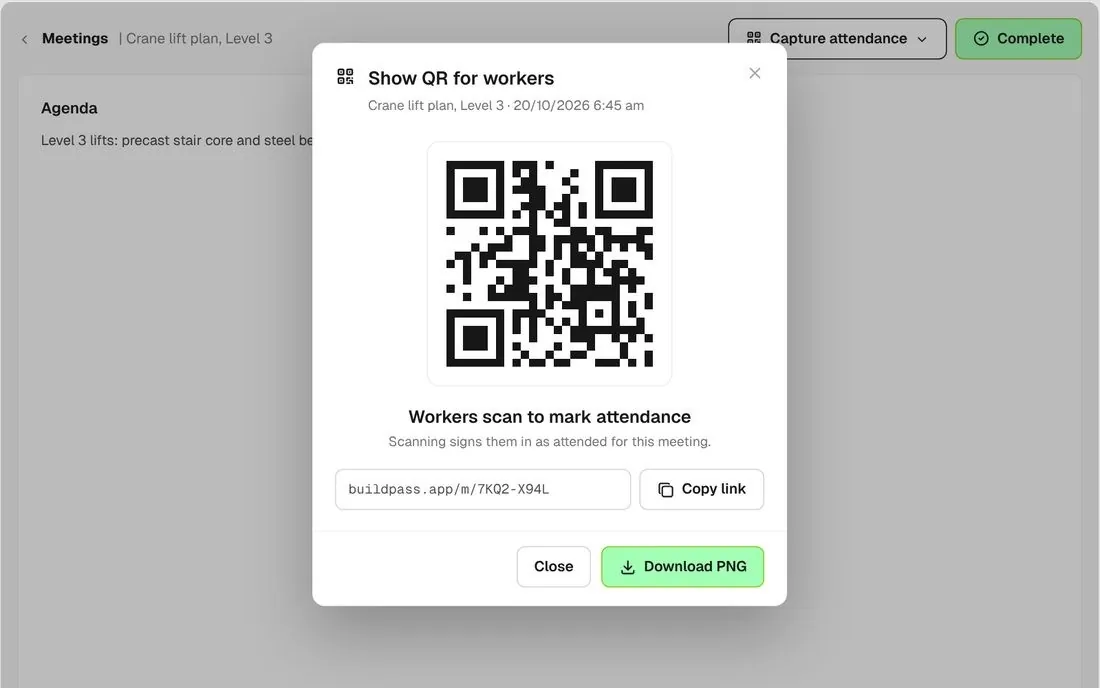
QR code card reading Workers scan to mark attendance, with download option

Scan in with a QR code

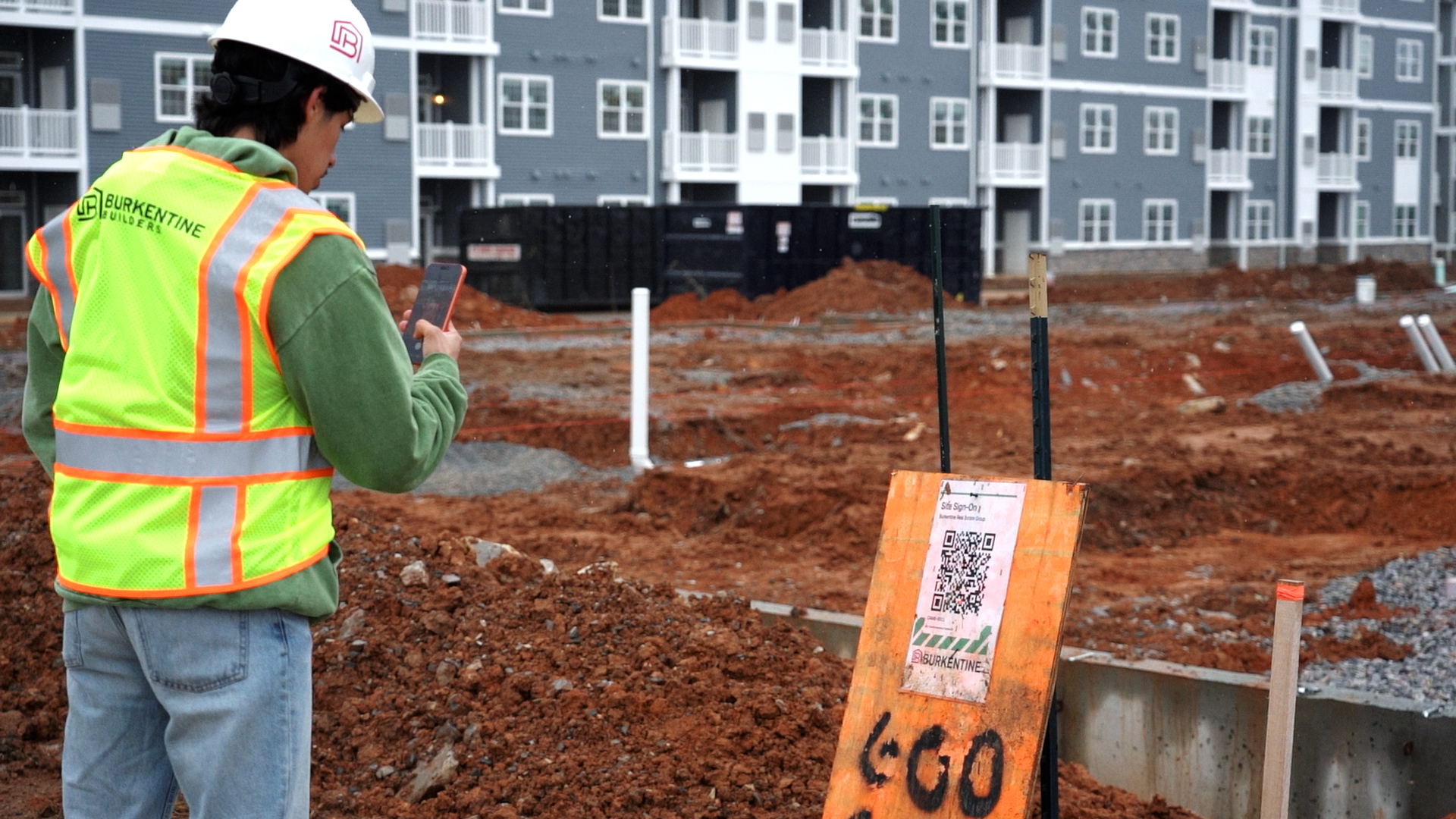
Show the meeting's QR code on a screen or print it. Workers scan the code to mark themselves attended.
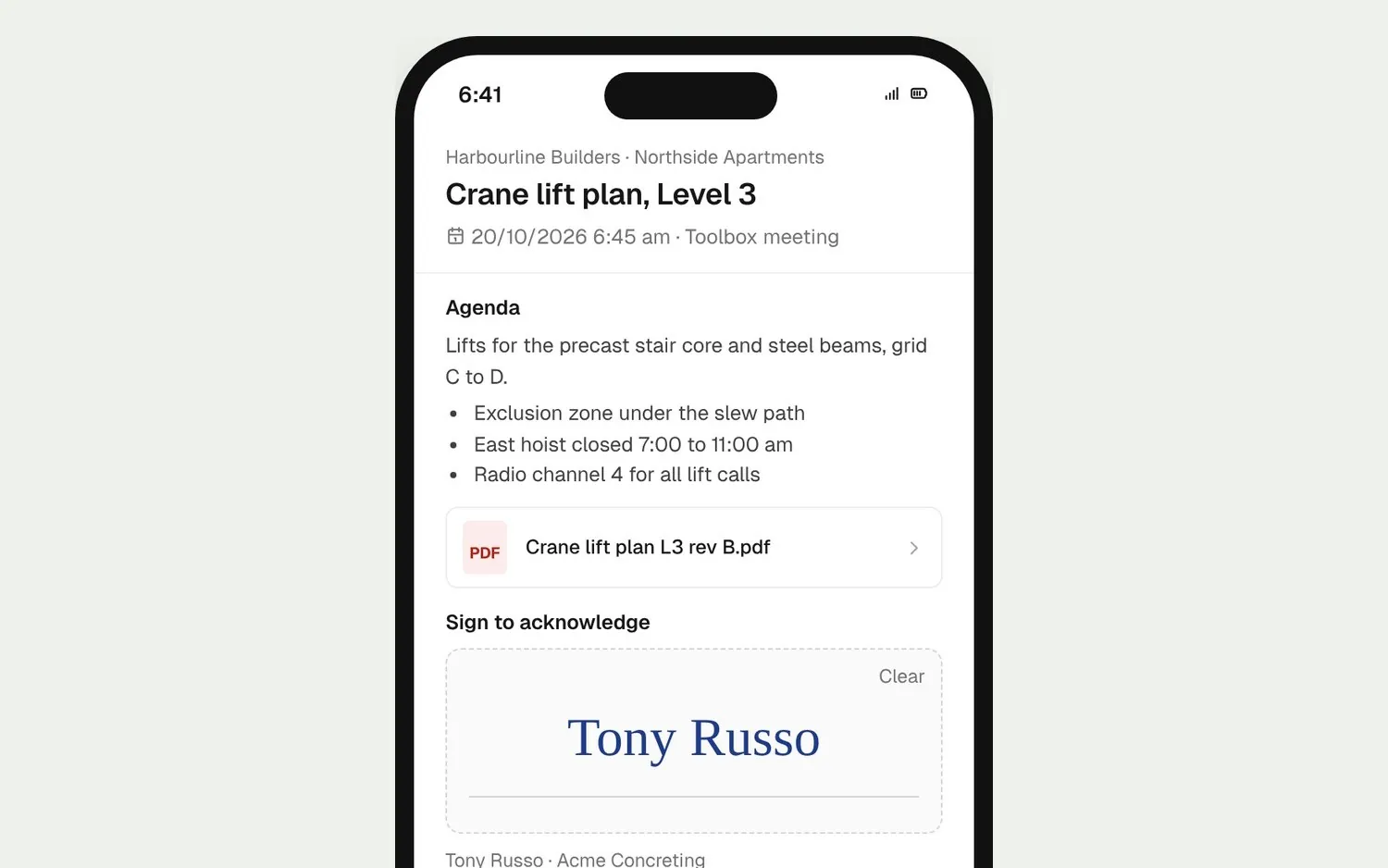
Worker's phone showing the agenda, notes and a signature pad with Acknowledge

Workers sign on their phone

Workers open their invitation link, read the agenda and notes, draw their signature and tap Acknowledge.
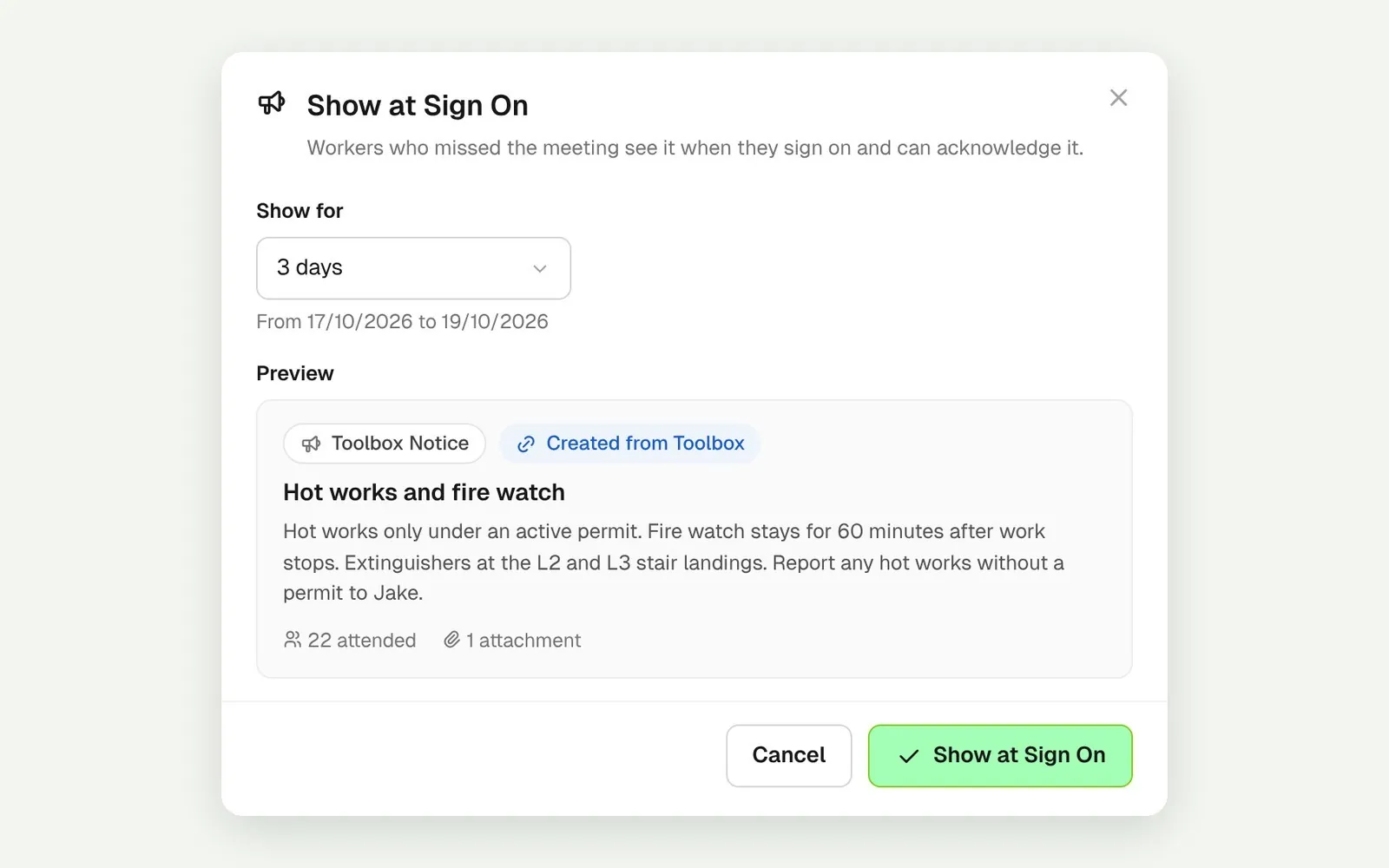
Show at Sign On dialog creating a Toolbox Notice for a set number of days

Catch the ones who missed it

Show a completed meeting at sign on for as many days as you choose. Workers read it and acknowledge it as they sign on.
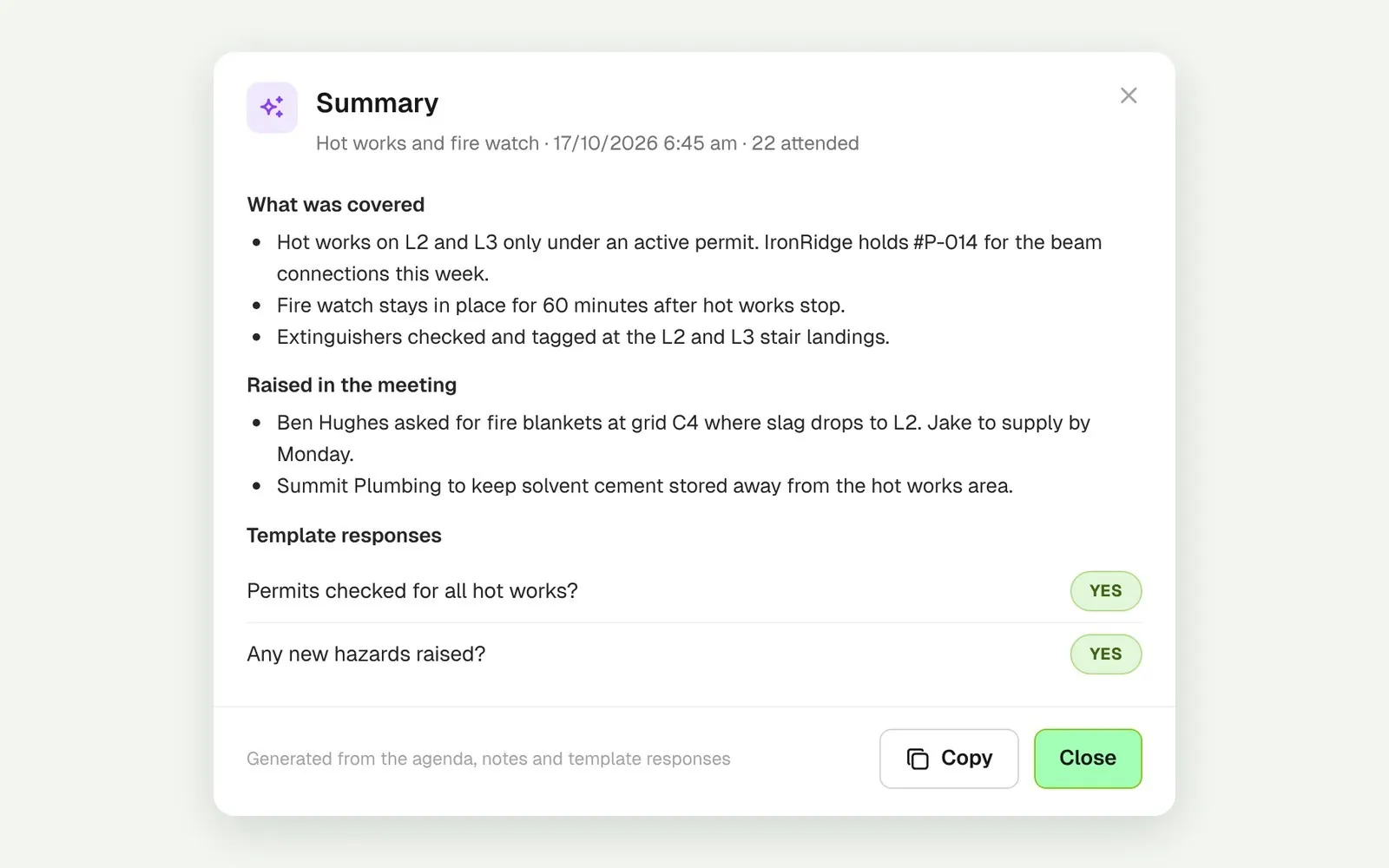
Summary of a completed meeting covering agenda, notes and responses

An AI summary of every toolbox

Once a meeting is complete, AI summarises the agenda, notes and template responses in one view, so you see what was covered and raised without rereading the notes.
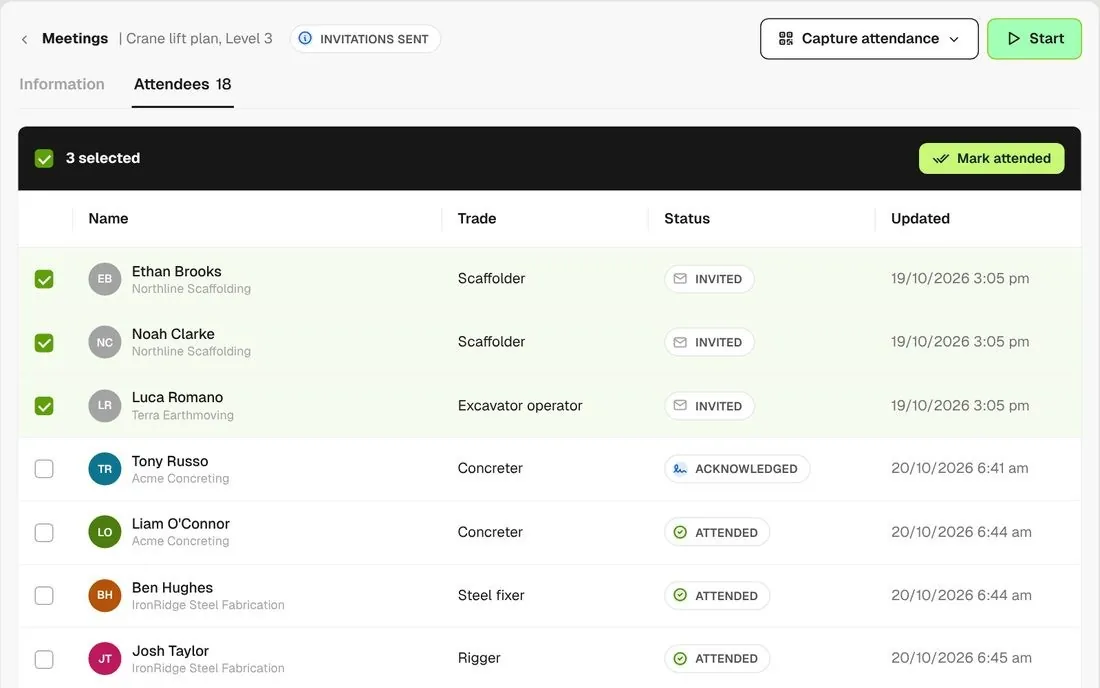
Attendees tab with Invited, Attended and Acknowledged and bulk mark attended

See who attended

The attendees list shows Invited, Attended and Acknowledged side by side, and you can mark a group attended in one go.
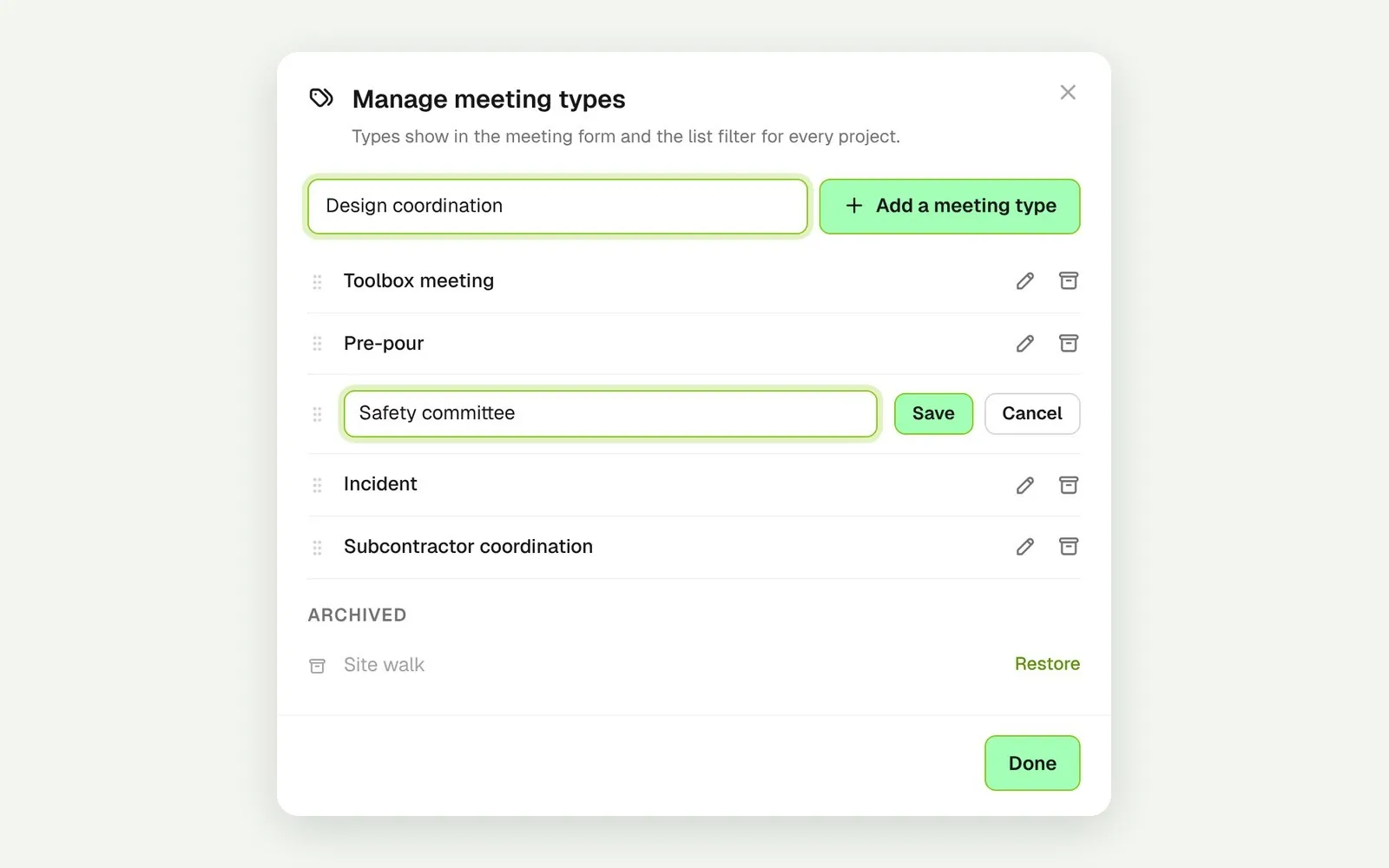
Meeting types list with pre-pour, safety committee and incident

Your own meeting types

Add the meeting types your sites run, like pre-pour or safety committee, each with its own agenda template.

Connected to the whole job
BuildRun the site

Toolbox meetings, part of the whole job

Marking workers attended, in bulk or by scanning their QR badge, signs them on for the day if they haven't already. Missed meetings come back as a Notice at sign on, and a completed meeting can go to Procore when the project is connected.

Explore health and safety
  1. Invitations18 invitedreminder 10 minutes before
  2. Attendance22 attendedQR scan, bulk or signature
  3. SHOWN AT SIGN ON4 acknowledgedHot works and fire watch ยท Toolbox Notice, Northside Apartments

Win

Price the job

Take off, estimate and get proposals out the door, without rekeying the same numbers three times.

Explore preconstruction

Pay

Manage the money

Budgets, commitments, progress claims and bills, so you see the real financial position of every job.

Explore finance

Connect

Connect the tools

Bring your other tools, your phone line and BuildPass AI into the same workflow.

Explore the AI toolkit

Trusted by builders who run their projects on BuildPass

From custom-home builders to commercial head contractors, teams across Australia and New Zealand run their projects on BuildPass every day.


The onboarding process and training we received from the BuildPass team was fantastic.
Nick Du Bois
Managing Director, FORA
These checklists ensure our standards are consistently met, no matter the project.
Mark Riley
Site Supervisor, Turn Group
I'd recommend BuildPass to any builder, sub contractor or site manager. It just makes your life easier.
Garath Vella
Director, Lorden Vella

Frequently asked questions

Yes, when they acknowledge it themselves. Workers draw a signature when they acknowledge their invitation. Attendance you mark yourself is recorded without a signature, so ask workers to acknowledge if you need one.

Not on its own. Each meeting is scheduled separately, but the meeting type you pick opens with its agenda already laid out, so the weekly toolbox takes a minute to set up.

Not in BuildPass itself. If your account uses Supasite, run the meeting from the Supasite app and its notes and audio notes sync back to the meeting. You can dictate into the notes field, and once AI tools and Toolbox summaries are switched on in Settings > AI, tidy notes into dot points and use View Summary on any completed meeting. It isn't sent to attendees.

Yes, with an admin login. Give them the Project Manager role and they run it from the admin app on their phone. The worker app is for acknowledging meetings, not running them.

See how BuildPass works on your projects

Book a demo and we'll walk your team through it.