
Build

Alert everyone on site, and see who is safe

Emergency evacuation and site alert software for construction

Send one SMS to every worker and visitor signed on with a mobile. They tap I am safe from the link with no app or login, and your site manager watches the safe count climb and marks safe anyone they find in person.
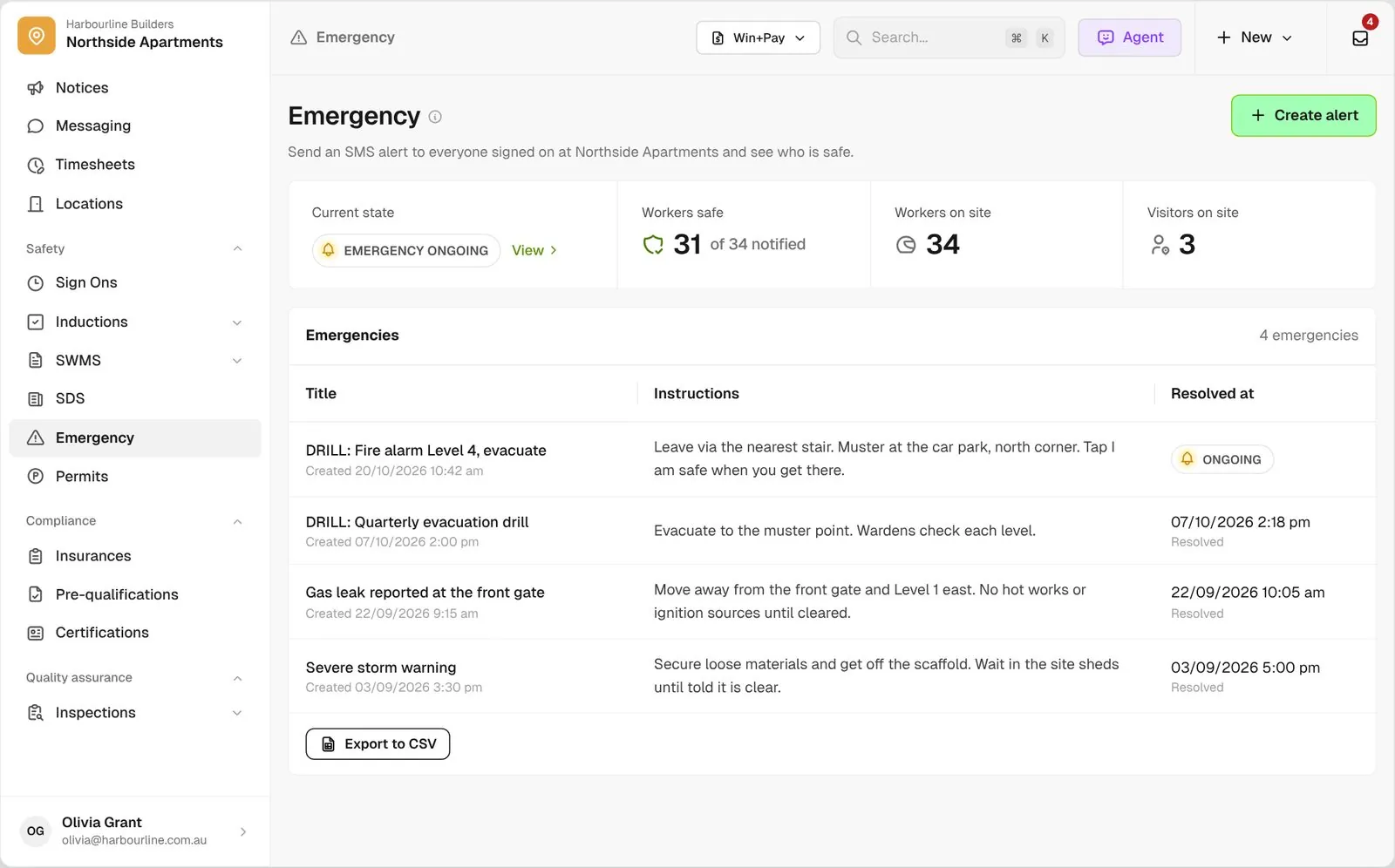
Emergency screen with an ongoing drill, 31 of 34 workers safe, workers and visitors on site, and past emergencies below

Trusted by builders across the country

From custom-home builders to commercial head contractors, site teams run their evacuations and drills on BuildPass.


Vaughan Constructions
Hicon
JCGAU
Turn Group
Saw Constructions
Rendine Group
Vaughan Constructions
Hicon
JCGAU
Turn Group
Saw Constructions
Rendine Group
Universal Constructions
McColl Smith Projects
Peach
Staark
Creador Interiors
ARC Projects
Mancini Made
Sense Projects
Universal Constructions
McColl Smith Projects
Peach
Staark
Creador Interiors
ARC Projects
Mancini Made
Sense Projects

Emergency evacuation software helps builders and site managers send an SMS alert to everyone signed on to site, see who has confirmed they are safe, and keep a record of every emergency and drill.

One alert, from the first SMS to the last person accounted for

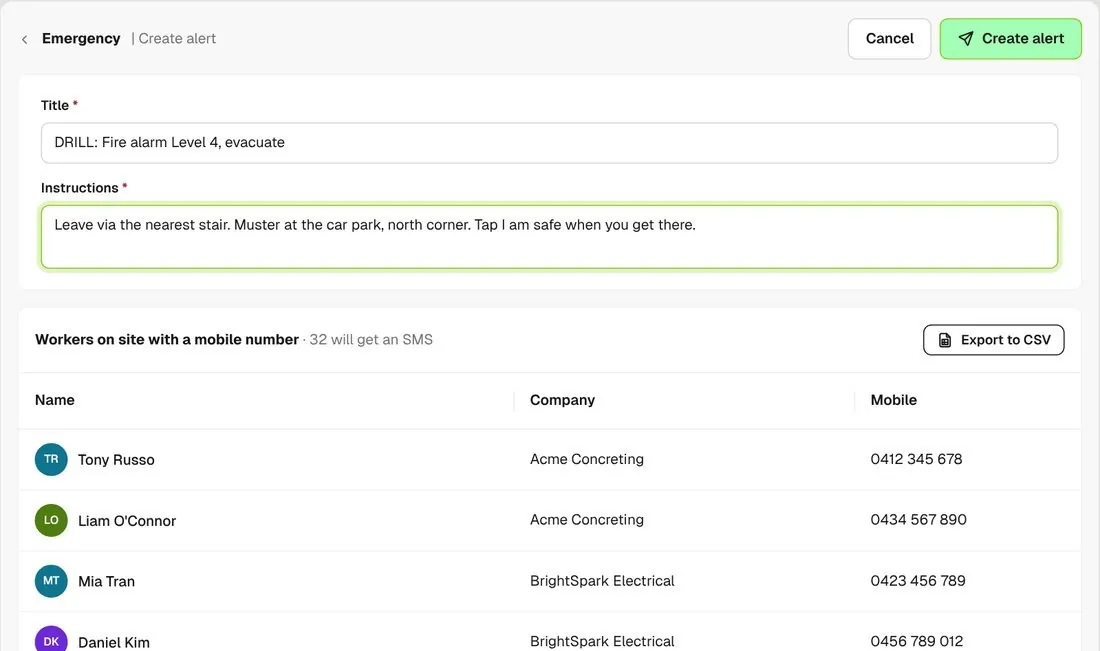
Create alert form with title, instructions and the list of workers on site who will get the SMS
01

Send the alert

Type a title and instructions. Before you send, you see exactly who is signed on with a mobile and will get the SMS.
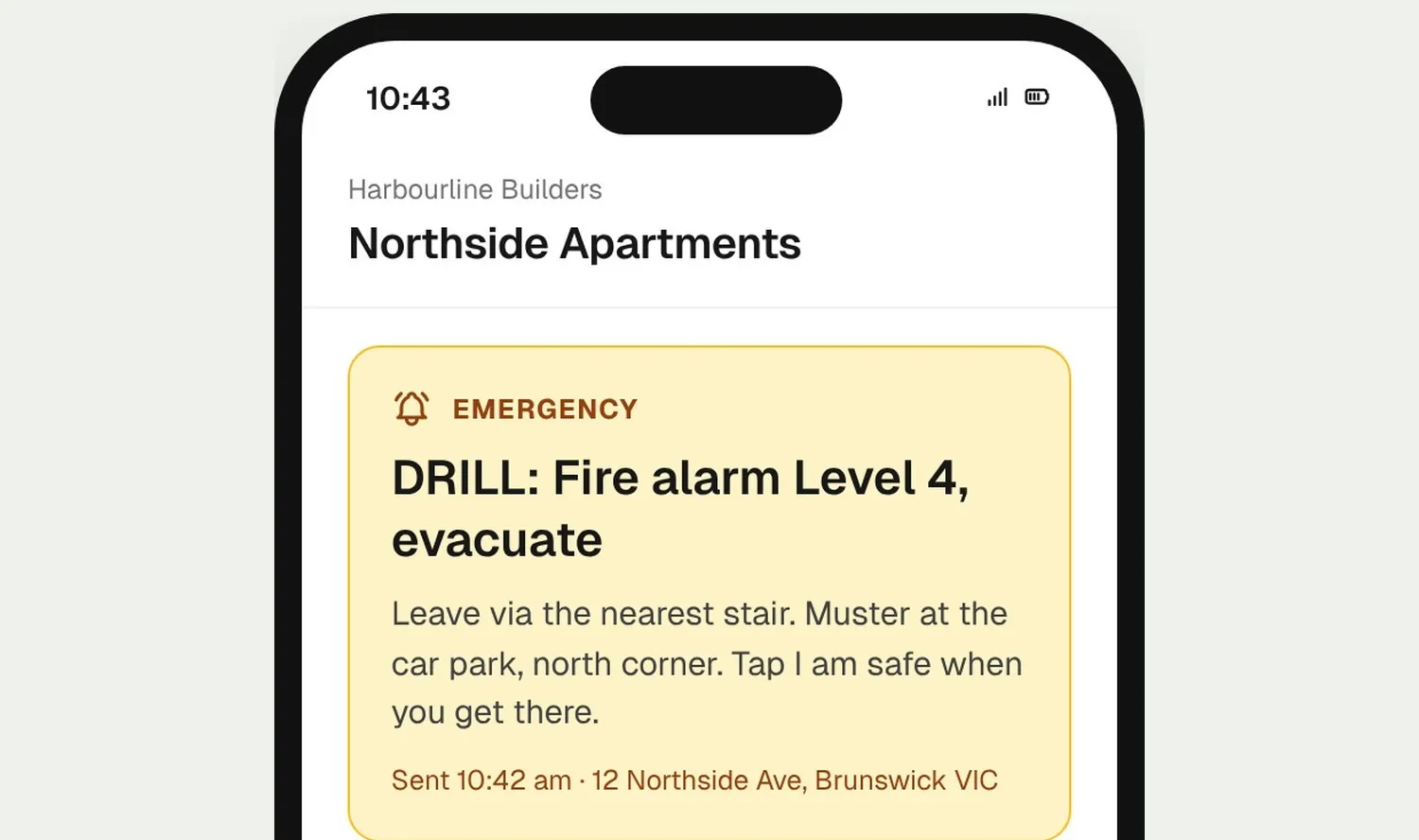
Worker phone showing the alert instructions and an I am safe button
02

Workers respond

The SMS opens a page with your instructions and one I am safe button. No app, no login.
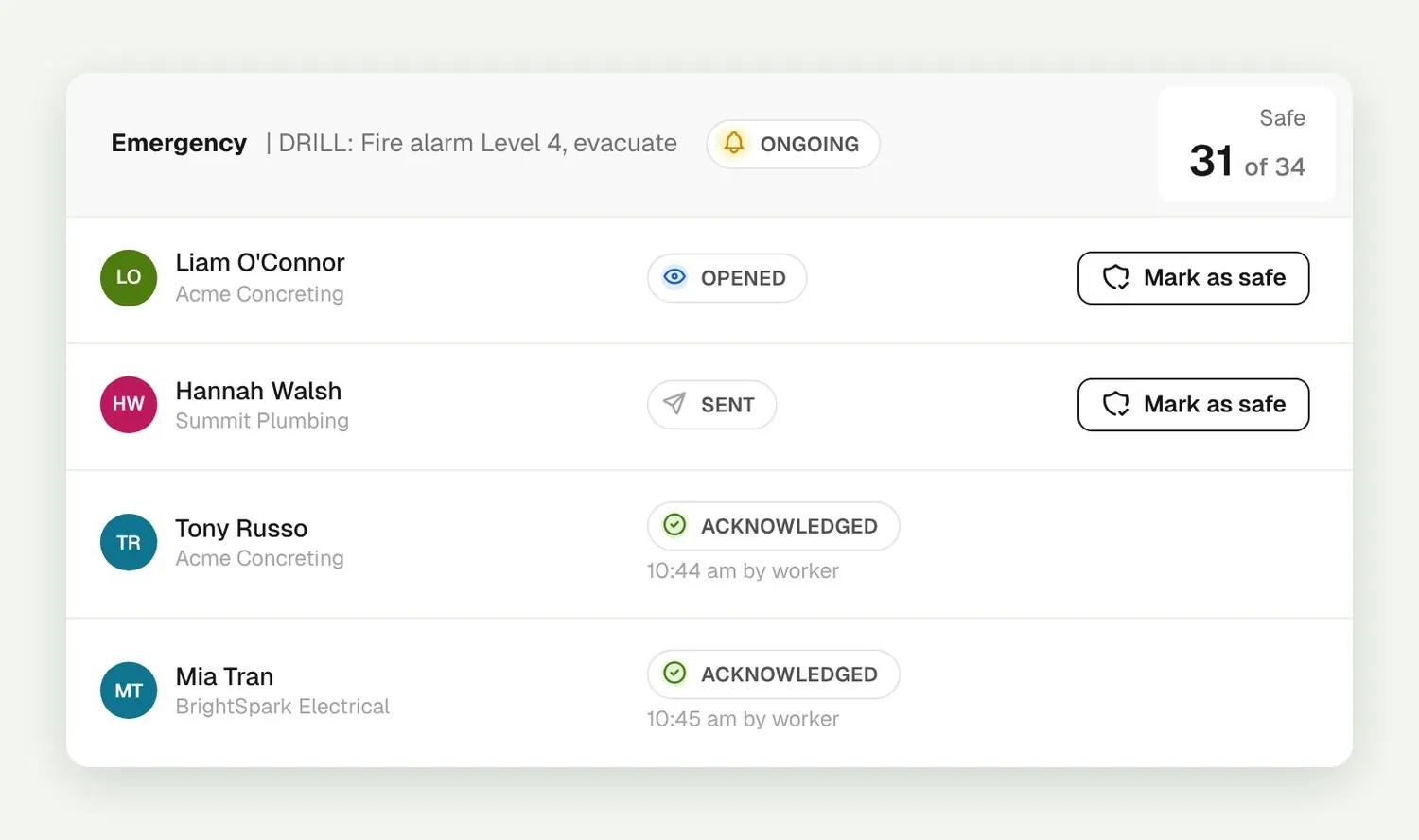
Emergency detail with Sent, Opened and Acknowledged rows and Mark as safe buttons
03

Account for everyone

Each person shows as Sent, Opened or Acknowledged. Mark safe anyone you have seen at the muster point.

How it works

Your evacuation in one view

Live counts, visitors, the people without a phone, and a record once it is over.
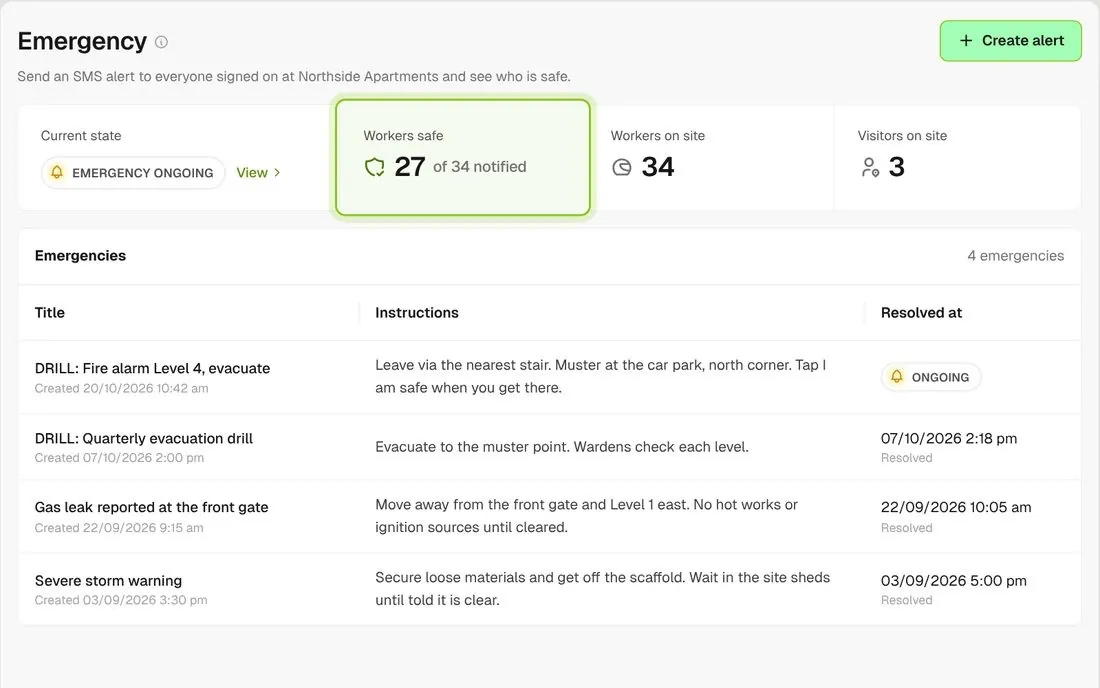
Emergency landing tiles showing 27 of 34 workers safe, workers on site and visitors on site

A live safe count

The Emergency screen shows workers safe out of workers notified, next to how many workers and visitors are on site.
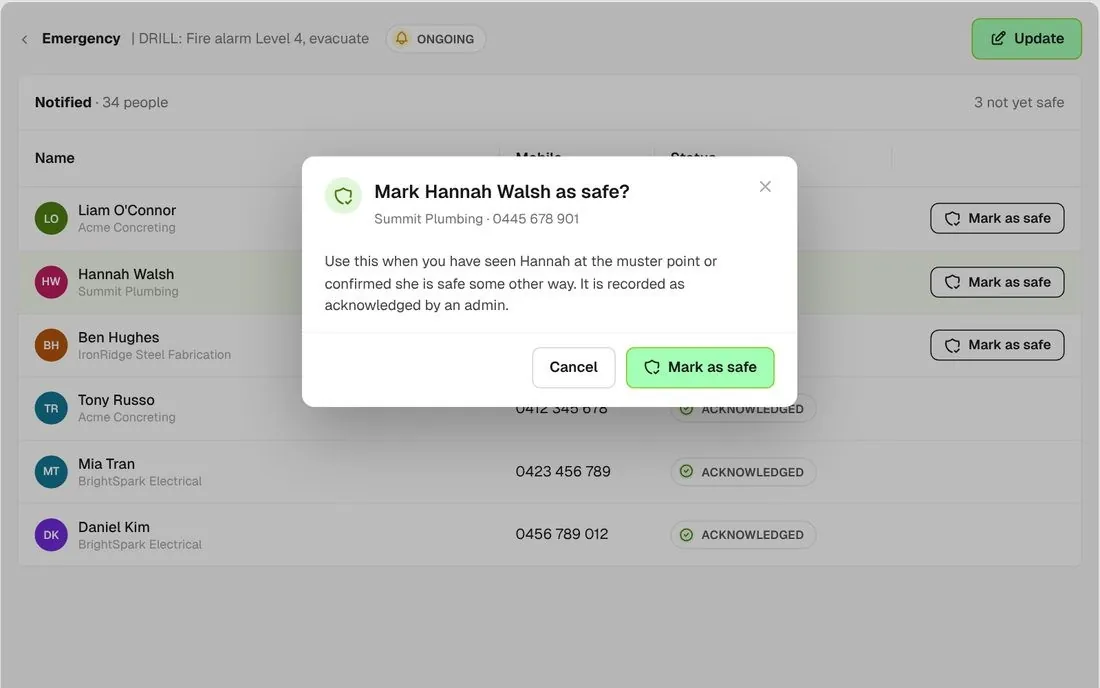
Confirm dialog to mark a worker safe on their behalf

Mark safe on their behalf

Seen someone at the muster point? Mark them safe and it is recorded as acknowledged by an admin on site.
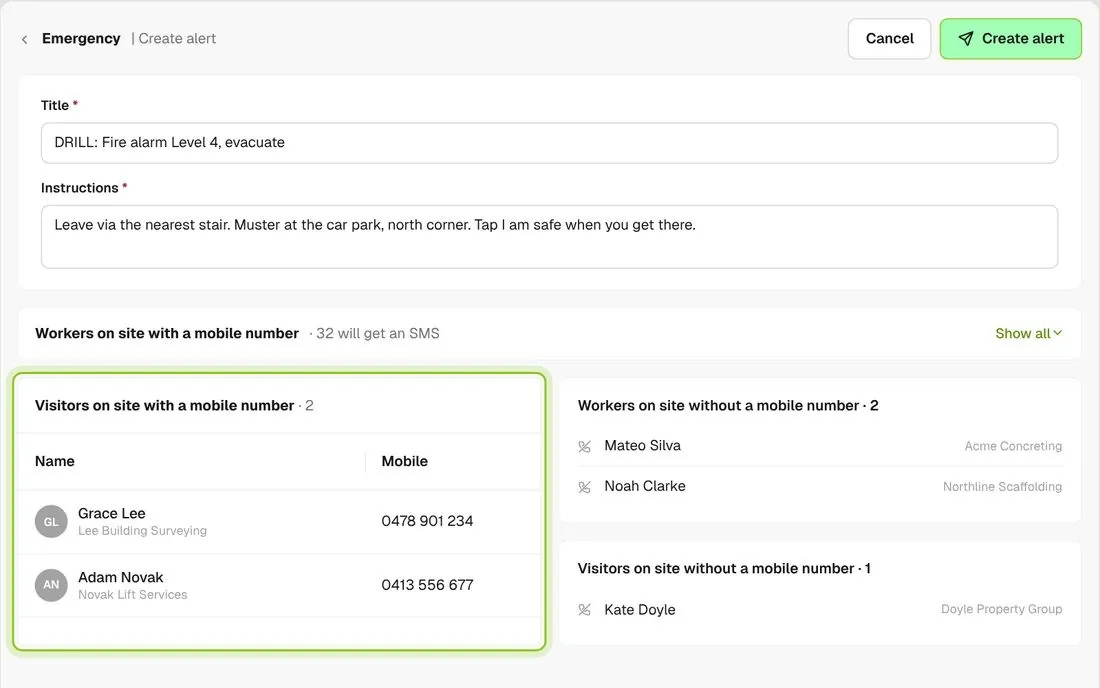
Create alert screen with visitors on site with a mobile and people on site without a mobile

Visitors get the alert too

Visitors signed on with a mobile get the same SMS, and anyone on site without a mobile is listed before you send.
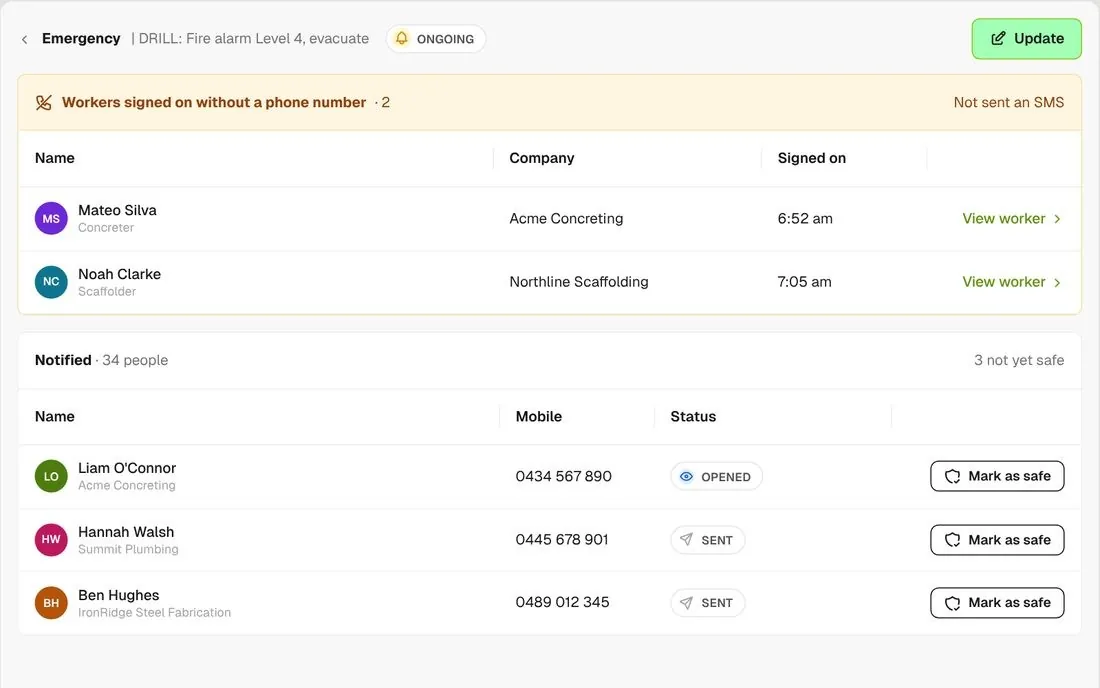
List of workers signed on without a phone number, each with a View worker link

Know who to find in person

Workers signed on without a phone number are listed on the emergency, each linked to their worker record.
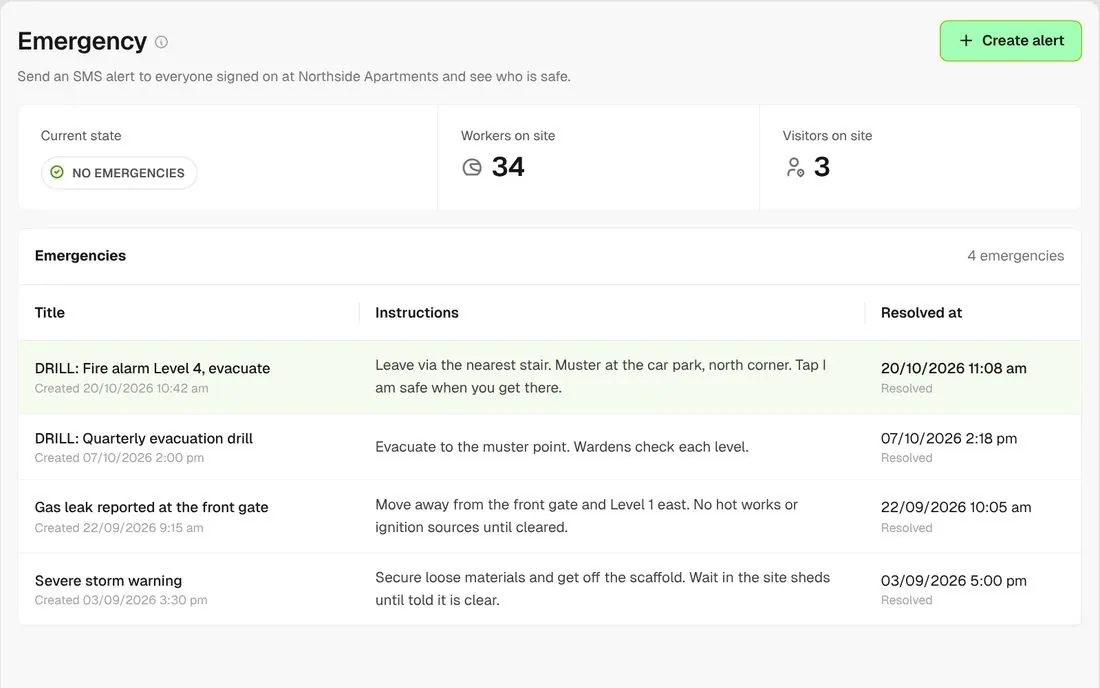
Emergency list with the drill resolved and its resolved time

Resolve it

Set the emergency to Resolved when it is over. The resolved time is kept on the emergency and in the list.
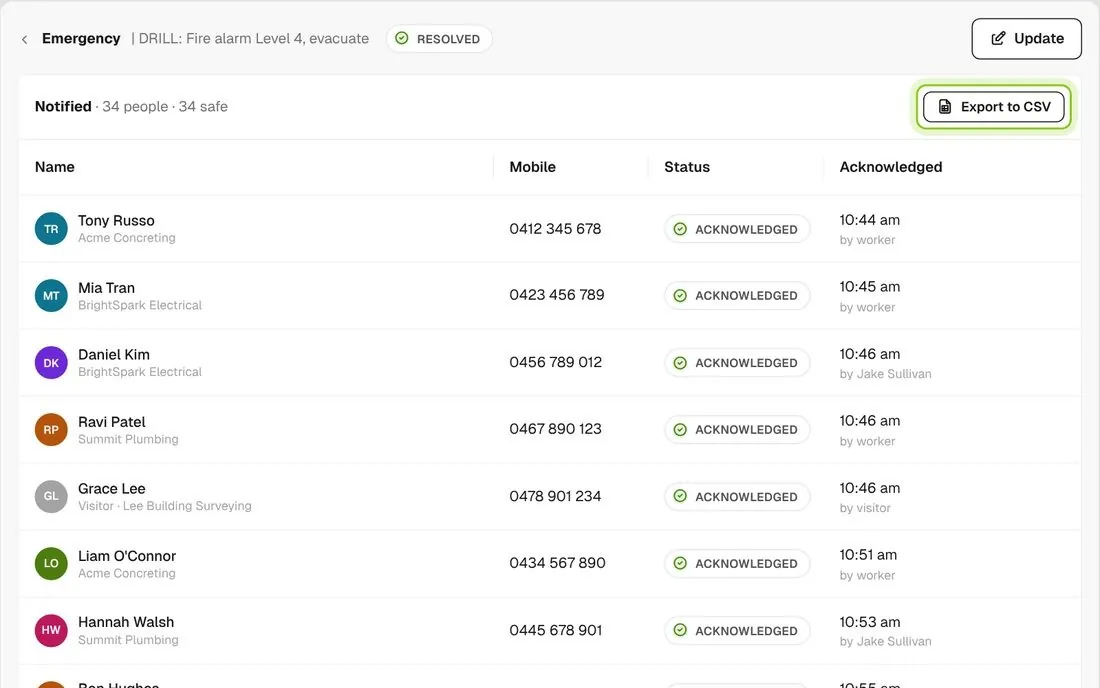
Resolved emergency with all 34 acknowledged and Export to CSV

Keep the drill record

Every emergency and drill stays on the project, with who was notified, who said they were safe and who you marked safe.

Connected to the whole job
BuildRun the site

Emergency, connected to the whole job

The recipient list comes from Sign Ons at the moment you send, so the alert reaches the workers and visitors signed on to that project. Mobile numbers come from each worker’s profile, and anyone without one is named for you to find in person.

Explore health and safety
  1. Signed on now34 workers + 3 visitorsthe recipient list, built when you send
  2. SMS sent34 notified32 workers and 2 visitors with a mobile
  3. ACCOUNTED FOR31 of 34 safeDRILL: Fire alarm Level 4, evacuate · Northside Apartments

Win

Price the job

Take off, estimate and get proposals out the door, without rekeying the same numbers three times.

Explore preconstruction

Pay

Manage the money

Budgets, commitments, progress claims and bills, so you see the real financial position of every job.

Explore finance

Connect

Connect the tools

Bring your other tools, your phone line and BuildPass AI into the same workflow.

Explore the AI toolkit

Trusted by builders who run their projects on BuildPass

From custom-home builders to commercial head contractors, teams across Australia and New Zealand run their projects on BuildPass every day.


The onboarding process and training we received from the BuildPass team was fantastic.
Nick Du Bois
Managing Director, FORA
These checklists ensure our standards are consistently met, no matter the project.
Mark Riley
Site Supervisor, Turn Group
I'd recommend BuildPass to any builder, sub contractor or site manager. It just makes your life easier.
Garath Vella
Director, Lorden Vella

Frequently asked questions

Every worker and visitor signed on to the project with a mobile number, at the moment you send. Anyone who has not signed on is not alerted, and the list does not change after you send.

No. The alert is an SMS with a link. The page opens without a login and has just one I am safe button on it.

Yes. There is no separate drill mode, so send a normal alert with DRILL in the title. Work the list, resolve it when you finish, then debrief on who acknowledged and who you marked safe.

No. The alert goes by SMS only and cannot be re-sent. Whoever runs the emergency follows it on the Emergency screen.

See how BuildPass works on your projects

Book a demo and we'll walk your team through it.