
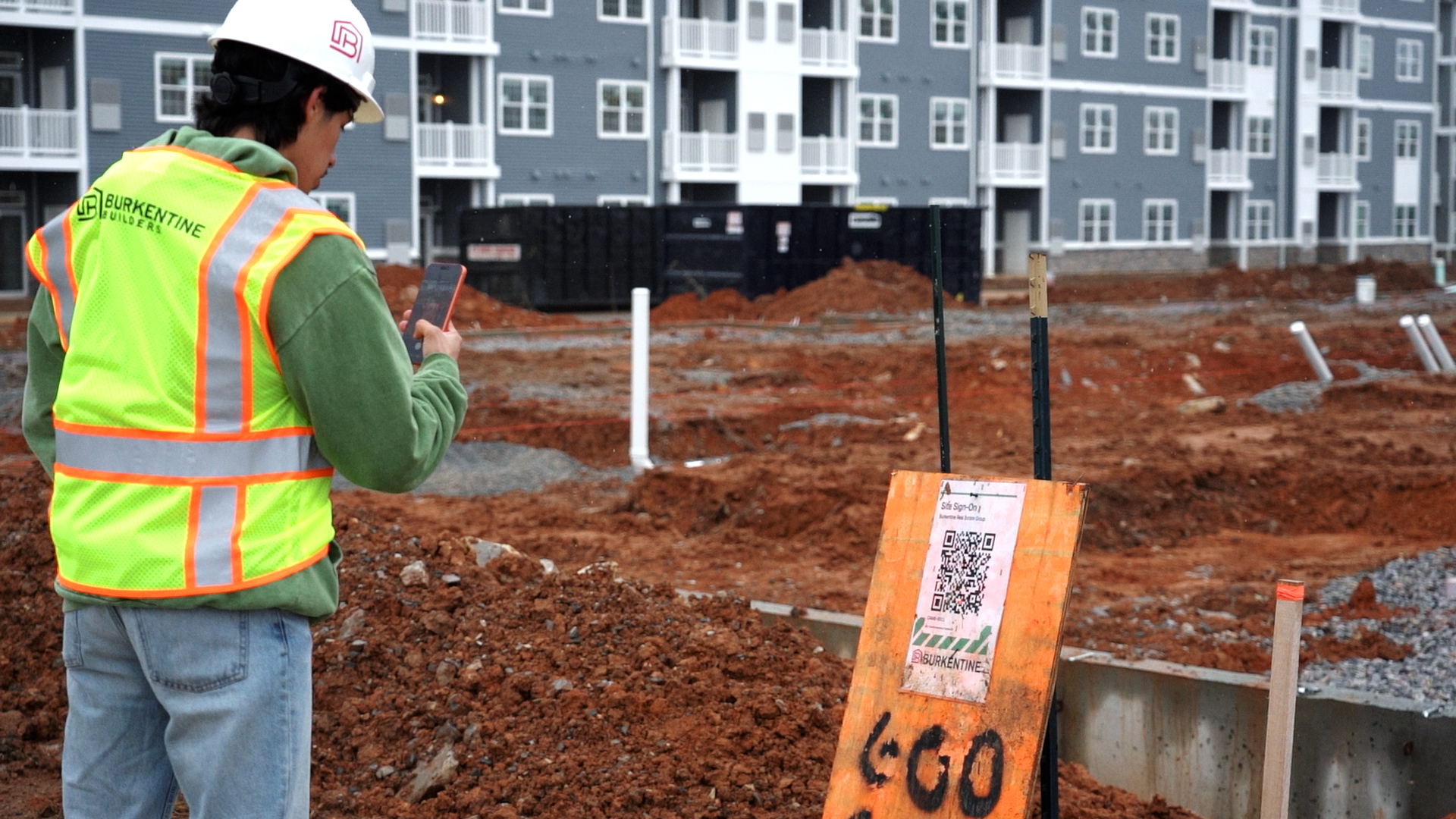
Build

Report incidents from site, and let the right people know

Construction incident reporting and incident management software

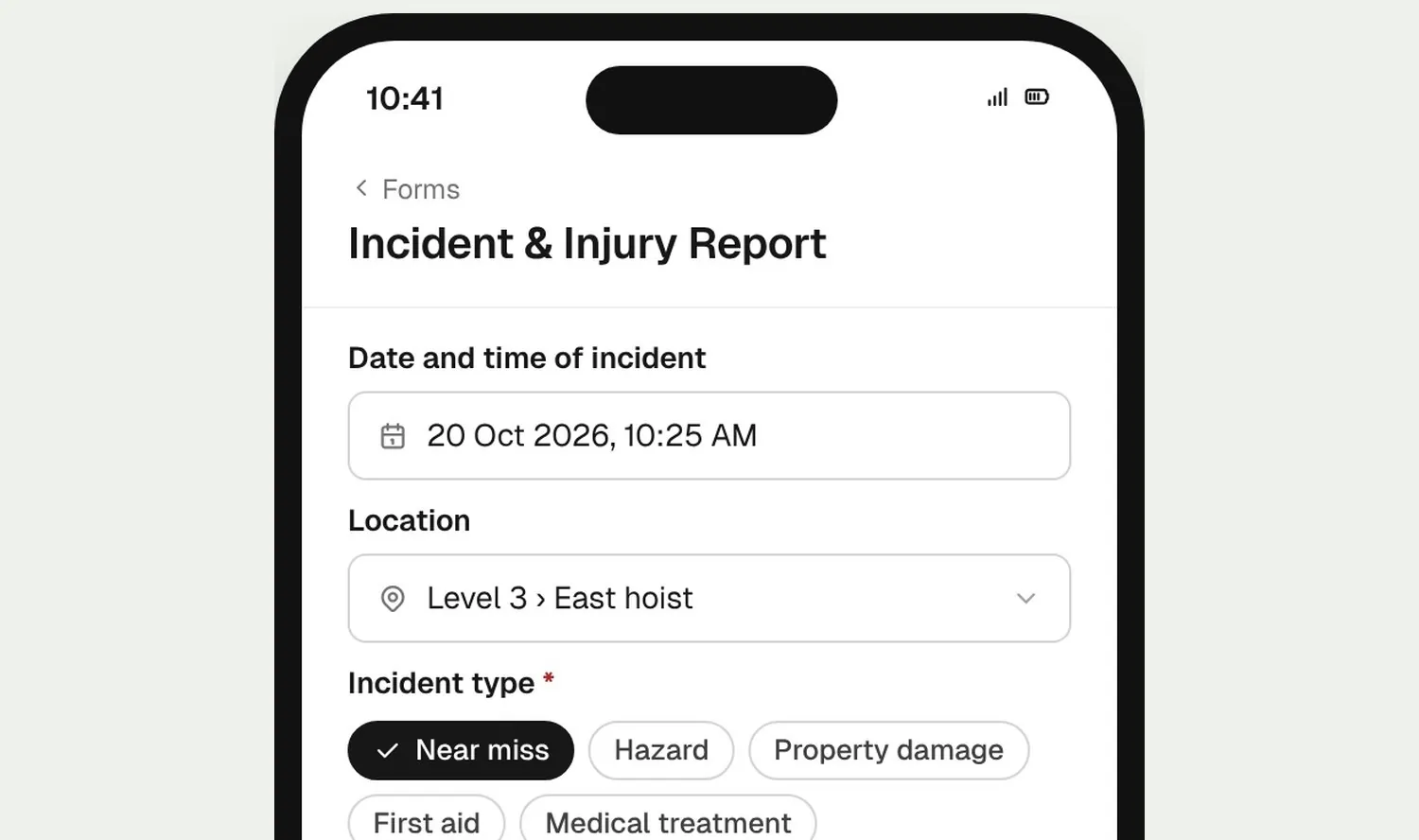
Workers report incidents and near misses on their phone, with photos and a signature. A workflow emails your safety manager the moment a report is completed, and sends an in-app notification too. It all runs on BuildPass Forms, built around your own incident form.
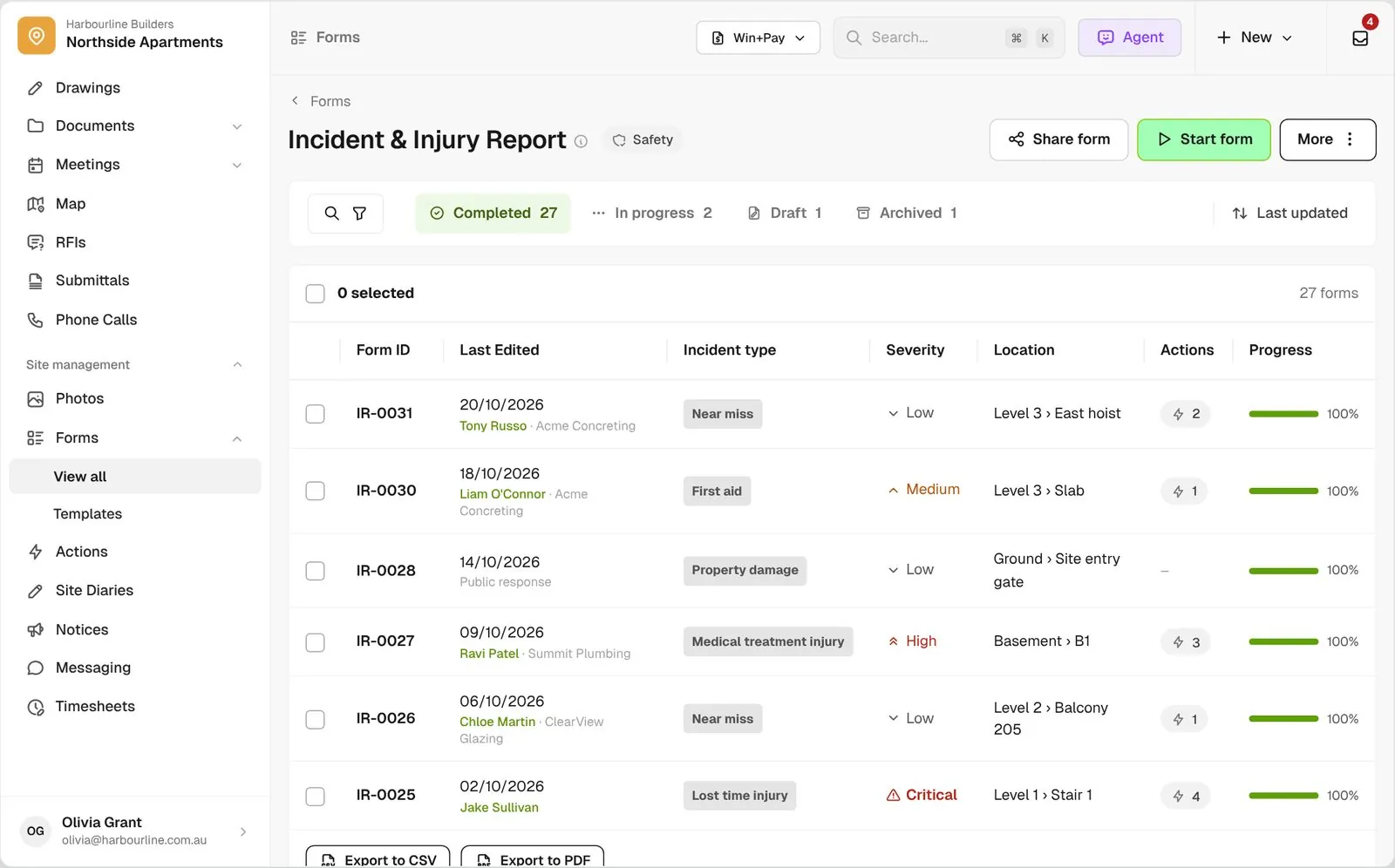
Incident and Injury Report responses with status tabs, form IDs, incident type, severity and progress

Trusted by builders across the country

From custom-home builders to commercial head contractors, site teams report and follow up incidents on BuildPass.


Vaughan Constructions
Hicon
JCGAU
Turn Group
Saw Constructions
Rendine Group
Vaughan Constructions
Hicon
JCGAU
Turn Group
Saw Constructions
Rendine Group
Universal Constructions
McColl Smith Projects
Peach
Staark
Creador Interiors
ARC Projects
Mancini Made
Sense Projects
Universal Constructions
McColl Smith Projects
Peach
Staark
Creador Interiors
ARC Projects
Mancini Made
Sense Projects

Incident reporting software helps builders and head contractors capture incidents, near misses and injuries from site on a form, send each report to the right people, track corrective actions, and keep a running incident register.

One incident process, from the workerโ€™s phone to the follow-up

Worker phone filling in the incident form with incident type, photos and a signature
01

Report it

Workers open the incident form on their phone, add the location, photos and a signature, and complete it on the spot.
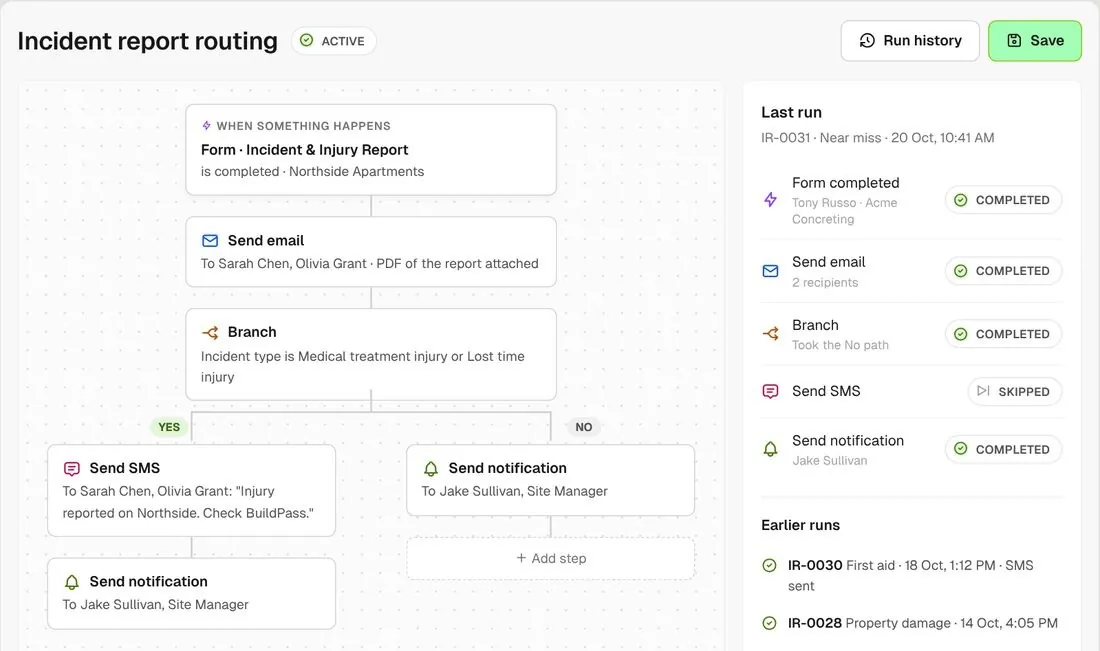
Incident routing workflow that emails on completion and branches on incident type to send an SMS
02

Route it

A workflow runs when the form is completed. Email the report to your safety team, and send an in-app notification so the right people see it straight away.
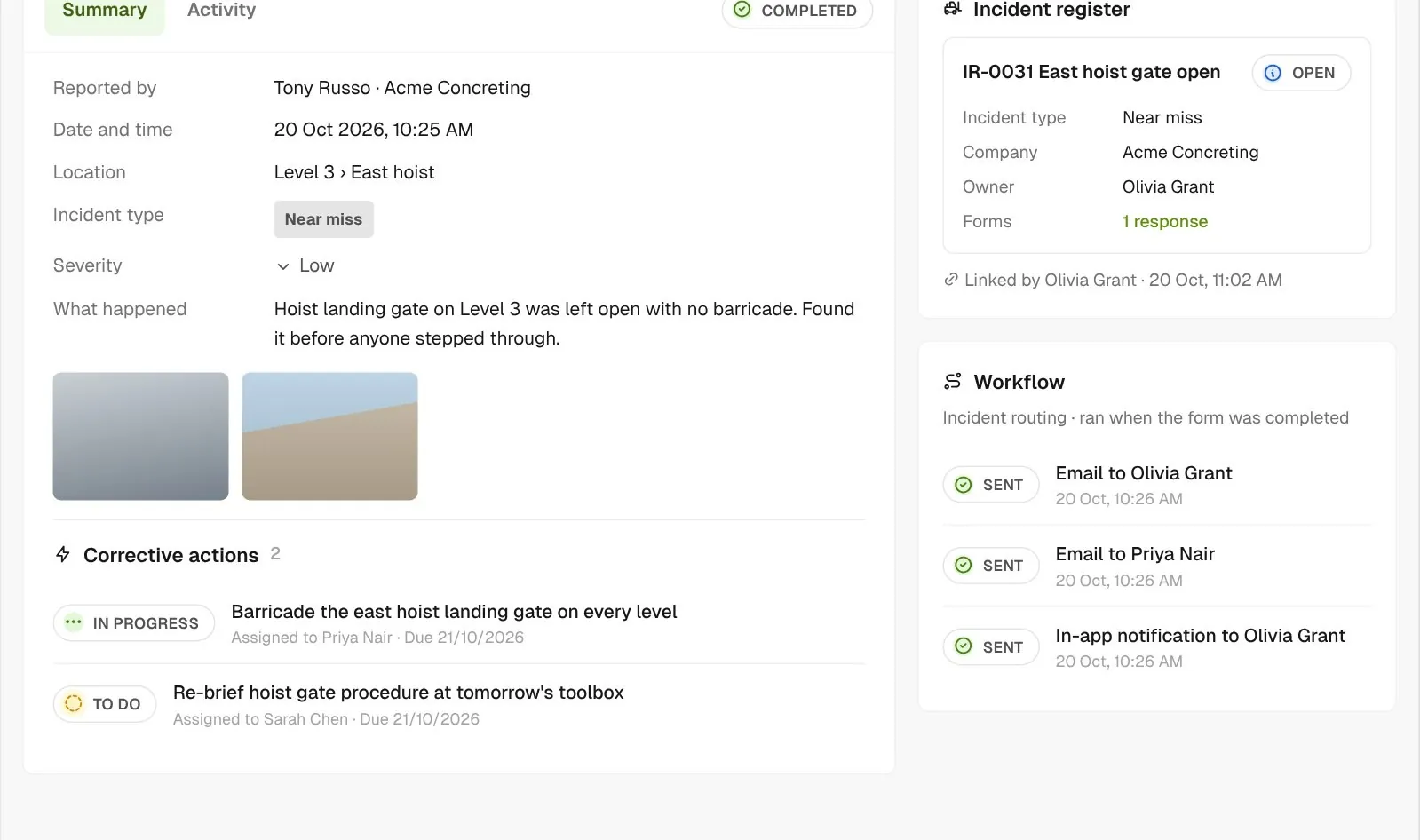
Completed incident report with two corrective actions, the workflow emails and in-app notification it sent, and the linked incident register item
03

Follow it up

Raise corrective actions inside the report and assign each with a due date. Link the report to the matching item in your incident register.

How it works

See your whole incident register in one view

Build the form your way, open it to anyone who needs it, and keep every incident in one list.
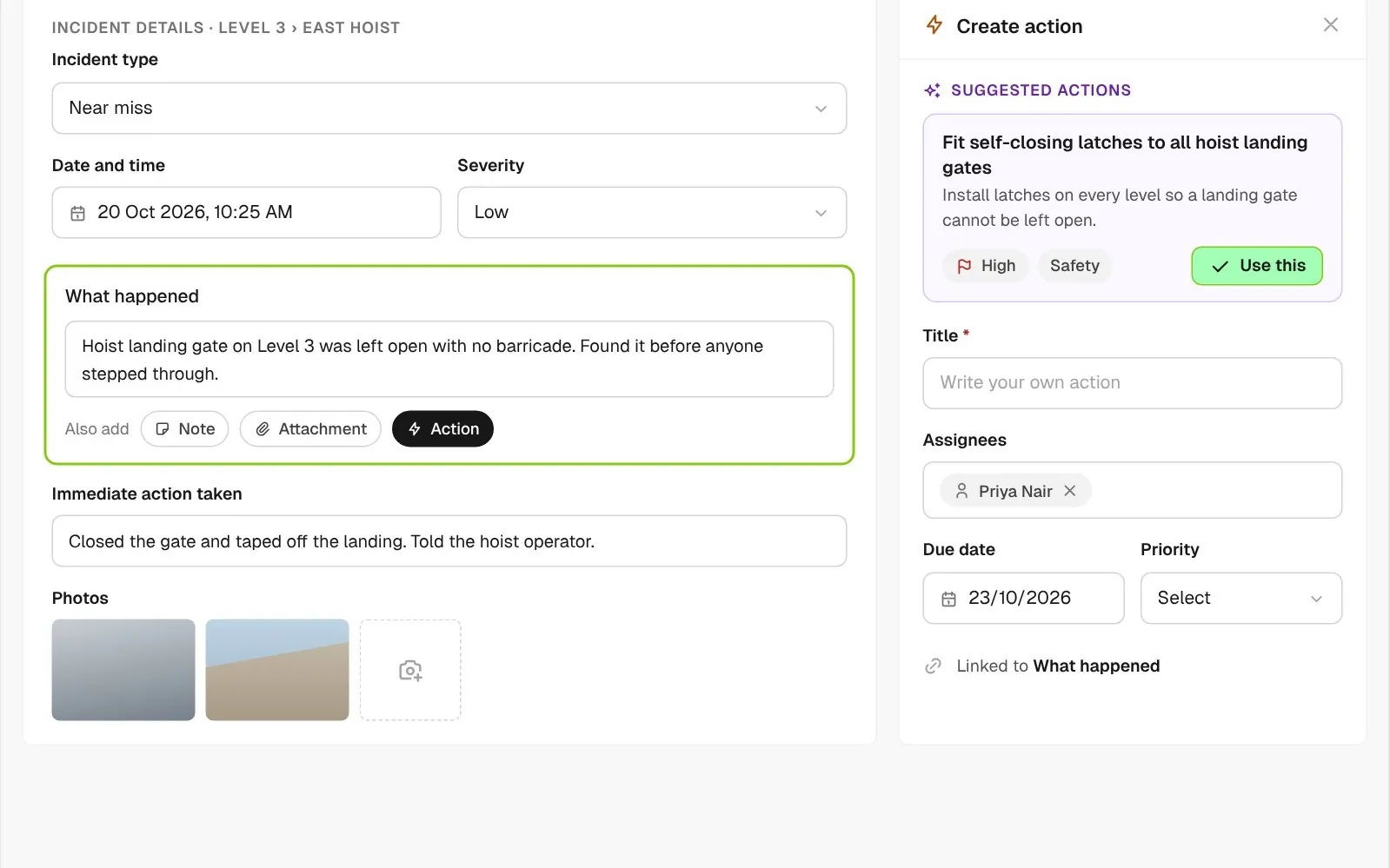
Incident report in progress with Create action open on the What happened answer and a BuildPass AI suggested action with priority and type

Get the follow-up suggested

Raise an action from any answer and, once AI tools are on, BuildPass AI suggests the follow-up, with a priority and type, ready for you to accept or edit.
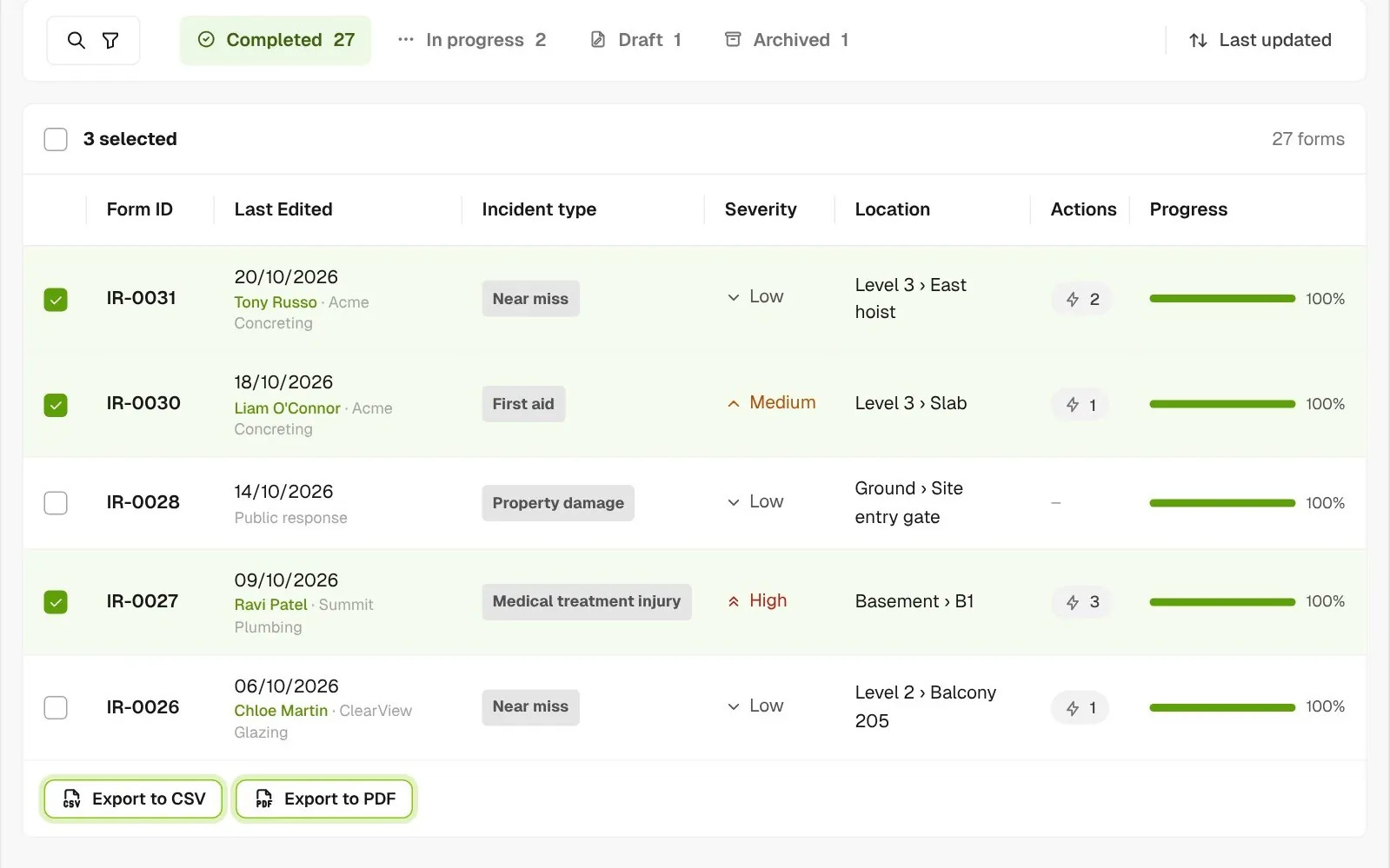
Incident report responses list with three reports selected and the Export to CSV and Export to PDF buttons

Export for your records

Download or email a PDF of any report, or export the whole incident list to CSV.
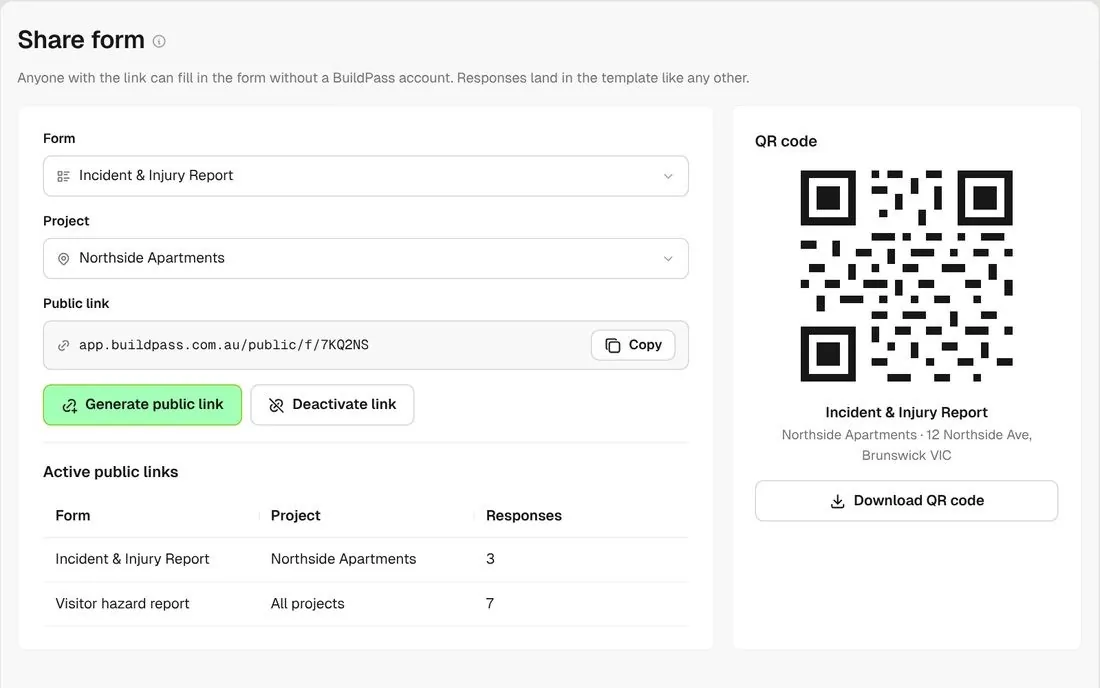
Share form screen with a public link and QR code for the incident report

A link anyone can use

Share a public link or QR code so visitors, clients and subbies without a login can report. Switch the link off at any time.
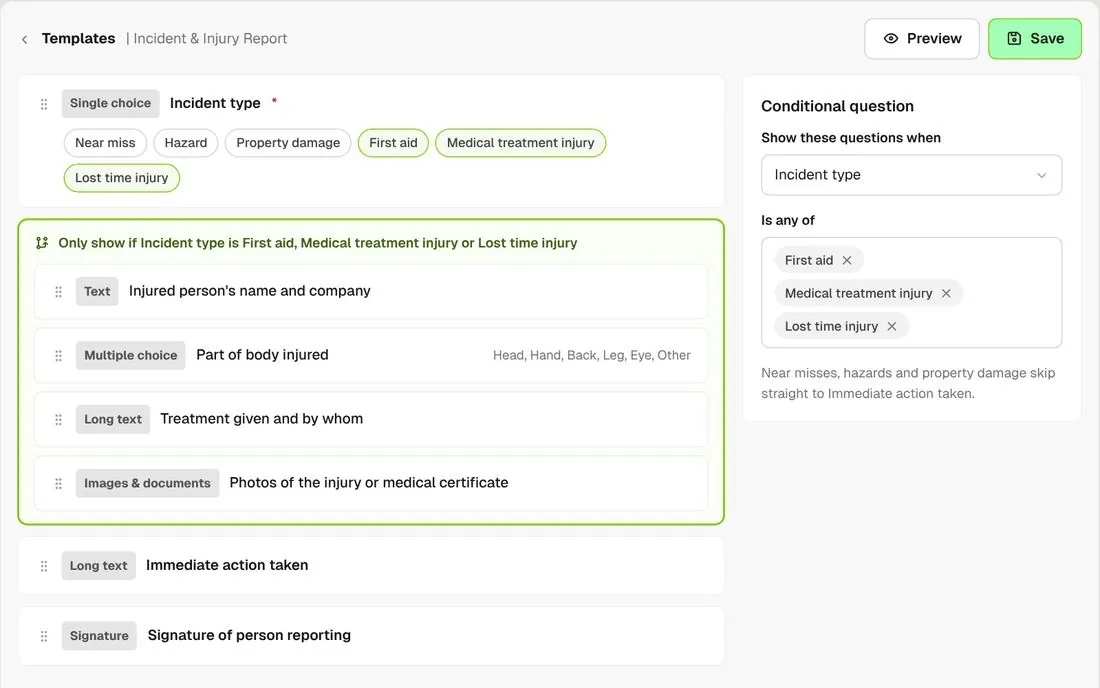
Template editor showing injury questions that only appear for injury incident types

Questions that fit the incident

Show the injury questions only when the incident type is an injury, so a near miss report stays short.
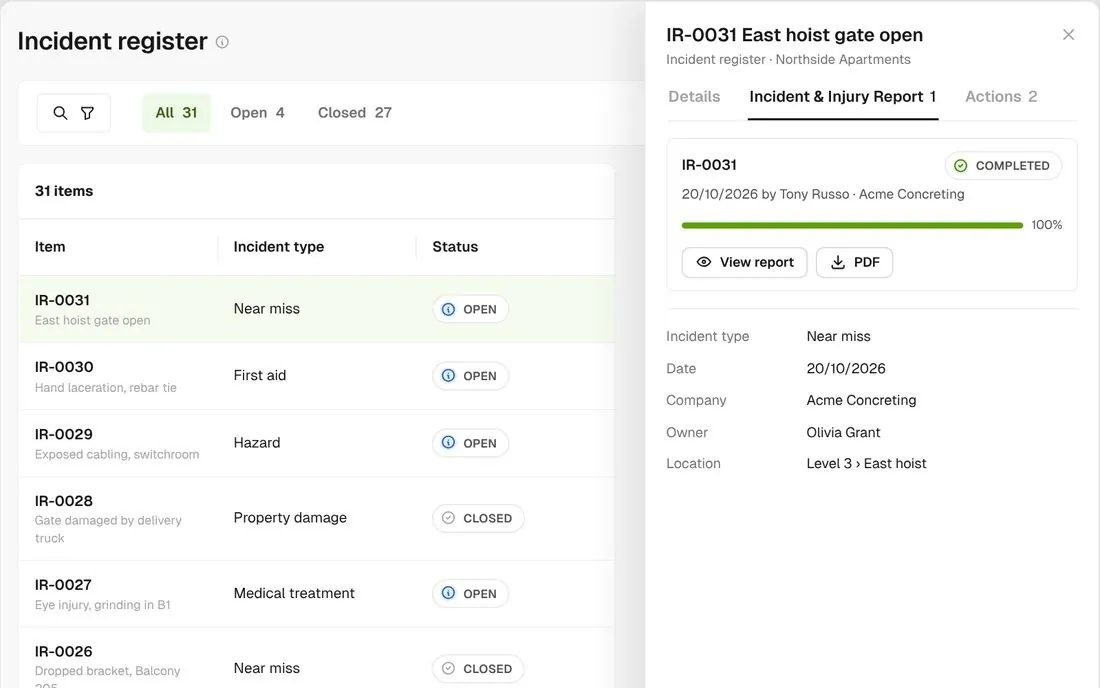
Incident register list with an item open showing its linked incident report

An incident register

Keep one item per incident in a register, with the completed report attached to each one.
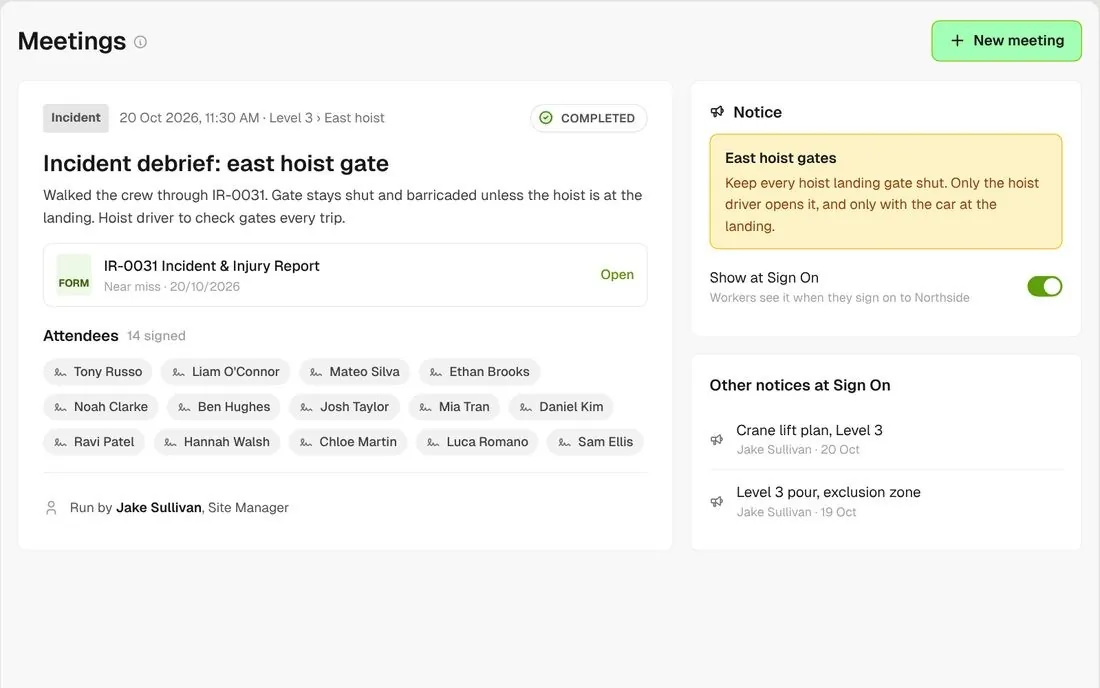
Incident debrief meeting with 14 attendees and a Notice shown at sign on

Debrief the crew

Run an incident toolbox to record who was briefed, then show it as a Notice at sign on for anyone who missed it.

Connected to the whole job
BuildRun the site

Incident reporting, part of the whole job

Incident reporting is built on Forms, so it works with the rest of BuildPass. Workflows send the report, Actions carry the corrective work, Registers hold the running list, and an incident toolbox and Notice brief the crew.

Explore health and safety
  1. FormIR-0031 Near misscompleted on site by Tony Russo
  2. Workflow2 emails sentno injury, so no injury alert went out
  3. INCIDENT REGISTER31 incidents4 open ยท East hoist gate open, Northside Apartments

Win

Price the job

Take off, estimate and get proposals out the door, without rekeying the same numbers three times.

Explore preconstruction

Pay

Manage the money

Budgets, commitments, progress claims and bills, so you see the real financial position of every job.

Explore finance

Connect

Connect the tools

Bring your other tools, your phone line and BuildPass AI into the same workflow.

Explore the AI toolkit

Trusted by builders who run their projects on BuildPass

From custom-home builders to commercial head contractors, teams across Australia and New Zealand run their projects on BuildPass every day.


The onboarding process and training we received from the BuildPass team was fantastic.
Nick Du Bois
Managing Director, FORA
These checklists ensure our standards are consistently met, no matter the project.
Mark Riley
Site Supervisor, Turn Group
I'd recommend BuildPass to any builder, sub contractor or site manager. It just makes your life easier.
Garath Vella
Director, Lorden Vella

Frequently asked questions

No. Incident reporting runs on Forms, with a workflow for notifications and a register if you want a running list. You set it up once, your way, before the first incident.

Yes. Build it question by question, or switch on BuildPass Agent in Settings > AI to describe it for a draft or upload the form you use today. With AI tools on, BuildPass also suggests a follow-up action from an answer. Nothing is added until you accept it.

Whoever you set in a workflow. Trigger it when the form is completed, then send an email or an in-app notification. Branch on the incident type to escalate injuries.

Not as a ready-made regulator form. You capture what your process needs on your own form, then download a PDF of any report or export the list to a CSV file.

See how BuildPass works on your projects

Book a demo and we'll walk your team through it.