

Build

Every ITP check done on site, with proof attached

What is an inspection and test plan (ITP) in construction?

Build each ITP in BuildPass as a form with every check scored, and keep them together in a Quality category under Forms. Site managers and subbies fill them in on their phone with photos and signatures.
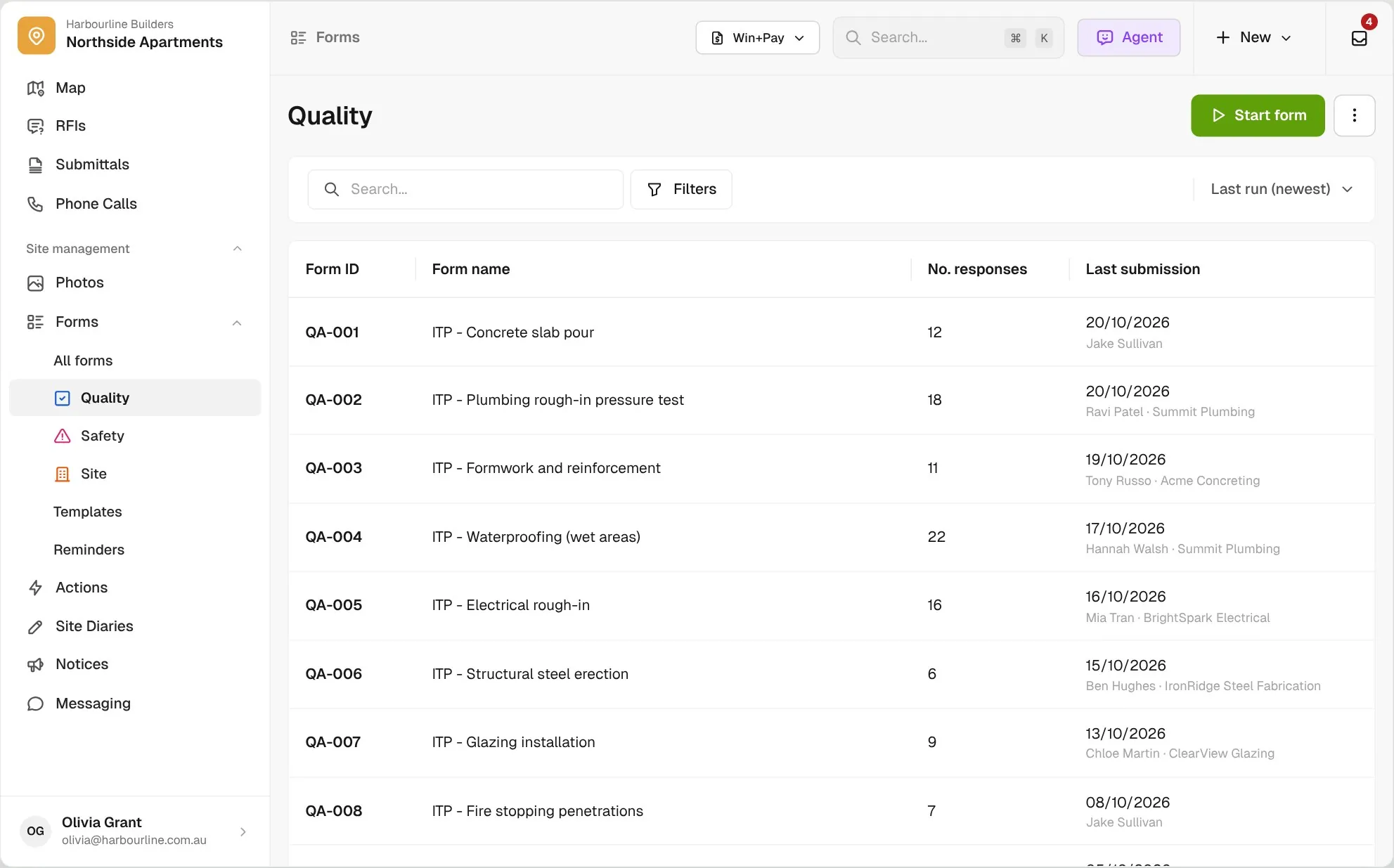
Quality form category pinned under Forms in the sidebar for Northside Apartments, listing ITP forms with form IDs, response counts and last submission

Trusted by builders across the country

From custom-home builders to commercial head contractors, site teams use BuildPass to run their quality checks.


Vaughan Constructions
Hicon
JCGAU
Turn Group
Saw Constructions
Rendine Group
Vaughan Constructions
Hicon
JCGAU
Turn Group
Saw Constructions
Rendine Group
Universal Constructions
McColl Smith Projects
Peach
Staark
Creador Interiors
ARC Projects
Mancini Made
Sense Projects
Universal Constructions
McColl Smith Projects
Peach
Staark
Creador Interiors
ARC Projects
Mancini Made
Sense Projects

ITP software helps builders and head contractors run inspection and test plans. In BuildPass you build each ITP as a form, and site managers and subbies fill it in on site, with every check scored, photos, signatures and a fix raised from any failed check.

Run an ITP in Forms

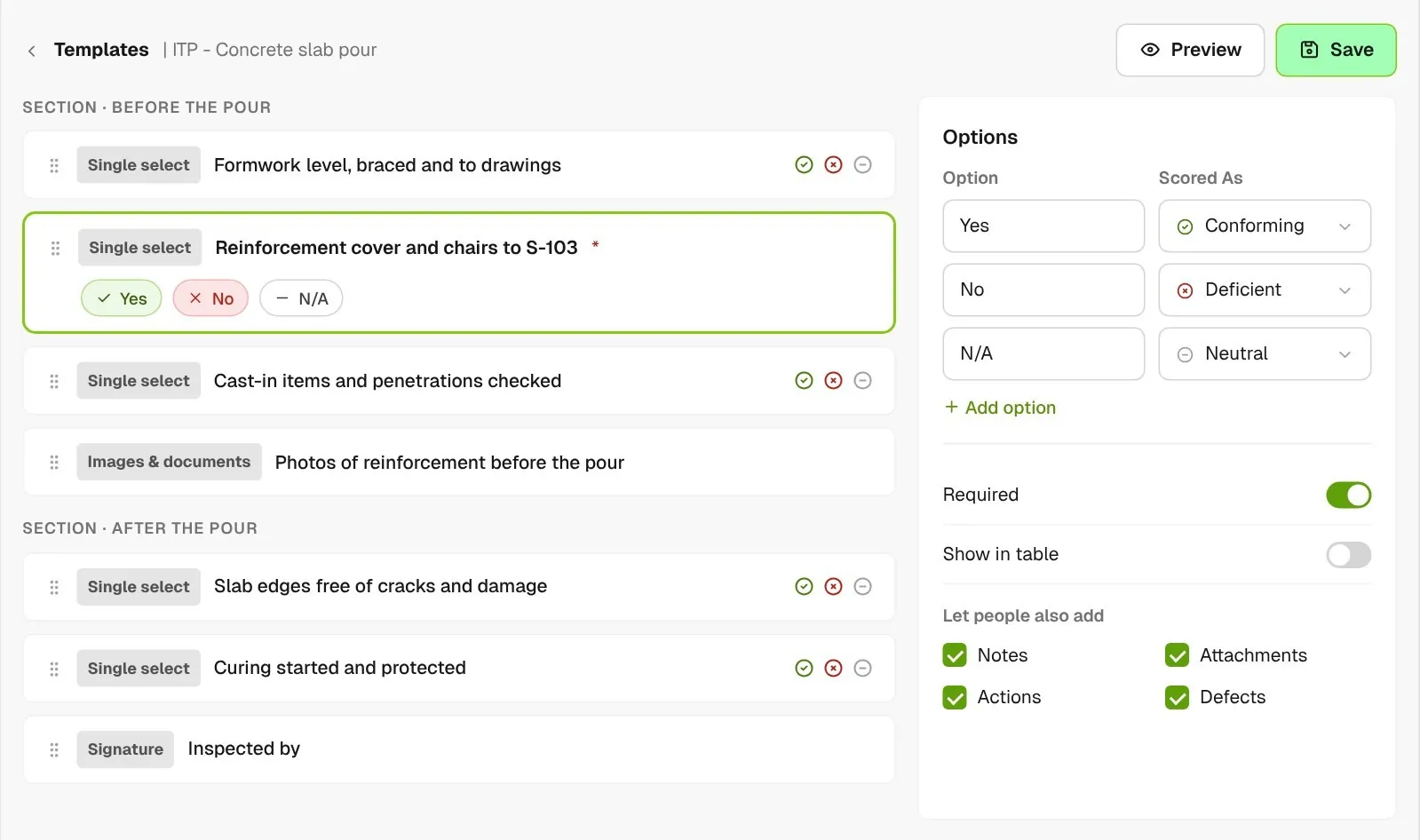
ITP template editor for a concrete slab pour with each check scored conforming, deficient or neutral, photo and signature blocks, and notes, attachments, actions or defects people can also add
01

Build the ITP as a form

Create a form template for each ITP, with a check item for each step scored conforming, deficient or neutral. Add photo and signature blocks where you need proof, and file it in your Quality category in Forms.
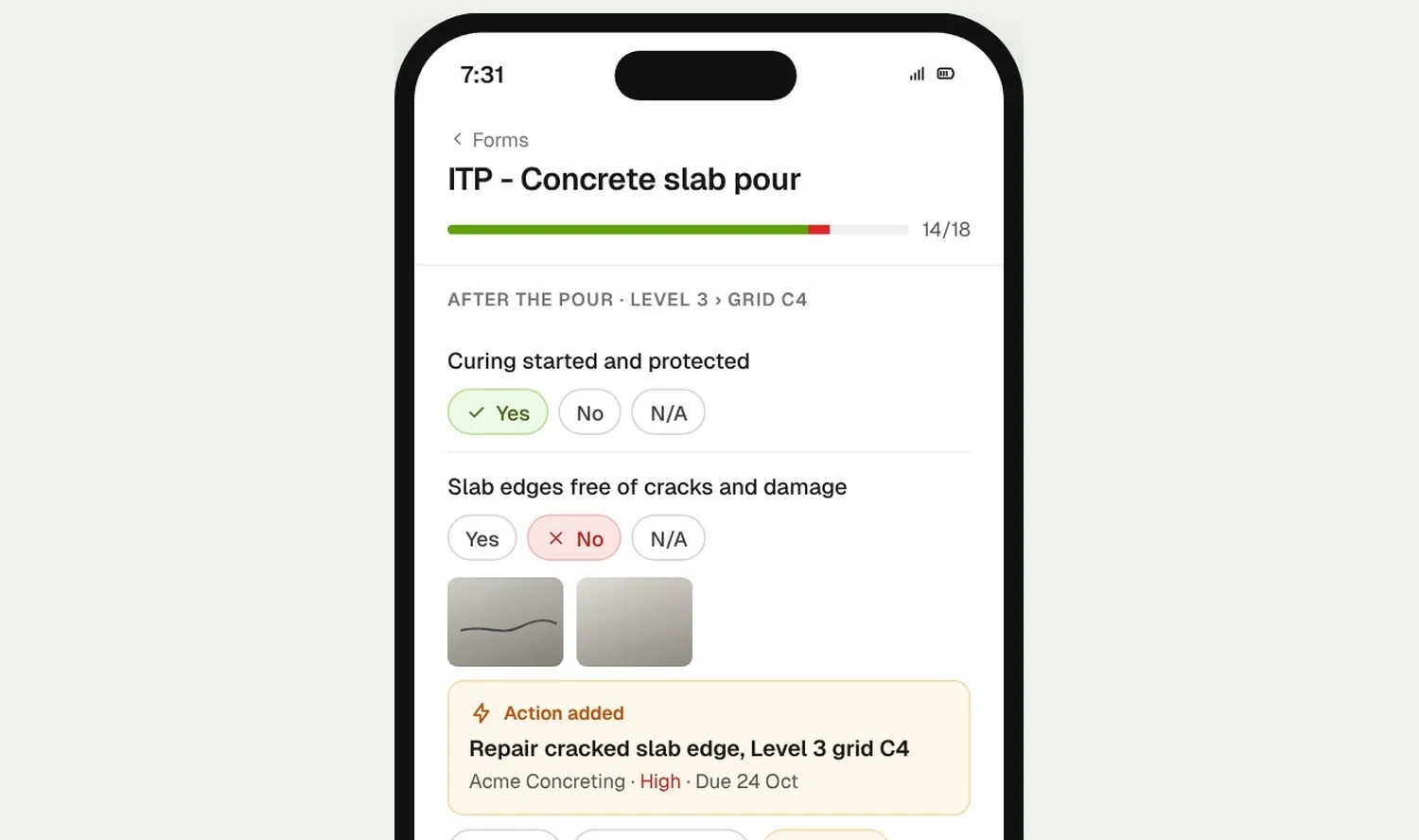
Phone completing the slab pour ITP form, with an action added against the failed slab edge check
02

Inspect on site

Your site manager or the subbie fills in the ITP form on their phone. If an item fails, they raise an action against it without leaving the form, and your site manager can raise a defect from it.
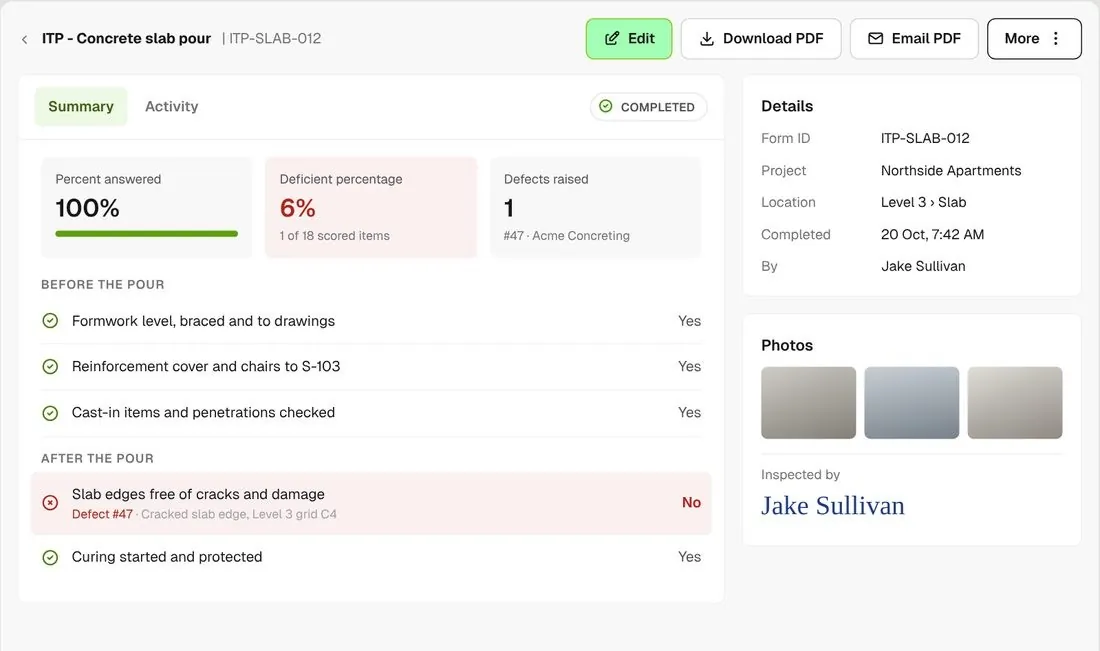
Inspection report showing percent answered, deficient percentage and PDF actions
03

Review the result

The form report shows the percent answered and the deficient share of scored answers. Download or email the PDF from there.

How it works

Your whole ITP record in Forms

Pin your Quality category under Forms, see which ITPs had a failed check, repeat the last one, and keep every change on the record.
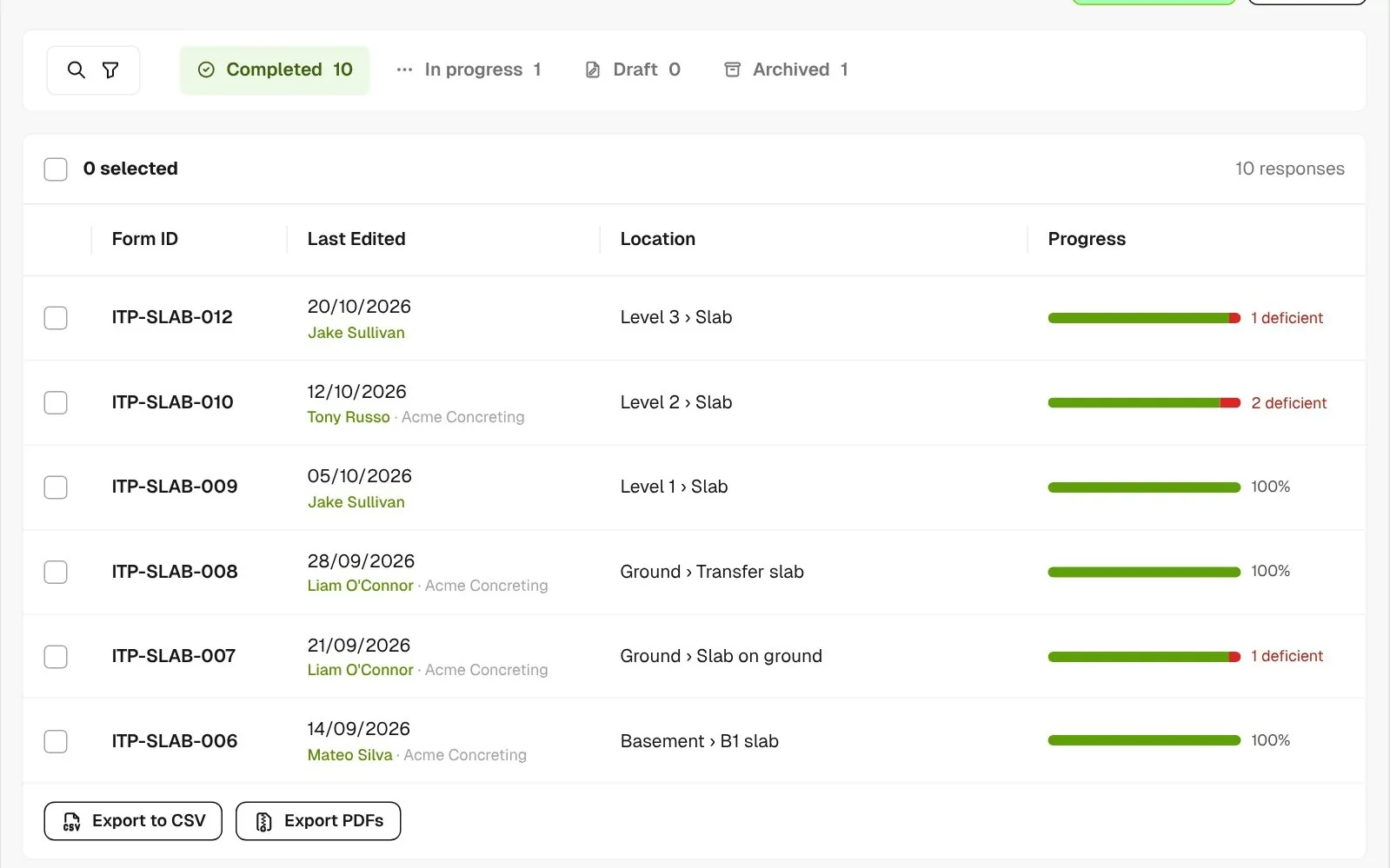
Responses list for the concrete slab pour ITP form with progress bars showing answered and deficient portions

Spot failed checks fast

Every ITP response in the list shows how much has been answered, with a red cross on any ITP with a failed check.
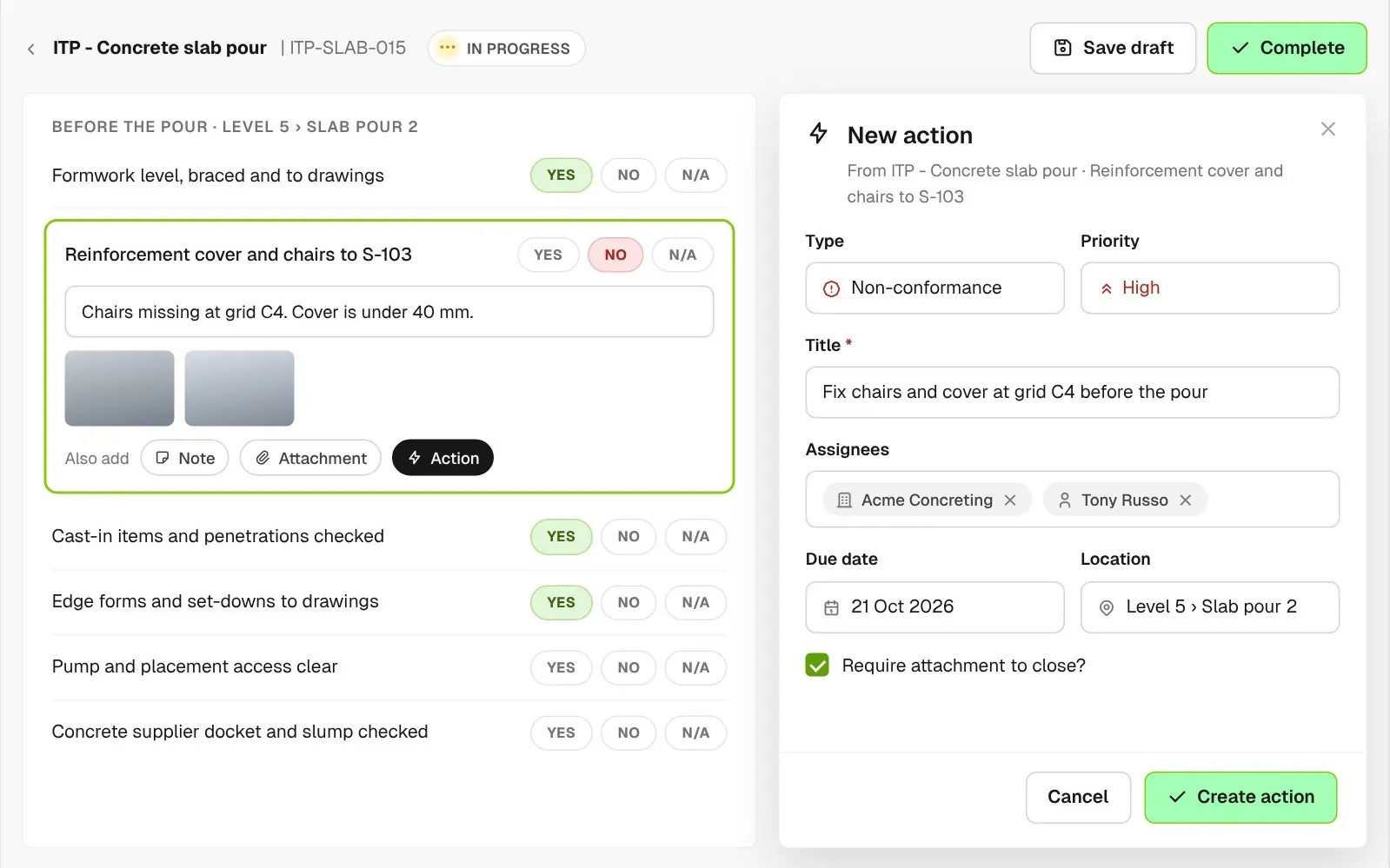
Slab pour ITP in progress with the failed reinforcement cover check open beside a New action form: non-conformance, high priority, assigned to the concreting subcontractor, with a due date and location

Raise the fix from the failed check

Add an action against the item that failed, with a type, priority, due date and location, and assign it to the subbie. It stays in Actions until it’s closed.
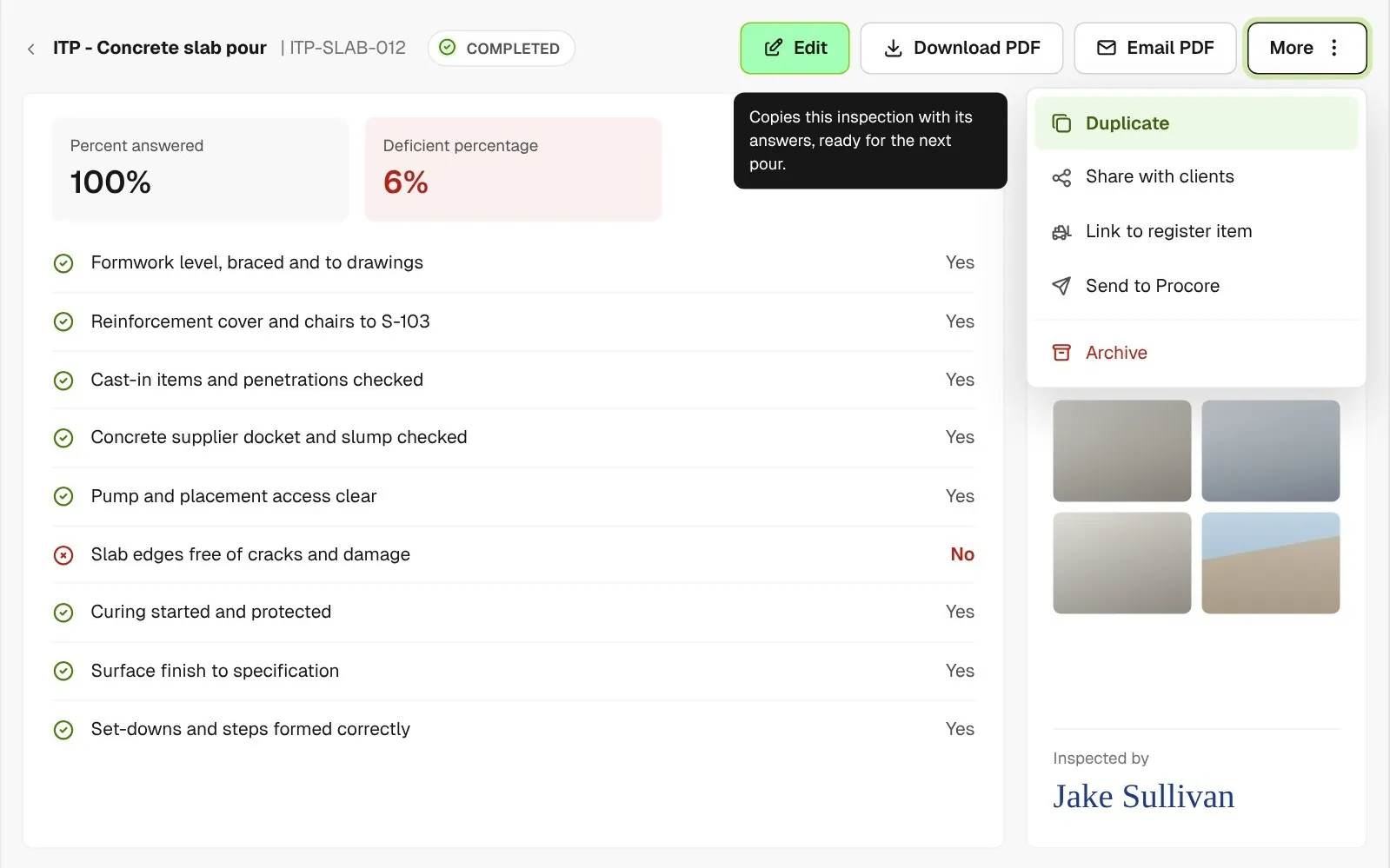
Completed slab pour ITP report with the More menu open on Duplicate, which copies the inspection with its answers

Start from the last pour

Duplicate a completed inspection with its answers, project and location, then change only what is different.
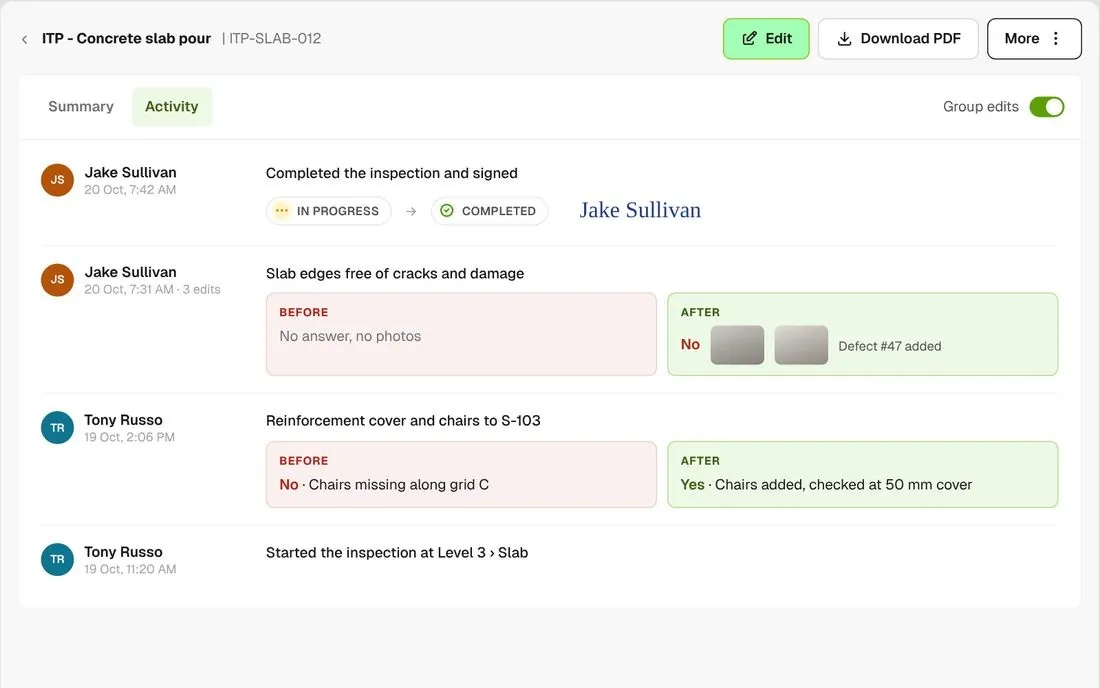
Activity tab showing answers before and after an edit, grouped by edit

See what changed

The Activity tab shows what the answers were before and after each edit, photos and signatures included.
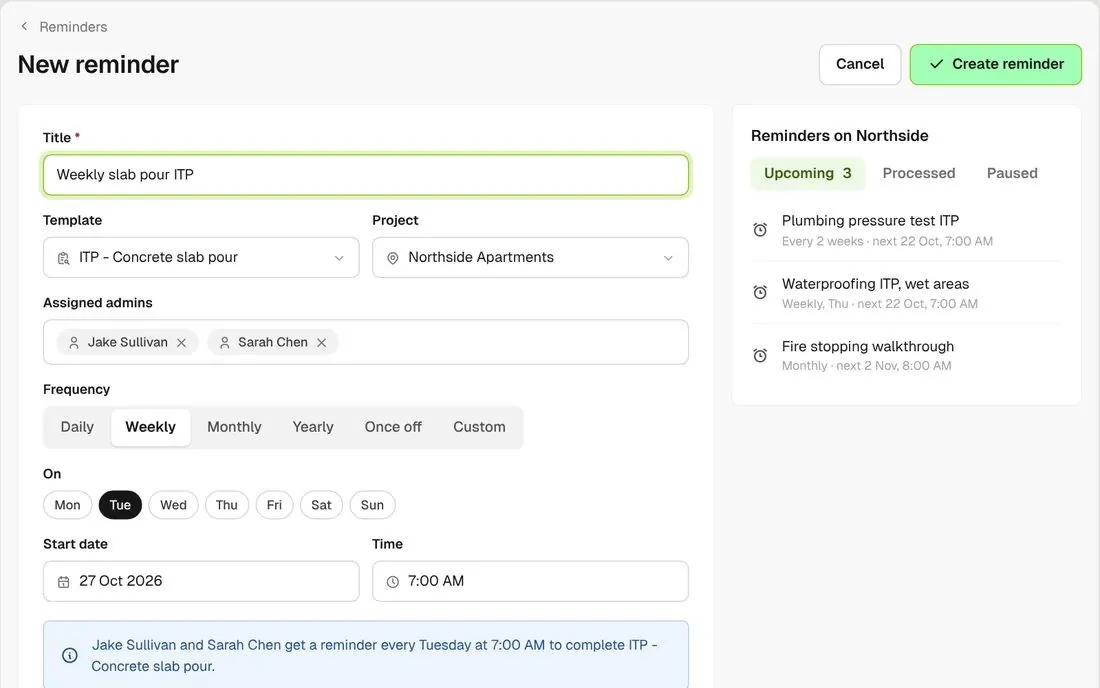
New reminder form with weekly schedule and assigned admins

Remind the right admin

Set daily, weekly, monthly or custom reminders on each project. The admins you assign are prompted to run the inspection.
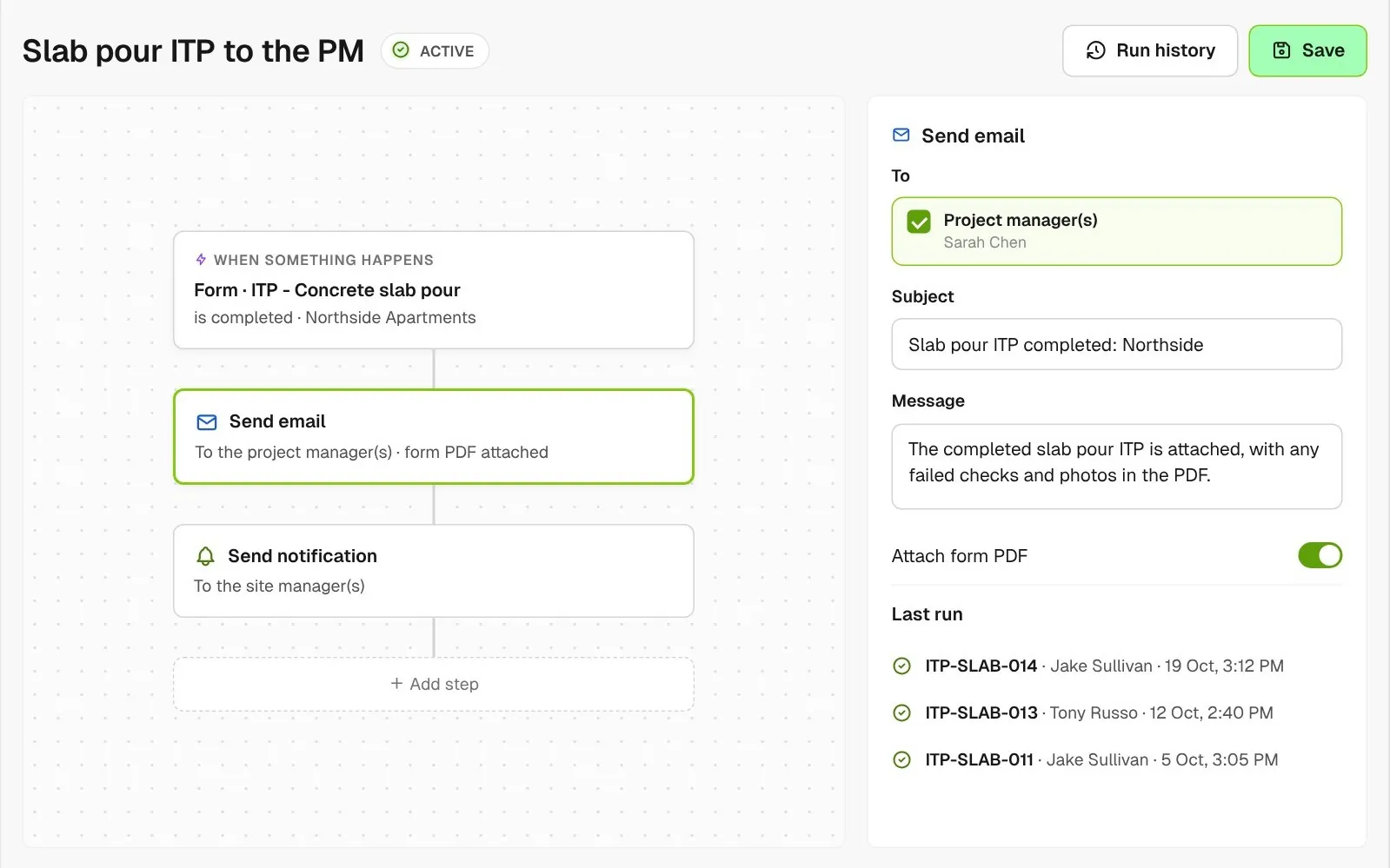
Workflow that runs when the slab pour ITP form is completed: it emails the PDF to the project manager and notifies the site manager

Email the PDF when it’s done

Set up a workflow so a completed ITP emails its PDF to your project manager or sends your site manager a notification.

Connected to the whole job
BuildRun the site

ITPs in Forms, linked to the rest of the job

Built as forms, ITPs work like the rest of your checklists. Raise a defect or an action from any failed check, and it is assigned and tracked in its own list. Link a completed ITP to a register item like a piece of plant to keep the record with it.

Explore quality assurance
  1. ITP response100% answeredITP: Concrete slab pour · 20 Oct
  2. Scored1 deficient (6%)of 18 check items
  3. RAISED FROM THE FAILED ITEMDefect #47Cracked slab edge, Level 3 grid C4 · Acme Concreting, due 24 Oct

Win

Price the job

Take off, estimate and get proposals out the door, without rekeying the same numbers three times.

Explore preconstruction

Pay

Manage the money

Budgets, commitments, progress claims and bills, so you see the real financial position of every job.

Explore finance

Connect

Connect the tools

Bring your other tools, your phone line and BuildPass AI into the same workflow.

Explore the AI toolkit

Trusted by builders who run their projects on BuildPass

From custom-home builders to commercial head contractors, teams across Australia and New Zealand run their projects on BuildPass every day.


The onboarding process and training we received from the BuildPass team was fantastic.
Nick Du Bois
Managing Director, FORA
These checklists ensure our standards are consistently met, no matter the project.
Mark Riley
Site Supervisor, Turn Group
I'd recommend BuildPass to any builder, sub contractor or site manager. It just makes your life easier.
Garath Vella
Director, Lorden Vella

Frequently asked questions

Yes. Rebuild each one as a form template in Forms, with a check item for each step scored conforming, deficient or neutral, and photo and signature blocks where you need proof. Templates are company-wide, so each ITP is ready to use on every project.

No. Each ITP is completed once, by one person, and nothing holds up work until someone signs. Most teams add a signature block at each hold or witness point and raise an action for the follow-up, so the record shows who checked it and when.

Yes. Make the ITP form available to workers, and subbies on your project fill it in on their phone, with photos and signatures, and raise an action from any item that fails.

Build each ITP as a form template and keep them in a Quality category you can pin under Forms in the sidebar. Reminders, workflows and PDF reports then work the same as for any other form.

See how BuildPass works on your projects

Book a demo and we'll walk your team through it.