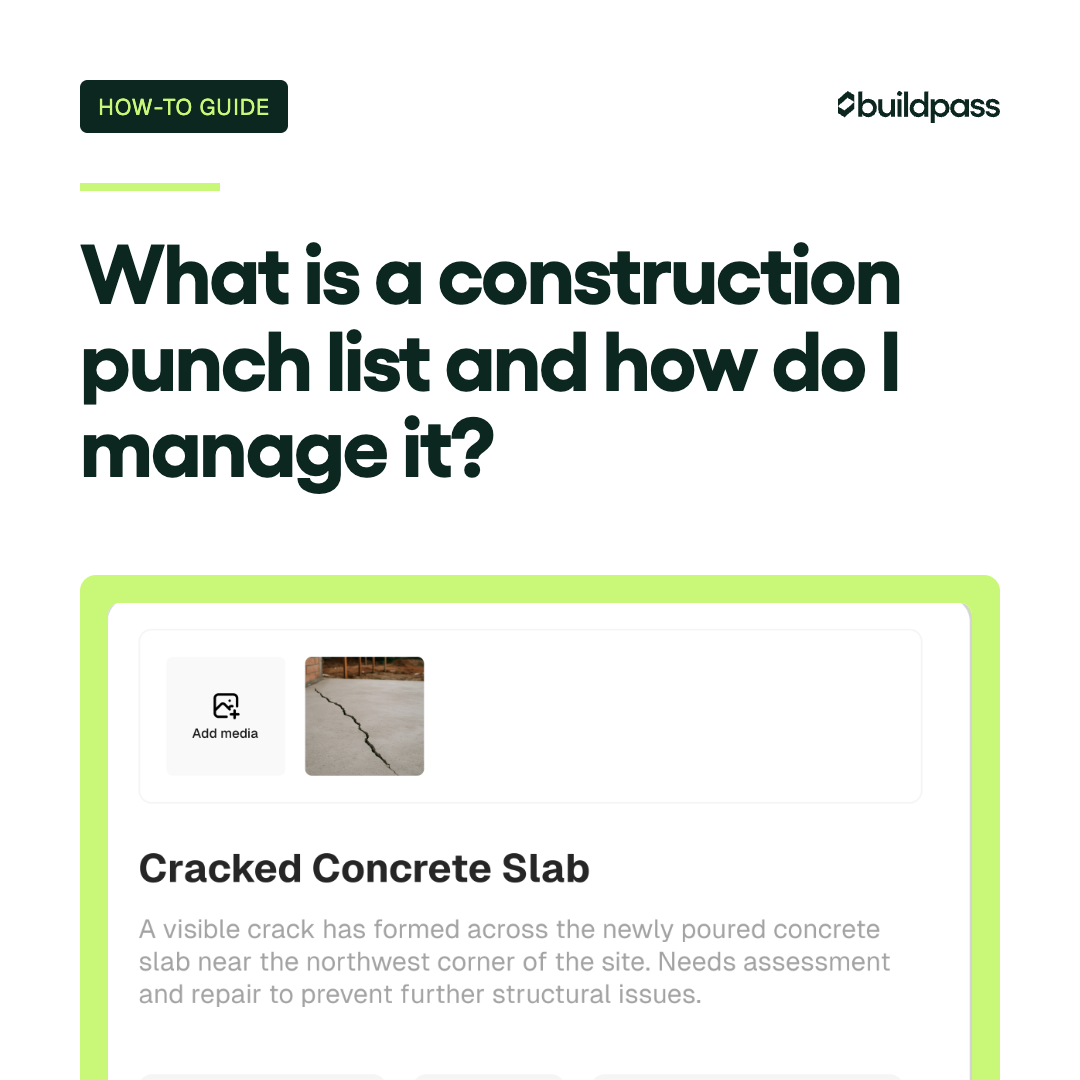
What is a construction punch list and how do I manage it?
Learn what a construction punch list is, what it includes, who manages it, and how to close it out faster. Practical guide for GCs.

A punch list is one of those things every GC knows about but nobody enjoys dealing with. By the time you're generating one, you're close to the finish line, and every open item is standing between you and final payment. Getting it right matters.
This guide covers what a construction punch list is, what goes on it, who's responsible for what, and how to manage the process without it dragging on longer than it needs to.
What is a construction punch list?
A construction punch list is a document that records all the work that still needs to be completed or corrected before a project reaches final completion. It's generated near the end of a project, typically after a walkthrough with the owner and architect, and it captures everything that doesn't meet the contract requirements or the agreed-upon quality standard.
Think of it as a formal to-do list for the close-out phase. Each item gets assigned, tracked, and signed off before the project is officially handed over.
The punch list is not a change order. It's not new scope. It's a record of work that was supposed to be done and either wasn't finished or wasn't done correctly.
What does a punch list include?
Punch list items fall into four categories:
| Category | What it means | Examples |
|---|---|---|
| Test | Systems or components that need to be verified before sign-off | HVAC operation, fire alarm triggers, door hardware function |
| Fix | Work that was completed but doesn't meet spec | Paint drips, misaligned trim, cracked tile |
| Add | Items that are missing entirely | Missing outlet covers, light fixtures not installed, hardware not delivered |
| Remove | Materials or debris that need to come off the site | Scrap lumber, construction dust, protective film on windows |
Beyond the category, each punch list item should include:
- A clear description of the issue
- The location on site (floor, room, grid reference)
- A photo documenting the condition
- The responsible sub or trade
- A due date for completion
- Status (open, in progress, complete, verified)
Who creates the punch list, and who completes the items?
The GC typically leads the punch walk with the owner and architect. All three parties inspect the work and flag items that need attention. The architect or owner may also submit their own list, which gets consolidated with the GC's.
Once the list is generated:
- The GC assigns items to the relevant subs and tracks overall progress
- Subs complete the work within their scope
- The architect or owner verifies completion and signs off on items
- The GC confirms final close-out before requesting final payment
On a well-run project, the GC manages the list actively, not reactively. That means following up on due dates, re-inspecting completed items, and pushing subs to close before the deadline.
What's the difference between substantial completion and final completion?
This distinction matters, especially when retainage and warranty periods are involved.
Substantial completion is the point at which the work is complete enough that the owner can occupy and use the building for its intended purpose. It doesn't mean every punch list item is closed. It means the project is functionally complete. Substantial completion triggers several things:
- The clock starts on the warranty period
- Retainage release is often tied to this milestone
- Responsibility for the site generally transfers to the owner
- The certificate of occupancy is typically issued around this time
Final completion is when every punch list item has been resolved and verified. The GC submits final close-out documentation, the owner and architect sign off, and the project is formally complete. Final payment, including any remaining retainage, is typically released at this point.
| Milestone | What it means | What it triggers |
|---|---|---|
| Substantial completion | Building is usable, punch list may still be open | Warranty period starts, retainage often released |
| Final completion | All punch list items resolved and verified | Final payment released, project officially closed |
What's the difference between a punch list item and a change order?
A punch list item is something that should have been done under the original contract but wasn't finished or wasn't done correctly. It doesn't change the scope or the contract price.
A change order is new scope. If the owner asks for something that wasn't in the original contract, that needs to be priced and approved separately.
The two get confused in practice. A common scenario: the owner sees something during the punch walk that they want changed, but it's actually a preference, not a contract deficiency. That's a change order, not a punch list item. Keeping the distinction clear protects the GC from absorbing costs that should be billed separately.
How is the warranty period different from the punch list?
The punch list closes before final completion. The warranty period comes after.
During the warranty period (typically one year for most residential and commercial contracts, though it varies), the owner can report defects in the completed work. The GC is responsible for correcting those defects within the terms of the contract.
The warranty period is not a second punch list. It covers latent defects that appear after completion, not items that were visible during the punch walk. Once the punch list is closed and final sign-off is given, new issues that emerge fall under warranty, not punch list.
How to manage a punch list: the process step by step
1. Walk the site before the owner does
Before the formal punch walk with the owner and architect, do your own internal walkthrough. Catch what you can first. The fewer items the owner finds, the smoother the close-out.
2. Run the punch walk with the owner and architect
Walk every area of the project. Document every issue on the spot. Assign a category (test, fix, add, remove), a location, and a photo. Don't try to debate items during the walkthrough. Log everything and sort it out afterwards.
3. Build the punch list and assign items
Consolidate your notes and any lists from the architect or owner into a single master list. Assign each item to the responsible sub. Set due dates. Be realistic but firm.
4. Follow up and track progress
Check in on open items regularly. Don't wait for subs to come to you. If something is overdue, follow up directly. Keep the list updated so everyone can see current status.
5. Re-inspect completed items
When a sub marks something as done, verify it. Don't take their word without checking. Incomplete re-inspections are one of the main reasons punch lists drag on.
6. Get sign-off and close out
Once all items are verified, get written sign-off from the architect and owner. Submit your close-out documentation and request final payment.
How do I reduce punch list items before the final walkthrough?
The best punch list management happens before the punch walk, not during it.
- Run quality checks throughout the project, not just at the end. Catch issues when they're easier and cheaper to fix.
- Hold subs accountable to quality standards at the time of work, not at close-out.
- Do your own internal walkthrough before the formal inspection. Fix everything you can find first.
- Keep site documentation current. When daily logs, forms, and inspections are up to date throughout the project, you'll know where the risks are before they become punch list items.
Strong quality assurance throughout the build is what keeps the final list short.
Managing punch lists with software
A spreadsheet punch list works on a small, simple project. On anything with multiple subs, multiple floors, or a tight close-out schedule, it breaks down fast.
Here's how the options compare:
| Method | Works well when... | Breaks down when... |
|---|---|---|
| Spreadsheet / paper | Small project, few items, one trade | Multiple subs, frequent updates, remote teams |
| General project management tool | Team already uses the tool | No field-specific features, poor mobile experience |
| Dedicated punch list software | Multiple projects, multiple subs, need audit trail | Overkill for very small, simple projects |
With purpose-built punch list software, you can:
- Log items on site from your phone with photos attached
- Assign items directly to subs so they see exactly what's needed
- Let subs update their own items in real time
- Track status across every item without chasing emails
- Export a clean close-out report for the owner and architect
BuildPass handles punch list management as part of site operations, so your close-out process connects directly to the rest of your project documentation.
Frequently asked questions
What is a construction punch list?
A construction punch list is a document listing all the work that needs to be completed or corrected before a project reaches final completion. It's generated near the end of a project during a walkthrough with the owner and architect, and it tracks every outstanding item until it's resolved and signed off.
What should a punch list include?
Each item should include a description of the issue, the location on site, a photo, the responsible party, a due date, and a status. Items fall into four categories: things to test, things to fix, things to add, and things to remove.
Who creates the punch list, and who completes the items?
The GC leads the punch walk with the owner and architect. All parties can flag items. The GC then assigns items to the relevant subs, tracks progress, and confirms that completed items meet the standard before final sign-off.
What's the difference between substantial completion and final completion?
Substantial completion means the building is complete enough to be occupied and used for its intended purpose. The warranty period starts at this point, and retainage is often released. Final completion means every punch list item has been resolved and verified, and the project is officially closed out.
What's the difference between a punch list item and a change order?
A punch list item is work that should have been done under the original contract. A change order covers new scope that wasn't in the original contract. If the owner requests something during the punch walk that wasn't specified, that's a change order and should be priced separately.
How is the warranty period different from the punch list?
The punch list covers items that are visible and unfinished at the time of close-out. The warranty period covers defects that appear after final completion. Once the punch list is signed off, any new issues that emerge fall under the warranty, not the punch list.
Can subcontractors access and update punch list items directly?
With the right software, yes. BuildPass lets subs see the items assigned to them, update status, and add notes from their phone on site. That removes a layer of back-and-forth between the GC and the sub and keeps the list current without extra admin.
How do I reduce punch list items before the final walkthrough?
The most effective approach is quality control throughout the project, not just at the end. Run internal walkthroughs before the formal inspection, hold subs accountable to quality at the time of work, and keep your site documentation up to date. Fewer surprises at close-out means a faster punch list.
Ready to close out faster? Book a demo.
More news you'll care about
Don't stop there, the BuildPass blog is filled with interesting insights and innovations that'll help you and your construction business stay ahead of the pack.