Procore alternatives: what to check before you switch
Running 5-20 projects and outgrowing your current platform? Here's a practical framework for evaluating construction management software before you commit.

The renewal quote arrives. The price is higher than expected, but the bigger question is whether your team is actually getting value from the platform.
For many GCs, searching for a Procore alternative isn't about finding something "better." It's about finding software that fits how their business actually operates, without unnecessary complexity, unused features, or a field team that avoids using it.
Switching construction management software is a big decision. Before making the move, it's worth looking beyond feature lists and comparing the things that matter most: cost, adoption, migration, and whether the platform supports your team's day-to-day workflow.
This guide walks through what to consider before switching, so you can decide whether a change is worth it.
Why GCs start looking in the first place
Most GCs don't start searching for a new platform because their current software completely fails. Usually, it's because the gap between what they're paying for and what their team uses keeps getting bigger.
A few triggers tend to come up again and again:
The cost no longer matches the value
Construction software pricing can become harder to justify as a company grows. A platform that made sense when you were managing a smaller number of projects can look very different once costs scale with project volume, user numbers, or additional features.
The field team never fully adopted it
This is one of the biggest reasons GCs start exploring Procore alternatives. The platform may be set up, training may have happened, and everyone may have access, but if superintendents and crews are still relying on texts, emails, and spreadsheets, the system isn't delivering the value it should. On a busy job site, people use the tools that make their day easier. If a platform feels slower than sending a quick photo or message, adoption will always be a challenge.
The platform feels too complex for the way you work
Enterprise construction platforms are built to support large, complex organizations, but that level of functionality isn't always the right fit for every contractor. For mid-size GCs, the challenge is finding a platform that provides the tools they need without adding unnecessary admin. The goal isn't more software. It's better workflows that actually work for both office teams and field crews.
What to actually check before you switch
A platform demo is designed to impress. Knowing what questions to bring in before it starts is what separates a good decision from an expensive mistake.
Pricing model and total cost at your future size
Ask every vendor for the total annual cost based on where you expect to be in two years, not today. If they use per-user pricing, model it at the headcount you're growing toward. If they use volume-based pricing, ask how the rate changes at $20M, $40M, and $60M. Pricing transparency is not standard practice in this industry, and surprises at renewal are one of the most common complaints contractors have on any platform.
Every pricing model has trade-offs. The important thing is understanding how costs will scale over time and whether the pricing structure suits the way your business operates. Ask vendors to be clear about what's included, what may incur additional costs, and whether there are any implementation, support, or onboarding fees. Knowing this upfront makes it much easier to compare platforms and avoid surprises later.
Data migration
Before switching platforms, understand exactly what data can be migrated. Many construction management platforms can import core project information such as companies, contacts, project locations and active projects, saving your team from manually re-entering data. Knowing what's included in the migration process upfront will make the changeover much smoother.
Team adoption
A platform your superintendent won't open on Monday morning is no better than a spreadsheet. When you evaluate a new platform, ask specifically about the field experience. How does a new subcontractor sign in on day one? Do they need to download an app? Does the app work without a signal on site? How long does it take for a worker who has never seen the platform to complete an orientation and sign on?
The faster a new site crew gets to value without training, the less likely they are to default back to the way they were doing it before. Ease of adoption is a direct predictor of whether the switch actually works.
Construction-specific functionality versus generic project management
General project management platforms can be configured to handle construction workflows. The word to focus on is "configured." Configuration takes time, expertise, and usually a consultant. Most mid-size GCs do not have those resources, and the risk is ending up with a half-configured system that the team does not trust.
Purpose-built construction management software handles workflows that generic platforms treat as edge cases: OSHA compliance documentation, job hazard analysis (JHA), safety management, orientations, daily logs, punch lists, drawing management, change orders, and project closeout. If these are core to how your site operates, look for a platform where they are core features, not add-ons.
Integration and exit
Does the platform connect to the tools your team already uses for scheduling, accounting, or document control? And what does it cost to leave if the platform does not work out? Lock-in through proprietary data formats or expensive exports is a real consideration. Ask what the offboarding process looks like before you are in a position where you need to know.
The questions worth asking in a demo
Bring these into any platform demo. They are designed to surface the information vendors do not lead with.
- What does implementation look like, and how long before our site crew is actually using it day to day?
- What is the total annual cost if we grow to [X] admin users or [Y] in annual construction volume over the next two years?
- Can you show me how daily logs and safety documentation work from a phone on site, not from a desktop in an office?
- What happens to our data if we cancel? What can we export, and in what format?
- Does a new sub need training to complete an orientation and sign on, or is the worker app self-explanatory enough to figure out on the spot?
- What integrations do you support, and what do they cost?
What BuildPass is built for
If you're running 5 to 20 concurrent projects and the platform you're leaving felt like overkill, here is what BuildPass covers.
BuildPass is built around the day-to-day operations that keep jobs moving. It helps teams manage orientations, daily logs, punch lists, OSHA and JHA documentation, safety processes, scheduling, forms, document management, and project closeout in one place.
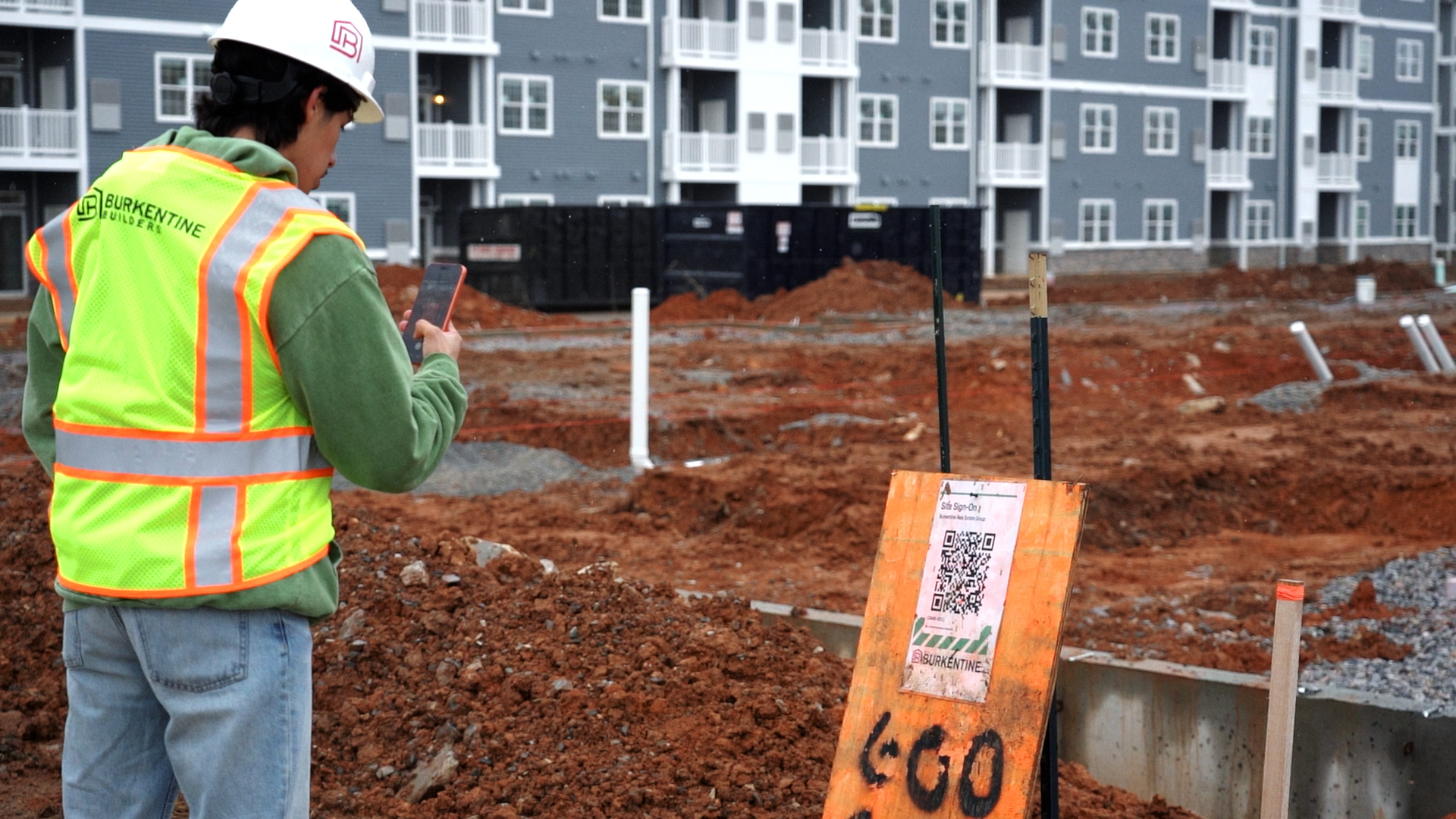
The focus is keeping workflows simple for both office teams and field crews. A subcontractor who has never used BuildPass before can scan a QR code on site, complete an orientation, and sign in without needing a lengthy setup or training process.
For GCs looking at Procore alternatives, the biggest consideration is often adoption. The right platform is the one that gives your team the visibility they need without creating another layer of admin to manage.
Making the call
Switching is worth it when the cost of staying exceeds the cost of moving. That calculation is different for every business, but there are a few tipping points worth naming.
If your renewal is approaching and you cannot justify the cost against actual usage, that is a clear signal. If your team's adoption has already failed and nobody is going to fix that by training harder, the platform is probably not the right fit. If your business is growing faster than your current system can handle, waiting to switch gets more expensive the longer you wait.
Before you commit to a new platform, run one project through it in parallel with your existing system. Pick a live project, get one project manager and one site crew using the new platform for four to six weeks, and see what breaks down. Parallel testing costs time, but it tells you more than any demo will.
The GCs who get the most out of switching are the ones who evaluate based on what their site crew will actually use, not what looks best in a browser tab at a vendor presentation. Book a demo to see how BuildPass runs on a live project.
Frequently asked questions
What is the main reason mid-size GCs switch away from enterprise construction software?
Pricing and adoption failure are the two most common reasons. Volume-based pricing models mean costs scale with annual construction volume rather than actual platform usage, which can make enterprise software feel punishing for a growing mid-size GC. Adoption failure, where the team stops using the platform after initial setup, is just as common and harder to diagnose from a software invoice. GCs running 5 to 20 projects often find that enterprise platforms were designed for contractors twice their size, with dedicated IT departments to manage configuration and training. The complexity that makes the platform powerful for a Tier 1 contractor becomes overhead for everyone else.
How long does it typically take to migrate data when switching construction management platforms?
It depends on how much data you have and what format your current platform exports. Simple migrations involving a clean CSV export of project records and a PDF archive of forms can be completed in days. More complex migrations involving years of daily logs, drawings, punch lists, and compliance documentation across dozens of projects can take several weeks, particularly if the new vendor does not offer migration support. The most important step is confirming what you can export from your current platform before you sign anything new.
Is per-user pricing or flat-rate pricing better for a growing GC?
Flat-rate pricing is generally more predictable for a GC growing their team. Per-user pricing can look affordable early and become a material cost as headcount increases. Volume-based pricing, which ties cost to annual construction volume, can also scale faster than expected as you win more work. Before committing to any pricing model, ask each vendor to give you the total annual cost at two to three headcount or volume scenarios, including where you expect to be in two years. Budget management is harder when software costs are unpredictable.
What construction-specific features should I look for that generic project management tools usually miss?
The features that matter most for field-based operations are rarely priorities in general project management platforms. Look for: OSHA compliance documentation, JHA and safety management workflows, orientations that site crews can complete on a phone without training, daily logs that work offline, punch lists, drawing management, change orders, and project closeout tools. Generic platforms can often be configured to approximate these workflows, but configuration takes time and expertise. If your site operations depend on these features, look for a platform where they are native, not bolted on.
How do I evaluate whether my site crew will actually adopt a new platform?
Ask the vendor to show you the worker-facing experience, not the admin portal. A new sub who shows up on site on day one with no prior context should be able to scan a QR code, complete an orientation, and sign on without calling anyone for help. If the worker app requires training or a reliable data connection, adoption on site is going to be harder. The fastest signal is to run a four to six week parallel test on one live project before committing. Field collaboration problems become obvious quickly once real site crews are using the platform.
What questions should I ask a vendor before committing to a switch?
The most useful questions are the ones vendors do not get asked often: What is my total cost at [X] users and [Y] in annual construction volume in two years? What can I export if I cancel, and in what format? How long before a site crew that has never seen the platform is using it without hand-holding? Who handles data migration and what does it cost? What does the worker experience look like on a phone with no signal? These questions surface what a demo is designed to keep in the background.
Are there alternatives to enterprise construction platforms that still cover OSHA compliance and safety documentation?
Yes. A number of purpose-built construction management software platforms are designed specifically for mid-size GCs and cover OSHA compliance, JHA documentation, safety management, orientations, and daily logs without the enterprise overhead. The distinction to look for is whether safety and compliance are core modules or add-ons. Platforms built around site operations tend to treat compliance as central. General project management platforms often treat it as a secondary feature set.
What is the best way to test a new construction management platform before fully committing?
Run a parallel test on one live project for four to six weeks. Choose a project that is active enough to give the platform a real workout, assign one project manager and one site crew, and track adoption honestly. The questions to answer during the test: Is the field crew using it without being prompted? Are daily logs, punch lists, and safety documentation being completed in the platform or still being handled by text and email? Is setup taking time away from the project? A parallel test costs time upfront and saves significantly more time if it prevents a failed full rollout.
More news you'll care about
Don't stop there, the BuildPass blog is filled with interesting insights and innovations that'll help you and your construction business stay ahead of the pack.