
Build your PTP form
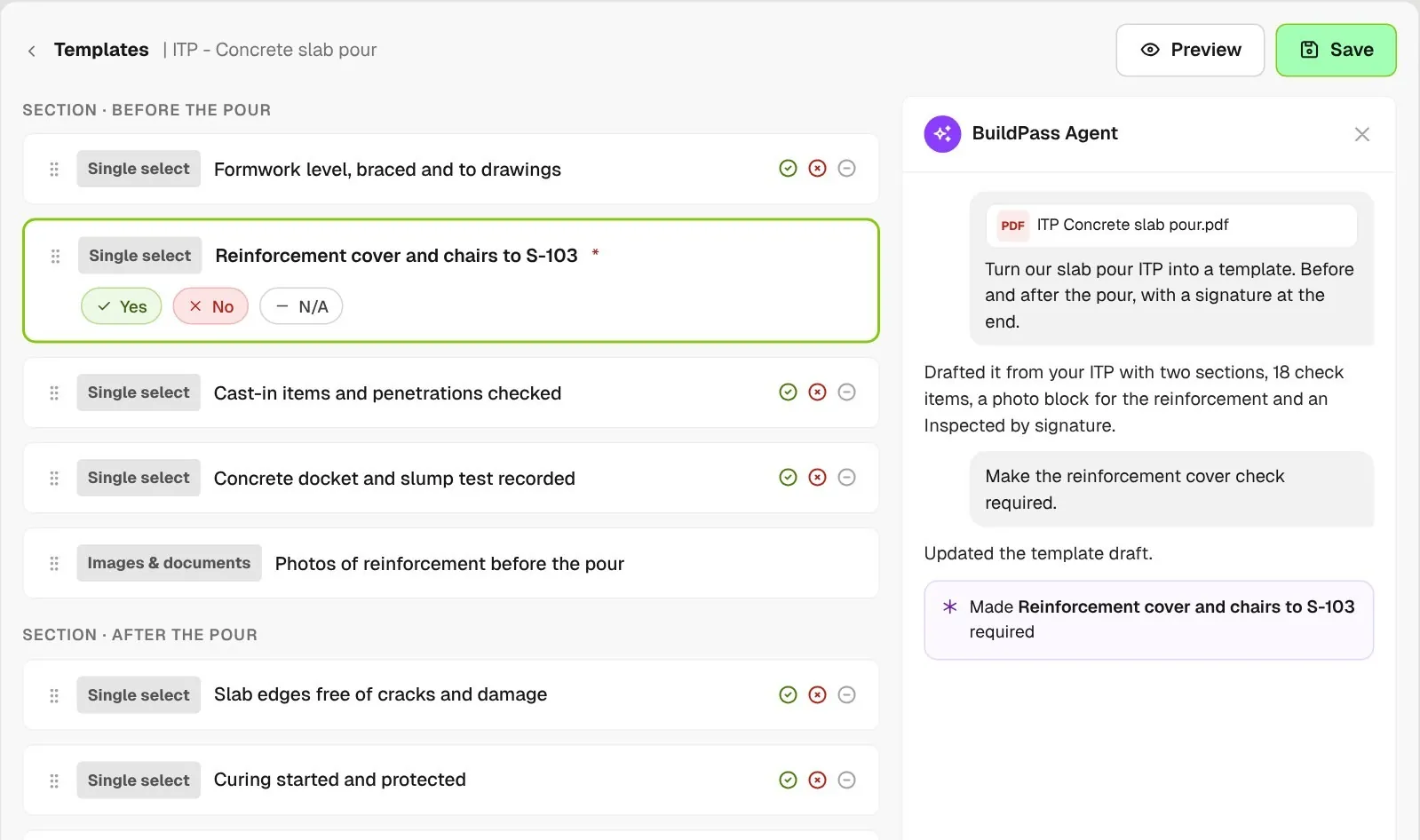
Add a question for each task, hazard and control, and mark each answer option as met, not met or not scored. Add photo and signature blocks where you need proof.
Build your pre-task plan as a form, talk it through with the crew before work starts and record who attended. Workers who missed it read the plan and acknowledge it when they sign on, so your superintendent sees who still needs to read it.
From custom-home contractors to commercial general contractors, field teams run their pre-task plans on BuildPass.













Pre-task plan software helps general contractors and superintendents build a PTP form, brief the crew on the day's tasks and hazards, and keep a record of who attended and who acknowledged the plan.
Add a question for each task, hazard and control, and mark each answer option as met, not met or not scored. Add photo and signature blocks where you need proof.
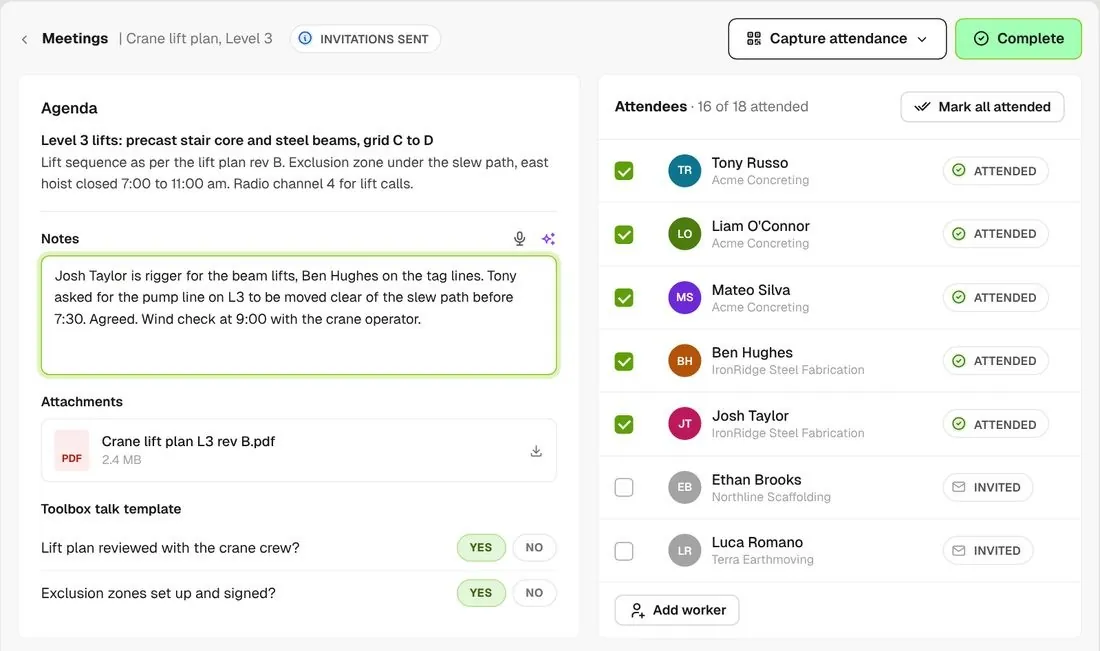
Run the pre-task meeting with the agenda, your notes, the plan attached and a checklist to answer. Check off who showed up, then complete it.
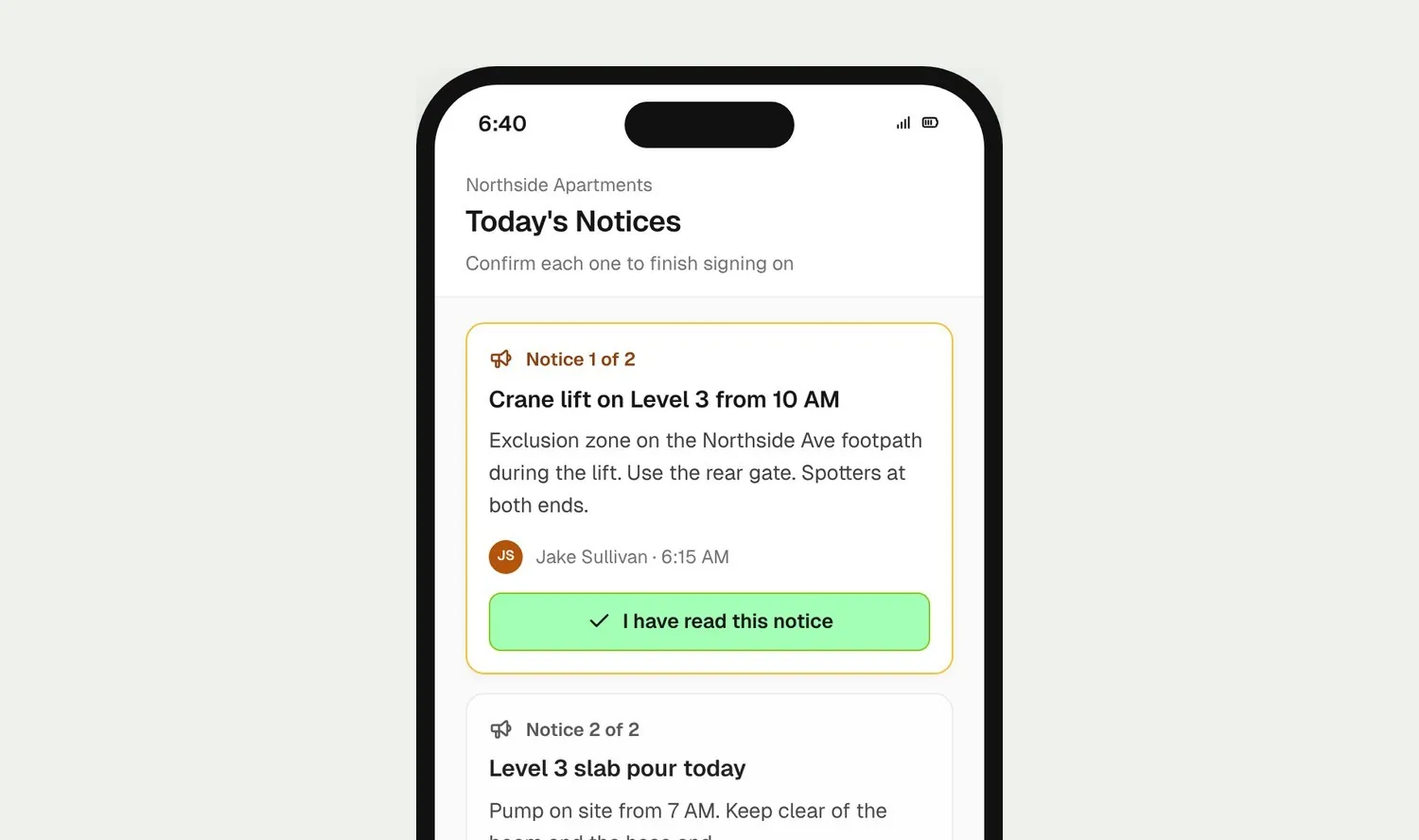
Put the day's plan in a Notice. Workers read it and confirm it before their sign on goes through, so nobody misses the crane lift.
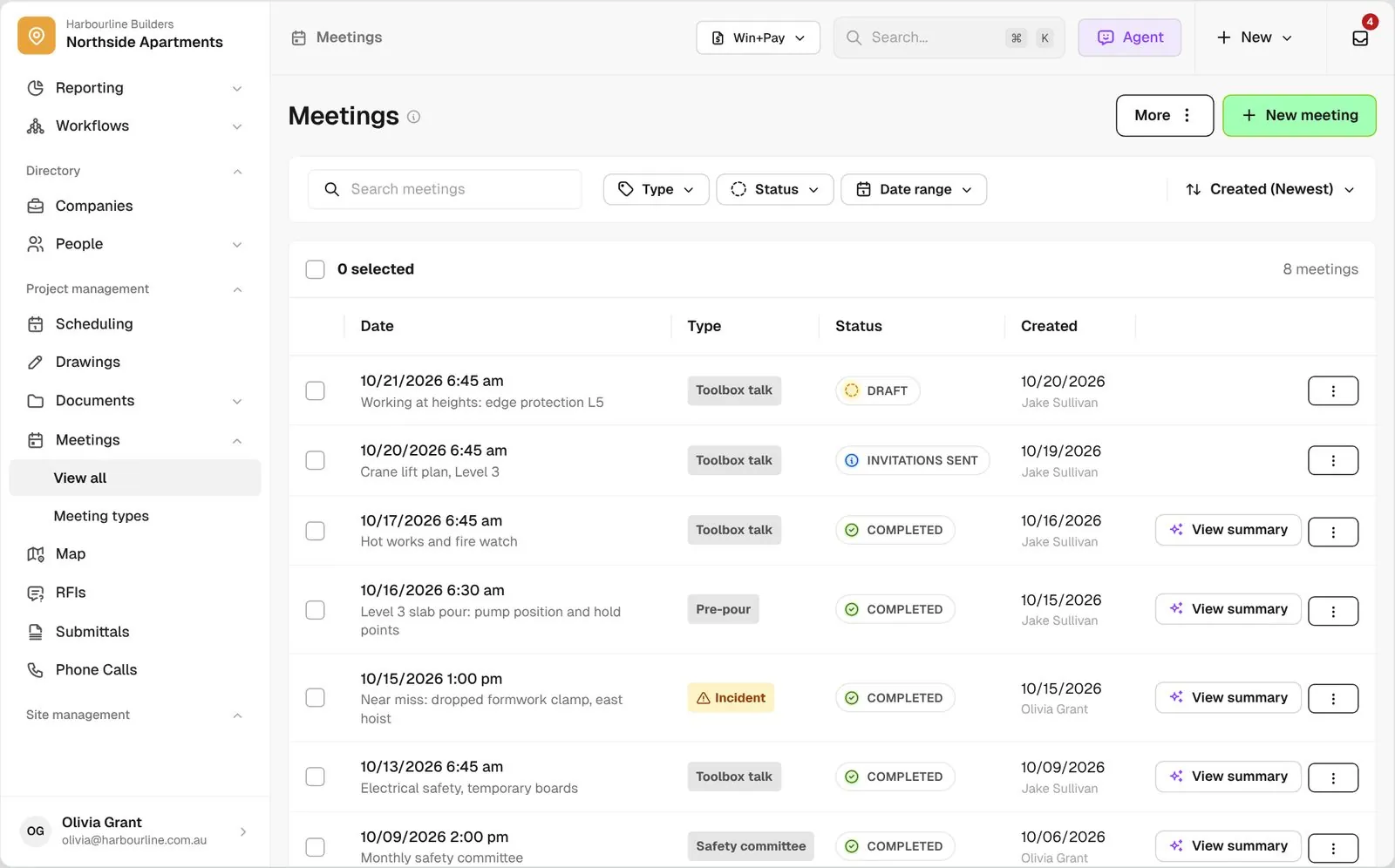
See each day's pre-task meetings, who attended, who acknowledged the plan and who still hasn't.
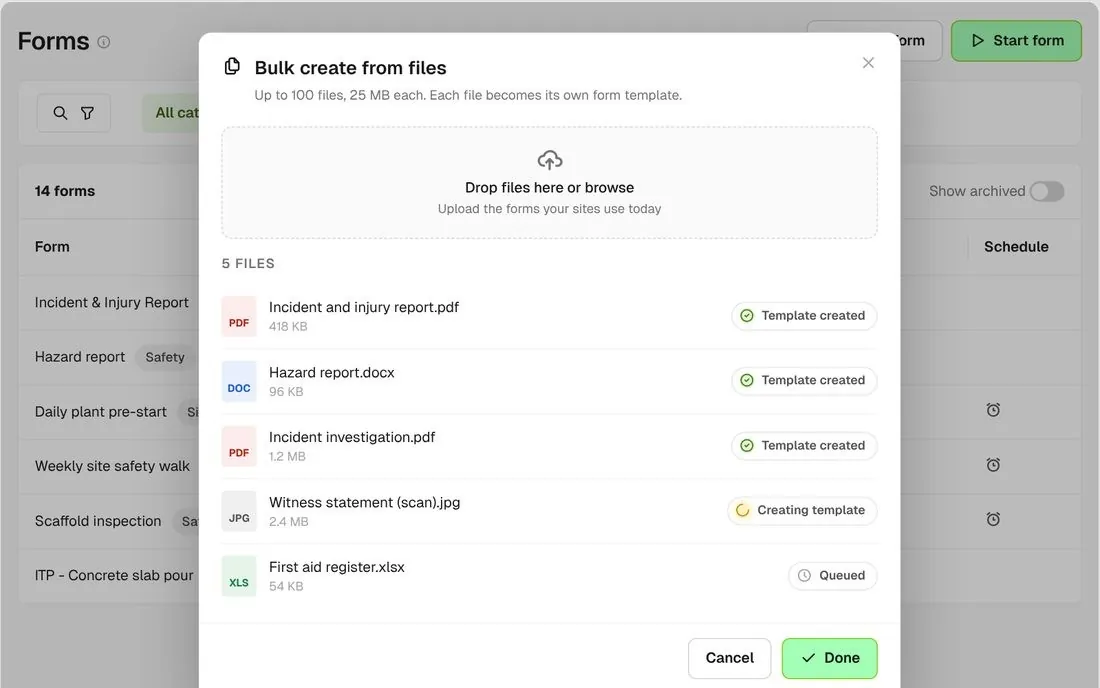
Upload up to 100 of the PTP forms your jobsites use today. With BuildPass Agent switched on, BuildPass turns each file into a form template you can change.
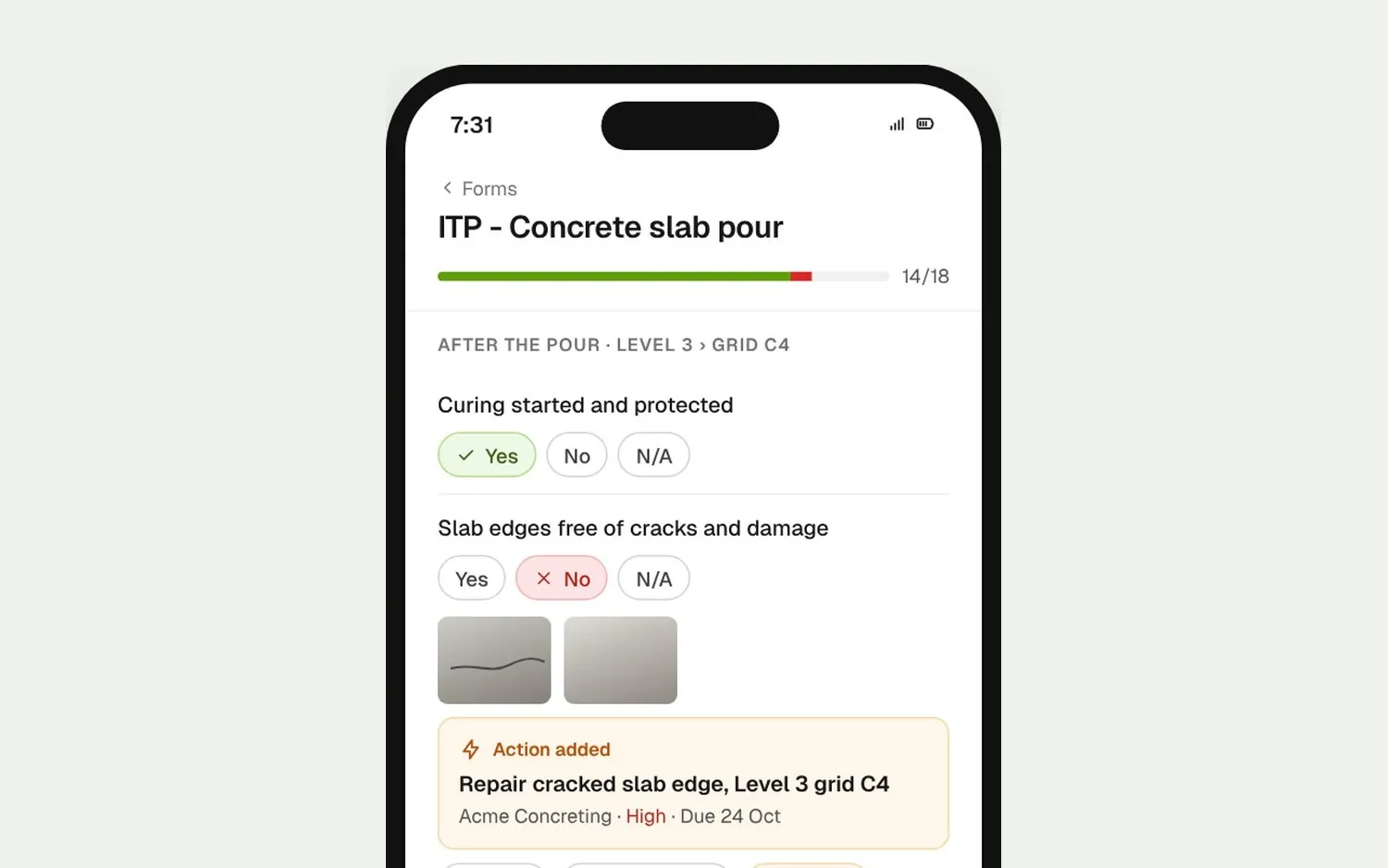
Your foreman or the sub completes the form on their phone. If a check fails, your superintendent can raise a punch item right from that question.
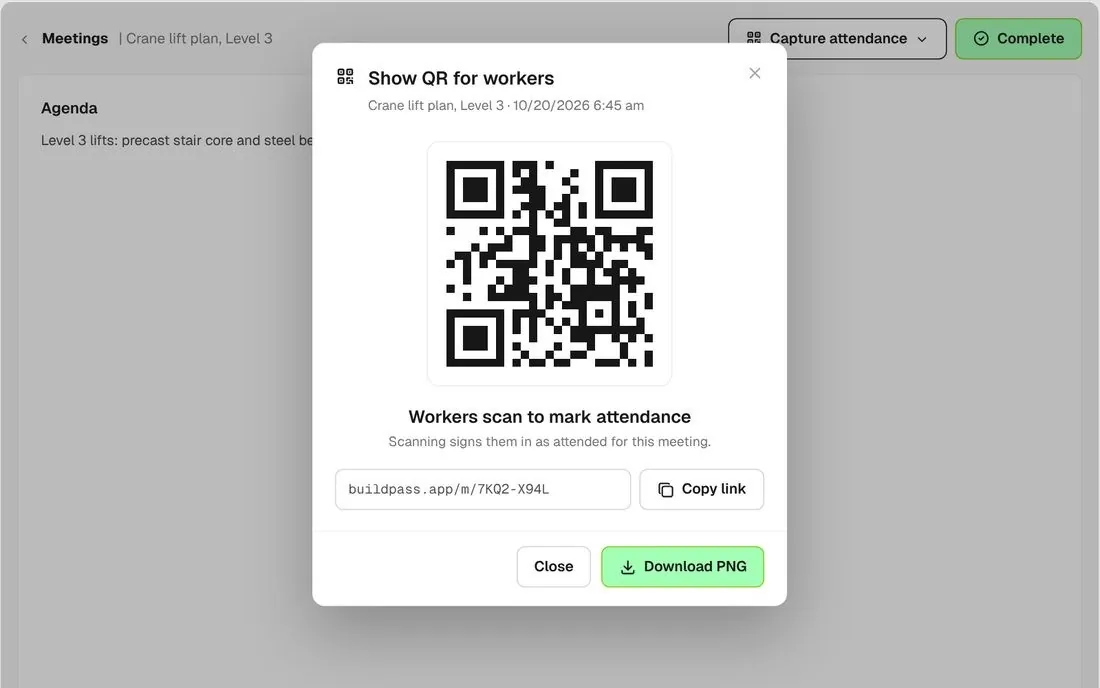
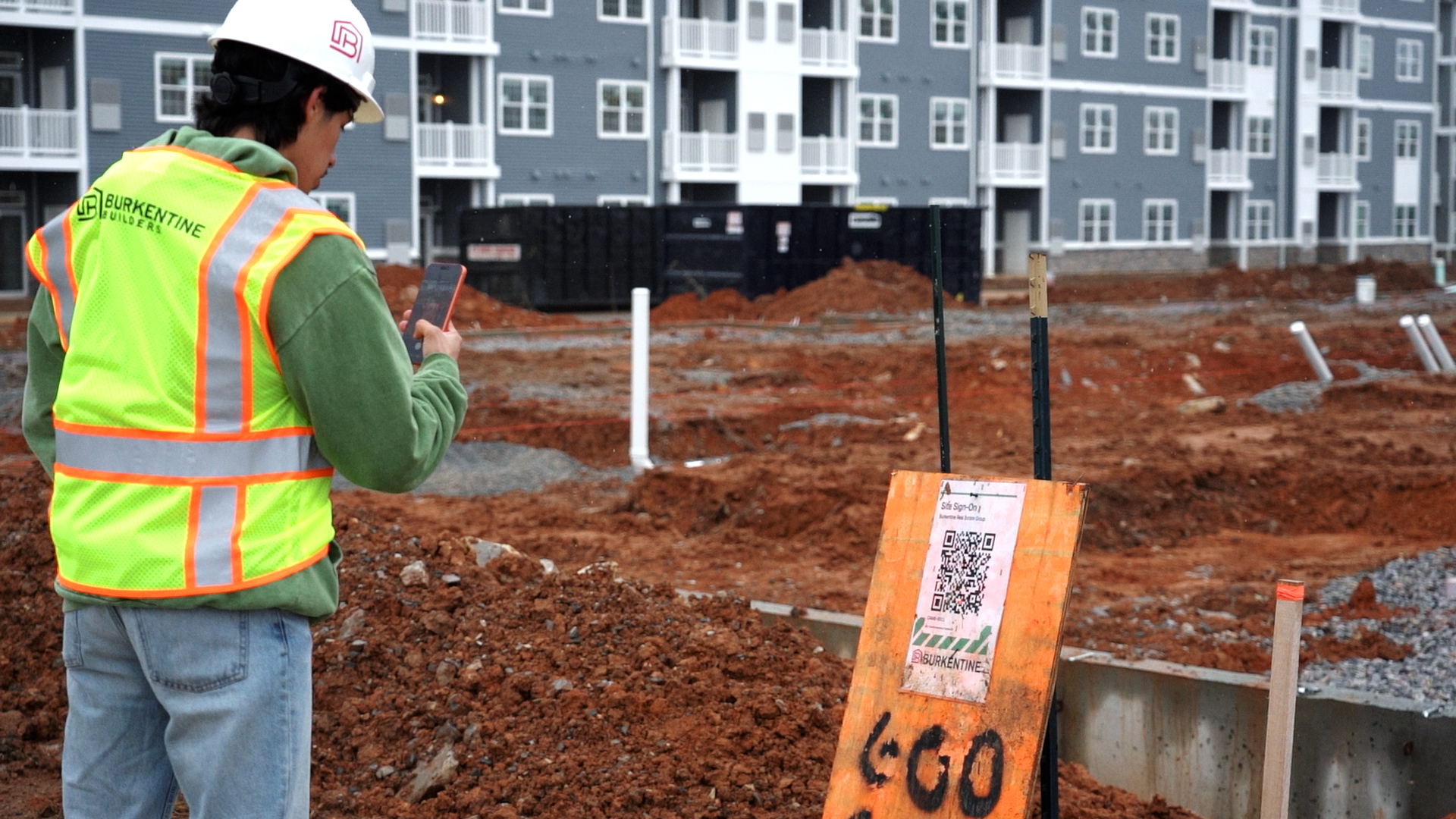
Show the meeting's QR code on a screen or print it. Workers scan the code to mark themselves attended.
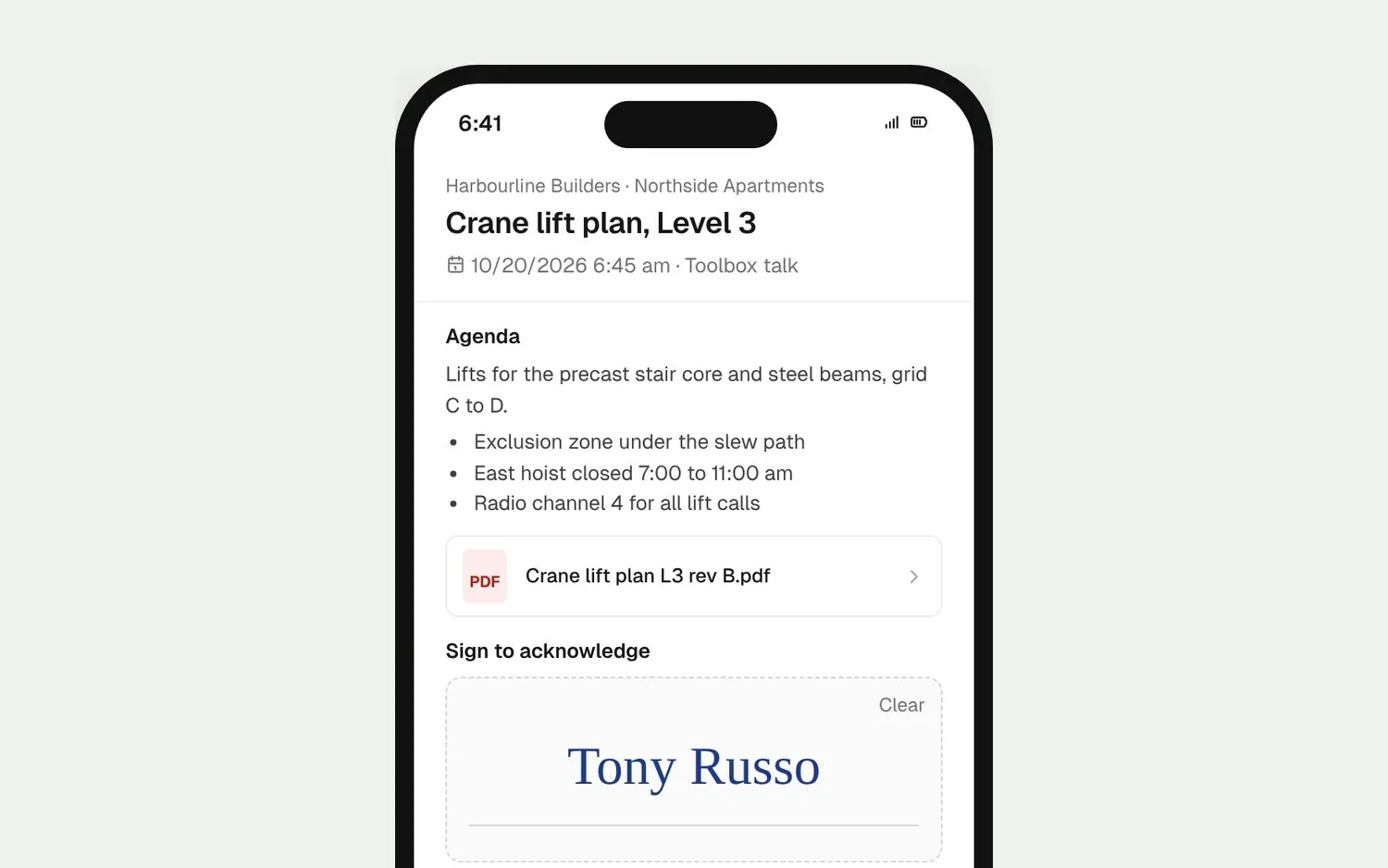
Workers open their invitation link, read the agenda and notes, draw their signature and tap Acknowledge.
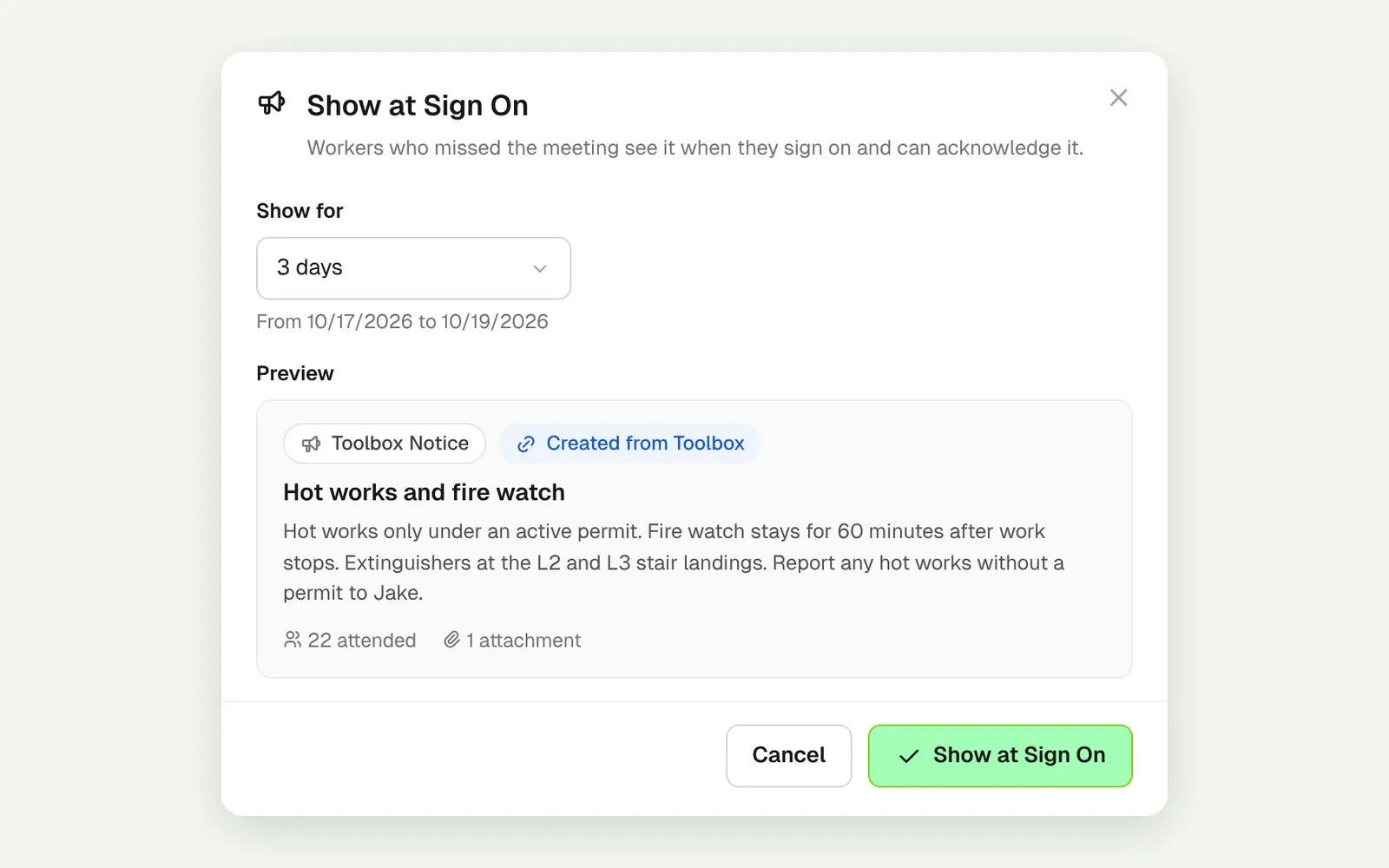
Show a completed meeting at sign on for as many days as you choose. Workers who missed it read it and acknowledge it as they sign on.
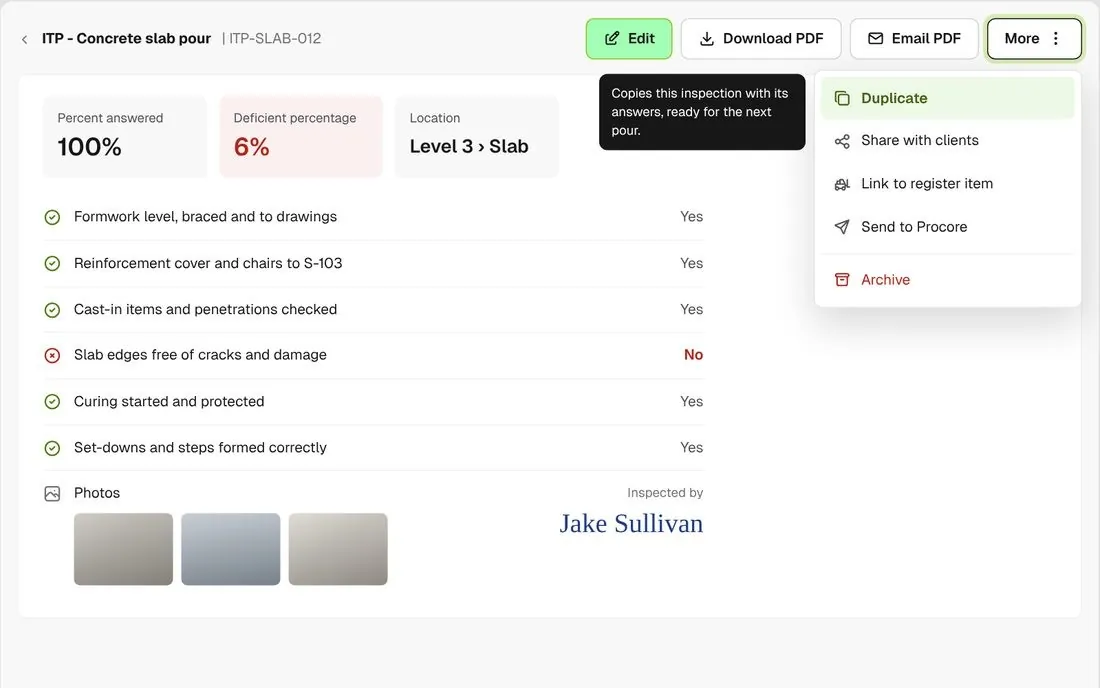
Duplicate a completed form with its answers, project and location, then change only what is different today.
Your PTP form, the pre-task meeting and the Notice all sit on the same project. Marking workers attended, in bulk or by scanning their QR badge, signs them on for the day, and a completed form or meeting can go to Procore if the project is connected to it.
Explore health and safetyTake off, estimate and get proposals out the door, without rekeying the same numbers three times.
Explore preconstructionBudgets, commitments, pay applications and bills, so you see the real financial position of every job.
Explore financeBring your other tools, your phone line and BuildPass AI into the same workflow.
Explore the AI toolkitFrom custom-home builders to commercial general contractors, teams across the United States run their projects on BuildPass every day.



Book a demo and we'll walk your team through it.