
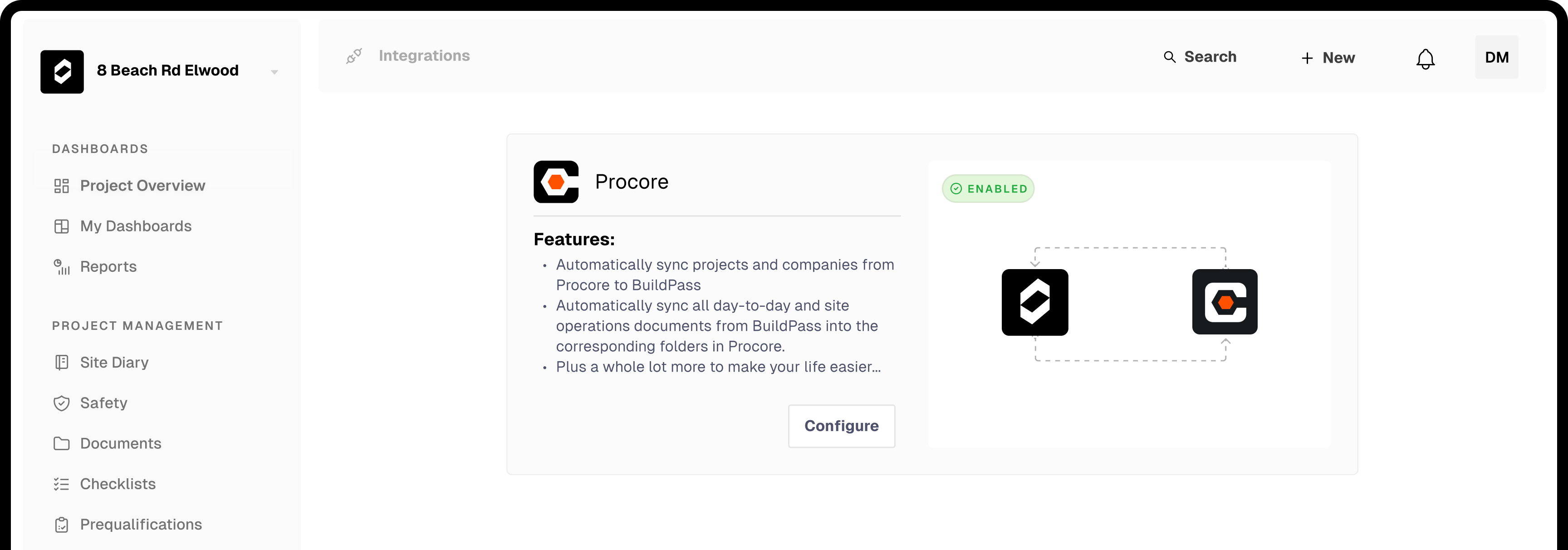
Your Procore directory syncs into BuildPass automatically
Choose which Procore projects to link. Any project, company or contact created or updated in Procore appears in BuildPass automatically, no manual re-entry.
Running both platforms and switching off Procore need different answers. Pick yours.
Projects, companies and contacts sync automatically. Site records flow straight into Procore. No double entry.
See how it worksSee exactly what comes across, what's still on the way, and what stays behind, before you sign anything.
See what migratesConnect your accounts once. From there, everything below happens automatically.
Choose which Procore projects to link. Any project, company or contact created or updated in Procore appears in BuildPass automatically, no manual re-entry.
Attendance captured in your BuildPass site diaries syncs into Procore's daily log automatically. Safety documentation, inductions, SWMS and toolboxes, files straight into the Procore Documents folder you choose.
Bring your existing Procore project locations straight into a connected BuildPass project instead of rebuilding the hierarchy by hand. A one-time import that won't change your ongoing sync settings.
Straight answers before you sign anything.
Import your Procore location hierarchy directly into a connected BuildPass project instead of rebuilding it by hand.
Every Procore project you link syncs into BuildPass automatically and stays current, this isn't a one-off import (see how the integration works above).
Your Procore company directory syncs into BuildPass automatically as it changes.
Contacts sync into BuildPass automatically from Procore, keeping your directory current without re-entry.
Old site diaries, past worker credentials and completed SWMS stay in Procore as your archive. Your BuildPass record starts clean from day one, which makes audits simpler, not harder.
A SWMS in BuildPass is an interactive document your team reviews, comments on and enforces, not a static file. Your subcontractors submit theirs during digital onboarding, with setup help from your implementation team.
Nothing to migrate here by design. Each worker creates their own profile from their phone during induction, so your roster is accurate from the start.
Book a personalised walkthrough of the BuildPass and Procore integration, or the switch-over path, whichever fits.
We're passionate about creating lasting relationships with our customers. Discover how leading construction professionals use BuildPass to optimise their processes to deliver high-quality





Subscribe to our monthly newsletter and receive BuildPass news and industry insights you won't want to miss.
By clicking Subscribe you're confirming that you agree with our T&Cs.